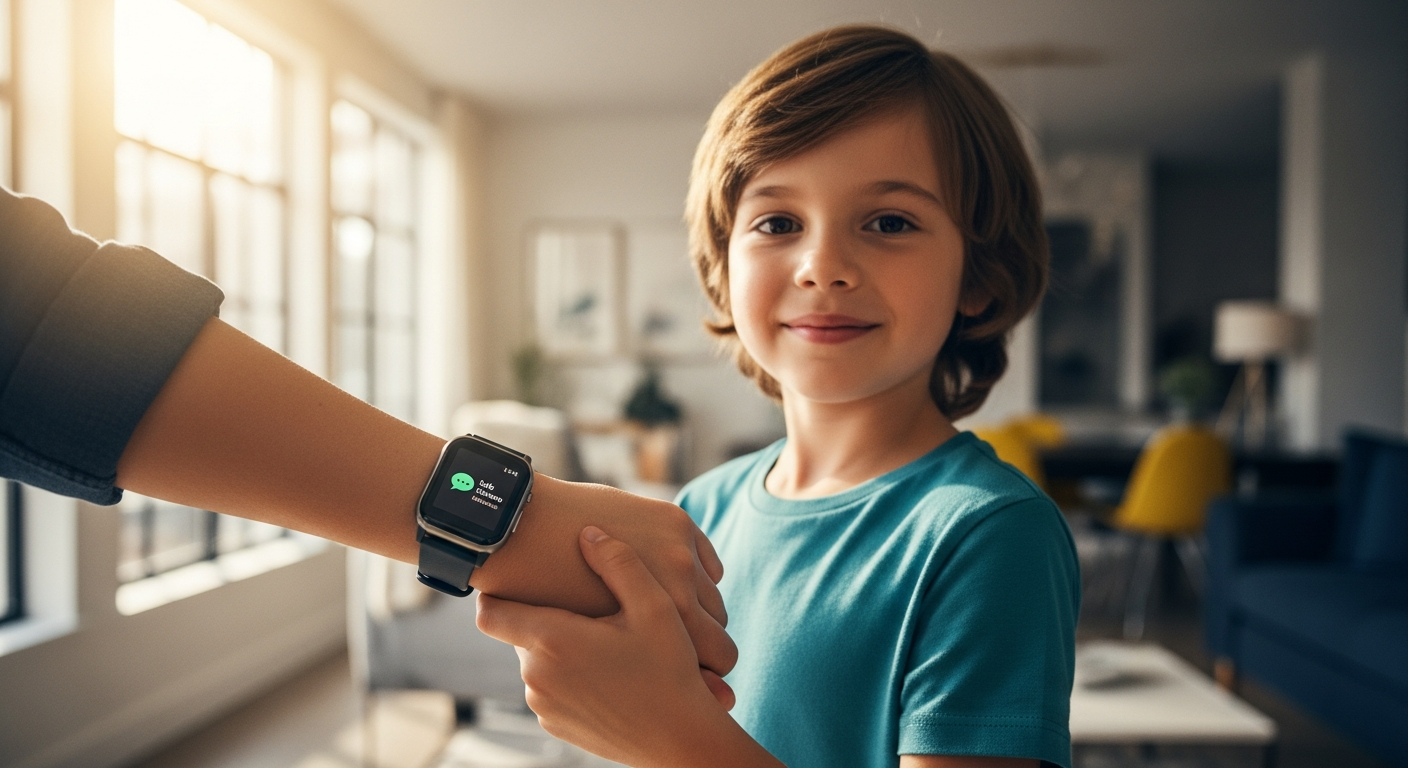
Over 70% of parents struggle with the timing of giving their child a smartphone—too early and they're exposed to endless screen time and online dangers; too late and they feel left behind by peers. The tension between protection and freedom has never been sharper. Parents want to stay connected with their children without handing them a device that becomes an all-consuming distraction.
The Xplora X6Play Kids GPS Smartwatch emerged as a game-changer for families seeking a middle ground, offering connectivity without the chaos. This isn't just another smartwatch slapped with parental controls. The X6Play represents a deliberate shift in how we think about children's technology—one that prioritizes genuine communication and safety monitoring over addictive features and unrestricted access.
Discover how the Xplora X6Play can transform your family's approach to children's technology.
Teaching Digital Responsibility Through Intentional Design
The X6Play's power lies not in what it includes, but in what it deliberately excludes. There's no endless scrolling feed, no algorithmic recommendations pulling children deeper into screen time, no social media notifications demanding constant attention. The smartwatch strips away the psychological hooks that make smartphones so addictive and replaces them with straightforward communication tools.
How the X6Play's Limited Feature Set Prevents Screen Addiction
The device focuses on essential functions: calls and messages to parent-approved contacts, a camera for capturing moments, a step counter for activity tracking, and emergency SOS capability. This intentional simplicity means children can't disappear into infinite content consumption. The watch doesn't offer games designed to be psychologically compelling or feeds engineered to keep users engaged. Instead, it becomes a tool for connection rather than a source of compulsion.
The Psychology Behind Removing Infinite Scrolling and Algorithmic Feeds
Developmental psychologists recognize that children's brains are still forming their impulse control and reward systems. Traditional smartphones exploit these vulnerabilities by design. The X6Play sidesteps this entire dynamic. Without algorithmic feeds suggesting "one more video" or notification badges creating artificial urgency, children develop healthier relationships with technology from the start. They learn that devices serve specific purposes rather than becoming portals to endless novelty.
Why Restricting Contacts to Parent-Approved Numbers Creates Healthier Communication
The contact restriction feature transforms how children communicate. Instead of navigating complex social dynamics across multiple platforms, children contact the specific people parents have vetted. This prevents exposure to inappropriate content, stranger contact, and the social comparison traps that plague young users on unrestricted devices. Children still maintain independence—they can call or message—but within a framework that protects them from harm.
The Role of School Mode in Establishing Boundaries
School mode represents thoughtful design. Parents can activate this feature to disable calls and notifications during school hours, with the SOS button remaining active for emergencies. This teaches children to respect learning environments and creates a natural rhythm for technology use. Rather than struggling against constant digital distractions, they experience focused time without the temptation of an always-connected device.
Parental Control Architecture: What Actually Works
The X6Play's control systems aren't afterthoughts—they form the foundation of the device. Each feature serves a specific protective function while maintaining enough independence to feel genuine rather than oppressive.
Real-Time GPS Tracking Capabilities and Geofencing Safe Zones
The 4G connectivity enables near-real-time location updates. Parents can view their child's position on a map and establish geofenced zones—school, home, after-school activity locations—that trigger alerts when entered or exited. This proves invaluable for school pickups, knowing if a child arrives home safely, or monitoring attendance at scheduled activities. The GPS tracking typically provides accuracy within 50-100 meters in most urban and suburban environments.
Setting Up and Managing Parent-Approved Contact Lists
Parents control exactly who can reach their child and whom their child can contact. This whitelist approach prevents random calls or messages from unknown numbers. For younger children, this might mean only parents and grandparents. As children mature, parents gradually expand the contact list to include close friends or coaches. This creates a natural progression toward independence with built-in checkpoints.
The SOS Button Functionality
The dedicated SOS button ensures children can reach parents immediately in genuine emergencies, regardless of school mode or other restrictions. The button remains active and functional at all times, providing a critical safety mechanism that distinguishes the X6Play from less thoughtful designs that might inadvertently block emergency access.
Internet and Social Media Blocking
The device blocks unrestricted internet access, preventing children from stumbling onto inappropriate content or accessing social media platforms. This parental control removes temptation entirely rather than relying on children's willpower to avoid potentially harmful platforms.
Explore the complete safety features and parental controls of the Xplora X6Play today.
GPS Tracking Reliability and Location Accuracy in Daily Life
GPS accuracy matters when safety depends on it. The X6Play's 4G connectivity directly impacts tracking reliability and response times.
How 4G Connectivity Impacts GPS Precision and Response Times
The device uses 4G networks for data transmission, which generally provides faster location updates than older 3G or GPS-only systems. Response times typically range from a few seconds to under a minute for location data to appear in the parent app. Urban areas with strong 4G coverage experience the fastest updates, while areas with weaker signals may see slightly longer delays.
Typical Accuracy Ranges in Urban, Suburban, and Rural Settings
In cities with dense network coverage, GPS accuracy typically falls within 50-100 meters. Suburban areas generally maintain similar accuracy, though update frequency may be slightly slower. Rural locations with weaker 4G signals can experience less frequent updates and broader accuracy ranges (100-200+ meters). Indoor GPS accuracy remains limited, as buildings block signals significantly.
Real-World Scenarios Where GPS Tracking Proves Invaluable
Parents consistently report peace of mind during school commutes, after-school sports practices, and park visits. Knowing when a child arrives at their destination removes anxiety that otherwise requires constant phone calls. Tracking proves especially valuable during the transition from parent drop-off to independent travel, allowing children greater autonomy while parents monitor progress.
Common App Freezing Issues and Their Impact on Location Data
Some users report the companion app occasionally freezes when loading location data, requiring a restart to refresh tracking information. This represents the most significant reliability concern. In most cases, freezing occurs intermittently rather than persistently, but it does mean parents shouldn't rely on the app for split-second emergency responses. The app generally recovers quickly and provides accurate data once restarted.
Hardware Specifications and Durability Concerns
The physical device needs to withstand childhood's demands. The X6Play's specifications suggest durability, but real-world usage reveals some complications.
1.52-Inch TFT Display Performance in Various Lighting Conditions
The 360×400 pixel TFT display provides adequate clarity for the watch's functions. In indoor lighting and shade, the screen remains readable. Direct sunlight can create glare that reduces visibility, though the display performs adequately for basic functionality even in bright conditions. The touch interface remains responsive across various lighting scenarios.
IP68 Water Resistance Rating and Real-World Testing
The IP68 rating indicates full protection against dust and temporary immersion in water up to 1.5 meters for 30 minutes. In practice, this means the watch handles splashes, swimming, and water play without damage. Users report reliable water resistance, making the X6Play suitable for children who participate in water sports or simply splash in puddles without parental concern.
900 mAh Battery and Daily Charging Requirements
The 900 mAh battery delivers up to 72 hours of standby time with normal usage. In practical terms, most families charge the watch every 2-3 days, typically in the evening as part of a bedtime routine. Heavy usage with frequent GPS updates and constant communication may require more frequent charging. The relatively short charging window fits the school schedule well, preventing situations where the device dies unexpectedly during the school day.
Reported Wristband Durability Issues and Replacement Options
The original wristbands can wear out, particularly for active children or those who wear the watch constantly. Xplora offers replacement bands, and aftermarket options exist. The customizable frame and strap design means parents can choose more durable replacement materials if the original band deteriorates. This adds to long-term costs but keeps the watch functional beyond the first year.
Subscription Costs and Total Cost of Ownership
The X6Play requires both an upfront hardware investment and ongoing subscription fees. Understanding the total financial commitment matters before purchasing.
Hardware Pricing and Regional Variations
The hardware typically costs between €179.99 and €229, with regional pricing variations depending on retailer and location. German pricing tends toward the lower end of this range, while other European markets may see higher prices. Occasional sales occur, particularly around holidays or promotional periods.
Monthly Subscription Fees and What's Included
The monthly subscription fee runs approximately €8.99 or £7.99, depending on region. This fee covers 4G connectivity, calls, messages, and data access for the platform. The subscription activates all core functionality—without it, the watch becomes a non-functional device.
Comparison to Family Phone Plans and Other Kids' Smartwatch Services
For context, a basic smartphone line on a family plan typically costs €20-40 monthly. The X6Play subscription costs roughly one-quarter to one-half of a smartphone plan. Competitors like Gizmo Watch or similar devices offer similar pricing, though the X6Play includes more features like the camera and fitness integration.
Long-Term Financial Commitment Over 2-3 Years
Over two years, the total investment approaches €415-449 (hardware plus 24 months of subscription). Over three years, it exceeds €600. This represents a meaningful commitment that should align with family budgets. Parents should factor in potential band replacements and the eventual need to upgrade to a newer device model as children age.
Companion App Experience and Known Reliability Issues
The smartwatch is only as useful as the parent app controlling it. The X6Play app provides essential functionality, but reliability challenges exist.
Common App Freezing Problems and When They Occur
App freezing typically happens when loading location data or refreshing the contact list, particularly if network connectivity fluctuates. The freezing is frustrating but temporary—closing and reopening the app usually resolves the issue within seconds. Some users report more frequent freezing if their phone's memory is limited or if they're managing multiple devices through the app.
Inaccurate Location Data Reports and Potential Causes
Occasional location data inaccuracy occurs due to GPS signal limitations indoors, 4G connectivity gaps in certain areas, or app glitches. Most reports suggest the inaccuracy is temporary—refreshing the app or waiting a minute typically shows corrected location data. The problem rarely represents a persistent issue but rather intermittent anomalies.
User Interface Design and Ease of Navigation
The parent app layout follows a logical structure with clear sections for location, contacts, messages, and settings. Most parents find navigation intuitive within the first few uses. Control features are accessible without excessive menu diving. The dashboard provides a quick overview of the child's status without requiring detailed exploration.
Notification Delivery Reliability and Occasional Missed Alerts
Parents occasionally report missing alerts when geofence boundaries are crossed or SOS buttons activated. This represents the most critical reliability concern. While most alerts deliver promptly, the possibility of missed notifications means the device should complement rather than replace other communication methods during critical situations.
Real-World Scenarios Where the X6Play Excels
The X6Play performs best in specific situations where its design strengths shine.
School Commutes and After-School Activities
The device excels during transitions from parent supervision to independent travel. A child walking to school or riding a bike to a friend's house can maintain contact through the X6Play. Parents track location without constant check-in calls that might interrupt the child's activities. The school mode prevents distraction during class while keeping emergency access available.
Sports Practices and Outdoor Adventures
Parents waiting in car pickup lines or allowing children to explore parks can monitor locations in real time. The step counter and activity gamification through the Goplay platform motivate some children to stay active. The camera enables children to capture moments and share them with parents, fostering connection without social media's complications.
Sleepovers and Visits to Friends' Houses
Letting children experience independence at a friend's house becomes less anxiety-inducing with GPS tracking. Parents know their child arrived safely and can stay connected for emergencies. Children feel trusted rather than constantly supervised, supporting normal developmental progression toward independence.
Public Outings: Shopping Centers, Events, and Parks
Families visiting crowded venues can grant children more freedom while maintaining location awareness. Older children can explore a fair or shopping center with reduced parental anxiety. The SOS button provides reassurance for both parent and child that help is always accessible if needed.
Making the Decision: Is the X6Play Right for Your Family?
Determining whether the X6Play aligns with your family's needs requires honest assessment across several dimensions.
Assessing Your Child's Readiness for Independent Communication
Consider your child's maturity level and communication skills. The X6Play works best for children who can follow rules about contacting only approved numbers and who won't attempt to circumvent restrictions. Children around ages 8-10 typically show the judgment needed to use the device responsibly. Younger children may benefit from parental monitoring without independent device access, while older children might warrant more comprehensive devices.
Evaluating Your Family's Specific Safety Concerns and Monitoring Needs
Identify what safety concerns drive your desire for monitoring. Are you concerned about the school commute? Unauthorized contact from unknown sources? Excessive screen time? The X6Play addresses all these concerns effectively. If your primary concern is social media exposure, the X6Play's restrictions handle this well. If you need comprehensive device monitoring for a child with behavioral challenges, the X6Play's limited customization might feel constraining.
Considering Your Child's Activity Level and Interest in Fitness Gamification
The Goplay platform rewards activity with "X Coins," which appeals to some children more than others. Active children who enjoy games and challenges might find genuine motivation in this system. Less active or less game-motivated children might ignore the gamification entirely. If fitness motivation matters to your decision, consider whether your child typically responds to reward-based incentives.
Budget Assessment and Total Cost Alignment
Calculate the total two-to-three-year investment and determine if it fits your family finances. The X6Play represents a meaningful expense but costs significantly less than a smartphone plan. If budget constraints are tight, the ongoing subscription fee should factor into your decision. If finances allow, the cost-benefit ratio typically favors the X6Play for families seeking a device with this specific feature set.
The Path Forward: Empowering Independence Responsibly
The Xplora X6Play Kids GPS Smartwatch occupies a genuinely important space in modern parenting—it's the bridge between not yet ready and here's your own device. Families who choose this watch typically report reduced anxiety about their children's whereabouts, improved communication without the baggage of social media, and kids who feel trusted rather than surveilled. The GPS tracking works reliably in most situations, the parental controls actually prevent the pitfalls of unrestricted devices, and the activity gamification genuinely motivates some children to move more.
The X6Play makes strongest sense for families with children ages 6-12 who are beginning to navigate more independence, attend school without constant parental oversight, or participate in activities away from home. If you're wrestling with the timing of giving your child their first connected device, this smartwatch deserves serious consideration. Start by honestly assessing your child's maturity level and your family's specific safety priorities. Then, if the features align with your needs and the cost fits your budget, the X6Play can genuinely deliver on its promise—independence with intelligent guardrails.
Leave a Reply