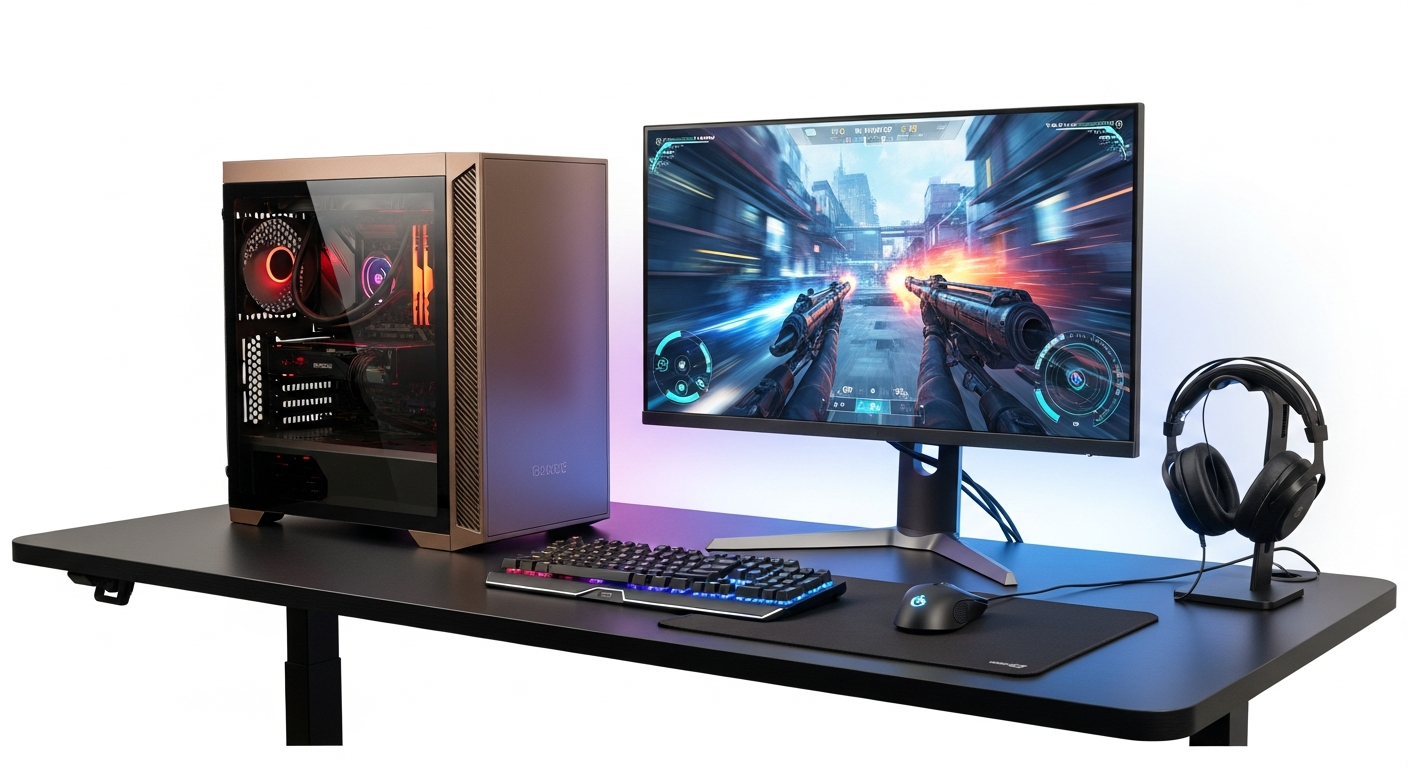
Over 60% of PC gamers still prioritize 1080p gaming because it’s where performance meets affordability—and where you actually enjoy high frame rates without emptying your wallet. The pursuit of ultra-high resolution can quickly become an exercise in diminishing returns, both financially and practically. For most players, 1080p at 100+ fps beats 4K at 30 fps every single time.
The KingForge Bronze Gaming PC cuts through the build versus buy dilemma entirely. Caseking ES has earned its reputation as Europe’s go-to gaming hardware specialist, and the KingForge Bronze represents their philosophy perfectly: quality components, professional assembly, and honest pricing. This isn’t a budget build that compromises on reliability—it’s a calculated choice to deliver genuine gaming performance without the headache.
This guide breaks down everything that makes this pre-built stand out: the hardware architecture, real-world gaming performance expectations, warranty coverage, and whether the €1,099.90 price tag genuinely delivers on value.
Explore the KingForge Bronze Gaming PC at Caseking ES today.
What’s Inside the KingForge Bronze Gaming PC: Component Breakdown
The AMD Ryzen 5 7500F Processor
The Ryzen 5 7500F sits at a sweet spot for 1080p gaming in 2026. This six-core, twelve-thread processor delivers sufficient multi-core performance for gaming while keeping power consumption reasonable. The 7500F lacks integrated graphics—hence the F designation—but paired with a dedicated GPU, this becomes irrelevant. Gaming workloads rarely max out all cores simultaneously, meaning the 7500F handles competitive titles and single-player adventures with comfortable headroom. Clock speeds reach up to 5.0 GHz, providing the snappiness that gamers feel during menu transitions and load times.
The NVIDIA GeForce RTX 5060 Graphics Card
The RTX 5060 forms the backbone of this system’s gaming capability. This modern architecture delivers solid 1080p performance with high settings across most titles. The card includes adequate VRAM for current-generation games, handling texture-heavy environments and ray-tracing effects without excessive stuttering. At 1440p with optimized settings, the RTX 5060 remains viable for less demanding titles, though 1080p is where it truly shines.
Phanteks Eclipse G370A Case
Phanteks designed the Eclipse G370A with both aesthetics and airflow in mind. The front panel features mesh ventilation that allows substantial air intake, while the internal layout supports straightforward cable management. Thermal efficiency matters in pre-built systems, and this case ensures the CPU and GPU don’t suffer from restricted cooling. The design accommodates modern CPU coolers and GPU lengths without modification, future-proofing the system for component upgrades.
Memory, Storage, and Power Configuration
Caseking typically equips systems at this price point with either 16GB DDR4 or DDR5 RAM—sufficient for gaming without the performance bottlenecks that plagued older configurations. An NVMe SSD handles the operating system and primary games, delivering boot times under 15 seconds and game loading that won’t test your patience. The motherboard selection and power supply specifications aren’t explicitly detailed, but reputable vendors ensure adequate wattage for stable operation under sustained gaming loads.
Thermal Management and Stock Cooling
The included cooler handles Ryzen 5 7500F thermal output competently during extended gaming sessions. Stock solutions rarely impress enthusiasts, but they function reliably. The case’s airflow design complements the cooling solution, preventing thermal throttling even during marathon gaming marathons.
Real-World Gaming Performance: What Games Run and How Well
Competitive Esports Titles
CS2, Valorant, Apex Legends, and Fortnite run at extremely high frame rates—200+ fps at high settings—on the KingForge Bronze. These titles prioritize frame rate over visual fidelity, and the system excels here. Competitive gamers will experience the responsiveness that separates winning from losing.
Demanding AAA Experiences
Baldur’s Gate 3, Starfield, and Dragon’s Dogma 2 represent the performance ceiling for this hardware. At balanced settings—medium to high rather than ultra—the RTX 5060 delivers 60-90 fps depending on specific games and resolution choices. These aren’t frame rate competitions, so smoother gameplay takes precedence over maximum visual quality. Turning off certain bells and whistles like ultra ray tracing or maximum draw distances yields noticeable improvements without destroying atmosphere.
1440p Gaming Potential
The RTX 5060 handles 1440p with optimized settings across a broad spectrum of games. Lighter titles run flawlessly; demanding AAA games require setting adjustments but remain entirely playable. This flexibility extends the system’s effective lifespan, allowing you to chase higher resolution without an immediate upgrade path.
Content Creation Capabilities
OBS streaming alongside gaming introduces noticeable CPU load. The Ryzen 5 7500F can handle streaming at medium-quality settings (1080p, 60 fps, 6000 kbps) without devastating in-game frame rates, though you’ll notice a performance reduction of 15-25 fps. Streamers with moderate audiences won’t experience catastrophic stuttering, but dedicated content creators might eventually want a more powerful CPU.
Game Library Compatibility
The breadth of compatible games is virtually unlimited at 1080p. From indie pixel art adventures to cutting-edge AAA productions, the KingForge Bronze handles whatever you throw at it without significant compromise.
Check current specs and availability of the KingForge Bronze at Caseking ES.
Price-to-Performance Analysis: Is €1,100 a Smart Investment?
Component Cost Comparison
Building an equivalent system independently would cost approximately €950–€1,050 in component expenses. Factor in the time required for research, compatibility verification, assembly, and troubleshooting, and the KingForge Bronze’s €1,099.90 becomes genuinely competitive. You’re paying roughly €50–€150 for professional assembly, quality assurance, and peace of mind.
Market Positioning
This system occupies the mid-range gaming PC sweet spot. Budget competitors at €699 sacrifice performance or components; premium systems at €1,500+ include features you won’t utilize. The KingForge Bronze targets the zone where money translates directly into gaming ability.
Warranty and Long-Term Protection
The 3-year warranty with collection service represents exceptional coverage for pre-builts. If something fails, Caseking handles pickup and repair without shipping costs or disassembly stress on your end. This safety net justifies a modest price premium compared to warranty-light alternatives.
Free Delivery Advantage
Shipping to most European locations is included, saving €30–€60 and eliminating packaging damage concerns. The total cost of ownership becomes more attractive when delivery and assembly are already factored in.
Avoided Costs and Headaches
Compatibility troubleshooting between components, failed first-time builds requiring component exchanges, and time investment in learning assembly processes all carry hidden costs. The pre-built route eliminates these friction points entirely.
Who Should Buy the KingForge Bronze (And Who Shouldn’t)
Ideal Candidates
This system appeals to casual gamers content with 1080p at high frame rates, esports enthusiasts chasing competitive performance, budget-conscious content creators, and console switchers unfamiliar with PC ecosystems. Students needing reliable gaming during breaks, office workers wanting secondary entertainment machines, and upgrade seekers from aging hardware all benefit from this system’s profile.
Performance Satisfaction by Player Type
Casual players will discover games look and play dramatically better than expected—expectations frequently exceeded. Competitive players will appreciate consistent 100+ fps in their games of choice. Content creators will find streaming viable, though not optimal. Lapsed PC gamers will rediscover why they loved PC gaming originally.
Poor Fit Scenarios
4K gaming enthusiasts require different hardware entirely. VR experiences demand more powerful GPUs and higher refresh rates. Professional 3D rendering and video editing workflows need workstation-class components, not gaming systems. If you’re chasing maximum visual fidelity at extreme resolutions, the KingForge Bronze will frustrate you.
Beginner-Friendly Aspects
The system arrives ready to use—unbox, plug in power and peripherals, and start gaming. Windows installation is handled. Driver updates are straightforward even for technical novices. You’ll never need to open the case unless you decide to upgrade components months or years later.
Upgrade Path & Future-Proofing Potential
GPU Upgrade Possibilities
The RTX 5060 can be replaced with more powerful successors—RTX 5070 or future generations—without major complications. Power supply adequacy becomes the primary consideration; verify the PSU wattage before upgrading to significantly more powerful cards.
CPU Upgrade Feasibility
The AM5 socket persists across multiple Ryzen generations. Future Ryzen 7 or Ryzen 9 processors slot directly into existing motherboards with possible BIOS updates. This CPU upgrade pathway extends the system’s competitive relevance for years.
RAM Expansion Capability
Most Caseking systems include sufficient slots to expand from 16GB to 32GB DDR4 or DDR5. This upgrade requires minimal technical skill and costs €50–€100 depending on memory type. DDR5 pathways exist if the system originally shipped with DDR5 RAM.
Storage Scalability
Additional NVMe SSDs or traditional HDDs install easily into available drive bays. As your game library expands beyond the included storage, expansion costs remain reasonable.
Thermal Upgrades
Better aftermarket CPU coolers improve thermal performance and reduce noise levels. The Phanteks case accommodates most standard coolers, making thermal upgrades straightforward projects.
Warranty, Support & Customer Experience at Caseking ES
3-Year Warranty Coverage Details
The warranty covers component defects and manufacturing issues. Accidental damage, liquid damage, and intentional modifications fall outside coverage. Claim procedures involve contacting Caseking support with detailed issue descriptions—most responses arrive within 24 hours.
Collection Service Mechanics
Rather than shipping the system back yourself, Caseking arranges pickup through logistics partners. This eliminates the risk of damage during return shipping and the inconvenience of boxing a full PC. Repairs or replacements proceed at Caseking’s facilities.
Customer Support Responsiveness
Caseking’s reputation reflects reliable technical support through email and phone contact. Response times typically remain under 48 hours for email inquiries. Technical troubleshooting advice often resolves issues before RMA shipping becomes necessary.
RMA Process Timeline
Once approved, RMA processing typically completes within 2–3 weeks including parts replacement and testing. Turnaround times can extend during peak seasons, but Caseking maintains transparent communication throughout the process.
User Reviews and Satisfaction
KingForge Bronze buyers consistently report satisfaction with build quality and gaming performance. Common praise focuses on reliable operation and competitive pricing. Rare negative reviews typically involve shipping damage—exceptional cases rather than systematic issues.
Common Questions About the KingForge Bronze Gaming PC
RAM Upgrade to 32GB
Upgrading from 16GB to 32GB RAM provides noticeable benefits for streaming and multitasking scenarios. Gaming alone rarely demands more than 16GB, but content creators and heavy multitaskers will appreciate the additional capacity. The upgrade costs €60–€100 and requires 10 minutes of installation work.
Power Consumption and Supply Adequacy
The system typically consumes 300–350W during gaming loads. The included power supply comfortably handles this with overhead for future GPU upgrades up to the RTX 5070 tier. Total system power draw rarely exceeds 400W under sustained stress testing.
Operating System Licensing
Systems ship with Windows 10 or Windows 11 depending on current Caseking configurations. Licensing is included; you receive a legitimate, activated copy ready to use immediately.
Noise Levels During Gaming
The system operates at reasonable noise levels—approximately 35–45 dB during gaming sessions. The Phanteks case and adequate cooling ensure fans don’t constantly ramp to maximum speeds. It’s noticeable but not distracting in normal room environments.
Thermal Throttling Concerns
Thermal throttling rarely occurs under normal gaming conditions. CPU and GPU temperatures stabilize in the 65–75°C range during extended sessions. The system’s thermal design prevents performance degradation from overheating.
Simultaneous Gaming and Streaming
As mentioned previously, the Ryzen 5 7500F can stream at medium settings alongside gaming. If you demand ultra-high streaming quality (1080p 60 fps at maximum bitrate), in-game performance suffers noticeably. For casual streaming to smaller audiences, the system functions acceptably.
Alternatives & Competitive Comparison
Similar Mid-Range Pre-Builts
Competitors like ASUS ROG Strix and Corsair Vengeance pre-builts occupy similar price territories with comparable specs. The KingForge Bronze distinguishes itself through superior warranty coverage and better European logistics support. Most competitors lack the included collection service.
DIY Custom Build Alternatives
Building identical specs yourself costs €950–€1,050 in components plus €100–€200 in time and potential troubleshooting. The KingForge Bronze’s assembled convenience justifies the modest premium for most buyers.
Budget Gaming PC Options Under €800
Systems at €699–€799 sacrifice GPU capability—typically RTX 4050 or RTX 4060 class rather than RTX 5060. Performance drops to 60 fps in demanding titles instead of 90+ fps. These alternatives appeal to extremely budget-conscious buyers willing to accept lower frame rates.
Premium Systems Costing €500 More
€1,600 gaming PCs include RTX 5070 GPUs and Ryzen 7 processors. These upgrade paths justify the expense only for 1440p competitive gaming or 4K pursuit. For 1080p gaming, the performance scaling doesn’t warrant the cost increase.
Laptop Gaming Alternatives
Gaming laptops at similar price points offer portability but sacrifice thermal efficiency, upgrade capability, and long-term repairability. Desktops provide superior performance for the money; laptops provide flexibility in location. The trade-off favors desktops for serious gamers with fixed gaming spaces.
Your Next Step in Gaming
The KingForge Bronze Gaming PC represents something increasingly rare in today’s market: honest value without compromise. You’re not paying for marketing hype or unnecessary components you’ll never use. Instead, you’re getting a professionally assembled machine that understands what 1080p gaming actually demands—and delivers it with room to spare.
The 3-year warranty and free delivery sweeten the deal considerably, especially when you factor in the time and stress you save by avoiding the build-yourself route. Whether you’re transitioning from console gaming, upgrading from an older PC, or simply tired of the complexity that comes with component selection, this system removes friction from the equation.
If 1080p gaming at high frame rates is your target, and you value convenience and warranty protection over customization options, the KingForge Bronze deserves serious consideration. Your gaming future starts with a single decision to prioritize reliability and simplicity over complexity and risk.
Head to Caseking ES now to check availability and order your KingForge Bronze Gaming PC.
Leave a Reply