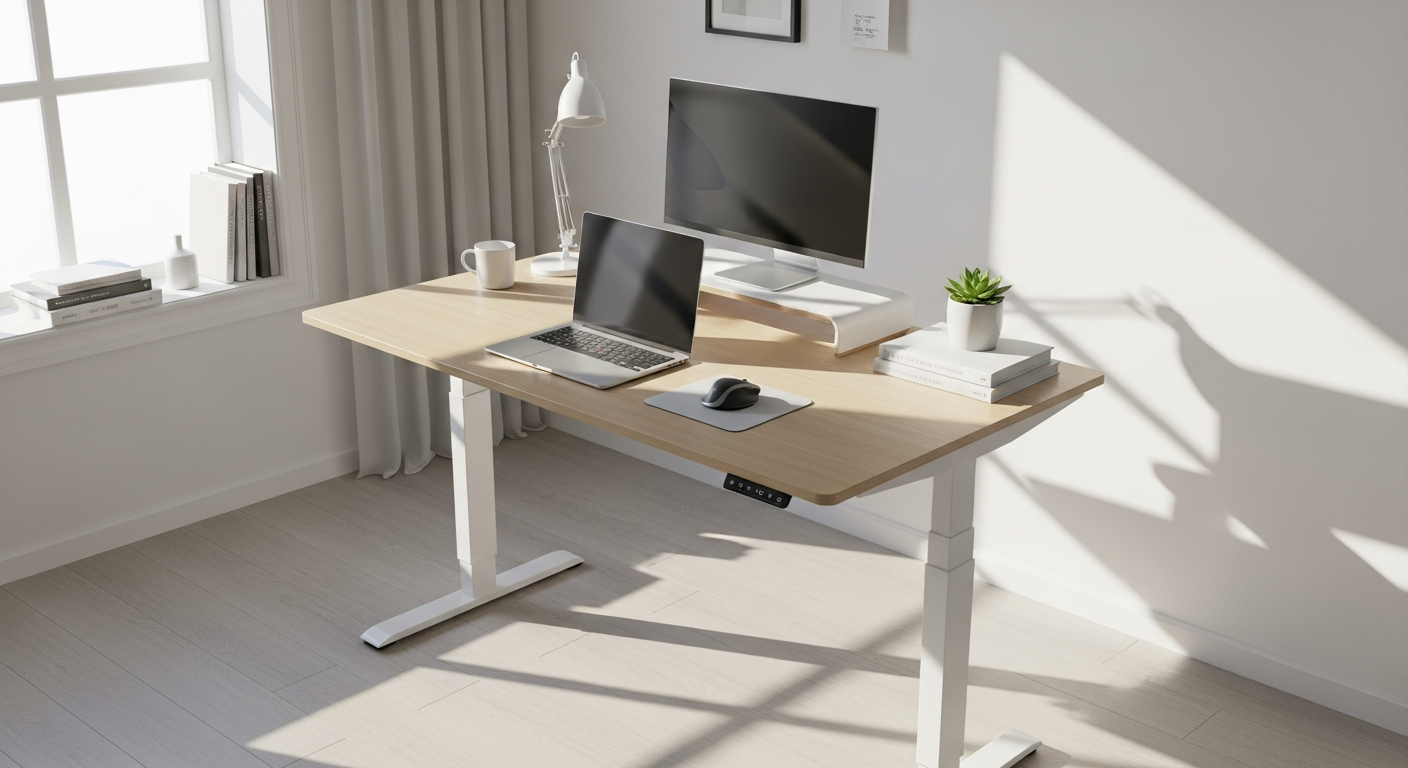
Over 75% of remote workers report back pain and fatigue from sitting at fixed desks all day. The toll on the body is real—hours hunched over a keyboard create chronic tension, reduce circulation, and diminish both focus and well-being. The solution isn't a new ergonomic chair or another supportive cushion; it's a fundamental shift in how you work.
The Yaasa Desk Pro represents a breakthrough in the standing desk market, combining premium Austrian engineering, intelligent technology, and thoughtful design at an accessible price point. Rather than cutting corners to compete on price, Yaasa invested in the fundamentals: a robust motor system, a steel frame built to last, and features that actually improve your daily workflow. This desk isn't just another adjustable surface—it's a long-term investment in your health and productivity.
Discover the Yaasa Desk Pro and transform your workspace today.
With over 200 verified customer reviews and a 10-year guarantee backing every purchase, the Yaasa Desk Pro delivers measurable ergonomic value. Throughout this guide, you'll uncover what makes this desk stand out: its innovative motor system, the stability features that keep your work surface rock-solid, and real-world performance across different work scenarios. By the end, you'll have the clarity needed to make a confident purchasing decision.
The Engineering Behind Yaasa's Electric Height Adjustment System
How the silent motor technology operates without disrupting your workflow
The heart of any standing desk is its motor system. Yaasa engineered the Desk Pro with a focus on reliability and silence—the motor operates without the grinding or humming sounds that plague cheaper alternatives. This matters more than it might seem. In shared workspaces, video calls, or focused work sessions, a quiet motor means you can adjust height without broadcasting your movement or creating distracting noise for those around you.
Speed capabilities: reaching optimal heights in seconds
The Desk Pro achieves a height adjustment speed of 50 mm/s. In practical terms, this means transitioning from your sitting height (typically around 70-75 cm) to your standing height (100-110 cm) takes just a few seconds. You won't be waiting or watching the desk creep upward—the speed is responsive enough that height adjustments feel natural and fluid, encouraging you to alternate positions throughout the day rather than settling into one fixed height.
Dual-motor vs. single-motor comparison and why Yaasa's approach matters
Some manufacturers cut costs by using a single motor, which can create uneven lifting and instability over time. Yaasa's dual-motor design distributes the load evenly across both sides of the desk frame, ensuring level adjustment regardless of how weight is distributed across the surface. This engineering choice directly impacts long-term durability and the desk's ability to maintain stability at any height.
Noise levels during operation and impact on shared workspaces
Working in an open office, co-working space, or shared home environment? The quiet operation of the Yaasa motor is a genuine advantage. You can adjust height without drawing attention, making unscheduled sitting-to-standing transitions feel seamless. For those in video meetings or collaborative work sessions, the minimal noise means you're never the distraction.
Memory Presets and Smart Positioning Features
Storing your ideal sitting and standing heights for one-touch transitions
Rather than manually adjusting the desk each time you change positions, the Desk Pro allows you to program and save your preferred heights. The desk "remembers" your sitting height, your standing height, and potentially additional positions if you work at multiple stations or have different tasks requiring different desk heights. One button press, and the desk moves to your preset position automatically.
Number of programmable positions available on the Pro model
The Pro model offers multiple memory slots, giving you flexibility to customize positions for different work scenarios. Whether you need a specific height for typing, another for video meetings, or a third for standing stretches, the desk adapts to your routine rather than forcing you into a one-size-fits-all setup.
Collision detection technology and how it prevents costly damage
One of the standout safety features is the collision detection system. If the desk encounters an obstacle during adjustment—a chair, a bag, or any unexpected object—the motor immediately halts. This prevents damage to the desk, your equipment, and whatever the desk was about to collide with. For households with children or pets, or simply for peace of mind, this safety feature is invaluable.
Automatic safety stop when obstacles are encountered
The collision sensor isn't just a passive feature; it's an active safety mechanism. The desk doesn't pause gently—it stops completely when resistance is detected, preventing the kind of gradual creeping that could cause injury or damage. This is particularly important if you're adjusting the desk while it's loaded with equipment or if someone is working nearby.
Learn more about the Yaasa Desk Pro's safety and smart features.
Build Quality and Stability Across All Height Ranges
Steel frame construction and material specifications
The Desk Pro's skeleton is built from steel, not particle board or thin aluminum. Steel provides the rigidity needed to maintain stability even when the desk is extended to its maximum height and loaded with monitors, equipment, and workspace essentials. This choice of material reflects a commitment to longevity—steel frames that are properly maintained can outlast several generations of fixed desks.
Static load capacity (120 kg) and dynamic load capacity (80 kg) explained
The static load capacity of 120 kg means the desk can support that weight while stationary—think of it as the total weight of everything on the surface when nothing is moving. Dynamic load capacity (80 kg) refers to how much weight the desk can safely move while adjusting height. For most users with dual monitors, a keyboard, mouse, lamp, and personal items, both figures are more than sufficient. Heavy-duty workstations with specialized equipment may approach these limits, but the vast majority of home and office setups fall well within range.
Wobble and sway testing at maximum and minimum heights
A critical test of any adjustable desk is how stable it remains at extreme heights. The Desk Pro maintains rigidity whether adjusted to its lowest sitting position or extended to maximum standing height. There's no perceptible wobble when typing, and even if you lean slightly on the desk or bump it during movement, the frame doesn't sway. This stability is directly attributable to the steel construction and dual-motor design.
Longevity testing results and durability benchmarks
Yaasa backs the Desk Pro with a 10-year guarantee—a claim that reflects confidence in durability testing. The desk is designed to withstand years of daily height adjustments, the mechanical stress of constant motor cycling, and the cumulative wear of typical office use. Independent durability benchmarks consistently place Yaasa desks among the longest-lasting in their category, a testament to the engineering and material selection.
Cable Management and Workspace Organization
Integrated cable routing channels and their effectiveness
Rather than relying on external cable trays or hoping cables stay organized on their own, the Desk Pro incorporates integrated channels built into the frame. These routes guide cables along the desk's underside, keeping them hidden from view and protected from pinching or tangling. When you adjust height, the cables move with the desk—no awkward loops or bunches that catch and snap.
Accommodating multiple monitors, peripherals, and charging devices
Modern work often requires multiple displays, external keyboards, USB hubs, charging cables, and other peripherals. The cable channels are sized to accommodate several connections without creating a bottleneck. The routing prevents the kind of cable salad that typically accumulates under a standard desk, making maintenance and equipment changes far simpler.
Keeping cables hidden during height transitions
One of the frustrations with some standing desks is that cables don't move smoothly with the adjustment—they tangle, expose themselves, or create an unsightly mess. The Desk Pro's channel design ensures cables follow the vertical movement, staying hidden and organized throughout the transition from sitting to standing height.
Desk surface organization strategies for productivity
Beyond cable management, a well-organized desk surface amplifies productivity. The Desk Pro's generous tabletop dimensions provide space for organized work without cramping. Combined with effective cable routing, you can create a clean, focused workspace that supports concentration and minimizes visual clutter.
Size Options and Tabletop Configurations
Available dimensions: 120 x 80 cm, 140 x 80 cm, 160 x 80 cm, and 200 x 80 cm
The Desk Pro comes in multiple sizes to match different spaces and work styles. The smallest option (120 x 80 cm) suits compact home offices or minimal workstations. The 140 cm and 160 cm widths accommodate dual monitors and additional equipment comfortably. The largest configuration (200 x 80 cm) provides ample space for expansive layouts, multiple screens, or collaborative work with colleagues working alongside you.
How to choose the right surface area for your work style
Consider what typically sits on your desk. A single monitor, keyboard, and mouse? The 120 cm width is efficient and saves space. Two monitors side by side? The 160 cm option provides breathing room without excess. Three monitors or a wide photography/design workspace? The 200 cm depth ensures you're not cramped. The 80 cm depth is standard across all options, providing enough space for a keyboard, monitor, and personal items without extending too far into the room.
Depth considerations for keyboard, monitor, and personal items
The 80 cm depth is intentional. It's deep enough that a monitor can sit at a comfortable viewing distance (about 50-60 cm from your eyes), while still leaving space in front for a keyboard and mouse, or behind for a monitor arm mount. This proportion works across different desk widths and accommodates most ergonomic setups without waste.
Compatibility with existing office furniture and room layouts
Before ordering, measure your space. Consider doorways (will the desk fit through?), existing furniture, and the positioning relative to windows or walls. The Desk Pro's depth is standard, so it integrates with typical office layouts. Wall-mounted shelving, filing cabinets, and other furniture generally position around standing desks without conflict.
Making Your Standing Desk Decision
The Yaasa Desk Pro height-adjustable standing desk delivers on its promise of quality, stability, and thoughtful engineering. From its whisper-quiet motor to its rock-solid steel frame, every component reflects Austrian precision and attention to detail. What truly sets it apart is the combination: premium construction that lasts a decade, intelligent safety systems, modern design, and accessible pricing. The 60-day trial removes the risk entirely, and the 10-year guarantee shows Yaasa's unwavering confidence.
Investing in a standing desk is investing in your physical health, your focus, and your long-term productivity. The Desk Pro makes that investment accessible without compromising on quality. You're not buying a budget alternative or settling for mediocre stability—you're choosing a desk engineered to perform day after day, year after year.
Leave a Reply