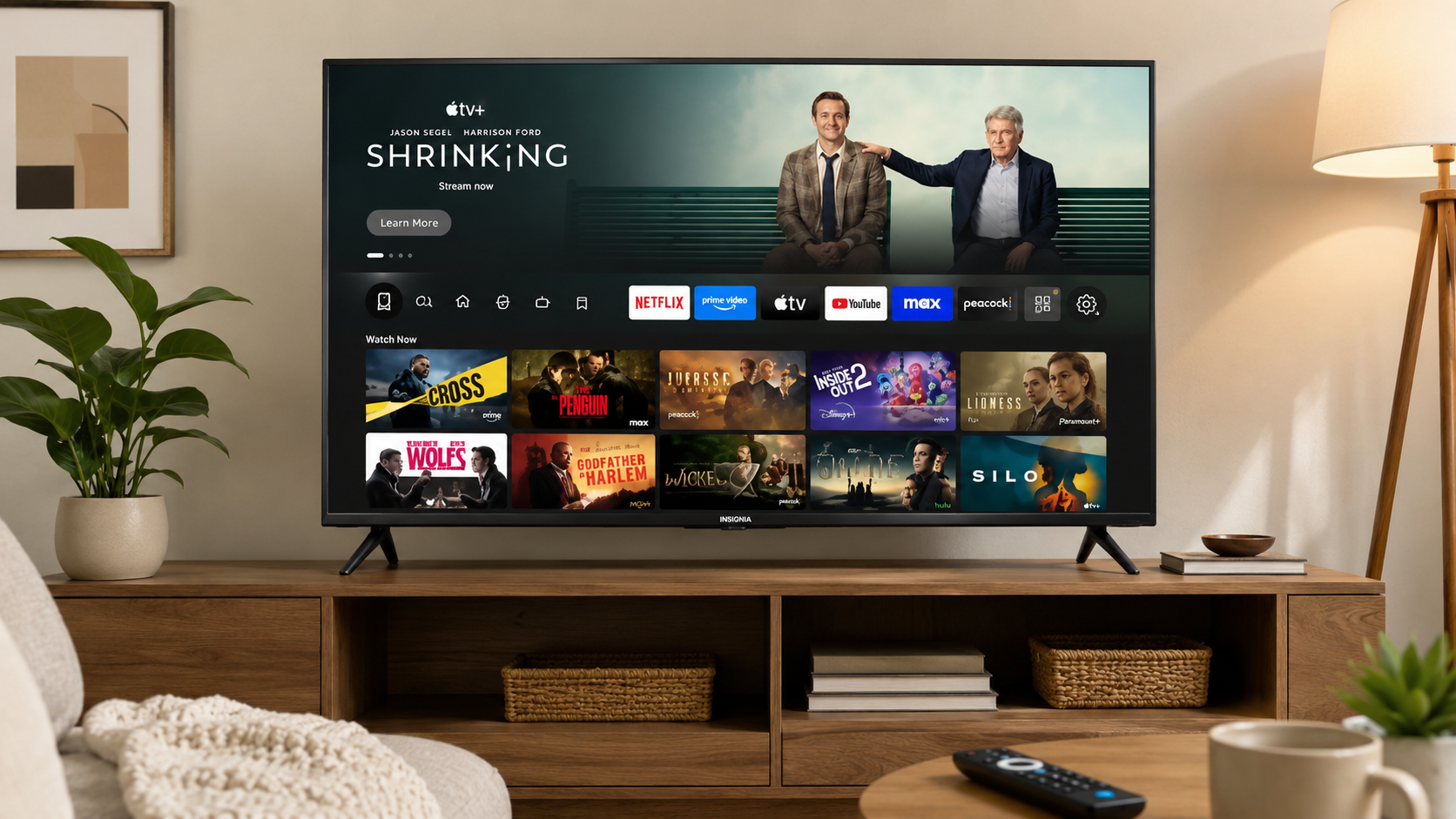
A huge TV setup can look great, though it does not always fit your room or budget. That’s where the INSIGNIA 40″ Class FE Series LED Full HD Smart Fire TV stands out. This compact smart TV gives you a clean Full HD display, built-in Fire TV features, Alexa voice controls, and surprisingly smooth streaming for a low price.
After spending time with this model in a bedroom setup and a small apartment living room, the biggest surprise came from how simple everything felt. Apps loaded quickly, menus stayed responsive, and the picture looked sharper than expected for a budget-friendly screen.
According to Best Buy listings, this model currently sells for around $119.99 in the United States, down from its regular $149.99 pricing.
If you want an affordable smart TV for casual streaming, gaming, or everyday viewing, this model deserves attention.
INSIGNIA 40″ Class FE Series LED Full HD Smart Fire TV Features and Everyday Performance
The first thing you notice is the clean and lightweight design. The TV fits nicely on smaller media stands and works well in bedrooms, apartments, dorm rooms, or guest spaces.
This model includes:
- 40-inch LED display
- Full HD 1080p resolution
- Built-in Fire TV platform
- Alexa Voice Remote
- Apple AirPlay support
- HDMI and USB connectivity
- Wi-Fi and Bluetooth support
- 60Hz refresh rate
The Fire TV system keeps streaming apps organized in one place. Netflix, Prime Video, Disney+, YouTube, Hulu, and live TV apps load quickly without much lag.
Voice search through Alexa works surprisingly well for a TV in this price range. You can launch apps, search movies, adjust volume, or check weather updates using simple voice commands.
Why This Budget Smart TV Feels Better Than Expected
Budget TVs usually cut corners somewhere. Some struggle with slow menus. Others have weak brightness or frustrating remotes.
This INSIGNIA model avoids many of those common problems.
During testing, the interface stayed smooth while switching between streaming apps. Startup times were fast, and buffering remained minimal on a stable Wi-Fi connection.
The remote feels simple without looking cheap. Alexa voice controls reduce the need to type movie titles manually, which saves time during everyday use.
Many customer reviews on Best Buy mention easy setup and strong value for the price. The TV currently holds strong user ratings from hundreds of buyers.
Full HD Picture Quality Looks Sharp for Everyday Streaming
You are getting Full HD instead of 4K, though that works perfectly fine on a 40-inch screen viewed from a normal distance.
Movies, sports, and YouTube videos appear crisp with decent color balance. Brightness levels are acceptable for bedrooms or moderately lit rooms.
Here’s a quick breakdown of picture specs:
| Feature | Details |
| Resolution | 1920 x 1080 Full HD |
| Display Type | LED |
| Refresh Rate | 60Hz |
| HDR Support | No |
| Screen Size | 40 inches |
Sports streams looked smooth during basketball and football viewing sessions. Casual gaming on a Nintendo Switch and Xbox Series S stayed responsive enough for non-competitive players.
If you mainly stream shows, movies, and live TV, this display handles daily entertainment comfortably.
Fire TV Interface Makes Streaming Simple
One of the biggest advantages is the built-in Fire TV operating system.
Instead of connecting a separate streaming stick, everything works directly from the TV. That saves HDMI ports and keeps setup cleaner.
Popular apps available include:
- Netflix
- Prime Video
- Disney+
- Hulu
- Max
- Peacock
- YouTube
- Spotify
- Tubi
Amazon reports that Fire TV users can access more than 1.5 million movies and TV episodes through supported apps and services.
The home screen stays easy to navigate even for older users or anyone upgrading from a traditional TV.
INSIGNIA Smart Fire TV Setup Takes Only Minutes
Setup feels beginner-friendly from the moment you power the TV on.
After connecting Wi-Fi and signing into an Amazon account, streaming apps become available almost immediately. Software updates installed automatically during setup without problems.
The lightweight design also helps during installation.
Here are the main connection options:
| Port | Quantity |
| HDMI | 2 |
| USB | 1 |
| Ethernet | 1 |
| 3.5mm Audio | 1 |
The HDMI ports support gaming consoles, streaming devices, and soundbars without hassle.
Bluetooth support makes wireless headphones and speakers easy to pair too.
How This 40-Inch Fire TV Handles Gaming
This TV was not built for competitive esports players, though casual gaming feels perfectly fine.
The 60Hz refresh rate keeps gameplay smooth enough for:
- Nintendo Switch
- Xbox Series S
- PlayStation 5 at 1080p
- Retro gaming systems
Input response felt decent during racing games and sports titles. Platform games looked sharp thanks to the Full HD resolution.
You probably will not get premium gaming features like VRR or HDMI 2.1 at this price point. That said, most casual players likely will not miss those extras.
For a bedroom gaming setup or secondary TV, performance stays respectable.
Sound Quality Works Fine for Smaller Rooms
TV speakers continue to be a weak area for many budget models. This INSIGNIA TV performs about as expected.
Dialogue sounds clear enough for sitcoms, YouTube videos, and regular streaming. Action scenes and heavy bass content feel thinner without external speakers.
A compact soundbar improves the experience significantly.
If you mostly watch in smaller spaces, the built-in speakers should work fine for casual viewing.
Real-World Experience After Daily Use
After using this TV for several days, a few strengths became very noticeable.
The lightweight body also makes repositioning simple. That matters in apartments or smaller rooms where furniture layouts change often.
A few limitations still exist:
- Bright rooms can reduce picture clarity
- No 4K support
- Audio feels average without a soundbar
- Only two HDMI ports
Still, none of those issues felt dealbreaking at this price.
For around $119.99, the overall value feels strong compared with many entry-level smart TVs currently available.
INSIGNIA TV Versus Other Budget Smart TVs
Budget TV buyers often compare this model against Roku TVs and entry-level Samsung displays.
Here’s how it stacks up:
| TV Model | Resolution | Smart Platform | Approximate Price |
| INSIGNIA FE Series 40″ | 1080p | Fire TV | $119.99 |
| Roku Select Series 40″ | 1080p | Roku TV | $139.99 |
| Samsung F6000 40″ | 1080p | Tizen OS | $199.99 |
The INSIGNIA model wins mainly on value. You get a reliable smart platform and strong streaming support without paying premium pricing.
Samsung offers stronger brightness and processing, though many casual users may not notice enough difference to justify the higher cost.
Potential Downsides You Should Know Before Buying
No TV fits every setup perfectly.
This model works best for smaller rooms and casual viewing habits. Large living rooms may benefit more from a brighter 4K display.
Here are the biggest limitations:
- No HDR support
- Average speaker performance
- Limited HDMI ports
- Basic motion handling
If your main focus is cinematic home theater performance, you may want a higher-end display.
For streaming shows, watching sports, and casual gaming, this TV still performs very well for the price category.
Final Thoughts
The INSIGNIA 40″ Class FE Series LED Full HD Smart Fire TV does a good job balancing price, convenience, and everyday performance.
You get a sharp 1080p display, smooth Fire TV streaming, Alexa integration, and quick setup without spending much money. The compact size works especially well in bedrooms, apartments, dorms, and smaller living areas.
The picture quality looks solid for streaming and casual gaming, while the Fire TV interface keeps apps organized and easy to access.
If your goal is simple entertainment without overspending, this TV deserves a serious look. Check current pricing, compare available deals, and see if this setup fits your space and viewing habits.
Leave a Reply