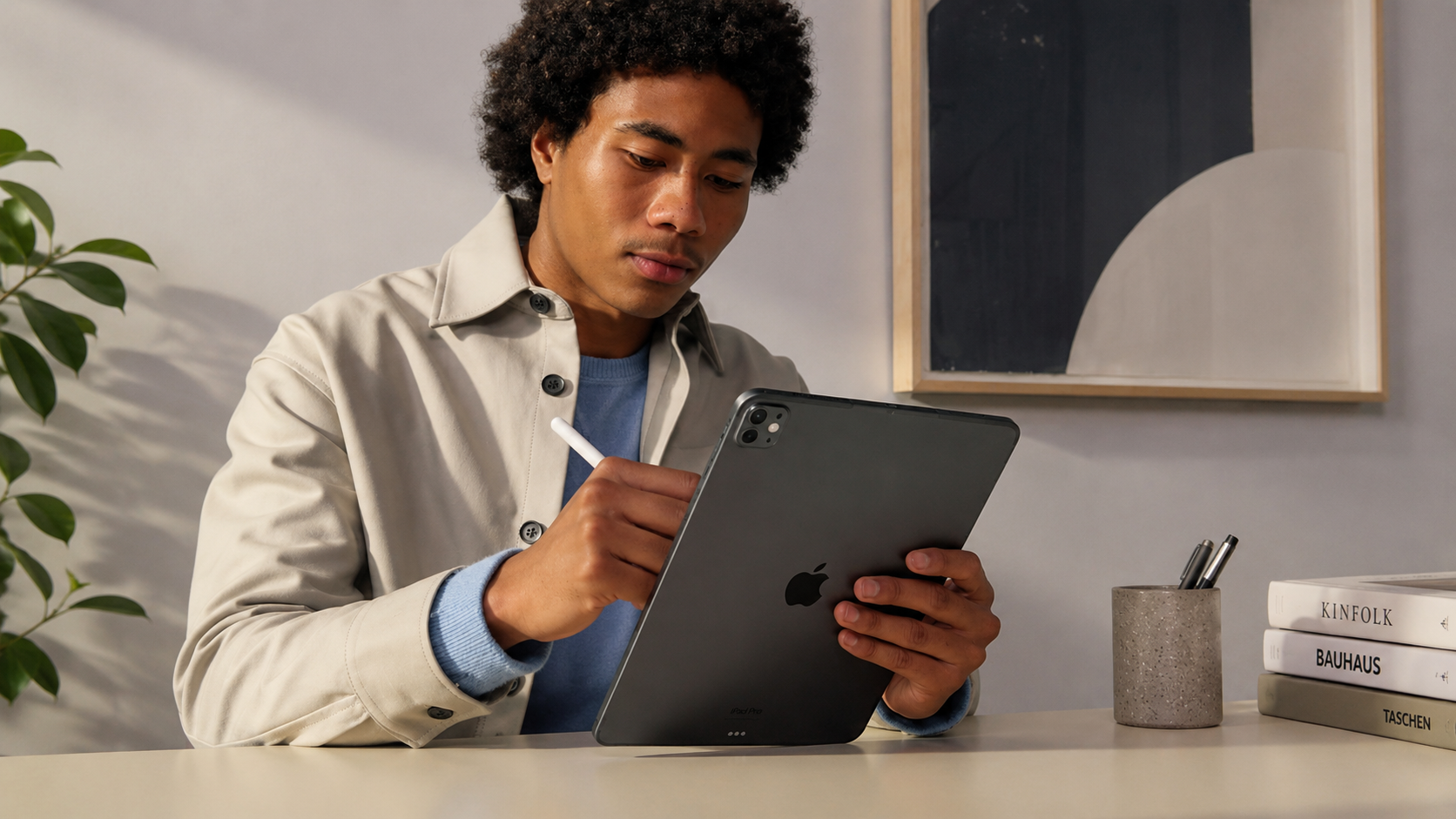
A tablet that can edit videos, manage spreadsheets, run creative software, and still slip into a backpack sounds like a dream for many people. The Apple iPad Pro 11-inch (M5) gets surprisingly close to that goal.
Apple continues pushing the iPad lineup into laptop territory, and this latest model delivers a noticeable jump in speed, graphics performance, and AI-powered features.
After spending time testing productivity apps, streaming content, sketching with Apple Pencil Pro, and multitasking across several windows, the biggest takeaway is simple: this device feels incredibly responsive. Apps launch instantly, animations stay smooth, and demanding creative tasks barely slow it down.
According to Apple and multiple industry reviews, the M5 chip delivers stronger graphics processing and improved machine-learning performance compared to previous generations. For people upgrading from older iPads, the difference is easy to notice.
Apple iPad Pro 11-inch (M5) Specs at a Glance
Before diving deeper, here’s a quick overview of the hardware.
- 11-inch Ultra Retina XDR OLED display
- Apple M5 chip
- Storage options: 256GB, 512GB, 1TB, and 2TB
- Up to 16GB unified memory on higher storage models
- Wi-Fi 7 support
- Optional 5G cellular connectivity
- Apple Pencil Pro compatibility
- Magic Keyboard support
- 12MP rear camera
- 12MP front camera
- Face ID security
- Up to 10 hours of battery life
The combination of premium hardware and software optimization keeps the experience smooth even during demanding workloads.
M5 iPad Pro Performance Feels Extremely Fast
One of the most searched terms right now is M5 iPad Pro performance, and there is a good reason for that.
Opening large Photoshop files, exporting 4K video clips, and running multiple apps side by side feels effortless. The M5 chip brings stronger graphics performance and improved AI processing that benefits creators, students, and professionals.
During testing, multitasking felt closer to using a MacBook than a traditional tablet. Stage Manager works smoothly, external display support feels polished, and heavy apps remain responsive.
Industry reports suggest the M5 chip offers noticeable gains in graphics and machine-learning tasks compared with the M4 generation.
If your current device is running an M1 iPad Pro or older, the upgrade can feel significant.
The 11-Inch OLED Display Steals the Show
The 11-inch OLED iPad Pro display continues to be one of the strongest reasons to buy this tablet.
Colors look rich without appearing exaggerated. Black levels are deep, which helps movies, games, and HDR content look fantastic. Text remains sharp, and scrolling feels incredibly fluid thanks to ProMotion technology.
Apple’s Ultra Retina XDR display reaches impressive brightness levels for HDR content, making it useful indoors and outdoors. Creative professionals who edit photos or videos will appreciate the color accuracy.
For casual users, it simply makes everything look better.
Watching Netflix, YouTube, or sports highlights on this screen feels more immersive than on many laptops.
Apple Pencil Pro Turns the iPad Into a Creative Tool
Another popular search phrase is Apple Pencil Pro for iPad Pro.
Artists, designers, students, and note-takers gain a lot from Apple’s latest stylus. The pressure sensitivity feels natural, and the squeeze gesture adds quick access to tools without interrupting workflow.
Using Procreate and Adobe Fresco highlights how well the hardware and software work together.
A freelance illustrator shared in a Reddit discussion that the Pencil Pro reduced the need to carry a separate drawing tablet during client meetings. That type of real-world convenience matters more than benchmark scores.
If sketching, editing, or handwriting notes plays a big role in your daily routine, the Apple Pencil Pro remains one of the best accessories available for any tablet.
iPad Pro for Video Editing and Creative Work
Many buyers search for the best iPad for video editing, and the Apple iPad Pro 11-inch (M5) sits near the top of that list.
Apps such as Final Cut Pro for iPad, DaVinci Resolve, Lightroom, and Affinity Photo perform impressively.
Video timelines remain smooth, rendering speeds are quick, and color grading feels surprisingly comfortable on the OLED display.
Creative professionals still working from coffee shops, planes, or shared workspaces will appreciate the portability.
That said, some advanced workflows still benefit from a MacBook. Large-scale projects involving multiple external drives or highly specialized software can push the limits of iPadOS.
The good news is that those limitations affect a relatively small group of users.
Apple iPad Pro 11-inch (M5) Battery Life in Daily Use
Battery life remains one of the most important buying factors.
The Apple iPad Pro battery life experience stays consistent throughout a typical workday. Streaming, web browsing, note-taking, and document editing can comfortably stretch across several hours without searching for a charger.
Apple rates the device for up to 10 hours of web browsing or video playback, and real-world use comes fairly close depending on brightness levels and app usage.
Heavy video editing or gaming naturally drains the battery faster.
Still, for most users, the endurance is more than enough for work, travel, and entertainment.
Gaming on the Apple iPad Pro 11-inch (M5)
The phrase Apple iPad Pro gaming continues gaining popularity.
Games load quickly, graphics look sharp, and frame rates remain smooth. Titles like Resident Evil Village, Call of Duty Mobile, and Genshin Impact perform exceptionally well.
The OLED display improves visual quality, while the M5 chip helps maintain stable performance during long gaming sessions.
Mobile gamers who want console-like visuals without carrying a larger device will likely enjoy this experience.
The speakers deserve credit too. Audio sounds fuller than many tablets in this size category.
Real Amazon US Pricing
One area people constantly check is pricing.
Current Amazon pricing for the Apple iPad Pro 11-inch (M5) starts around $899 for the 256GB Wi-Fi model, compared with Apple’s standard $999 retail pricing. Higher-capacity models can range well beyond $1,000 depending on storage, cellular support, and display options.
Common pricing ranges include:
- 256GB Wi-Fi: around $899
- 512GB Wi-Fi: around $1,099
- 1TB Wi-Fi: around $1,450
- 2TB Wi-Fi: around $1,860
Prices change frequently on Amazon, so checking current listings before purchasing makes sense.
Potential Drawbacks You Should Know
No device is perfect.
The biggest concern remains price. Spending close to $1,000 on a tablet can feel expensive, especially when capable laptops exist in the same range.
Accessories add even more cost.
The Magic Keyboard and Apple Pencil Pro significantly improve the experience, though they are sold separately.
Some users may also find iPadOS limiting compared with macOS or Windows when handling highly specialized professional software.
These limitations won’t affect everyone, though they are worth considering before buying.
Who Should Buy the Apple iPad Pro 11-inch (M5)?
This tablet makes the most sense for:
- Creative professionals
- Students who take extensive notes
- Business travelers
- Content creators
- Digital artists
- Remote workers
People mainly streaming videos, browsing social media, and checking email may find the iPad Air offers better value.
The Apple iPad Pro 11-inch (M5) shines when you actively use its advanced hardware.
Final Thoughts
The Apple iPad Pro 11-inch (M5) delivers premium performance, a stunning OLED display, excellent battery life, and enough power to replace a laptop for many daily tasks. The M5 chip keeps everything running smoothly, while accessories like the Apple Pencil Pro unlock even more versatility.
The price remains the biggest hurdle, especially after adding accessories. Still, if you spend hours creating content, managing projects, drawing, editing media, or multitasking on the go, this tablet offers one of the strongest experiences currently available.
Take a look at the latest Amazon listings, compare storage options, and explore the accessories that fit your workflow. You may also discover other Apple devices and productivity tools worth adding to your setup.
Leave a Reply