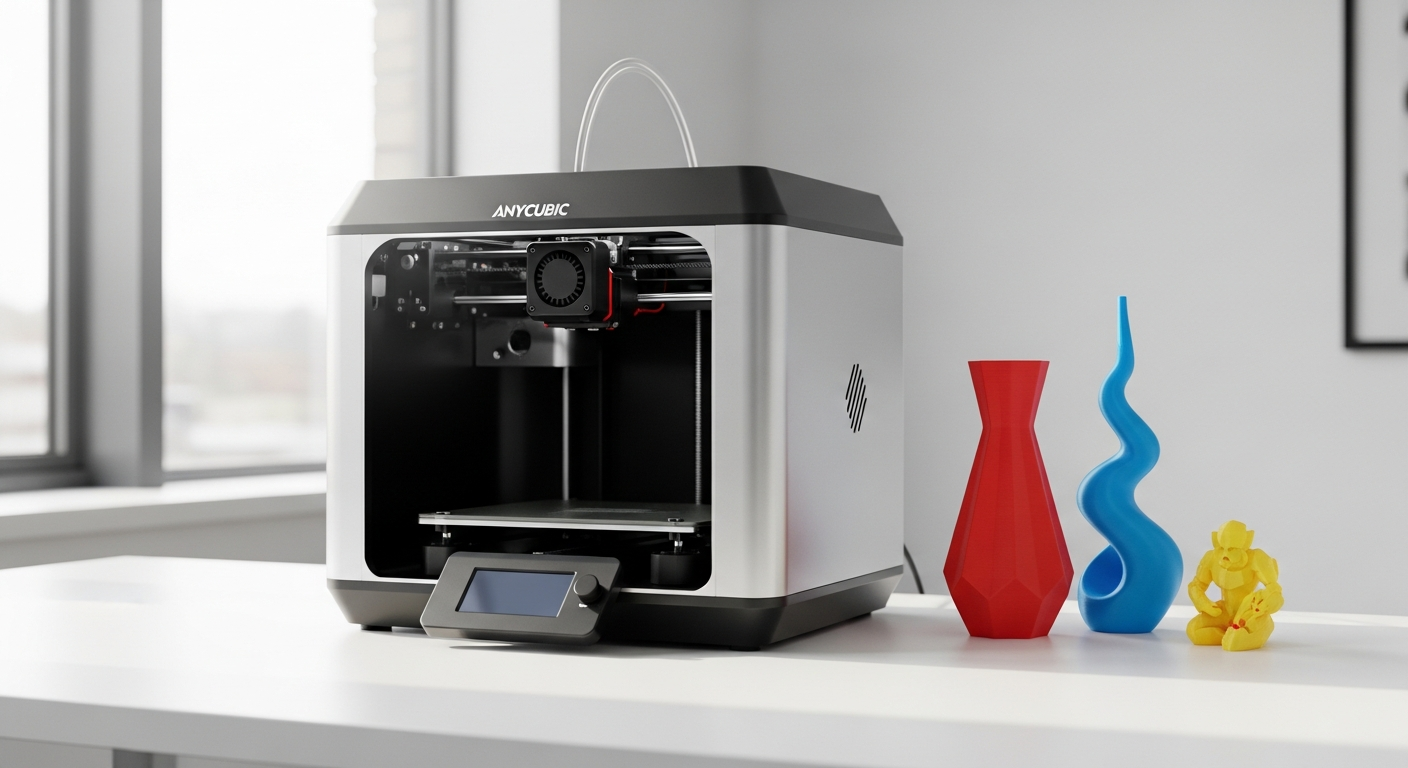
Multi-color 3D printing used to be the exclusive domain of expensive industrial machines—until now. The Anycubic Kobra 4 Combo shatters the myth that vibrant, multi-colored prints require a five-figure investment. This shift represents a genuine transformation in maker culture, opening doors for hobbyists, small business owners, and educational institutions to produce professional-quality multi-color prints without premium pricing or sacrificed performance.
The rise of accessible multi-color FDM printing marks a pivotal moment. Anycubic has positioned the Kobra 4 Combo as a genuine game-changer, combining innovative technology with practical features that eliminate common frustrations. The printer brings together speed, automation, and multi-color capability in a single package designed for creators who want results without endless troubleshooting.
Explore the Anycubic Kobra 4 Combo's specifications and current pricing today.
The Multi-Color Printing Revolution: What the ACE 2 Pro System Actually Delivers
The ACE 2 Pro system stands at the heart of what makes this printer remarkable. Four simultaneous color printing capability means you're not waiting between color changes—the printer handles multiple filaments in tandem, switching between them with precision. The system is expandable to eight colors, giving you a pathway to even greater color complexity as your projects evolve.
How the System Manages Quality During Filament Switching
The ACE 2 Pro handles filament transitions without the quality degradation you'd expect from a budget system. Each color change is managed through intelligent nozzle coordination, preventing the typical issues of color bleeding or print pauses that compromise layer adhesion. The system maintains consistent extrusion pressure across all color channels, so transitions are clean rather than muddy.
Practical Applications That Justify Multi-Color Investment
Traditional workflows involve printing single colors, then manually painting or post-processing to add visual detail. Multi-color printing eliminates that step entirely. Architectural models benefit enormously—different materials and color combinations show spatial relationships immediately. Educational projects gain clarity when structural elements appear in distinct colors. Tabletop miniatures jump to life with pre-printed detail instead of requiring hand-painting. Functional parts get built-in assembly guidance through color-coded sections.
Color Blending and Transition Techniques
The system supports gradient printing by adjusting filament ratios during transitions. You can create smooth color flows across a single model, adding visual sophistication without manual intervention. Layered color printing allows you to build designs where colors appear at specific heights, enabling techniques impossible with single-extrusion systems.
Managing Filament Waste
Multi-color FDM printing does generate material waste—this is an honest limitation. Color purging requires some material to be sacrificed at each changeover. Strategic project planning minimizes waste: grouping similar colors together reduces transitions, and designing with symmetry lets you use leftover material efficiently. Planning prints with color in mind rather than retrofitting color saves material in the long run.
Build Volume Advantages for Complex Projects
The 260 x 260 x 260 mm build space is generous for a printer at this price point. That volume accommodates substantial multi-color projects—full architectural models, life-sized miniatures, functional assemblies with multiple colored components. The space-to-cost ratio means you're not constrained by the budget equipment into thinking small.
Active Filament Drying: The Hidden Quality-of-Life Feature Nobody Talks About
Humidity destroys print quality. Moisture absorbed into filament causes bubbling, stringing, and weak layer adhesion. The built-in active drying system maintains temperatures between 35-65°C during printing, keeping filament dry as it feeds into the nozzle. This isn't an afterthought—it's integral to why the Kobra 4 Combo achieves consistent results.
Why Active Drying Prevents Common Print Failures
When filament absorbs moisture, steam forms inside the nozzle, creating microscopic explosions that blast material sideways. This manifests as stringing (fine threads between print features), bubbling (tiny voids in the surface), and weak spots where layers don't bond properly. Drying filament as it prints prevents these issues before they start, rather than trying to fix them afterward.
Comparison with External Drying Solutions
External filament dryers cost $50–150 and require separate operation before printing. They're helpful but add workflow steps. The integrated approach here is more convenient and cost-effective long-term. You're not running a separate device; the drying happens automatically as part of the printing process.
Long-Term Material Preservation
Filament stored in humid environments gradually degrades over weeks or months. The active drying system keeps spools in optimal condition throughout their operational life, extending the window before degradation becomes noticeable. This matters especially for expensive specialty materials.
Impact on Print Quality Metrics
Surface finish improves noticeably. Prints emerge smoother, with better detail definition and more consistent texture across surfaces. Dimensional accuracy benefits too—layers bond properly when filament moisture is controlled, meaning parts stay true to design specifications rather than warping or delaminating weeks after printing.
PLA and PETG Performance
Both recommended materials are hydroscopic, meaning they absorb moisture readily. PLA becomes brittle when wet; PETG loses flexibility. The drying system specifically addresses these materials' vulnerabilities, which is why they're recommended rather than exotic alternatives that might require specialized handling.
Start your multi-color printing journey with the Anycubic Kobra 4 Combo today.
Speed Without Sacrifice: Understanding the 600 mm/s Performance Claims
The maximum 600 mm/s specification is real, though real-world printing often operates at lower velocities depending on your quality requirements. This speed matters because it translates directly to time savings—prints that would take 12 hours on a standard printer complete in 4–6 hours on the Kobra 4 Combo.
Real-World Achievable Velocities
On simpler geometries with minimal turns or detail work, you can sustain speeds in the 400–500 mm/s range consistently. Complex designs with intricate features require slower speeds—around 150–250 mm/s—to maintain quality. The printer handles dynamic speed adjustment intelligently, slowing for detailed sections and accelerating through straightforward areas.
How Speed Impacts Quality
The counterintuitive truth: faster printing often improves quality. Higher speeds mean less time for the nozzle to sit in one spot, reducing overextrusion and improving detail sharpness. Speeds become problematic only when acceleration is too aggressive for the mechanical system to handle. The Kobra 4 Combo is engineered to accelerate smoothly, so speed gains don't come with quality sacrifices.
The Processor Behind the Performance
The 1.2GHz Cortex-A7 dual-core processor manages motion calculations in real-time. This computational power monitors position, velocity, and extrusion rate continuously, coordinating between four color channels simultaneously. Without adequate processing power, multi-color printing at speed would produce misaligned transitions and quality issues. The processor specification matters more than users typically recognize.
Hardened Steel Nozzle Advantages
Standard nozzles are brass or stainless steel—soft materials that wear quickly, especially with abrasive filaments like fiber-reinforced or filled materials. Hardened steel resists wear dramatically longer, maintaining consistent extrusion geometry across hundreds of print hours. This durability is worth mentioning because most printers at this price include brass nozzles, making the hardened steel upgrade genuinely significant.
Print Time Reductions Across Common Projects
A miniature that typically requires 6 hours prints in 2 hours. Functional parts scale similarly—time savings compound with every print. For small business owners or educators running multiple prints weekly, speed savings accumulate into substantial efficiency gains annually.
Speed Scaling for Different Materials
PLA handles rapid printing better than PETG, which needs careful thermal management at speed. The printer automatically adjusts heating profiles based on filament type recognition, maintaining optimal nozzle temperature regardless of speed settings. This intelligence prevents the common problem where faster printing leads to underextrusion.
Thermal Management at High Speeds
The cooling system is proportional to the heating system—fast printing requires aggressive cooling to control temperatures. The Kobra 4 Combo manages this with dual cooling fans working in coordination, preventing thermal creep that would otherwise degrade quality at sustained high speeds.
Noise Levels During Rapid Operation
Previous Anycubic models sometimes ran louder during acceleration. User feedback influenced the Kobra 4 Combo's design. Noise levels during rapid printing are moderate—not silent, but not objectionably loud. If noise is a concern for your environment, standard acoustic enclosures work well with this printer.
Automation Features That Eliminate Common Beginner Frustrations
Bed leveling is the most common reason beginner printers fail. Getting the first layer right requires patience and understanding of how nozzle height affects adhesion. The LeviQ 3.0 system performs 49-point mesh leveling automatically, measuring the bed surface across a dense grid and adjusting compensation in real-time during printing.
First-Layer Consistency Across Sessions
After initial calibration, the auto-leveling system maintains first-layer quality across dozens of consecutive prints. You don't need to re-level between projects. This consistency is what separates printers that feel reliable from those that feel temperamental.
Automatic Filament Recognition via RFID
Anycubic filaments include RFID chips containing material specifications—temperature requirements, speed limits, and drying recommendations. The printer reads these automatically and loads appropriate profiles without manual adjustment. You insert filament, the system loads settings, and printing begins. This removes the most tedious part of multi-color setup.
Smart Filament Profile Loading
The system doesn't just read filament type; it optimizes every relevant parameter. Nozzle temperature adjusts, extrusion multiplier fine-tunes, cooling fan speed adjusts—all automatically. This capability is particularly valuable for multi-color printing where different filaments in one print need slightly different handling.
Setup Time Reduction
Manual calibration of a new printer easily consumes 2–3 hours of trial-and-error. The Kobra 4 Combo reduces this to 30–45 minutes of assembly plus initial leveling, then auto-systems handle the rest. That time savings matters for educators managing classroom printers or small business owners who want to start producing prints immediately.
Reliability of Auto-Leveling Across Sessions
The 49-point mesh is dense enough to catch bed warping and surface inconsistencies. Most users report the system maintaining accuracy through 50+ consecutive prints without recalibration. This reliability stems from the high point density—sparse leveling systems miss localized issues that dense meshes catch.
User Experience for Manual Leveling Veterans
Users transitioning from manual calibration initially worry about losing control. The experience typically reverses once they realize that automatic systems remove the frustration without limiting capability. You can still manually adjust if needed, but most find the automatic approach superior.
Troubleshooting Auto-Features
When auto-leveling encounters issues, diagnostic feedback is clear. The system indicates whether problems stem from sensor issues, bed positioning, or nozzle obstruction. This clarity streamlines troubleshooting compared to printers where you're guessing what went wrong.
Integration with Anycubic Ecosystem
The printer connects to Anycubic's app and cloud services. You monitor prints remotely, adjust parameters mid-print, and access a community library of tested settings. This ecosystem integration adds capability without requiring third-party software installation.
The Real Cost Comparison: Budget Pricing Versus Feature Set
The promotional pricing around $259 is genuinely exceptional. Even at regular retail pricing of $429, the feature density remains impressive for the cost. Understanding value requires comparing not just price but the complete feature set you're acquiring.
Feature-to-Price Ratio Against Competitors
Other multi-color systems at comparable price points typically offer either lower speeds, basic leveling, or smaller build volumes. The Kobra 4 Combo bundles all three advantages together. Competitors charging $100–200 more typically don't offer the active drying system or hardened steel nozzle standard.
Total Cost of Ownership
Beyond initial purchase, factor in filament costs (similar across brands), maintenance supplies (replacement nozzles are inexpensive), and electricity consumption. The active drying system uses power equivalent to a light bulb—roughly $5–10 annually. Nozzle replacement every 200–300 hours of printing runs $15–25. These operational costs remain minimal.
Value for Different User Segments
Hobbyists benefit most from the promotional pricing and ease-of-use features. Educators appreciate the automation and reliability across multiple machines. Small business owners calculate returns on investment based on time savings from faster printing and reduced failed prints. For each segment, the value proposition differs but remains strong.
Long-Term Investment Returns
A small business owner running 40 hours of printing weekly can justify the investment purely through time savings. The printer pays for itself in reduced labor hours within 6–12 months, after which it becomes revenue-positive. Educators see returns through expanded curriculum possibilities and reduced setup complexity.
Warranty Coverage and Support
Anycubic provides standard manufacturer warranty with extended options available. Support responsiveness has improved in recent years. Documentation is thorough, and community forums provide peer support. These factors affect total ownership experience beyond the hardware itself.
Financing Options
Several retailers offer installment plans for the Kobra 4 Combo, making the initial investment more accessible. If cash flow is a limitation, spreading payments across 6–12 months makes the printer manageable for small operations.
Hidden Costs Often Overlooked
Some buyers forget to budget for build surface replacements (every 500+ hours of use), cleaning supplies, and filament storage solutions. These costs are minimal individually but compound annually. Budgeting an additional $100–150 annually for consumables and maintenance is realistic.
Material Compatibility and Printing Possibilities
PLA and PETG are the primary materials for a reason—they're forgiving, produce quality results, and work well in multi-color combinations. Both materials adhere adequately to the standard build surface and don't require exotic nozzle materials or excessive temperature control.
PLA Performance Characteristics
PLA is beginner-friendly, prints reliably, and produces excellent surface quality. It's also available in virtually every color imaginable, giving you maximum flexibility for multi-color work. The tradeoff is reduced mechanical strength and temperature sensitivity—PLA parts soften around 60°C.
PETG Performance Characteristics
PETG offers superior mechanical strength and temperature resistance compared to PLA. It prints successfully at slightly higher temperatures and handles moisture better. Colors are more limited than PLA, but the material quality often justifies it for functional parts.
Filament Diameter and Brand Compatibility
The standard 1.75mm filament works with all major brands. While Anycubic filaments with RFID chips are convenient, the printer accepts non-Anycubic materials perfectly well. You'll just manually load profiles rather than having them load automatically. This flexibility prevents vendor lock-in.
Temperature Range Capabilities
The printer handles nozzle temperatures from 190°C to 250°C, covering the range needed for PLA, PETG, and most common materials. It's not a specialty printer for high-temperature materials like Nylon or ASA, but that's acceptable at this price and feature level.
Limitations with Exotic Materials
Fiber-reinforced filaments, carbon-filled materials, and specialty engineering plastics require nozzles the standard system isn't optimized for. This isn't a limitation unique to the Kobra 4 Combo—it's a category limitation for FDM printers at this tier. If exotic materials are essential to your vision, you need a different printer.
Multi-Color Material Combinations
The beauty of multi-color printing is mixing materials strategically. Printing structural parts in PETG for strength while using PLA for decorative elements is common. The drying system ensures both materials process cleanly regardless of their moisture sensitivity differences.
Support Material Strategies
PVA (polyvinyl alcohol) support material dissolves in water, enabling complex multi-color geometries. The printer handles PVA adequately, though support generation requires thoughtful planning. With four color channels available, you can dedicate one to support material while using the other three for design.
Post-Processing Requirements
PLA typically requires only smoothing and finishing. PETG sometimes needs light sanding for aesthetic improvements. Support removal is straightforward for both materials. Multi-color prints often need less post-processing than single-color prints manually painted, offsetting any additional assembly complexity.
Environmental Material Considerations
PLA is bio-based and compostable under industrial conditions, making it the environmentally conscious choice for disposable items. PETG is petroleum-based but recyclable. Neither material is infinitely sustainable, but both represent reasonable compromises for hobbyist and small business use.
Assembly, Setup, and First Print Experience
Out-of-the-box, the printer arrives partially assembled. The main frame is pre-built; you assemble the gantry, attach the power supply, and install the bed. This approach balances reducing complexity while letting you understand the machine's architecture. Assembly typically takes 45 minutes to an hour.
Initial Calibration Steps
After assembly, you level the bed manually using a paper thickness gauge—the traditional approach. The auto-leveling system then takes measurements and creates a compensation mesh. This hybrid approach ensures accuracy while giving experienced users control if needed. First-time users find the process straightforward with online guidance.
Learning Curve for New Users
The learning curve is shallow. If you've used any 3D printer before, the Kobra 4 Combo feels intuitive. If it's your first printer, expect a 2–3 hour learning period before confidently launching prints. The auto-leveling and filament recognition eliminate the steepest parts of the traditional learning curve.
Software and Mobile App Functionality
The Anycubic app provides remote monitoring, allowing you to check print progress from anywhere. You can adjust temperature and speed mid-print, receive notifications, and access print libraries. The app has improved significantly in recent iterations and is genuinely useful rather than an afterthought.
First Print Success Rates
Users report high first-print success rates when they follow setup instructions carefully. The printer ships with a test file optimized for the hardware. Most users achieve successful first prints within their first attempt, building confidence immediately.
Common Setup Mistakes to Avoid
The most frequent error is incorrect bed leveling—leveling too tight pinches the first layer. Following the paper-thickness method exactly prevents this. The second common mistake is not cleaning the bed surface; a quick wipe with isopropyl alcohol ensures adhesion. These aren't unique to this printer but worth highlighting.
Bed Adhesion Solutions
The standard build surface is textured PEI, providing excellent adhesion without additional treatments for PLA and PETG. Some users add painter's tape for even better adhesion or experiment with adhesion sprays. The surface remains consistent across prints, which is the primary requirement.
Filament Loading for Multi-Color Printing
Loading filament into each of the four channels follows a simple procedure—push the filament through the extruder until extrusion confirms successful loading. The auto-detection reads RFIC information for each filament independently. The process is no more complex than loading a single filament on a standard printer.
Connectivity Options
USB and Wi-Fi both work reliably. USB is more stable for long prints; Wi-Fi offers convenience for remote monitoring. The printer defaults to USB, which is sensible for initial reliability, with the option to switch to Wi-Fi once you're comfortable.
Documentation Quality and Community Support
Anycubic provides detailed written guides and video tutorials covering assembly, operation, and troubleshooting. The community forums are active with experienced users happy to help newcomers. Documentation quality improved significantly with recent printer releases, eliminating the vague instruction issues older models struggled with.
Practical Applications: Where the Kobra 4 Combo Truly Shines
Educational settings benefit enormously from multi-color printing. STEM programs can build color-differentiated models showing complex systems—colored layers showing geological strata, or chemical structures with atoms in different colors. The printer's reliability and automation make classroom deployment realistic, even with limited technical support.
Small Business Prototyping
Entrepreneurs developing products can create full-color prototypes dramatically faster than traditional methods. Showing clients multi-color concept models instead of renderings builds confidence and accelerates decision-making. For product design firms, the speed and color capability convert printing from a side activity to a core workflow component.
Miniature Gaming and Hobbyist Customization
Tabletop gaming communities gain access to custom miniatures with pre-printed detail instead of requiring hand-painting skills. The Kobra 4 Combo enables hobbyists to design and print custom pieces for their campaigns, expanding creative possibilities significantly.
Architectural Model Creation
Architects and students can build models showing color-differentiated components, sites, and features instantly. The generously-sized 260x260x260mm build volume accommodates substantial models of homes or small buildings. Color coding replaces the tedious manual painting that traditionally consumed model-building time.
Functional Part Production with Visual Assembly Guidance
Manufacturing technical assemblies benefits from color-coded components. Different colored parts show assembly sequences visually—critical guides for products lacking extensive documentation. This application spans everything from mechanical assemblies to robotics projects.
Gift and Personalized Item Creation
The multi-color capability enables rapid customization of gifts and personalized items. Small businesses offering custom phone stands, organizational pieces, or decorative items gain significant time advantages. A fully customized item that traditionally required finishing now prints complete.
Jewelry and Decorative Manufacturing
Fine detailed pieces benefit from multi-color design possibilities. Resin casting workflows for jewelry sometimes start with printed masters—multi-color printing simplifies the design validation process. Decorative items gain production efficiency that single-color printing cannot match.
Marketing Prototypes and Client Presentations
Having color prototypes for client presentations is more persuasive than monochromatic alternatives. The speed means you can iterate based on feedback within days rather than weeks, dramatically accelerating product development cycles.
Addressing the Limitations: What This Printer Isn't
Multi-color FDM printing wastes material inherently. Each color change requires purging old filament, and complex geometries need support material that gets discarded. Users projecting tens of thousands of prints should factor waste into material budgeting. It's not a showstopper for most applications but worth understanding.
Material Variety Constraints
If your projects require Nylon, TPU, or specialty engineering materials, this printer isn't optimized for those applications. The material ecosystem is deep for PLA and PETG but limited beyond those two. This is a category limitation of budget FDM printers, not unique to Anycubic.
Software and App Maturity
The Anycubic ecosystem is improving but remains younger than industry leaders like Prusa or Ultimaker. Feature parity isn't complete across all desired capabilities. Users accustomed to premium ecosystem features might feel limitations, though basic functionality is solid.
Exotic Material Printing Capabilities
High-temperature materials like ULTEM or PEEK require heated chambers and specialty nozzles. This printer's architecture doesn't accommodate these materials. Again, that's a category expectation rather than a design flaw.
Color Precision and Matching
Achieving exact color matches across prints requires careful filament sourcing and storage consistency. The printer maintains excellent color consistency within a batch, but variation between manufacturers or filament ages can produce perceptibly different results. Industrial-grade color matching is beyond this tier.
Production Volume Scalability
If you need thousands of identical parts monthly, this printer is a starting point rather than a solution. You'd graduate to larger machines or multiple printers coordinated as a fleet. Single-printer production remains in the hundreds-per-month range practically.
Noise During High-Speed Operation
Even well-designed machines make noise during rapid movements. The Kobra 4 Combo is reasonably quiet, but don't expect silent operation. Acoustic enclosures help if noise is problematic for your environment.
Competitive Landscape: How It Stacks Against Alternatives
Other budget multi-color systems exist, but few combine all of the Kobra 4 Combo's advantages. Competitors at the same price typically omit the active drying system or limit build volume. Higher-priced competitors add features rarely justified by the price increase.
Feature Parity Analysis with Mid-Range Competitors
Mid-range multi-color printers ($600–800) might offer larger build volumes or higher color channel counts. However, the Kobra 4 Combo's inclusion of active drying and auto-leveling in a compact package remains compelling value. You're paying less for slightly fewer theoretical capabilities but gaining far better usability.
Price-to-Performance Metrics
Quantifying value across different printer categories reveals the Kobra 4 Combo's strength. Cost per color channel is exceptionally low. Cost per mm³ of build volume is competitive. Build speed per dollar is excellent. These metrics consistently place it in the best-value tier across multiple categories.
Brand Reliability and Customer Support
Anycubic's reputation improved substantially over the past two years. Support responsiveness is acceptable, though not exceptional. Compared to startups or lesser-known brands, Anycubic offers established reliability. Compared to premium brands, support is adequate rather than exceptional.
Ecosystem Advantages
Filament availability is excellent—Anycubic filaments are reasonably priced, and the RFID compatibility streamlines setup, though non-Anycubic filaments work perfectly. The community is active and helpful. Print file libraries are developing. These factors compound over time as the userbase grows.
Upgrade Potential and Expandability
The eight-color expansion path gives growth runway as your projects become more ambitious. Hotend upgrades are possible if you eventually need specialty materials. The modular approach prevents obsolescence—you're not locked into a fixed configuration.
Resale Value and Market Demand
Anycubic printers maintain reasonable resale value due to strong demand in the budget segment. If you decide 3D printing isn't for you, selling the printer second-hand recovers reasonable capital. This differs from some brands that drop steeply in resale value.
Innovation Trajectory
Anycubic's development trajectory suggests continued refinement of this printer family. Firmware updates have improved reliability. Future upgrades will likely maintain backward compatibility, protecting your investment. The company is clearly committed to this market segment.
Getting the Most Out of Your Investment
Optimization settings determine whether you get adequate prints or exceptional ones. Learning how to adjust layer height, nozzle temperature, and print speed for different project types separates good results from great ones. The printer's defaults are sensible but not universal solutions.
Optimization Settings for Different Project Types
Miniatures benefit from 0.1mm layer height and slower speeds emphasizing detail. Functional parts print faster at 0.2mm layers with standard speeds. Large decorative pieces benefit from thicker layers and maximum speed. Experimenting within guidelines and documenting results builds expertise that compounds across projects.
Filament Storage Best Practices
Store filament in sealed containers with desiccant packets in a cool, dry environment. Vacuum-seal bags extend shelf life significantly. The active drying system handles moisture that accumulates during printing, but storage conditions determine how quickly filament accumulates moisture in the first place. Good storage practices extend effective filament lifespan by months.
Maintenance Schedules and Preventative Care
Cleaning the nozzle every 50 hours of printing prevents buildup that degrades quality. Checking belt tension monthly ensures consistent motion. Replacing the build surface every 500+ hours maintains adhesion characteristics. These simple tasks prevent major issues before they develop.
Nozzle Replacement Timing and Material-Specific Wear
The hardened steel nozzle lasts 200–300 hours of printing. Some materials wear faster—filled filaments accelerate wear, while standard PLA shows minimal impact. Replacement nozzles are inexpensive ($15–25), making preventative replacement practical economics. Replace before you see quality degradation rather than waiting until obvious problems appear.
Firmware Updates and Feature Enhancements
Anycubic periodically releases firmware updates that improve reliability and add features. Keeping your printer current is straightforward via USB—take advantage of updates rather than ignoring them. Each update typically improves some aspect of usability or capability.
Community Resources and Troubleshooting
The community forums contain solutions to virtually any issue you'll encounter. Before investing hours troubleshooting, search the forums for similar problems. Experienced users have already solved most issues, and their documented solutions save tremendous time.
Advanced Techniques for Professional Results
Layer blending techniques create smooth color transitions. Strategic geometry design positions colors for visual impact. Multi-material properties can be exploited—printing flexible parts adjacent to rigid parts creates specialized assemblies. These techniques develop as you gain experience and experimentation.
Accessory Recommendations
A flexible build plate aids print removal. Nozzle cleaning tools are worthwhile. Quality filament storage solutions are valuable. An acoustic enclosure helps if noise is a concern. These accessories enhance the experience without being essential.
The Bottom Line: Is the Kobra 4 Combo Your Next Printer?
The Anycubic Kobra 4 Combo represents a genuine inflection point in accessible 3D printing technology. It's not just about the four-color capability or the blazing-fast 600 mm/s speeds—it's the thoughtful combination of features that eliminate friction throughout the printing experience. The active filament drying system, automatic bed leveling, and hardened steel nozzle work together to transform multi-color printing from a frustrating technical challenge into something genuinely achievable for makers at any skill level.
For hobbyists who've wanted to add color to their projects without manual painting, this printer removes the barrier. For educators building STEM curricula, the automation and reliability enable classroom deployment that would be impractical with more finicky machines. For small business owners prototyping products, the time savings and color capability justify the investment within months of moderate production.
While this printer isn't perfect for everyone—those needing exotic materials or absolute color precision at industrial scales will outgrow it—the value proposition remains exceptional. The real question isn't whether the Kobra 4 Combo is technically capable; it clearly is. The question is whether multi-color printing aligns with your creative vision and workflow needs.
If you've been sitting on ideas that require visual color differentiation, or manually post-processing single-color prints to achieve multi-colored results, this machine removes that barrier entirely. The printer transforms those aspirational ideas into practical projects completed faster than traditional alternatives. At its promotional price point around $259, it's genuinely hard to beat on value.
Get your Anycubic Kobra 4 Combo and transform your 3D printing possibilities now.
Leave a Reply