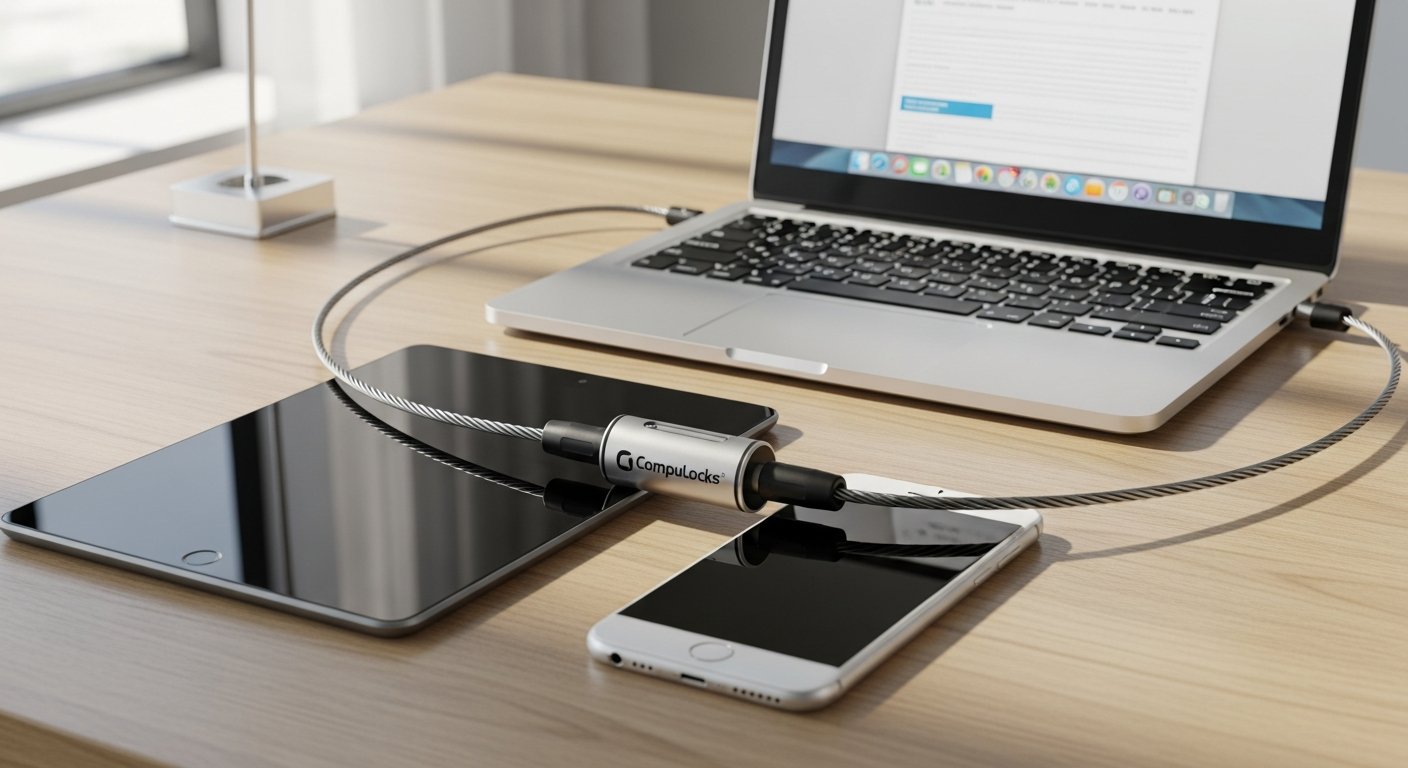
Cybersecurity surveys reveal a sobering statistic: over 40% of workplace device theft occurs in shared office environments—and most of it happens in seconds. The window for preventing loss is incredibly narrow, which means your security approach needs to be equally swift and reliable. The Compulocks Universal Combination Cable Lock addresses this reality with a straightforward, affordable solution that doesn't require keys, cloud connectivity, or complicated setup procedures.
This cable lock adapts to virtually any device you own, performs reliably across different environments, and maximizes protective potential through universal compatibility. Whether you're managing equipment across a distributed workforce, protecting student devices in a classroom, or safeguarding your own laptop during travel, the mechanics remain the same: secure attachment, durable construction, and keyless convenience. The system works because it acknowledges the messy reality of modern device ecosystems rather than imposing rigid requirements.
Beyond the K-Slot: Universal Compatibility That Actually Works
How the T-Bar locking head accommodates standard Kensington security slots
The T-Bar locking head design represents one of the product's smartest engineering decisions. Devices equipped with a standard Kensington security slot—commonly found on laptops, desktops, and enterprise monitors—accept the T-Bar connector directly. This mechanical compatibility means no adapters, no workarounds, and no compromise on security. The connection is snug and flush, preventing the cable from being wiggled free or accidentally dislodged during normal device handling.
The game-changing adhesive security plate solution
Not every device comes with a built-in security slot. Smartphones, tablets, ultrabooks, and many peripherals lack this factory standard. This is where the adhesive security plate transforms the product's utility. The industrial-strength 2" x 2" plate adheres to a flat surface on your device, essentially creating a permanent security slot where none previously existed. Once bonded, it provides an equally secure attachment point for the cable lock, eliminating the need for separate security solutions across your device ecosystem.
Installation process and the critical 10-hour bonding time requirement
Applying the adhesive plate correctly determines long-term security effectiveness. The process begins with selecting a flat, clean surface on your device—typically the back panel or bottom edge. Clean the area thoroughly to remove dust, oils, or residue that might compromise adhesion. Then press the plate firmly into place, ensuring full contact across all edges. The critical next step requires patience: allowing a full 10-hour bonding time before connecting the cable lock. This waiting period permits the adhesive to develop its rated strength. Attempting to use the lock prematurely risks premature plate separation and complete loss of the security benefit.
Why the 2" x 2" plate dimensions work across most modern device form factors
The 2" x 2" dimensions represent an optimal balance between coverage area and non-intrusive placement. The footprint is large enough to distribute load forces across sufficient adhesive surface, preventing stress concentration at any single point. Simultaneously, the dimensions fit within the unobstructed flat surfaces available on most phones, tablets, and smaller peripherals without visually cluttering the device or interfering with functionality. This standardized size also enables customers to use the same lock system across multiple device types without requiring different plate sizes.
Cable Construction and Durability: What Makes 6 Feet of Steel Your First Line of Defense
The specifications behind the 6-foot galvanized steel cable composition
The cable itself consists of galvanized steel—a material specifically engineered to resist corrosion through a zinc coating applied during manufacturing. The 6-foot length (1.8 meters) provides sufficient reach to secure devices to most fixed furniture, desk frames, or structural elements without creating awkward tension or slack. The cable diameter balances flexibility for routing around obstacles with sufficient material density to resist manual bending or casual tampering attempts.
Why galvanized steel resists corrosion better than standard steel
Galvanized steel undergoes an electrolytic process that bonds a protective zinc layer to the underlying steel. This zinc layer corrodes preferentially, sacrificing itself to protect the underlying metal—a process known as galvanic protection. In office environments with varying humidity, or outdoors where the cable encounters rain or salt air, this protective coating prevents rust formation that would gradually weaken the cable structure. Standard steel lacks this protection and deteriorates significantly faster, losing both strength and aesthetic appeal over time.
The loop-end design enabling securing devices to virtually any fixed anchor point
Rather than terminating in a fixed attachment point, the cable ends in a loop. This design choice multiplies deployment flexibility dramatically. Users thread the looped end around desk legs, through fixed furniture frames, around structural columns, or through any immovable object large enough to accept the cable. The flexibility eliminates the constraint of fixed anchor points and enables improvisational security in diverse environments where pre-installed security stations don't exist.
Tensile strength ratings and what they mean for resisting cutting tools
Galvanized steel cable exhibits substantial tensile strength—the amount of pulling force required to break it. While exact specifications vary by cable diameter, a 6-foot galvanized steel cable typically resists several hundred pounds of direct pulling force. Against opportunistic theft attempts—the kind occurring in open office environments—this strength proves entirely sufficient. The cable resists casual cutting attempts with pocket knives or standard hand tools. That said, dedicated bolt cutters or angle grinders can eventually compromise the cable, making this product a deterrent against theft of opportunity rather than protection against determined professional theft.
The 4-Dial Combination Lock: Security Meets Convenience
Why 4-dial combinations offer superior security compared to 3-digit alternatives
The locking head employs a 4-dial combination mechanism rather than the simpler 3-digit alternative. This additional dial exponentially increases the number of possible combinations. Where a 3-digit lock offers 1,000 possible combinations (0-999), a 4-dial lock provides 10,000 combinations (0-9999). This mathematical advantage makes brute-force attacks far more time-consuming. An attacker attempting every combination in sequence faces significantly longer odds of success, making the effort impractical when other less-secured devices remain available.
The mathematical advantage: calculating possible combinations and brute-force resistance
The 10-fold increase from 1,000 to 10,000 combinations transforms the security calculus. In real-world scenarios, even a determined attacker spinning through combinations at a rate of one per second would require nearly three hours to guarantee success through exhaustive brute force. That time investment, combined with the obvious suspicious behavior of someone methodically trying thousands of lock combinations, creates a powerful practical deterrent. Organizations with multiple devices naturally become less attractive targets when even the least-secured device requires this time investment.
T-Bar locking head design and the easy lock/unlock switch mechanics
The T-Bar head incorporates a straightforward unlock switch mechanism. Once you dial the correct combination, engaging the switch retracts the locking pin from the cable loop, releasing the device. The switch design prioritizes tactile feedback and effortless operation, eliminating the fumbling frustration that plagues some lower-quality combination locks. This operational smoothness matters significantly in team environments where multiple people might need access to shared devices throughout the day.
Keyless access benefits for team environments and shared device situations
Traditional cable locks with key mechanisms create access bottlenecks—someone must control and distribute keys. Combination locks eliminate this constraint. Every authorized team member can know the combination, enabling distributed access without requiring a central key holder. This proves particularly valuable in shared office spaces, lab environments, or retail settings where multiple staff members rotate through equipment throughout the day. There's no single point of failure where a lost key compromises security.
Deployment Across Different Environments: Office, School, Retail, and Travel
Office deployments: securing equipment at individual workstations and shared spaces
In modern office environments, the cable lock addresses two distinct security challenges. At individual workstations, tethering a laptop to a desk prevents the casual walk-away theft that exploits the minutes when an employee steps away from their desk. In shared spaces—break rooms, conference areas, or hot-desking environments—the lock provides essential protection for equipment that circulates among multiple users throughout the day. The cable permits legitimate use (moving the device between spaces while remaining tethered) while preventing removal from the premises.
Educational institutions: protecting student-owned and school-issued devices in classrooms and labs
Schools and universities face unique security pressures. Student-owned devices proliferate across campuses, yet institutional control over security solutions remains limited. A universal cable lock that works across the diverse range of personal laptops, tablets, and phones students bring to campus provides practical protection. Classroom instructors can require devices to be secured during group activities, and lab environments can protect expensive shared equipment during breaks. The keyless combination system accommodates high-traffic environments where key distribution becomes impractical.
Retail environments: safeguarding display devices and point-of-sale equipment
Retail stores display high-value electronics and operate point-of-sale systems that criminals specifically target. The cable lock deters theft of display devices (tablets, demo units, security cameras) and secures peripheral equipment like card readers or barcode scanners. The loop-end cable design permits routing through store fixtures, connecting devices to secure infrastructure without requiring permanent installation or property modification.
Travel security: portable protection for laptops and tablets in hotels, airports, and coworking spaces
Traveling professionals face acute security vulnerabilities. Hotel rooms aren't secure, airport lounges provide few opportunities for continuous surveillance, and coworking spaces mix trusted colleagues with strangers. A portable cable lock tethers expensive devices to stationary objects, preventing the theft of opportunity that occurs when travelers step away briefly. The 6-foot cable permits securing devices in hotel safe deposit boxes or to immovable furniture, and the compact size means it adds negligible weight to travel bags.
Price-to-Protection Ratio: Evaluating the $30–$50 Investment
Breaking down the pricing structure: base lock versus bundled options with adhesive plates
The Compulocks Universal Combination Cable Lock typically retails between $30 and $50, depending on whether you purchase the cable lock alone or as a bundled package including adhesive security plates. The base lock—cable, combination head, and T-Bar connector—typically occupies the lower end of this range. Bundled packages including one or more adhesive plates command a modest premium. For organizations protecting multiple device types, bundled options provide superior value compared to purchasing plates separately.
Comparing cost per protected device across single and multi-device setups
The economics of the cable lock improve dramatically when protecting multiple devices. A single $35 lock protects one device. That same lock, with an additional $10 adhesive plate, protects two devices—reducing per-device cost to $22.50. Organizations with extensive device ecosystems distribute costs across many protected assets. A laptop, tablet, external monitor, and backup drive can all use the same cable lock by rotating it through devices or purchasing additional plates and lock heads for simultaneous coverage.
Return on investment calculation: replacement cost of stolen devices versus lock expense
The financial logic tilts sharply toward investment in protection. A stolen laptop represents a $1,000+ loss plus productive time recovery, data loss mitigation, and security incident response costs. A single cable lock prevents this entire chain of losses for a one-time $35-$50 investment. Even in the unlikely scenario that the lock fails to prevent a single theft during its operational lifetime, the investment achieves massive positive ROI. Most users benefit from years of uninterrupted protection before any loss event occurs.
Long-term value: amortizing the cost across years of continuous use
Cable locks operate indefinitely with minimal maintenance. Unlike mechanical locks that accumulate wear or digital locks dependent on battery life, this product offers essentially unlimited operational life. Spread a $40 investment across five years of continuous use and the annual security expense reaches just $8 per year—vastly lower than other security solutions. Extended ownership horizons favor this cable lock's value proposition increasingly over time.
Implementation Best Practices for Maximum Protection
Proper adhesive plate application techniques for optimal bonding strength
Successful adhesive plate installation begins with meticulous surface preparation. Clean the target surface with a dry cloth to remove dust, then wipe with isopropyl alcohol to eliminate oils that interfere with adhesion. Allow the alcohol to evaporate completely—typically 30 seconds. Position the adhesive plate carefully before pressing it into place, as repositioning after initial contact reduces bonding strength. Apply steady, firm pressure across the entire plate surface for 10-15 seconds, then honor the 10-hour bonding period before subjecting the plate to cable lock tension.
Selecting secure anchor points: fixed furniture, desk frames, and immovable objects
The cable loop's security depends entirely on the anchor point. Fixed furniture legs rated to bear the device's weight plus pulling force represent optimal choices. Wooden desk frames, metal structural elements, and building components permanently affixed to the structure all serve well. Conversely, avoid lightweight chairs that could be carried away, temporary dividers that can be moved, or equipment carts that roll. The stronger and more immovable the anchor point, the more effective the cable lock becomes.
Cable routing strategies to prevent slack and reduce cutting opportunities
Excess slack in the cable presents security vulnerabilities. Route the cable tightly along the device and anchor point, minimizing dangling sections. Position the cable so it runs along the device surface rather than extending freely into space where someone could exert cutting pressure. When tethering to furniture, thread the cable through structural frames or around legs rather than across exposed surfaces. These routing practices eliminate opportunities for attackers to position cutting tools effectively.
Combination selection: creating memorable yet difficult-to-guess codes
Choose a combination that balances memorability with security. Avoid obvious sequences (0000, 1234, 1111) or personal information (birthdates, anniversaries). Instead, combine memorable numbers in non-obvious ways—perhaps interleaving digits from two separate dates or using patterns from street addresses. Write the combination down and store it securely (encrypted password manager, physical safe, organizational records) rather than relying on memory alone. Teams should establish a combination management system preventing knowledge concentration with a single employee.
Bridging the Gap Between Accessibility and Asset Protection
The Compulocks Universal Combination Cable Lock delivers a refreshingly practical approach to device security. It doesn't pretend to be military-grade protection, nor does it require complex setup to operate. Instead, it addresses the messy reality of modern work environments where devices proliferate, theft happens opportunistically, and simplicity matters. The 6-foot galvanized steel cable, 4-dial combination mechanism, and universal compatibility through adhesive plates create a genuinely versatile security layer that adapts to your device ecosystem.
At $30–$50, you're investing in theft deterrence that works across laptops, tablets, phones, and peripherals without requiring separate locks for each device type. The keyless combination system eliminates the frustration that plagues traditional cable locks. For offices, schools, retail spaces, and traveling professionals, this represents one of the smartest device security decisions available.
Start by assessing which devices have built-in K-slots and which need the adhesive plate solution, then establish a combination code that's meaningful yet not obvious. The Compulocks Universal Combination Cable Lock won't stop a determined professional thief with industrial cutting equipment—but it will absolutely stop the opportunistic theft that accounts for the vast majority of device losses. Your devices deserve protection that's as accessible and straightforward as the threats they face.
Leave a Reply