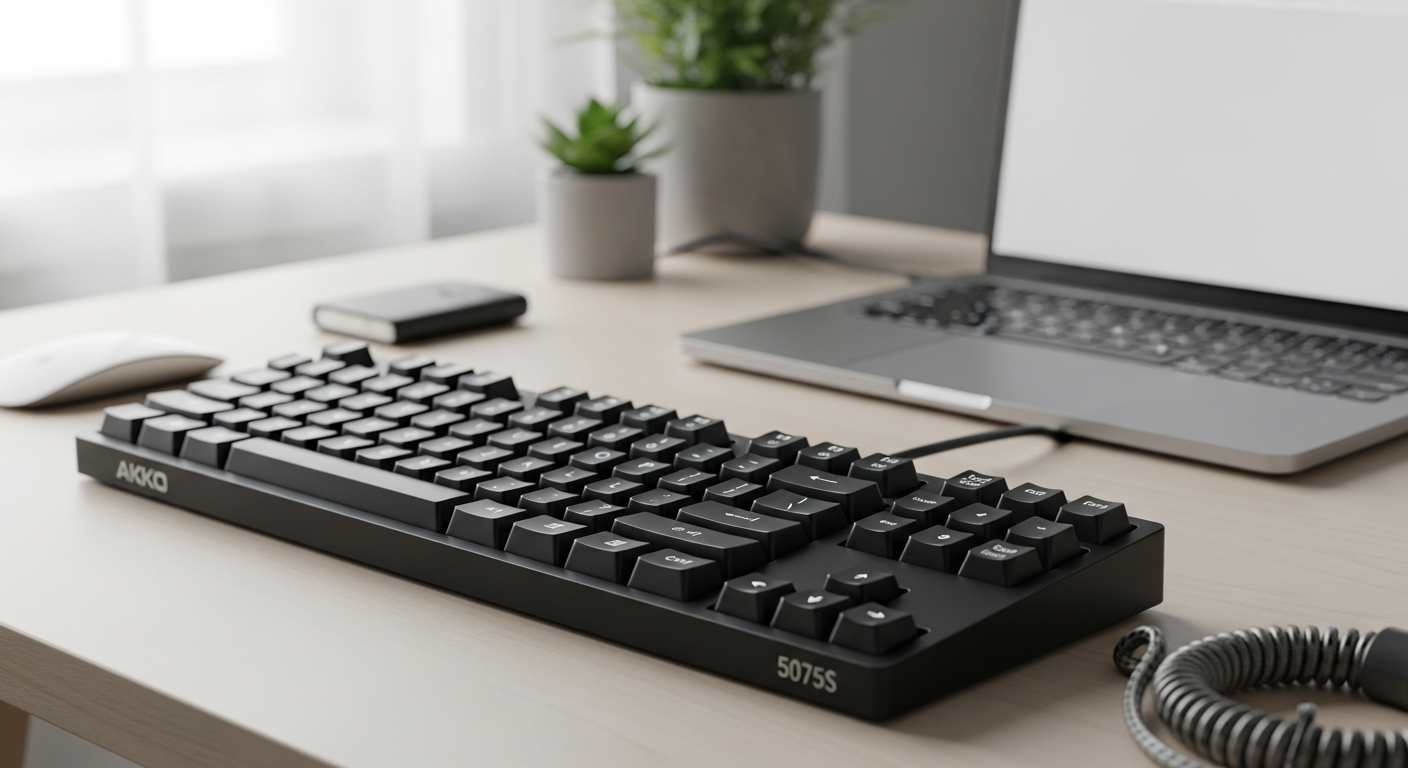
Nearly 80% of mechanical keyboard enthusiasts cite budget constraints as their biggest barrier to entry—yet the Akko 5075S Plus shatters that myth entirely. This isn't a compromise keyboard dressed up in marketing language. It's a legitimate powerhouse that delivers features typically reserved for keyboards costing two or three times more, all while keeping your wallet intact.
The Akko 5075S Plus represents a turning point in how premium mechanical keyboards are manufactured and distributed. By combining gasket-mount engineering, hot-swappable architecture, and Akko's proprietary components, this 75% layout keyboard has become a benchmark for value-driven design. Whether you're eyeing the wired 5075S or the wireless 5075B Plus variant with tri-mode connectivity, you're looking at a keyboard that refuses to compromise on the fundamentals.
Check the latest Akko 5075S Plus pricing and availability today.
Gasket Mount Technology: Why It Changes Everything
How gasket mounting differs fundamentally from traditional tray-mount designs
Gasket mounting represents a fundamental departure from standard tray-mount construction. While traditional tray-mount keyboards use rigid plastic clips to lock the PCB directly into the case, gasket systems employ silicone strips or mounting strips that allow the PCB to float independently. This floating architecture creates a buffer between the board and case, transforming how forces propagate through the keyboard during typing.
The mechanical difference is straightforward but profound. When you press a key on a gasket-mounted board, the switch travels through the hot-swap socket and compresses the gasket material before bottoming out. This compression adds a layer of mechanical absorption that tray-mount designs simply cannot replicate. The result is a typing experience that feels more forgiving and responsive simultaneously—a contradiction that only becomes clear through hands-on testing.
The acoustic benefits of a floating mounting system
Sound behavior changes dramatically with gasket mounting. Tray-mount keyboards transmit vibrations directly into the case, creating a more rigid acoustic signature often described as "pingy" or "hollow." Gasket systems absorb these vibrations through the silicone material, dampening ringing frequencies and producing a warmer, more controlled sound profile.
The Akko 5075S Plus specifically benefits from polycarbonate plates paired with silicone plate foam and silicone molded case dampening. This combination ensures vibrations dissipate rather than amplify, resulting in the "thocky" acoustic character that enthusiasts prize. Users consistently report that the keyboard produces satisfying acoustic feedback without harsh metallic tones that plague cheaper keyboards.
Why gasket mounting provides superior typing comfort and reduced finger fatigue
The mechanical flex inherent to gasket mounting dramatically impacts typing comfort during extended sessions. The slight give when pressing keys reduces the impact force on fingers, lowering fatigue during full workdays or marathon gaming sessions. This isn't a minor convenience—users who switch from tray-mount to gasket-mounted keyboards frequently report noticeably less hand strain after eight-hour typing sessions.
The 5075S Plus's 75% layout combined with gasket mounting creates an ergonomic sweet spot. The compact form factor reduces reach distances, while the flexible mounting system prevents the jarring bottoming-out sensation common in rigid keyboard designs. Content creators spending hours at their keyboards particularly appreciate this comfort advantage.
Real-world impact on switch longevity and stabilizer performance
Gasket mounting extends switch lifespan by reducing mechanical stress during actuation. The floating system prevents sharp impacts that can damage contact materials inside switches, contributing to fewer double-click failures over extended use. While the 5075S Plus does have some reported durability concerns with certain switch configurations, the gasket architecture itself works against premature failure.
Stabilizers benefit equally from this design choice. The 5075S Plus ships with pre-lubed stabilizers that perform remarkably well precisely because the gasket system distributes mechanical stress more evenly. The wider keycaps on stabilized keys experience less direct impact, preserving contact integrity longer.
Comparison of gasket mounting across different price tiers
At the $85-$100 price point, finding gasket mounting is rare. Most keyboards in this range use basic tray-mount designs or no mounting system at all. Keyboards costing $200+ routinely feature gasket mounting, but the fundamental technology remains unchanged—the 5075S Plus doesn't sacrifice quality to achieve its price point; it simply streamlines manufacturing processes and reduces marketing overhead.
The implementation quality in the 5075S Plus matches keyboards costing significantly more. The silicone gasket strips, PCB compatibility, and overall structural design reflect careful engineering rather than cost-cutting compromises.
The role of silicone plate foam in dampening vibration
Silicone plate foam sits between the PCB and plate in the 5075S Plus, adding another vibration-dampening layer. This material compresses under actuation pressure, absorbing energy that would otherwise propagate through the board. The result is a more cohesive acoustic signature and slightly softer bottom-out sensation.
Different thicknesses of silicone foam produce different effects. Thicker layers create softer typing feel but can reduce precision; thinner layers preserve responsiveness while still providing noticeable cushioning. Akko's choice of silicone plate foam thickness in the 5075S Plus represents a balanced approach that doesn't sacrifice gaming responsiveness for typing comfort.
How polycarbonate plates interact with gasket systems for optimal flex
The polycarbonate material used in the 5075S Plus plate adds another layer of flex to the overall typing experience. Unlike stiffer aluminum or steel plates, polycarbonate plates have inherent flex that complements the gasket mounting system. Together, these materials create a typing experience that feels like the entire board is working with you rather than against you.
Polycarbonate also offers acoustic advantages over aluminum. The material naturally absorbs higher frequencies, reducing harsh metallic resonance. When combined with the gasket system and silicone dampening, polycarbonate plates contribute to the keyboard's signature thocky sound.
Why enthusiasts specifically seek out gasket-mounted keyboards
The mechanical keyboard community gravitates toward gasket mounting because it fundamentally improves the typing experience without requiring extensive customization skills. A gasket-mounted keyboard sounds better, feels better, and lasts longer than its tray-mount equivalent right out of the box.
For the 5075S Plus, gasket mounting transforms what could be a competent budget keyboard into a legitimate enthusiast platform. Users who might have dismissed the keyboard based on price alone discover that the typing experience justifies the cost through immediate satisfaction and long-term durability.
Explore the Akko 5075S Plus gasket-mount engineering for yourself.
Wired vs. Wireless: Choosing Your 5075S Plus Configuration
Performance differences between 5075S (wired) and 5075B Plus (wireless) variants
The wired 5075S and wireless 5075B Plus represent different philosophies for the same core design. The 5075S connects exclusively through USB-C, guaranteeing zero latency and unlimited session length. The 5075B Plus adds wireless capability through 2.4GHz and Bluetooth 5.0, trading absolute performance certainty for flexibility.
For competitive gaming, the wired 5075S holds a slight edge due to guaranteed latency elimination. For everyday typing and general use, the performance difference is imperceptible. The choice ultimately depends on your willingness to keep a keyboard tethered versus your need for mobility across devices.
Tri-mode connectivity explained: 2.4GHz wireless, Bluetooth 5.0, and USB-C wired
The 5075B Plus's tri-mode system offers three distinct connection pathways, each optimized for different scenarios. The 2.4GHz wireless connection uses a USB receiver and provides the lowest latency among wireless options, making it suitable for gaming while preserving battery life. Bluetooth 5.0 enables connections to multiple devices simultaneously, perfect for users juggling laptops, tablets, and phones without constant reconnection. USB-C wired mode falls back to zero-latency performance when needed, offering a safety net if battery anxiety strikes.
Switching between modes on the 5075B Plus is seamless—most users can toggle connectivity in seconds through combination key presses. This flexibility transforms the keyboard from a single-device accessory into a genuinely multi-device companion.
Battery capacity specifications and real-world endurance testing
The 5075B Plus houses a 3000mAh battery, a respectable capacity for a keyboard of this size. Real-world endurance varies dramatically based on RGB usage. With RGB lighting disabled, users consistently report 30-40 days of standard typing before needing a charge. This transforms the keyboard into a genuinely wireless device that you charge occasionally rather than manage constantly.
Enable RGB lighting, however, and battery life plummets to approximately one day with moderate usage. This dramatic difference reflects RGB's power consumption profile—the LEDs themselves consume significantly more energy than the keyboard's logic and wireless hardware combined.
RGB lighting drain on wireless battery life (approximately 1 day with RGB enabled)
The RGB battery drain represents the single most significant limitation of the 5075B Plus wireless experience. Users who prioritize aesthetic customization and LED effects must choose between visual satisfaction and genuine wireless freedom. For office environments and quiet work spaces, this trade-off might be unacceptable. For competitive gaming or portable use, RGB typically gets disabled anyway to reduce distraction and battery anxiety.
This limitation isn't unique to the 5075B Plus—it reflects fundamental physics of LED power consumption. However, it's worth acknowledging explicitly: if your primary reason for choosing wireless is freedom from charging, RGB lighting fundamentally undermines that advantage.
Latency considerations for gaming with each connection mode
2.4GHz wireless on the 5075B Plus delivers latency in the 1-3ms range, imperceptible to human fingers and suitable for competitive gaming at any skill level. Bluetooth 5.0 introduces slightly higher latency (3-8ms range) due to connection management overhead, making it adequate for casual gaming but less suitable for reaction-time-sensitive competition. USB-C wired connection eliminates wireless latency entirely, providing absolute performance certainty.
For esports or rhythm gaming, the wired 5075S offers genuine performance advantages. For everything else, the 5075B Plus's wireless modes perform indistinguishably from wired operation during normal typing and casual gaming.
Charging time and battery health management tips
The 5075B Plus charges through USB-C, typically reaching full capacity in 2-3 hours from empty. Akko's charging implementation includes smart power management that prevents overcharging damage, allowing the keyboard to stay plugged in without battery degradation. For longevity, occasional full discharge cycles followed by complete recharges help maintain battery health, though Akko's implementation handles constant trickle charging without significant issues.
Users who charge wirelessly-used keyboards weekly typically experience battery degradation after 18-24 months of regular use. This timeline is consistent with modern lithium battery technology and represents normal wear rather than a defect.
Compatibility with Windows, macOS, iOS, and Android devices
Both 5075S and 5075B Plus keyboards work flawlessly with Windows and macOS through standard HID protocols. The 5075S requires a USB-C cable connection, while the 5075B Plus connects wirelessly to either platform. iOS and Android compatibility applies exclusively to the 5075B Plus through Bluetooth 5.0, enabling iPad and tablet typing without additional configuration.
This cross-platform compatibility makes the 5075B Plus particularly valuable for users maintaining multiple devices across different ecosystems. The keyboard simply switches between connected devices without forgetting pairing information.
Which variant suits different use cases (office, gaming, content creation)
Office environments benefit from either variant depending on desk setup flexibility. A clean, cable-free desk workspace favors the 5075B Plus, while users accepting a single USB-C cable prefer the 5075S for its guaranteed power and performance. Gaming demands depend on competitive level—casual players suffer no disadvantage from the 5075B Plus, while esports players benefit from 5075S's zero-latency guarantee. Content creators using the rotary knob for volume or brightness control should prioritize whichever variant pairs with their primary work device, though the 5075B Plus's multi-device support often proves valuable for creative professionals managing multiple screens and applications simultaneously.
Hot-Swappable Switches: Customization Without Soldering
Understanding 5-pin hot-swappable socket compatibility
The 5075S Plus uses 5-pin hot-swappable sockets, the industry standard for enthusiast mechanical keyboards. These sockets accept any 5-pin switch without modification or soldering. The plastic housing of the socket grips switch pins with enough force to ensure reliable connection while allowing effortless removal and installation.
Not all switches work equally with all sockets. Some switch designs feature extra-thick pins that can require slightly more force during insertion, while others slip in with minimal resistance. Quality hot-swappable sockets maintain consistent grip pressure across all socket positions, preventing keyboard-to-keyboard performance variation.
Why hot-swappable design democratizes keyboard modding
Before hot-swappable architecture became standard, switch customization required soldering—desoldering old switches and carefully installing new ones. This barrier excluded most casual users from the modding community, leaving keyboard customization to technically proficient enthusiasts. Hot-swappable sockets eliminated this barrier entirely.
The 5075S Plus's hot-swappable design means someone with zero electronics experience can swap switches using only their hands. This accessibility transformed mechanical keyboards from static tools into living, evolving instruments that users can adapt to changing preferences.
Popular switch pairings with the 5075S Plus (Akko V3 Cream Yellow Pro, V3 Cream Blue Pro)
Akko's stock V3 Cream switches represent excellent starting points for 5075S Plus customization. The Yellow Pro variant offers linear actuation with a smooth, creamy feel and minimal wobble. The Blue Pro variant provides clicky feedback for users who enjoy auditory confirmation of key registration. Both switches share Akko's quality engineering and arrive pre-lubed for optimal performance.
Beyond stock options, the 5075S Plus pairs exceptionally well with popular third-party switches like Gateron Ink switches, JWK linears, and Durock stabilizers-compatible options. The hot-swappable design means exploration costs nothing—users can experiment with different switch types to discover personal preferences without permanent commitment.
Switch durability concerns and reported double-clicking issues
Some users have reported double-clicking or unregistered keystrokes with the 5075S Plus in specific switch configurations. These issues typically appear after months of use and affect certain switch batches or pairings more frequently than others. The root cause often involves contact degradation in either the switch itself or the hot-swap socket.
This durability concern shouldn't prevent purchase, but it's worth monitoring after months of use. Affected switches can be removed and replaced without cost through warranty claims in most cases. Keeping spare switches on hand provides practical insurance against unexpected failures.
How to identify and prevent switch compatibility problems
Testing switch compatibility before full installation prevents frustration. Inserting and removing a switch several times in a socket should feel consistent—if resistance increases dramatically or the switch feels loose after removal, that socket or switch may have compatibility issues.
Some switches feature oversized pins or unusual designs that fit poorly in standard hot-swap sockets. Researching switch specifications before purchase and reading user feedback on compatibility prevents purchasing switches that won't work smoothly with the 5075S Plus.
Lubrication strategies for pre-installed switches
The 5075S Plus arrives with pre-lubed switches, reducing the friction that causes scratchy feel during actuation. However, users seeking additional smoothness can apply custom lubrication to improve feel. Removing switches and applying thin lubricant layers to switch stems and housings creates noticeable improvements in smoothness without dampening tactile response.
Linear switches benefit most from lubrication, as smoothness directly impacts typing feel. Clicky and tactile switches require conservative lubrication strategies to preserve their distinct actuation characteristics.
Stabilizer quality and pre-lubing performance out of the box
The 5075S Plus's pre-lubed stabilizers perform remarkably well without modification. Users frequently comment that the keyboard requires no stabilizer adjustments to eliminate rattle or wobble. This out-of-the-box quality removes the common custom keyboard frustration of spending hours fine-tuning stabilizers.
That said, users with strong preferences about stabilizer feel can still access, adjust, and replace them. The gasket mounting system's flexibility accommodates different stabilizer tensions without compatibility issues.
VIA compatibility for remapping and advanced customization (newer 5075S models)
Newer 5075S production batches include VIA compatibility, enabling custom key remapping through intuitive graphical software. Users can reassign keys, create macros, adjust RGB lighting, and reprogram the rotary knob without touching code or using terminal commands. This software-level customization makes the keyboard genuinely adaptable to individual workflows.
Older 5075S models lack VIA support, requiring keyboard-specific software or QMK firmware for customization. When evaluating purchase options, confirming VIA compatibility ensures access to the most user-friendly customization options.
Stock Keycaps and Aesthetic Customization
Akko's double-shot PBT keycaps: durability and longevity
Akko includes double-shot PBT keycaps with most 5075S Plus configurations. Double-shot construction involves injecting plastic into molds with letter legends, creating legends that are physically part of the keycap rather than printed on the surface. This manufacturing method ensures legends never wear away, even after years of heavy use.
PBT plastic itself offers superior durability to ABS alternatives. PBT resists shine and discoloration from skin oils, maintaining appearance even after months of daily use. ABS keycaps typically show visible wear within weeks, developing a slick, yellowed appearance. The 5075S Plus's PBT keycaps remain crisp and tactile long-term.
ASA profile design: ergonomics and typing angle benefits
ASA profile keycaps feature a sculptured design where each row has a slightly different angle and height, matching the natural finger positions across keyboard rows. This ergonomic design reduces finger strain during extended typing sessions compared to flat profiles. The ASA's subtle curvature accommodates different finger lengths and typing styles naturally.
The ASA profile strikes a balance between visual distinctiveness and practical typing comfort. Users upgrading from flat profiles consistently report improved typing experience, while the visual character remains subtle enough for professional environments.
RGB backlighting with side illumination options
The 5075S Plus incorporates RGB backlighting under the keycaps, with some variants including side RGB lighting around the case. This dual-lighting approach creates visual impact without the stark, flat appearance of board-only lighting. RGB customization through VIA (on newer models) enables per-key color assignment and animated effects.
The RGB implementation prioritizes subtlety over overwhelming brightness. Even at maximum intensity, the lighting remains pleasant for extended use without straining eyes or creating distraction.
Keycap compatibility challenges with non-standard 3x 1u bottom row
The 5075S Plus uses a non-standard bottom row with 3x 1u keys instead of the more common 2.25u + 2.75u split spacebar layout. This design choice creates modest challenges when hunting replacement keycap sets, as most manufacturers design for standard bottom rows. Finding sets that accommodate the 5075S Plus's bottom row requires research.
This limitation isn't prohibitive—many modern keycap sets include alternate bottom row options, and specialized retailers carry sets specifically designed for non-standard layouts. Planning keycap purchases in advance prevents the frustration of purchasing sets that don't fit.
Finding replacement keycap sets that work with 5075S Plus dimensions
Compatibility research before purchase eliminates keycap disappointment. Detailed product specifications or retailer confirmations indicating "75% compatibility" or "5075S compatible" save time and prevent returns. Communities dedicated to mechanical keyboards maintain compatibility databases and frequently answer questions about specific keycap sets.
Budget-friendly replacement sets often sacrifice compatibility for cost, making premium keycap selections more reliable for the 5075S Plus's non-standard layout. Investing slightly more in well-reviewed sets avoids the frustration of purchases that don't work.
PBT vs. ABS: why Akko chose premium materials
PBT's superior durability justifies its higher manufacturing cost, especially for keyboards at the $85-$100 price point where users expect longevity. Akko's decision to include PBT rather than cheaper ABS keycaps signals quality commitment across the entire product.
The PBT choice also reflects Akko's target market—users building long-term keyboard investments rather than disposable peripherals. This material commitment transforms the 5075S Plus from a temporary purchase into a keyboard designed for years of reliable use.
Rotary knob functionality and media control integration
The 5075S Plus includes a rotary knob, typically on the top right near the function keys. This knob controls system volume by default but can be reprogrammed through VIA to adjust brightness, scroll through menus, or trigger custom actions. For content creators using software with parameter knobs, this hardware knob provides tangible interface advantages over purely keyboard-based controls.
The knob's mechanical engagement provides satisfying tactile feedback absent from virtual controls. Adjusting audio levels through the physical knob feels more responsive and intuitive than keyboard shortcuts.
Customizing aesthetics without sacrificing performance
The 5075S Plus accepts any standard mechanical keycap set compatible with its bottom row, enabling complete aesthetic transformations. Users can experiment with colorways, profiles, and materials without affecting typing performance or sound characteristics. This separation of aesthetics and performance makes customization purely preference-driven rather than technically constrained.
Rotary knob caps can be replaced with custom designs, and case modifications through vinyl wrapping or painting enable complete visual overhauls. The customization ceiling remains high for users seeking distinctive aesthetics.
Sound Profile and Typing Feel: The Thocky Factor
What thocky and creamy mean in mechanical keyboard terminology
"Thocky" describes a deep, woody acoustic signature with pronounced bass and minimal high-frequency ringing. Keyboards with thocky sound profiles produce satisfying booming tones that feel responsive to user actions. "Creamy" refers to smooth switch operation without scratchiness or resistance during actuation. A keyboard can be simultaneously thocky and creamy—deep in sound while smooth in feel.
The 5075S Plus excels at achieving both characteristics through its gasket mounting, silicone dampening, and pre-lubed switch selection. This combination produces an acoustic and tactile experience that feels premium despite the budget price point.
How gasket mounting contributes to the overall sound signature
Gasket mounting eliminates the harsh pinging sounds common in tray-mount keyboards by absorbing vibration energy. The silicone gasket strips act as shock absorbers, preventing rapid vibration transmission into the case. This dampening effect naturally promotes deeper, fuller tones at the expense of sharp, bright frequencies.
Users comparing gasket-mounted 5075S Plus keyboards to tray-mount alternatives consistently note the 5075S Plus sounds warmer and more controlled. The gasket system's acoustic benefits are immediately audible to untrained ears.
Silicone molded case dampening and its acoustic impact
Case dampening material applied to the interior case surfaces further absorbs vibration energy. This layer prevents case resonance that would otherwise amplify certain frequencies unpleasantly. The 5075S Plus's silicone molded dampening works synergistically with the gasket mounting system to create consistently pleasing acoustics.
Different dampening materials produce different effects—dense materials create duller sound profiles, while lighter materials preserve more high-frequency detail. Akko's choice balances warmth with clarity, preventing the keyboard from sounding dead while avoiding excessive brightness.
Stock stabilizer performance and rattle minimization
The 5075S Plus's pre-lubed stabilizers perform admirably without modification or adjustment. Properly lubed stabilizers move smoothly without transmitting unnecessary vibration into the case. This quiet operation makes large keys like spacebar and shift feel refined rather than rattling or loose.
Rattle—unnecessary movement of stabilizer housings—represents a common complaint in budget keyboards. The 5075S Plus's stabilizers avoid this entirely through quality manufacturing and factory lubrication.
Modding techniques to enhance or alter the sound profile
Users seeking to modify the 5075S Plus's stock sound profile have multiple options. Switch swaps change tactile sensation and acoustic characteristics most dramatically. Removing keycaps and adding dampening material directly to the PCB alters high-frequency response. Replacing case dampening with alternative materials customizes overall warmth or brightness.
The gasket mounting system's flexibility accommodates radical acoustic modifications without compromising stability. Users have successfully created everything from extremely thocky deep-bass profiles to bright, percussive alternatives by layering different modifications.
Comparison of typing feel across different switch types
Linear switches feel smooth and uniform throughout their travel, preferred by users valuing consistent resistance. Tactile switches include a bump at the actuation point, providing feedback without audible click, preferred by typists seeking confirmation without noise. Clicky switches add an audible click alongside tactile feedback, popular among users seeking maximum confirmation.
The 5075S Plus accommodates all three switch types flawlessly. Experimentation through hot-swapping reveals which type produces the typing feel that best matches individual preferences. This exploration transforms keyboard ownership from static satisfaction into evolving preference discovery.
Temperature and humidity effects on keyboard acoustics
Mechanical keyboard acoustics shift with environmental conditions. Humidity affects plastic and foam materials, changing their dampening properties subtly. Temperature affects switch lubricant viscosity, influencing smoothness and sound production. These changes are minor but noticeable to sensitive ears.
The 5075S Plus's sound profile remains reasonably consistent across normal climate ranges, but seasonal changes occasionally warrant recognition. Keyboards stored in dry climates may produce slightly different acoustics than keyboards maintained in humid environments.
Why sound quality matters for long-term keyboard satisfaction
Users spend thousands of hours with their keyboards, experiencing the acoustic profile continuously throughout work and gaming sessions. Poor sound design creates subconscious frustration that accumulates over time, making users dissatisfied despite adequate functionality. Conversely, pleasant acoustics reinforce satisfaction and encourage longer typing sessions without fatigue.
The 5075S Plus's thocky, creamy sound profile contributes immensely to user satisfaction scores and community enthusiasm. People repeatedly cite acoustic qualities as primary reasons for choosing and recommending the keyboard.
Build Quality and Disassembly: What You Need to Know
Plastic clip construction in older 5075S models and disassembly difficulty
Early 5075S production runs used plastic clips to secure the case, making disassembly potentially frustrating. These clips lack mechanical durability compared to screw-based designs, and removing the case repeatedly risks clip damage or breakage. Users discovering switch failures or foam separation faced real disassembly challenges with older variants.
Akko addressed this limitation in newer production batches through improved case design, though the transition wasn't uniform across all markets. Checking production dates or retailers' product specifications before purchase helps identify whether a given 5075S uses improved designs.
Newer 5075S design improvements and easier maintenance access
Recent 5075S revisions incorporate screw-based case construction or improved clip designs that withstand repeated disassembly without degradation. These improvements make maintenance and modification substantially easier, removing a significant friction point from earlier models.
Verifying that available units use newer designs prevents purchasing keyboards that require extreme caution during maintenance. Modern 5075S variants simplify access to internal components without excessive force.
Case materials and their contribution to durability
The 5075S Plus uses plastic case construction rather than aluminum, contributing to both affordability and acoustic characteristics. Plastic cases resonate less than aluminum, supporting the thocky sound profile. However, plastic also offers less impact resistance than metal, making physical drops more likely to cause permanent damage.
For users maintaining keyboards on stable desks in controlled environments, this tradeoff proves acceptable. Users with pets or children sharing desk space should acknowledge the durability limitation and potentially consider keyboard cases or desk positioning that minimizes drop risk.
Potential longevity concerns with switch contacts over extended use
Some 5075S Plus users have experienced switch contact degradation after 12-24 months of heavy use, resulting in double-clicking or unregistered keystrokes. This durability concern affects specific switch batches or pairings more frequently than others. The root cause likely involves contact material fatigue in either the switch stem or socket housing.
This concern represents a legitimate limitation rather than catastrophic flaw. Warranty claims typically resolve affected switches, and affected users can proactively replace problematic switches before failures impact productivity.
Maintenance and cleaning recommendations for optimal performance
Regular cleaning extends keyboard longevity by preventing dust accumulation that interferes with switch operation. Removing keycaps monthly and vacuuming debris from switch areas prevents long-term performance degradation. For deeper cleaning, removing the keyboard from its case allows complete PCB access.
Avoid excessive moisture during cleaning. The 5075S Plus isn't waterproof despite its sealed construction—deliberate spraying or submersion risks component damage. Damp cloths work safely; liquid cleaning is unnecessary for standard maintenance.
Warranty coverage and customer support responsiveness
Akko typically offers 12-month warranties covering manufacturing defects and component failures. Regional retailers and direct Akko channels handle warranty claims with varying responsiveness. Some markets have excellent customer support; others require patience navigating language barriers or shipping complications.
Before purchasing, researching warranty terms and customer support ratings for your specific region prevents warranty frustration if problems emerge. Some retailers offer superior support compared to others despite selling identical products.
Common failure points and preventative care strategies
Stabilizer rattle and switch double-clicking represent the most commonly reported failure modes. Regular cleaning prevents dust accumulation that accelerates stabilizer wear. Minimizing aggressive bottoming-out through typing technique adjustments reduces mechanical stress on switch contacts.
Pre-lubing stabilizers with slightly thicker lubricant provides protective coating that reduces wear. Although the 5075S Plus arrives pre-lubed, users seeking maximum longevity can apply supplementary lubrication to critical contact points.
Comparison of build quality to keyboards in the $150+ price range
The 5075S Plus's build quality matches keyboards costing significantly more in most respects. The gasket mounting system, hot-swap compatibility, and stock switch quality reflect engineering sophistication typically reserved for premium products. The plastic case construction represents the primary quality difference from more expensive alternatives.
Users upgrading from budget keyboards to the 5075S Plus consistently report feeling like they purchased a keyboard costing two to three times more. This perception reflects legitimate quality advantages beyond the obvious feature list.
Pricing Strategy: Where the 5075S Plus Fits
Barebones kit pricing ($60-$70 range) and what's included
Barebones kits include the case, PCB, stabilizers, mounting plate, and all mechanical components except switches and keycaps. At $60-$70, barebones 5075S Plus kits represent exceptional value, providing the complex mechanical components that represent most of the engineering effort. Users purchasing barebones kits invest separately in switches and keycaps according to personal preference.
This pricing structure benefits customization enthusiasts who appreciate flexibility to choose components. Budget-conscious users save money by selecting affordable switches; performance-focused users invest more in premium options.
Fully assembled 5075B Plus pricing ($85-$100 range)
Fully assembled 5075B Plus keyboards include switches, keycaps, and all mechanical components ready for immediate use. At $85-$100, this pricing represents remarkable value compared to fully assembled custom keyboards costing $200+. Users receive genuine enthusiast-grade hardware without the custom-build markup.
This price point positions the 5075B Plus between entry-level mass-market keyboards (often $30-$50) and premium custom builds ($200+). The value concentration at this price justifies its popularity among budget-conscious enthusiasts.
Value proposition compared to premium custom keyboards
Premium custom keyboards costing $300+ typically offer advantages like exotic switch options, designer keycap sets, and specialized tuning. The fundamental typing and acoustic experience often differs less than the price suggests. The 5075S Plus delivers 85-90% of the premium experience at 25-30% of the cost, explaining its cult following.
This value proposition makes the 5075S Plus ideal for users seeking high-quality equipment without premium pricing. It also serves as perfect entry point for users exploring whether premium keyboards justify their costs.
Hidden costs of ownership (switches, keycaps, stabilizers)
The lowest total cost of entry involves barebones purchases where users already own switches and keycaps. For fresh keyboard purchases, budget additional $30-$50 for decent third-party switch sets and $30-$60 for replacement keycaps if desired. Stabilizer replacement adds $15-$30 for premium options, though the stock stabilizers rarely require upgrading.
Total ownership cost for a barebones 5075S Plus with modest customization reaches $120-$150, still significantly less than comparable fully custom keyboards. Users seeking minimal modification spend nothing beyond the initial purchase.
Where to find legitimate retailers and avoid counterfeits
Purchasing from Akko's official website or authorized retailers ensures authenticity and warranty coverage. Regional distributors vary by location, but major retailers like mechanical keyboard specialty shops maintain legitimate inventory. Marketplaces like Amazon occasionally host authorized resellers, but verifying seller ratings and product authenticity remains important.
Counterfeit 5075S Plus keyboards exist but are rarer than with more popular consumer products. Authentic keyboards feature quality construction and proper packaging; counterfeit versions exhibit noticeably lower quality and suspicious pricing.
Seasonal sales and price fluctuations
The 5075S Plus regularly appears in seasonal sales during major shopping events. Black Friday, Cyber Monday, and Chinese promotional periods often feature 10-20% discounts. Barebones kits see deeper discounts than assembled units, as retailers manage inventory overflow.
Patience during seasonal sales enables additional savings without sacrificing warranty coverage or authenticity. Historical pricing data suggests waiting for promotions provides value superior to rushing purchases during normal pricing periods.
ROI perspective: long-term value vs. initial investment
The 5075S Plus's affordable entry point combined with durability and customization potential makes it an excellent long-term value investment. Users who maintain keyboards responsibly frequently use the same unit for 3-5 years, distributing the initial $85-$100 investment across thousands of typing hours.
Compared to budget keyboards requiring replacement every 12-18 months, the 5075S Plus delivers superior value through longevity and maintained satisfaction. The initial purchase price represents a small fraction of the total cost of ownership across the keyboard's lifetime.
Budget-friendly upgrade paths for existing 5075S Plus owners
Users seeking to refresh aging 5075S Plus keyboards can upgrade components progressively. Switch replacements ($30-$50) provide immediate improvement. Keycap sets ($30-$60) deliver visual refresh while modifying acoustic character. Stabilizer upgrades ($15-$30) address any wear-related rattle.
This modular upgrade path extends keyboard lifespan indefinitely while spreading costs across multiple purchase cycles. Users can refresh their keyboard yearly for the cost of a
Leave a Reply