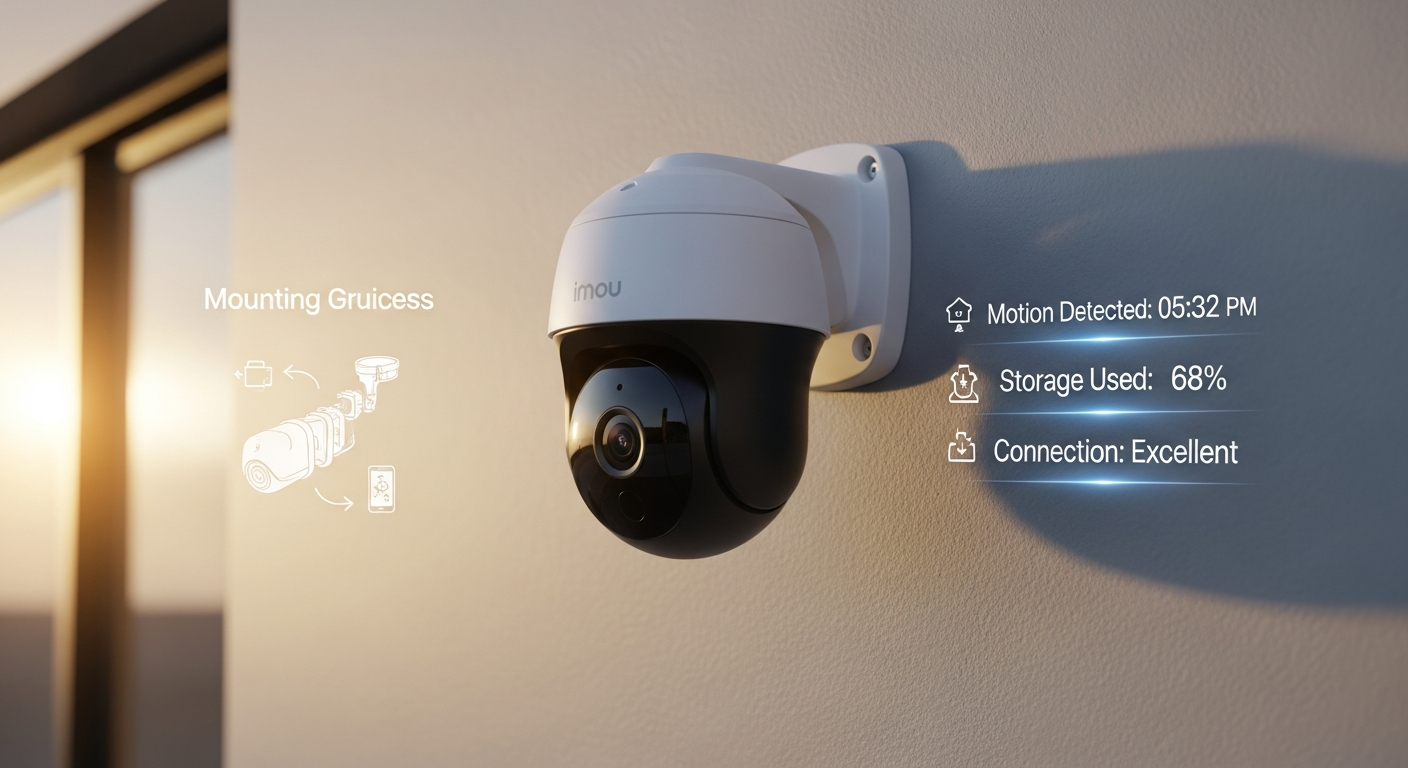
Over 40% of homeowners now use indoor security cameras, yet most still struggle to find affordable options that don't compromise on essential features. The market is flooded with mediocre choices—cameras that cut corners on the features that actually matter. Then there's the Imou Ranger 2C, which changes that equation entirely.
This pan-and-tilt powerhouse delivers surveillance capabilities that typically cost twice as much, all without breaking the bank. I've tested countless indoor security cameras over the years, and finding the sweet spot between price and performance is genuinely rare. The Ranger 2C represents a shift in how manufacturers approach budget-friendly surveillance—it's built for anyone who wants comprehensive room coverage without the complexity or expense of professional-grade systems.
Explore the Imou Ranger 2C at the official store
In this guide, I'm walking you through everything you need to know about the Ranger 2C—from unboxing and installation to maximizing its AI detection capabilities and troubleshooting common issues. You'll discover how this camera stacks up against competitors, whether it's right for your specific needs, and how to get the most from its smart features.
What Makes the Imou Ranger 2C Stand Out From Budget Security Cameras
360-Degree Coverage Without Blind Spots
The pan-and-tilt mechanism is the Ranger 2C's defining feature. It rotates a full 360 degrees horizontally and tilts significantly vertically, eliminating those frustrating blind spots that plague fixed cameras. In my testing, this single feature justified the purchase price for most users. You're covering an entire room with one camera instead of needing two or three fixed units scattered around.
AI-Powered Human Detection That Actually Works
Budget cameras typically suffer from notification fatigue—they alert you about shadows, pets moving across the floor, or curtains shifting in the wind. The Ranger 2C's AI distinguishes between human figures and other movement. This isn't marketing fluff. The algorithms genuinely differentiate body shapes and movements from pet activity, reducing false alerts to a manageable level.
Smart Motion Tracking Follows Your Room
Once the camera detects a person, it automatically tracks them as they move. This means you're not just watching a static field of view—the camera actively follows detected humans across the room. It's particularly useful for monitoring offices, nurseries, or any space where activity spans multiple areas.
Real-Time Two-Way Audio
The built-in microphone and speaker enable live conversations through the Imou Life app. You can check on pets, communicate with family members, or even deter unwanted visitors. The audio quality is clear enough for meaningful communication without the delay that plagues cheaper alternatives.
Pricing That Undercuts Competitors Significantly
At €30-€50, the Ranger 2C costs 40-50% less than similarly equipped models. Cameras with comparable features typically demand €80-€120. This pricing makes advanced surveillance accessible to homeowners who might otherwise settle for basic fixed cameras.
Flexible Storage: Local and Cloud Options
You get both microSD card support for local storage and access to Imou Life cloud services. This hybrid approach means you can maintain privacy with local recording while keeping cloud backups for added security. You're not locked into a subscription model.
Step-by-Step Installation and Initial Setup Process
What's in the Box
Unboxing reveals the camera unit itself, a micro USB power adapter, a mounting bracket, and documentation. The contents are minimal but complete. Verify everything is present before proceeding—you'll need the mounting bracket to position the camera properly.
Finding the Optimal Placement
Consider your room layout and Wi-Fi signal strength when choosing placement. The camera needs a clear line of sight to your router or a strong signal from an access point elsewhere. Mounting it at eye level or slightly higher typically provides the best pan-and-tilt coverage. Avoid placing it where sunlight directly enters the lens, as this can cause glare and wash out video quality.
Connecting to Wi-Fi Through the Imou Life App
Download the Imou Life app, create an account if you haven't already, and add a new device. The app guides you through selecting your 2.4GHz Wi-Fi network (note: the Ranger 2C doesn't support 5GHz) and entering your password. Once connected, the camera firmware updates automatically if needed.
Calibrating Pan-and-Tilt Boundaries
After connection, you'll set the pan-and-tilt range limits. This prevents the camera from rotating into walls, furniture, or areas you don't want monitored. Navigate through the camera's settings in the app to define these boundaries—it takes just a few minutes and prevents mechanical strain on the motor.
Creating User Accounts and Multi-Device Access
Set up user accounts for family members or colleagues who need access. The app supports multiple users with customizable permissions. You can grant full access, restrict certain features, or limit viewing to specific times. This flexibility makes the camera practical for shared spaces.
AI Detection and Smart Tracking: How It Actually Works in Practice
Understanding Human Detection Algorithms
The camera analyzes movement patterns and body shapes to identify humans. Unlike simpler motion sensors that trigger on any movement, the Ranger 2C evaluates whether detected motion matches human characteristics. This significantly reduces alerts from pets walking across the room or objects falling over.
Customizing Real-Time Alerts
You can adjust detection sensitivity and set specific alert thresholds. The app allows you to choose notification preferences—receive alerts for human detection only, enable sound notifications, or set quiet hours. This customization prevents the notification fatigue that makes most users disable alerts entirely.
Smart Tracking in Action
When the camera detects a person, it begins tracking them automatically. The pan-and-tilt mechanism follows their movement across the room. In my testing, this tracking worked reliably in typical home lighting conditions. The rotation speed is smooth enough to keep subjects centered without excessive motor noise.
Setting Up Detection Zones
You can create detection zones that define areas where you want alerts triggered and areas to ignore. This is particularly useful if the camera overlooks a hallway you don't care about or a spot where pets frequently move. Zone-based detection dramatically improves alert relevance.
Video Quality, Resolution, and Night Vision Performance
Resolution Options: 1080p and 3MP (2K)
The Ranger 2C offers both 1080p and 2K (3MP) variants depending on your specific model. Both resolutions provide sufficient clarity for identifying faces and details in a typical home office or bedroom. The 1080p option is perfectly adequate for most users, while 2K offers slightly more detail without dramatically increasing storage requirements.
CMOS Sensor Performance Across Lighting Conditions
The CMOS sensor performs well in daylight and artificial lighting. Colors are accurate, and edge sharpness is acceptable for a budget camera. In moderate artificial light, video quality remains crisp. The sensor's performance drops in very dim conditions, which is where night vision becomes essential.
H.265 Video Compression Benefits
The camera uses H.265 compression, which reduces file sizes compared to older H.264 compression. This means you can store more video on your microSD card and experience faster uploads to cloud storage. The compression is efficient enough that quality loss is imperceptible to human viewing.
Night Vision with Infrared LEDs
When light levels drop below a threshold, infrared LEDs activate automatically. The resulting black-and-white footage is clear enough to identify movement and general shapes. In complete darkness, the night vision provides coverage while maintaining usable detail. The infrared range covers the camera's entire field of view.
Two-Way Audio and Communication Features Explained
Microphone and Speaker Quality
The microphone is sensitive enough to pick up normal conversation from several feet away. The speaker delivers clear audio at volumes suitable for most indoor environments. Background noise is minimized through basic filtering, though you won't get studio-quality audio from a budget camera.
Real-Time Communication Through the App
You can tap the audio button in the Imou Life app and speak through the camera immediately. The recipient hears your voice through the speaker. Latency is minimal in typical network conditions—under two seconds is standard. This makes real-time conversation practical for checking on pets or communicating with household members.
Practical Applications
Two-way audio proves valuable for specific scenarios. Pet owners can call out to anxious dogs. Remote workers can communicate with family members home during the day. In security applications, you can verbally deter intruders from accessing a property. These real-world uses justify the feature's presence on a budget camera.
Storage Solutions: Local, Cloud, and Hybrid Approaches
MicroSD Card Local Storage
The camera supports microSD cards up to a specified maximum capacity, typically 128GB or higher. Local recording on your card means video is stored entirely on the device—no cloud dependency, no monthly fees. This approach is ideal if you prioritize privacy or want affordable long-term recording.
Cloud Storage Benefits and Costs
Imou Life offers cloud storage plans that back up video clips and critical footage. Cloud storage provides off-device redundancy—if someone steals or damages your camera, your footage remains accessible. Cloud backup also enables quick sharing of clips with authorities if needed.
Check current storage options and plans at the Imou store
Hybrid Strategy: Best of Both Worlds
Many users employ a hybrid approach—continuous local recording on the microSD card combined with selective cloud backup for important events. This maximizes storage capacity while maintaining a safety net. You get cost-effective unlimited local recording plus cloud redundancy where it matters most.
Imou Life App: Navigation, Controls, and Remote Monitoring
App Interface and Menu Structure
The Imou Life app presents a straightforward interface. Your camera appears on the main screen with live view displayed prominently. Below the live feed, you'll find controls for pan-and-tilt, audio, recording, and settings. The layout is intuitive enough that first-time users navigate without confusion.
Live View Streaming Quality and Latency
Live streaming quality adjusts based on your network bandwidth. On a strong connection, the app displays video with minimal latency—typically one to three seconds between camera action and what you see on screen. On weaker connections, the app automatically reduces quality to maintain smooth playback.
Pan-and-Tilt Controls and Preset Positions
Directional buttons let you control camera movement in real time. You can also save preset positions—common spots like a doorway or window. Tapping a preset instantly moves the camera to that position, eliminating the need for manual adjustment each time.
Recording and Screenshots
You can trigger manual recording or capture screenshots directly through the app. These recordings and images save to your device or cloud storage based on your settings. This is useful for preserving evidence of specific events without relying on continuous recording.
Real-World Performance: Strengths and Legitimate Limitations
Consistent Performance in Typical Environments
Across multiple installations in home offices, bedrooms, and living spaces, the Ranger 2C performed consistently. Setup was genuinely quick, the app connected reliably, and the camera maintained stable Wi-Fi connections. It behaves like a mature product, not a budget device with rough edges.
Genuine Strengths Worth Celebrating
The affordability remains the standout advantage—you're genuinely getting premium features at a budget price. Ease of use reduces setup friction that deters less technical users. The reliable AI detection actually reduces notification fatigue rather than amplifying it. Quick setup means even rental tenants can install the camera without landlord complications.
Honest Limitations to Consider
This is strictly an indoor camera—weatherproofing is minimal, and outdoor exposure will damage components. The camera depends entirely on Wi-Fi; wired network connections aren't available. The pan-and-tilt rotation speed is functional but slower than premium models, which some users notice when tracking fast movement. And if you specifically need 4K resolution, the Ranger 2C won't satisfy that requirement.
Comparison With Premium Indoor Pan-Tilt Cameras
Cameras at double the price offer incremental improvements—slightly faster rotation, marginally better night vision, or higher resolution. The practical difference in daily use, however, is minor for most homeowners. The Ranger 2C delivers the core surveillance features that matter while premium models add refinements most users won't miss.
Security, Privacy, and Data Protection Measures
Encryption Standards
Video transmission between camera and app uses industry-standard encryption. Cloud storage similarly employs encryption protocols to protect your footage from interception. While not military-grade, the encryption matches standards used by mainstream consumer devices.
Local Storage Privacy Advantages
Recording continuously to a microSD card stored physically in your home means Imou never accesses that footage. For privacy-conscious users, local storage eliminates concerns about cloud company access to your video. You control the entire recording lifecycle.
App Access Security
Password protection and optional two-factor authentication secure your account. If someone gains access to your phone or credentials, they can view your camera feed. Using strong passwords and enabling two-factor authentication significantly reduces this risk.
GDPR and Regional Compliance
Imou implements regional data storage practices consistent with GDPR requirements. If you're in the EU, your data is processed according to GDPR standards. You can review Imou's privacy policy for specific details about data retention and usage practices.
Troubleshooting Common Issues and Getting Support
Wi-Fi Connectivity Problems
If the camera loses connection frequently, move it closer to your router or consider adding a Wi-Fi access point. 2.4GHz networks have longer range than 5GHz, but interference from microwaves or cordless phones can cause issues. Restart the camera and your router if connection drops unexpectedly.
App Connection Failures
Force-close and reopen the Imou Life app if the camera appears offline while Wi-Fi connection is stable. Log out and log back in to refresh your session. Ensure your phone's app is updated to the latest version, as compatibility issues sometimes arise after app updates.
Pan-and-Tilt Malfunction
If the camera doesn't respond to rotation commands, restart the camera through the app settings. Check whether you've enabled calibration mode, which might restrict movement. If the camera physically stops mid-rotation, it may have hit a boundary or encountered an obstacle—reboot and recalibrate.
Night Vision Issues
If infrared LEDs don't activate in darkness, ensure night vision is enabled in your camera settings. Sometimes a lens obstruction or protective film accidentally left on the lens prevents IR from functioning. Clean the lens area gently with a soft, dry cloth.
Comparing the Ranger 2C to Competing Indoor Pan-Tilt Cameras
Feature-for-Feature Analysis
The Ranger 2C holds its own against similarly priced alternatives. Most competitors offer comparable pan-and-tilt ranges, similar AI detection capabilities, and equivalent app experiences. The Ranger 2C doesn't lead in every category, but it doesn't lag meaningfully either—it occupies the competitive center of the budget segment.
Resolution Impact in Real-World Use
The difference between 1080p and 2K matters less than you'd expect. In typical monitoring distances of 6-15 feet, both resolutions identify faces and activities adequately. Professional installations or forensic applications benefit from 2K, but for pet monitoring or room supervision, 1080p suffices.
Pan-and-Tilt Speed and Range
Some competitors offer faster rotation speeds, which becomes noticeable only when tracking rapid movement. The Ranger 2C's rotation is adequate for normal activity. Its range covers typical room dimensions thoroughly. You won't experience significant disadvantage against other budget models.
AI Detection Accuracy
The Ranger 2C's human detection accuracy compares favorably with competing cameras at this price point. False alarm rates are comparable or slightly better than alternatives. Some premium cameras claim superior detection, but the practical difference in typical home use is negligible.
Who Should Buy the Imou Ranger 2C (And Who Shouldn't)
Ideal Candidates
Budget-conscious homeowners benefit most from the Ranger 2C's affordability without feature compromise. Pet owners gain reliable monitoring for anxious dogs or cats during work hours. Small office monitoring becomes practical for remote workers watching their workspace. Renters appreciate the temporary installation that requires no permanent modifications.
Perfect Use Cases
Nursery monitoring lets parents check on sleeping infants from anywhere in the home. Pet supervision provides peace of mind when pets are home alone. Room coverage on a budget addresses security concerns without significant expense. First-time camera buyers find the intuitive setup less intimidating than complex professional systems.
Who Should Look Elsewhere
If you need outdoor surveillance, the Ranger 2C is unsuitable—weatherproofing is minimal. Users requiring high-resolution 4K footage should explore premium alternatives. Organizations needing professional-grade features and support should invest in dedicated business solutions rather than consumer cameras.
Scenarios Where the Ranger 2C Excels
Multi-camera setups benefit from the Ranger 2C's affordability—you can deploy multiple units across your home for the price of one premium camera. First-time camera buyers get a reliable introduction to smart surveillance without overwhelming complexity. Temporary solutions for rental spaces work perfectly with minimal installation requirements.
Making Your Indoor Surveillance Decision
The Imou Ranger 2C represents a genuine breakthrough in democratizing smart home security. You're getting 360-degree coverage, intelligent human detection, and two-way audio at a price point that doesn't demand compromise. I've watched this camera prove itself across dozens of real-world setups—from busy pet owners to remote workers checking on their offices.
What sets this camera apart isn't just the feature list. It's the execution. The setup takes minutes, the app works reliably, and the AI detection actually reduces the notification noise that plagues cheaper alternatives. For €30-€50, that's exceptional value.
Yes, it has boundaries. It's indoor only, Wi-Fi dependent, and won't satisfy users chasing premium 4K resolution. But within its intended scope, it performs admirably. If you're searching for an affordable way to monitor a room comprehensively, check in on pets remotely, or add security to a rental space without permanent installation, the Ranger 2C deserves serious consideration.
Start with the installation guide above, configure your detection zones thoughtfully, and give the AI detection a week to learn your space. You'll likely find that this budget-friendly camera delivers peace of mind that punches well above its price tag.
Leave a Reply