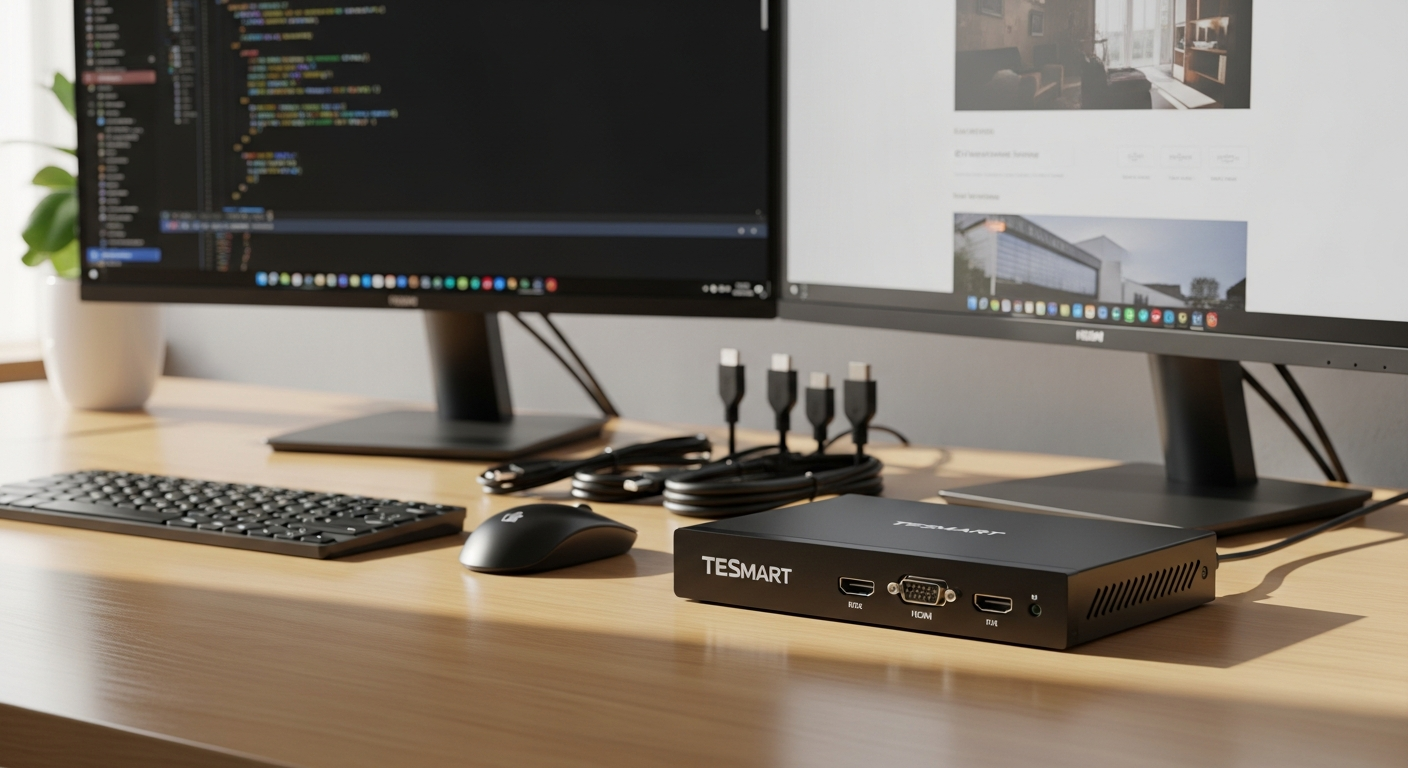
Juggling four separate computers from a single desk creates constant friction in your workflow. Every switch between systems means reaching for different keyboards, repositioning your mouse, or worse—managing multiple monitors that eat up precious workspace. The TESmart 4-Port 4K60Hz HDMI KVM Switch eliminates this daily headache by consolidating control of up to four computers into one unified setup.
This device transforms how professionals, designers, developers, and content creators approach multi-computer environments. Instead of wrestling with cable tangles and peripheral confusion, you control everything through a single keyboard, mouse, and monitor. The efficiency gains compound throughout your workday, freeing mental energy for actual work instead of system management.
Why Professionals Choose the TESmart 4-Port KVM Switch Over Traditional Setups
Reclaiming Your Workspace
Traditional multi-computer setups demand multiple keyboards, mice, and monitors—a recipe for desk chaos. The TESmart KVM switch eliminates this redundancy entirely. Four computers operate through one control point, meaning your desk stays clean and organized regardless of how many systems you’re managing.
The Cable Clutter Problem Solved
Cable management ranks high on the frustration scale for professionals. Multiple keyboards, mice, and monitor connections create tangled messes that look unprofessional and make maintenance nightmarish. Consolidating connections to a single KVM switch cuts cable clutter dramatically. Your desk transforms from a nest of wires into a clean, professional workspace.
Speed Where It Matters Most
Context-switching between different computers wastes cognitive energy. With the TESmart KVM, you eliminate the delay and mental overhead associated with physical switching. Your hands stay on your peripherals while your screen instantly displays another system’s output. This seamless transition reduces the friction that disrupts focus and workflow momentum.
4K@60Hz Performance: What This Means for Your Workflow
True 4K Without Compromise
The HDMI 2.0 standard delivers authentic 4K resolution—3840 x 2160 pixels of pristine detail. This isn’t marketing speak; it’s the real deal for professionals who depend on screen real estate for their daily work. Video editors, designers, and developers notice immediately when resolution quality matters.
Smooth Visual Performance
The 60Hz refresh rate ensures your display responds without lag or stuttering. Working in design software, video editing suites, or development environments demands responsive visuals. This KVM switch maintains that responsiveness across all connected systems, creating a consistent experience regardless of which computer you’re currently controlling.
Color Accuracy for Creative Work
4:4:4 chroma subsampling captures full color information at every pixel. For graphic designers, video producers, and anyone working with color-critical applications, this technical specification directly impacts the quality of your output. HDCP 2.2 compatibility additionally ensures you can stream protected content and work with modern media standards without restrictions.
EDID Emulation: The Feature That Changes Everything
No More Desktop Chaos
Switching between computers traditionally triggers a frustrating cascade of problems. Your monitor redetects connections, windows reposition randomly, icons scatter across your screen, and the taskbar moves. You spend precious seconds reorganizing your desktop every single time you switch systems.
EDID emulation eliminates this entirely. The KVM switch remembers display settings for each connected computer and automatically applies them when you switch. Your windows stay exactly where you left them. Icons maintain their positions. The taskbar doesn’t migrate. You switch systems and keep working without pause or reconfiguration.
Consistency Across All Machines
Professionals depend on muscle memory and visual consistency. When your desktop layout changes constantly, your productivity suffers. EDID emulation ensures your workspace looks and feels identical whether you’re on computer one, two, three, or four. This consistency compounds over time, making your work faster and less mentally taxing.
Control Methods: Finding Your Preferred Switching Style
Front Panel Buttons: Direct Physical Control
Sometimes you want immediate, tactile feedback. The front panel buttons provide instant switching without looking away from your monitor or reaching for your keyboard. Video editors often prefer this method during critical editing sessions when speed and simplicity matter most.
Keyboard Hotkeys: Hands-on Efficiency
If your hands rarely leave the keyboard during work, hotkey switching keeps your workflow uninterrupted. Developers and writers particularly appreciate this method—switch systems without breaking typing rhythm or reaching for additional controls. The hotkey combinations feel natural once you’ve used them for a few sessions.
Mouse Gestures: Intuitive Navigation
Mouse gesture switching integrates seamlessly with how you already move your cursor. Perform a simple gesture, and your display switches to the next system. This method appeals to designers and professionals who maintain consistent mouse contact throughout their workday.
Infrared Remote Control: Hands-Free Convenience
The included IR remote adds flexibility for situations where physical access to the switch isn’t practical. Adjust your viewing setup, switch systems, or manage the KVM from anywhere in your room. Content creators often use this feature when fine-tuning their multimonitor arrangements during setup adjustments.
USB Hub Integration: Sharing Peripherals Across Your Workspace
Eliminate Duplicate USB Devices
The built-in USB hub—available in 2.0 or 3.0 configurations—transforms how you manage peripherals. Instead of connecting separate printers, scanners, or external drives to each computer, you connect them once to the KVM switch. Every connected system accesses these shared resources without unplugging or reconnecting anything.
Streamlined Device Management
Webcams, USB microphones, and external hard drives work across all four computers instantly. This flexibility proves invaluable for professionals juggling multiple systems. Video editors no longer need separate backup drives for each workstation. Developers can share testing devices without constant cable swapping. The convenience compounds across your entire workflow.
Cable Reduction Through Consolidation
Every shared USB device you connect to the KVM instead of individual computers reduces your overall cable count. Your desk becomes cleaner, maintenance easier, and workspace organization simpler. This consolidation multiplies the cable management benefits you gain from the KVM switch itself.
Cross-Platform Compatibility: One Switch for Every Operating System
Windows System Support
Full compatibility with all modern Windows versions means your primary workstations connect and operate flawlessly. Whether you’re running current releases or managing legacy systems, the TESmart KVM adapts to your Windows environment without driver complications or compatibility headaches.
Native macOS Integration
Creative professionals using Apple hardware find reliable macOS support built into this KVM switch. Mac users no longer need separate switching solutions; one device handles your entire mixed-platform setup. This compatibility matters significantly for creative studios running hybrid workflows across Windows and macOS systems.
Linux Distribution Support
Linux professionals and enterprise administrators benefit from comprehensive distribution support including Debian, Ubuntu, Fedora, and others. Whether you’re running development environments or specialized Linux systems, the KVM switch maintains full functionality across all major distributions without requiring configuration workarounds.
Unix-Based System Compatibility
Enterprise and technical environments often rely on Unix-based systems. The TESmart KVM extends its compatibility to these specialized systems, making it suitable for technical professionals and systems administrators managing diverse computing environments.
Real-World Use Cases: Where This KVM Switch Excels
Video Production Workflows
Video editors benefit tremendously from this setup. Edit your primary project on one computer while monitoring playback on another. Reference footage displays on the monitor connected through your second system. The ability to quickly switch between editing and playback environments without cable swapping streamlines your creative process and reduces technical friction during critical work sessions.
Software Development Environments
Developers commonly run development environments on one machine while testing on another. The TESmart KVM enables instant switching between your development setup and testing systems. Run your IDE on one computer and execute tests on another without managing multiple keyboards or monitors. This workflow acceleration noticeably improves development velocity.
Graphic Design and Creative Work
Designers frequently reference materials on one system while working in primary design software on another. Your main monitor displays your design application on one system, while you instantly switch to check reference images or client communications on a different computer. This switching flexibility enhances your creative workflow without requiring multiple monitor investments.
Content Creation and Publishing
Content creators juggle multiple specialized systems. Write content on one machine, edit on another, manage publishing platforms on a third, and handle technical tasks on the fourth. The TESmart KVM switch eliminates the chaos of managing multiple keyboards and mice while switching between these specialized tasks throughout your workday.
The Bottom Line
The TESmart 4-Port 4K60Hz HDMI KVM Switch functions as more than just a cable organizer—it’s a productivity multiplier for anyone managing multiple computers. Video editors, software developers, graphic designers, and systems administrators all experience tangible workflow improvements once they implement this solution.
The seamless 4K@60Hz performance delivers the visual clarity your professional work demands. EDID emulation eliminates the desktop chaos that traditionally accompanies system switching. Flexible control methods—buttons, hotkeys, gestures, and remote control—let you choose the switching method that fits your specific workflow. The integrated USB hub reduces cable clutter while enabling peripheral sharing across all connected systems. Cross-platform compatibility ensures this single device works regardless of your computing environment.
You’ll reclaim meaningful desk space, eliminate cable chaos, and actually enjoy switching between systems instead of dreading the technical complexity. If multiple computers currently fragment your productivity and create workspace frustration, the TESmart KVM switch deserves serious consideration for your setup.
Start simplifying your multi-computer workflow with the TESmart 4-Port 4K60Hz HDMI KVM Switch today.
Leave a Reply