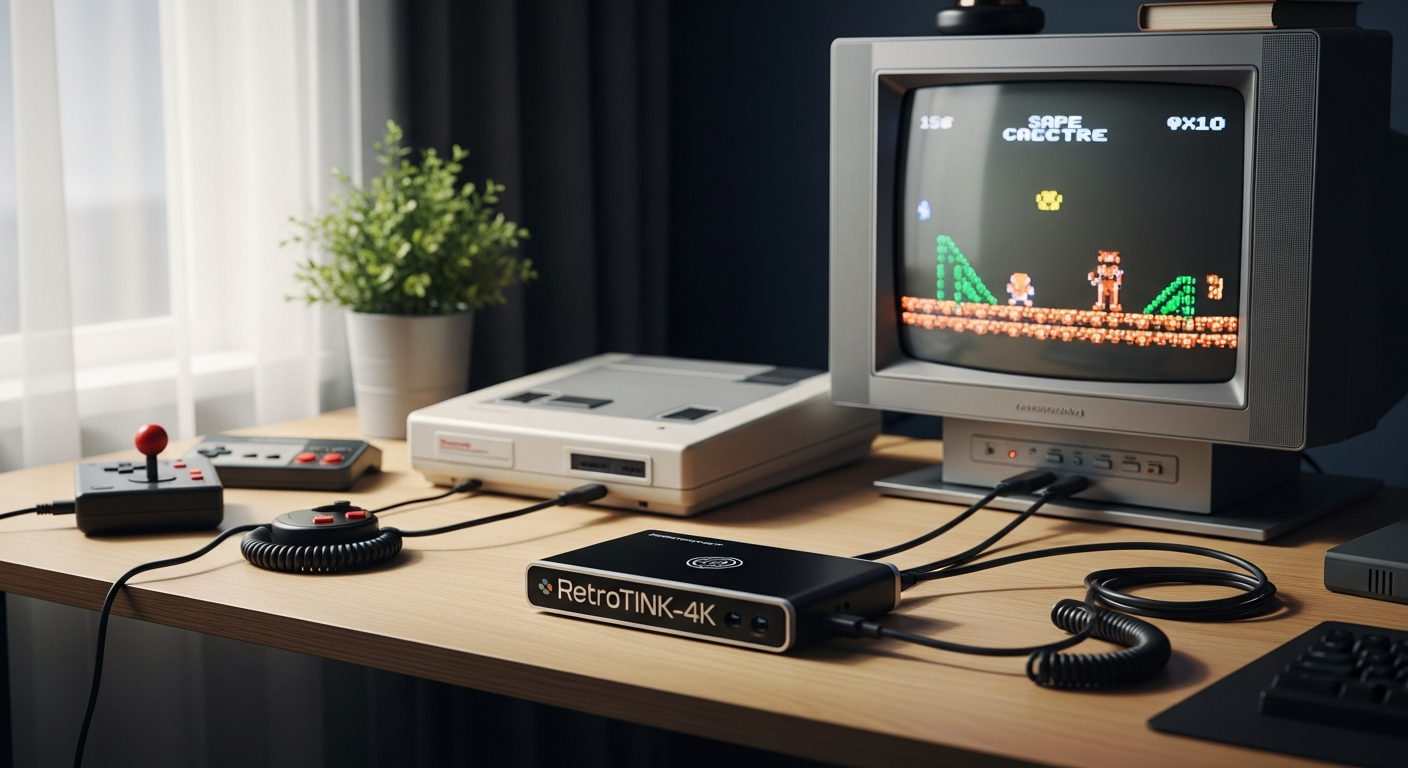
Over 70% of retro gaming enthusiasts report frustration when connecting their beloved vintage consoles to contemporary televisions—blurry images, washed-out colors, and infuriating input lag plague the experience. The RetroTINK-4K Video Processor & Scaler represents a genuine breakthrough in bridging this gap between legacy hardware and modern display technology. At $750, it's a premium investment, but this device fundamentally transforms how vintage video signals are processed and upscaled.
The challenge has persisted for decades. Modern televisions simply weren't designed to accept the video formats that classic gaming consoles produce. Without proper conversion, the results disappoint—pixelation becomes muddy, scanlines disappear entirely, and the authentic character of retro games vanishes on the way to your screen. Generic HDMI adapters promise solutions but deliver compromises, stripping away the very qualities that make retro gaming special.
This guide walks through how the RetroTINK-4K actually solves the display compatibility nightmare, examines its technical architecture, explores real-world setup scenarios, and helps determine whether this investment makes sense for your collection. Discover the RetroTINK-4K and transform your retro gaming experience today.
The Display Compatibility Crisis: Why Retro Consoles Struggle on Modern TVs
Signal Degradation and Scaling Artifacts
Connecting a Nintendo Entertainment System or Sega Genesis directly to a modern television creates immediate problems. These consoles output composite or S-video signals designed for CRT monitors that interpreted analog data differently than LCD panels. Modern TVs lack the circuitry to properly decode these formats, forcing them to guess at what the original signal intended. The result is compression, color shifting, and scaling artifacts that transform pixel-perfect graphics into blurry approximations.
Color Space Mismatches and Signal Interpretation
Vintage consoles operate within specific color spaces optimized for analog broadcasting standards. When connected to modern displays expecting digital input, color information gets lost in translation. Saturation levels shift, skin tones become unnatural, and the vibrant palettes of 16-bit era games appear washed out. Television manufacturers never prioritized legacy console compatibility, so the conversion happens haphazardly at best.
The Input Lag Problem
Beyond visual degradation, modern televisions introduce processing delays that destroy the responsiveness classic games demand. A player pressing a button on an NES controller might experience 100+ milliseconds of delay before that action appears on screen—enough to make precise platforming impossible. Competitive gamers recognize this immediately, but casual players often don't understand why their favorite games suddenly feel sluggish and unresponsive.
Why Generic Solutions Fail
Cheap HDMI adapters and basic upscalers promised easy solutions. They accept the console's output and convert it to HDMI, which should theoretically work. However, these devices use simplistic scaling algorithms that ignore the specific characteristics of retro video signals. They treat all upscaling as a math problem—stretch the image to fit the screen—without accounting for scanlines, aspect ratios, or the unique properties of each console's output.
The Specification Disconnect
A fundamental mismatch exists between what vintage consoles produce and what modern televisions expect. NES outputs 256×240 resolution at 60 Hz. Modern 4K displays expect 3840×2160 at 60 Hz or higher. Bridging this gap requires sophisticated processing that respects the original signal while intelligently expanding it across modern resolutions. Standard television scaling can't accomplish this without sacrificing authenticity.
Real Examples Across Console Generations
An original NES cartridge displays crisp, well-defined sprites on a CRT monitor. Connect that same console to a contemporary television via composite video, and those sprites become soft, indistinct blobs. A Sega Genesis with its 16-bit color palette appears grayish on modern displays due to color space conversion errors. PlayStation 1 games, already pushing the limits of polygon rendering, lose further detail when scaling introduces artifacts. Each generation suffers differently, but all suffer universally from the fundamental incompatibility.
Inside the RetroTINK-4K: Hardware Architecture & Processing Power
The Cyclone V A7 FPGA Foundation
The RetroTINK-4K's core processing engine is a Cyclone V A7 Field-Programmable Gate Array. Unlike traditional processors that execute software instructions, FPGAs are configurable at the hardware level. This means the RetroTINK-4K can process video signals in real-time without the latency that software-based solutions introduce. When firmware updates arrive, they don't just modify code—they reconfigure the actual silicon to implement entirely new capabilities. This architecture allows the device to remain relevant and capable years after purchase.
Multi-Format Input Signal Conversion
The RetroTINK-4K accepts video signals across multiple formats: HD15/VGA for computer systems, SCART for European consoles, analog RCA audio, optical TOSLINK for digital sound, and HD Digital Video 1.4 for newer digital sources. This comprehensive input support means nearly every console produced—from 8-bit systems to modern digital hardware—connects without additional adapters. The device handles real-time conversion between these formats, maintaining signal integrity throughout the process.
Pixel-Perfect Scaling Technology
Standard upscaling algorithms treat images as general graphics problems. The RetroTINK-4K uses specialized scaling mathematics designed specifically for low-resolution pixel art. Rather than blurring or interpolating between pixels, it maintains crisp edges while expanding the image intelligently. The result preserves the intentional visual design of classic games—each pixel remains distinct and properly proportioned as the image scales to modern resolutions.
HDR10 and Rec. 2020 Color Correction
Support for HDR10 output with full color correction to Rec. 2020 standard allows the RetroTINK-4K to reproduce colors with far greater accuracy than standard displays allow. While retro games weren't designed with HDR in mind, this capability ensures that whatever color information the original console produced gets translated faithfully to modern displays. The device handles color space conversion intelligently, maintaining the original artistic intent while optimizing for contemporary display technology.
Flexible Output Resolution Support
The RetroTINK-4K offers remarkable flexibility in output options. Users can select 480p, 1080p, 1440p, or native 4K60. For competitive gaming, 1440p120 and 1080p120 modes eliminate the motion blur that higher resolutions sometimes introduce. This flexibility allows matching output resolution to both the gaming scenario and the display capabilities, ensuring optimal results across diverse setups.
Custom Modeline Configuration
Through SD card configuration, advanced users can create custom resolution settings tailored to their specific displays. This level of precision lets enthusiasts optimize settings beyond the preset options, ensuring perfect centering, aspect ratios, and scaling behavior. The modeline system appeals to users who demand absolute control over every aspect of signal processing.
Future-Proof Architecture
The FPGA design means the RetroTINK-4K improves over time through firmware updates. Previous updates have added new features like additional CRT profiles, improved processing algorithms, and enhanced compatibility. This approach contrasts sharply with traditional hardware that becomes static upon purchase. Experience the power of the RetroTINK-4K and enjoy continuous improvements through firmware updates.
Authentic CRT Simulation: Bringing Back the Classic Look
Recreating Vintage Monitor Characteristics
CRT simulation masks and effects recreate the visual characteristics of the cathode ray tube monitors that displayed these games originally. Vintage CRT displays featured visible scanlines—horizontal lines created by the electron beam's scanning pattern—and distinctive phosphor dot patterns. Modern pixels are sharp and perfect in ways that often look unnatural for retro games designed around analog display properties. CRT simulation bridges this gap by adding scanlines and adjusting image properties to match what players remember experiencing.
Community-Driven CRT Profile Library
The RetroTINK-4K benefits from an active community that contributes system-specific CRT profiles and effects. Rather than generic scanline filters, community members create profiles calibrated to specific console and monitor combinations. An enthusiast might develop a profile matching the exact scanline characteristics of the monitor used for original NES development. These profiles accumulate into a library that represents decades of accumulated display knowledge.
Scanline Rendering and Phosphor Patterns
Scanlines appear as horizontal lines across the display, matching the refresh pattern of original CRT monitors. Different CRT models produced scanlines at different intensities and spacing. The RetroTINK-4K's advanced rendering allows precise control over scanline characteristics. Phosphor dot patterns represent the actual phosphor elements on tube monitor screens—some displays used shadow masks creating visible grid patterns, while others used different technologies producing subtly different visual effects. Accurate rendering of these characteristics dramatically impacts the authenticity of the displayed image.
Fine-Tuning the Retro Aesthetic
Rather than applying a single static filter, the RetroTINK-4K offers adjustable parameters for customization. Users control brightness, convergence (color alignment accuracy), and curvature (whether the display appears slightly curved like original CRT monitors). This level of control allows matching the exact visual characteristics of specific display models from the retro era.
Balancing Authenticity and Clarity
The challenge lies in preserving authentic retro aesthetics while maintaining the visual clarity that modern displays offer. Too much CRT simulation creates muddy, hard-to-read graphics. Too little removes the historical context that makes retro games visually distinctive. The RetroTINK-4K's configurable approach lets each user find their personal balance—whether prioritizing absolute authenticity or maximum clarity.
CRT Simulation for Different Gaming Contexts
Competitive players often prefer minimal CRT simulation for maximum clarity during gameplay. Casual players enjoying story-driven games might enable full simulation for immersive historical accuracy. Fighting game enthusiasts might apply light scanlines without convergence effects to preserve both responsiveness and aesthetic. Different game types and player preferences justify having adjustable CRT options rather than a single locked setting.
Console-Specific CRT Profiles
A Sega Genesis connected to a 1989 Trinitron monitor produced different visual characteristics than a Commodore 64 connected to a 1982 monitor. Community members have documented these variations and created profiles that faithfully recreate them. An NES profile might emphasize scanlines and slightly soften pixels to match common 1980s consumer monitors, while a PlayStation 1 profile might apply different characteristics suited to the later display technologies used during that era.
Universal Console Compatibility: Which Systems Work Best
Comprehensive Input Support Across Generations
The RetroTINK-4K's input flexibility makes it genuinely universal. Whether connecting Atari 2600 composite output, SCART video from European systems, HD15/VGA from arcade cabinets or computers, or HDMI from modern sources, the device handles the conversion transparently. This breadth of compatibility means a single device serves as the backbone for an entire retro collection, eliminating the need for multiple adapters and upscalers.
Nintendo Systems: From NES to Switch
Original Nintendo Entertainment System, Super Nintendo Entertainment System, and Nintendo 64 all output composite or S-video signals that the RetroTINK-4K converts flawlessly. GameCube and Wii connect via component video. The Nintendo Switch, already digital, connects via HDMI for consistency with retro systems. Custom CRT profiles exist for each Nintendo system, each calibrated to match the displays these consoles were designed for.
Sega Compatibility from Master System to Dreamcast
Sega's diverse console lineup produced various video output standards. The Master System used composite, Genesis/Mega Drive used S-video, and Saturn introduced component video. Dreamcast output VGA or composite. The RetroTINK-4K accepts all these formats, and the community has developed CRT profiles matching typical displays used with each Sega system.
Atari and Early 8-Bit Systems
Atari 2600, Atari 5200, and other early systems output simple composite signals that the RetroTINK-4K converts with excellent results. The relatively low resolution of these systems actually benefits from CRT simulation, as scanlines and phosphor effects add visual character that enhances the authentic experience.
Sony PlayStation and PlayStation 2
Original PlayStation games output composite video with 256-color graphics. The RetroTINK-4K's scaling preserves the distinctive look of these games while delivering them at modern resolutions. PlayStation 2 can output component video, offering higher quality signals that the RetroTINK-4K processes beautifully. The vibrant colors of PS1 games particularly benefit from accurate scaling and color correction.
Audio Input Handling and Format Support
The RetroTINK-4K processes analog audio at 96 kHz/24-bit resolution, far exceeding the quality of console original audio output. Optical TOSLINK integration allows connecting the device to modern surround sound systems, enabling home theater integration for consoles equipped with digital audio. The device handles various audio standards transparently, maintaining synchronization with video output across all processing modes.
System-Specific Setup Requirements
While universal compatibility is the goal, different consoles require specific cable types and configurations. NES needs composite or S-video cables, Genesis works best with S-video or RGB SCART, and Saturn benefits from component video. Understanding these distinctions ensures optimal signal quality. The RetroTINK-4K accepts all these formats, but using the highest-quality signal source each console offers maximizes the final result.
Workarounds for Obscure Systems
Some unusual systems lack direct RetroTINK-4K input support. Game Boy consoles, for example, output internal video that typically requires mod boards. Japanese Famicom and other regional variants might need adapters. The active community maintains documentation of workarounds for these edge cases, often with creative solutions that achieve surprisingly good results even with challenging hardware.
Practical Setup & Configuration for Maximum Results
Connecting Common Retro Gaming Setups
For NES or SNES, composite or S-video cable connects to the RetroTINK-4K's analog inputs. Genesis and Mega Drive benefit from S-video or SCART connection. Sega Saturn should use component video for best results. PlayStation consoles work with composite, S-video, or component depending on the model. Each console connects differently, but the connection process remains straightforward: console output to RetroTINK-4K input, then HDMI output to the television.
Cable Quality and Signal Integrity
Quality matters significantly in retro gaming signal chains. Cheap cables introduce noise, signal degradation, and susceptibility to interference. Shielded cables minimize electromagnetic interference that can degrade already-delicate analog signals. High-quality composite cables cost mere dollars but dramatically improve signal clarity. For S-video and component connections, premium cables reduce crosstalk between channels, resulting in noticeably better color accuracy and reduced artifacting.
HDMI Splitter Requirements and Warranty
The RetroTINK-4K outputs via HDMI, which might present compatibility issues with some displays or audio systems. Certain HDMI splitters or audio extraction devices can interfere with the signal, potentially causing warranty issues. Using HDMI cables recommended by the manufacturer or certified high-quality cables eliminates this concern. The RetroTINK-4K community maintains documentation of compatible accessories that preserve warranty coverage.
SD Card Configuration for Custom Modelines
Advanced users can insert an SD card containing custom modeline configurations that define exact resolution parameters and scaling behavior. The configuration process involves creating text files with specific parameter values, inserting the SD card into the RetroTINK-4K, and applying the custom settings. This level of control appeals to enthusiasts who want pixel-perfect customization beyond the preset options.
Plug-and-Play Versus Advanced Optimization
Newcomers can connect their console and experience immediately improved visuals without configuration. The default settings deliver excellent results for most users. However, investing time in optimization yields superior results. Selecting the appropriate CRT profile, adjusting scanline intensity, and configuring custom modelines for specific games allows fine-tuning that transforms good results into exceptional ones.
Calibration Tips for Display Optimization
Different televisions reproduce video differently based on panel technology, color profile, and individual calibration. Connecting the RetroTINK-4K and using test images or known games as calibration references helps identify optimal settings. Adjusting brightness and contrast on the RetroTINK-4K and the television in combination allows achieving the precise visual appearance desired.
Troubleshooting Common Issues
No signal output usually indicates incorrect cable connections or input format selection on the RetroTINK-4K. Incorrect color representation might require selecting a different color space or applying appropriate color correction. Audio synchronization issues occasionally occur with specific HDMI audio extraction devices, but the community maintains workarounds. Documentation and community forums provide solutions for virtually every connection scenario.
The Investment Equation: Is $750 Worth It?
Cost Comparison with Alternative Solutions
Basic HDMI upscalers cost $20-50 but deliver poor results with visible scaling artifacts and color issues. Mid-range upscalers at $100-200 offer improvement but still lack the sophisticated processing the RetroTINK-4K provides. Professional video processing equipment costs thousands of dollars while requiring technical expertise. The RetroTINK-4K's $750 price point sits between consumer-grade devices and professional broadcast equipment, offering professional-grade capabilities accessible to enthusiasts.
Long-Term Value for Collectors
For serious retro gaming enthusiasts with substantial collections, the investment becomes less significant when amortized across dozens of systems. A collector with NES, SNES, Genesis, Saturn, PlayStation, Dreamcast, and multiple other consoles benefits from unified, high-quality display processing. The RetroTINK-4K remains superior to purchasing individual upscalers for each console or compromising with poor video quality.
Resale Value and Market Demand
The RetroTINK-4K maintains strong resale demand in the secondary market. Used units typically sell for 70-80% of original retail price, indicating strong perceived value. The limited production run and high demand from growing retro gaming communities support this resale strength. Purchasing a used unit offers potential savings while new units remain available at full price for those wanting current firmware and manufacturer support.
Total System Cost Including Accessories
Beyond the $750 device, budget for quality cables ($50-150 depending on console count), potential HDMI splitters ($20-50), and SD card for configuration ($5-15). A complete system for three or four consoles typically costs under $900 total, still representing significant savings versus purchasing separate solutions for each console. This total cost needs to be weighed against the gaming frequency and enjoyment gained.
Return on Investment Based on Usage
A casual gamer playing occasionally might struggle to justify the investment. Someone actively playing retro games multiple times weekly benefits tremendously from the superior experience. Collectors displaying their collections value the aesthetic improvement. Competitive players appreciate the input lag reduction. Usage patterns matter significantly in determining whether the investment aligns with personal gaming habits.
Financing and Budget-Friendly Alternatives
Some retailers offer payment plans that distribute the $750 cost across twelve months or more, reducing monthly impact. Used RetroTINK-4K units sell for $500-600, offering entry at lower cost with slightly aged firmware. For budget-conscious enthusiasts, purchasing a used unit and applying updates might represent the sweet spot between affordability and capability. Alternatively, starting with a single premium console collection and expanding gradually spreads investment across time.
Premium Features Justifying the Price Point
The FPGA architecture allowing firmware improvements over time represents genuine long-term value not available in static hardware devices. The sophisticated pixel-perfect scaling algorithm developed specifically for retro graphics preserves authentic aesthetics while delivering modern clarity. HDR10 and Rec. 2020 color correction exceed most consumer-grade upscalers. CRT simulation effects calibrated by the community provide visual accuracy unmatched by generic filters.
Community & Firmware Support: Ongoing Development & Enhancement
Active User Communities
The RetroTINK-4K community spans Reddit forums, Discord servers, and specialized retro gaming websites. These communities share setup recommendations, troubleshoot issues collaboratively, and celebrate achievements. Experienced users mentor newcomers, reducing the learning curve for those unfamiliar with retro gaming signal standards or advanced video processing concepts.
Regular Firmware Updates
The manufacturer releases periodic firmware updates introducing new features and performance improvements. Recent updates have added additional CRT profiles, improved scaling algorithms, and enhanced compatibility. Because the FPGA architecture allows reconfiguring the hardware itself, these updates sometimes introduce capabilities previously impossible on the hardware. Users remain engaged knowing their devices continue evolving.
System-Specific Optimization Guides
Community members create detailed guides documenting optimal settings for specific console and game combinations. These guides might recommend particular CRT profiles, scanline intensities, and resolution settings that maximize visual quality for classics like Final Fantasy 3 or The Legend of Zelda: A Link to the Past. Such documentation accelerates the optimization process for new users who would otherwise require extensive trial and error.
Crowdsourced Troubleshooting Resources
New users encountering issues can search community forums and find documented solutions. Common problems like incorrect HDMI splitter selection or audio synchronization issues have been solved repeatedly and the solutions preserved. This collective knowledge base reduces the frustration newcomers might otherwise experience.
Future Development Roadmap
The manufacturer maintains a public roadmap of planned capabilities and improvements. Upcoming features might include additional input formats, enhanced CRT simulation capabilities, or processing optimizations. This transparency allows users to understand the product's direction and plan future investments with confidence.
Community-Contributed Content
CRT effect masks, system-specific profiles, and modeline configurations flow continuously from the community. Users share their customizations, allowing others to benefit from individual optimization work. This collaborative approach multiplies the effort invested in optimization across the entire user base.
Online Forums and Knowledge Sharing
Dedicated forums, subreddits, and Discord communities maintain searchable knowledge bases of troubleshooting steps, recommended settings, and community tips. Users asking questions typically receive answers within hours from experienced community members. This peer support network often proves more responsive and practical than official customer service channels.
Real-World Performance: What to Expect in Actual Gaming
Input Lag Measurements and Latency Performance
The RetroTINK-4K introduces minimal input lag—typically under 1 frame at 60 Hz, translating to under 16 milliseconds. This latency proves imperceptible during gameplay, preserving the responsive feel that defines classic game design. Competitive players appreciate this performance, as reaction timing and precision gameplay remain uncompromised.
Visual Quality Comparisons
Comparing RetroTINK-4K output with original hardware on period-appropriate displays reveals remarkable fidelity. SNES games on the RetroTINK-4K appear crisp and vivid without the motion blur and color shifts that standard television upscaling introduces. NES games display with scanlines matching original NES displays while achieving modern sharpness. The device successfully threads the needle between historical authenticity and contemporary clarity.
Performance Consistency Across Console Libraries
Different consoles produce different signal characteristics and resolutions. The RetroTINK-4K handles this variation consistently, ensuring that switching between systems doesn't require constant reconfiguration. A user might play NES games in the morning, Genesis games in the afternoon, and PlayStation games in the evening, with the RetroTINK-4K automatically applying appropriate settings for each system.
Audio Quality Improvements
Beyond video processing, the RetroTINK-4K handles audio at professional-quality 96 kHz/24-bit resolution. While console audio itself doesn't exceed CD quality, this processing maintains clarity without introducing artifacts. Optical TOSLINK output enables integration with modern home theater systems, allowing retro gaming soundtracks to play through sophisticated audio equipment designed for contemporary media.
Stability During Extended Gaming Sessions
The RetroTINK-4K maintains consistent performance throughout extended gaming sessions without thermal throttling or performance degradation. Users report reliable operation during all-day gaming marathons without issues. Build quality and thermal design ensure longevity and reliability even under heavy use.
Performance Across Display Refresh Rates
Whether displaying content on a 60 Hz television, 120 Hz gaming monitor, or variable refresh rate display, the RetroTINK-4K adapts appropriately. Output resolution selection allows matching display capabilities precisely, ensuring smooth motion without unnecessary processing overhead.
User Testimonials and Community Metrics
Retro gaming enthusiasts consistently praise the RetroTINK-4K as transformative, reporting that games they've played countless times appear entirely new when displayed through the device. Speedrunners and competitive players note that responsive controls remain uncompromised while visuals improve dramatically. Collectors highlight the aesthetic enhancement to their display setups. Community metrics show high satisfaction rates and low return rates, indicating strong real-world performance matching specifications.
The Retro Gaming Transformation
The RetroTINK-4K fundamentally changes what's possible when connecting vintage consoles to contemporary displays. This isn't just another upscaler—it's a meticulously engineered solution that respects the authenticity of classic gaming while delivering the visual clarity modern enthusiasts demand. The combination of FPGA processing power, community-driven customization, and continuous firmware evolution means you're investing in a platform that grows more capable over time.
Yes, $750 represents a significant commitment, but for serious retro gaming enthusiasts, it eliminates the compromise between visual fidelity and authentic presentation. The RetroTINK-4K bridges a gap that's plagued the retro community for years—connecting beloved vintage hardware to modern televisions without sacrificing either the visual quality these games deserve or the historical authenticity that makes them special.
The device delivers on its promise. Input lag remains imperceptible. Scaling preserves the pixel-perfect aesthetic of original graphics. Color correction restores vibrancy that decades of inadequate display technology obscured. CRT simulation effects recreate the visual environment these games were designed within. Firmware updates continuously expand capabilities, ensuring the investment remains relevant and increasingly powerful over years of ownership.
For collectors, the RetroTINK-4K transforms display aesthetics. Games that dominated childhoods appear sharper and more vibrant than ever, yet maintain their distinctive character. For competitive players, it removes the response lag that generic solutions introduce while preserving the visual precision required for challenging gameplay. For enthusiasts generally, it simply makes retro gaming look better—unmistakably better in most cases, and noticeably superior in all cases.
The active community ensures that newcomers need never feel lost or overwhelmed. Experienced users freely share optimization tips, CRT profile recommendations, and troubleshooting guidance. This collaborative ecosystem accelerates the path from unboxing to optimal performance, transforming what could be a technically daunting process into an accessible and enjoyable journey.
Leave a Reply