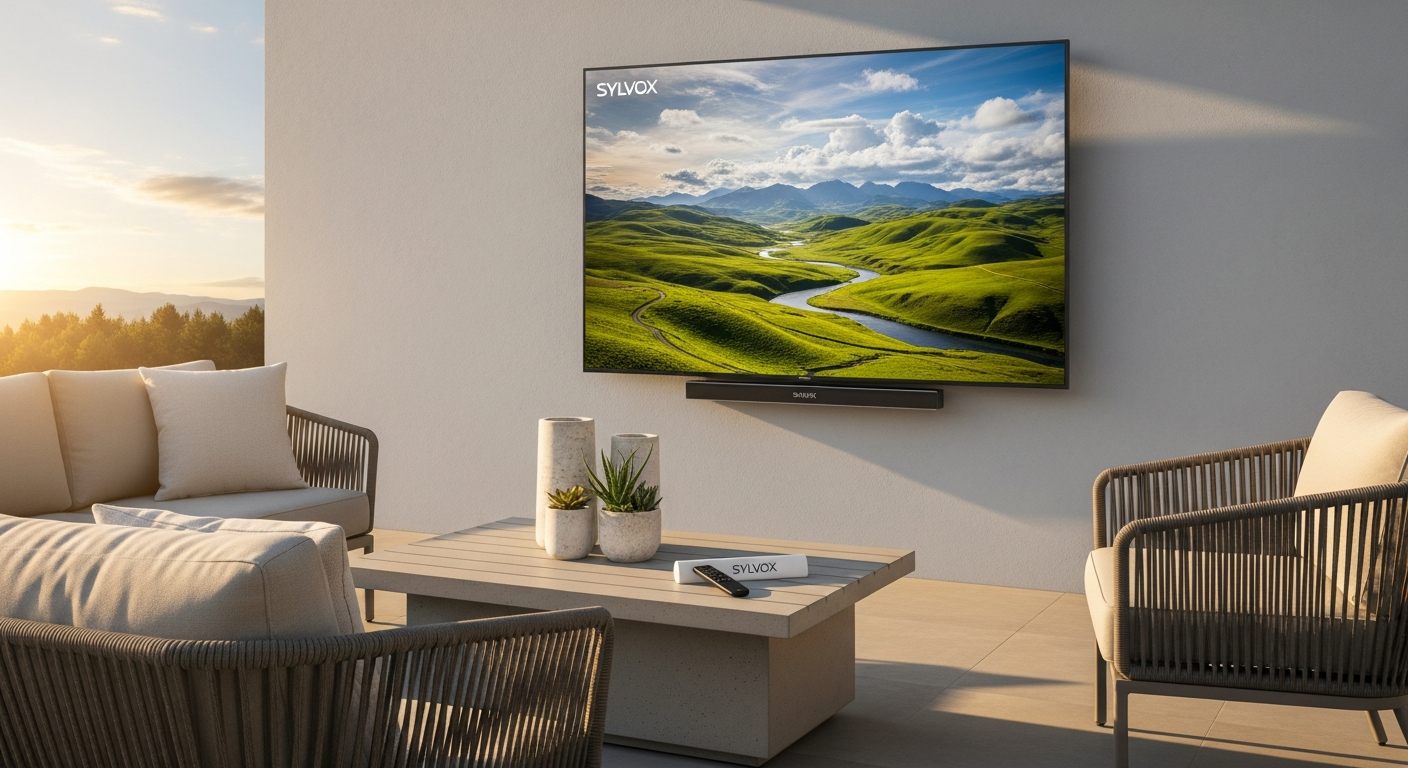
Transform Your Backyard Into an Outdoor Cinema
Picture this: you're hosting a summer gathering, the sun is blazing, and your guests can barely see what's playing on your regular TV because the glare is unbearable. That frustration ends today. The outdoor TV market has exploded in recent years, yet most homeowners still make the rookie mistake of dragging their indoor television outside—only to discover it's practically unwatchable in daylight.
The Sylvox 55-inch 2000-Nit Google Outdoor TV Pool Pro 2.0 represents a fundamental shift in how we think about outdoor entertainment. Unlike standard televisions, this purpose-built outdoor display delivers brightness levels that are seven times more powerful than typical indoor models, engineered specifically to combat the challenges of sun exposure, moisture, and temperature fluctuations.
This review breaks down what makes the Pool Pro 2.0 stand out in the competitive outdoor TV landscape, examining its exceptional brightness capabilities, exploring how its weather-resistant design holds up to real-world conditions, unpacking the Google TV smart features that elevate your streaming experience, and assessing whether the $2,399 investment makes sense for your backyard setup.
Why Outdoor TVs Aren't Just Indoor TVs in Disguise
The Fundamental Differences Between Outdoor and Indoor Television Technology
Outdoor televisions operate in a completely different universe than their indoor counterparts. An indoor TV sits in a climate-controlled environment, protected from direct sunlight, moisture, and temperature swings. When that same TV gets dragged onto a patio, it encounters conditions its engineering never anticipated.
The fundamental challenge lies in brightness and visibility. Indoor TVs typically max out around 300 nits—sufficient for controlled indoor lighting. The moment sunlight hits an indoor TV screen, reflections wash out the image, rendering it nearly useless. Outdoor displays must operate at dramatically higher brightness levels to compete with and overcome natural sunlight.
Common Mistakes Homeowners Make When Attempting to Use Standard TVs Outside
The most prevalent mistake is assuming any TV works outdoors if you just position it correctly or add an awning. Homeowners spend hundreds of dollars on outdoor furniture, decking, and landscaping, then try to save money by using a decade-old indoor TV they no longer need inside.
This approach consistently fails. Beyond brightness issues, indoor TVs lack weatherproofing. Moisture creeps into electrical components. UV rays degrade the backlight and panel materials. Temperature fluctuations cause internal stress on circuits and connections. Within a single season, an indoor TV exposed to outdoor elements often develops dead pixels, color shifting, or complete failure.
How Brightness, Weatherproofing, and Durability Requirements Differ in Outdoor Environments
Outdoor environments demand specifications that seem almost alien compared to indoor standards. The brightness requirement alone represents a sevenfold increase over typical indoor specifications. But brightness is only the beginning.
Weatherproofing requires protective coatings, sealed connectors, and drainage systems built into the chassis. Durability specifications account for UV degradation, thermal expansion and contraction, wind loading on the panel, and moisture infiltration through every potential entry point. Construction materials shift from standard plastic bezels to corrosion-resistant metals and UV-stable composites.
The Real-World Challenges of Sun Glare, Moisture Infiltration, and Temperature Swings
Sun glare represents the most immediate challenge outdoor TV users face. Direct sunlight creates reflections that make content nearly invisible, regardless of content brightness. Only displays engineered with anti-glare technologies and exceptional brightness can overcome this barrier.
Moisture infiltration develops gradually and insidiously. Water doesn't need massive openings to enter electronics—microscopic gaps in connectors, vents, or seams allow condensation and splashing to reach vulnerable components. Over months, this moisture causes corrosion, electrical shorts, and panel degradation.
Temperature swings create physical stress. A panel that experiences 50-degree temperature variations from morning to afternoon undergoes constant expansion and contraction. Components with different thermal expansion rates eventually separate or crack. Sealants and adhesives break down over time as they cycle through temperature extremes.
Why Investing in a Dedicated Outdoor TV Delivers Better Long-Term Value Than Makeshift Solutions
The upfront cost difference between an indoor TV and a dedicated outdoor display seems significant. That $2,399 Pool Pro 2.0 might feel expensive compared to a $1,200 indoor TV.
However, when you factor in replacement costs and lifespan, the calculation shifts dramatically. An indoor TV lasting two seasons outdoors costs $600 annually. A dedicated outdoor TV lasting eight years costs $300 annually. Beyond cost, the viewing experience transforms entirely. Dedicated outdoor TVs deliver the brightness, color accuracy, and reliability that transform outdoor spaces into genuine entertainment destinations rather than frustrating compromises.
The Performance Gap Between Casual Outdoor Viewing and True Outdoor Cinema Experiences
Casual outdoor viewing on an underpowered display creates constant frustration—squinting at washed-out images, missing details, and adjusting seating positions to minimize glare. True outdoor cinema means sharp details visible from multiple angles, vibrant colors that pop even in sunlight, and immersive experiences that rival indoor viewing.
Brightness That Actually Works in Sunlight: The 2000-Nit Advantage
Understanding Nit Measurements and What 2000 Nits Actually Means for Visibility
A nit represents a unit of luminance—essentially how bright a display appears. Indoor TVs typically operate between 300-500 nits. This brightness level works fine when ambient light remains controlled. Outdoor environments introduce sunlight that measures around 16,000 nits at noon on a clear day.
The Pool Pro 2.0's 2000-nit specification doesn't directly match sunlight intensity—that would require an impractical technological leap. Instead, it establishes a brightness level sufficiently high to overcome ambient sunlight and maintain visible, vibrant content. The display reflects less light and generates more, creating the optical illusion of clarity despite bright surroundings.
How the Pool Pro 2.0's Brightness Compares to Standard Indoor TVs (7x More Powerful)
Seven times more brightness than typical indoor TVs means the Pool Pro 2.0 operates at approximately 2000 nits while standard indoor TVs max out around 300 nits. This isn't a marginal improvement—it's a transformative difference.
In practical terms, content remains clear and visible when standard TVs become unwatchable. Colors maintain saturation and vibrancy rather than fading into washed-out pastels. Contrast ratios hold steady, preserving detail in bright and dark scenes alike.
Real-World Viewing Scenarios Where High Brightness Makes a Tangible Difference
Morning viewing with sun at a low angle across the screen—a scenario that wreaks havoc on standard TVs—becomes perfectly comfortable with the Pool Pro 2.0. Afternoon gatherings with direct sunlight approaching the panel see no degradation in image quality. Evening viewing under supplemental lighting maintains sharp detail and accurate colors.
Game viewing during afternoon sports events becomes possible without constant sun position adjustments. Movie marathons during summer stay visible regardless of time of day. Pool-area viewing with surface reflections and splashing remains clear and vibrant.
Picture Quality Maintenance During Peak Sun Hours and Afternoon Glare
The engineering challenge extends beyond maximum brightness to maintaining consistent brightness levels. As the sun moves and surface temperatures fluctuate, the display must preserve stable operation. The Pool Pro 2.0 incorporates thermal management systems and brightness stabilization technology that prevents image degradation even as conditions shift.
Color temperature remains consistent—blues don't shift toward cyan, reds don't fade toward orange. Contrast preservation prevents bright images from losing detail in highlights. These technical achievements separate premium outdoor displays from budget alternatives.
Color Vibrancy and Contrast Preservation at Maximum Brightness Settings
Operating at maximum brightness shouldn't mean sacrificing color accuracy or contrast depth. The Pool Pro 2.0's display technology manages this balance through advanced panel engineering and color management algorithms.
Vibrancy remains eye-catching without appearing oversaturated or artificial. Blacks maintain depth rather than appearing as dark grays. Midtones preserve nuance and detail across the full brightness range. Sports broadcasts showcase natural skin tones, lush green fields, and accurate uniforms. Streaming content displays the intended artistic vision even in harsh sunlight.
The Technology Behind Achieving and Maintaining Consistent Brightness Levels
Multiple technological layers work together to achieve and stabilize 2000-nit brightness. The backlighting system employs high-output LED technology distributed across the panel. Temperature sensors continuously monitor panel conditions and adjust brightness levels to prevent thermal runaway or inconsistent output.
Advanced power delivery systems supply the necessary electrical current without voltage fluctuations that would cause brightness fluctuation. Display drivers manage pixel-level brightness with precision timing algorithms. Firmware continuously optimizes performance based on real-time environmental conditions and panel status.
Impact on Energy Consumption and Heat Management at High Brightness
Higher brightness demands more electrical power. The Pool Pro 2.0 at maximum brightness consumes more energy than standard TVs—a tradeoff that shouldn't surprise anyone familiar with brightness physics.
However, outdoor installations often accept higher power consumption since they're not constrained by the indoor energy budgets that drive living room decisions. Heat management systems incorporate passive cooling through the chassis design and active cooling via integrated fans. These systems prevent thermal stress while maintaining consistent performance.
Building a Weather-Proof Backyard Entertainment Hub
Comprehensive Weatherproofing Features of the Pool Pro 2.0 Design
The Pool Pro 2.0's weatherproofing extends to every component and connection point. The chassis incorporates sealed seams and gasket-protected connectors that prevent moisture infiltration. Ventilation systems include moisture barriers that allow heat dissipation while blocking water ingress.
All external hardware features corrosion-resistant coatings. Cable connections employ waterproof connectors with protective covers. Speaker openings incorporate acoustic barriers that allow sound while preventing water penetration. The power system includes surge protection and weatherproof outlet recommendations.
Water Resistance Ratings and Protection Against Rain, Splashing, and Pool Environments
While specific IP ratings weren't detailed, Sylvox's outdoor TV lineup typically features IP55 or IP56 ratings—industry standards for water resistance. IP55 means protection against water sprayed from any angle at low pressure. IP56 extends that to high-pressure water jets.
For pool environments, this means splash protection from active swimmers, rain during storms, and hose cleaning without concern. The display doesn't require a covered shelter, though an awning adds protection and reduces brightness demand during peak sun. Casual pool parties don't present installation risks.
Durability Testing for Wind, UV Exposure, and Temperature Extremes
Outdoor displays must withstand wind loads that could stress mounting hardware or create vibration issues. The Pool Pro 2.0's engineering accounts for sustained winds and gusts typical in most residential areas. Mounting recommendations specify secure installation methods that distribute wind loads properly.
UV exposure represents a long-term durability concern. Untreated materials degrade under continuous ultraviolet radiation, becoming brittle and discolored over time. The Pool Pro 2.0's construction materials feature UV stabilizers and protective coatings that resist photodegradation. After multiple seasons of exposure, the bezel and housing maintain their appearance rather than becoming chalky or faded.
Temperature extremes test internal component stability. The display operates reliably from well below freezing into temperatures that would overheat indoor TVs. Component selection includes industrial-grade parts rated for the full environmental range. Thermal cycling testing ensures no performance degradation after thousands of expansion-contraction cycles.
Construction Materials That Withstand Extended Outdoor Exposure
Material selection fundamentally determines outdoor durability. The Pool Pro 2.0 employs aluminum and corrosion-resistant steel for structural components rather than standard plastic. These materials resist environmental degradation while maintaining structural integrity through temperature cycling.
The display panel itself uses specialized glass formulations that resist UV degradation and maintain optical clarity. Gaskets and seals employ rubber and silicone compounds rated for long-term outdoor exposure—materials that don't harden and crack like cheaper alternatives.
Corrosion-Resistant Components and Protective Coatings
Every metal component receives protective treatment. Fasteners employ stainless steel or zinc plating to prevent rust. Connectors feature gold-plated contacts that resist corrosion and maintain electrical conductivity. Internal circuitry boards receive conformal coating—a protective polymer layer that repels moisture and prevents corrosion even if water reaches internal components.
These protective measures represent significant manufacturing complexity compared to indoor TVs. The cost difference reflects genuine material upgrades and manufacturing processes necessary for outdoor longevity.
Installation Considerations for Permanent Outdoor Placement
Permanent outdoor installation requires different approaches than temporary setups. Mounting hardware must accommodate expansion and contraction of the display chassis. Electrical installation should route power through weatherproof conduit and GFCI-protected circuits. Cable connections need protective pathways that prevent water pooling or damage.
The mounting location should consider sun angles throughout the year, prevailing wind directions, and viewing positions. Trees or structures can provide partial shade that reduces brightness demands without full coverage that promotes moisture accumulation.
Maintenance Requirements to Preserve Weather Resistance Over Time
Outdoor TVs require minimal but important maintenance. Seasonal cleaning with soft cloths and mild detergent removes pollen, dust, and salt residue. Connection points benefit from occasional inspection and protective coating refresh. Gaskets and seals should be checked annually for degradation and replaced if cracking develops.
Proper maintenance extends weatherproofing effectiveness and prevents minor issues from becoming major problems. The maintenance burden remains light compared to traditional outdoor equipment like grills or furniture.
The 178-Degree Viewing Angle: Entertainment for Everyone
How Wide Viewing Angles Enhance Group Viewing Experiences
Standard TVs employ display technology optimized for direct viewing—the brightness and color accuracy degrade noticeably at extreme angles. A 178-degree viewing angle means the Pool Pro 2.0 maintains visual quality across nearly the entire hemisphere surrounding the display.
For group gatherings, this translates to flexibility in seating arrangements. Guests sitting off to the side see images with the same brightness and color accuracy as those sitting directly in front. Children playing on the lawn see clear images from various positions. The entertainment experience becomes truly immersive regardless of where guests position themselves.
Positioning Flexibility Without Compromising Image Quality
Traditional TVs require viewers to position themselves within a narrow cone directly in front of the screen. The Pool Pro 2.0 eliminates this constraint. A display mounted on a patio wall serves viewers from multiple directions simultaneously without quality degradation.
This flexibility transforms backyard entertainment planning. Furniture arrangement becomes optional rather than mandatory. Guests can move freely without seeking optimal viewing positions. Activities like lawn games proceed without concern about missing critical moments because people are positioned poorly.
Comparison to Standard TV Viewing Angles and Practical Implications
Standard indoor TVs typically offer 170-degree specifications that sound similar but measure differently. The Pool Pro 2.0's 178-degree rating means readable images approaching complete side angles—nearly perpendicular to the screen surface. Standard TVs lose significant brightness and color accuracy at 90-degree angles, becoming practically unwatchable.
The practical implication is genuine multi-position viewing rather than theoretical wide angles. During sporting events, people standing or moving around the viewing area see clear, vibrant images. Casual gatherings where guests drift between conversation areas and viewing positions never require attention adjustments.
Optimal Seating Arrangements Around the 55-Inch Display
The 55-inch size paired with 178-degree viewing angles creates optimal configurations for typical backyard setups. Lounge chairs and sofas arranged in a semicircle accommodate 10-15 people comfortably. Additional casual seating in front or to the sides remains practical because the image quality remains excellent.
For rectangular patios, positioning the TV to one side and angling it slightly allows diagonal seating arrangements that keep everyone within the excellent viewing range. The wide angle tolerance eliminates the need for the rigid, furniture-focused layouts that traditional TVs demand.
Viewing Comfort From Various Distances and Angles
The 55-inch diagonal works well across typical backyard distances—15 to 40 feet. At these distances, viewing angles never approach the extreme side angles where even the Pool Pro 2.0 might show some degradation. For all practical positions in residential backyards, the viewing experience remains essentially identical.
Comfort extends beyond visual quality to ergonomics. The wide viewing angle means people don't need to crane their necks or position themselves uncomfortably to see content. Reclined positions work as well as upright seating. Casual standing and movement remain comfortable without concern about viewing angles.
Impact on Outdoor Furniture Layout and Entertainment Space Design
Wide viewing angles revolutionize backyard furniture design flexibility. Rather than arranging furniture to face a specific viewing direction, designers can create naturalistic gathering spaces that happen to have a TV. Conversation areas, dining spaces, and lounging zones can exist in the same space without competing for optimal viewing position.
This flexibility makes outdoor entertainment feel less like a theater setup and more like an extension of the home's living space. Entertainment becomes one feature of a multi-purpose area rather than the dominant organizing principle.
Edge Distortion and Color Shift Considerations at Extreme Angles
Even premium displays show some performance variation at extreme angles. The Pool Pro 2.0 minimizes but doesn't entirely eliminate these effects. At extreme side angles approaching 90 degrees, brightness might decrease slightly and colors might shift marginally.
In practical backyard setups, this matters only for viewers positioned nearly perpendicular to the screen—a scenario that rarely occurs naturally. Most guests position themselves within 60-70 degrees of center, where the display performs flawlessly.
Google TV Integration: Streaming and Smart Home Connectivity
Comprehensive App Ecosystem Available Through Google TV
Google TV provides access to thousands of streaming applications spanning entertainment categories. Netflix, Disney+, Hulu, Amazon Prime Video, YouTube, Max, Paramount+, Peacock, Apple TV+, and countless others integrate seamlessly. Sports streaming services, music apps, gaming platforms, and specialized content providers all run on the same interface.
Beyond subscription services, Google Play offers free ad-supported content, rental options, and purchase capabilities. The ecosystem continues expanding as developers add new applications regularly. Unlike proprietary smart TV systems, Google TV benefits from Google's massive developer community and ongoing platform improvements.
Popular Streaming Services and On-Demand Content Access
All major streaming platforms optimized for Google TV provide full feature access. Profiles remain synchronized across devices. Watch history, preferences, and recommendations follow users between their phone and the outdoor TV. Resuming shows from where you paused on a mobile device works seamlessly when you transition to the outdoor screen.
Streaming quality adapts to internet connection speed, automatically downgrading from 4K to 1080p or lower if bandwidth constraints develop. This adaptive streaming means outdoor entertainment works reliably even on network-challenged properties. Content continues playing smoothly rather than freezing and buffering.
Google Assistant Voice Control Capabilities and Smart Home Integration
The built-in Google Assistant microphone enables voice commands for navigation, app launching, and content searching. Speaking into the remote's microphone simplifies interaction—no need to type or hunt through menus. "Play The Office on Netflix" or "Show me action movies" triggers searches and launches content directly.
Smart home integration means the outdoor TV becomes part of broader home automation systems. Voice commands can adjust compatible smart lights, thermostats, or security devices while controlling the TV. Entertainment scenarios can trigger coordinated actions—dimming patio lights while launching a movie, for example.
Seamless Connectivity With Compatible Smart Home Devices
Google Ecosystem devices—Nest displays, compatible speakers, thermostats, and security systems—work seamlessly with the Pool Pro 2.0. Casting content from phones, tablets, or computers sends video and audio directly to the outdoor TV. Music playing through Nest speakers can transition to the TV's superior audio system.
Cross-device integration means interrupted viewing continues smoothly when moving between spaces. Pausing on the living room TV and resuming on the outdoor display requires only a few taps.
User Interface Design and Navigation Simplicity
Google TV's interface organizes content intuitively, displaying recommendations from all installed apps in a single scrollable list. Users see personalized suggestions based on viewing history without needing to open individual apps. Custom rows highlight specific services or content types.
Navigation focuses on content discovery rather than app browsing. Traditional smart TV systems require launching Netflix, then searching within Netflix, then selecting content. Google TV consolidates this process—search once across all apps, see results from every service, and launch content directly.
Regular Software Updates and Feature Enhancements
Google continuously updates Google TV with new features, performance improvements, and security patches. The Pool Pro 2.0 receives these updates automatically, ensuring the display benefits from Google's ongoing platform development. Users access new capabilities without hardware replacements or manual upgrades.
Security patches deploy regularly to protect against emerging threats. Performance optimizations improve responsiveness and streamline the interface. New content discovery features appear automatically, enhancing the entertainment experience over time.
Multi-User Profiles and Personalized Recommendations
Multiple household members can maintain separate profiles with individual preferences, watch history, and recommendations. Children's profiles can implement parental controls limiting content access. Each user sees personalized recommendations based on their specific viewing patterns rather than family-wide averages.
Profiles make household entertainment more personalized without sacrificing shared viewing experiences. When the whole family gathers, anyone's profile can launch, or a temporary guest profile appears when multiple profiles would create confusion.
Casting Capabilities From Phones, Tablets, and Computers
Google Cast technology means any Android phone, iPhone, iPad, Mac, or Windows computer can send content to the Pool Pro 2.0. Photos from a backyard party stream to the display. Vacation videos play directly from cloud storage. Presentations or documents display for group review.
Mirroring capabilities extend to screen-sharing during gaming, fitness classes, or presentations. The casting experience requires minimal setup—typically just tapping a Cast icon and selecting the outdoor TV from available devices.
The 55-Inch Sweet Spot: Size Considerations for Your Space
Why 55 Inches Hits the Optimal Balance for Outdoor Viewing
Screen size in outdoor environments follows different logic than indoor TV selection. Backyard viewing distances typically range from 12 to 40 feet—substantially farther than indoor living room viewing. At these distances, smaller screens become impractical while massive sizes create viewing angle problems.
The 55-inch diagonal lands in the sweet spot where details remain visible at distance without creating uncomfortable neck strain or requiring viewers to reposition constantly. Content remains immersive without overwhelming the available space with an enormous black rectangle. For most residential backyards, 55 inches represents the optimal compromise between presence and practicality.
Screen Size Calculations Based on Typical Backyard Viewing Distances
Industry guidelines suggest 1.5 to 2.5 times the diagonal screen size as minimum comfortable viewing distance. A 55-inch TV works well from 7 to 10 feet minimum distance—easily achievable in smaller patios. The comfortable maximum distance extends to 25-30 feet where details remain visible without effort.
At 20 feet—typical for many backyard setups—the 55-inch display fills the visual field appropriately. Close enough for facial expressions and text readability; far enough that the frame doesn't create the "watching a phone screen from across the room" sensation. This distance-size relationship explains why 55 inches dominates the outdoor TV market.
Comparison to Smaller and Larger Outdoor TV Options
Smaller outdoor displays (43-50 inches) work in compact patios or spaces with close viewing distances. These formats suit intimate gatherings and limited square footage. However, they feel inadequate for larger backyards where guests can't maintain close proximity. Smaller screens demand tighter seating arrangements and sacrifice the immersive quality that makes outdoor viewing worthwhile.
Larger formats (65-75+ inches) create stunning presence but introduce practical challenges. Mounting requires more robust installation. Viewing angles become problematic beyond 20-25 feet where the screen takes up excessive visual real estate. In smaller yards, a 75-inch display dominates the space, making other activities feel subordinate to the TV.
Installation Space Requirements and Mounting Considerations
The 55-inch form factor remains manageable for mounting on patios walls, pergolas, or poles. Weight distribution remains reasonable for standard outdoor mounting hardware. The physical footprint doesn't overwhelm typical patio architectural proportions.
Clearance requirements around the display accommodate cable routing and ventilation. The basic mounting footprint of a 55-inch display—roughly 48 inches wide and 28 inches tall—fits most patio designs without requiring structural modifications or awkward positioning that blocks sight lines or creates hazards.
Visual Immersion Without Overwhelming Smaller Patios or Decks
A 55-inch display on a 12×12-foot patio creates presence without visual domination. Guests feel the TV exists as part of the space rather than consuming it entirely. Conversation areas, dining zones, and pathways maintain their importance in the overall design.
This balance makes outdoor entertainment feel voluntary rather than mandatory. The TV attracts attention when engaged but doesn't force constant viewership on people trying to enjoy the space. Smaller patios with 43-50-inch options sacrifice this balance, making the display feel cramped, while larger sizes overwhelm the intimate scale.
Scalability for Different Outdoor Entertainment Areas
A 55-inch display scales effectively across various backyard configurations. Deck installations, patio structures, pergolas, pool-area walls, and freestanding installations all accommodate this size naturally. The form factor works in residential settings without the industrial appearance that larger displays sometimes create.
For people planning future expansions or considering multiple outdoor TVs, the 55-inch format provides standardization across different areas. A main patio installation could pair with a smaller secondary display without aesthetic conflict.
Aspect Ratio and Content Compatibility
Modern streaming content predominantly uses 16:9 aspect ratio, matching the Pool Pro 2.0's display dimensions precisely. Movies that employ 2.39:1 or 21:9 cinema aspect ratios display with black bars, but this represents normal viewing rather than format incompatibility.
The standard aspect ratio means all content optimizes for the display without letterboxing or stretching concerns. Sports broadcasts, streaming shows, movies, and gaming all scale perfectly to fill the screen appropriately.
Investment Analysis: Understanding the $2,399 Price Point
Cost Breakdown and Value Proposition Compared to Competitors
The $2,399 price positions the Pool Pro 2.0 in the premium outdoor TV segment. Comparable 55-inch outdoor displays range from $1,800 to $3,500, placing the Pool Pro 2.0 in the upper-middle tier. The positioning reflects genuine feature advantages—2000-nit brightness exceeds many competitors, and build quality meets premium standards.
Value proposition analysis considers brightness per dollar, weatherproofing ratings, smart TV features, warranty coverage, and brand reputation. The Pool Pro 2.0 delivers competitive performance metrics across these factors, justifying its position without extreme pricing.
Long-Term Durability and Lifespan Expectations
Dedicated outdoor TVs engineered for long-term exposure typically deliver 5-8 years of reliable service before brightness degradation or component aging necessitates replacement. The Pool Pro 2.0, built with premium materials and construction, falls toward the longer end of this range.
Five years of service means an annual cost of roughly $480. Seven years reduces annual cost to roughly $340. Compared to replacing an indoor TV after one outdoor season ($300-600 annually), the economics clearly favor the dedicated outdoor display.
Warranty Coverage and Protection Plans
Sylvox typically provides 2-3 year warranties covering manufacturing defects and component failures. Extended warranties extend protection beyond standard coverage, reducing risk for consumers worried about long-term reliability. Protection plans vary by retailer—some include accidental damage coverage valuable for pool environments.
Understanding warranty terms before purchase prevents frustration. Verification that warranty covers outdoor use specifically, environmental damage thresholds, and return procedures provides peace of mind. Premium protection plans might seem expensive initially but provide valuable peace of mind.
Performance-to-Price Ratio in the Premium Outdoor TV Segment
The premium outdoor TV segment commands significant pricing because outdoor conditions demand specialized engineering and materials. The Pool Pro 2.0's performance metrics—2000-nit brightness, 178-degree viewing angle, Google TV integration, weather-resistant construction—justify premium positioning.
Comparing to budget outdoor options reveals performance tradeoffs. Lower-cost displays often sacrifice brightness, reducing daytime usability. Cheaper materials reduce durability, necessitating replacement within 2-3 years. Budget smart TV systems lag in app selection and interface responsiveness.
The premium price primarily reflects engineering excellence and material quality that translate directly to user experience and longevity. This isn't premium pricing driven by marketing—it reflects genuine specification advantages.
Financing and Payment Options for Budget-Conscious Buyers
Many retailers offer financing through third-party services like Affirm, Klarna, or traditional credit options. These programs spread the $2,399 cost across 12-24 months, reducing monthly financial impact significantly. Zero-interest financing options frequently appear, eliminating finance charges entirely.
For consumers uncomfortable with large upfront investments, financing transforms the Pool Pro 2.0 into a monthly expense comparable to streaming subscriptions and restaurant meals. Budget-conscious purchasing becomes possible through payment planning.
ROI Considerations for Home Value and Entertaining Capability
Real estate professionals debate whether outdoor TV installations increase home value. The consensus acknowledges that exceptional outdoor entertainment spaces appeal to buyers, but direct ROI remains uncertain. The Pool Pro 2.0 might add $1,000-3,000 in perceived value—less than its purchase price.
However, personal ROI during years of ownership often exceeds financial ROI. Increased outdoor entertainment quality generates value in quality-of-life improvements. Hosting gatherings more frequently, enjoying outdoor spaces more intensively, and creating memorable experiences for family and guests represent genuine returns on the investment.
Hidden Costs: Installation, Mounting Hardware, and Setup Services
Beyond the display's purchase price, full implementation requires mounting hardware ($100-300), electrical installation if outdoor outlets don't exist ($300-1000), and potentially professional installation ($300-800). Cable conduit, protective covers, and surge protection add another $100-200.
Total implementation cost typically ranges from $3,000-4,500 when accounting for all necessary additions. Professional installation versus DIY significantly affects total cost. Factoring these expenses into budgeting prevents sticker shock and ensures proper implementation.
Potential Drawbacks and Brand Considerations
General Sylvox Customer Service Experiences and Support Responsiveness
Customer feedback regarding Sylvox support reveals mixed experiences. Some customers report responsive, helpful support teams resolving issues quickly. Others describe lengthy response times, difficulty reaching representatives, and frustration navigating technical support processes.
Service quality appears inconsistent—possibly reflecting variable performance across different support channels or time periods. Verified reviews from recent buyers provide more current information than historical feedback. Checking recent reviews specifically for customer service experiences offers better insights into current support capabilities.
Return Process Transparency and Warranty Claim Procedures
Return procedures should be clearly documented before purchase. Some customers have reported complications returning defective units or initiating warranty claims. Documentation clarifying return windows, shipping responsibility, and restoration conditions prevents surprise costs.
Warranty claim procedures sometimes require extensive documentation and troubleshooting before authorization. Understanding these processes beforehand removes uncertainty and establishes expectations for potential claims.
Reported Issues With Occasional Defective Units
Despite Sylvox's quality reputation, occasional defective units reach customers. Dead pixels, brightness inconsistencies, and firmware issues appear rarely but do occur. Early testing of newly received units catches defects before the return window closes.
The prevalence of defective units remains uncommon—most customers receive functional displays. However, awareness that occasional issues happen prevents assuming perfect reliability. Thorough unboxing inspection and testing during the return window mitigates defect risk.
Warranty Dispute Resolution and Coverage Limitations
Warranty disputes sometimes emerge regarding coverage for environmentally caused damage versus manufacturing defects. Understanding whether warranty covers water damage from extreme weather versus faulty weatherproofing helps manage expectations. Coverage limitations regarding accidental damage, misuse, or improper installation should be reviewed.
Reading warranty documentation before purchase prevents assuming broader coverage than actually exists. Some manufacturers exclude specific failure modes or environmental conditions from warranty protection.
Importance of Verifying Warranty Terms Before Purchase
Warranty terms represent critical differentiators between retailers and seller tiers. Direct purchases from Sylvox might include different warranty terms than retail partnerships or third-party sellers. Confirming warranty includes outdoor use, extends to environmental exposure, and provides reasonable claim procedures deserves priority.
Requesting warranty documentation before completing purchase ensures informed decision-making. Comparing warranty provisions across retailers might justify purchasing from a specific vendor despite minor price differences.
Recommended Pre-Purchase Verification Steps and Vendor Selection
Purchase from authorized retailers with established reputations for warranty support. Verify the retailer's return policy independently rather than assuming consistency with Sylvox's documented procedures. Check retailer reviews specifically mentioning warranty service and return experiences.
Contact Sylvox customer service with warranty questions before purchase. Their response quality provides insight into likely support experiences post-sale. Request warranty documentation in writing prior to commitment.
Extended Warranty Options and Protection Plans Worth Considering
Extended warranties typically cost 10-20% of purchase price and extend coverage 2-3 additional years beyond manufacturer warranty. For a $2,399 display, extended warranty costs $240-500 for three additional years of protection.
Protection plans covering accidental damage and environmental issues cost more but eliminate out-of-pocket costs for repairs or replacement when issues develop. For pool environments where accidents happen frequently, accidental damage coverage provides valuable peace of mind.
Evaluating personal risk tolerance and ownership plans helps determine whether extended coverage justifies the expense. Conservative, cautious owners with professional installation might skip extended warranties. Families with children, active pool areas, or plans to keep the display 7+ years benefit from extended protection.
Real-World Performance: What to Expect Year-Round
Summer Performance During Peak Sun and Heat Conditions
Summer represents the Pool Pro 2.0's showcase season. Bright daylight conditions reveal the full advantage of 2000-nit brightness. Images remain sharp and vibrant regardless of sun angle or direct exposure. Heat conditions test thermal management systems, but engineered cooling systems maintain stable performance even during afternoon peak temperatures.
All-day entertainment becomes practical. Morning news broadcasts, afternoon sports, evening movies—all benefit from consistent performance throughout daylight hours. The display doesn't succumb to heat-induced dimming or color shifting that compromises lower-tier outdoor TVs.
Leave a Reply