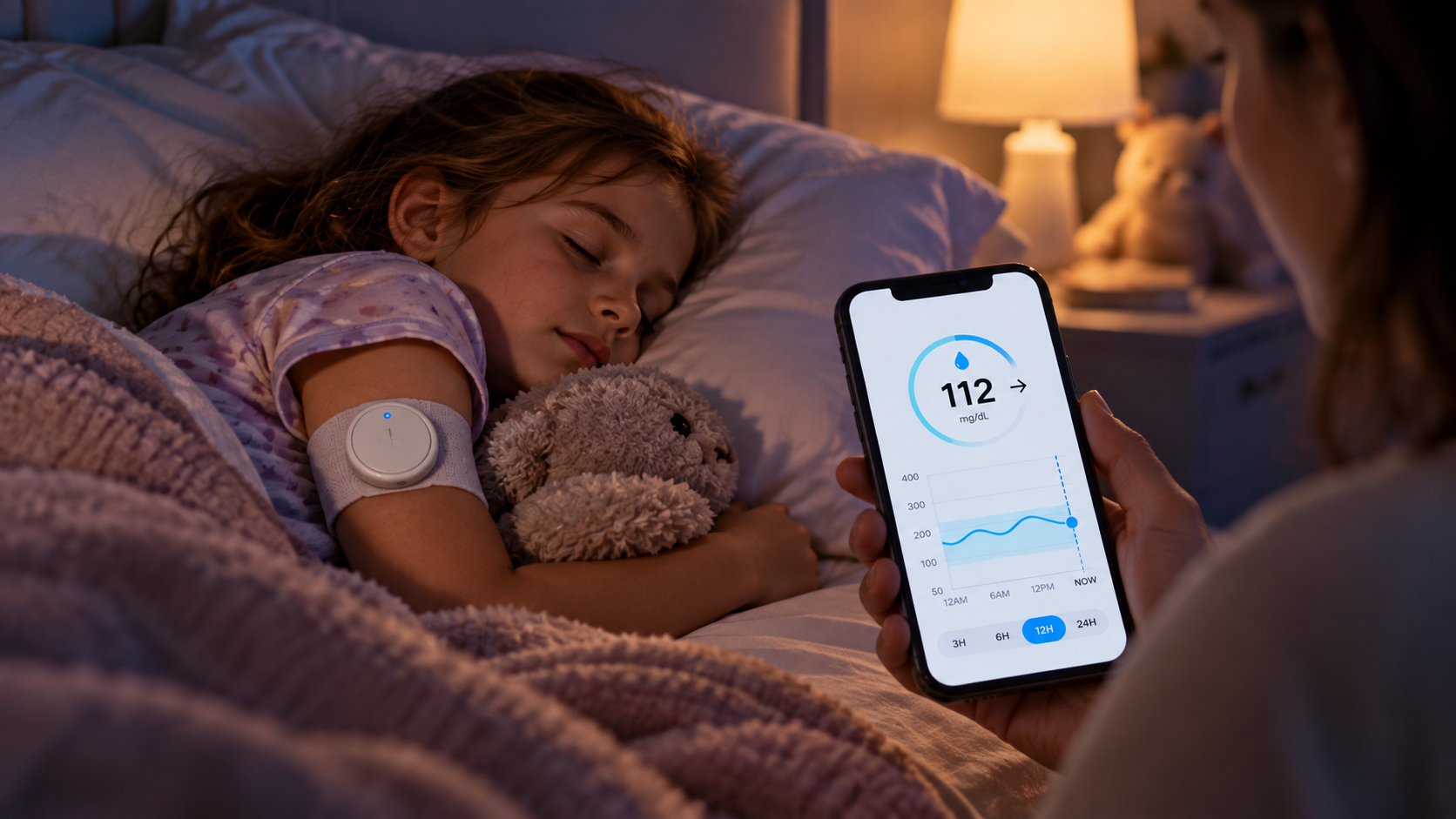
For people researching ways to reduce manual sensor scanning, it presents an interesting option for continuous glucose monitoring using existing Libre hardware. Ambrosia Systems says the device sends readings every five minutes through Bluetooth Low Energy when paired with its software.
Before buying, though, you should understand what the device actually does, which sensors it supports, the accessories it requires, and how its app-based features fit your daily monitoring routine.
How Does NightRider BluCon Work?
NightRider BluCon functions as a FreeStyle Libre transmitter that reads data from a compatible Libre sensor through NFC and transmits that information via Bluetooth Low Energy. Ambrosia states that the transmitter works with FreeStyle Libre, Libre 2, Libre US 14-day, and Libre Pro sensors.
The transmitter sits directly over the Libre sensor rather than replacing it. According to Ambrosia, an armband, adhesive patch, or compatible holder is needed to keep the device positioned correctly over the sensor.
This distinction matters when comparing the product with CGM systems that transmit readings directly from their sensors. You are purchasing an additional reusable transmitter that works alongside supported Libre hardware.
What Happens After Setup?
Ambrosia says glucose data can be displayed through the LinkBluCon app on compatible iPhone and Android devices. The company states that readings are sent every five minutes without requiring repeated manual scans.
A Libre Reader or LibreLink application is still required to activate a Libre sensor, according to Ambrosia’s support documentation. The transmitter therefore does not eliminate every part of the standard sensor setup process.
Key Features to Examine Before Purchasing
Several features can influence how practical the system is for your routine.
| Feature | What Ambrosia States |
|---|---|
| Reading frequency | Automatic readings every five minutes |
| Device type | Reusable NFC-to-Bluetooth transmitter |
| Battery | Replaceable CR2032 battery |
| Sensor position | Fits over a supported Libre sensor |
| Waterproof model | IP67 rating |
| Phone support | iPhone and Android |
| Watch support | Selected Apple, Android, and Fitbit devices |
| Caregiver access | Readings can be shared remotely |
| Attachment | Patch, armband, or holder required |
These specifications come from Ambrosia’s current product and support pages and should be checked again before ordering because app, sensor, and device compatibility can change.
Can NightRider BluCon Send Automatic Glucose Readings?
Yes, according to Ambrosia. The company states that its transmitter reads compatible Libre sensor data and sends readings to the connected mobile application every five minutes.
That capability may matter if your main reason for researching the product is reducing repeated scanning. It also makes glucose alerts an important feature to examine. Ambrosia says users can set a target range and enable notifications for readings outside that range.
Keep in mind that these are manufacturer-described capabilities. Individual connectivity can depend on factors such as phone compatibility, software configuration, transmitter placement, battery condition, and Bluetooth connection.
Remote Monitoring for Parents and Caregivers
Another major buying consideration is remote glucose monitoring. Ambrosia provides FollowBluCon for caregivers and describes a system in which readings can be shared with family members or other invited caregivers.
Its current product page states that up to five caregivers can be invited to access readings.
This feature can be relevant to parents researching glucose-monitoring technology for children, as well as families supporting another person from a different location.
Ambrosia states that internet connectivity is needed when readings are shared between the wearer and a caregiver. The company’s direct-to-watch instructions also indicate that both sides need internet or cellular connectivity for remote sharing in that configuration.
The system should supplement the glucose-management plan established with a qualified healthcare professional rather than replace professional medical guidance.
Can You View Readings on a Smartwatch?
Ambrosia promotes smartwatch glucose monitoring as one of the device’s main functions. Its current documentation describes compatibility with Apple Watch and selected Android watches, including direct-to-watch functionality under supported configurations.
Its direct Apple Watch instructions list specific device and software prerequisites, so checking your exact phone, watch, operating-system version, sensor, and application setup before purchasing is sensible.
Ambrosia also lists support for Fitbit Ionic, Versa, Versa 2, and Versa Lite in its product information. Device support can change as hardware and software platforms are updated, making current compatibility documentation a better purchasing reference than older reviews.
Waterproof and Non-Waterproof Versions
Ambrosia lists two transmitter versions: waterproof and non-waterproof. Both are reusable, use replaceable batteries, sit over the Libre sensor, and send readings every five minutes, according to the manufacturer.
The key physical distinction is water resistance.
Ambrosia rates its waterproof model IP67. Its FAQ describes that rating as protection for immersion up to one meter for up to 30 minutes. The same support page advises additional protection for extended swimming.
If you regularly exercise, shower, swim, or spend time around water while wearing your sensor, the waterproof model may fit your routine better. The non-waterproof model requires greater care around moisture.
Battery and Everyday Maintenance
NightRider BluCon uses a replaceable CR2032 battery rather than an integrated rechargeable battery. Ambrosia currently recommends a Sony CR2032 and states in its FAQ that battery life is normally around 2.5 to 3 weeks.
Battery longevity can vary with actual conditions and use.
Because the transmitter is reusable, you do not normally discard it each time you replace your Libre sensor. You reposition the transmitter over the new compatible sensor and replace its battery as required.
Ambrosia’s FAQ lists the device dimensions at approximately 34 mm in diameter and 7 mm high. The company says the transmitter sits over the Libre sensor without touching the skin directly.
NightRider BluCon Versus Using a Libre Sensor Alone
The purchasing decision becomes easier when you focus on the added function of the transmitter.
| Buying Question | Libre Sensor Setup | Libre Sensor With NightRider BluCon |
|---|---|---|
| Additional transmitter | No BluCon required | BluCon sits over supported sensor |
| Automatic five-minute transmission | Depends on sensor generation and setup | Claimed by Ambrosia for supported configurations |
| Separate BluCon battery | No | CR2032 |
| BluCon attachment accessory | No | Required |
| Ambrosia caregiver system | No | Supported through Ambrosia software |
| Ambrosia watch functions | Not applicable | Available with supported configurations |
The comparison is especially important because newer Libre generations have different native connectivity capabilities.
Ambrosia’s current subscription information indicates that some newer sensors can work with its software without the NightRider hardware, while BluCon remains relevant to certain Libre configurations and direct-watch functions.
Check your exact sensor generation before paying for additional hardware.
What Should You Check Before Buying?
Start with compatibility. Confirm your exact Libre sensor model rather than relying on the general Libre name. Then verify your phone operating system and smartwatch model against Ambrosia’s current documentation.
Next, account for the complete setup. NightRider BluCon needs a supported sensor, a compatible connected device, the appropriate Ambrosia software, a battery, and a method for holding the transmitter over the sensor.
You should also check current software terms. Ambrosia sells subscription-based LinkBluCon Premium services, and available functions can vary by sensor and configuration.
Review the current software requirements and costs rather than assuming every listed function comes with the transmitter purchase.
Finally, think about why you want the device. Someone primarily interested in automatic readings may assess it differently from a parent focused on caregiver sharing or a watch user seeking direct wrist access.
You can view the current NightRider BluCon product details and pricing on Ambrosia’s official site before deciding which configuration fits your sensor and devices.
Who May Find NightRider BluCon Worth Researching?
The product may warrant closer research if you already use a compatible Libre sensor and want automatic transmission to a phone or supported watch. It can also be relevant if caregiver access is a major priority.
It may be less practical if your existing sensor already provides the connectivity you need without additional hardware, or if you prefer not to wear another component over your sensor.
The attachment requirement deserves attention as well. Since the transmitter sits over the Libre sensor, Ambrosia says you need an armband, patch, or holder to keep it positioned correctly. That adds another item to your wearable setup.
Is NightRider BluCon a Good Fit for Your Setup?
NightRider BluCon has a clear purpose: adding Bluetooth-based automatic data transmission and Ambrosia’s connected software features to supported Libre configurations.
Ambrosia documents five-minute readings, reusable hardware, replaceable batteries, phone and watch access, alerts, and caregiver sharing among its supported functions.
Your decision should come down to compatibility and the functions you actually need. Check your Libre generation, phone, watch, attachment method, software requirements, and current total cost before purchasing.
For glucose-management decisions, discuss device use and glucose readings with your healthcare professional.
Leave a Reply