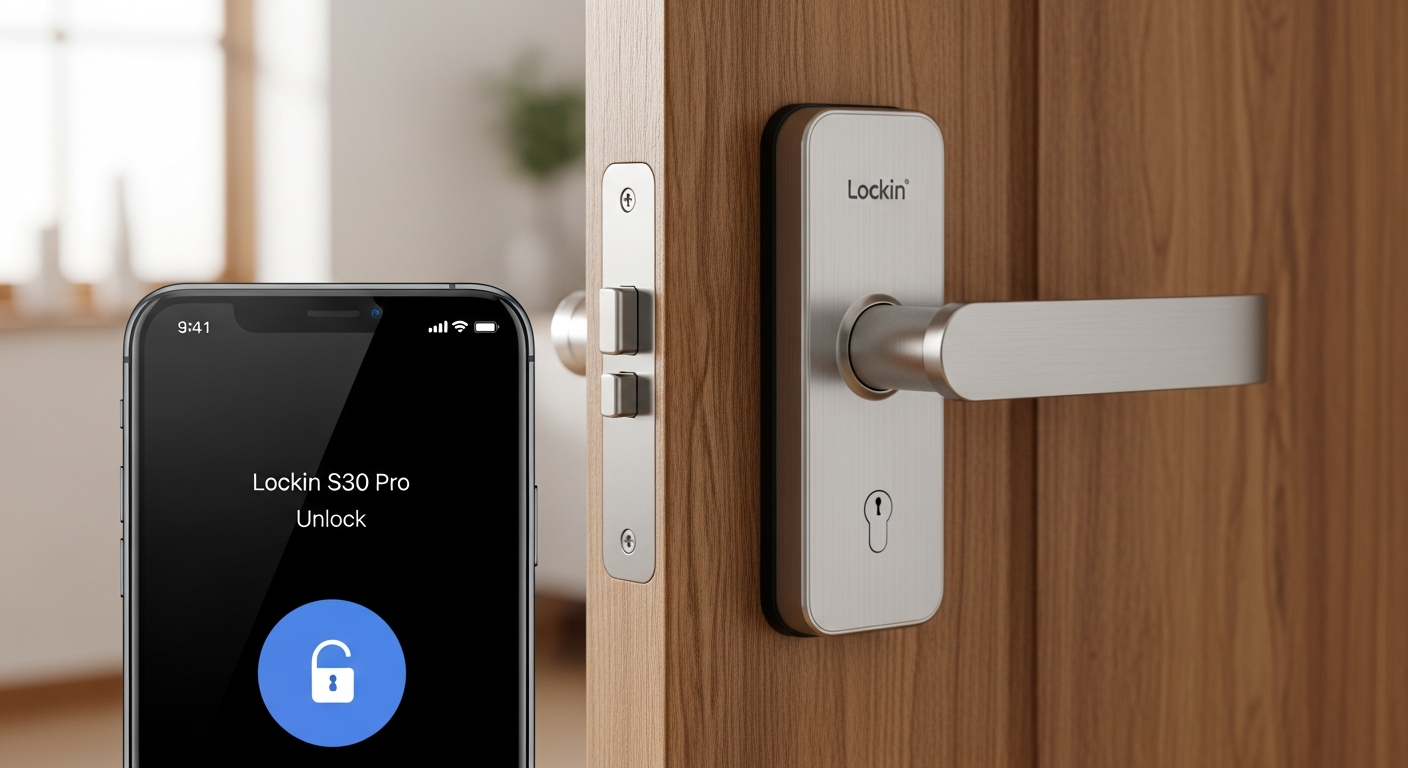
Losing your keys happens to the best of us—but what if you never had to carry them again? Smart door locks have transformed from luxury gadgets into practical security solutions, and the Lockin S30 Pro has become a top choice for homeowners who refuse to compromise on convenience or safety. The device represents a fundamental shift in how we approach home access, eliminating the friction of traditional locks while adding layers of security most people never knew they needed.
The Lockin S30 Pro combines fingerprint scanning, PIN codes, NFC cards, and Bluetooth connectivity into one sleek, modern package. What sets it apart isn’t flashy marketing—it’s the straightforward execution of features that actually solve real problems. Whether you’re juggling family members with different schedules, managing guest access, or simply tired of digging through pockets for keys, this lock delivers genuine practical value.
Explore the Lockin S30 Pro’s capabilities and specifications on the official website.
Multiple Access Methods: Flexibility That Actually Works
Fingerprint Recognition Capabilities and Accuracy Rates
The fingerprint sensor on the Lockin S30 Pro responds quickly and reliably under normal conditions. The lock can store up to 30 fingerprints, giving every household member their own secure access point. Response times are fast—typically unlocking within seconds of recognition. That said, real-world performance depends on finger conditions. Dry, clean fingers work best, while moisture or dirt on fingertips occasionally causes recognition delays. This isn’t a flaw unique to this lock; it’s simply how biometric technology functions.
PIN Code Functionality With Support for 50 PIN Groups
PIN codes provide a backup method that doesn’t require biometric data or physical cards. The lock supports up to 50 PIN groups, meaning you can create individual codes for family members, service workers, or temporary guests. Each code can be configured independently, and the system tracks which PIN was used during each unlock event—useful information if you’re managing multiple users and need accountability.
NFC Card Integration and Guest Programming
NFC cards offer another access layer without the complexity of fingerprinting or memorizing codes. Programming guest cards is straightforward through the Mi Home app. You assign cards to specific users and can set expiration dates for temporary access—perfect for houseguests, repair technicians, or cleaning services. The card system doesn’t require batteries or charging; it works passively when scanned against the lock.
Bluetooth App Control Via Mi Home Ecosystem
The Mi Home app transforms your smartphone into a master key. Remote access means you can unlock the door from anywhere with an internet connection. Beyond simple remote unlocking, the app provides comprehensive management: reviewing unlock history, controlling which users have access, setting time-based permissions, and receiving instant notifications when anyone accesses the lock. The integration with the broader Mi ecosystem means the Lockin S30 Pro plays nicely with other smart home devices.
Mechanical Key Backup for Emergency Situations
Despite all the technology, the lock includes traditional mechanical keys for emergency situations. If the battery dies completely and the emergency power port isn’t accessible, or if the electronics somehow fail, you can still access your home using the physical backup key. This redundancy provides genuine peace of mind.
Time-Limited Access Codes for Temporary Guests and Service Providers
Creating temporary access codes with automatic expiration dates solves a real security problem. Instead of giving someone a permanent PIN or worrying about revoking access after a service call, you generate a code valid only for specific dates and times. The system automatically disables the code when the window closes, requiring no action on your part.
Security Architecture: What Protects Your Home
Double Induction Unlock Technology Explained
The double induction system requires confirmation from two separate sensors before the lock engages. This redundancy prevents accidental unlocking and adds a verification layer that increases security against technical attacks. Both sensors must register the correct input simultaneously, making unauthorized access substantially more difficult.
Encryption Chip Specifications and Data Protection Standards
The lock includes a dedicated encryption chip that protects all communication between the device and your smartphone. Access credentials, unlock history, and control commands are encrypted, preventing interception or tampering by someone monitoring your network. This technical foundation ensures that convenience doesn’t come at the cost of privacy.
Black Box Attack Resistance and Anti-Tampering Design
A “black box attack” refers to techniques where criminals apply specialized equipment to the lock’s exterior to bypass electronics. The Lockin S30 Pro resists these attacks through its physical design and internal safeguards. The aluminum alloy body and stainless steel lock tongue are built to withstand tampering attempts, and the internal electronics include multiple defensive mechanisms against external manipulation.
Electronic Anti-Lock Mechanisms and Forced Entry Prevention
Electronic anti-lock systems prevent someone from forcing the lock open even if they physically damage the exterior. The locking mechanism relies on electronic engagement, meaning brute force attacks encounter multiple barriers instead of a single point of failure. If someone tries to pry the lock open, the anti-lock mechanism activates additional security measures.
Anti-Peep Fake Code Feature to Prevent Shoulder Surfing
The anti-peep fake code feature lets you add extra digits before or after your actual PIN. So if your real PIN is 1234, you might enter 9999123499999 to unlock. The lock accepts multiple additional codes during enrollment, filtering out the fake digits and recognizing only your real PIN. This prevents someone watching over your shoulder from learning your actual code.
Abnormal Door Status Alarm and Real-Time Threat Notifications
The lock monitors door status continuously and alerts you through the app if something seems wrong. Unusual unlock attempts, repeated failed access attempts, or physical tampering all trigger notifications on your smartphone. Real-time alerts mean you know about potential security issues immediately, not hours later.
Check out the Lockin S30 Pro and experience advanced smart lock security today.
Battery Life and Power Management: Long-Term Reliability
8 AA Battery Configuration and Expected Lifespan
The Lockin S30 Pro uses eight AA batteries to power all its electronics. This configuration provides substantial energy capacity while using standard batteries available everywhere. Expected battery lifespan under normal usage typically reaches 12 months before replacement becomes necessary. The actual duration varies based on how frequently the lock is used—homes with high traffic will drain batteries faster than less-frequently-accessed entrances.
12-Month Standby Time Under Normal Usage Conditions
Standby time refers to the period before battery depletion if the lock sits idle. The 12-month estimate assumes typical residential use patterns. Heavy usage—frequent fingerprint scanning, constant app access, or multiple users throughout the day—will shorten this window. Conversely, light usage may extend battery life beyond the 12-month estimate.
Low Battery Alerts and Notification Systems
Before the battery dies completely, the lock sends low battery alerts through the Mi Home app. These warnings give you adequate time to purchase replacement batteries before the lock becomes inaccessible. The notification system prevents the surprise scenario of arriving home to a dead lock with no way to enter.
Type-C Emergency Power Port for Backup Charging
A USB Type-C emergency power port provides an additional safeguard. If the battery depletes unexpectedly and you need immediate access, you can connect external power through this port—a portable power bank works perfectly. This backup system ensures you’re never completely locked out due to power loss.
Real-World Battery Drain Patterns Based on Usage Frequency
Heavy fingerprint scanning drains the battery faster than PIN entry because fingerprint recognition requires more processing power. Frequent app access and remote unlocking also increase drain. If your household consists of four people using fingerprints multiple times daily, expect battery replacement closer to 8-9 months. Single-user households with occasional app access might stretch toward 12-14 months. Monitoring the app’s battery percentage helps predict when replacement becomes necessary.
The Bottom Line: Making Your Smart Lock Decision
The Lockin S30 Pro succeeds where it matters most—delivering genuine flexibility without sacrificing security or draining your bank account. Its multi-method access system handles real family dynamics beautifully. The battery life actually lasts as promised when managed reasonably. The app integration works reliably for remote management without the frustrating lag that plagues some smart home devices.
This lock makes sense if you’re managing multiple users, need guest access flexibility, or want remote monitoring capabilities. Whether you’re securing a family home, managing rental properties, or simply tired of jingling keys, the Lockin S30 Pro delivers on its promise of enhanced security and convenience. The multi-layered security architecture—encryption chips, anti-tampering design, and real-time threat notifications—provides genuine protection rather than just the appearance of security. The investment pays dividends in peace of mind and daily convenience, and that’s worth taking seriously.
Discover how the Lockin S30 Pro can transform your home security today.
Leave a Reply