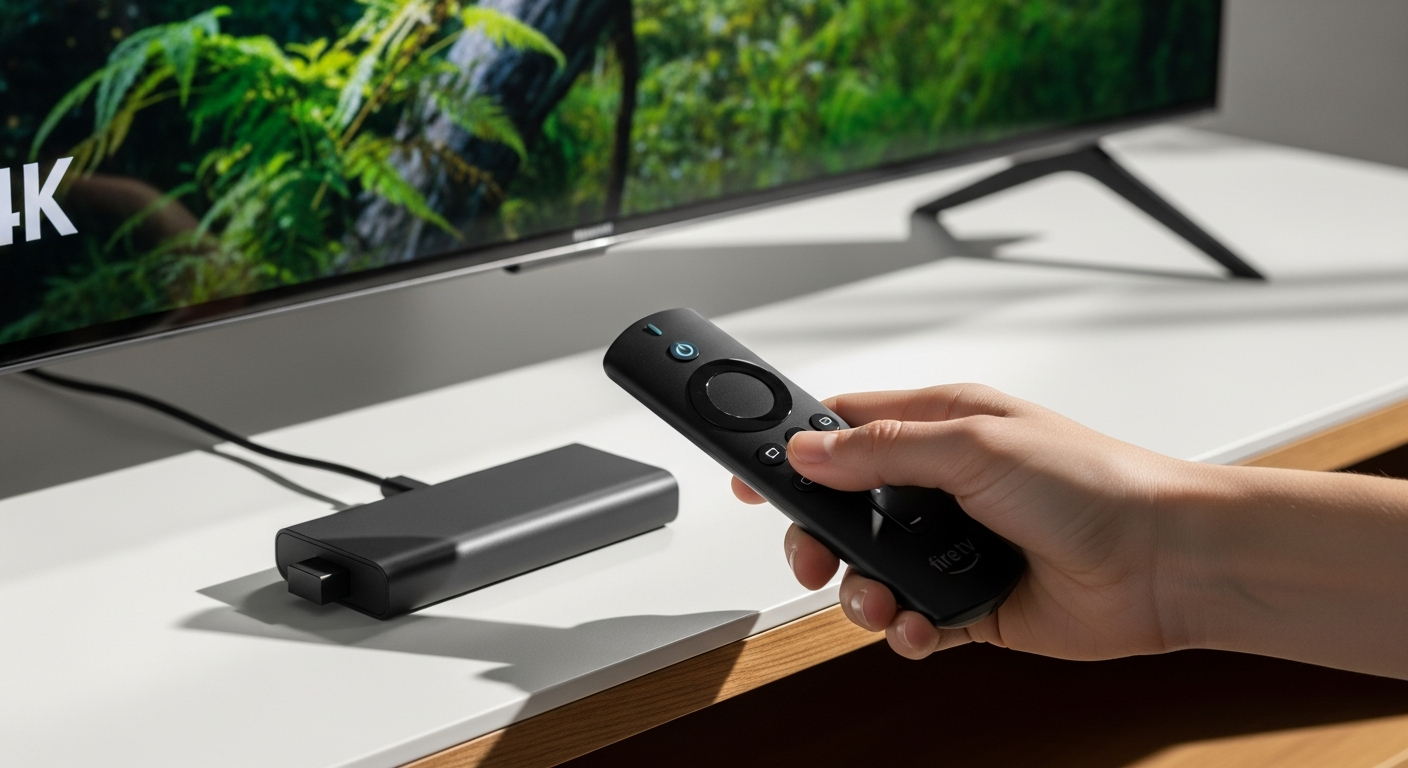
Amazon Fire TV Stick 4K streaming device with Alexa remote control displayed on white background

Amazon Fire TV Stick 4K: Complete Guide to 4K Streaming, Features & Setup

Over 2 million Canadians have already ditched expensive cable subscriptions in favor of streaming devices—and the Amazon Fire TV Stick 4K leads the pack. This compact powerhouse transforms ordinary televisions into entertainment hubs, delivering genuine 4K picture quality alongside smart home integration for less than sixty dollars.

The Fire TV Stick 4K represents a breakthrough moment for cord-cutters and budget-conscious entertainment enthusiasts. It's engineered to be the bridge between your existing TV and the entire streaming universe without requiring an expensive smart TV purchase. Whether you're renting, traveling, or simply tired of bloated cable bills, this device offers a practical path forward.

Explore the Fire TV Stick 4K on Amazon Canada today.

4K Picture Quality and Audio Performance That Rivals Premium Competitors

The Fire TV Stick 4K supports cinematic 4K Ultra HD resolution with Dolby Vision and HDR10+ capabilities, ensuring that compatible content looks genuinely stunning. Paired with Dolby Atmos immersive audio technology, you get theater-like sound without needing expensive speakers or complex audio installations.

Performance hinges on the quad-core 1.7 GHz processor, which handles app launches quickly and navigates menus smoothly. Across Netflix, Prime Video, Disney+, and other 4K-capable platforms, the device consistently delivers the visual quality you'd expect at this price point.

Real-world streaming quality does vary based on your internet speed and router capabilities. An optimal experience requires a minimum 25 Mbps connection for uninterrupted 4K playback. If your connection falls below this threshold, the device automatically adjusts to lower resolution to prevent buffering.

Wi-Fi 6 Connectivity and Network Performance Advantages

Wi-Fi 6 technology reduces interference and improves streaming stability, particularly valuable in congested networks where multiple devices compete for bandwidth. This is especially beneficial if you're streaming on multiple TVs simultaneously or live in an apartment building with numerous nearby networks.

To unlock full speed benefits, you'll need a compatible Wi-Fi 6 router. However, backward compatibility with older Wi-Fi standards means the device works perfectly fine with standard routers—you just won't experience the advanced performance gains.

Placement matters significantly. Positioning the device away from walls and obstacles maximizes signal strength. With 2GB of RAM, the Fire TV Stick maintains responsive performance even when multiple background applications run simultaneously, preventing the slowdowns common with cheaper streaming options.

Voice Control and Smart Home Integration Through Alexa

The included Alexa Voice Remote enables hands-free content search and app launching without fumbling through menus. Voice commands extend beyond entertainment—you can control over 100 compatible smart home devices, managing everything from smart lights and thermostats to security systems.

Customizable voice shortcuts automate frequently used actions and routines. Imagine saying "Alexa, movie night" to dim lights, launch your streaming app, and pull up your watchlist simultaneously. This seamless integration across your entertainment and smart home ecosystem creates a genuinely convenient experience.

Privacy-conscious users appreciate the ability to disable the microphone when not actively using voice features. This puts you in control of when the device listens, addressing concerns about always-on recording.

Streaming App Ecosystem: What Content Is Actually Available

Access to major platforms—Netflix, Prime Video, Disney+, Crave, Apple TV+, and HBO Max—covers the essential streaming services most households subscribe to. Beyond premium services, free ad-supported options like YouTube, Tubi, Pluto TV, and Freevee provide additional content without subscription costs.

The 8GB internal storage accommodates dozens of apps without performance degradation. App installation through the Amazon Appstore is straightforward, and for tech-savvy users, sideloading capability allows installation of apps outside the official channel.

Regular app updates ensure compatibility with the latest streaming services and features, so your device stays current without manual intervention.

The Amazon-Centric Interface: Benefits and Drawbacks

The home screen heavily promotes Amazon Prime Video and Fire TV-exclusive content, which Prime members appreciate but non-subscribers might find frustrating. Prominent ad placement occupies prime real estate, though customizable settings allow you to reduce visibility.

Search functionality prioritizes Amazon content in results, which creates an optimized experience for Prime subscribers while potentially disadvantaging users of other platforms. Third-party app performance sometimes takes a backseat to native Fire TV services.

For existing Amazon ecosystem users, the learning curve is minimal. If you already own Echo devices or use Prime services, the interface feels natural and intuitive.

Portability, Setup, and Travel-Friendly Design

The compact size—approximately 3.9 x 1.6 x 0.6 inches—fits easily in travel bags or backpacks, making it ideal for vacations and extended trips. Minimal cable requirements mean only HDMI and power connections are necessary.

Plug-and-play setup takes under five minutes for most users. Simply connect to your TV's HDMI port, plug in power, and you're ready to connect to Wi-Fi and sign in. This works with any TV featuring an HDMI port, regardless of age or model.

The lightweight design eliminates setup frustrations common with larger streaming devices, making it perfect for vacation rentals, hotel rooms, and temporary living situations where you want entertainment without permanent installations.

Check current pricing and availability on Amazon Canada.

Price-to-Performance Comparison Against Competitors

At CAD $59.99, the Fire TV Stick 4K undercuts Roku, Apple TV, and Google Chromecast alternatives while delivering 4K capability. This price point represents an exceptional value proposition for the features included.

No subscription fees apply to device operation, though separate streaming service subscriptions remain necessary. Financing options through Amazon make the purchase accessible for budget-conscious buyers, and regular sales during Prime Day and holiday seasons provide opportunities for even deeper discounts.

The long-term durability justifies the initial investment over multiple years of use. Unlike expensive smart TVs that become outdated, this device can be upgraded independently without replacing your television.

Performance Limitations and When the Device Struggles

Occasional lag occurs when running numerous background applications simultaneously. Older Wi-Fi routers may not deliver optimal 4K streaming performance, particularly if your network infrastructure predates Wi-Fi 5.

Heat generation during extended use is normal but worth monitoring. Limited storage means heavy users with dozens of apps will need to delete and reinstall apps periodically. The remote uses replaceable batteries rather than rechargeable ones, requiring regular replacement.

Processing power constraints may affect performance with demanding apps, though standard streaming applications perform reliably. These limitations are minor trade-offs for the affordable price point.

Who Should Buy This Device (And Who Should Look Elsewhere)

The Fire TV Stick 4K is ideal for budget-conscious streamers, Prime members, smart home enthusiasts, renters, and frequent travelers. It's a perfect fit for households with multiple streaming service subscriptions wanting consolidated access without expensive smart TV purchases.

Consider alternatives if you exclusively use the Apple ecosystem, require gaming capabilities, or heavily rely on non-Amazon platforms. The device represents excellent value for families wanting to upgrade multiple TVs without premium pricing.

It's less suitable for gamers seeking advanced processing power or users actively avoiding the Amazon ecosystem. For those individuals, alternative devices may provide a better philosophical and practical fit.

Setup, Troubleshooting, and Getting Started

The unboxing includes the Fire TV Stick, Alexa Voice Remote, HDMI extender, power adapter, and batteries. Initial setup connects to Wi-Fi, signs into your Amazon account, and personalizes recommendations—typically complete in five minutes.

Common issues include Wi-Fi connectivity problems, remote pairing failures, and occasional app crashes. Troubleshooting steps involve restarting the device, updating software, and checking internet speed.

Amazon support offers live chat and phone assistance for technical problems. A factory reset option provides a solution for persistent performance issues, restoring the device to original settings and clearing any problematic configurations.

Making Your Decision: Is the Fire TV Stick 4K Right for You?

The Amazon Fire TV Stick 4K delivers genuine value at an unbeatable price, offering 4K streaming, voice control, smart home integration, and access to virtually every major streaming platform for under sixty dollars. The device absolutely shines for Prime members, travelers, and anyone looking to upgrade an older TV without expensive replacements.

While the Amazon-centric interface and occasional performance hiccups represent trade-offs, they're acceptable given the affordability and functionality. The real question isn't whether this device works—it does—but whether its strengths align with your specific entertainment needs and ecosystem preferences.

Start with a single device to test the experience, then expand to other televisions once you've confirmed it fits your streaming lifestyle. Your entertainment upgrade has never been more accessible.

Get your Fire TV Stick 4K from Amazon Canada now.


Comments

Leave a Reply

Your email address will not be published. Required fields are marked *