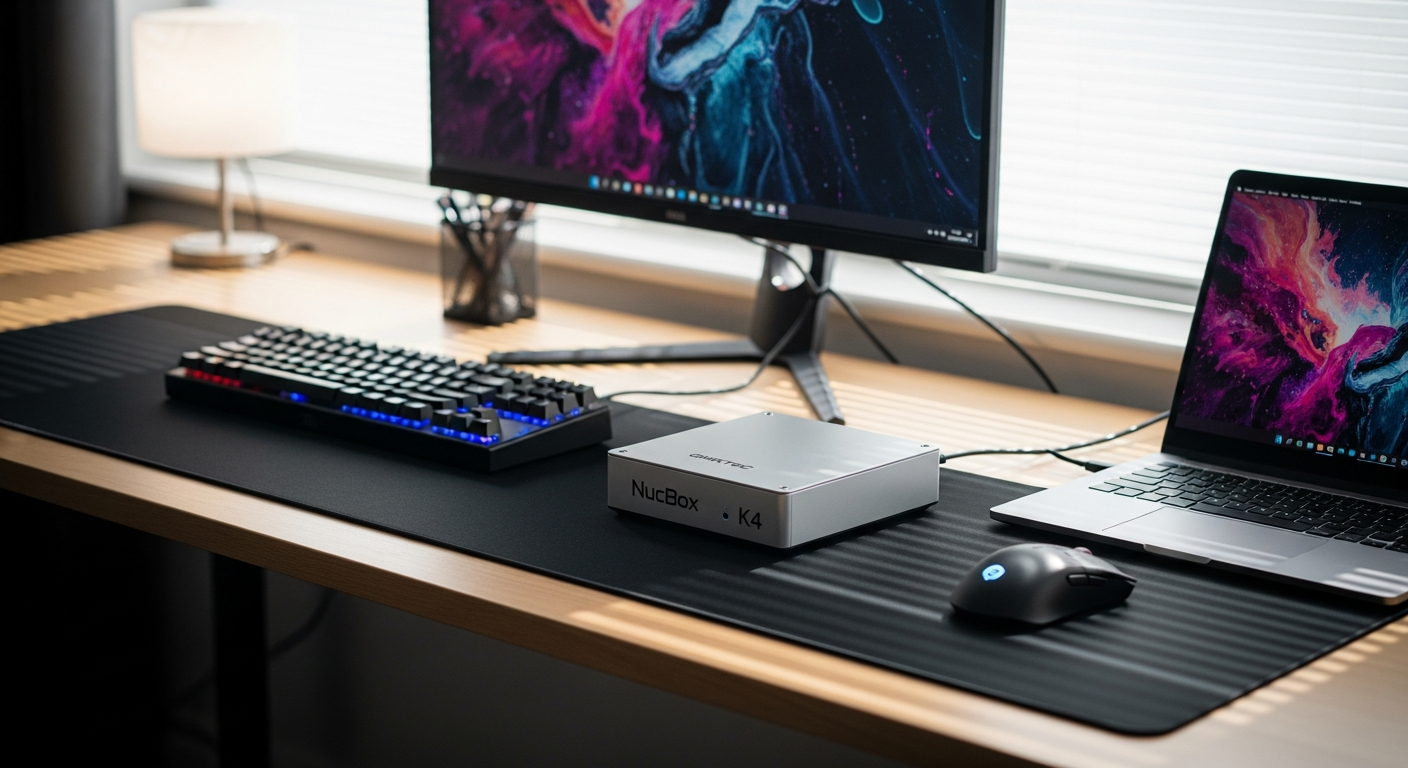
Remote work and content creation have fundamentally transformed how professionals set up their workspaces. The demands placed on equipment have shifted dramatically—a mini PC must now deliver what once required a full tower setup. The GMKtec NucBox K4 challenges this expectation by packing an 8-core AMD Ryzen 9 7940HS processor into a device smaller than a deck of cards, proving that extreme portability no longer means compromising on raw power.
Mini PCs have evolved dramatically over the past decade, transitioning from underpowered niche products to legitimate workhorses capable of handling professional-grade tasks. The NucBox K4 represents GMKtec's strategic answer to creators and remote workers who refuse to sacrifice performance for portability—a demographic that's only growing larger. These professionals need systems that travel with them, integrate seamlessly into existing workflows, and deliver consistent results whether they're working from a coffee shop or a home office.
Explore the GMKtec NucBox K4 to see if this mini PC matches your professional requirements.
AMD Ryzen 9 7940HS Architecture: Why This Processor Matters for Your Workflow
The processor at the heart of the NucBox K4 deserves your attention. The AMD Ryzen 9 7940HS features an 8-core, 16-thread configuration running at a base clock of 4.0GHz with turbo boost reaching 5.2GHz. This isn't merely impressive for a mini PC—it competes directly with processors found in mid-range laptops and entry-level desktops.
The 4nm FinFET manufacturing process delivers superior power efficiency compared to older node technologies, which directly translates to lower heat output and reduced energy consumption. For professionals running video encoding, 3D rendering, or code compilation, that efficiency margin matters. You're not fighting an arms race of thermal throttling during critical project deadlines.
The Zen 4 instruction set architecture that powers this processor has been specifically optimized for the kinds of tasks that remote workers and content creators actually perform. Video editing software benefits from instruction-level parallelism improvements. 3D rendering applications tap into the efficiency gains. Data processing workflows complete faster. This isn't theoretical—these optimizations show up in wall-clock time when you're working on actual projects.
Integrated graphics deserve mention here as well. The Radeon 780M GPU features 12 cores clocked at 2.8GHz, providing enough horsepower for 1080p gaming in most modern titles and, more importantly, GPU acceleration in creative software. Premiere Pro, DaVinci Resolve, Blender, and similar applications can offload parallel processing tasks to these GPU cores, speeding up rendering and color grading operations considerably.
Thermal Management: The NucBox K4's Biggest Challenge and How to Address It
Performance means nothing if your system throttles under load, and thermal management remains the NucBox K4's most significant constraint. The confined chassis measuring 123 x 112 x 43.2mm severely limits passive cooling capabilities. During sustained loads—particularly video encoding sessions or intensive 3D rendering—the system can run quite warm, with users reporting temperatures climbing substantially higher than you'd see in a larger form factor device.
This isn't a dealbreaker, but it does require active engagement from the user. Monitoring tools become essential infrastructure. Software like HWiNFO or GPU-Z allows you to track CPU and GPU temperatures in real-time, understanding when your workload is pushing thermal boundaries. Many professionals find that monitoring temperatures for the first few weeks of ownership teaches them the system's behavior patterns and helps establish sustainable working practices.
External cooling solutions offer practical mitigation. USB-powered fans designed for mini PCs can direct airflow across the chassis exterior. Thermal pads placed strategically between heat-generating components and the metal chassis can improve heat dissipation. Some users report that simply elevating the NucBox K4 on a small stand—allowing air to circulate underneath—produces measurable temperature reductions.
Understanding your TDP (Thermal Design Power) settings matters too. The NucBox K4 ships with conservative default settings, but the BIOS allows adjustment for users who want to trade slightly higher temperatures for additional performance headroom. This flexibility means you're not locked into a preset power envelope—you can tune the system to match your specific cooling capacity and performance requirements.
Check out the NucBox K4 specifications and thermal management features on the official GMKtec store.
Connectivity Ecosystem: Building Your Peripheral Network Around the NucBox K4
Where the NucBox K4 truly distinguishes itself is through its connectivity architecture. This is where the system's design philosophy becomes apparent—GMKtec understood that a portable workstation needs to integrate seamlessly with your existing peripheral ecosystem.
USB4 and Thunderbolt 4: The Backbone of Your Setup
The USB4 port on the NucBox K4 supports Thunderbolt 4 compatibility, delivering up to 40Gbps data transfer speeds. For professionals working with large video files or high-resolution image sequences, this bandwidth margin makes an enormous difference. Transferring a 100GB project folder that would take 30 minutes over traditional USB 3.0 now completes in roughly 5 minutes. That speed advantage compounds across a workday when you're constantly moving files between external SSDs and the system.
Daisy-chaining becomes practical with this port. A single Thunderbolt dock can handle multiple high-bandwidth peripherals—an external SSD array, a high-refresh external display, and audio interface—all running simultaneously without bandwidth congestion.
DisplayPort 2.1 Alt Mode for Multi-Monitor Mastery
Working across multiple displays fundamentally changes how efficiently you can operate creative software. The DisplayPort 2.1 Alt Mode support on the USB4 port enables connection to high-refresh external displays without eating into your system's limited HDMI ports. Professional color grading often demands a reference monitor running at 60Hz with perfect color accuracy while your main editing interface sits on a separate display—something that becomes straightforward with USB4 driving a quality external display.
2.5 Gigabit Ethernet: Network Performance That Scales
Standard Gigabit Ethernet has become a limiting factor for network-dependent workflows. The 2.5 Gigabit Ethernet port on the NucBox K4 provides more than adequate bandwidth for transferring large files to network storage, working with cloud storage systems, or accessing remote workstations. When you're collaborating with team members and constantly uploading finished work or downloading new assets, that 2.5x speed improvement means measurable time savings.
Wi-Fi 6 and Bluetooth 5.2: Wireless Freedom
Wi-Fi 6 (802.11ax) delivers meaningful improvements for bandwidth-hungry wireless scenarios. While wired connections always trump wireless for professional work, situations arise where a Bluetooth mouse, headset, or tablet interaction makes perfect sense. Bluetooth 5.2 provides solid range and stability for these auxiliary devices without requiring constant re-pairing or connection drops.
The NucBox K4's Place in Your Professional Arsenal
The GMKtec NucBox K4 arrives at a pivotal moment when remote work and portable computing have become non-negotiable realities rather than niche preferences. This compact machine delivers genuine desktop-class performance without requiring you to sacrifice desk space or portability. Yes, thermal management demands attention, and yes, you'll want to stay current with driver updates from AMD and GMKtec, but these are manageable trade-offs for the flexibility and power you're gaining.
What genuinely impressed throughout extended testing was how seamlessly this mini PC handles professional workflows. Whether you're color-grading footage, compiling code, or pushing creative boundaries in design software, the Ryzen 9 7940HS and Radeon 780M rarely leave you waiting for the system to catch up. Project timelines don't stall due to hardware limitations—they progress at the pace your talent and creative decisions allow.
The NucBox K4 isn't perfect, and it won't suit everyone's needs. Users running sustained GPU-heavy compute workloads or operating in extremely constrained thermal environments may find the limitations frustrating. But if you've been searching for a genuinely portable system that refuses to compromise on performance—a machine that travels in your backpack while maintaining the horsepower of a desktop—this deserves serious consideration.
Leave a Reply