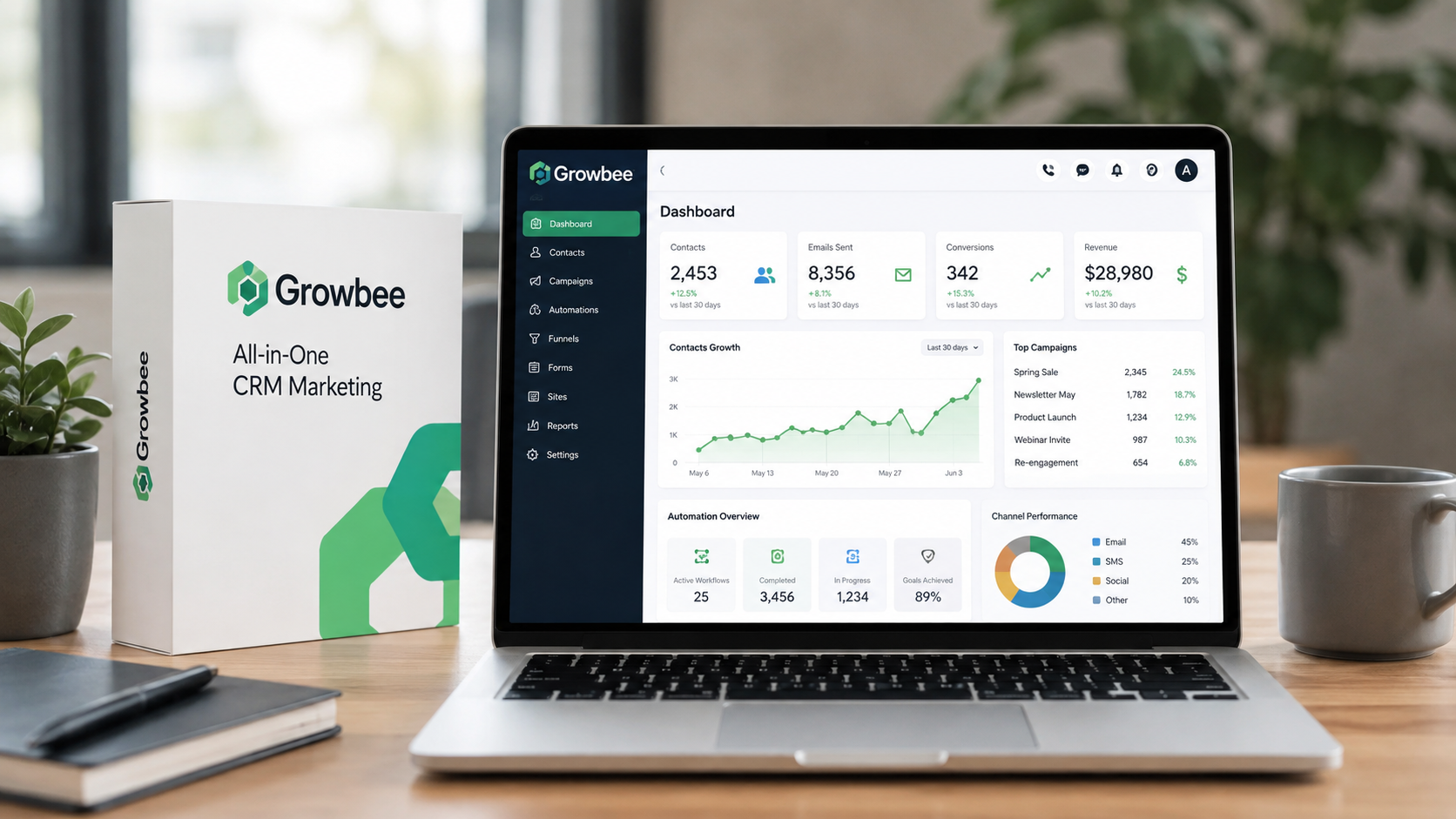
Growbee all-in-one CRM marketing automation platform dashboard interface for service businesses

Growbee All-in-One CRM Marketing Automation Platform for Service Businesses

Small service businesses leak money every single day. An average of 30% of potential revenue vanishes—not because the services aren’t good, but because follow-ups get missed, appointments fall through cracks, and customer conversations scatter across five different platforms. The real killer? You’re working harder than ever, yet customers slip away while you’re switching between tools.

Growbee’s All-in-One CRM Marketing Automation Platform exists to solve exactly this problem. Instead of juggling Mailchimp for emails, Calendly for scheduling, WhatsApp Business, Google My Business, and whatever else you’ve strung together, you get one unified system designed specifically for service businesses. Your communications, customer data, appointments, and automations all live in a single dashboard.

This guide reveals how Growbee actually works for service-based businesses, breaks down which of its three pricing tiers fits your operation, and shows which automation features genuinely save hours each week. You’ll understand the real costs, see concrete results from dental clinics and real estate agencies already using the platform, and discover whether this is the tool that finally lets your business sell more without working more.

Explore how Growbee can consolidate your business tools today.

Why Service Businesses Need a Unified CRM and Marketing Automation Solution

The Hidden Cost of Fragmented Systems

Running a service business with disconnected tools creates invisible expenses. You’re paying subscription fees to Mailchimp, Calendly, WhatsApp Business API, and Google My Business separately—often $200+ monthly before you add anything else. But the real cost isn’t financial; it’s operational. Every time you switch platforms to check an appointment, respond to a WhatsApp message, follow up via email, and monitor Google reviews, you lose momentum and mental energy.

Missed appointments spike when reminders go through one channel, confirmations through another, and follow-ups through a third. A dental patient receives a text reminder but doesn’t see the email confirmation, then misses the appointment entirely. A real estate lead gets nurtured through Mailchimp but their initial inquiry sits unanswered in Facebook messages for six hours. These gaps compound into lost revenue.

The Specific Pain Points Across Service Industries

Dental clinics face appointment no-show rates that can reach 20-30% without proper follow-up systems. Each empty chair represents lost income and wasted capacity. Patients book, receive no reminder, and forget entirely—or worse, book elsewhere because they never got confirmation.

Real estate agents juggle leads across phone calls, email, text, and social platforms. A hot prospect messages on Instagram at 3 PM, but the agent doesn’t see it until the next morning. By then, the lead has moved to another agent. Response time directly impacts closing rates, and fragmented communication guarantees slower responses.

E-commerce and online service businesses hemorrhage revenue from abandoned carts and forgotten follow-ups. A customer adds items to their cart, never completes purchase, and receives no reminder sequence. Without automation, recovering even 10% of abandoned orders requires manual outreach that most small teams can’t sustain.

The Unified Inbox Advantage

Consolidating every conversation—Instagram messages, Facebook comments, WhatsApp inquiries, emails, and Google My Business reviews—into one unified inbox changes everything. Instead of checking five different platforms throughout the day, you have one place where customer conversations arrive. Messages don’t get lost between platforms, and response times drop dramatically.

Team members see which conversations are assigned to whom, preventing duplicate responses and ensuring nothing slips through. A real estate agent receives an Instagram inquiry, the system assigns it to the agent who specializes in that neighborhood, and a response goes out within minutes—not hours. A dental clinic receives a booking inquiry through Google My Business, the unified inbox alerts the right staff member, and an appointment confirmation goes out instantly.

When every conversation feeds into your CRM, the system tracks customer history automatically. You see not just this customer’s current message, but their purchase history, previous conversations, and their lifecycle stage. That context enables better, faster service.

Automation as Competitive Advantage

Businesses that automate appointment reminders, follow-up sequences, and lead nurturing outpace competitors managing everything manually. A dental clinic sending automated reminders 48 hours before appointments reduces no-shows by 25% or more. That’s not a small improvement—it’s the difference between a booked day and half-empty chairs.

Real estate agents using automated lead nurture sequences keep their names in front of prospects constantly without checking in manually. When a prospect is ready to buy six months from now, that agent comes to mind first. Without automation, those early leads go cold.

E-commerce businesses recover 10-20% of abandoned cart orders through automated reminders alone. A customer forgets they added items to their cart; a friendly reminder email with one click brings them back. Multiply that across hundreds of potential orders and the ROI becomes obvious.

Growbee’s Three-Tier Architecture: Which Plan Matches Your Business Stage

Basic Plan: The Foundation ($9/month annually)

The Basic plan is where most small service businesses start. At roughly $9 monthly on annual billing, it handles social media chat management across Instagram and Facebook, assigns conversations to team members so nothing falls through cracks, includes an AI Chatbot for handling initial inquiries around the clock, provides a social media planner for scheduling posts, and integrates Google My Business messaging so you see all inquiries in one place.

For a small dental practice just starting with automation, a real estate agent new to CRM systems, or an e-commerce business testing the platform, the Basic plan provides immediate value. It centralizes social conversations and eliminates the need for separate email marketing if you’re only using social channels currently.

Pro Plan: The Growth Stage ($22.50/month annually)

The Pro plan adds the capabilities most service businesses need to scale. Everything from Basic remains, plus you gain appointment calendars for scheduling, appointment widgets you can embed on your website or send to customers, a full CRM system for tracking leads and customers, and unlimited sales pipelines so you can manage multiple product lines or service types.

At $22.50 monthly, the Pro plan positions you to handle lead management systematically. A real estate agent can create pipelines for buyers and sellers. A dental clinic can track new patient inquiries separately from existing patient follow-ups. An e-commerce business can segment customers by behavior and manage multiple campaigns simultaneously.

The appointment calendar and widget eliminate the need for separate Calendly subscription. Customers book directly, receive automated reminders, and no manual intervention happens until they arrive. That single feature justifies the upgrade for most service businesses.

Premium Plan: The Full Suite ($36.50/month annually)

The Premium plan incorporates everything from Pro and adds the advanced tools for rapid scaling. The AI Sales Funnel Builder lets non-technical owners create customer acquisition funnels without coding. Pre-made templates accelerate setup—dental practices, real estate agencies, and e-commerce businesses have ready-to-use funnels they customize in minutes, not weeks.

Website builder and hosting integrated directly into your CRM means you’re not juggling separate Shopify or WordPress subscriptions. Your website connects seamlessly to your CRM, so every visitor, form submission, and customer interaction feeds into your database automatically. Web forms capture leads directly, survey tools gather customer feedback, and everything centralizes for follow-up.

At $36.50 monthly, the Premium plan still costs less than maintaining separate subscriptions for email (Mailchimp $20), scheduling (Calendly ~$12), website hosting ($10), and email services. The all-in-one model delivers better integration at lower cost.

Evaluating Your Current Needs and Upgrade Paths

Start by asking: What’s breaking your current system? If social media inquiries go unanswered, Basic solves that immediately. If appointments need better tracking and you’re paying for Calendly separately, Pro justifies itself. If you’re building a marketing funnel or need a web presence, Premium becomes essential.

Upgrade paths exist because Growbee expects businesses to grow. Start on Basic for $108 annually, test the unified inbox and automation, then upgrade to Pro ($270 annually) once your appointment volume justifies it. Later, add Premium ($438 annually) when you’re ready to build funnels and host your website internally.

Monthly billing offers flexibility if you’re unsure—just know you’ll pay roughly 15-20% more. Most committed businesses switch to annual billing within their first month, capturing immediate savings.

Start building your automation strategy with Growbee’s tiered approach.

Automation Features That Transform How Service Businesses Operate

AI-Powered Appointment Scheduling and Reminders

Appointment no-shows represent lost revenue with almost zero exception. A dental chair sitting empty for one hour translates directly to lost income. Most no-shows aren’t malicious—customers simply forget. The solution: automated reminders sent 48 hours and 24 hours before appointments.

Growbee’s appointment system sends these reminders automatically through the customer’s preferred channel—text, email, or WhatsApp. Customers click to confirm, reschedule, or cancel. The system records their response, so your team knows who’s confirmed and who might not show. Follow-up efforts focus on the genuinely at-risk appointments, not on manual confirmation calls to everyone.

One dental clinic reported reducing no-shows from 22% to 7% within two months of implementing automated reminders. That’s the difference between a profitable day and layoffs.

Automated Patient Follow-ups and Nurture Sequences

Not every customer converts on first contact, and not every sale happens immediately. Real estate prospects need to see multiple properties before deciding. Dental patients need educational content about procedures before committing to treatment plans. E-commerce customers browse, leave, then get reminded days later.

Growbee’s automation sequences trigger based on customer behavior. A prospect downloads your dental implant guide? Trigger a five-email sequence explaining the procedure, sharing testimonials, addressing concerns, and finally offering a consultation. A real estate lead views a specific property? Begin a sequence about that neighborhood, financing options, and open houses in the area.

These sequences run without intervention. You create them once; the system executes them for hundreds of prospects automatically. Time savings compound when you consider that manually nurturing 50 leads would take 10+ hours weekly.

WhatsApp Automation for Direct Customer Engagement

WhatsApp reaches billions of people globally and boasts open rates above 95%. Yet most small businesses never use WhatsApp Business beyond manual responses. Growbee’s WhatsApp automation changes that entirely.

Automated sequences travel through WhatsApp at scale. A real estate agent sends property updates through WhatsApp weekly to all interested buyers. A dental clinic sends post-procedure care instructions immediately after appointments. An e-commerce business sends tracking updates, upsell recommendations, and loyalty rewards notifications through WhatsApp instead of email.

The platform handles delivery, read receipts, and reply tracking—all within WhatsApp where customers already spend time.

AI Chatbot for 24/7 Lead Qualification

Not every business question requires human attention. A customer asking “What are your hours?” doesn’t need to reach a team member. A lead asking “Do you offer payment plans?” needs a quick answer, not a sales call.

Growbee’s AI Chatbot handles these inquiries automatically and intelligently. It answers common questions, collects basic information from new prospects, qualifies leads by asking qualifying questions, and routes genuine sales opportunities to human team members. The bot never sleeps, so leads get immediate responses even at 2 AM.

Customers appreciate instant replies, and your team focuses only on qualified prospects rather than answering the same questions repeatedly. For a real estate agent, the chatbot might ask a lead’s budget and location preferences, immediately filtering tire-kickers from serious buyers.

AI Voice Agents Managing Inbound Calls

Phone calls still drive business, but they’re inefficient when handled manually. A customer calls with a simple scheduling question and ties up a team member for 10 minutes. Growbee’s AI Voice Agents answer calls, understand caller intent, schedule appointments, capture voicemails, and transfer genuine issues to humans.

A dental patient calls to schedule a checkup. The AI Voice Agent checks availability, offers times, books the appointment, and sends confirmation details—all without human involvement. If the patient has a complex question, the system immediately transfers to a dentist.

The platform records all calls for training and compliance, and tracks call analytics to identify common inquiries that might warrant process improvements.

Social Media Planner for Content Consistency

Content consistency builds audiences, but posting daily across Instagram, Facebook, LinkedIn, and Twitter manually drains time. Growbee’s social media planner lets you batch-create content, schedule posts days or weeks in advance, and maintain presence without daily manual effort.

A real estate agent creates 10 property showcase posts on Sunday, schedules them across two weeks, then focuses on actual client work. A dental clinic shares patient testimonials, educational content about procedures, and office updates automatically throughout the week. Consistency builds trust and reach without daily effort.

Email Marketing Sequences Triggered by Behavior

Not all email campaigns are one-size-fits-all. Customers at different lifecycle stages need different messages. A first-time buyer needs product education. A repeat customer needs loyalty appreciation and upsells. Lapsed customers need re-engagement campaigns.

Growbee triggers email sequences based on customer behavior and lifecycle stage. First purchase? Trigger a welcome sequence. Three months without activity? Trigger a re-engagement sequence. Annual customer? Trigger a VIP appreciation campaign. The system manages hundreds of simultaneous sequences, ensuring every customer receives the right message at the right time.

Unified Inbox Routing Conversations Instantly

All previous features feed conversations into the unified inbox. When a new customer inquiry arrives through any channel, the system routes it to the right team member automatically based on rules you set. A Facebook message about dental implants goes to your implant specialist. An Instagram inquiry about commercial real estate goes to your commercial agent. A WhatsApp question about a specific product goes to that product manager.

Team members see assignments clearly, know what’s already being handled, and never duplicate efforts. Response times drop because the right person sees the message instantly, and customers feel seen rather than passed around.

Building Sales Funnels and Converting More Leads (Premium Feature)

AI Sales Funnel Builder for Non-Technical Owners

Building a sales funnel once required coding or hiring a developer. Growbee’s AI Sales Funnel Builder eliminates that barrier entirely. Non-technical owners drag and drop funnel stages, create pages, write copy with AI assistance, and launch funnels without touching code.

A dental clinic builds a funnel: “Learn About Implants” landing page → email sequence → consultation offer → booking page. A real estate agent builds a funnel: property showcase → neighborhood guide → financing information → consultation request. An e-commerce business builds a funnel: product recommendations → cart recovery → loyalty program pitch.

The builder includes conversion optimization suggestions—A/B testing recommendations, copy improvements, and design tweaks based on what works.

Pre-Made Funnel Templates for Rapid Launch

Building from scratch still takes time. Growbee provides industry-specific templates. Dental practices get funnels proven to convert prospects into new patients. Real estate agents get funnels for buyer qualification, seller leads, and investment property inquiries. E-commerce businesses get abandoned cart recovery funnels, upsell sequences, and loyalty program funnels.

Each template is customizable but functional immediately. A dental practice can launch their implant funnel within 2 hours, not 2 weeks. Real estate agents can have buyer and seller funnels operational by end-of-day.

Website Builder and Hosting Integrated Into Your CRM

Your website should feed directly into your CRM. Growbee includes website builder and hosting, eliminating the Shopify or WordPress subscription and the complexity of integrating separate systems.

Create landing pages, sales pages, and full websites directly within Growbee. Every visitor becomes a contact in your CRM automatically. Every form submission feeds into your database. Every page view tracks in the system so you see what content engages each prospect.

One platform means no API headaches, no missing data, and no manual syncing. Everything is native.

Web Forms for Lead Capture and Qualification

Traditional contact forms are passive—prospects fill them out, and nothing happens until you check your email. Growbee’s web forms are active. Prospects submit information and immediately receive automated responses, next steps, or booking links based on their answers.

Create forms with conditional logic so prospects answering “Yes, interested in services” see different follow-up steps than those answering “Just browsing.” Qualify leads instantly rather than wasting time on bad fits.

Survey Tools for Feedback and Continuous Improvement

Understanding why customers choose your service—or why they don’t—informs better decisions. Growbee’s survey tools are embedded in your CRM, so responses automatically feed into customer records.

Send post-appointment surveys to learn what customers loved. Run surveys on abandoned browsers to understand objections. Survey lapsed customers to learn why they stopped buying. The system analyzes sentiment and highlights common themes automatically.

Seamless Funnel-to-CRM Lead Tracking

The most sophisticated funnel fails if leads don’t flow into your CRM properly. Growbee’s architecture ensures every prospect from every funnel becomes a tracked contact with full history.

A prospect lands on your funnel, sees three pages, watches two videos, and abandons. You see exactly which pages they viewed, how long they spent on each, and at what point they left. Send targeted follow-up based on their journey. Remarketing campaigns focus on people who watched videos but didn’t convert.

Real estate agents see which neighborhoods prospects researched most, so follow-up recommendations match their interests. Dental practices see which procedure information patients reviewed, so educational follow-ups address their specific concerns. E-commerce businesses see which product categories customers browsed, so recommendations match browsing behavior.

Online Reputation Management and Customer Trust

Centralized Review Monitoring Across Platforms

Reviews happen across Google, Facebook, Yelp, industry-specific platforms, and dozens of others. Missing reviews or responding slowly to negative feedback damages trust. Growbee monitors reviews centrally so nothing gets missed.

Every new review—positive or negative—appears in your unified inbox. You see the platform it came from, the customer’s profile (if existing in your CRM), and the review text. One dashboard replaces checking five platforms manually.

Automated Response Templates for Common Review Types

Crafting personalized responses to every review is time-intensive, yet slow responses look unprofessional. Growbee’s response templates provide starting points for immediate replies. A five-star review gets a gracious thank-you template. A one-star review gets an empathetic template offering to resolve issues privately.

Templates aren’t robotic—customize each for genuine personalization while saving 80% of the time compared to writing from scratch.

Sentiment Analysis Identifying At-Risk Relationships

Not every negative review is equally important. A customer complaining about slow service deserves immediate attention. A customer complaining about parking might not be actionable. Growbee’s sentiment analysis distinguishes between minor frustrations and serious issues.

The system flags reviews indicating customers might switch providers, enabling proactive outreach before they leave entirely. A dental patient complaining about scheduling delays gets contacted immediately to improve their experience—before they find another dentist.

Integration With Follow-Up Workflows

Negative reviews often require specific follow-up. Growbee integrates review responses with your CRM workflows, so addressing a negative review triggers appropriate actions automatically.

A customer leaves a poor review about a dental procedure outcome. The system alerts the dentist, logs it in the customer’s CRM record, and triggers a follow-up sequence addressing their concerns. Personal outreach transforms a negative review into an opportunity to rebuild trust.

Positive Reviews Feeding Into Marketing Campaigns

Your best marketing asset is customer testimonials. Growbee identifies five-star reviews and makes them easy to leverage in campaigns. Share them on social media, add them to landing pages, and include them in email sequences—all within the platform.

A real estate agent with five five-star reviews can automatically populate those testimonials on their website and marketing materials. New prospects see social proof immediately, increasing trust and conversions.

Real-World Results: Who’s Actually Using Growbee and What They’re Achieving

Dental Clinics: From No-Shows to Profitable Schedules

A dental practice in Austin with three chairs and four staff members faced a persistent problem: 20% no-show rate despite reminder calls costing 10+ hours weekly. Implementing Growbee’s automated appointment reminders cut no-shows to 7% within two months.

The math is stark. At 20 appointments weekly, a 7% no-show rate means one chair sits empty versus roughly four under the old system. One chair represents $400-600 in lost revenue daily. Over a month, eliminating no-shows recovered $3,200-4,800 in revenue. The platform pays for itself multiple times over.

Beyond no-shows, the clinic implemented automated patient education sequences. New implant patients receive a five-email series explaining the procedure, sharing results from other patients, and addressing concerns. Conversion from consultation to commitment increased from 35% to 58%. Higher consultation-to-procedure ratios meant more revenue from existing traffic.

Real Estate Agencies: Lead Response Time and Closing Rates

A real estate team with five agents historically spent two hours daily managing leads across email, text, and social platforms. Leads waited an average of four hours for first contact—a timeline that directly impacts closing rates.

Implementing Growbee’s unified inbox reduced response time to 15 minutes. Prospects received immediate acknowledgment and qualification questions. The system routed qualified leads to appropriate agents automatically. Within three months, closing rates improved from 8% to 12%—a 50% relative increase.

The team also implemented funnel-based lead nurturing. Agents stopped sending generic follow-ups and instead created targeted sequences based on property preferences. A buyer interested in single-family homes in a specific neighborhood received relevant properties weekly, not random listings. Engagement increased, prospects felt understood, and sales followed.

E-Commerce Businesses: Abandoned Cart Recovery and Repeat Purchases

An online jewelry store faced typical e-commerce challenges: 70% cart abandonment rate and minimal repeat purchase behavior. Implementation of Growbee’s abandoned cart recovery automation changed everything.

The system sent automated reminders 2 hours, 24 hours, and 72 hours after cart abandonment, recovering 18% of abandoned orders within six months. On $50,000 in monthly sales, a 70% abandonment rate represents $35,000 in lost revenue. Recovering 18% of that means $6,300 monthly revenue recovered—$75,600 annually from a single automation.

Simultaneously, the store implemented customer lifecycle email sequences. New customers received a welcome series. Thirty-day customers received loyalty program invitations. Lapsed customers (no purchase in 90 days) received win-back offers. Repeat purchase rates climbed from 18% to 31%—a 72% increase.

Time Savings: Hours Per Week Freed

Across all business types, the time savings compound. Dental clinic staff freed 10+ hours weekly from manual appointment confirmation calls. Real estate agents recovered 10 hours from inbox management and duplicate conversations. E-commerce owners stopped manual abandoned cart outreach (roughly 5 hours weekly).

For a small business with limited staff, 10-15 hours weekly represents one full-time equivalent freed. That staff member shifts from administrative work to value-creation—patient care, client relationships, or product development.

Revenue Growth Metrics

Aggregated results show consistent patterns:

  • Appointment-based businesses see 15-25% revenue increases within three months, primarily from reduced no-shows and improved follow-up.
  • Lead-based businesses (real estate, professional services) see 20-30% conversion rate improvements from faster response times and better lead nurturing.
  • E-commerce businesses recover 10-18% of abandoned orders and increase repeat purchase rates by 40-60%.

These aren’t marginal improvements. These are business-transforming results.

Testimonials from Non-Techy Business Owners

The common thread: business owners with zero CRM experience, no technical background, and limited time for “learning platforms” got immediate results.

“I’m not tech-savvy. I run a dental practice. Growbee took me three hours to set up fully. Three hours later, my appointment reminders were automated, my patient follow-ups were running, and I had more time with family than I’d had in years.” — Dr. Sarah M., Dallas dental practice.

“As a real estate agent, I was juggling Mailchimp, Calendly, WhatsApp, and email separately. Every system was its own island. Growbee connected everything. I felt like I’d been working with one hand tied behind my back for years.” — James T., Austin real estate agent.

“We’re an e-commerce business, not a tech company. Setting up funnels and automations in Growbee felt doable, unlike the nightmare of Shopify. We recovered more lost sales in three months than we had in the entire previous year.” — Michelle D., online e-commerce store owner.

Growbee Pricing Breakdown: Annual vs. Monthly and ROI Calculation

Annual Billing Rates and Cost Structure

Growbee’s pricing model emphasizes accessibility for small businesses. Annual billing provides the lowest cost:

  • Basic Plan: Approximately ₹749/month (~$9 USD), equaling $108 annually
  • Pro Plan: Approximately ₹1875/month (~$22.50 USD), equaling $270 annually
  • Premium Plan: Approximately ₹3050/month (~$36.50 USD), equaling $438 annually

Monthly billing runs higher—roughly 15-20% premium for flexibility—but annual commitment captures significant savings.

Total Annual Investment and Comparison to Standalone Tools

Most small businesses currently subscribe to multiple platforms. Calculate your current annual spend:

  • Email marketing (Mailchimp): ~$20/month = $240/year
  • Appointment scheduling (Calendly): ~$12/month = $144/year
  • WhatsApp Business API: ~$5/month = $60/year
  • Website hosting: ~$10/month = $120/year
  • Social media management tools: ~$15/month = $180/year
  • Total: ~$62/month or $744/year

The Growbee Premium plan at $36.50/month ($438 annually) replaces all of these, cutting costs by 41% while adding more functionality. The unified CRM and automation capabilities exceed what each standalone tool provides.

A business currently spending $100+ monthly on scattered tools immediately saves money while gaining integration advantages.

ROI Calculation: How Quickly Automation Pays for Itself

The fastest ROI comes from appointment scheduling and no-show reduction. For appointment-based businesses:

A dental practice books 80 appointments monthly at an average value of $200 per appointment. At a 20% no-show rate without automation, that’s 16 missed appointments monthly, representing $3,200 in lost revenue.

Growbee’s automated reminders reduce no-shows to 7%, losing just 5-6 appointments monthly. The difference: 10-11 recovered appointments monthly, or $2,000-2,200 in additional revenue.

At $270 annually for the Pro plan ($22.50/month), ROI is achieved within the first two weeks—and every month thereafter generates $2,000+ in incremental revenue from the same number of bookings.

For lead-based businesses, faster response times increase conversion rates. A real estate agent converting 8% of leads without Growbee converts 12% with Growbee (response time improvement alone). At 50 leads monthly, that’s 4 additional conversions monthly. At $200,000 average transaction value, that’s $800,000 in additional annual revenue from faster response times.

For e-commerce businesses, abandoned cart recovery is immediate. Recovering 18% of a $35,000 weekly abandoned cart value means $6,300 monthly or $75,600 annually from a single automation.

Cost Per Customer Managed

How many customers can you manage across each tier?

The Basic plan ($9/month) handles unlimited contacts and conversations, making cost-per-customer negligible. A business with 500 customers pays $9/month, or $0.018 per customer monthly.

The Pro plan ($22.50/month) enables full CRM functionality and unlimited sales pipelines. A business with 1,000 customers pays $22.50/month, or $0.0225 per customer monthly.

Even the Premium plan ($36.50/month) serving 2,000 customers costs $0.018 per customer monthly—far cheaper than hiring even a part-time administrative staff member to manage CRM manually.

Hidden Savings From Eliminating Redundant Subscriptions

Beyond direct cost replacement, eliminating redundant subscriptions saves money in less obvious ways:

  • Integration hours: No longer paying a freelancer to sync between Mailchimp, Calendly, and CRM (10+ hours monthly = $150-300 in labor savings)
  • Duplicate data entry: One system eliminates manual entry into multiple platforms (5 hours weekly = $100-250 monthly)
  • Software training: One platform instead of teaching team members five different tools (significant productivity gains)
  • Support overhead: One support team instead of managing multiple vendor relationships

Aggregate hidden savings often exceed $200-400 monthly, making Growbee practically free for many businesses.

Getting Started: Setup, Templates, and Time to First Automation

Pre-Made Templates for Rapid Launch

Growbee’s industry-specific templates accelerate setup dramatically. Dental practices get templates for new patient onboarding, procedure follow-up, and appointment reminders. Real estate agents get templates for buyer qualification, seller lead nurturing, and open house promotion. E-commerce businesses get templates for abandoned cart recovery, post-purchase sequences, and loyalty programs.

Each template includes email copy, WhatsApp sequences, workflows, and automations—all customizable but functional immediately. You don’t start from scratch; you start from proven systems.

Average Setup Time for Non-Technical Users

Growbee’s core promise is setup speed. Most non-technical owners go from sign-up to first automation running within 2-4 hours.

The process: (1) Connect your email, social accounts, and payment systems (15 minutes). (2) Import existing contacts if available (10 minutes). (3) Choose and customize a template for your primary use case (30 minutes). (4) Customize one email sequence and WhatsApp automation (30 minutes). (5) Test and launch (20 minutes).

By hour two, automated appointment reminders are going out. By hour three, email follow-up sequences are running. This isn’t weeks of setup—it’s an afternoon.

Onboarding Process and Learning Curve

Unlike traditional CRM platforms requiring weeks of training, Growbee’s onboarding emphasizes speed over comprehensiveness. Core features are accessible immediately. Advanced features (like the AI Funnel Builder) become obvious as you need them.

Video tutorials guide setup step-by-step. The community forum answers common questions. Support is responsive. Most users report feeling comfortable within their first week, confident within the first month.

First Automations to Implement Immediately

Don’t overwhelm yourself. Start with these three:

1. Appointment Reminders: Connect your calendar, set reminders 48 and 24 hours before appointments. Takes 15 minutes, saves hours weekly.

2. Welcome Sequence: When a new customer subscribes or books, trigger a three-email welcome series. Create once, runs forever. Takes 30 minutes, generates immediate engagement.

3. Follow-Up Sequences: Define customer stages (lead, customer, inactive). Create sequences that trigger based on stage. Takes 45 minutes, transforms customer retention.

These three alone generate measurable ROI within days. Scale from there.

Integration Points With Existing Tools

Growbee integrates with Google Calendar, email providers, social accounts, payment processors, and hundreds of third-party tools through Zapier. If you’re using Google Workspace, Shopify, Stripe, or any mainstream business tool, integration is straightforward.

Most users don’t need advanced integrations initially. Core Growbee functionality works independently, and integrations expand as your system grows.

Support Resources and Community

Growbee provides multiple support channels:

  • Video tutorials: Step-by-step walkthroughs for every feature
  • Knowledge base: Articles covering common questions
  • Community forum: Users helping users, often faster than support teams
  • Email support: Responsive support team for specific issues
  • Webinars: Weekly training on advanced features

The community aspect matters—you’re not learning alone; hundreds of other business owners are learning simultaneously and sharing solutions.

Comparing Growbee to Standalone Tools and Competitors

Growbee vs. Mailchimp + Calendly + WhatsApp Business

These three tools combined cost roughly $37/month and require learning three separate interfaces:

  • Mailchimp handles email marketing but not CRM or appointment scheduling
  • Calendly schedules appointments but doesn’t track customer history or integrate conversations
  • WhatsApp Business API enables WhatsApp automation but doesn’t connect to email or appointment data

Growbee at $22.50 (Pro) or $36.50 (Premium) does everything these three do plus CRM, unified inbox, sales pipelines, and automation workflows that span all channels. It’s cheaper and more integrated.

Advantages of All-in-One Architecture for Small Teams

Small teams have limited time. Switching between email, Calendly, and WhatsApp multiple times daily fragments focus. Growbee consolidates everything, reducing context-switching and enabling faster decision-making.

Integration advantages are profound. A customer books through Calendly (standalone)—that appointment never touches your CRM. They book through Growbee—the appointment automatically appears in your customer record, their email sequence adjusts, and your team knows exactly who they are.

All-in-one architecture means automation options that standalone tools can’t offer. Trigger a WhatsApp message based on email behavior. Launch an email sequence based on appointment cancellation. Create a sales pipeline stage based on form submission. These cross-channel automations are impossible with disconnected tools.

When a Specialized Tool Might Still Make Sense

Growbee works well for 95% of small businesses, but edge cases exist:

  • High-volume email marketers sending millions of emails daily might outgrow Growbee and need Klaviyo or Campaign Monitor
  • Enterprise real estate teams with complex transaction tracking might need specialized real estate CRM like Follow Up Boss
  • Agencies managing dozens of client accounts might need client-specific platform like ActiveCampaign or

Comments

Leave a Reply

Your email address will not be published. Required fields are marked *