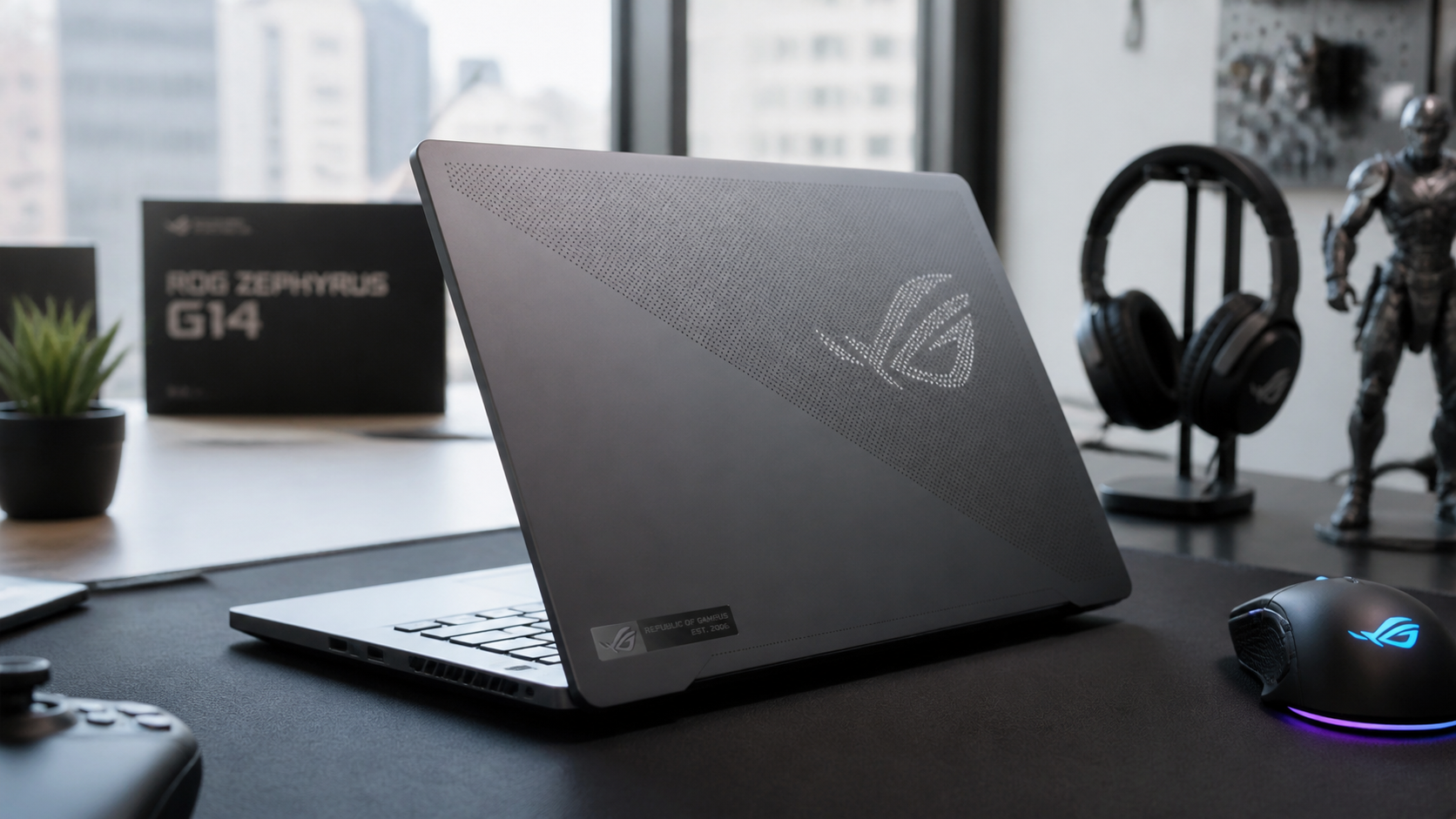
Most content creators still haul around 15-inch laptops when traveling, accepting bulk as an unavoidable cost of performance. The reality is frustrating: genuine creative power has traditionally meant sacrificing mobility. ASUS shattered this compromise with the ROG Zephyrus G14, engineering a machine that proves portability and professional-grade performance aren't mutually exclusive.
ASUS built the ROG Zephyrus G14 specifically for creators and professionals who refuse to settle. The laptop packs AMD Ryzen 9 processors, NVIDIA RTX graphics, and color-accurate displays into a chassis slim enough to actually travel with. Rather than forcing you to choose between power and portability, it delivers both without the usual performance penalties.
This guide examines what makes the G14 exceptional for creators: how its compact form factor genuinely improves mobility, what performance specifications matter for real creative workflows, display quality that handles both editing and gaming, and whether the premium pricing delivers genuine value.
Why the 14-Inch Form Factor Matters for Mobile Professionals
Weight and Portability Advantages
The 14-inch chassis weighs significantly less than traditional 15-inch and 16-inch gaming laptops, transforming travel from an ordeal into something genuinely feasible. Creators working on location, traveling between client offices, or collaborating across multiple studios experience the difference immediately. A few pounds might seem trivial until you're carrying your workstation through airports, climbing stairs to studio spaces, or working from coffee shops during long shoots.
Practical Baggage Integration
Standard messenger bags and backpacks accommodate the G14 without awkward protrusions or bulk. Unlike larger laptops that demand dedicated laptop bags, the G14 integrates naturally into everyday carry solutions. This matters for professionals whose workflow involves constant movement—you're not managing a separate tech bag, just a streamlined portable machine.
Stationary Workflow Capability
Despite its compact size, the G14 functions excellently with external monitors, keyboards, and peripherals. Back at your desk or in a studio setup, you're not compromising on screen real estate or connectivity. The machine serves dual duty: powerful portable workstation and core component of a full creative setup.
Ergonomic Benefits During Extended Travel
Fatigue from carrying heavy equipment compounds quickly on long shoots or multi-day travels. The reduced weight maintains usability without sacrificing the screen real estate essential for reviewing footage, examining color grades, or monitoring render progress. Your shoulders and back experience the difference, especially during extended location work.
Port Selection and Connectivity
The compact design doesn't force ASUS to skimp on connectivity. USB-C ports, Thunderbolt compatibility, and HDMI outputs provide legitimate professional flexibility without requiring a dock full of adapters. You're connecting external drives, monitors, and peripherals directly without managing adapter chains.
Real-World Deployment Scenarios
For on-location shoots, client meetings, and remote work situations where mobility is critical, the G14's size becomes a genuine asset rather than a limitation. Video producers moving between locations, streamers working from different venues, and 3D artists collaborating across studios all benefit from genuine portability without performance compromise.
Performance Specifications That Matter for Content Creation Workflows
Processor Performance for Creative Tasks
AMD Ryzen 9 processors deliver the multi-threaded performance creators actually need. Video encoding, 3D rendering, and parallel processing tasks benefit directly from additional cores and threads. When you're handling complex timelines, color grading layers, or rendering farm tasks, this processor power translates to measurable time savings.
GPU Acceleration in Creative Applications
NVIDIA GeForce RTX graphics accelerate the applications creators use daily: DaVinci Resolve gains real-time color grading performance, Adobe Premiere Pro benefits from GPU-accelerated effects, and Blender handles viewport rendering and CUDA acceleration seamlessly. This isn't theoretical performance—it's practical speed in your actual software.
Memory Configuration Impact
LPDDR5 and DDR5 memory configurations (up to 32GB) handle memory-intensive projects without stuttering or slowdowns. Large video timelines, complex 3D scenes, and multitasking workflows all demand adequate RAM. The G14's memory options ensure your creative software runs smoothly even under demanding conditions.
Storage Speed and Workflow Efficiency
PCIe SSD storage enables rapid file transfers, fast project loading, and seamless media library access. Rather than waiting for large video files to transfer or projects to load, you're working efficiently with storage that matches your processor's capabilities. Media libraries load instantly, and file organization becomes straightforward.
Display Refresh Rate for Editing Work
High-refresh-rate displays (144Hz and higher) provide smooth playback during editing and real-time previews. While gamers appreciate this smoothness, creators benefit equally—color grading sessions feel responsive, video playback remains fluid, and timeline scrubbing becomes precise rather than stuttering.
Thermal Performance Under Load
The G14's thermal design keeps performance consistent during extended rendering sessions without thermal throttling. Your processor and GPU maintain full performance throughout long encoding tasks, 3D renders, or complex editing sessions. ASUS's cooling engineering means performance remains predictable and reliable.
Display Quality and Color Accuracy for Creative Professionals
Panel Options and Visual Clarity
QHD and Full HD panel options deliver sharp, detailed visuals essential for precise color grading and detail work. Content creators examining footage pixel-by-pixel benefit from this clarity, whether reviewing 4K video on a smaller display or ensuring color accuracy across editing passes.
Color Gamut and Professional Standards
High color accuracy covering wide gamut standards ensures your edits translate reliably across devices and delivery platforms. When you're working on a display with proper color representation, your creative decisions remain valid across different viewing contexts. This consistency matters for professional work where color accuracy is non-negotiable.
Anti-Glare Technology for Diverse Environments
The anti-glare coating reduces reflections during outdoor work and bright office environments. Creators working on location or in naturally lit spaces experience the practical difference—you're actually seeing your content clearly rather than fighting reflections and glare.
Vibrant Color Reproduction
The display handles both gaming and professional creative tasks through vibrant color reproduction. Your footage looks rich and detailed, color grades appear accurate, and the visual experience supports both work and entertainment seamlessly.
Brightness and Outdoor Visibility
Brightness levels support outdoor visibility without compromising color fidelity. Whether you're reviewing footage in sunlight or working in bright office environments, you maintain accurate color representation while seeing your content clearly.
Refresh Rate Benefits for Creative Work
The high refresh rate smoothness benefits both gaming sessions and smooth video playback during editing reviews. Timeline scrubbing becomes responsive, playback feels fluid, and the overall editing experience becomes more natural and efficient.
Pricing Tiers and Configuration Value Analysis
Entry-Level Investment ($1,100–$1,400)
Entry-level configurations suit creators with moderate performance needs and budget constraints. These models deliver genuine gaming and creative performance without the premium pricing of higher tiers. For professionals whose workflows don't demand maximum specifications, this tier provides excellent value.
Mid-Range Balance ($1,400–$1,700)
Mid-range configurations strike genuine balance between performance, storage, and display quality for serious professionals. This tier represents where most dedicated creators find their optimal configuration—enough performance for demanding workflows without pushing into premium pricing territory.
Premium Performance ($1,700–$2,000+)
Premium models deliver maximum performance and display options for demanding workflows. If your creative work demands the fastest possible rendering, largest project files, or highest color accuracy standards, this tier provides no compromises.
GPU Tier Selection Impact
GPU tier selection significantly impacts rendering speed and real-time performance in creative software. Stepping up from one GPU generation to the next translates to measurable performance improvements in DaVinci Resolve, Blender, and similar applications.
RAM and Storage Considerations
RAM and storage configurations directly influence project size capacity and multitasking smoothness. A creator working with large video files or complex 3D scenes benefits from maximum RAM, while storage capacity determines how many projects you maintain locally.
Long-Term Value and Future-Proofing
Component limitations in some versions affect long-term value and future-proofing considerations. Understanding upgrade paths and component accessibility helps you make decisions aligned with your timeline and budget strategy.
The ROG Verdict: Is the G14 Worth Your Investment?
The ASUS ROG Zephyrus G14 represents a genuine breakthrough for creators who've grown tired of compromising between power and portability. This laptop delivers near-flagship gaming performance in a chassis light enough to actually travel with, backed by ASUS's premium build quality and thoughtful cooling design.
For professionals who need genuine mobility without sacrificing performance—video editors on location, streamers working from different venues, 3D artists collaborating across studios—the G14 eliminates the traditional trade-off that's plagued portable workstations for years. You're not settling for a lighter machine with reduced capabilities; you're gaining access to professional-grade performance in a form factor that genuinely supports mobile workflows.
The investment makes sense if your creative work demands both power and portability. Research the specific configuration that matches your creative demands and experience the freedom of carrying professional-grade performance in your backpack.
Start your journey with the ASUS ROG Zephyrus G14 and transform how you create on the move.
Leave a Reply