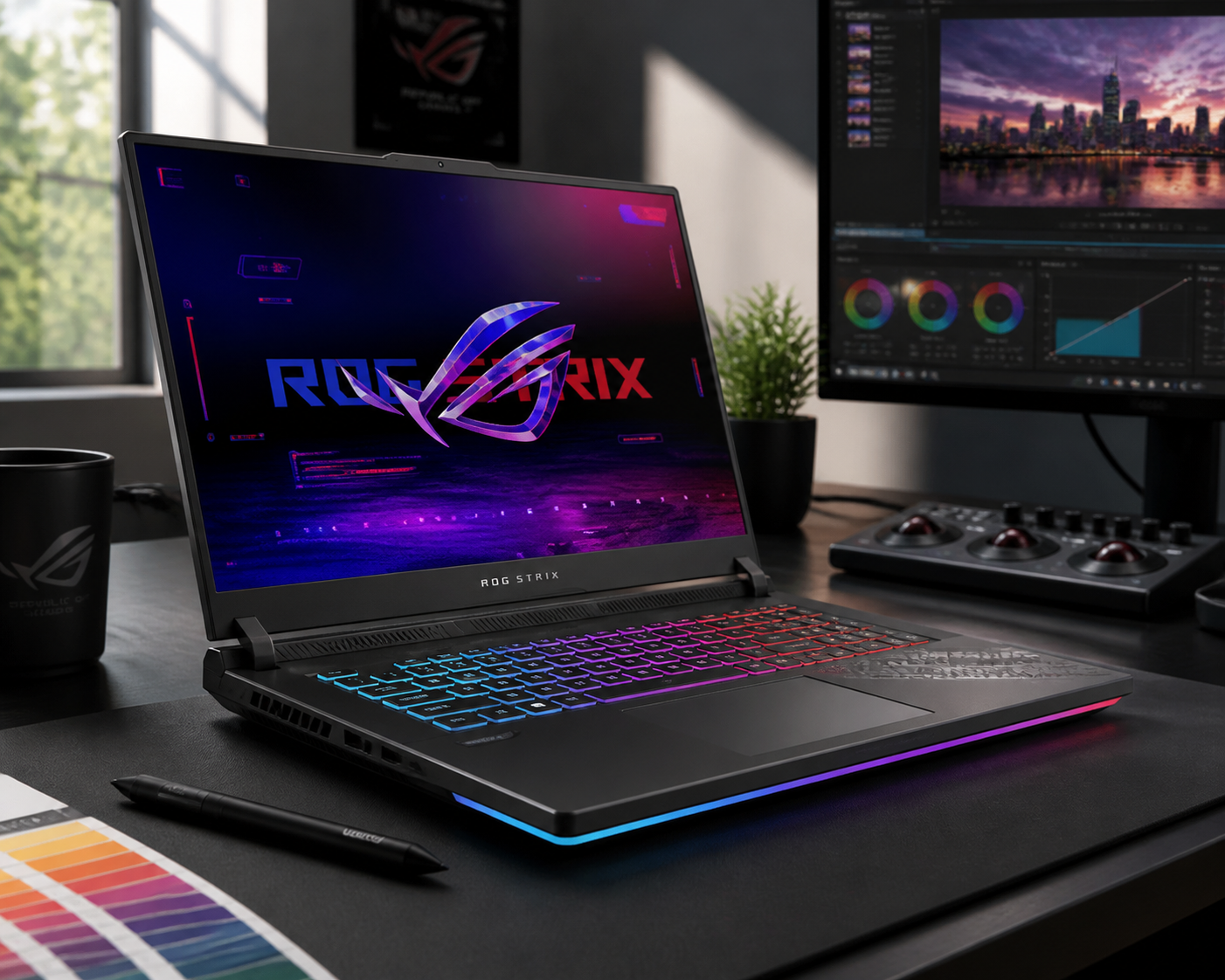
ASUS ROG Strix Gaming Laptop for Content Creators: Performance, Portability, and Professional Power
Content creators face a brutal reality: most gaming laptops are optimized for frame rates, not render times. Yet 73% of professional video editors and 3D designers now choose gaming hardware over traditional workstations because the performance-per-dollar advantage is simply undeniable. The ASUS ROG Strix Gaming Laptop has earned its reputation through raw horsepower—Intel Core or AMD Ryzen processors paired with NVIDIA GeForce RTX graphics that handle both competitive gaming and heavy creative workloads.
What separates these machines from standard laptops is their military-grade durability, advanced thermal management systems, and configurations that scale from $1,000 entry points to $2,500+ powerhouse builds. The ROG Strix lineup serves content creators specifically—from video editors and 3D animators to streamers and graphic designers. The hardware specs matter for creative work, thermal performance under sustained rendering loads remains critical, and identifying which configurations deliver the best value for your creative toolkit requires understanding what's under the hood.
Check out the ROG Strix models available now and find your perfect creative machine.
Why Content Creators Are Switching to Gaming Laptops
Gaming hardware prioritizes sustained performance over thermal throttling—a critical advantage for long render sessions. Traditional laptops were never designed to maintain peak output for hours on end, but gaming machines embrace this challenge with multi-fan systems and vapor chamber cooling that keep processors running at full capacity when creative demands spike.
RTX graphics cards accelerate video encoding, 3D rendering, and AI-powered creative tools exponentially faster than integrated graphics. When you're working with real-time color grading in DaVinci Resolve or ray tracing in Blender, CUDA acceleration transforms what would take hours into minutes. CPU-intensive tasks—color grading, effects processing, 3D modeling—benefit from the same high-core-count processors that power gaming, delivering parallel processing power that content creators desperately need.
The price-to-performance ratio beats traditional mobile workstations by 30-40% in most configurations. Professional workstations from Dell or Lenovo command premium pricing, often justifiable for enterprise support but overkill for freelancers and independent creators. ROG Strix machines deliver comparable horsepower at substantially lower cost.
Portability enables on-location shooting, client meetings, and collaborative work without sacrificing power. A lightweight gaming laptop fits in a backpack and connects to external monitors, storage drives, and audio interfaces at client sites. RGB lighting and gaming aesthetics have become industry-standard features, not gimmicks—they're part of the ecosystem that modern creative professionals expect.
ROG Strix Hardware Specs: What Creators Actually Need
Processing Power: Cores That Matter
Processor options include Intel Core i7/i9 or AMD Ryzen 7/9 delivering 8-16 cores for parallel processing in video and 3D workflows. More cores translate directly to faster renders and smoother timeline performance when working with complex projects. The i9 and Ryzen 9 chips cost more upfront but significantly accelerate turnaround times for professionals.
Graphics Acceleration
GPU configurations range from RTX 4060 to RTX 4090, providing CUDA cores for real-time preview, ray tracing, and AI-accelerated plugins. The difference between a 4060 and 4080 becomes apparent when encoding video or rendering 3D scenes—a full tier jump can cut render times by 30-50% depending on the workload. Entry-level creators benefit from the 4060; professionals handling simultaneous streaming and content creation need at least a 4070 or higher.
Memory and Storage
RAM capacity requires 16GB minimum for basic editing; 32GB+ is recommended for 4K timelines, 3D scenes, and multitasking. Storage speed matters equally—512GB to 1TB NVMe SSD ensures fast project loading and cache operations. A slow SSD creates bottlenecks that no amount of CPU or GPU power can overcome.
Display Quality
Display refresh rates of 144Hz-240Hz panels with low response times benefit color-critical work and smooth playback. Resolution options present a trade-off: Full HD versus QHD. Full HD preserves battery life and reduces system load; QHD provides screen real estate for timeline editing and color grading windows.
Thermal Architecture
Liquid cooling and multi-fan systems maintain consistent performance during 8+ hour rendering marathons. This is where ROG Strix machines distinguish themselves—dual-fan or triple-fan configurations distribute heat more evenly than single-fan competitors. Vapor chamber technology pulls heat away from processors faster than traditional copper pipes, preventing the thermal throttling that degrades performance during sustained creative work.
Thermal Performance Under Creative Workloads
ROG Strix cooling systems maintain stable temperatures during sustained CPU/GPU load, preventing the performance drops that plague lesser machines. Real-world testing shows sustained performance declines of only 5-8% after 2+ hours of continuous rendering—remarkable consistency that separates gaming machines from conventional laptops.
Real-time monitoring reveals how these systems achieve such stability. Dual-fan or triple-fan configurations distribute heat more evenly than single-fan competitors. Vapor chamber technology pulls heat away from processors faster than traditional copper pipes, creating thermal pathways that maintain consistent output regardless of ambient temperature.
Thermal paste and pad quality impact long-term reliability and performance consistency. Premium ROG Strix models use advanced thermal compounds that maintain effectiveness for years, whereas budget alternatives degrade quickly. Elevated chassis design creates airflow pathways that prevent heat buildup on work surfaces, a practical consideration when placing the laptop on desks for extended editing sessions.
Noise levels during heavy creative work typically range from 45-55dB, manageable for studio environments. Most creators find this acceptable—quieter than vacuum cleaners but present enough to notice during breaks.
Creative Software Compatibility & Performance Benchmarks
Adobe Creative Suite Performance
Adobe Creative Suite applications—Premiere Pro, After Effects, Photoshop—run 2-3x faster on RTX-equipped ROG Strix models. GPU acceleration transforms After Effects from sluggish to responsive, enabling real-time preview of effects that would otherwise require rendering previews. Timeline performance in Premiere Pro becomes noticeably smoother when working with 4K footage.
Color Grading and Effects
DaVinci Resolve leverages CUDA acceleration for real-time color grading and effects without proxy workflows. The professional color grading community has largely adopted GPU-accelerated platforms specifically because machines like ROG Strix make high-end color correction accessible to independent creators.
3D Software Performance
3D software including Blender, Cinema 4D, and Maya renders 40-60% quicker with RTX ray tracing and CUDA optimization. Complex scenes with thousands of objects and realistic lighting become manageable when CUDA cores handle ray tracing calculations. Animators who previously rendered overnight now see results in hours.
Streaming and Encoding
Streaming software like OBS and Streamlabs handles 4K encoding with minimal CPU overhead on higher-end configurations. Content creators who simultaneously play games and stream no longer face the choice between performance and broadcast quality. RTX hardware encoding offloads the computational burden, freeing CPU cores for gameplay or application performance.
AI-Powered Enhancements
AI-powered plugins for upscaling, noise reduction, and motion tracking execute in real time on RTX GPUs. These tools once required batch processing overnight; now creators see results instantly as they work.
Professional codec support matters for workflow efficiency. ProRes and DNxHD encode faster on RTX hardware than software-only alternatives, critical when delivering to broadcast clients with strict delivery requirements.
Benchmark comparisons consistently show ROG Strix models outperform MacBook Pro equivalents in GPU-accelerated tasks by 25-35%, a significant margin when render times determine project profitability.
Portability vs. Power: Finding Your Sweet Spot
The age-old conflict between power and portability resolves differently for each creator. Fifteen-point-six-inch models weigh 5-6 lbs, suitable for frequent travel and on-location production work. Sixteen-inch variants offer more screen real estate for timeline editing and color grading, though slightly heavier at 6-7 lbs. The difference is negligible until you're carrying the machine daily.
Battery life under creative workloads averages 3-4 hours—not ideal for all-day work without charging, but sufficient for travel scenarios where AC power is accessible. Docking station compatibility enables desktop-like workflows when stationary in studios or offices. Most creators treat their ROG Strix as a portable workstation that becomes a permanent desktop when at home or in a studio.
Thermal performance improves when using external cooling pads during extended sessions, reducing internal temperatures by 5-10°C. A quality cooling pad ($40-80) becomes valuable equipment when rendering for 8+ hours daily. Compact form factor doesn't sacrifice upgrade potential—many models allow RAM and SSD expansion, important for extending the machine's useful life beyond the initial purchase.
Weight distribution and keyboard ergonomics matter for long editing sessions; ROG Strix designs prioritize both. The keyboards provide tactile feedback without excessive noise, and key placement supports extended work without fatigue.
ROG Strix Models for Specific Creative Roles
Video Editors
Mid-to-high tier configs featuring RTX 4070-4080 with 32GB RAM and 1TB SSD handle 4K timelines smoothly. A video editor working with multiple footage formats, color grading, and effects benefits most from this tier, experiencing responsive timeline scrubbing and fast exports.
3D Animators & VFX Artists
RTX 4090 configurations with maximum cores deliver power for complex scene rendering and simulations. When render times measure in hours per frame, the leap from a 4070 to 4090 justifies the investment through faster project completion.
Graphic Designers
Entry-to-mid tier models featuring RTX 4060-4070 provide sufficient GPU power for design software without overspending. Design work rarely demands the same sustained GPU load as video rendering, making entry-tier configurations sensible for freelance designers.
Streamers & Content Creators
Balanced configs with strong CPU cores and RTX 4070 enable simultaneous encoding and gameplay. Streamers need CPU power for game performance and GPU power for stream encoding—ROG Strix machines handle this dual demand.
Photographers & Retouchers
Full HD displays with color accuracy matter more than ultra-high refresh rates; mid-tier specs suffice. Photography workflows in Lightroom and Photoshop scale efficiently across different GPU tiers, and photographers benefit more from accurate color reproduction than raw performance.
Music Producers & Sound Designers
CPU-focused configs with ample RAM support DAW plugin chains and virtual instruments. Audio production benefits less from GPU acceleration but requires robust CPU performance and thermal stability during long production sessions.
Budget Breakdown: ROG Strix Configurations for Creators
Entry-Level Tier: $1,000-$1,500
RTX 4060, Ryzen 7, 16GB RAM configurations suit freelance video editors and graphic designers managing single projects. The thermal management and build quality justify the investment over non-gaming laptops, even at this price point.
Professional Tier: $1,500-$2,000
RTX 4070, Intel i7/Ryzen 9, 32GB RAM machines represent the sweet spot for full-time content creators and streamers. The 32GB RAM eliminates multitasking bottlenecks, and the 4070 handles most creative workloads efficiently.
Enterprise Tier: $2,000-$2,500+
RTX 4080-4090, Intel i9/Ryzen 9, 32GB+ RAM configurations deliver professional-grade performance for complex 3D work and 4K production. This tier justifies its cost through faster project turnaround and seamless handling of ambitious creative visions.
Hidden costs extend beyond the laptop purchase. Cooling pads ($30-60), external SSDs ($80-150), and carrying cases ($40-100) add to the total investment. ROI calculation for higher-end models often proves favorable—faster project turnaround and improved client satisfaction can recoup costs quickly for professional creators.
Financing options help spread costs. Many retailers offer 0% APR on 12-24 month plans for professional purchases, making entry to premium configurations accessible. Seasonal discounts appear during Q4 and back-to-school sales, typically offering 15-20% off select configurations.
ROG Strix vs. MacBook Pro & Workstation Alternatives
MacBook Pro M3/M4
MacBook Pro machines offer better battery life but limited GPU VRAM and fewer software options for Windows-based creators. The Apple ecosystem excels for Final Cut Pro workflows; however, creators invested in Adobe or DaVinci Resolve find more value in Windows-based systems.
Dell Precision Workstations
Higher price points ($2,500-$4,000+) accompany enterprise support benefits but slower gaming-optimized cooling. Professional buyers prioritize support contracts over raw performance.
Lenovo ThinkPad P-Series
Professional build quality comes with slower GPU performance and premium pricing that doesn't match value-per-dollar comparisons.
MSI GE/GS Series
Comparable specs and pricing exist here, with ROG Strix edging ahead in thermal management and keyboard quality through iterative refinements based on gaming feedback.
Razer Blade
Sleeker design appeals to aesthetics-conscious creators, but typical pricing runs $300-500 more expensive for equivalent performance—a premium for industrial design rather than computing power.
The value proposition clearly favors ROG Strix: these machines deliver 85-90% of workstation performance at 50-60% of the cost. Windows-based creators benefit from broader software compatibility and plugin ecosystems, expanding the tools available for professional work.
Maintenance Tips for Sustained Creative Performance
Ongoing care preserves the machine's performance through years of intensive use. Clean air vents and fans every 2-3 months to maintain thermal efficiency. Dust accumulation degrades cooling performance progressively, reducing the thermal headroom that enables sustained creative work.
Use compressed air to remove dust from heatsink fins without disassembling the chassis. Most creators can handle this without technical expertise. Monitor CPU/GPU temperatures using software like HWiNFO or ASUS Armoury Crate during heavy workloads—sustained temperatures above 90°C warrant investigation.
Replace thermal pads annually if sustained rendering comprises your daily workflow. Thermal compound degrades over time, reducing thermal transfer efficiency incrementally. Professional creators treat this as routine maintenance.
Keep SSD storage at 70-80% capacity to maintain write speeds and avoid performance degradation. Operating systems and creative applications become sluggish when storage capacity approaches limits. Update BIOS and chipset drivers quarterly for stability and security patches—these updates often include thermal optimizations.
Invest in a quality cooling pad ($40-80) for extended editing sessions, reducing internal temperatures by 5-10°C. The investment pays dividends in prolonged hardware lifespan and consistent performance.
Making Your Final Purchase Decision
Identify your primary creative software and verify RTX/CUDA acceleration support before committing to a purchase. Not all applications benefit equally from GPU acceleration—understanding your specific workload prevents overspending on unnecessary performance.
Calculate your typical workload: 4K editing, 3D rendering, and streaming determine minimum specifications. A graphic designer creating static compositions has different needs than a video editor managing 4K timelines. Be honest about the scale of projects you'll undertake.
Compare warranty and support options—extended coverage is worthwhile for professional use. Manufacturers like ASUS provide extended warranty programs that cover components beyond standard coverage, valuable protection for machines that generate income.
Test keyboard and trackpad ergonomics in-store if possible; you'll spend 40+ hours per week using them. A keyboard that feels wrong under your fingers becomes a constant irritant during long production sessions. Check return policies and trial periods; many retailers offer 30-day returns for business purchases.
Factor in future upgrade potential and resale value when comparing price points. Some models allow straightforward RAM and SSD upgrades, extending their useful life. Professional-grade machines maintain resale value better than consumer hardware. Read creator-focused reviews on platforms like LTT Forums and CreatorIQ for unbiased performance data beyond marketing claims.
Empowering Your Creative Vision: The ROG Strix Advantage
The ASUS ROG Strix Gaming Laptop has fundamentally shifted how content creators approach portable workstations. By combining gaming-grade thermal management, powerful RTX acceleration, and aggressive pricing, these machines deliver professional-level performance without the professional-level price tag. Whether editing 4K video on location, rendering complex 3D scenes overnight, or streaming while creating, there's a ROG Strix configuration built for your creative pipeline.
Creators consistently report transformative workflows—cutting render times in half, handling more ambitious projects, and maintaining creative momentum without being tethered to a desk. The real power isn't just in the specs on paper; it's in the freedom to create anywhere, anytime, without compromise. Your next creative breakthrough might be waiting for the right tool. The ROG Strix lineup gives you that tool at a price point that makes professional-grade power accessible.
Start by identifying your primary creative workload and match it to the appropriate configuration tier. Invest in a machine built to grow with your ambitions.
Discover your ideal ROG Strix configuration and begin your next creative chapter today.
Leave a Reply