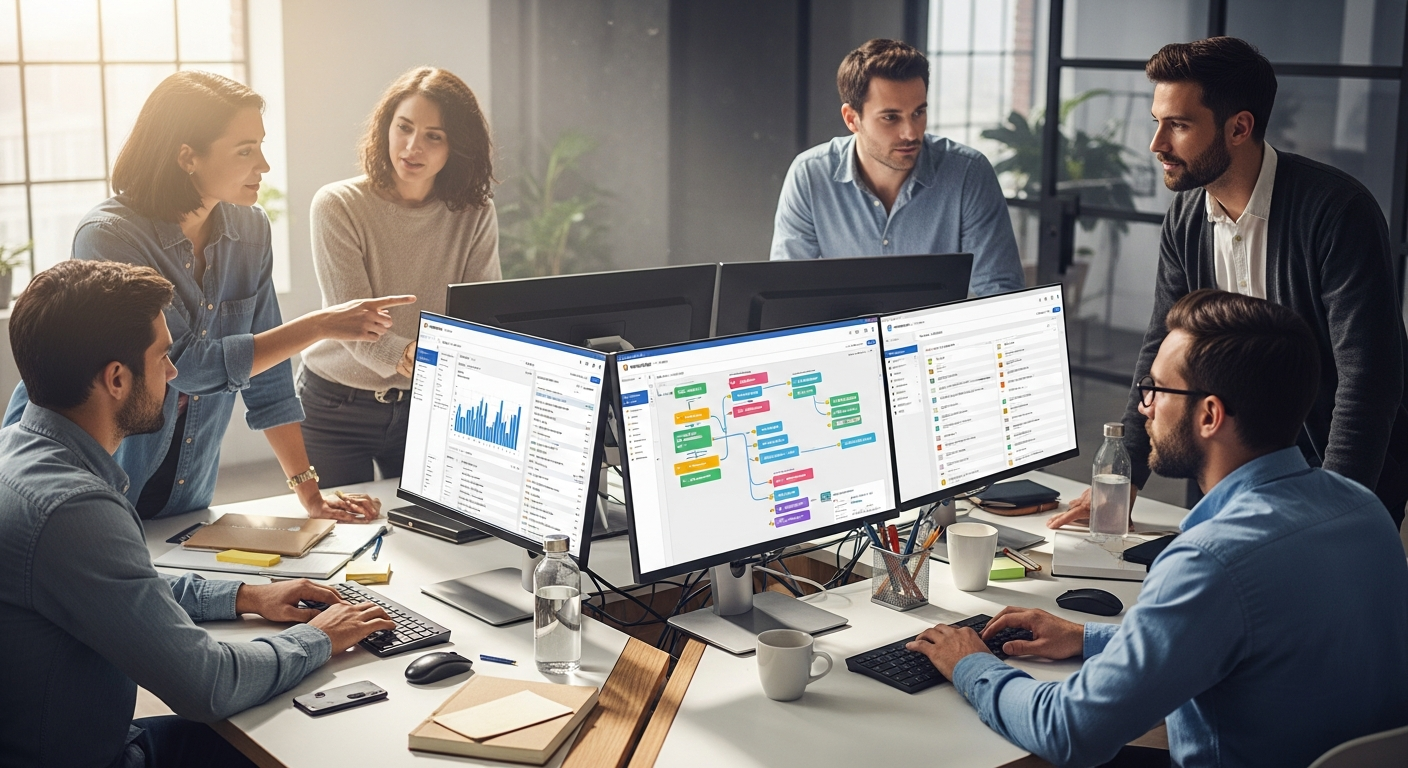
Teams lose approximately 9.3 hours every week to repetitive, manual tasks that could be completed in minutes. Spreadsheets proliferate across departments, communication fragments across disconnected platforms, and processes remain frozen in outdated workflows that frustrate everyone involved. The result is a productivity drain that compounds over months and years, creating organizational friction that slows growth and exhausts employees.
monday Work Management Platform approaches this problem differently. Rather than forcing teams into rigid structures, it functions as a Work OS—a unified operating system that combines intelligent automation, extensive integrations, and collaborative features within a single visual workspace. Unlike traditional project management tools that constrain how you work, monday adapts to your actual processes while simultaneously helping you optimize them.
Start optimizing your workflows with monday’s free trial today.
Beyond Basic Task Management—Why Automation Changes Everything
How monday’s automation engine works: templates, triggers, and custom workflows
monday’s automation engine operates on a simple principle: identify repetitive work and eliminate it. The platform provides a comprehensive template library containing pre-built automations for common scenarios—task assignments, status updates, notification chains, and cross-team handoffs. These templates serve as starting points, but the real power emerges when teams build custom automations tailored to their specific workflows.
The mechanics work through triggers and actions. A trigger might be “when a task reaches the status ‘Review,’” while the corresponding action could be “notify the team lead and move the task to the Review board.” More sophisticated automations chain multiple conditions together: “if priority is High AND deadline is within 3 days, then assign to senior team member AND send Slack notification.” The drag-and-drop builder makes this accessible without requiring coding expertise.
Eliminating manual data entry, status updates, and notification bottlenecks
Manual data entry represents one of the largest time sinks in knowledge work. Team members spend hours copying information between systems, updating spreadsheets, and recreating data that already exists elsewhere. monday’s automations eliminate this friction. When a customer record updates in Salesforce, it can automatically populate relevant fields in your monday board. When a task status changes, notifications reach stakeholders instantly without requiring someone to send emails or Slack messages.
Status update meetings often consume organizational time without adding real value. Automated update notifications replace these meetings by keeping stakeholders informed in real-time. Team members see project progress, blockers, and completed milestones without leaving their workflow. The result is transparency without the overhead of synchronous communication.
Scaling automation from 250 actions/month to 250,000 actions/month
The Standard plan supports 250 automation actions per month—sufficient for small teams automating their core processes. As organizations grow, automation needs expand proportionally. The Pro plan increases this capacity significantly, while the Enterprise plan supports up to 250,000 actions monthly. This scalability matters because what works for a five-person team often breaks down when scaling to fifty people. monday’s tiered automation capacity ensures that growth doesn’t require architectural redesign.
Real-world automation examples: auto-assigning tasks, conditional workflows, and cross-board updates
Consider a marketing team managing campaign projects. When a new campaign brief arrives and is marked “approved,” monday automatically creates subtasks for design, copywriting, and review—then assigns each subtask to the appropriate team member based on predefined rules. A conditional workflow might trigger: if the campaign duration exceeds 30 days, automatically create weekly check-in tasks; if budget exceeds $50,000, assign a finance reviewer.
Sales teams benefit from automations that sync customer information with pipeline boards, automatically moving deals through stages when meeting criteria, and escalating stalled opportunities to management. HR departments use automations to trigger onboarding workflows, send new employee welcome documents, and schedule training sessions based on start dates—all without manual intervention.
Time savings quantified: reducing administrative overhead by hours per week
Organizations typically save 3-8 hours per team member per week through automation implementation. For a twenty-person team, that translates to 60-160 hours weekly—equivalent to 1.5-4 full-time employees worth of work eliminated. These aren’t speculative gains; they’re measurable, immediate reductions in administrative burden that free people to focus on strategic, creative, and high-value work.
Building automations without coding: template library approach and drag-and-drop builder
The barrier to automation shouldn’t be technical skill. monday’s template approach means teams can implement proven automations within minutes—browse the library, select relevant templates, and activate them. For custom needs, the visual builder lets non-technical users construct automations by connecting conditions and actions visually. The platform handles the underlying logic, making automation accessible to everyone.
When to automate vs. when to keep manual control for quality assurance
Not everything should be automated. Tasks requiring human judgment—client communications, strategic decisions, creative direction—should remain manual. The key is identifying work that follows consistent patterns and has clear, measurable criteria for execution. Data entry, status updates, routine notifications, and process routing are prime automation candidates. Quality assurance reviews, budget approvals, and client feedback integration typically benefit from human oversight.
Explore monday’s automation capabilities and see how much time your team can reclaim.
The Integration Advantage—Connecting Your Entire Tech Stack
Overview of 200+ native integrations with major platforms
Most organizations operate within a ecosystem of specialized tools. Sales teams use Salesforce or HubSpot, communication happens through Slack or Microsoft Teams, design work lives in Adobe Creative Cloud or Figma, and financial data resides in accounting software. These tools serve specific purposes well, but they create data silos when operating independently. monday solves this through 200+ native integrations spanning Slack, Microsoft Teams, Salesforce, Jira, Google Drive, Outlook, Zoom, and numerous other business applications.
Why integration matters: eliminating context-switching and data silos
Context-switching—moving between applications to complete a single workflow—drains cognitive resources and increases error rates. A salesperson checking Salesforce, then switching to email for customer communication, then updating monday for task tracking, then messaging Slack about a deal. These transitions fragment attention and waste 10-15 minutes per hour for typical knowledge workers. Integration eliminates these boundaries. Data flows between systems automatically, notifications reach teams where they already work, and information stays synchronized across platforms.
Slack and Teams integrations: real-time notifications, task updates, and direct collaboration
When a task reaches a critical deadline or a blocker emerges, team members learn about it instantly through Slack or Teams notifications—without leaving their communication platform. Conversely, tasks can be created directly from Slack messages, keeping work capture seamless. Teams can view board updates, comment on tasks, and adjust priorities within their communication tool. This integration is particularly powerful for distributed teams working across time zones, as notifications reach people wherever they happen to be working.
CRM and sales integrations: syncing customer data, pipeline tracking, and deal management
Sales teams benefit enormously from Salesforce and HubSpot integrations. When an opportunity advances in the CRM, related tasks update automatically in monday. When a deal requires cross-functional support—engineering, finance, implementation—everyone sees the updated opportunity details without leaving their workspace. Contact information, deal size, timeline, and custom fields sync bidirectionally, ensuring that data entered once flows throughout the organization without manual re-entry.
Custom integrations via open API: building proprietary solutions for unique workflows
Not every business process fits within standard integration options. monday’s open API allows development teams to build custom integrations tailored to proprietary systems or highly specialized workflows. An organization using custom manufacturing software, niche accounting platforms, or internal tools can create seamless connections to monday, extending the platform’s capabilities to their specific operational needs.
Data flow between monday and your existing tools: two-way synchronization benefits
One-way integrations create stale data. Two-way synchronization ensures consistency. Updates in monday reflect in connected systems and vice versa. This bidirectional flow means teams can work in their preferred application knowing that information updates globally. A project manager updates a timeline in monday; connected teams see the change in their tools. A sales rep updates customer contact information in Salesforce; the monday board displays current information automatically.
Common integration pitfalls and how to avoid clunky third-party experiences
Some third-party integrations function smoothly while others create friction. Delays between system updates, incomplete data synchronization, and inconsistent formatting undermine the integration’s value. Success requires careful setup—mapping fields correctly, establishing clear data ownership rules, and testing workflows thoroughly before full deployment. Starting with monday’s native integrations—which receive ongoing support and optimization—typically provides superior experiences compared to custom-built connections.
Customization That Fits Your Industry—Not the Other Way Around
100+ pre-built templates tailored to marketing, sales, HR, IT, operations, and creative teams
Every industry faces unique work challenges. Marketing teams need campaign management templates with timelines, budget tracking, and asset approval workflows. Sales organizations require pipeline boards with deal progression, forecast analytics, and activity tracking. HR departments manage onboarding, performance reviews, and recruitment—each with distinct process flows. monday provides 100+ industry-specific templates that reflect best practices for each domain, allowing teams to start with proven structures rather than building from blank boards.
Column types and board structures: adapting monday to your exact process
The platform’s flexibility emerges through its column types. Beyond basic text fields, monday offers status columns, timeline columns, link columns connecting related items, formula columns for calculations, and numerous specialized types. These building blocks let teams construct boards reflecting their exact workflow. A creative team might structure a project with columns for deliverable type, asset status, revision number, approval status, and delivery date. A support team might use ticket type, priority, customer, resolution status, and satisfaction score.
Multi-view approach: Table, Kanban, Timeline, Gantt, Calendar, Chart, Workload, and Map views
Different team members need different perspectives on the same work. The project manager benefits from Gantt views showing timeline dependencies and critical paths. Team members prefer Kanban boards visualizing workflow stages. Resource managers need Workload views showing capacity and availability. Stakeholders want Calendar views highlighting key deliverables. Rather than forcing one perspective, monday displays the same underlying data through eight different views. This flexibility means teams adopt the platform more quickly because it matches their existing mental models rather than forcing new ones.
When each view shines: Gantt for project timelines, Kanban for agile workflows, Workload for resource planning
Gantt charts excel for projects with multiple dependencies and sequential phases. They reveal the critical path, identify where delays cascade, and show how timeline compression impacts downstream activities. Kanban views suit agile workflows where work moves through distinct stages—Backlog, In Progress, Review, Complete. Teams visualize bottlenecks immediately and balance work across team members. Workload views answer the resource planning question: do we have capacity for new work? They display available hours, scheduled tasks, and utilization rates by team member.
Template customization: starting with industry defaults and building your unique workflow
Templates serve as starting points, not constraints. Teams select an industry template and then customize it for their specific needs. A marketing template might include campaign planning, asset creation, and approval processes. A particular team might extend this with client feedback columns, competitor analysis fields, and performance metric tracking. The customization process remains intuitive through the drag-and-drop interface and field configuration options.
Cross-functional teams: how the same board adapts for different departments
Large organizations often have overlapping workflows. A product launch involves marketing, sales, engineering, and finance teams working toward shared goals but with different responsibilities and perspectives. A single monday board can serve all departments by including relevant columns for each function. Marketing team members focus on campaign timelines and messaging. Sales teams track customer segments and messaging alignment. Engineering monitors feature readiness. Finance tracks budget allocations. The unified board ensures alignment and visibility without forcing every team member to work with irrelevant data.
Avoiding over-customization: keeping boards simple while maintaining flexibility
Customization power can become a trap. Teams sometimes construct elaborate boards with dozens of columns, complex automation chains, and intricate dependencies. These boards overwhelm users and become difficult to maintain. The key is disciplined simplicity—include only columns essential to your workflow, automate only processes that consistently follow the same rules, and resist the urge to track every detail. Simple, focused boards experience faster adoption and require less maintenance.
Collaboration at Scale—Real-Time Communication Without Email Chaos
Built-in collaboration features: team tagging, commenting, and threaded discussions
Effective collaboration requires lightweight communication. monday embeds discussion capabilities directly within tasks and projects. Team members tag colleagues with @mentions, ensuring notifications reach the right people. Comments thread under tasks, creating focused discussions connected to the work itself rather than scattered across email chains. These conversations maintain context—when a stakeholder reviews a task months later, they see the discussion history explaining decisions made and alternatives considered.
Workdocs: real-time collaborative documents embedded directly in your workflow
Sometimes tasks require document collaboration. Workdocs—real-time collaborative documents embedded within monday—enable teams to draft requirements, create proposals, or document decisions without leaving the platform. Multiple team members can edit simultaneously, and the document stays connected to its parent task, eliminating the familiar problem of outdated documents scattered across shared drives.
Automated update notifications: keeping stakeholders informed without manual emails
Status update emails consume tremendous organizational bandwidth without adding sufficient value. Automated notifications in monday ensure stakeholders receive relevant information without requiring manual effort. When a task status changes, notifications reach appropriate team members. When comments mention key stakeholders, they’re notified instantly. Custom notification rules let teams control notification volume and frequency, preventing alert fatigue.
Mobile accessibility: iOS and Android apps for on-the-go collaboration
Knowledge work increasingly happens beyond the office. monday’s mobile applications ensure teams stay connected whether at a client site, working from home, or traveling. The apps provide core functionality—viewing boards, updating task status, commenting, and managing notifications—though with somewhat reduced capability compared to the desktop experience. The mobile interface prioritizes the most frequent actions, keeping the experience streamlined and fast.
Transparency and visibility: how real-time updates reduce status-check meetings
Status meetings often produce minimal value while consuming significant time. When boards display real-time progress, stakeholders access current information without synchronous meetings. A project manager checking the board sees which tasks are blocked, which are progressing smoothly, and where bottlenecks exist. Team members see peer progress and adjust their own priorities accordingly. This transparency enables asynchronous communication and reduces the need for frequent check-ins.
Reducing email volume: centralizing communication within the platform
Email, despite its limitations, remains the default communication channel in many organizations. monday reduces email necessity by centralizing work-related communication. Rather than emailing about a task update, teams comment within the platform. Rather than forwarding documents, they attach them to relevant items. The shift from email to platform-based communication improves searchability, maintains context, and creates audit trails of decisions and discussions.
Collaboration across time zones: asynchronous updates and notification preferences
Distributed teams spanning multiple time zones struggle with synchronous meetings and immediate communication expectations. monday enables asynchronous collaboration through real-time updates that team members consume when they’re actively working. Notification preferences let individuals control when and how they’re alerted to activity. A team member in Asia can update a task, and European colleagues see the update when they start work, enabling them to respond during their working hours without waiting for synchronous communication.
Data-Driven Decision Making with Configurable Dashboards
Configurable dashboards: building high-level overviews of projects and teams
Raw data scattered across boards provides limited value. Dashboards synthesize this data into actionable overviews. A product manager might create a dashboard showing active projects, team capacity, and milestone progress. An executive dashboard displays portfolio health, resource utilization, and strategic initiative status. The dashboard’s configurability means each stakeholder builds views addressing their specific information needs rather than receiving generic reports.
Chart insights and visualization: turning raw data into actionable intelligence
Charts transform numbers into visual patterns that humans process more efficiently than tables. Bar charts reveal which projects consume resources disproportionately. Line charts show productivity trends over time. Pie charts display task distribution across team members. Scatter plots identify correlations between variables. monday’s charting capabilities let teams visualize their data in formats matching their analysis needs.
Resource management metrics: tracking capacity, workload distribution, and team bandwidth
Overburdened teams suffer from burnout and reduced quality. Workload dashboards display capacity by team member, highlight over-allocation, and help managers balance work distribution. Teams know available capacity before committing to new projects. Managers identify bottlenecks where certain team members carry disproportionate load. Resource metrics become data-driven rather than relying on intuition or anecdotal reports of busyness.
Time tracking integration: understanding where hours are spent and identifying bottlenecks
Time tracking data reveals where work actually occurs—often surprisingly different from organizational assumptions. If documentation typically consumes thirty hours per project but estimates allocate only five, teams learn that estimation models need revision. If customer support absorbs resources unevenly across weeks, patterns emerge suggesting when to staff up. Time integration with monday enables this visibility without requiring team members to use separate time-tracking tools.
Custom reporting: creating reports that matter to your stakeholders
Standard reports rarely address every stakeholder’s needs. A sales VP cares about pipeline velocity, deal size distribution, and sales cycle length. A product manager needs feature adoption metrics, completion timelines, and roadmap progress. Custom reporting capabilities let teams create reports addressing their specific questions rather than being constrained by pre-built report templates.
Real-time reporting: accessing current data without manual updates
Stale reports undermine decision-making. If reports update monthly, decisions based on monthly-old data often prove suboptimal. monday’s real-time reporting means dashboards and reports always reflect current status. Team members viewing a project dashboard see progress as of the moment they access it, enabling timely responses to emerging challenges.
Using dashboards for forecasting: predicting project timelines and resource needs
Historical data enables prediction. If similar projects have consistently required 200 hours across a four-week timeline, a new similar project can be forecasted with reasonable confidence. Dashboards displaying historical completion rates, typical resource requirements, and timeline patterns help teams estimate new initiatives and allocate resources appropriately. Over time, teams improve estimation accuracy as they reference historical performance.
The AI Assistant Factor—Emerging Productivity Tools
monday’s AI Assistant: what it does and what it doesn’t (yet)
AI capabilities in monday remain intentionally scoped and designed to augment human work rather than replace judgment. The AI Assistant handles specific productivity tasks where it excels: generating options, drafting initial versions, identifying patterns, and answering operational questions. It doesn’t replace decision-making, strategic thinking, or client communication—areas where human judgment and relationship matter most.
Task generation: automatically creating subtasks and breaking down complex projects
Large projects intimidate team members through their scope and complexity. The AI Assistant analyzes project descriptions and generates logical task breakdowns, creating subtasks with appropriate sequence and dependencies. A team member describes a website redesign project; the AI generates a project structure including research, design exploration, prototype development, testing, and launch preparation—complete with estimated subtasks for each phase. This jumpstarts project planning while remaining fully editable and customizable.
Formula building: AI-assisted calculations and custom column logic
Complex formulas intimidate users without technical backgrounds. The AI Assistant helps construct formulas through natural language. A user describes “calculate revenue if deal closes, zero otherwise”—the assistant builds the appropriate conditional formula. This lowers the barrier to advanced functionality, making sophisticated analysis accessible to non-technical users.
Email composition: drafting updates and communications with AI suggestions
Status updates, client communications, and team notifications consume time despite following patterns. The AI Assistant suggests email text based on task context. If a deadline passed without completion, it suggests appropriate messaging. If a milestone finished ahead of schedule, it offers congratulatory language. Teams edit these suggestions, maintaining voice and adding personal touches while accelerating the composition process.
Summarization: condensing long discussions and project histories
Longer projects accumulate extensive task discussions and decision documentation. New team members joining a project struggle to absorb this history. The AI Assistant summarizes discussions, identifying key decisions and open issues. A new developer joining a project reads a two-paragraph summary of six months of technical discussions and decisions rather than scrolling through dozens of comments.
Pricing structure: understanding AI add-on costs and ROI
AI features are available as paid add-ons, currently priced as monthly subscriptions beyond base plan costs. The investment makes sense for teams where AI capabilities save measurable time and effort. A project-heavy organization generating many new initiatives annually benefits from AI task generation. A documentation-heavy workflow benefits from AI summarization. Teams should evaluate whether specific AI capabilities address their pain points before adding the expense.
When AI assistance pays for itself: high-volume task creation and documentation workflows
AI ROI emerges in high-volume workflows with consistent patterns. An organization launching dozens of projects annually saves substantial time through AI task generation if each project saves 2-3 hours of planning effort. A team generating extensive documentation benefits from AI summarization if each summary saves 30 minutes of review time. Teams launching occasional projects or maintaining minimal documentation may not justify the additional cost.
Scaling from Startup to Enterprise—Security, Capacity, and Reliability
Cloud-based infrastructure: hosted on Amazon Web Services (AWS) for reliability
Cloud infrastructure provides reliability that most organizations cannot achieve independently. monday runs on Amazon Web Services, leveraging AWS’s global infrastructure, redundancy, and security investments. This means small organizations access enterprise-grade infrastructure without requiring dedicated IT teams managing servers, backups, and disaster recovery.
Security certifications: ISO 27001 and OWASP Top 10 compliance
Data security matters increasingly to organizations and their clients. monday maintains ISO 27001 certification (international information security management) and follows OWASP Top 10 security practices (preventing common web application vulnerabilities). These certifications and practices protect against unauthorized access, data breaches, and malicious attacks.
Data protection: firewalls, DDoS mitigation, and encryption standards
Multiple security layers protect organizational data. Firewalls restrict unauthorized network access. DDoS mitigation prevents service disruption from malicious traffic spikes. Encryption protects data both in transit (communicating between your device and monday’s servers) and at rest (stored on monday’s systems). These protections address different threat vectors, ensuring comprehensive security.
File storage scaling: from 5GB (Basic) to 100GB (Pro) with enterprise options
Different team sizes and project types require different storage capacity. The Basic plan provides 5GB—sufficient for small teams using monday primarily for task and project management with minimal file attachments. The Pro plan increases this to 100GB for teams requiring extensive file storage. Enterprise plans offer custom storage options for organizations with substantial file management needs.
Automation action limits: understanding your plan’s capacity ceiling
Automation’s power depends on action capacity. The Standard plan supports 250 automation actions monthly—potentially sufficient for a small team with moderate automation needs. As automation usage grows, plans need to upgrade. The Pro plan dramatically increases capacity, and Enterprise plans support 250,000 actions monthly for organizations building extensive automation infrastructure.
Uptime and reliability: what enterprise customers expect and receive
Enterprise customers require high availability. monday commits to SLAs (service level agreements) guaranteeing specific uptime percentages, typically 99.9% or higher. This means the service remains unavailable approximately 40 minutes monthly—acceptable for most business operations while recognizing that perfect uptime is technically impossible.
Disaster recovery and data backup: how monday protects your critical information
Data loss represents an existential threat to organizations. monday implements automated backup systems creating multiple copies of data distributed across geographic locations. If one data center experiences failure, others maintain accessible copies. This redundancy ensures that organizational data survives infrastructure failures, natural disasters, and other catastrophic events.
Pricing Breakdown—Finding the Right Plan Without Overspending
Free plan: two users, limited features for small teams and trials
The free plan serves as entry point for small teams and organizational trials. Supporting up to two users with limited features, it allows testing whether monday fits your workflow without financial commitment. The free plan restrictions—limited automation, reduced storage, fewer views—encourage growth to paid plans once the platform’s value becomes clear.
Basic plan ($9/seat/month): entry-level features for small teams
The Basic plan supports small teams at modest cost. At $9 per seat when billed annually (approximately $11 monthly), three team members cost around $27 monthly. This plan includes core features—multiple board views, basic automation, limited integrations—suitable for teams with straightforward workflow needs.
Standard plan ($12/seat/month): the most popular tier with robust automation
Most organizations choose the Standard plan, which balances feature richness with cost-effectiveness. At $12 per seat annually (approximately $14 monthly), it includes substantial automation capacity (250 actions monthly), expanded integrations, and full feature access. For a ten-person team, annual cost approaches $1,440—representing less than $3 daily per person for work management infrastructure serving the entire organization.
Pro plan ($19/seat/month): advanced features like Gantt charts and time tracking
The Pro plan ($19 per seat annually) adds advanced features like Gantt charts, time tracking integration, and higher automation action limits. Teams managing complex project dependencies, tracking time investments, or operating at larger scale typically require this plan’s capabilities.
Enterprise plan: custom pricing for large organizations with specialized needs
Organizations with 50+ employees, complex requirements, or specialized integration needs work with monday’s sales team for custom pricing. Enterprise plans include dedicated support, custom integrations, and tailored feature sets addressing organizational needs. While more expensive than standard plans, the dedicated support and customization often justify cost for large organizations where workflow optimization impacts hundreds of employees.
Annual vs. monthly billing: calculating true cost of ownership
Monthly billing costs 20-30% more than annual billing. A team paying monthly at $14 per seat annually pays approximately $168 yearly per person. The same team committing annually pays approximately $120—a significant difference for larger teams. Organizations planning to use monday long-term benefit from annual billing’s cost savings.
Minimum user requirements: three-user minimum for paid plans
Paid plans require minimum three-user commitment. Organizations cannot purchase single or two-person paid plans; they must adopt the three-user minimum. This pricing structure reflects the platform’s collaborative design, where value increases substantially with additional team members. The free plan accommodates smaller teams without forcing paid commitment.
ROI calculation: measuring productivity gains against subscription costs
Evaluating monday’s ROI requires quantifying productivity gains. If a ten-person team working at $50/hour saves three hours weekly through automation and integration, that’s $1,500 weekly value (30 hours × $50/hour). Annual savings approximate $78,000—vastly exceeding the approximately $1,440 annual platform cost. Even conservative estimates of one hour weekly per person (ten hours total) yield $26,000 annual savings. Most organizations recoup platform investment within weeks through efficiency gains.
The Learning Curve Reality—What to Expect During Onboarding
Initial setup: how quickly teams can get their first board running
monday prioritizes intuitive onboarding. Experienced teams create functional first boards within 15-30 minutes—selecting templates, customizing key columns, and inviting team members. The drag-and-drop interface and visual customization reduce the technical barriers that other platforms impose. Within an hour, teams begin working in their first board.
Beginner-friendly features: drag-and-drop interface and intuitive navigation
The platform’s greatest strength is accessibility. Non-technical team members navigate intuitively. Drag-and-drop functionality for task reordering, status changes, and kanban progression feels natural. The column configuration interface requires no coding understanding. These design decisions mean broader team adoption compared to platforms requiring technical expertise.
Advanced functionality: where users typically need training or documentation
Advanced features—complex automations, custom integrations, sophisticated formulas—require learning. Teams wanting to build elaborate automation chains or create intricate formula columns benefit from structured training or documentation review. Most teams reach advanced capability requirements only after weeks of basic usage, providing time for natural skill development.
Mobile app limitations: understanding desktop vs. mobile feature parity
The mobile app provides core functionality but lacks some desktop features. Teams can update task status, comment, and view boards on mobile, but advanced options like automation configuration or complex filtering are desktop-only. This limitation reflects mobile app design constraints rather than platform limitations; teams use mobile for task management and desktop for strategic work.
Training resources: documentation, templates, and community support
monday provides documentation, video tutorials, and community forums where users share tips and solutions. The template library itself serves as training—teams using industry templates understand workflow organization patterns applicable to customization. The active community often provides faster answers than official documentation for common questions.
Change management: rolling out monday across your organization
Organizational rollout requires thoughtful change management. Starting with pilot departments or enthusiastic early adopters builds momentum and develops internal expertise. These early users become advocates demonstrating platform benefits to skeptical colleagues. Providing team-specific training addressing department workflows accelerates adoption compared to generic training. Creating board templates matching existing processes reduces disruption from workflow changes.
Common mistakes new users make and how to avoid them
New teams frequently overcomplicate boards by including excessive columns, creating elaborate automation chains before understanding core workflows, or trying to migrate months of historical data. Success comes from starting simple with essential columns and basic workflows, learning the platform through usage, then gradually adding complexity. Teams should begin with current workflow management rather than trying to capture historical project data.
Comparing monday to Alternatives—Why Teams Choose This Platform
monday vs. Asana: flexibility and automation advantage
Asana excels in timeline and dependency management but enforces more rigid workflow structures. monday’s flexibility and superior automation capabilities appeal to teams needing custom workflows. Organizations valuing structured project management with specific phases and sequential dependencies may prefer Asana, while teams prioritizing customization and automation lean toward monday.
monday vs. Jira: visual appeal and non-technical user accessibility
Jira dominates in software development and technical project management, offering sophisticated issue tracking and development workflow management. However, Jira’s technical orientation makes it challenging for non-technical teams. monday’s visual appeal and accessibility attract teams from marketing, HR, operations, and sales—departments where Jira feels over-engineered.
monday vs. Trello: depth of features and scalability
Trello’s simplicity appeals to teams wanting basic kanban boards without complexity. However, Trello’s limited customization and feature set constrain growth. Teams outgrowing Trello’s capabilities migrate to monday for deeper project management, reporting, and automation. monday suits teams needing more sophistication than Trello while avoiding the complexity of enterprise platforms.
monday vs. ClickUp: customization options and integration breadth
ClickUp competes directly with monday, offering similar customization and feature breadth. Both platforms emphasize flexibility and adaptation to diverse workflows. ClickUp may offer slightly deeper customization in certain areas, while monday excels in user interface intuitiveness and integration breadth. Team preference often depends on aesthetic preferences and specific feature priorities rather than fundamental capability differences.
monday vs. Notion: specialized work management vs. general knowledge base
Notion serves as general knowledge management and documentation platform, excellent for wikis, meeting notes, and internal knowledge bases. monday focuses specifically on work management—task execution, project coordination, and workflow automation. Organizations needing both capabilities often use them complementarily rather than treating them as direct competitors.
Feature-by-feature comparison: where monday excels and where competitors compete
monday excels in automation capabilities, visual interface intuitiveness, and user accessibility. Its integration breadth and customization depth rank among industry leaders. Competitors often match or exceed monday in specific areas—Jira in technical project management, Asana in timeline dependencies, ClickUp in advanced customization. However, few competitors match monday’s balance across automation, customization, user experience, and integration breadth.
Industry-specific advantages: why certain teams prefer monday over alternatives
Marketing teams appreciate monday’s campaign management templates and visualization options. Sales organizations leverage the CRM integrations and customizable pipeline tracking. HR departments use monday for recruitment, onboarding, and performance management workflows. Creative teams benefit from the visual interface and collaboration features. This broad appeal across departments positions monday as a general work management platform addressing diverse industry needs rather than specializing in specific sectors.
Taking the Next Step: Building Your Automation-First Workflow
monday Work Management Platform succeeds because it rejects workflow mediocrity. By combining powerful automation, extensive integrations, and collaborative features within one visual workspace, it transforms how teams fundamentally operate. The platform doesn’t merely manage tasks—it eliminates the friction that slows teams down, freeing your people to focus on meaningful work.
Whether you’re a marketing team coordinating campaigns, a sales organization struggling with pipeline visibility, an HR department managing complex onboarding processes, or an operations team drowning in manual coordination, monday adapts to your reality. The automation engine handles repetitive work. The integrations keep your tech stack connected and data synchronized. The dashboards provide clarity when you need it most. The collaboration features keep teams aligned without email chaos.
Starting with a free trial costs nothing and requires minimal commitment. Build one board using your actual workflow—not a theoretical one you think you should have. Create the automations that would save your team the most time. Connect the tools you already use daily. Observe how quickly your team adopts the platform when it actually matches how they work rather than forcing behavioral changes.
The productivity gains aren’t theoretical or incremental. They’re measurable, visible within weeks, and often exceed initial expectations. Teams save hours weekly through automation. Context-switching decreases through integrations. Decision-making improves through data visibility. Collaboration becomes richer without increasing communication overhead.
Start your free trial and build your first automated workflow with monday today.

Leave a Reply