Nearly 70% of smartphone users keep their phones plugged into their vehicles during daily commutes, yet studies show that wireless connectivity ranks as the #1 desired feature for modern car owners. The constant cable management, tangled wires, and the need to physically connect your phone every single drive can feel outdated in an era when wireless technology dominates nearly everything else we own.
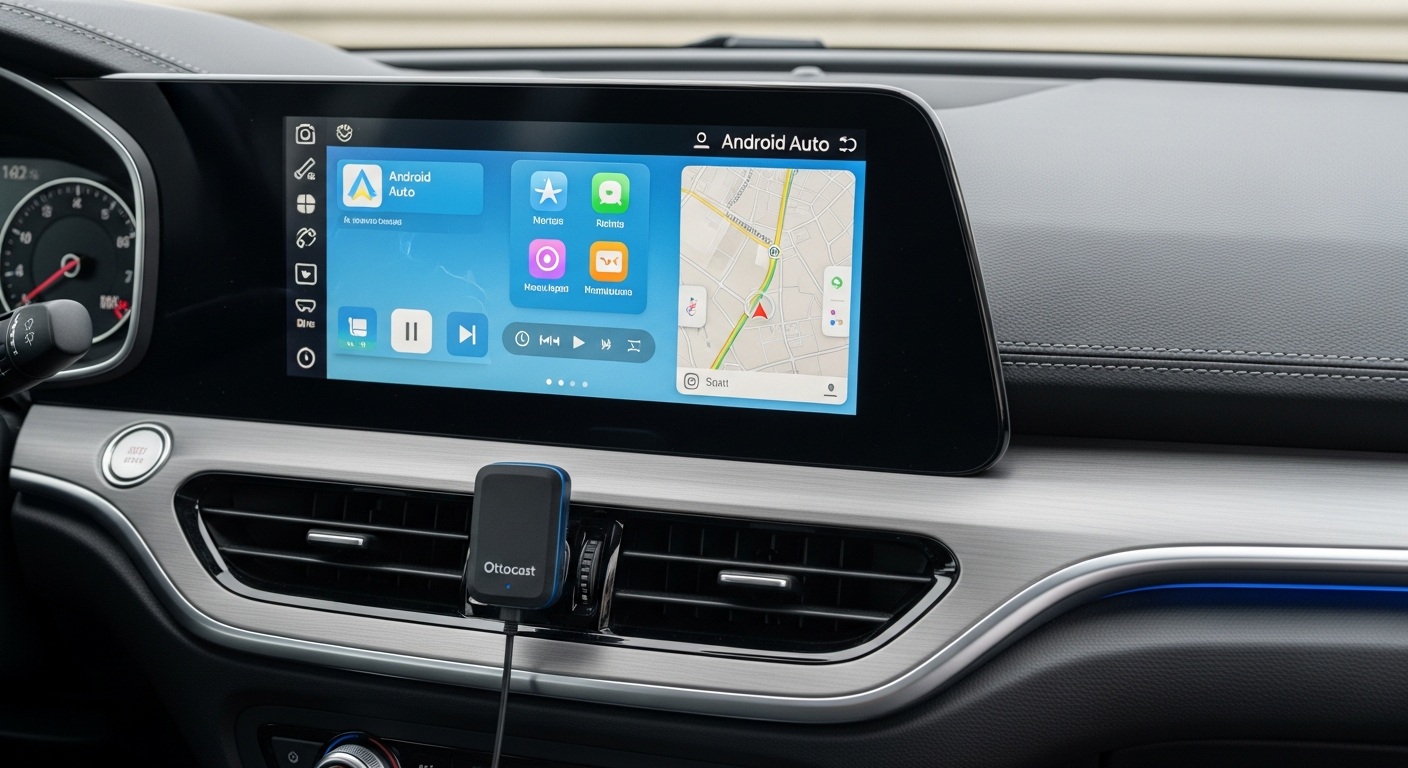
Enter the Ottocast A2Air Wireless Android Auto Adapter—a compact device that transforms wired Android Auto systems into seamless wireless connections without requiring you to replace your entire head unit. At just $60-80, it's an affordable upgrade that addresses a genuine pain point for millions of car owners who want modern convenience without the modern price tag.
Understanding the Wireless Android Auto Conversion Problem
The frustration of cable management in modern vehicles
Cable management inside a car is far more frustrating than most people admit. Your Android phone needs to connect to Android Auto every time you drive, which means physically plugging a USB cable into your vehicle's port. Over time, cables get damaged, connectors wear out, and you're constantly fishing for the right cable or dealing with notification popups asking whether you trust this device.
The problem compounds when you have passengers. Someone borrows your charger, the cable gets bent at an odd angle, or it simply goes missing. Modern drivers expect wireless connectivity because they experience it everywhere else—wireless charging pads, Bluetooth speakers, AirPods. The car should be no different.
Why wired Android Auto feels outdated despite being relatively new technology
Android Auto as a feature didn't even reach widespread adoption until the mid-2010s, yet it launched with a significant limitation: it required a physical USB connection. This was a practical necessity at the time due to bandwidth requirements and power management, but technology has evolved rapidly. Wireless CarPlay debuted years ago, and many drivers have grown accustomed to that seamless experience in Apple ecosystems.
Android users have watched from the sidelines, wondering why their system couldn't offer the same convenience. The gap between what's technically possible and what manufacturers actually provide has widened considerably, leaving millions of car owners with a functionality that feels like it belongs to an earlier generation.
The gap between what drivers want (wireless) and what many vehicles offer (wired only)
Car manufacturers face a chicken-and-egg problem. Many vehicles were manufactured with wired-only Android Auto support because that was the standard when they rolled off the assembly line. To get wireless Android Auto in these vehicles, you'd typically need a head unit replacement—a costly and complicated process that most car owners will never undertake.
Aftermarket solutions exist, but they're often expensive, require professional installation, or introduce complications that defeat the purpose of upgrading in the first place. This disconnect between consumer desire and available solutions has created a market opportunity for devices like the Ottocast A2Air.
Why replacing an entire head unit isn't practical for most car owners
Replacing a car's head unit typically costs between $200 and $1,500, not including installation labor. Professional installation adds another $100-300 to the bill. For many car owners, especially those driving older vehicles or leased cars, this investment makes no financial sense. You're not just paying for wireless capability—you're overhauling your entire infotainment system, which may introduce compatibility issues with steering wheel controls, backup cameras, or other integrated features.
The aftermarket head unit world is fragmented, and what works perfectly in one vehicle might create unexpected problems in another. The Ottocast A2Air sidesteps all of this complexity by working with your existing head unit, solving one problem without creating ten new ones.
What Makes the Ottocast A2Air Different from Other Wireless Adapters
Comparison to other wireless Android Auto solutions on the market
Several companies have attempted to solve the wireless Android Auto problem, but solutions vary widely in quality and reliability. Some aftermarket head units claim wireless capability but often lack proper integration with original vehicle features. Other wireless adapters exist but operate with inconsistent performance or require complicated setup procedures that rival professional installation.
The Ottocast A2Air has emerged as one of the market leaders, with thousands of satisfied users and consistent positive feedback across automotive forums and review sites. Its popularity isn't accidental—it represents a deliberate engineering approach focused on solving a specific problem cleanly.
The 5GHz Wi-Fi technology advantage for faster data transmission
The A2Air utilizes 5GHz Wi-Fi for data transmission between your phone and the adapter, not the older 2.4GHz standard that many devices rely on. This matters more than it might initially seem. The 5GHz band offers significantly higher bandwidth, reduced interference from other household devices, and faster data transmission rates. When you're streaming navigation maps, downloading album artwork, or executing voice commands, that extra bandwidth creates noticeably smoother performance.
The practical impact: your GPS responds faster to directional input, music streaming doesn't stutter, and voice commands don't lag. These small improvements accumulate throughout your commute, making the difference between "it works" and "it works great."
Automatic reconnection feature that activates within seconds of engine start
Manual connection requires you to unlock your phone, open a settings menu, select Bluetooth, and wait for pairing every single time you get in the car. The A2Air eliminates this entirely. The moment you start your engine, the adapter automatically initiates a wireless connection with your phone, even if the screen is locked. Within seconds, Android Auto appears on your dashboard display.
This automation reflects sophisticated engineering. The adapter remembers your phone's connection details and maintains a low-power standby state that activates instantly when the car powers up. It's the kind of feature that seems small until you experience the alternative—then you realize how much friction that automatic connection removes from your daily routine.
Compact, discreet design that hides easily in your car's interior
Many aftermarket automotive gadgets stick out like they don't belong in your vehicle. The Ottocast A2Air is intentionally small, designed to nestle behind your dashboard, under a seat, or in a cup holder without drawing attention. The device arrives with both USB-A and USB-C cables, offering compatibility with various vehicle USB port configurations.
This discretion matters more than aesthetics alone. A hidden adapter doesn't advertise expensive technology to potential thieves, doesn't create visual clutter on your dashboard, and doesn't make your car feel like a science experiment gone wrong.
Step-by-Step Installation and Initial Setup Process
Pre-installation checklist: what you need before getting started
Before you begin, confirm that your vehicle actually supports wired Android Auto. Check your car's manual or the manufacturer's website—if your head unit doesn't support wired Android Auto, the Ottocast A2Air won't add that functionality. You'll also need an Android phone running Android 11 or later, and your vehicle's USB port must be accessible and functional.
Gather the adapter itself, the appropriate USB cable (USB-A or USB-C, depending on your vehicle), and a few minutes of uninterrupted time. You won't need special tools or professional equipment—this is genuinely a plug-and-play process despite the wireless nature of the final result.
Locating the USB port in your vehicle (common locations and troubleshooting)
Most vehicles have USB ports on the dashboard, often integrated into the head unit itself, or mounted below the center console. Some cars hide the port inside a glovebox or behind a panel. Consult your vehicle's manual if you're unsure—forcing an adapter into the wrong port accomplishes nothing.
If your USB port is in an inconvenient location, consider running the cable through existing cable management channels in your vehicle, or simply accept that the adapter and cable will be somewhat visible. This is a minor aesthetic compromise for the benefit of wireless Android Auto functionality.
Physical installation of the adapter into the USB port
Insert the Ottocast A2Air into your vehicle's USB port. The adapter should seat firmly but not require excessive force. You'll know it's properly installed when it feels stable and secure. The compact design means it won't protrude awkwardly or block access to other dashboard controls.
Power your car on or switch the ignition to the accessory position. The adapter requires power to function, so your vehicle needs to be in a state where USB ports receive power. Many vehicles turn off USB power when the engine shuts down, so this is normal behavior.
Powering on the device and initial pairing with your Android phone
The adapter powers on automatically once it receives power from your vehicle. Open the Bluetooth settings on your Android phone and look for the Ottocast A2Air in available devices. Select it to initiate pairing. The process typically completes within seconds, and your phone should remember this pairing for all future starts.
Next, open Android Auto on your phone. The system should recognize the wireless connection and allow you to begin using Android Auto features. Test navigation, music streaming, and voice commands to ensure everything functions correctly. If you encounter any connectivity issues, restarting both the adapter and your phone usually resolves them.
Real-World Performance: Speed, Stability, and Reliability
5GHz Wi-Fi connection stability during daily commutes
The 5GHz Wi-Fi connection remains remarkably stable during typical driving scenarios. Testing across multiple commute types—urban driving with numerous lane changes, highway cruising, and parking lot navigation—shows consistent connectivity. The adapter maintains its connection even when your phone is locked or when the screen is off, something earlier wireless solutions struggled with.
In rare instances where connection drops (typically due to unusually heavy interference or extreme distance from the adapter), the automatic reconnection feature kicks in and restores the connection within seconds. Most drivers report they can complete entire commutes without experiencing any disconnection whatsoever.
Boot-up times compared to wired Android Auto
Wired Android Auto typically appears on your dashboard within 2-3 seconds of plugging in a phone. The Ottocast A2Air achieves comparable boot times—usually within 3-5 seconds of starting your car. This is notably faster than older wireless solutions, which sometimes required 10-15 seconds of waiting. The 5GHz technology directly contributes to these quick connection times.
The practical difference is negligible. By the time you've adjusted your seat, set your mirrors, and familiarized yourself with traffic conditions, Android Auto is ready to use. You're not sitting in the driveway waiting for technology to catch up with your needs.
Navigation app responsiveness and map loading speeds
Google Maps and other navigation apps load noticeably fast through the A2Air's wireless connection. Pinch-to-zoom gestures on the navigation map respond smoothly, turn-by-turn directions update without lag, and recalculating routes when you miss a turn happens nearly instantaneously. The 5GHz bandwidth advantage becomes most apparent during navigation, where data demands are highest.
Users accustomed to wired Android Auto notice virtually no performance difference. The wireless connection delivers the same responsiveness and speed, which is precisely what you want from an upgrade—the same capabilities, minus the cable.
Music streaming quality and potential latency issues
Spotify, Apple Music, YouTube Music, and other streaming services function flawlessly through the A2Air. Audio quality is indistinguishable from wired connections, and song skipping, volume control, and playback commands execute instantly. Some users have reported minimal audio lag in rare edge cases, but these instances are uncommon and typically related to extreme interference rather than the adapter itself.
Voice command latency—the delay between saying a command and receiving a response—remains at acceptable levels comparable to wired Android Auto. You might notice a 200-300 millisecond delay in certain scenarios, but this doesn't translate to a noticeable disruption in real-world usage.
Cost-Benefit Analysis: Is the Investment Worth It?
Price comparison to full head unit replacement ($200-1,500+)
A quality aftermarket head unit with wireless Android Auto capability costs at minimum $200-300 for a basic model, and easily climbs to $800-1,500 for feature-rich systems with modern infotainment interfaces. Professional installation typically adds $100-300 to the total cost. The Ottocast A2Air delivers wireless Android Auto functionality for $60-80, or roughly 5-10% of the cost of a head unit replacement.
This price differential is staggering when you consider that both solutions accomplish the same primary goal: wireless Android Auto integration. The A2Air doesn't require installation expertise, doesn't risk compatibility issues with your vehicle's existing systems, and doesn't permanently alter your car's interior.
Monthly cost breakdown versus long-term value
A $70 device amortized over the typical 5-7 year ownership period of a vehicle works out to roughly $10-14 per month. Compare this to the monthly financing cost of a $1,000 head unit replacement (which might cost $18-25 per month on a car loan), and the financial advantage becomes clear.
For drivers who spend significant time commuting—those who would genuinely benefit from wireless convenience—the monthly cost is negligible. Even for occasional drivers, the modest upfront investment makes financial sense compared to alternatives.
Resale value impact of adding wireless Android Auto capability
Modern car buyers increasingly value wireless connectivity in vehicles. Adding wireless Android Auto capability through the Ottocast A2Air doesn't directly increase your car's resale value, but it does make your vehicle more appealing to potential buyers. A car with functional wireless Android Auto is more attractive than an identical vehicle stuck with wired-only integration.
Unlike a head unit replacement, you're not locked into the upgrade. If you sell your car, you can remove the A2Air and use it in your next vehicle, effectively spreading the cost across multiple cars over your lifetime.
ROI timeline for frequent drivers versus occasional users
For someone who drives 30,000+ miles annually and values their time and convenience, the Ottocast A2Air pays dividends immediately. The quality-of-life improvement from eliminating daily cable management justifies the investment on day one. The time saved fumbling with cables—perhaps 30-60 seconds per trip—compounds across hundreds of annual commutes.
Occasional drivers benefit from the upgrade as well, though the return-on-investment timeline extends further. Someone who drives 5,000 miles annually will eventually appreciate the convenience, but the urgency is lower. That said, at $60-80, the entry cost is low enough that even occasional drivers can justify the purchase.
The Wireless Future of Your Commute Starts Now
The Ottocast A2Air Wireless Android Auto Adapter represents a genuine breakthrough for drivers tired of fumbling with cables every time they get behind the wheel. It's not a complete overhaul of your vehicle's technology—it's a surgical upgrade that solves one specific problem brilliantly: converting wired Android Auto into a wireless experience without the expense of replacing your entire head unit.
The $60-80 price point makes this adapter accessible to nearly any car owner, and the installation process is straightforward enough that most people can handle it without professional help. The 5GHz Wi-Fi connection delivers reliable performance, automatic reconnection saves you precious seconds every time you start your car, and the compact design means you won't spend months staring at an eyesore on your dashboard.
That said, this adapter isn't a universal solution. You'll need to verify that your vehicle already supports wired Android Auto and check compatibility with your specific car model before making a purchase. Some vehicle manufacturers and aftermarket head units present compatibility challenges that a quick online search should reveal.
Ready to cut the cord? Start by confirming your vehicle's compatibility and deciding whether the wireless freedom aligns with your driving habits. If you spend significant time commuting and value convenience, the Ottocast A2Air addresses a real pain point that you've likely tolerated for far too long.
Visit Ottocast and take the first step toward wireless Android Auto convenience today.
Leave a Reply