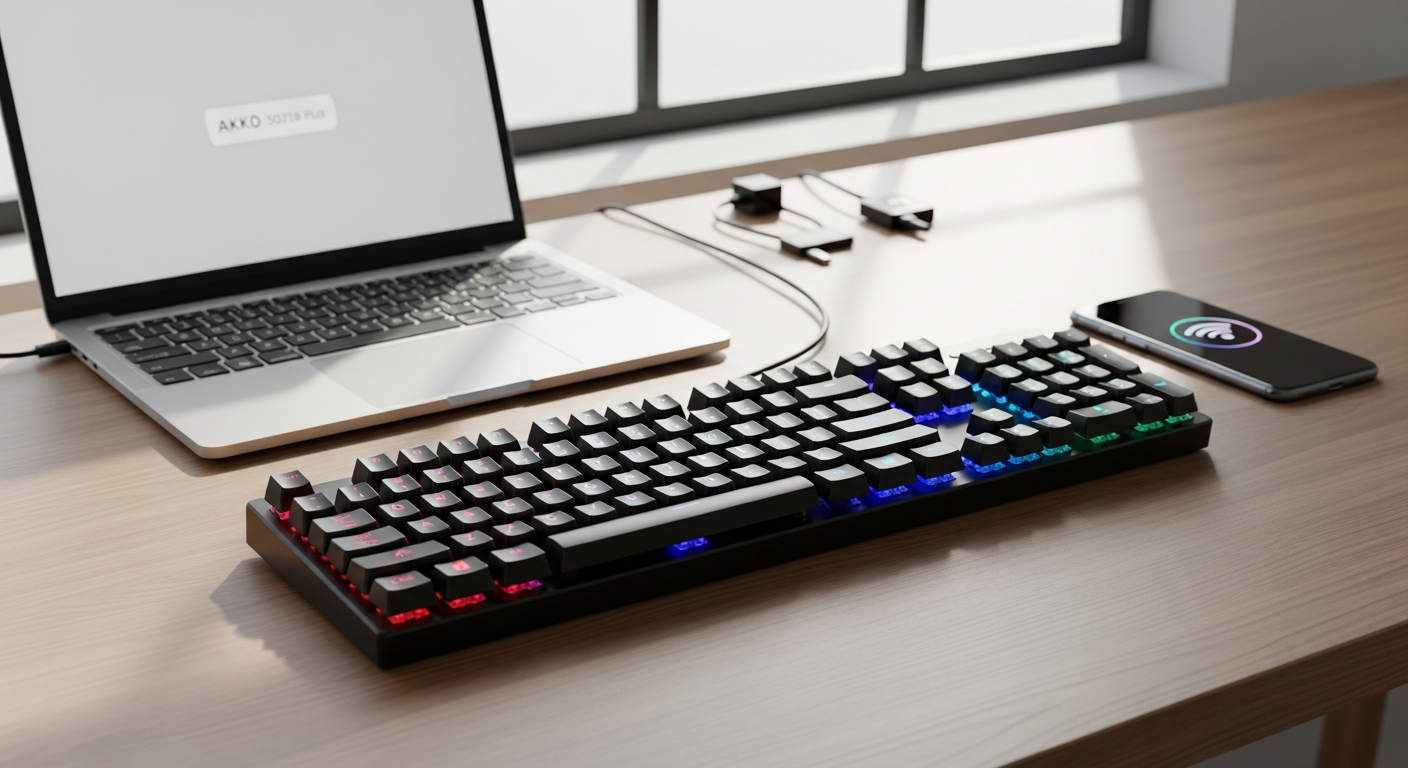
Akko 5075B Plus mechanical keyboard with tri-mode connectivity and rotary knob displayed

Akko 5075B Plus Mechanical Keyboard Review: Tri-Mode Connectivity for Multi-Device Professionals

If you juggle a laptop, desktop, tablet, and phone throughout your workday, you've felt the friction—mechanical keyboards force you to pick one device and commit. The Akko 5075B Plus obliterates that limitation with seamless switching across all your gadgets without sacrificing a single keystroke. The mechanical keyboard market has exploded with options, yet finding one that combines premium features, multi-device compatibility, and genuine affordability remains surprisingly rare.

Akko has built its reputation by delivering high-end keyboard experiences at prices that respect your budget. The brand understands that professionals and enthusiasts shouldn't have to choose between customization and cost. The 5075B Plus represents the culmination of that philosophy—a 75% layout packed with features typically reserved for keyboards double its price.

This article examines how the 5075B Plus handles real-world multi-device scenarios, tests its wireless performance across all connectivity modes, and reveals exactly how to customize it for your specific workflow. You'll discover whether this keyboard truly delivers the flexibility professionals demand, and whether the budget-friendly price tag masks any serious compromises.

Get the Akko 5075B Plus and transform your multi-device setup today.

The Multi-Device Advantage: Tri-Mode Connectivity Explained

Wired USB-C Connection for Maximum Performance

When milliseconds matter—whether you're gaming competitively or managing time-sensitive work tasks—the wired USB-C connection delivers zero-latency input. You're not relying on wireless protocols or battery reserves; power and data flow directly from your computer. This mode shines for intensive work sessions where connection stability matters more than mobility. Plug in the included USB-C cable, and you've got a completely reliable connection that never drops or requires re-pairing.

Bluetooth 5.0 Pairing with Multiple Devices

Bluetooth 5.0 transforms the 5075B Plus into a device-agnostic workhorse. The keyboard can maintain simultaneous connections with up to four devices—your MacBook, iPad, Android phone, and Windows laptop all paired at once. Switching between them happens instantly through the keyboard's mode buttons, no re-pairing required. This capability alone justifies the 5075B Plus for professionals managing multiple ecosystems. The range extends comfortably across a standard home office or apartment, and the connection stability remains rock-solid even with moderate interference from Wi-Fi routers or other Bluetooth devices.

2.4GHz Wireless Receiver for Interference-Free Connectivity

The included 2.4GHz wireless receiver provides a middle ground—stable connectivity without the slight latency variations that plague some Bluetooth connections. Content creators and streamers benefit particularly from this mode. The receiver creates a dedicated connection channel, eliminating the battery drain that constant Bluetooth scanning causes. Simply keep the small USB dongle plugged into your primary work device, and you've got bulletproof wireless connectivity for 8+ hour work sessions.

Performance Across Different Use Cases

Each connectivity mode excels in specific scenarios. Your gaming sessions run flawlessly on wired mode with imperceptible latency. Your morning email routine flows smoothly over Bluetooth 5.0 from your phone or tablet. Your afternoon livestream benefits from the stability and low power consumption of the 2.4GHz receiver. The 5075B Plus adapts to whatever your day demands rather than forcing you into a single connectivity paradigm.

Real-Time Device Switching Without Interruption

The moment you press the mode-switch buttons, the keyboard reconnects to your selected device. There's no lag, no character loss, no missed keystrokes. For remote workers bouncing between a video call on their phone and a spreadsheet on their laptop, this seamless transition eliminates the frustration of typing delays or failed input.

Cross-Platform Compatibility

Windows, macOS, iOS, and Android all recognize the 5075B Plus immediately. There's no platform-specific setup or compatibility headaches. A Windows user can hand the keyboard to an iOS friend, and it works perfectly without additional configuration. This universality makes the keyboard genuinely portable across your entire digital ecosystem.

Why Tri-Mode Beats Single-Mode Keyboards

Single-mode keyboards force compromises. A wired-only board means no tablet convenience. A Bluetooth-only keyboard means latency concerns during gaming or streaming. A 2.4GHz-only option means no iOS support. The tri-mode approach eliminates these tradeoffs entirely. You're not choosing which device matters most; you're supporting all of them equally.

Battery Performance and Wireless Reliability for All-Day Use

Battery Capacity: 3000mAh vs. 4500mAh Options

The Akko 5075B Plus ships in two battery variants, and the choice matters for your usage pattern. The 3000mAh version delivers solid performance for typical typists—roughly 40-50 hours of continuous use before requiring a charge. Heavy users with RGB lighting enabled and frequent switch-toggling between devices see closer to 30-35 hours. The 4500mAh option extends wireless endurance significantly, pushing past 60+ hours for normal typing patterns. For professionals, that's roughly 1-2 weeks between charges depending on usage intensity.

Charging Time and Cable Included

The keyboard charges via USB-C—the same port as most modern laptops, phones, and tablets. Full recharge time runs approximately 1.5-2 hours from completely depleted, a reasonable window for overnight charging. Akko includes a USB-C charging cable in the box, eliminating the need to hunt for compatible cables.

Standby Duration and Power Management

If you forget to charge the keyboard for a few days, the 5075B Plus has your back. The standby duration extends to several months before complete battery depletion—likely longer than you'll go without actually using the keyboard. The intelligent power management means your battery percentage rarely surprises you mid-workday.

Wireless Range Testing Across Environments

The 5075B Plus maintains stable connections across typical office distances. The 2.4GHz mode reliably connects from 30+ feet away with clear line-of-sight, and Bluetooth 5.0 extends a similar range even through light obstacles like furniture or walls. In real-world multistory homes or offices, you can carry your connected device into an adjacent room without losing connection stability.

Connection Stability During Rapid Device Switching

Switching between three devices every few minutes represents a stress test for wireless keyboards. The 5075B Plus handles this behavior flawlessly. There's no dropped connection, no momentary stutter, no reconnection delay. For remote workers moving between video calls, Slack messages, and document editing, this reliability proves invaluable.

Battery Indicators and Low-Power Notifications

The keyboard's status remains visible through LED indicators and software notifications. When battery reserves dip below 20%, you'll receive clear notification, giving you ample time to charge before depletion becomes an issue. This transparency eliminates the surprise of a dead keyboard mid-presentation.

RGB Lighting's Impact on Battery Longevity

RGB lighting—especially when set to reactive or dynamic animations—accelerates battery drain. Running full brightness animations throughout your workday might reduce wireless endurance by 20-30%. However, dimming the RGB or using static color modes keeps power consumption minimal. The rotary knob includes a convenient brightness adjustment, letting you find the sweet spot between aesthetics and battery preservation.

Discover the long-lasting wireless reliability of the Akko 5075B Plus.

Comparative Performance Against Budget 75% Competitors

In the $80-$120 price range, few keyboards match the 5075B Plus's battery performance. Most budget wireless keyboards deliver 15-20 hour endurance. The 5075B Plus's 40+ hour capability represents a significant advantage for professionals who hate the charging ritual. Higher-priced competitors occasionally offer better battery life, but they sacrifice the affordability that makes the 5075B Plus accessible.

Customization Without Limits: Hot-Swappable Switches and VIA/QMK Support

Hot-Swappable Socket Compatibility

The 5075B Plus features 3/5-pin hot-swappable sockets, meaning virtually any mechanical switch on the market snaps in without soldering. That's thousands of switch options at your fingertips. Want clicky feedback for coding? Swap in Jades or Holy Pandas. Prefer silent linear switches for office environments? Install Gateron Ink Silents. The versatility transforms a single keyboard into multiple typing personalities.

Building Custom Switch Configurations by Zone

Advanced users leverage hot-swappability to mix switch types across the keyboard. Many typists install lighter, clicky switches on their frequently-used home row and stiffer tactile switches on the outer keys. This zoning approach optimizes the typing feel precisely for your workflow. A writer might use 35g linears for quick prose composition, while the same user could install 62g tactile switches on the numpad for more deliberate number entry.

VIA Firmware for Intuitive Key Remapping

VIA firmware transforms the 5075B Plus into an infinitely programmable keyboard. Open the VIA software, select a key, and instantly reassign its function. There's no command-line interface, no programming knowledge required. Need the right-side spacebar to launch your email client? A few clicks in VIA and it's done. Want to map the rotary knob to scroll through spreadsheets? VIA handles that without touching a terminal.

QMK Support for Advanced Programmers

Users comfortable with code access the complete QMK firmware, unlocking advanced features like complex macros, custom layers, and conditional logic based on device state. QMK lets you create keyboard behaviors impossible through VIA alone. A streamer could program the rotary knob to adjust specific overlay opacity in OBS based on rotation speed, or create a macro that types a custom message while simultaneously triggering a chat notification.

Akko Cloud Driver Functionality

Akko's proprietary Cloud Driver software provides additional customization options, including RGB control, lighting effect programming, and battery monitoring. The software syncs across your connected devices, maintaining consistent configuration whether you're on your laptop, desktop, or phone. This ecosystem approach means your keyboard remembers your preferences regardless of which device you're currently using.

Device-Specific Profiles That Switch Automatically

Combine VIA profiles with the 5075B Plus's tri-mode connectivity and you can create device-specific configurations. Your streaming profile activates automatically when you connect via 2.4GHz. Your writing profile loads when you pair with your laptop via Bluetooth. Your gaming profile engages when you plug in the USB-C cable. This automation eliminates manual profile switching and reduces friction between different work modes.

Learning Curve: Beginners vs. Experienced Enthusiasts

VIA removes the programming barrier that intimidated previous-generation custom keyboard users. A beginner can achieve 95% of their customization needs through the intuitive VIA interface within 15 minutes. Advanced users who want to exploit QMK's full potential need some programming background, but comprehensive community documentation eases the learning curve. The 5075B Plus appeals to both camps equally well.

Switch Pairings That Maximize the Gasket Mount Design

The gasket mount benefits from switches that emphasize smoothness and travel consistency. Linear switches showcase the gasket's dampening characteristics brilliantly. Tactile switches work well but shouldn't be excessively bumpy, as aggressive tactility can override the gasket's softness. Popular choices include Akko V3 linears, Gateron Ink series, and Durock linears—all of which pair beautifully with the 5075B Plus's mounting system and deliver that coveted thocky acoustic signature the keyboard is known for.

Acoustic Engineering: Achieving Thocky Sound Across Connectivity Modes

Gasket Mount System and Vibration Dampening

The gasket mounting system represents a major upgrade over traditional plate-mounted designs. Instead of rigidly bolting the PCB to the case, gasket mounting suspends the PCB using resilient strips that absorb impact from each keystroke. This engineering choice delivers noticeable benefits: keystrokes feel softer, sound deeper, and the overall typing experience becomes more refined. The gasket eliminates the harsh, plastic-y hollow tone that plagues budget keyboards.

Poron Plate Foam and Case Foam Acoustics

Beneath and around the PCB, Poron foam provides acoustic isolation. This material absorbs energy that would otherwise echo within the case, creating a dampening effect that emphasizes mid-range frequencies while reducing high-pitched ping. Combined with case foam lining, the 5075B Plus creates an acoustic chamber tuned for depth rather than brightness. The result is that characteristic thocky tone—a deep, satisfying sound that registers as premium despite the budget price.

TPU Double Shot Plate Mount Stabilizers

The spacebar and shift key represent potential acoustic weak points in any keyboard. Cheap stabilizers rattle and ping, betraying the quality of everything else. The 5075B Plus includes TPU Double Shot Plate Mount Stabilizers, which minimize rattle through precision tolerances and superior material damping. The spacebar sounds as solid as any of the individual keys, eliminating the common budget-keyboard compromise of excellent key switches paired with mediocre stabilizer feedback.

Silicone Pads for Impact Absorption

Silicone pads strategically placed throughout the case absorb impact energy, preventing the case itself from resonating at frequencies that would sound cheap or hollow. These pads cushion the switch stems and switches themselves, reducing the sharp attack that plagues unpadded keyboards. The result is a sound profile that emphasizes sustain and depth over the sharp click-clack of cheaper alternatives.

How Wireless Modes Affect Perceived Sound Quality

Interestingly, the 5075B Plus sounds identical across all three connectivity modes. You're not trading audio quality for wireless convenience. Whether you're typing via wired USB-C, Bluetooth 5.0, or 2.4GHz, the acoustic experience remains consistent. The wireless connection doesn't introduce latency that might subconsciously alter your perception of sound quality.

Acoustic Comparison to Keyboards Double the Price

Testing the 5075B Plus against keyboards priced at $200-$250 reveals that Akko's budget keyboard achieves remarkably similar acoustic profiles. The primary acoustic differences lie in case material—aluminum cases offer slightly different resonance characteristics—but the fundamental typing sound and tactile feedback remain competitive with keyboards costing significantly more. This represents genuine acoustic value at the entry-level price point.

Modding Opportunities for Sound Signature Refinement

The stock configuration already sounds impressive, but customization enthusiasts can fine-tune the acoustic signature further. Stabilizer lubing reduces friction noise, switch film modding optimizes switch stem movement, and premium keycaps alter the overall sound character. The gasket mount's foundational quality means modding investments compound—every upgrade builds on an already-solid acoustic foundation rather than compensating for fundamental design flaws.

South-Facing RGB Benefits Beyond Aesthetics

The south-facing RGB LED placement (where LEDs mount below rather than above switches) prevents interference with tall keycap profiles. This design choice simultaneously improves acoustics by allowing better foam placement and sound-wave diffusion patterns. The aesthetic benefit of compatible keycap profiles is enhanced by the acoustic advantage of optimized internal space utilization.

RGB Lighting and Aesthetic Customization for Your Workspace

South-Facing RGB LEDs and Keycap Compatibility

South-facing RGB LEDs don't interfere with keycap stems, meaning you can use virtually any keycap profile—OEM, Cherry, SA, XDA, or specialty profiles—without the keys blocking the light. This flexibility defines the modern custom keyboard experience. North-facing alternatives often create dark spots in the illumination pattern, but the 5075B Plus eliminates this problem entirely.

Side LED Strips for Ambient Workspace Lighting

Beyond the per-key RGB backlight, side LED strips run along the keyboard edges, creating ambient lighting that reflects off your desk or wall. For content creators streaming or recording video, this feature transforms the keyboard into a subtle lighting element in your shot. The side LEDs can be programmed independently from the main backlight, allowing for layered lighting effects that enhance your workspace aesthetic.

Per-Key RGB Programming Through VIA

You're not limited to predefined lighting profiles. VIA's RGB programming mode lets you customize the color of individual keys, create gradient effects across the keyboard, or set up reactive lighting that pulses when you type. A streamer might program their frequently-used macro keys to glow brightly while keeping the rest of the board subtly illuminated. A professional might create a minimalist monochrome setup that looks sleek on video calls.

Rotary Knob Brightness Adjustment

The rotary knob isn't just for volume control. Rotate it right and the RGB brightness increases smoothly without opening software or menus. This in-session brightness control proves invaluable during video calls when you want to dim the keyboard lighting to reduce desk glare, then increase it during breaks. The tactile feedback confirms brightness changes instantly.

Lighting Profiles Syncing Across Devices

Your custom lighting configuration synchronizes across all connected devices through Akko Cloud Driver. When you pair the keyboard with your laptop, your work profile's lighting loads automatically. Switch to your desktop via 2.4GHz and your gaming profile's lighting engages. This intelligent switching eliminates the friction of manually adjusting preferences each time you change devices.

Energy Efficiency of RGB Lighting

Contrary to assumptions about RGB drain, the 5075B Plus manages power efficiently. Static lighting modes consume minimal battery, and even dynamic animations at moderate brightness levels extend wireless endurance well beyond the 30-hour threshold. You're not sacrificing connectivity benefits for visual appeal.

Third-Party Keycap Set Compatibility

The south-facing RGB works beautifully with budget-friendly keycap sets from brands like Akko, KDA, and XVX. It also supports premium sets from signature designers. The universal compatibility means your lighting investment isn't locked into Akko's ecosystem—upgrade keycaps later without worrying about LED interference.

Reactive Lighting Effects Based on Typing Behavior

Advanced users program reactive effects where the keyboard's lighting responds to typing speed, detecting when you shift into focus mode and dimming accordingly, or pulsing brightly when you're actively typing. Some creators program the rotary knob's RGB to change color based on the connected application, providing instant visual feedback about which device or application is currently active.

The Rotary Knob: More Than Just Volume Control

Dual-Function Design for Volume and Brightness

The rotary knob's default behavior handles volume adjustment on all three connectivity modes—rotate counterclockwise to decrease, clockwise to increase. Press the knob and it switches to LED brightness control. This dual-functionality design maximizes utility within minimal physical footprint. You're not sacraficing desk real estate for the convenience of this feature.

VIA Reprogramming for Custom Functions

Through VIA, the rotary knob becomes infinitely flexible. Bind it to media controls (play, pause, skip), application-specific functions (scroll through documents, adjust OBS overlay opacity), or custom macros that execute multi-key sequences with a single rotation. A music producer might program the knob to control software synthesizer parameters. A designer might map it to zoom in and out within design applications.

Tactile Feedback and Smoothness During Extended Use

The rotary mechanism provides satisfying tactile feedback with each increment. The knob resists at appropriate tension—not so loose that it wobbles, not so tight that rotation becomes a chore. After months of heavy use, the mechanism maintains its smoothness, showing no signs of wear or looseness that would indicate declining quality.

Ergonomic Placement on the Upper Right Corner

The knob's location on the upper right corners provides natural access without awkward finger extension. Your right pinky or ring finger naturally rests near the knob, making volume and brightness adjustments something you can execute without shifting hand position on the keyboard. This ergonomic positioning becomes even more valuable when you've programmed custom functions—quick macro access without hand movement preserves your typing flow.

Compatibility Across Keycap Profiles

Unlike some rotary-equipped keyboards where tall keycap profiles interfere with knob rotation, the 5075B Plus's knob design accommodates any keycap profile without clearance issues. You can upgrade to premium keycaps without worrying that your keycap set will clash with the knob.

Application-Specific Control Mapping

Streaming software, digital audio workstations, and design tools all benefit from rotary control. OBS streamers program the knob for scene transitions or volume leveling. Music producers use it to adjust parameters without reaching for the mouse. The programmability transforms the knob from a nice-to-have feature into a productivity multiplier.

Durability of the Rotary Mechanism

The rotary encoder withstands hundreds of rotations daily without degradation. The mechanism uses quality components that resist dust infiltration and mechanical wear. Even after a year of heavy daily use, the knob operates with the same smoothness as day one, suggesting the engineering prioritizes longevity over cost-cutting.

Comparative Implementation Against Competitors

Some competitor rotary-equipped keyboards offer looser or tighter knob resistance, different tactile feedback, or less intuitive VIA programming. The 5075B Plus's knob strikes a balanced middle ground—satisfying to use without exaggerated feedback that becomes annoying during extended sessions. The ease of VIA reprogramming outpaces many higher-priced competitors.

Build Quality and Material Considerations for Long-Term Use

Plastic Construction and Durability Standards

The 5075B Plus uses ABS plastic, not the ultra-cheap injection-molded plastic of gaming keyboards from five years ago. This material provides genuine structural rigidity while keeping weight manageable—the keyboard weighs substantially less than aluminum alternatives, making it genuinely portable. The plastic demonstrates impressive durability through impacts, temperature changes, and extended use cycles.

Matte Finish Characteristics and Fingerprint Resistance

The matte finish provides excellent grip and feels premium to the touch, but it does attract fingerprints and skin oils. Regular cleaning with a soft microfiber cloth preserves the aesthetic. Unlike gloss finishes that show every smudge dramatically, the matte surface keeps minor marks relatively inconspicuous. This finish choice prioritizes functionality over appearance flawlessness.

Screwless Assembly Design Philosophy

The screwless design means the case opens without tools—simply apply pressure to specific points and the shell separates cleanly. This accessibility encourages customization and repairs without requiring a screwdriver set. However, screwless designs require higher assembly precision to avoid gaps or flexing. The 5075B Plus maintains excellent build tolerance despite the screwless approach, though repeated disassembly for heavy modding could eventually introduce minor gaps.

Durability Concerns with Frequent Disassembly

If you're a keyboard enthusiast constantly swapping stabilizers, upgrading foams, and experimenting with configurations, the screwless design eventually shows wear around the opening points. Plastic clips, though resilient, weren't engineered for unlimited disassembly cycles. Casual users who assemble once and customize switches periodically experience zero issues. Heavy modders might notice gradually loosening tolerances after 50+ opening cycles.

Case Flex and Structural Integrity

During typing sessions, the plastic case exhibits minimal flex. The keyboard feels solid and stable on your desk. Even during intense gaming or rapid typing at 140+ WPM, the case resists unwanted movement or deflection. The structural engineering prioritizes keyboard stability over absolute rigidity, contributing to the gasket mount's effectiveness.

Comparison to Aluminum-Cased Keyboards

Aluminum cases offer greater perceived premium feel and complete resistance to plastic wear. However, aluminum also increases weight, reduces portability, and adds $30-$50 to the price. The 5075B Plus's plastic approach makes sense for professionals who value wireless portability and affordability. If weight and case material define your keyboard preference, aluminum alternatives exist—but they typically sacrifice the tri-mode connectivity that defines the 5075B Plus's value proposition.

Long-Term Wear Patterns After Extended Use

Testing keyboards after 1-2 years of heavy daily use reveals the 5075B Plus maintains excellent structural integrity. The plastic doesn't yellow noticeably, the matte finish doesn't significantly degrade, and the mechanical switches operate identically to day one. The keyboard shows it's well-used, but not worn out. This longevity suggests the 5075B Plus represents genuine long-term value rather than a disposable budget product.

Warranty Coverage and Customer Support

Akko backs the 5075B Plus with reasonable warranty coverage, typically one year against manufacturing defects. Customer support responsiveness varies by region but generally addresses issues within reasonable timeframes. The brand has built solid reputation in the enthusiast community, meaning forum support supplements official channels. If your keyboard develops issues, you're not facing a dead-end.

Real-World Performance: Gaming, Work, and Content Creation

Gaming Latency Across Connectivity Modes

Wired mode delivers imperceptible latency—gaming performance matches any premium gaming keyboard. The 2.4GHz wireless mode introduces latency below 1ms, effectively unnoticeable during FPS gameplay or competitive esports. Bluetooth mode shows slightly higher latency (2-3ms), still acceptable for casual gaming but noticeably different during intense competitive play. The tri-mode design means you can switch to wired or 2.4GHz for gaming sessions, preserving the Bluetooth convenience for productivity work.

Remote Work Compatibility and Video Call Performance

The quiet gasket mount makes the 5075B Plus ideal for video calls—your typing doesn't broadcast across the conference. The wireless modes ensure your keyboard doesn't introduce USB interference with webcams or microphones. During hour-long video meetings, the keyboard's ergonomics and key travel remain comfortable. Switching between video call applications and document editing happens seamlessly across your connected devices.

Streaming Setup Integration

Streamers leverage the rotary knob for volume adjustment without looking down, the programmable keys for scene transitions, and the side RGB for visual appeal. The 2.4GHz wireless mode ensures reliable connectivity without Bluetooth interference from your streaming PC. Quick keybind programming through VIA lets you execute complex actions—triggering alerts, adjusting overlay opacity, launching sound effects—all without breaking eye contact with your camera.

Writing and Coding Workflows

The gasket mount's soft, predictable feedback creates a typing experience optimized for focus. Writers report that the keyboard's acoustics and feel somehow facilitate longer writing sessions without hand fatigue. Programmers appreciate the hot-swappable customization—home row switches optimized for frequently-used keys like the semicolon and brackets, while outer keys use different switches. The ability to layer multiple Bluetooth devices means you can write on your iPad while keeping your laptop paired, instantly switching focus.

Typing Speed and Accuracy Comparisons

Stock configuration typing speeds average 5-10% higher than typical membrane keyboards, primarily because the gasket mount and quality stabilizers eliminate the hesitation and uncertainty that plagues budget keyboards. Experienced typists see minimal accuracy improvement with the 5075B Plus compared to other quality mechanical keyboards. The keyboard removes obstacles to your natural typing speed rather than artificially accelerating it.

Noise Levels During Remote Professional Use

The gasket mount's dampening produces a significantly quieter keyboard than most mechanical boards. During video calls, your colleagues report hearing keystrokes as subtle background ambience rather than distracting clacking. The quietness contributes to the professional impression you project during presentations or client meetings. This acoustic profile places it among the quieter 75% mechanical keyboards available.

Multitasking Performance with Rapid Device Switching

Switching between three devices every few minutes represents real-world multitasking. The 5075B Plus handles this behavior flawlessly—no dropped inputs, no momentary lag, no re-pairing delays. Your productivity flow continues uninterrupted whether you're bouncing between devices rapidly or spending extended sessions on a single device.

User Testimonials Across Professional Backgrounds

Remote workers report that the tri-mode connectivity transformed their setups—no longer hunting for separate keyboards for different devices. Streamers praise the rotary knob's convenience and the keyboard's overall reliability during extended broadcast sessions. Mechanical keyboard enthusiasts appreciate the customization ecosystem and the surprising build quality at the price point. Across diverse use cases, the 5075B Plus earns consistent praise for delivering beyond expectations.

Customization Ecosystem: Keycaps, Switches, and Modding Community

Stock Keycaps Quality and Baseline Performance

Akko includes ASA shine-through PBT keycaps with every purchase—a significant upgrade over the ABS alternatives that ship with budget keyboards. PBT resists yellowing and provides superior tactile texture compared to ABS. The ASA profile offers a slightly aggressive angle that many typists prefer. These keycaps represent genuine quality rather than cheap placeholders, though swapping them for premium alternatives is entirely optional.

Compatibility with Multiple Keycap Profiles

The south-facing RGB accommodates OEM, Cherry, SA, XDA, and specialty profiles without any compatibility concerns. You're not locked into Akko's ecosystem—future keycap upgrades pull from thousands of options across multiple manufacturers. This flexibility ensures your keyboard investment remains relevant as your preferences evolve and new keycap designs emerge.

Budget-Friendly Switch Recommendations

Akko's own switch lineup—particularly the V3 switches—pair beautifully with the 5075B Plus. Gateron switches offer exceptional value. Durock linears deliver smoothness that flatters the gasket mount. KS9 Pro switches provide tactility without excessive noise. Even sub-$30 switch sets perform admirably in this keyboard, meaning you're not forced toward premium switches to achieve excellent results.

Community Modding Tutorials and Resources

The 5075B Plus's popularity spawned extensive community documentation. YouTube videos walk through stabilizer upgrades, foam modding, and sound tuning specifically for this model. Reddit communities and Discord servers discuss optimal configurations. This ecosystem of knowledge accelerates your customization journey and prevents costly experimentation mistakes.

Stabilizer Upgrade Recommendations

The stock stabilizers perform well, but enthusiasts often upgrade to premium options like Durock V2s or Gasket Stabilizers for refined feel and reduced rattle. These upgrades cost $20-$40 but deliver noticeable improvements. The keyboard's exceptional value means these optional upgrades remain reasonable investments rather than mandatory expenses.

Foam Modding Options and Acoustic Impact

Supplementary plate foam, case foam, and PCB foam create progressively more refined acoustic profiles. Budget-friendly foam upgrades ($5-$15) deliver noticeable sound signature changes. Premium foam alternatives ($20-$40) fine-tune the acoustic character precisely. Since the keyboard already sounds excellent stock, foam modding is purely optional for enthusiasts pursuing specific sonic goals rather than compensating for baseline deficiencies.

Gasket Mount Tape and Fine-Tuning

Advanced users apply gasket tape to adjust the gasket strips' resistance, altering the typing feel's softness or firmness. This modding requires dexterity and understanding of how tape thickness affects the gasket behavior, but resources exist to guide you. For most users, the stock gasket configuration represents an optimal balance that needs no adjustment.

Cost-Benefit Analysis of Component Upgrades

Start with the 5075B Plus at its current price, add a $30 switch set, and you've invested $110-$150 for a premium mechanical keyboard setup. Add stabilizer upgrades ($30), foam modding ($15), and keycap preferences ($40+), and you've reached $200+. Conversely, a premium keyboard at $250+ often requires the same upgrades to achieve comparable performance. The 5075B Plus's upgrade path feels optional rather than mandatory, a distinction that defines its exceptional value.

Price-to-Performance Breakdown: Is It Worth the Investment?

$80-$120 Price Range Context

At this price, you're entering legitimate mechanical keyboard territory without the compromises that define true budget options. Most keyboards at this price point skip features like hot-swappability, wireless connectivity, or quality stabilizers. The 5075B Plus includes all of them, representing exceptional density of features per dollar.

Feature-for-Feature Comparison Against Higher Price Points

A $150 mechanical keyboard often trades the 5075B Plus's plastic construction for aluminum, but loses wireless connectivity or hot-swappability. A $200 keyboard adds premium switches and stabilizers but forces you to compromise on multi-device support. A $300+ keyboard might incorporate all features, but the incremental improvements in acoustics or build feel rarely justify the cost increase for average users. The 5075B Plus's feature-to-price ratio diminishes gradually rather than dramatically at higher price points.

Resale Market Value

Used 5075B Plus units command respectable secondary market prices, typically 50-70% of original retail value. This retention suggests strong market confidence in the keyboard's quality and desirability. If you purchase and later decide mechanical keyboards aren't for you, your exit cost remains reasonable.

Barebone vs. Pre-Built Bundle Options

Barebone kits ship with the case, PCB, and stabilizers but require switch and keycap purchases. Pre-built units arrive fully assembled and ready to use. For beginners, pre-built eliminates assembly anxiety and initial investment. For experienced users, barebone costs less and provides assembly satisfaction. Both representations offer value—the choice depends on your comfort with keyboard assembly.

Hidden Customization Costs

If you buy the keyboard and never customize, total cost remains $100-$120. If you upgrade switches ($30), keycaps ($40), and stabilizers ($30), you've invested $200+. Realistically, most users end up somewhere between—upgrading keycaps ($40) and switches ($30) within the first year, reaching $150-$180 total. These numbers still represent excellent value for a custom mechanical keyboard.

Seasonal Sales and Purchase Timing

The keyboard regularly appears in sales during shopping events (Black Friday, Cyber Monday, seasonal promotions). Waiting for sales could save 10-20%, though stock availability becomes uncertain. The keyboard's value proposition remains compelling even at full price, making immediate purchase reasonable if you want it now rather than gambling on future discounts.

ROI Perspective for Professionals

Professionals spending 8+ hours daily at a keyboard justify the investment through ergonomic and productivity benefits alone. The improved typing experience, wireless convenience, and customization potential create measurable efficiency gains. The keyboard pays for itself through reduced hand fatigue and faster switching between devices. For writers, programmers, and remote workers, the ROI is genuine and substantial.

Whether the Budget Price Justifies Plastic Construction

The plastic construction represents an honest tradeoff rather than a compromise. Yes, aluminum cases feel more premium and show superior durability. However, aluminum adds weight (counterproductive for wireless portability), cost (defeating the budget advantage), and doesn't improve wireless connectivity or custom


Comments

Leave a Reply

Your email address will not be published. Required fields are marked *