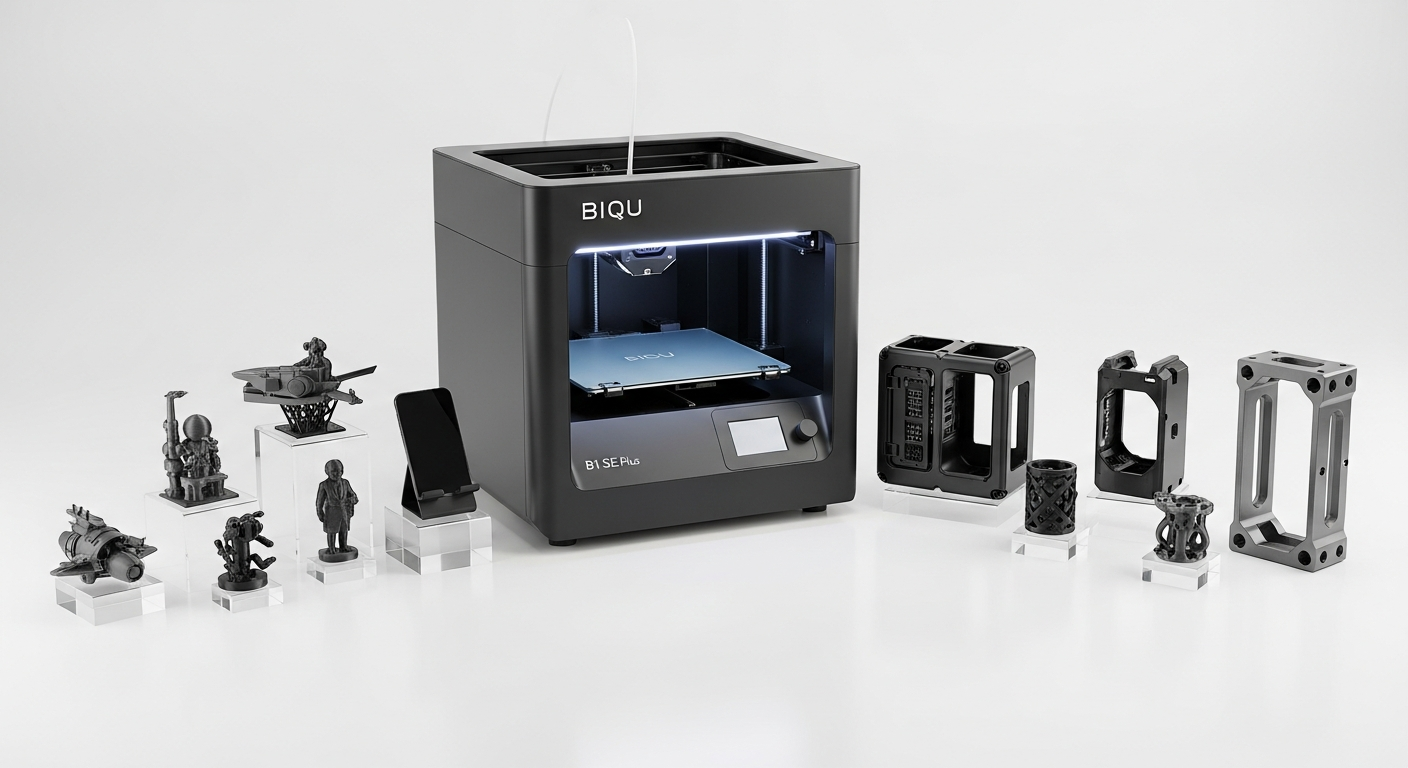
The gap between a 220mm and 310mm build platform sounds modest on paper—roughly 40% more space—but that difference translates directly into project viability. When your current printer maxes out at smaller dimensions, you face a binary choice: split complex designs across multiple prints and spend hours on post-processing seams, or abandon projects entirely. The BIQU B1 SE Plus eliminates that compromise with its 310 x 310 x 340 mm build area, fundamentally changing what becomes possible in a single production run.
Functional parts benefit most from this expanded capacity. Full-size drone frames that previously required splitting into fuselage segments and wings now print as unified structures, eliminating weak points at assembly junctions. Enclosure panels for electronics projects emerge without internal seams, maintaining structural integrity and aesthetic consistency. Mechanical assemblies—gearboxes, mounting brackets, manifold blocks—fit entirely on the platform, reducing assembly complexity and improving tolerance stacking accuracy. The practical advantage extends beyond convenience into genuine engineering territory.
Material efficiency compounds the benefit. Every print job consumes setup time, bed cleaning, and calibration attention. Consolidating three separate 4-hour prints into one 10-hour run cuts overhead substantially. For makers running production batches—small-business owners printing merchandise, professionals prototyping client deliverables, or hobbyists tackling ambitious personal projects—that efficiency accumulation affects bottom-line economics directly.
Explore the BIQU B1 SE Plus build capabilities for yourself.
Material Versatility Beyond PLA: Unlocking Advanced Filament Options
The BIQU B1 SE Plus supports materials across the entire practical filament spectrum: PLA, PETG, TPU, TPE, ABS, and Nylon. That range matters because each material solves different problems. PLA remains the entry point—forgiving, predictable, and ideal for aesthetic prints. PETG steps up the durability game, offering chemical resistance and temperature tolerance that PLA can’t match, making it the standard for functional parts exposed to moderate thermal stress or corrosive environments.
Temperature specifications tell the story here. The hotend reaches 260°C while the heated bed manages 100°C. That combination covers PETG production comfortably, pushes into ABS territory with proper cooling and enclosure management, and opens Nylon possibilities for parts requiring genuine mechanical strength. The heated bed alone separates casual printing from serious material work—cold beds introduce warping and adhesion failures that undermine entire production runs.
Flexible materials deserve specific attention. TPU and TPE enable gaskets, phone cases, and ergonomic grips—parts that demand flex without brittleness. Traditional rigid printers struggle with flexible filament, creating jams or requiring specialized Bowden tubing setups. The BIQU B1 SE Plus Bowden feeder system handles these materials competently when properly configured, expanding your design possibilities toward products that genuinely perform in real-world applications rather than serving as display pieces.
Working with Advanced Filaments: Temperature Control Matters
Getting temperature profiles right separates successful advanced-material printing from frustrated troubleshooting sessions. ABS demands higher temperatures and benefits from enclosure heating to prevent warping. Nylon requires drying before use—moisture absorption is real and consequences are immediate. PETG sits comfortably in the middle ground, reliable at 240-250°C without excessive cooling requirements.
Get started with the BIQU B1 SE Plus advanced material capabilities today.
The Honest Setup Experience: What Assembly and First-Run Actually Look Like
The BIQU B1 SE Plus arrives partially assembled, which means immediate reality check: expect loose hardware requiring tightening before operation. Pre-assembled screws come slightly loose from shipping and handling, particularly the bed frame components and extruder mounting points. Twenty minutes with an appropriate screwdriver set identifies wobbles and tightens critical connections. This isn’t a design flaw—it’s a consequence of shipping large equipment—but skipping this step invites print quality problems and potential mechanical failures.
Bed roller adjustment comes next. The printer ships with rollers positioned to contact the frame rails, but tension requires manual tuning. Too tight and the bed binds; too loose and play undermines XY positioning accuracy. The process involves rotating adjustment bolts while testing smoothness, an iterative procedure that typically takes two to three calibration cycles. This step directly impacts print quality, making proper attention worthwhile.
The automatic bed leveling system uses inductive sensors to detect the glass bed surface, mapping height variations and compensating through firmware. Unlike manual leveling—where you physically adjust bed height at multiple points—this system requires only initial positioning and sensor calibration. First-run operation involves homing the axes, running the leveling sequence, and observing the nozzle-to-bed gap across the platform. The process usually completes cleanly, though unusual bed surface conditions sometimes require sensor recalibration.
Initial Calibration and First Prints
Your first successful print matters less than your tenth—early prints often reveal miscalibrations that subsequent test runs address. Extruder calibration (E-steps adjustment), bed temperature optimization, and print speed tuning emerge naturally through observation. Start conservatively: slower speeds reveal mechanical issues before they cause expensive failures, and temperature adjustments follow standard material profiles that usually work without modification.
Reliability Features That Keep Production Moving: Runout Detection and Power Recovery
Filament runout sensors prevent the worst production scenario: discovering twelve hours into a print that the spool emptied six hours ago. The BIQU B1 SE Plus detects spool depletion and pauses automatically, sending alerts through the touchscreen and optional network connectivity. That pause preserves your print in place, allowing mid-run filament swaps without complete loss. For overnight production runs and batch printing, this feature eliminates anxiety and material waste.
Power loss recovery builds on that reliability foundation. Unexpected shutdowns—electrical outages, accidental unplugs, power supply failures—typically mean reprinting entire projects. The BIQU B1 SE Plus firmware logs print position, temperature settings, and material feed data continuously. If power returns, the recovery sequence rehomes axes, restores temperatures, and resumes printing from the last successful layer. That resilience transforms overnight production runs from risky ventures into manageable workflows.
Real-world batch printing depends on these features combining effectively. Run a fifty-part production order overnight, and you’re not babysitting the printer—you’re trusting reliable operation across extended cycles. Failed prints still happen (clogged nozzles, adhesion loss, material defects), but filament runout and power interruptions become non-factors. Integration with firmware occurs transparently; user notification arrives through the touchscreen interface without requiring computer monitoring.
The 32-Bit Mainboard Advantage: Performance and Future-Proofing
The SKR 2 mainboard represents genuine technical competence in the budget segment. Thirty-two-bit processing handles complex motion calculations substantially faster than 8-bit predecessors, translating to faster printing speeds without quality loss and improved computational headroom for sensor processing. TMC2225 stepper drivers deliver precision movement while managing heat through intelligent current algorithms—noticeably quieter operation compared to older driver generations.
Silent operation matters more than specifications suggest. Hobbyist makers working in home spaces appreciate reduced noise, but professional environments and production facilities require it. Overnight print runs near home offices become feasible when the printer operates at conversation-level volume rather than workshop-machinery decibels. The driver’s thermal efficiency prevents the temperature drift that degrades motion accuracy during extended runs, supporting consistent output across full production batches.
Expandability pathways ensure your investment remains viable beyond current specifications. The mainboard communicates with modern firmware ecosystems including Marlin and Klipper, supporting community-developed features and optimizations. Dual Z-axis kits, upgraded extruders, and alternative nozzle configurations integrate cleanly when you’re ready to enhance capabilities. That forward compatibility matters for makers planning to grow their production operations—you’re not locked into fixed specifications or forced into complete hardware replacements.
The Verdict: When the BIQU B1 SE Plus Becomes Your Production Workhorse
The BIQU B1 SE Plus occupies a genuinely compelling position in the 3D printing landscape—it’s the machine that stops feeling like a hobby tool the moment you need it to perform. That 310mm build platform isn’t just a spec sheet number; it’s the difference between splitting your designs across multiple prints and executing complete projects in single runs. The automatic bed leveling, dual UI system, and 32-bit mainboard combine to create a printer that respects your time and rewards consistent use.
Whether you’re a small business owner printing functional parts, a hobbyist ready to tackle ambitious projects, or a professional prototyper who needs reliable throughput, the BIQU B1 SE Plus deserves your consideration. Start by defining your specific material and volume requirements, then test-drive one if possible. The printer’s real strength emerges over weeks of actual production work—not in the first impressive demo print, but in the hundredth successful run when you realize it’s become indispensable to your workflow.
Make your next 3D printing project count with the BIQU B1 SE Plus.

Leave a Reply