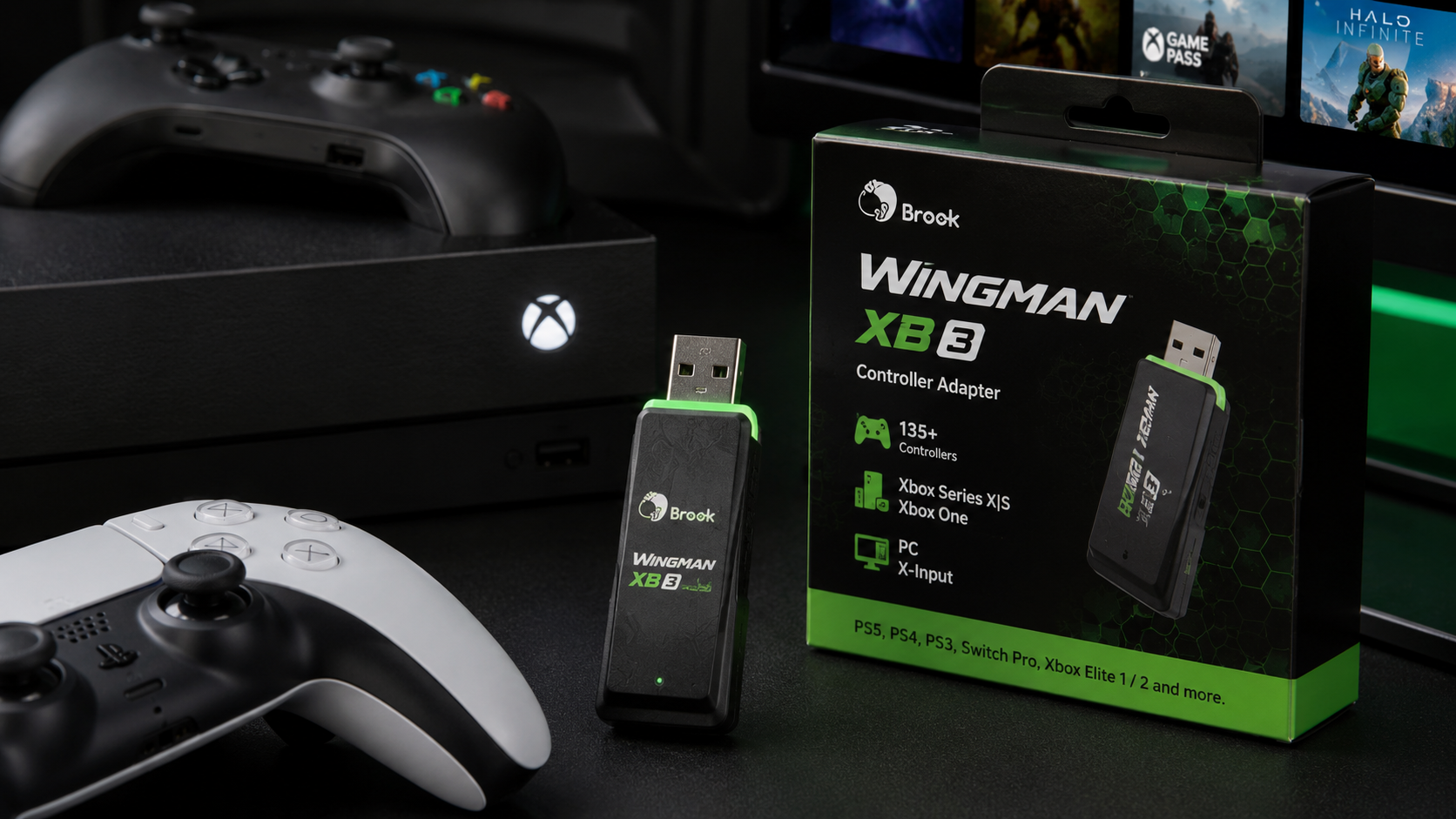
Brook Wingman XB3 Controller Adapter connecting multiple gaming controllers to Xbox and PC setup

Brook Wingman XB3 Controller Adapter: Cross-Platform Gaming Solution Guide

Cross-Platform Controller Compatibility That Actually Works

The Brook Wingman XB3 obliterates the walls between your gaming devices. Whether you're pulling a PlayStation 5 controller off your desk or dusting off a vintage arcade stick from your collection, this adapter speaks the language of nearly every controller ever made.

PS5, PS4, and PS3 controllers connect seamlessly via USB and Bluetooth without requiring separate adapters or workarounds. The Nintendo Switch Pro controller integrates directly—no additional hardware needed. Xbox One, Xbox Series X|S, and Xbox Elite controllers pass through with full functionality. Even vintage arcade sticks and third-party controllers find compatibility here. All of this channels through to Xbox One, Xbox Series X|S, and Windows PC without demanding driver installations for most controllers.

The beauty lies in simplicity. Your controllers work. Your console receives them. No technical barriers, no compatibility matrices to decode.

Ultra-Low Latency Performance for Competitive Gaming

Input lag measured in single-digit milliseconds separates casual players from competitors. The XB3 delivers this responsiveness consistently, whether you're wire-connected for tournament fighting games or running wireless for everyday sessions.

Wired connections provide the absolute minimum latency advantage, making them ideal for esports-level precision and timing. Wireless Bluetooth stability handles mid-core and casual play without perceptible delay. Real-world responsiveness matches or exceeds native controllers across fast-paced genres—FPS games demanding split-second reflexes, fighting games requiring frame-perfect inputs, rhythm games punishing timing errors by milliseconds.

The adapter maintains consistent performance across extended gaming sessions, never faltering when fatigue might compromise your reaction speed. This reliability extends to professional and competitive contexts where precision determines match outcomes.

Customization Features That Adapt to Your Playstyle

Full button remapping transforms non-standard controller layouts into perfect matches for your muscle memory. The adjustable turbo function with variable firing speeds handles rapid-input games without requiring button-mashing exhaustion. Create multiple profiles for different game genres—one configuration optimized for FPS sensitivity, another for fighting game precision, another for retro arcade games.

Macro programming enables complex control sequences to activate from single button presses. Sensitivity adjustments fine-tune analog stick response curves to your preferences. Save configurations and switch between them instantly without reconnecting hardware.

Fighting game enthusiasts find particular value here, along with speedrunners optimizing for specific button layouts. Personalization options extend far beyond what native controllers permit.

Explore the Brook Wingman XB3 at DragonBox Shop today.

Plug-and-Play Setup Without the Technical Headaches

The initial connection process for first-time users takes minutes. Automatic controller recognition and driver assignment handle the technical heavy lifting. Minimal configuration occurs for standard gaming—most users connect hardware and play within moments.

Troubleshooting common pairing issues becomes unnecessary for most setups, though documentation exists if needed. Wireless versus wired connection setup differs slightly: wired connections require a USB port; wireless requires Bluetooth pairing once. The firmware update process remains straightforward with regular improvements rolling out from Brook on predictable schedules.

A user-friendly interface proves accessible to non-technical gamers, eliminating the frustration that typically accompanies hardware adapters.

The Financial Case for Upgrading Your Gaming Setup

The mid-$50 to mid-$60 price point seems modest until you calculate replacement costs. A single replacement controller costs $60-75 for most platforms. The XB3 unlocks access to your entire existing controller collection, eliminating redundant purchases across multi-console households.

Cost savings accumulate rapidly when consolidating collections. Someone juggling five consoles with two controllers each faces replacing fourteen controllers if switching platforms without an adapter. The XB3 reduces that to a single investment protecting dozens of existing devices.

Extended lifespan for aging controllers compounds the value proposition. A worn PS4 controller gains new utility on Xbox. The ROI calculation for gamers with three or more consoles typically shows payback within months. Long-term value through continuous firmware support means the adapter evolves with your hardware, protecting your investment against future obsolescence.

Wired vs. Wireless Functionality and Connection Stability

Bluetooth wireless support powers modern controllers with battery-backed convenience. USB wired connections deliver maximum stability and eliminate battery concerns entirely. Battery life for wireless gaming sessions varies by controller type but generally sustains extended play without frequent charging.

Connection range and interference prevention work effectively across typical living spaces. Mixed-mode setups allow simultaneously wired and wireless controllers operating together. Stability across different room sizes and environments remains consistent without dead zones or frequent disconnections.

Choosing between wired and wireless depends on your situation: tournaments and competitive play favor wired reliability; casual home gaming benefits from wireless freedom.

Firmware Updates and Long-Term Compatibility Assurance

Brook maintains regular update schedules aligned with new console releases. Backward compatibility with older controller models ensures your vintage hardware continues functioning even as gaming ecosystems evolve. This protection guards against future console changes that might otherwise strand older controllers.

Updates expand controller support continuously, adding newly released hardware to compatibility lists. The simple update process with notification systems keeps users informed without demanding technical expertise. Community feedback integration guides development priorities, ensuring real player needs drive improvements.

Manufacturer support through ongoing updates represents genuine investment protection—your XB3 becomes more capable over time rather than stagnating.

Known Limitations and Workarounds Worth Considering

Audio jack functionality presents the primary constraint: headset microphone features via the controller's audio jack don't function through the XB3. This affects voice communication for players relying on controller-integrated audio solutions, though USB headsets work perfectly.

Third-party controller remapping occasionally requires manual configuration rather than automatic recognition, though basic functionality works immediately. Specific controller models may need customization in their profile settings. The XB3 differs from other Wingman series adapters in its Bluetooth support—models like the FGC2 remain wired-only.

Wireless controller battery drain proceeds normally; the adapter doesn't accelerate consumption. Regional availability and warranty coverage vary by retailer. The XB3 might not be the right fit if audio jack headset communication proves essential for your gaming.

Real-World Use Cases Where the XB3 Shines Brightest

Fighting game players using arcade sticks and specialty controllers find immediate value—the customization unlocks controller configurations that native options never permit. Retro gaming enthusiasts with legacy controller collections breathe new life into aging hardware across modern consoles.

Multi-console households eliminate controller sprawl entirely. PC gamers testing different controller types without repurchasing experiment freely with input devices. Competitive esports players standardize on preferred hardware regardless of platform origin. Casual gamers sample different controller types risk-free.

Content creators and streamers managing multiple input devices simplify their setups substantially through single adapter consolidation.

Competitive Performance: XB3 vs. Native Xbox Controllers

Input lag benchmarks show the XB3 performing at parity with native controllers—responsiveness meets the standard, never trailing. Ergonomic differences depend on your preferred controller shape; the XB3 doesn't determine comfort, your chosen controller does.

Button response consistency and reliability match native controllers across extended sessions. Durability and build quality remain unchanged—the adapter doesn't degrade your hardware. Customization flexibility advantages heavily favor the XB3, permitting remapping and macro programming impossible with native controllers.

Cost efficiency comparison over time heavily favors the adapter when consolidating multiple platforms. Native controllers outperform the adapter setup only in scenarios where their exclusive features matter—rarely the case for most players.

The Bottom Line: Is the Brook Wingman XB3 Worth Your Money?

The Brook Wingman XB3 Controller Adapter solves a genuine problem plaguing multi-console gamers for years. If you're managing multiple platforms, prefer specific controllers for different games, or tired of purchasing redundant hardware, this adapter delivers measurable value. Ultra-low latency ensures competitive performance, customization options unlock playstyles native controllers can't match, and continuous firmware support keeps your investment current.

It's not a universal fix. Casual players with single consoles and basic needs won't notice the difference. But for anyone with diverse gaming ecosystems, the XB3 transforms controller fragmentation from a financial headache into a solved problem. The $50-60 investment pays for itself within months when calculating controllers you'll never need to purchase.

Get your Brook Wingman XB3 Controller Adapter from DragonBox Shop and reclaim your gaming space.


Comments

Leave a Reply

Your email address will not be published. Required fields are marked *