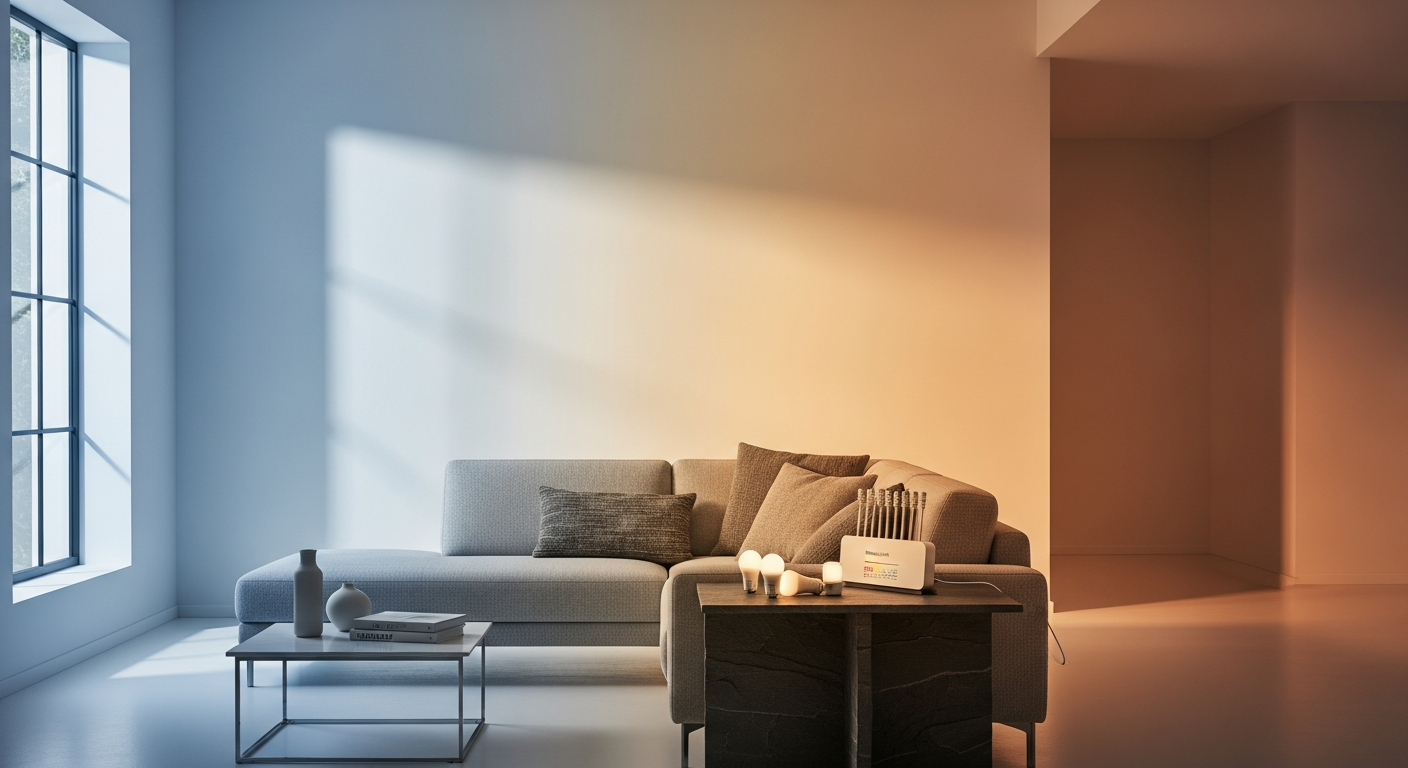
Smart Lighting Controls 40% of Home Automation Purchases
Smart lighting controls account for roughly 40% of all home automation purchases, yet most people still reach for the wall switch out of habit. The frustration of finding the right system—one that actually delivers without requiring a tech manual—is real and widespread. Homeowners frequently struggle to identify solutions that balance complexity, cost, and genuine functionality, which is precisely why the Philips Hue White and Color Ambiance Starter Kit has emerged as the market leader.
Philips Hue has dominated the smart lighting landscape for over a decade, building its reputation on relentless innovation and user-centered design. This starter kit directly addresses a critical pain point: how to begin your smart home journey without overwhelming yourself or draining your wallet. It serves as the bridge between traditional lighting and the connected home experience you've been envisioning.
Beyond Basic Bulbs—What's Actually Inside the Starter Kit
Complete Contents Breakdown
The Philips Hue Starter Kit arrives with everything you need to establish a fully functional smart lighting system. Most configurations include a Hue Bridge (the central hub), two to four Philips Hue White and Color Ambiance A19 LED bulbs, and sometimes optional accessories like a smart button or dimmer switch. This combination ensures you can start controlling your lights immediately while leaving room for future expansion.
Hue Bridge Specifications and Why It's Non-Negotiable
The Bridge functions as the nervous system of your entire Hue ecosystem. Rather than relying on Wi-Fi direct from each bulb, the Bridge communicates with your lights using the Zigbee protocol—a more reliable, lower-latency connection that doesn't compete with your other smart devices for bandwidth. This architectural decision is why Hue systems maintain responsiveness even in homes with congested networks or spotty Wi-Fi coverage. Without the Bridge, you'd be limited to basic brightness control and couldn't access scheduling, automation, or voice integration.
A19 LED Bulb Design and Compatibility
Each bulb features the standard A19 form factor with E26 or E27 screw-type socket compatibility, meaning they fit into virtually any lamp or fixture in your home. The bulbs are designed for seamless physical integration—they look like traditional bulbs and weigh slightly more due to internal electronics, but installation is straightforward. No special fixtures required.
Color Capabilities Explained
The "16 million colors" specification refers to the full RGB spectrum these bulbs can produce. Beyond color, the system offers an impressive range of white light temperatures spanning from warm 2200K (resembling candlelight) through neutral 4000K to cool 6500K (daylight equivalent). This flexibility allows you to create virtually any lighting atmosphere imaginable, from intimate evening ambiance to energizing morning environments.
Brightness and Dimming Specifications
The bulbs deliver 800 to 1100 lumens of light output—roughly equivalent to a traditional 60W or 75W incandescent bulb. The 2% minimum dimming capability provides precision control for subtle adjustments. Whether you need full brightness for task lighting or barely perceptible illumination for a hallway at night, you have granular control over every aspect.
Durability and Long-Term Value
Each bulb carries a 25,000-hour rated lifespan. If you run a bulb for 8 hours daily, it lasts roughly 8.5 years before requiring replacement. This longevity dramatically reduces your maintenance burden and amortizes the initial investment across years of reliable operation.
Optional Add-Ons for Enhanced Control
Smart buttons and dimmer switches extend functionality beyond app control. These physical controls provide immediate, tactile feedback and work independently of Wi-Fi or smartphone connectivity. Many users appreciate having multiple control options for different situations—voice commands for hands-free scenarios, app control for remote access, and physical buttons for quick adjustments without searching for a phone.
Smart Home Integration That Actually Works—Voice Control & Automation
Why the Zigbee Protocol Outperforms Wi-Fi Alternatives
The Bridge's Zigbee implementation creates a mesh network where each light acts as a relay point for signals, strengthening coverage throughout your home. Wi-Fi-only systems force each bulb to maintain an individual connection to your router, consuming bandwidth and battery power in standalone products. Zigbee's low power consumption and redundant pathways result in faster response times and more reliable operation across larger homes or challenging network environments.
Voice Assistant Compatibility
The system integrates seamlessly with Amazon Alexa, Google Assistant, and Apple HomeKit. You can command your lights using natural language: "Alexa, set the living room to movie mode" or "Hey Google, dim the bedroom lights to 30%." These integrations unlock hands-free control and enable voice-based automation routines that trigger other smart home devices in sequence.
Real-World Control Scenarios
Bedtime routines become effortless when you set a single voice command that dims bedroom lights, closes smart blinds, and locks doors. Morning wake-up sequences gradually brighten lights to simulate sunrise, helping your body transition from sleep naturally. Entertainment syncing—where lights react to movie scenes or music beats—transforms passive viewing into immersive experiences without manual intervention.
App-Based Scheduling and Automation
The Hue app allows creation of custom scenes (predefined color and brightness combinations), time-based routines (automatic adjustments at specific times), and conditional triggers (lights activate when you arrive home or turn on when motion is detected). Advanced users build sophisticated workflows where multiple devices coordinate, but beginners can start with simple scheduling like "bedroom lights off at 11 PM."
Remote Access from Anywhere
Whether at work or traveling internationally, you can control your lights through the app. This capability serves practical purposes—you can simulate occupancy while away, adjust lighting for pet comfort, or verify you didn't leave lights on before leaving town.
Ecosystem Expansion and IFTTT Support
The system works with popular automation platforms like IFTTT (If This Then That), allowing integration with weather services, calendar apps, and third-party smart home devices. As your ecosystem grows, your Hue lights become more capable through integration with other technology layers.
Reliability Under Real-World Conditions
Testing across homes with weak Wi-Fi, multiple networked devices, and interference sources demonstrates consistent performance. The Zigbee Bridge maintains responsiveness even when Wi-Fi connections fluctuate, a critical advantage that separates Hue from budget alternatives relying solely on Wi-Fi connectivity.
Real-World Use Cases—Where This System Shines Brightest
Home Entertainment Enhancement
Syncing lights with movies creates an immersive theater experience at home. As on-screen action intensifies, surrounding lights pulse in complementary colors. Gaming becomes more engaging when lights respond to in-game events. Music streaming synchronization allows lights to dance with your favorite songs, transforming ordinary playlists into visual performances.
Productivity and Wellness Lighting
Work-from-home professionals benefit from circadian rhythm lighting that gradually shifts from cool (focusing) tones during the day to warm (relaxing) tones in evening hours. This biological alignment improves focus, reduces eye strain, and supports natural sleep cycles. Dedicated focus zones use cooler temperatures to enhance concentration, while relaxation areas employ warmer tones to promote calm.
Security and Occupancy Simulation
While traveling, automated lighting schedules simulate occupancy by turning lights on and off at varying times and locations throughout your home. Entryway lights activate automatically when you arrive, eliminating fumbling in darkness. Hallway lights provide safe navigation during nighttime bathroom visits without blinding full-brightness illumination.
Vacation Rental and Hospitality Applications
Property managers program guest experiences where travelers arrive to a perfectly illuminated home with preset moods for different activities. Standardized lighting setup reduces guest questions and improves satisfaction ratings. Pre-configured scenes allow guests to adjust ambiance intuitively without complex app navigation.
Accessibility Features
Voice control eliminates the need for physical light switches, benefiting elderly users, individuals with mobility challenges, and anyone with temporary injuries. The tactile feedback from dimmer switches provides alternative control for those with visual impairments or app accessibility limitations.
Seasonal and Mood-Based Ambiance
Holiday decorations synchronize across your home with custom color schemes. Party atmospheres shift through dynamic color sequences. Relaxation zones employ slow, subtle color transitions combined with dimming for spa-like tranquility. Different moods—energetic, romantic, focused, calm—have pre-programmed scenes instantly accessible through a single tap.
Energy Optimization and Efficiency
Scheduling automated turnoffs during daylight hours or when spaces are unoccupied reduces electricity consumption substantially. Dimming to 50% brightness (still adequate for many activities) uses roughly half the power while extending bulb lifespan further. Geofencing triggers lights off when the last person leaves home, preventing forgotten lights from running all day.
The Investment Breakdown—Pricing, Value, and Long-Term ROI
Entry-Level Pricing and Configuration Factors
Starter kits typically range from $80 to $200 depending on bulb quantity, included accessories, and retail pricing variations. A basic 2-bulb configuration costs less than a 4-bulb setup, but the per-bulb cost decreases with larger bundles. Kits bundling dimmer switches or motion sensors command premium pricing but deliver greater immediate functionality.
Comparing Starter Kit Configurations
The 2-bulb option works well for testing the system or lighting single rooms. The 4-bulb configuration provides coverage for multiple spaces and demonstrates the ecosystem's full potential. Accessory bundles including switches cost more upfront but eliminate separate purchases that would eventually occur anyway.
Cost Per Bulb Analysis Against Competitors
Philips Hue bulbs cost more per unit than LIFX, Wyze, or budget alternatives, but the reliability, color accuracy, and integration ecosystem justify the premium. Budget brands often fail within 2-3 years or exhibit responsiveness issues; Hue's longevity and consistency reduce frustration costs that alternative savings don't account for.
Longevity Cost Calculations
A $50 Hue bulb running 8 hours daily for 8.5 years (its rated lifespan) costs approximately $0.02 per hour of illumination. Most incandescent bulbs cost $2-4 upfront but last only 1,000 hours, equating to $0.002-0.004 per hour. However, when accounting for replacement frequency, convenience, and energy consumption differences, Hue's per-hour cost becomes competitive quickly.
Energy Savings Potential
LED technology consumes approximately 80% less energy than equivalent incandescent bulbs. A home replacing just five incandescent bulbs with Hue LEDs running 6 hours daily saves roughly $80-120 annually in electricity costs. Over an 8-year lifespan, that's $640-960 in direct energy savings—offsetting a significant portion of the initial investment.
Expansion Costs for Scaling
Additional Hue bulbs typically cost $15-25 each when purchased individually (less expensive per bulb than starter kits). Specialty fixtures like outdoor lights, strips, or accent bulbs range from $30-80 depending on type. The Bridge (purchased once) costs $40-60 if you need a replacement or want to establish a second system.
Resale Value and Future-Proofing
The Hue ecosystem maintains strong resale value because the platform evolves continuously and remains the market standard. Used starter kits sell readily on secondary markets for 50-70% of retail price. This ecosystem stability means your investment doesn't become obsolete when new competitors emerge.
Strengths That Justify the Premium Price Tag
Unmatched Ecosystem Robustness
Philips supports an extensive product line including standard bulbs, specialized fixtures, outdoor lights, light strips, and accent pieces. Third-party developers create compatible products expanding functionality further. Continuous innovation means regular feature additions through firmware updates rather than forced hardware replacement.
Color Accuracy and Professional-Grade Customization
The 16-million-color specification translates to precise hue reproduction that specialized lighting design professionals trust. Whether you need exact brand color matching or subtle emotional manipulation through specific wavelengths, Hue provides accuracy that budget alternatives simply cannot match.
Reliability Across Diverse Home Environments
Performance testing demonstrates consistent responsiveness in apartments with dense Wi-Fi interference, suburban homes with weak signal areas, and large estates requiring extended range. This reliability advantage becomes apparent only through months of daily use—cheap alternatives often exhibit intermittent failures that frustrate users long after purchase.
Intuitive User Interface Design
The Hue app employs thoughtful design that makes complex features accessible without overwhelming novice users. Setup follows logical sequences. Color picking uses intuitive visual interfaces rather than requiring hex code entry. Advanced automation options exist for power users without cluttering the basic experience.
Community Support and Resources
Extensive online forums, community-created automations, detailed setup guides, and active subreddits provide peer support beyond official channels. Users troubleshoot issues collaboratively and share creative scene ideas, amplifying the value of ownership through shared knowledge.
Consistent Firmware Improvements
Philips regularly releases updates introducing new capabilities, improving performance, and enhancing security. These updates are free and automatic, continuously improving your system without additional investment or effort.
Seamless Expandability
New bulbs or accessories integrate effortlessly into existing systems without reconfiguration or compatibility concerns. This expandability encourages gradual system growth rather than requiring wholesale replacement when you want additional functionality.
Honest Limitations—When This Kit Might Not Be the Right Fit
Initial Investment as a Barrier
The upfront cost of $80-200 for a starter kit exceeds budget alternatives by 300-500%. For budget-conscious consumers or those simply wanting to experiment with smart lighting, cheaper options provide lower-risk entry points, even if they sacrifice long-term reliability.
Bridge Dependency and Network Requirements
The Bridge requires a dedicated power outlet, space on your network, and optimal router placement. Homes with limited router access or dense interference environments may struggle with optimal Bridge positioning. The additional networked device consumes resources and adds complexity versus bridge-free alternatives.
App Complexity Concerns
While the app is more intuitive than competitors, users wanting simple on/off switching via smartphone often find the interface overwhelming with unnecessary features. Some users genuinely prefer physical wall switches and view app-based control as an unnecessary complication rather than enhancement.
Learning Curve for Advanced Features
Automation creation and scene programming require exploring menu options and understanding logic flows. Beginners expecting intuitive "set it and forget it" functionality may feel frustrated by the initial setup investment required to realize the system's full potential.
Limited Integration with Non-Philips Ecosystems
While Hue integrates with major platforms, some specialized smart home devices or ecosystem-specific features remain unavailable. Users deeply invested in alternative ecosystems (certain Samsung SmartThings devices, for example) may experience integration friction.
Privacy and Cloud Connectivity Considerations
Remote access requires cloud connectivity and data transmission through Philips servers. Privacy-conscious users uncomfortable with this arrangement should consider bridge-less alternatives, though cloud connectivity is now industry standard across smart lighting.
Setup Process and Initial Configuration
Initial pairing of bulbs to the Bridge, network configuration, and voice assistant linking requires patience and attention to detail. Technically inexperienced users may encounter frustration during these early setup stages, particularly if their home network exhibits unusual characteristics.
Comparing Your Options—How Hue Stacks Up Against Competitors
LIFX Systems: Bridge-Free Innovation
LIFX bulbs connect directly to Wi-Fi, eliminating the Bridge requirement. This appeal-to-simplicity comes with real trade-offs: higher latency, reduced reliability in interference-heavy environments, and faster battery drain in battery-powered models. LIFX offers equivalent color ranges and comparable pricing, but responsiveness lags noticeably in side-by-side testing.
Wyze and Budget-Friendly Alternatives
Wyze provides color-changing bulbs at half Hue's price point. The compromises emerge through limited color accuracy, reduced dimming smoothness, less reliable automation, and shorter product lifespans. Budget-conscious consumers should expect reliability issues and more frequent replacements offsetting initial savings.
Nanoleaf and Premium Competitors
Nanoleaf focuses on geometric light panels and accent lighting rather than general home illumination. Premium positioning and specialty design make Nanoleaf appealing for aesthetic-driven installations but impractical for comprehensive home lighting. Nanoleaf and Hue complement rather than compete directly.
Govee Ecosystem
Govee offers competitive pricing and expanding product variety, but ecosystem maturity and reliability trail Hue substantially. Govee improves continuously and may eventually rival Hue, but current implementations still exhibit occasional connection dropouts and less consistent performance.
IKEA Tradfri
Tradfri provides affordability and simplicity at the cost of customization depth. The color range is more limited, automation is more basic, and the app interface is less refined. Tradfri works adequately for simple lighting control but frustrates users seeking advanced features or extensive color customization.
Comparative Reliability Metrics
Independent testing and user satisfaction surveys consistently rank Hue highest for uptime, responsiveness, and multi-device network performance. User forums show fewer troubleshooting questions per unit sold compared to budget alternatives, indicating more straightforward operation and fewer edge-case failures.
Feature Parity Analysis
No competitor currently matches Hue's combination of 16-million-color range, white temperature flexibility, automation depth, voice integration breadth, and ecosystem expansion possibilities. Other systems excel in specific areas—LIFX in bridge-free design, Nanoleaf in aesthetic appeal, Govee in value—but Hue remains the most comprehensive overall solution.
Setting Up Your System—Installation, Configuration, and First Steps
Unboxing and Physical Bridge Placement
Remove the Bridge from packaging and position it centrally in your home for optimal Zigbee signal distribution. The Bridge connects to your router via Ethernet cable (preferred) or Wi-Fi (if Ethernet unavailable). Avoid hiding the Bridge in closets or metal cabinets where it can't transmit effectively. Most homes benefit from Bridge placement in a central living area rather than network equipment closets.
App Download and Account Security
Download the official Hue app from your device's app store. Create a Philips account using a strong, unique password—this account controls remote access to your system. Enable two-factor authentication for additional security if available. Avoid sharing account credentials and keep app security settings current.
Pairing Bulbs to the Bridge
Install bulbs into fixtures and turn them on. Open the Hue app, navigate to settings, and initiate bulb pairing mode. The app searches for lights, automatically detecting newly installed bulbs. Most bulbs pair within seconds; if issues occur, ensure the Bridge can "see" the bulbs and they're receiving power.
Network Configuration Optimization
While basic operation works with default settings, optimizing your network enhances reliability. If possible, use a dedicated Wi-Fi network for your smart home devices, separating them from computers and streaming devices competing for bandwidth. Position the Bridge where it can communicate reliably with all bulbs; if dead zones exist, additional bulbs can act as Zigbee mesh repeaters.
Voice Assistant Integration
For Alexa integration, enable the Hue skill through your Alexa app and log in with your Philips credentials. Google Home requires enabling the Hue action and providing account information. HomeKit integration follows Apple's security protocols and is slightly more involved but equally straightforward. Test voice commands once setup completes.
Creating Your First Scenes and Routines
Begin with simple scenes: a "movie mode" dimming lights to 10% with slight color tint, an "energize" scene with bright cool-white light, and a "relax" scene with warm dimmed ambiance. Create a bedtime routine automatically dimming lights over 10 minutes at a set time. Start small and expand complexity as comfort with the system grows.
Testing and Validation
Systematically test all features before configuring advanced automations. Verify voice commands trigger correctly, scheduled routines execute at the right times, and all integrated devices respond as expected. This validation period catches configuration errors and ensures you understand the system before building complex workflows.
Maximizing Your Investment—Pro Tips for Advanced Users
Strategic Scene Creation
Build themed scene libraries organized by activity and time of day. Include not just lighting adjustments but coordinated scenes with other smart home devices (music volume, thermostat adjustments, blinds positioning). Use descriptive naming conventions so family members can invoke scenes without detailed instruction.
Advanced Automation Workflows
Leverage geofencing to trigger welcome lighting when household members approach home. Integrate weather services to adjust lighting based on outdoor conditions. Create conditional workflows where specific times of day trigger different scenes, or sensor input activates lighting sequences. Start with simple triggers and layer complexity gradually.
Entertainment Integration and Hue Sync
Hue Sync works with streaming content through screen mirroring technology, analyzing pixel data and reflecting dominant colors through lights. Configure Hue Sync for your preferred entertainment sources—movies, games, streaming apps—to create immersive experiences without manual scene switching.
Energy Optimization Strategies
Schedule lights off during daylight hours when natural sunlight provides adequate illumination. Use geofencing to turn off lights when the last person leaves home. Employ dimming during hours when full brightness isn't necessary. These strategies combine to reduce energy consumption by 30-40% compared to always-on lighting habits.
Multi-Room Coordination
Organize lights into rooms through the app, allowing coordinated control. Create home-wide scenes that set different moods in different spaces simultaneously—a "movie mode" might dim living room lights while keeping bedroom lights normal and kitchen lights at 20%. This coordination creates cohesive experiences across your entire home.
Integration with Advanced Home Automation Hubs
Home Assistant, SmartThings, and other platforms provide enhanced integration capabilities. These hubs act as command centers coordinating Hue lights with other devices based on complex logic. Advanced users leverage these platforms for sophisticated automations impossible through the native Hue app.
Configuration Backup and Disaster Recovery
Regularly export your configurations through export features or third-party backup tools. If your Bridge fails or you need to reset the system, backups allow rapid restoration of scenes and automations rather than rebuilding from scratch. This precaution prevents frustration if hardware issues occur.
The Bottom Line—Is This Starter Kit Worth Your Money?
The Philips Hue White and Color Ambiance Starter Kit represents a significant but justifiable investment for anyone genuinely committed to smart home living. The reliability is exceptional; even when Wi-Fi hiccups, the Zigbee Bridge keeps everything running smoothly. Yes, you'll pay a premium compared to budget alternatives. Yes, you'll need to accommodate an extra device on your network. But the ecosystem's depth, the color accuracy, and the seamless integration with major platforms deliver genuine value that compounds over time.
The decision ultimately hinges on three factors: whether you prioritize reliability over cost, whether you plan to expand beyond basic lighting control, and whether the 16-million-color palette and white temperature range align with your vision for your home. If you answered yes to all three, this starter kit isn't just a purchase—it's the foundation of a genuinely connected home experience.
For beginners building their first smart home and enthusiasts expanding existing systems, Hue remains the gold standard. The ecosystem's maturity, the quality of hardware, and the consistent software improvements mean your investment stays relevant and capable for years. While alternatives exist and may suit specific situations better, few offer the comprehensive package Philips delivers.
Leave a Reply