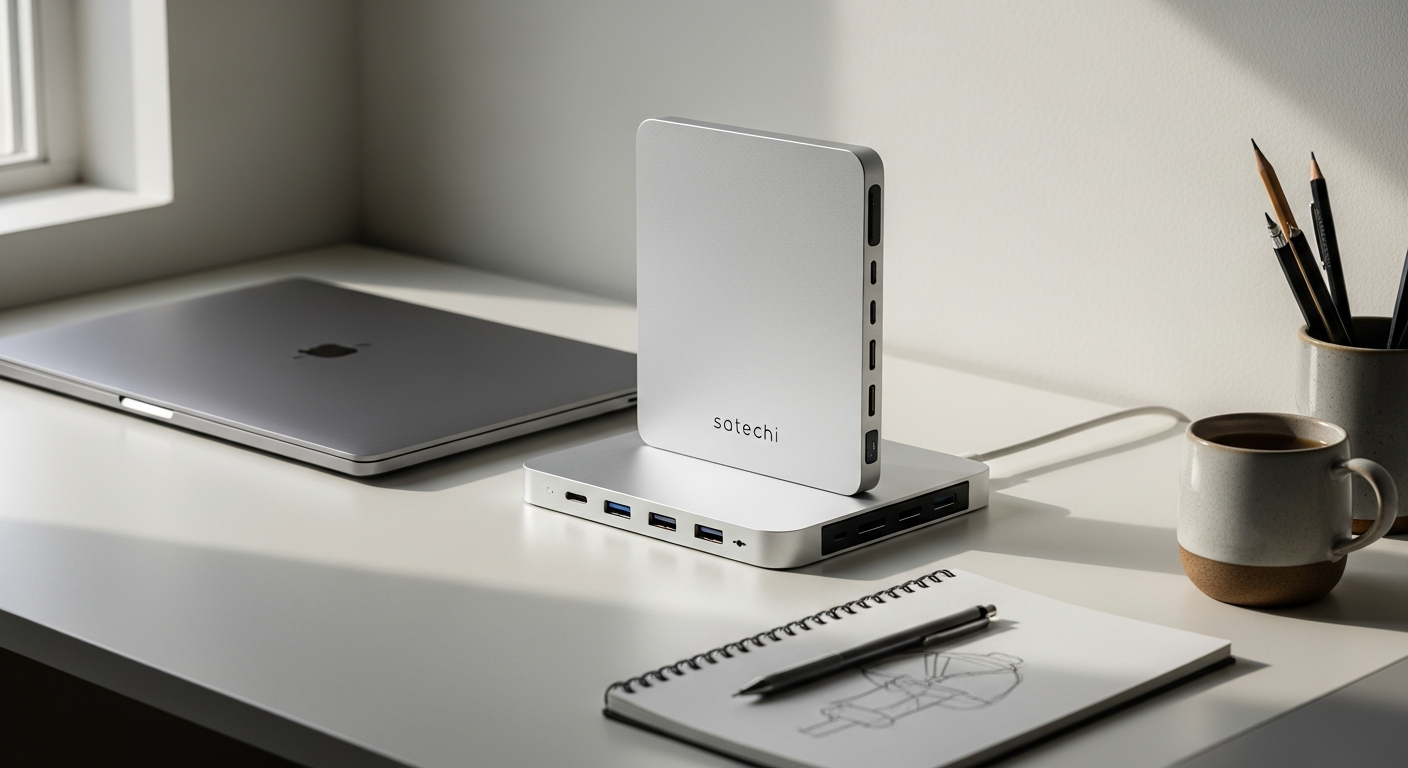
If you're using a Mac mini or Mac Studio, you've likely hit a frustrating wall: these compact powerhouses ship with precious few ports and storage that fills up faster than you'd expect. The limitations become especially glaring when you're juggling multiple peripherals, managing large media files, or backing up your workflow. What started as an elegant, minimalist setup quickly devolves into a tangle of external drives and adapters scattered across your desk.
The Satechi Mac Mini Stand & Hub with SSD Enclosure solves this exact problem by combining three essential functions—vertical stand, port expansion, and storage enhancement—into one premium aluminum accessory. Rather than accepting the Mac mini's inherent constraints, this hub transforms it into a fully capable workstation that handles professional-grade demands. Your desk gets cleaner, your workflow becomes faster, and your creative potential expands dramatically.
At $99.99, the Satechi hub represents a smart investment for anyone serious about their Mac setup. Throughout this guide, you'll discover how its 10 Gbps data transfer speeds, tool-free SSD installation, and thoughtfully engineered design work together to eliminate cable chaos and unlock genuine productivity gains. Explore the Satechi Mac Mini Stand & Hub to upgrade your workspace today.
Built-In Storage That Grows With Your Needs
The integrated NVMe SSD enclosure represents the hub's most powerful feature. Supporting both NVMe and M.2 SATA formats, it offers genuine flexibility—you're not locked into a single drive type or manufacturer. This compatibility matters because it keeps your options open and your wallet lighter when sourcing drives.
Capacity expansion up to 4TB means you're never forced into the cloud for archival or backup purposes. Time Machine backups run faster and more reliably when stored locally on high-speed storage. Project files, media libraries, and working datasets all benefit from being physically attached to your Mac rather than tethered to cloud services or unreliable external drives.
The 10 Gbps transfer speeds aren't marketing nonsense—they deliver tangible, measurable improvements in real-world workflows. Copying a 100GB video project that once took 15 minutes now completes in under 2 minutes. Incremental Time Machine backups that previously frustrated you with their sluggish pace now finish in the background before you've finished your coffee. These speed improvements compound throughout your workday, recovering hundreds of productive minutes each month.
Installation requires no tools, no technical expertise, and no frustration. The SSD slides into its enclosure with tool-free access, making it genuinely accessible to users of any skill level. You won't need to crack open your Mac mini or hunt for a screwdriver—the entire process takes minutes.
Port Expansion That Ends Cable Chaos
Mac mini and Mac Studio computers ship with a limited set of ports, but your peripheral ecosystem likely demands far more connectivity. USB-C 3.1 and USB-A 3.1 ports on the Satechi hub provide the missing connections your modern workflow requires. Both operate at 10 Gbps transfer speeds, meaning your external drives, backup systems, and peripherals all enjoy maximum performance potential.
USB-A ports acknowledge the reality that older devices and accessories still have legitimate roles in contemporary workflows. Rather than forcing you into a painful transition period or requiring additional adapters, the hub accommodates what you actually own today while supporting what you'll acquire tomorrow.
SD and microSD card slots serve photographers, videographers, and drone pilots particularly well. Media transfer becomes instantaneous—no additional card readers cluttering your desk, no searching for the right adapter. This feature transforms the hub from convenient accessory into essential tool for content creators whose livelihoods depend on efficient media workflows.
Cable management improves dramatically when all your connections funnel through a single hub positioned beneath your Mac. The vertical stand design keeps cables organized and routes connections cleanly rather than allowing them to sprawl across your desktop. Your workspace transitions from chaotic to organized, with visible performance improvements to your focus and mental clarity.
Discover how the Satechi hub eliminates cable clutter and streamlines your connectivity.
Design Excellence That Complements Apple Aesthetics
Premium aluminum construction matches the finish of your Mac mini or Mac Studio, creating visual cohesion rather than the jarring incompatibility you get mixing aluminum with plastic or rubber accessories. This design consistency matters—your workspace becomes a unified expression of your standards rather than a collection of mismatched parts.
The vertical orientation accomplishes multiple objectives simultaneously. It elevates your Mac, improving airflow and cooling performance during intensive tasks. Simultaneously, it reclaims valuable desk real estate by moving your computer vertically rather than consuming horizontal space. The visual impact is striking—your setup looks intentional, organized, and professional rather than haphazard.
Cable management features built into the stand route connections through integrated channels, maintaining clean lines and eliminating the visual distraction of tangled wires. Even under your desk, where guests might not see the routing, you'll appreciate the thoughtful engineering that prevents cables from becoming a management nightmare.
Professional appearance extends to every environment—home studios, client offices, content creation suites, or collaborative workspaces all benefit from a setup that looks polished rather than improvised. Your Mac mini becomes the centerpiece of an intentional, premium workspace rather than a utilitarian box surrounded by clutter.
Perfect for Photographers, Videographers & Content Creators
If your work involves importing photos from cameras, managing video files from drone footage, or handling high-resolution image libraries, the Satechi hub's media card slots become indispensable. Rapid transfer from SD cards eliminates the workflow bottleneck that dedicated card readers create.
Creative professionals managing multiple active projects simultaneously benefit enormously from the hub's expanded port capacity. Two or three external SSDs can connect concurrently, each running at full 10 Gbps speeds. Your current project lives on one drive while archival files reside on another, and backups process on a third—all without performance degradation.
Storage capacity for large creative files removes the compromise between local performance and cloud dependency. A 2TB or 4TB SSD integrated into your stand accommodates substantial project files, extensive photo libraries, and backup redundancy. You're not constantly juggling storage or deleting old projects to free space for new work.
Time Machine integration with the integrated SSD ensures your creative work never exists at risk. Automatic, continuous backups run silently in the background, providing genuine security that cloud services and unreliable external drives cannot match. Peace of mind becomes tangible when your creative output is protected by reliable local backup infrastructure.
Real-World Performance & Speed Benchmarks
The 10 Gbps specification represents genuine performance improvement in practical scenarios. When paired with compatible NVMe SSDs and devices, you'll experience transfer speeds that consistently approach theoretical maximums. Real-world file copying, video transfer, and backup operations reflect these high-speed capabilities rather than falling dramatically short.
SSD performance varies depending on which drive you select, but even budget-friendly options consistently exceed expectations. The enclosure doesn't bottleneck your drives—it enables them to perform at their rated specifications. Premium NVMe drives reach their maximum performance potential through the hub's high-speed connection.
Sustained performance during extended backup or file transfer operations proves reliability isn't sacrificed for speed. Copying 500GB of project files doesn't result in performance throttling or system instability. Your Mac mini continues operating smoothly while the hub manages intensive data movement in the background.
Comparative advantages over traditional external storage solutions become immediately apparent. USB 2.0 external drives from five years ago move at 30-40 MB/s. The Satechi hub delivers 1,000+ MB/s sustained transfers—a 25-50x improvement that transforms workflows from frustrating to fluid.
Setup, Installation & First-Time Configuration
Installing an SSD into the hub's enclosure requires no tools and takes approximately five minutes. The drive slides into a carefully engineered slot with tool-free access. There's no screwing, no precision alignment, no risk of dropping screws into mechanical components. Even users uncomfortable with hardware modifications complete this process effortlessly.
Desk placement deserves brief consideration. The stand performs optimally when positioned where cables can route naturally to your peripherals. Airflow around your Mac improves with the elevated positioning, particularly important during intensive rendering or compilation tasks. Taking thirty seconds to position the hub thoughtfully prevents cable management frustrations later.
Driver and firmware installation ensures compatibility between your macOS and the hub's various components. Most functionality operates automatically, but checking for available updates in System Preferences guarantees you're running optimal firmware. This process takes minutes and requires no technical knowledge.
macOS recognition is automatic—the hub appears in System Preferences as an external storage device ready for immediate use. Time Machine setup requires selecting the hub as your backup destination, a straightforward process that takes under a minute. Your Mac immediately begins protecting your work with continuous, automatic backups.
Transform Your Mac Mini Setup Today
The Satechi Mac Mini Stand & Hub with SSD Enclosure represents far more than a simple accessory—it's the foundation of a transformed workspace. Whether you're struggling with insufficient ports, drowning in external drive clutter, or managing creative workflows that demand reliable backup and rapid file access, this hub delivers comprehensive solutions to all three challenges simultaneously.
The real transformation becomes evident in the details. You'll notice how effortlessly you transfer photos from your camera without hunting for card readers. You'll appreciate watching your backup complete in minutes rather than hours. You'll feel genuine satisfaction looking at your desk—organized, clean, professional, and optimized for serious work rather than chaotic and cluttered with adapters.
At $99.99, you're investing in improvements that compound throughout your workday. Time saved on file transfers and backup operations adds up to hundreds of productive minutes each month. The reduction in peripheral clutter translates to mental clarity and improved focus. The integrated storage eliminates recurring cloud subscription costs while providing faster, more reliable access to your work.
If you've been contemplating a Mac mini upgrade purely to gain additional ports and storage capacity, this hub offers a far more economical alternative. Your current Mac mini becomes exponentially more capable without the expense and hassle of transitioning to new hardware. Get the Satechi Mac Mini Stand & Hub with SSD Enclosure and revolutionize your Mac setup.
Leave a Reply