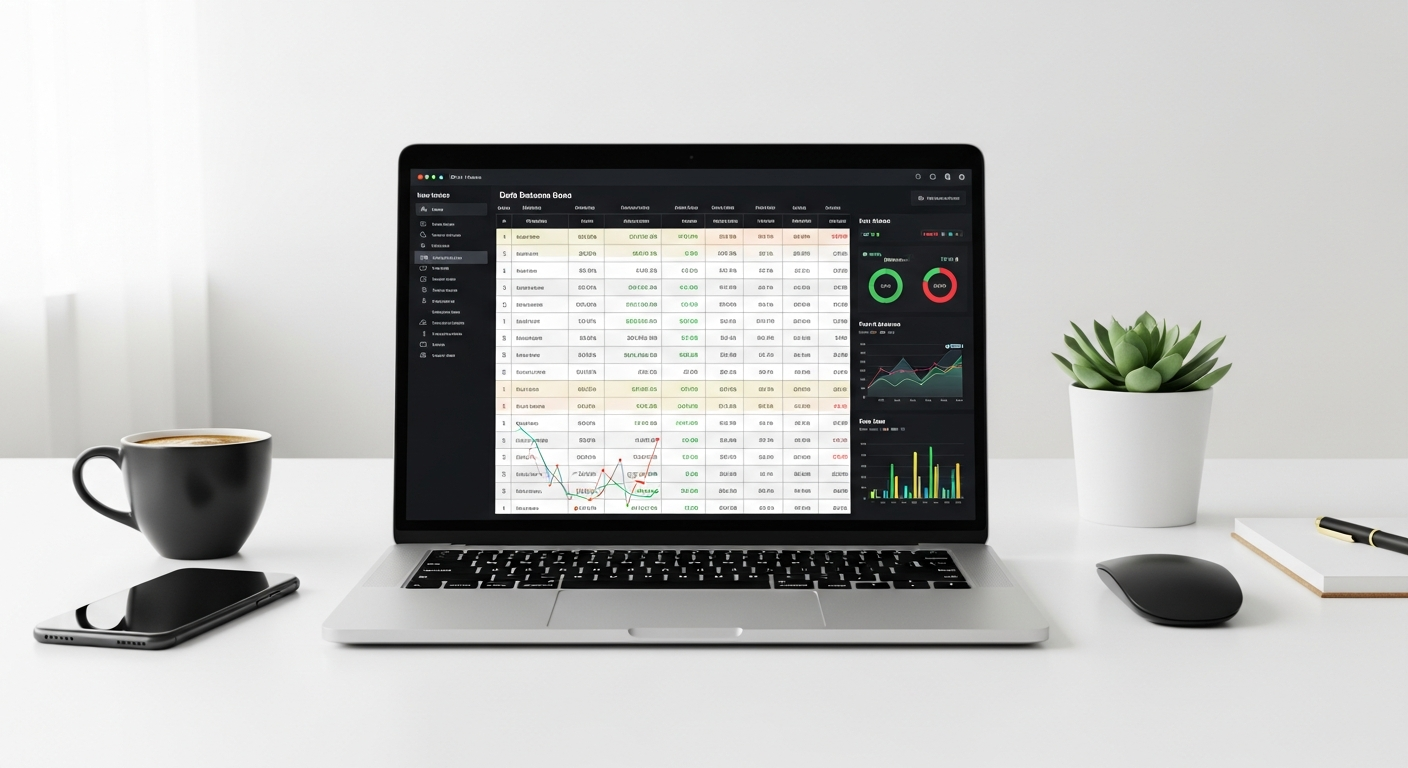
When you're building data-intensive Windows Forms applications, performance isn't a luxury—it's a requirement. Development teams frequently struggle with sluggish interfaces and bloated control solutions, only to discover that a single, well-designed component could transform their entire application's responsiveness and user experience.
The TList WinForms .NET component, developed by Bennet-Tec Information Systems and trusted by developers since 2002, solves a fundamental challenge in desktop application development: how to display, manage, and interact with complex data without sacrificing speed or flexibility. This isn't just another grid control—it's a comprehensive solution that consolidates multiple UI functionalities into one robust, battle-tested component that integrates seamlessly with the Microsoft .NET Framework.
The numbers tell the story: over 2 million items. 20,000 rows per second. These performance metrics represent real capability that transforms how developers approach data visualization and interaction.
Explore TList WinForms and see how it can revolutionize your data interface development.
One Control, Infinite Display Possibilities: Understanding Multi-View Architecture
The "One Control – Many Views" Approach
Traditional development approaches force you to juggle multiple controls for different data presentation needs. You might implement a DataGridView for tabular data, a TreeView for hierarchical structures, and a ListBox for simpler displays. Each control requires separate coding, maintenance, and debugging effort. TList WinForms eliminates this fragmentation entirely.
The component's core strength lies in its unified architecture. A single control seamlessly transitions between list, grid, tree, and hybrid views without requiring you to rebuild underlying UI logic. You can display data as a multi-column list, switch to a hierarchical tree structure, transform it into a grid layout, or combine all three—all from the same data source, all without touching your business logic.
Switching Between Views Without Rebuilding
Consider a financial application displaying transaction records. Your initial requirement might be a simple columnar list. Six months later, management wants hierarchical organization by account and transaction type. With TList WinForms, this transformation becomes a configuration change, not a rewrite. The component maintains the same data bindings, the same event handlers, the same editing capabilities—only the visual presentation shifts.
Real-World Scenarios and Development Time Savings
Inventory management systems benefit tremendously from this flexibility. You might display warehouse locations in a tree structure, shift to a grid view for comparative analysis, then return to the tree for detailed item inspection. Each transition happens instantly, and users experience a cohesive interface rather than navigating between disconnected controls.
This architectural approach reduces code complexity substantially. Instead of managing separate data sources for separate controls, you maintain a single point of truth. Bug fixes apply universally. Feature enhancements benefit all views simultaneously. Development teams report faster iteration cycles and fewer integration headaches.
The Architectural Advantage of Unified Data Management
Maintaining a single data source across multiple visualization formats eliminates synchronization nightmares. You won't encounter the scenario where your grid displays outdated information while your tree shows updated values, or where sorting in one view breaks the display in another. The component handles all synchronization internally, allowing developers to focus on business logic rather than control plumbing.
Multi-Control Versus Unified Model
Traditional approaches require constant translation between controls. Code that sorts your DataGridView doesn't automatically apply to your TreeView. Filtering logic must be duplicated. Selection states become disconnected. The maintenance burden compounds as applications grow in complexity.
TList WinForms inverts this burden. A single API handles sorting, filtering, selection, and formatting across all presentation modes. New developers joining the team learn one component, not three. Code reviews become more efficient. Testing cycles accelerate because behavior is consistent regardless of the active view mode.
Handling Massive Datasets Without Performance Degradation
The Instant Performance Virtual Load Technology
Enterprise applications frequently encounter dataset sizes that cripple conventional controls. Loading 2 million records into a standard DataGridView causes memory exhaustion and interface freezing. TList WinForms handles this through "Instant Performance Virtual Load"—a sophisticated mechanism that loads only the data currently visible to the user while maintaining seamless scrolling across the entire dataset.
Virtual loading accomplishes this through intelligent memory management and streaming architecture. When users scroll, the component unloads off-screen data and loads new visible records with negligible delay. The experience feels like the entire dataset exists in memory, but the actual footprint remains minimal regardless of total size.
Performance Benchmarking: Real Numbers
The component achieves 20,000 rows per second insertion speed even on legacy hardware. This isn't theoretical performance under ideal conditions—it's measured throughput on actual older machines. Modern hardware delivers proportionally faster results, enabling real-time data updates in demanding applications.
For context, standard DataGridView implementations struggle adding 1,000 rows before responsiveness deteriorates. TList WinForms maintains fluid performance at 20x that throughput. The difference between "sluggish" and "instant" fundamentally changes how users interact with data.
Virtual Scrolling Mechanics and Memory Efficiency
The virtual scrolling implementation prevents memory bloat through strategic data caching. The component maintains a buffer of visible plus anticipated rows, discarding data that's scrolled out of view. This approach keeps memory consumption constant regardless of total dataset size—you could work with 2 million records using less memory than a DataGridView consumes with 100,000 items.
Responsive user interactions depend on instant scrolling response and smooth navigation. The virtual load technology ensures that users never experience the lag that typically accompanies large datasets. Scrolling feels natural and immediate, encouraging exploration rather than frustrating browsing attempts.
Impact on End-User Experience
Performance degradation frustrates users and reduces adoption. When interfaces lag, productivity drops. Data entry becomes tedious. Decision-making slows because analysts spend time waiting rather than analyzing. TList WinForms transforms the experience by maintaining consistent responsiveness regardless of data volume.
Start your evaluation with TList WinForms to experience the performance difference firsthand.
Enterprise Applications and Real-Time Updates
Real-time data scenarios—stock tickers, monitoring dashboards, operational feeds—demand both high throughput and responsive displays. TList WinForms handles continuous data updates while maintaining interactive responsiveness. The virtual load technology prevents accumulating memory problems even with hours of continuous streaming updates.
Financial institutions, manufacturing facilities, and network operations centers rely on components capable of handling real-time information at scale. TList WinForms delivers this reliability consistently.
Hierarchical and Nested Data Structures
Performance optimization becomes more complex when dealing with hierarchical data where parent-child relationships exist. The component manages this intelligently, maintaining virtual loading across tree structures where nodes can expand to reveal child datasets. Users can navigate hierarchies without loading entire trees upfront, and performance remains consistent regardless of nesting depth.
Customization and Visual Control: Creating Professional Data Interfaces
Formatting Capabilities at Multiple Levels
Professional applications require visual sophistication that reflects data importance and category. TList WinForms supports formatting at cell, row, column, and hierarchical levels, allowing granular visual control without overwhelming complexity.
Cell-level formatting lets you highlight specific data points—cells containing errors might display red backgrounds, threshold violations could use warning colors, and important values might bold themselves automatically. Row-level formatting applies consistent styling to related data, such as alternating background colors for readability. Column-level formatting establishes consistent presentation for data types—currency columns could right-align with consistent decimal places, dates follow standardized formats, and status columns display uniform font styles.
The component supports Rich Text Format (RTF) within cells, enabling formatted text with bold, italic, underline, and color variations. Financial applications might display profit in green and loss in red within the same cell. Technical documentation systems could include formatted code samples alongside descriptions.
Image Integration Across Data Elements
Visual hierarchies improve usability. TList WinForms supports individual images for each item, enabling icon-based category identification at a glance. Status indicators appear as small images rather than text labels. Department or organizational affiliation displays through assigned icons.
Cell-specific images provide detailed visual information. A quality control system might display a green checkmark for passing items, yellow warning triangles for marginal cases, and red X marks for failures—all without consuming text space.
Background pictures establish visual context without interfering with data readability. An organizational hierarchy might use department-specific background colors or patterns. Category pictures group related items visually, and category-specific graphics allow instant recognition of data groupings.
Grid Customization Features
The grid implementation supports both flat and hierarchical layouts. Flat grids present straightforward tabular data with configurable columns, headers, and lines. Hierarchical grids add tree-like expansion capabilities where clicking a row reveals related child grids—a financial statement might expand company totals to show departmental breakdowns, which further expand to show cost center details.
Individual rows can host child grids, enabling complex data relationships within a single view. This approach eliminates the need for navigation between separate windows or tabs, keeping context and reducing cognitive load.
Custom headers establish consistent branding and labeling. Grid line styling ranges from invisible (for clean, minimal aesthetics) to prominent (for busy data requiring visual organization). Column resizing, both automatic and manual, adapts to content or user preference.
Advanced Presentation Techniques
Multi-line word wrapping enables full content display without horizontal scrolling. Text fields that normally truncate instead flow across multiple lines within cells, preserving readability. Hidden rows and columns functionality supports scenarios where detailed information exists but needn't display by default—expanding a row might reveal additional analysis columns.
Visual consistency becomes easier to maintain when style definitions apply consistently across the component. Rather than applying formatting to individual cells, you establish formatting rules that apply automatically. Error cells take consistent colors, summary rows use consistent formatting, and hierarchy levels display with predictable visual signatures.
Accessibility Considerations
Visual customization can inadvertently reduce accessibility if contrast ratios become insufficient or color becomes the only distinguishing factor. TList WinForms allows sophisticated styling while maintaining accessibility through combination indicators—color plus icon, color plus text styling, and careful contrast management. Applications can meet accessibility standards while maintaining professional aesthetics.
Streamlined Data Manipulation and In-Place Editing
Drag-and-Drop Functionality
Data reorganization frequently requires manual rearrangement. Users naturally expect drag-and-drop functionality—selecting items and repositioning them through intuitive mouse interactions. Traditional approaches require substantial code investment to implement drag-and-drop correctly, including source validation, target acceptance logic, and visual feedback during dragging.
TList WinForms includes built-in drag-and-drop that eliminates this development burden. You configure rather than code, specifying which data can be dragged where. The component handles visual feedback, drop zone validation, and position updates automatically. Users experience the expected interactions, and developers avoid reinventing this common functionality.
In-Place Editing Capabilities
Modal dialog boxes interrupt workflow. Users must navigate away from data context, interact with separate windows, confirm changes, and return to their original position. In-place editing keeps users in context, allowing quick modifications without context switching.
TList WinForms supports multiple editing modes. Text fields enable direct text entry. Checkboxes toggle boolean values with single clicks. Combo boxes provide predefined selections without keyboard typing. Calendar controls simplify date entry with visual selection rather than manual formatting.
Edit sessions validate entries in real-time. Invalid dates are rejected before confirmation. Numeric fields constrain entries to valid ranges. Combo boxes prevent off-list selections. This immediate feedback prevents downstream problems from invalid data.
Data Persistence Through Single-Line Operations
Saving and loading data typically requires iterating through controls, extracting values, mapping to objects, and managing serialization. TList WinForms simplifies this through streamlined operations. A single method call saves all component state and data to persistent storage. Another single call loads previously saved configurations.
This simplification reduces the likelihood of save/load bugs where overlooked fields silently fail to persist. Complete state management in two method calls ensures comprehensive data handling.
Enhanced User Productivity
Users appreciate workflows that accommodate their natural interactions rather than forcing artificial constraints. In-place editing maintains workflow momentum. Adjacent to data that requires modification sits the editing capability, with no navigation required. This proximity, combined with rapid entry mechanisms (checkboxes, calendars, combo boxes), accelerates data manipulation tasks.
Users complete more work in less time with fewer errors because context remains consistent and navigation overhead disappears.
Data Validation Integration
Validation during editing prevents invalid data from entering the system. Rather than discovering problems during processing, validation rejects problematic entries immediately. Custom validation rules apply to specific columns or fields, enforcing business logic at the point of data entry.
Undo and Redo Functionality
Users make mistakes. Professional applications provide undo and redo capabilities that let users experiment with changes confidently, knowing they can reverse decisions. This functionality encourages exploration and experimentation, which often leads to better outcomes than hesitant, tentative interactions.
Reporting and Print Capabilities for Professional Output
Comprehensive Print Generation
Data displayed on-screen eventually requires printed output. Reports serve multiple purposes—documentation, archival, presentation, and regulatory compliance. TList WinForms includes comprehensive printing capabilities that transform on-screen data into professional printed documents.
Print output includes configurable headers and footers, page numbering, and consistent formatting across pages. Reports automatically handle page breaks intelligently, keeping related data together when possible and clearly separating pages when necessary.
Scaling and Output Options
Fixed-size print output often fails to accommodate varying dataset sizes. Reports that fit one dataset overflow pages for larger data, while spacious reports for large datasets waste paper for smaller data. TList WinForms includes zoom and shrink options that automatically adjust scaling to fit data appropriately.
Zoom capabilities enlarge output for readability where detailed examination matters. Shrink options compress data to minimize page count for storage-efficient archival. Users control these parameters, selecting the presentation best suited to their needs.
Visual Fidelity Across Media
On-screen presentation and printed output should maintain consistent visual identity. The component ensures that formatting, colors, fonts, and layout translate from screen to paper without degradation. Users see accurate previews before committing to printer output, reducing wasted materials and reprinting.
Enterprise Workflow Integration
Reports often feed into larger business processes—distribution systems, archival repositories, analysis pipelines. TList WinForms' reporting capabilities integrate smoothly with enterprise systems. Reports can direct to printers, files, or application-managed distributions without requiring intermediate format conversions.
Export and Format Compatibility
Modern workflows demand multiple output formats. Printed pages serve some needs, but Excel spreadsheets, PDF documents, and CSV exports address others. TList WinForms' reporting foundation enables various export formats from the same data, letting users select output formats matching their downstream requirements.
Print Preview and User Control
Print preview functionality allows users to review output before committing to printing. This preview capability reduces wasted paper from incorrect formatting, scaling, or content decisions. Users adjust parameters, review results, and only print when satisfied—a workflow that reduces costs and environmental impact.
Pricing, Licensing, and Investment Considerations
Developer License Structure
TList WinForms developer licenses begin at approximately $587.02, permitting use on up to three machines. This pricing model accommodates development team scenarios where individual developers work across multiple workstations—office desktops, laptops, and test machines.
The multi-machine allowance reduces friction for teams where developers don't maintain consistent workstation assignments. A single license covers reasonable development scenarios without requiring per-machine licenses for every possible combination.
Support and Maintenance Updates
Annual support and maintenance updates cost approximately $200.00, providing access to product updates, bug fixes, and technical support. This optional service helps development teams stay current with platform changes and security updates.
For teams building applications requiring long-term maintenance, support subscriptions provide peace of mind that the component will evolve with platform requirements. For stable applications with minimal ongoing development, support remains optional once initial development completes.
Return on Investment Analysis
Professional development teams should evaluate ROI from multiple angles. TList WinForms consolidates functionality that might otherwise require multiple specialized controls plus custom implementations. Eliminating those supplementary components reduces licensing costs. Consolidating UI logic reduces development time—developers spend fewer hours building custom grid functionality, custom tree implementations, and binding layers between disparate controls.
Development time savings translate directly to project schedule acceleration. Time-to-market advantages often exceed component licensing costs. For commercial application development, faster delivery to market often determines commercial success.
Individual developers face different calculations. A single developer might calculate licensing costs directly against project budgets without organizational overhead allocations. For some projects, TList WinForms represents clear value; for others, open-source alternatives might suffice despite additional development investment.
License Scalability
Teams growing in size can scale licensing accordingly. Adding developers requires additional licenses, but pricing scales with business growth rather than penalizing expansion. The transparent per-developer licensing model accommodates predictable scaling.
Total Cost of Ownership Comparison
Conventional approaches require building or purchasing multiple components, investing development time in integration, and maintaining complex binding logic. This distributed cost model often exceeds consolidated solutions by the time you account for development labor, debugging complexity, and maintenance overhead.
Comparing TList WinForms against alternative control solutions should include all costs: component licensing, development time for custom implementations, long-term maintenance burden, and eventual refactoring when requirements evolve beyond initial component capabilities.
Feature Set Value Proposition
The component's comprehensive feature set reduces or eliminates the need for supplementary components. Many professional applications require multiple specialized controls—grids, trees, lists, reporting components—to achieve their full functionality. TList WinForms consolidates these requirements into a single purchase, simplifying licensing management and integration complexity.
Integration with .NET Framework and Development Workflow
Seamless .NET Compatibility
TList WinForms integrates seamlessly with Microsoft .NET Framework and Windows Forms applications. The component follows .NET conventions, implements standard interfaces, and behaves as developers expect from native .NET controls. No unusual workarounds or incompatibilities disrupt integration.
Developers familiar with standard .NET control programming find TList WinForms intuitive. Event models, property management, data binding patterns—all align with .NET standards. This familiarity reduces the learning curve and accelerates productivity.
Implementation Ease and Learning Curve
Standard .NET experience translates directly to TList WinForms implementation. Developers don't encounter unusual paradigms or non-standard approaches that require learning fundamentally different techniques. Integration into existing .NET applications proceeds smoothly without architectural conflicts.
New team members with .NET backgrounds become productive with TList WinForms quickly. The familiar API design and standard .NET patterns mean onboarding focuses on component-specific features rather than unusual frameworks or unconventional approaches.
API Design and Development Acceleration
The component's API design reduces boilerplate code. Data binding requires minimal configuration. Event handling follows standard patterns. Feature activation typically involves property settings rather than complex initialization sequences.
This streamlined API translates directly to faster development. Developers spend more time implementing business logic and less time wrestling with control mechanics. Project timelines compress accordingly, delivering applications faster.
Backward Compatibility and Upgrades
Product evolution should never break existing applications. TList WinForms maintains backward compatibility through version transitions, protecting existing code investment. Upgrading to newer versions rarely requires application modifications.
This commitment to compatibility encourages adoption of updates without fear of costly refactoring. Security patches and feature improvements flow to existing applications smoothly.
Community Support and Documentation
ComponentSource distributes TList WinForms and provides documentation, examples, and support resources. Developers can access comprehensive documentation covering features, configuration options, and implementation patterns. Example code demonstrates common scenarios, accelerating integration.
Community forums and support channels provide peer assistance for integration questions. Developers facing obstacles benefit from collective experience.
Long-Term Product Viability
TList WinForms demonstrates sustained viability through continuous development since 2002 and a complete rewrite for .NET from its legacy ActiveX version. This longevity indicates serious corporate commitment to product evolution and customer support.
Applications built with TList WinForms aren't investments in abandoned technology. The product evolves with platform changes and development practices, ensuring long-term relevance.
Real-World Applications and Use Cases
Enterprise Data Management
Large organizations handle data volumes that demand sophisticated interface capabilities. Financial institutions manage account records, transaction histories, and hierarchical reporting structures. TList WinForms' multi-view architecture and performance characteristics address these requirements naturally.
Medical organizations manage patient records with complex hierarchical relationships—patients to encounters to diagnoses to treatments. The component's tree and grid capabilities present these relationships intuitively.
Financial and Analytical Tools
Analytical applications displaying large datasets with custom formatting represent ideal TList WinForms scenarios. Portfolio analysis tools might display holdings with custom color coding for performance, images for security categories, and hierarchical organization by asset type.
Risk analysis dashboards combine multiple data views—summary views for executive review, detailed grids for analyst examination, and hierarchical trees for structured navigation through complex risk hierarchies. The single-component approach simplifies dashboard construction.
Hierarchical Data Visualization
Organizational structures, inventory catalogs, and supply chain relationships all benefit from intuitive hierarchical visualization. Employees organized by department and team navigate hierarchies naturally through tree expansion. Product catalogs organized by category and subcategory support multiple navigation strategies simultaneously.
Business Intelligence Dashboards
Modern dashboards combine multiple visualization approaches. A single dashboard might display summary data in one grid, detailed analysis in another, trending data in a third format, and supporting information in collapsed trees. Consolidating these varied presentations in a single component simplifies dashboard construction.
Healthcare and Medical Records
Patient data systems manage complex relationships between patients, encounters, diagnoses, treatments, and outcomes. TList WinForms' hierarchical capabilities present these relationships without requiring separate windows or navigation. Clinical staff access complete information context without data fragmentation.
Manufacturing and Supply Chain
Real-time monitoring of manufacturing processes and supply chain operations demands displays capable of continuous data updates without performance degradation. Equipment status, inventory levels, and shipment tracking benefit from TList WinForms' performance and multi-view flexibility.
Production schedulers might view production runs as hierarchical trees, examine detailed equipment status in grid views, and analyze bottlenecks through custom-formatted displays—all from a single component presenting the same underlying data.
Quality Assurance and Customer Satisfaction Metrics
Five-Star Review Profile
TList WinForms maintains a 100% five-star review rating across available platforms. This perfect rating reflects consistent product quality and customer satisfaction. Users expressing satisfaction substantially outnumber those experiencing problems, suggesting the component delivers on its promises reliably.
Perfect ratings don't occur through marketing; they result from consistent delivery of functional, reliable products. Customer satisfaction of this magnitude indicates the component earns user trust through repeated positive experiences.
Absence of Negative Feedback
Professional software communities share experiences openly, including problems and frustrations. The conspicuous absence of negative feedback about TList WinForms across review platforms suggests genuine user satisfaction rather than suppressed criticism.
No product is perfect for everyone. The absence of negative reviews suggests issues either don't occur frequently or resolve through proper implementation and support. Either scenario indicates reliability.
Market Presence and Developer Trust
Operating continuously since 2002 establishes credibility in software markets where many products disappear within years. Over two decades of operation indicates the component genuinely serves developer needs and generates sufficient revenue to sustain development and support.
This longevity builds developer trust. Teams adopting TList WinForms invest confidence that the component will remain viable and evolve with platform changes.
Product Evolution and Modernization
The complete rewrite from legacy ActiveX to .NET demonstrates commitment to modern standards. Rather than gradually porting legacy code, Bennet-Tec Information Systems rebuilt the component for contemporary platforms, ensuring alignment with current best practices.
This modernization effort signals that the product isn't legacy technology maintained minimally—it's actively developed with genuine attention to current development practices and platform capabilities.
Support Infrastructure
Maintenance update availability ensures security patches and bug fixes reach users promptly. Support infrastructure provides technical assistance for integration questions and usage optimization. These capabilities demonstrate commitment beyond initial sale to sustained customer success.
Professional Testimonials
Development teams relying on TList WinForms for commercial applications represent the strongest endorsement. Teams wouldn't risk critical applications on unreliable components. The professional adoption of TList WinForms across enterprise scenarios validates its reliability and capability.
Taking Action: Making Your Data Interface Decision
The TList WinForms .NET component represents a mature, battle-tested solution for teams serious about delivering high-performance data interfaces. Whether you're managing millions of records, building sophisticated hierarchical displays, or simply tired of wrestling with multiple specialized controls, this component consolidates complexity into a single, powerful tool.
The 100% customer satisfaction rating and two-decade market presence speak volumes about reliability. If performance, customization depth, or development speed represent bottlenecks in your current workflow, TList WinForms warrants serious evaluation. For professional development teams, the investment typically pays for itself through reduced development time and the elimination of supplementary controls.
Start by exploring the component's capabilities through ComponentSource. Request a trial license and test it against your most demanding data scenarios. You'll quickly recognize whether this solution addresses your interface challenges or whether alternative approaches better fit your requirements. The trial period removes guesswork and lets you make informed decisions based on actual experience with your data and your use cases.
Get started with TList WinForms today and transform how you build data interfaces.
Leave a Reply