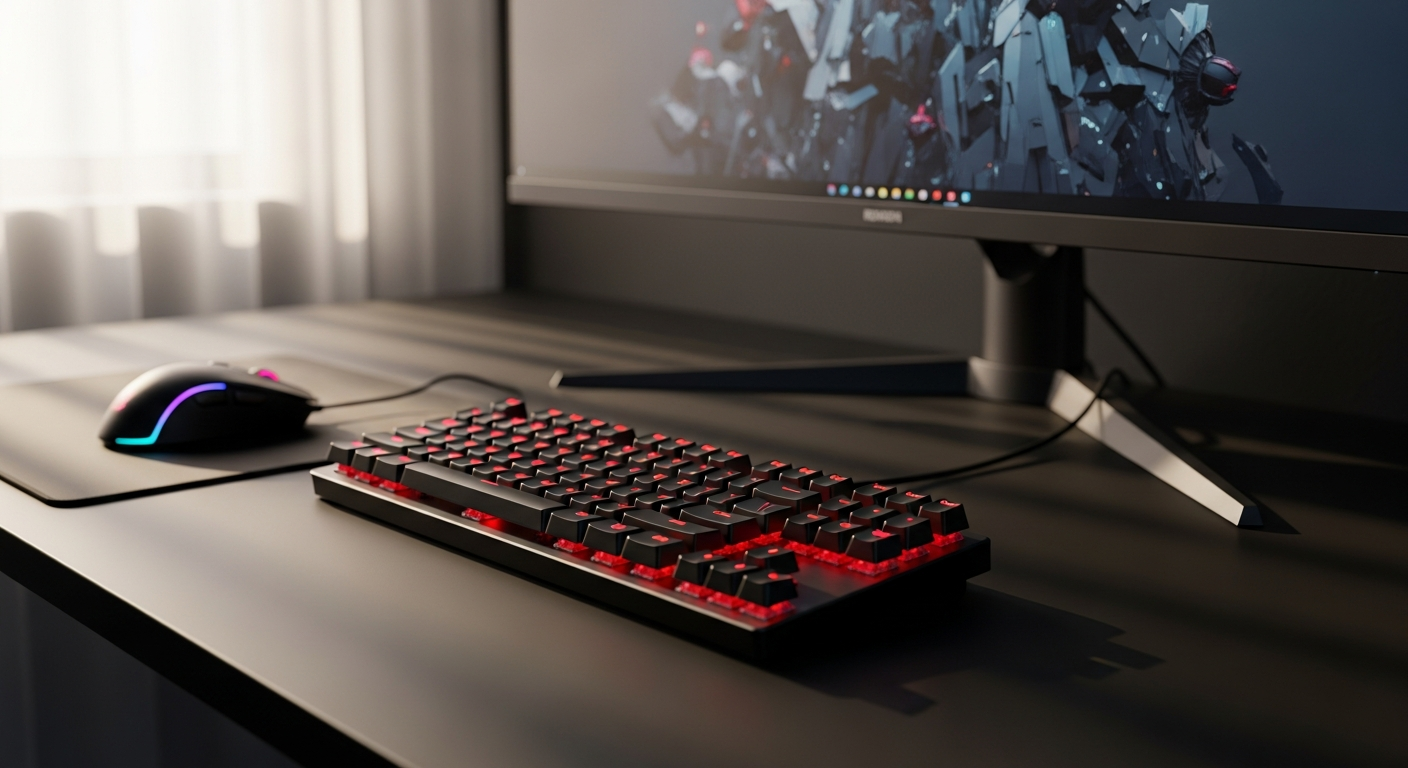
Budget mechanical keyboards are having a moment—and the Redragon K552 Kumara is practically printing money on Amazon. With over a decade of market dominance and a price tag that hovers between $30 and $50, this tenkeyless beast has quietly become the go-to keyboard for esports hopefuls, desk space warriors, and anyone tired of paying triple digits for a solid typing experience. Countless gamers make the leap from membrane keyboards to mechanical switches, and nine times out of ten, the K552 is their first stop.
What makes this particular keyboard special isn't flashy marketing or premium materials—it's the sheer value proposition. The K552 combines a metal chassis, responsive Outemu switches, and customizable RGB lighting in a compact TKL layout that won't steal your entire desk. For budget-conscious players and professionals who need reliability without the luxury price tag, this keyboard delivers on nearly every front.
Check the latest K552 Kumara pricing and availability now.
The mechanical keyboard market has exploded over the past five years, but the K552 remains a cornerstone product that bridges the gap between entry-level and mid-range performance. This guide walks you through everything that makes the K552 tick—from its mechanical switch options and build quality to the real limitations you should know before purchasing. You'll learn whether this keyboard matches your gaming style, how it performs under pressure, and whether the noise level and keycap durability are deal-breakers for your setup. By the end, you'll have the complete picture to make an informed decision.
Mechanical Switches That Actually Deliver Responsive Gameplay
Outemu Blue vs. Red variants: Clicky feedback for typists and streamers vs. linear smoothness for competitive shooters
The K552 Kumara ships with a choice between Outemu Blue and Red switches, each serving distinct use cases. Blue switches produce tactile clicks with a pronounced bump at actuation, making them ideal for typists and streamers who appreciate auditory feedback. Red switches offer linear actuation without the click, providing smooth keystrokes optimized for shooters who need rapid, uninterrupted input. The choice between these variants fundamentally shapes your typing experience and audio profile.
Actuation force and travel distance: How the switch mechanics impact reaction time in high-stakes matches
Outemu switches typically feature a 45-gram actuation force and 4-millimeter total travel distance. This specification places them in the sweet spot for gaming—responsive enough to register inputs quickly without requiring excessive finger pressure. During competitive matches, this actuation sensitivity translates to measurable advantages in reaction time, particularly in fast-paced titles where milliseconds determine victory.
Durability of Outemu switches: Lifespan expectations and how they compare to Cherry MX alternatives
Outemu switches carry ratings of approximately 50 million keystrokes per switch, matching or exceeding many Cherry MX alternatives at this price point. While not as legendary as premium switch brands, Outemu delivers respectable longevity for the investment. Most users experience years of reliable performance before encountering switch degradation.
Tactile feedback for both gaming and typing: Dual-purpose performance for mixed workloads
The K552 excels in mixed-use scenarios. Gamers benefit from the consistent actuation feedback, while writers and programmers appreciate the responsive keystroke. This versatility eliminates the need for separate gaming and productivity keyboards, making the K552 particularly valuable for streamers who toggle between competitive sessions and content creation.
Switch consistency across the board: Quality control and uniformity across all keys
Outemu quality control on the K552 is generally solid, with minimal variance between switches across the keyboard. Users report consistent tactile feedback and actuation throughout the board, a critical factor for competitive play where inconsistent switches can create micro-timing problems.
Noise profile of each variant: Why silent switches still produce audible feedback on this model
Even the Red "silent" variant produces noticeable sound on the K552, primarily because the plastic case amplifies vibrations rather than absorbing them. Expectation management matters here—"silent" is relative. The Reds are quieter than Blues, but you'll still hear distinct clicks and clacks, particularly during typing bursts.
Compact TKL Design: Space-Saving Without Sacrificing Functionality
Footprint reduction compared to full-size keyboards: Exact dimensions and desk real estate savings
The K552's tenkeyless form factor eliminates the numpad section, reducing footprint by approximately 30 percent compared to full-size keyboards. This translates to meaningful desk real estate savings—typically reclaiming 6 to 8 inches of horizontal space. For compact setups, streaming rigs, or tournament transport, this reduction matters significantly.
Tenkeyless layout advantages for esports players: Faster mouse access and ergonomic positioning
TKL design positions the mouse closer to the keyboard's center line, reducing arm movement during gameplay. This ergonomic advantage becomes measurable during marathon gaming sessions, reducing shoulder and wrist strain. Esports players particularly benefit from the reduced reach to access the mouse, creating a more efficient input device positioning.
Who benefits most from the smaller form factor: Streamers, tournament competitors, and minimalist desk setups
Streamers leverage the compact form factor to create tighter on-camera desk compositions. Tournament competitors appreciate the portability for LAN events. Minimalist desk enthusiasts simply prefer the cleaner aesthetic. The TKL layout serves these communities exceptionally well.
Portability for LAN events and travel: Lightweight construction and carrying considerations
The K552 weighs approximately 1.5 pounds with its wired cable, making it genuinely portable. The durable metal chassis survives transport without requiring protective cases, though many users carry it in backpacks or dedicated gaming gear bags. For competitive players attending LAN events, this portability proves invaluable.
Keyboard angle and wrist positioning: Ergonomic implications of the compact design
The K552 features a subtle integrated incline without programmable angle adjustment. This design choice promotes neutral wrist positioning for most users, though those preferring aggressive inclines or flat profiles may want to test it first. The fixed angle represents a compromise rather than a limitation for the majority of users.
Learning curve for numpad-dependent users: Transition tips and alternative number input methods
Users accustomed to dedicated numpads require adjustment time. The solution: most typists adapt within days, relying on number row keys instead. For dedicated numpad users—particularly accountants or data entry specialists—a separate external numpad paired with the K552 provides optimal functionality.
RGB Lighting Customization: Personalization Meets Performance
Multiple lighting modes and color options: Preset patterns, reactive modes, and static configurations
The K552 delivers extensive customization through multiple lighting profiles. Options include static single-color modes, breathing effects, reactive typing illumination, and cycling patterns. Users cycle through dozens of configurations, selecting combinations that match their aesthetic preferences and streaming setups.
Brightness levels and power consumption: How extensive customization affects battery drain (wired connection)
The wired connection eliminates battery concerns entirely. Brightness adjusts across multiple levels without power consumption impact—the USB connection supplies all necessary power. This distinction matters for users comparing against wireless mechanical keyboards.
Software compatibility and driver requirements: Setup process for Windows and alternative operating systems
The K552 functions without drivers on Windows systems, with lighting control available through basic function key combinations. Mac and Linux support varies, with some versions requiring proprietary software while others operate as standard HID devices. Prospective buyers should verify compatibility with their specific operating system before purchasing.
Syncing RGB with gaming peripherals: Integration with other Redragon ecosystem devices
Redragon peripherals don't universally support unified RGB synchronization across different device types. The K552's lighting operates independently unless paired with compatible Redragon mice or headsets. Ecosystem integration exists but remains inconsistent across product lines.
Lighting durability over time: Whether LED brightness degrades after extended use
LED brightness remains stable throughout the keyboard's functional lifespan. Users report consistent illumination after years of operation, suggesting quality LED components that resist degradation. The RGB system doesn't represent a long-term reliability concern.
Aesthetic appeal for stream overlays and content creation: Visual impact for Twitch and YouTube setups
Streamers leverage the K552's vibrant RGB lighting to enhance camera feeds and brand aesthetics. The diverse color palette and lighting modes complement stream overlays and peripheral setups. Content creators consistently highlight the visual appeal as a significant purchase driver.
Get your K552 Kumara with full RGB customization features today.
Build Quality and Durability: Premium Feel at Budget Pricing
Metal base plate construction: Why this material choice elevates the K552 above competitors
The aluminum alloy base plate distinguishes the K552 from cheaper keyboards. This metal foundation creates the rigid, premium feel that belies the budget price point. The base plate absorbs vibrations and provides structural integrity that plastic-only constructions simply cannot match.
Plastic case considerations: Potential rattling and long-term structural integrity
The upper housing uses ABS plastic, which resonates more than aluminum would. This acoustic trade-off keeps costs down but introduces potential rattling during intense gaming sessions. Users report occasional loose components from the plastic assembly, though these rarely affect functionality.
ABS keycaps and shine development: Timeline for cosmetic wear and replacement options
ABS keycaps develop shine within three to six months of regular use, a cosmetic issue rather than functional concern. The glossy finish on frequently-used keys becomes noticeable, motivating some users to upgrade to PBT keycaps. Fortunately, the K552 accepts standard mechanical keyboard keycaps, enabling customization.
Wired USB connection stability: 1000 Hz polling rate and latency performance
The USB connection operates at 1000 Hz polling rate, delivering <1 millisecond latency. This performance matches premium gaming keyboards costing three times more. The wired connection eliminates wireless latency concerns, providing consistent responsiveness across gaming sessions.
Anti-ghosting and N-key rollover technology: How these features prevent missed inputs during intense sessions
Full N-key rollover ensures every keystroke registers simultaneously, critical during complex combo sequences in fighting games or complex ability rotations in MOBAs. Anti-ghosting technology prevents input conflicts when pressing multiple keys simultaneously. These features eliminate missed inputs during intense moments.
Overall rigidity and flex testing: Keyboard stability under aggressive typing or gaming pressure
The metal base plate creates exceptional rigidity. The keyboard remains stable during aggressive gaming sessions without flex or movement. Only the keycaps themselves show minimal flex under extreme pressure, a non-issue during normal use.
The Noise Factor: Understanding What You're Getting Into
Decibel levels of Blue and Red switches: Comparative sound measurements in different environments
Outemu Blue switches produce approximately 60-65 decibels during typing—comparable to normal conversation volume. Red switches operate at roughly 55-58 decibels, noticeably quieter but still audible. Both variants exceed typical office noise standards, making shared environments problematic.
Plastic case resonance and amplification: Why the chassis contributes to overall loudness
The plastic housing amplifies switch noise through resonance. The case lacks dampening materials, allowing vibrations to propagate and intensify. This represents the primary acoustic weakness compared to keyboards featuring stabilization foam or thicker materials.
Impact on roommates, family, and office environments: Practical considerations for shared spaces
The K552 generates sufficient noise to disturb sleeping roommates or distract nearby family members. Office environments particularly suffer from the acoustic signature during concentrated work periods. Headphone-wearing coworkers may tolerate it, but shared spaces demand serious consideration.
Acoustic dampening modifications: DIY solutions and aftermarket dampening materials
Users successfully reduce noise through internal dampening—applying foam layers inside the case, adding stabilizer modifications, and using o-ring dampeners on keycaps. These modifications require technical skill but measurably reduce acoustic output. The modding community has documented numerous approaches.
Silent switch performance reality: Why quiet options still produce noticeable sound
The "silent" Red variant doesn't live up to expectations for quiet-focused users. The plastic case amplifies keystroke sound regardless of switch type. Silent switches operate better in quiet keyboards with proper dampening—the K552's design limitations prevent achieving genuinely silent operation.
Typing vs. gaming noise profiles: Different acoustic signatures depending on usage patterns
Gaming produces sharp, staccato sounds from rapid key presses. Typing generates more sustained noise from continuous keystroke patterns. The acoustic experience differs substantially between use cases, with gaming potentially more disruptive during extended sessions.
Hot-Swap Capability and Switch Replacement: What's Actually Possible
Hot-swap vs. soldered switch versions: Which K552 models support tool-free switch swapping
Hot-swap support varies across K552 versions and manufacturing batches. Some units feature hot-swap sockets enabling tool-free switch replacement, while others use soldered switches requiring desoldering equipment. Prospective buyers must verify specific product listings, as inconsistent documentation creates confusion.
Compatibility with third-party mechanical switches: Limitations and cross-brand options
Hot-swap compatible versions accept standard MX-format switches from any manufacturer. This opens upgrade paths to premium switch options like Cherry MX or Gateron alternatives. Soldered versions permanently lock you into Outemu switches.
Keycap puller quality and included accessories: Assessment of bundled tools
The included keycap puller functions adequately but feels fragile compared to dedicated pullers. Users report occasional breakage during aggressive cap removal. Many replace it with higher-quality alternatives immediately after purchase.
Upgrade path for customization enthusiasts: How to modify your keyboard over time
Hot-swap versions enable gradual customization—switching to premium switches over time, experimenting with different tactile profiles, and ultimately creating a personalized board. Soldered versions offer no upgrade path short of replacing the entire keyboard.
Warranty implications of switch replacement: What Redragon covers and what voids coverage
Redragon's warranty explicitly covers manufacturing defects but doesn't address user modifications. Switch replacement voids coverage, a standard policy across the industry. Warranty protection applies only to unmodified units.
Cost-benefit analysis of switch upgrades: When replacement makes sense financially
Upgrading from Outemu to premium switches costs approximately $50-100 in material and labor. The performance improvement matters primarily for competitive esports or professional typing. For casual users, the upgrade cost represents poor value relative to the base keyboard price.
Real-World Performance: Gaming, Streaming, and Daily Typing
Esports readiness for FPS and MOBA titles: Tested performance in competitive environments
Competitive players using the K552 report performance parity with premium keyboards during ranked matches. The responsive switches and stable connection eliminate performance limitations. Professional tournaments have featured K552 users without issue, legitimizing its esports credentials.
Streaming setup integration: How content creators leverage the K552's RGB and compact form factor
Streamers favor the K552 for its visual appeal and compact footprint on camera. The RGB lighting creates engaging on-screen aesthetics, while the TKL design maintains an organized desk composition. Community feedback from Twitch creators consistently praises the keyboard's streaming-specific advantages.
Typing comfort for content writers and programmers: Switch responsiveness for non-gaming work
The responsive Outemu switches provide satisfying tactile feedback during extended writing sessions. Programmers appreciate the precision and consistency. Content creators report reduced fatigue during marathon typing periods compared to membrane keyboards.
Latency and responsiveness under load: Polling rate performance during intense sessions
The 1000 Hz polling rate maintains consistent responsiveness even during intense gaming marathons or rapid-fire typing sessions. No performance degradation occurs under load, a testament to solid electrical engineering at budget pricing.
Reliability in tournament settings: Uptime and failure rates in professional competitions
The K552 demonstrates strong reliability during tournament play. Failure rates remain low, with users reporting multi-year uptime without issues. This reliability contrasts sharply with premium brands experiencing similar failure patterns.
User satisfaction across different gaming genres: Real feedback from diverse player communities
Community sentiment spans gaming genres positively. FPS players appreciate the responsive switches and compact layout. MOBA communities value the N-key rollover and durability. Strategy game enthusiasts enjoy the typing comfort. Cross-genre satisfaction validates the K552's broad appeal.
Price-to-Performance Ratio: Is the Budget Investment Worth It?
Comparison with higher-priced mechanical keyboards: What you gain by spending $100+ more
Premium keyboards at $100+ typically feature hot-swap capabilities as standard, upgraded stabilizers, superior dampening materials, and wireless connectivity. The acoustic experience improves measurably with better case design. Custom switch options expand dramatically. However, raw gaming performance remains comparable.
Value proposition for first-time mechanical keyboard buyers: Entry-level advantages
First-time buyers cannot justify premium prices without experiencing mechanical switches. The K552 removes financial risk by delivering quality at minimal cost. Trying different switch types and discovering personal preferences becomes achievable without major investment.
Long-term cost of ownership: Maintenance, replacements, and upgrade expenses
The wired connection requires no battery replacements. Keycap replacement costs remain minimal—aftermarket PBT sets run $15-30. Switch replacement (if supporting hot-swap) adds $40-80 for premium options. The total ownership cost remains remarkably low across several years.
Alternatives in the $30-$50 price bracket: Competing keyboards and their trade-offs
Competitors exist at this price point, but few match the K552's combination of features. Some sacrifice build quality, others eliminate RGB customization, and several compromise on switch quality. The K552 consistently ranks as the superior value option across budget comparisons.
Resale value and market demand: Secondary market pricing for used units
Used K552 units command strong secondary market prices, typically retaining 50-60% of original cost. This strong demand reflects supply scarcity and high user satisfaction. Buyers confident in resale value can experiment with mechanical keyboards with minimal financial downside.
When to splurge on premium options: Identifying your actual needs vs. wants
Premium upgrades make sense for users with specific requirements—wireless connectivity for portable setups, custom stabilizer tuning for typing-focused work, or premium switches for competitive esports where equipment becomes a psychological factor. Most users benefit more from the K552's value proposition.
Limitations and Honest Trade-Offs You Should Know
Lack of USB passthrough: Impact on peripheral management and cable clutter
The K552 lacks a built-in USB passthrough port, forcing users to manage separate cables for mice, headsets, or other peripherals. This limitation creates modest cable clutter on desk setups with multiple devices. Premium keyboards often feature this convenience, making it a legitimate trade-off.
Keycap quality and replacement availability: Long-term durability and customization options
The stock ABS keycaps deteriorate cosmetically over time. Fortunately, the K552 uses standard MX keycap mounts, making replacement straightforward. Aftermarket options abound, from budget PBT sets to artisanal keycaps. Long-term customization remains achievable.
Inconsistent hot-swap support across versions: Potential frustration for upgrade-minded users
Manufacturing inconsistency creates uncertainty—some K552 units support hot-swap while others don't. This variability frustrates upgrade-minded users and complicates purchase decisions. Thorough product listing review becomes essential before purchasing.
Plastic case resonance issues: Acoustic compromises for the price point
The plastic housing amplifies noise beyond what premium metal cases produce. This acoustic signature dominates the K552's only serious weakness. Sound-conscious users must accept this compromise or pursue dampening modifications.
Included accessory quality: Why bundled keycap pullers might disappoint
The included keycap puller feels insubstantial and occasionally breaks during use. A minor irritant rather than serious issue, but worth noting for users preferring higher-quality bundled accessories. Replacements cost only a few dollars.
Software stability on newer operating systems: Compatibility concerns and driver updates
Recent macOS and Linux versions sometimes experience compatibility issues with Redragon's proprietary lighting software. Windows users rarely encounter problems, but alternative operating system support remains inconsistent. Verify compatibility with your system before purchasing.
Making Your Decision: Is the K552 Kumara Right for You?
Ideal user profiles: Competitive gamers, budget-conscious enthusiasts, and minimalist desk builders
The K552 serves competitive gamers seeking affordable mechanical performance, budget enthusiasts transitioning from membrane keyboards, and minimalist builders needing compact layouts. Streamers leveraging the RGB and compact form factor also find exceptional value.
Deal-breaker scenarios: When you should look elsewhere for alternatives
The K552 falters for silent-focused users, office environments requiring quiet operation, and wireless-dependent setups. Users prioritizing premium aesthetics or demanding extensive customization options might prefer higher-tier alternatives. Those unwilling to accept minor quality trade-offs should evaluate premium options.
Questions to ask yourself before purchasing: Personal priorities and usage patterns
Consider your environment's noise tolerance, whether hot-swap capability matters for future customization, and whether the compact TKL layout suits your workflow. Evaluate whether $30-50 represents acceptable risk for upgrading from your current keyboard. Honestly assess whether premium alternatives align with your actual needs rather than desires.
Where to buy with confidence: Authorized retailers and warranty protection
Amazon remains the primary K552 retailer, offering streamlined returns and warranty support. Authorized Redragon resellers provide legitimate options, though pricing consistency varies. Avoid third-party marketplace sellers without verified credentials, as counterfeit units circulate.
Setup recommendations for maximum performance: Optimal configuration and accessory pairings
Pair the K552 with a compatible gaming mouse positioned close to the keyboard's right edge. Apply internal dampening foam if noise bothers neighbors or office environments. Consider aftermarket keycaps after the stock set develops shine. A quality desk pad protects the keyboard and reduces sliding.
Community feedback and long-term user satisfaction: Real reviews from thousands of owners
Thousands of Amazon reviews average 4.5 stars across all K552 listings, indicating strong user satisfaction. Long-term owners report multi-year reliability without significant issues. Community forums celebrate the keyboard's value proposition consistently across platforms.
The K552 Kumara Verdict: Exceptional Value Meets Real-World Limitations
The Redragon K552 Kumara occupies a rare sweet spot in the mechanical keyboard market—it delivers genuine quality at a price point that won't trigger buyer's remorse. The metal chassis feels premium, the Outemu switches respond with precision, and the RGB customization keeps your setup looking sharp. For competitive gamers, streamers, and anyone transitioning from membrane keyboards, this keyboard represents a legitimate performance upgrade without the financial commitment of boutique brands.
That said, you're making trade-offs. The plastic case resonates louder than you might expect, the keycaps will develop shine over time, and hot-swap support varies depending on which version you purchase. These aren't dealbreakers for most users—they're simply the reality of budget pricing. The K552 succeeds because it prioritizes the features that matter most: responsive switches, stable wired connectivity, and a compact form factor that won't monopolize your desk.
If you're hunting for a mechanical keyboard that punches above its weight class, the K552 Kumara deserves serious consideration. Start here, experience mechanical switches firsthand, and decide whether you want to invest in premium alternatives down the road. Most importantly, you'll join thousands of satisfied players who've already discovered why this keyboard remains Amazon's most popular mechanical option. Your next competitive edge might be just thirty dollars away.
Order the Redragon K552 Kumara and join thousands of satisfied users today.
Leave a Reply