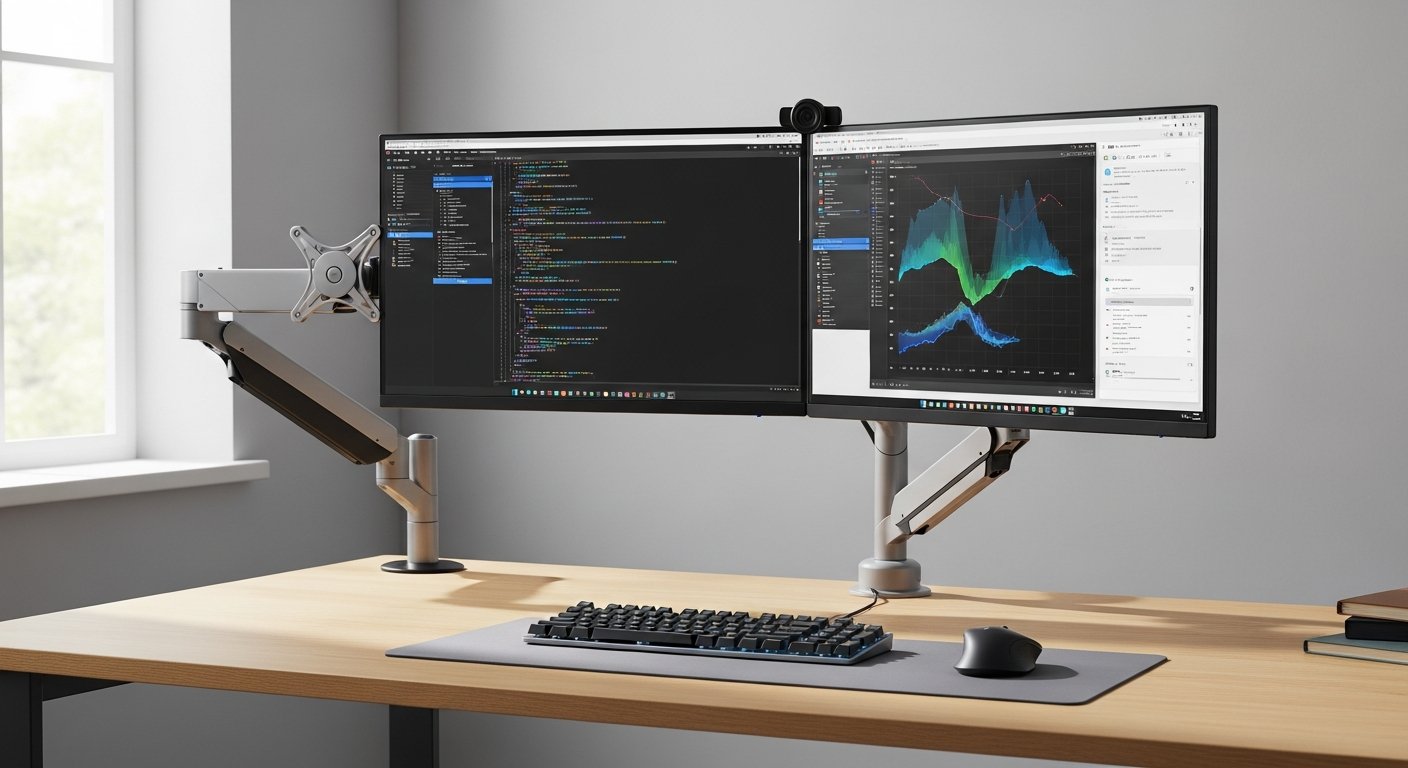
Remote workers, content creators, and financial analysts spend an average of 8+ hours daily staring at multiple screens—and most suffer from neck strain, shoulder tension, and eye fatigue as a result. The culprit isn’t overwork; it’s poorly positioned monitors that force awkward viewing angles and limit workspace flexibility. When your displays sit at the wrong height or distance, every hour compounds the physical toll.
The Ergotron LX Monitor Arm has earned its reputation as a powerhouse solution for professionals who demand more from their workspace. Built with patented CF-technology and premium aluminum construction, this mount transforms how you interact with your displays. Whether you’re managing spreadsheets across three screens or editing video on dual 4K monitors, the LX delivers the precision, durability, and adaptability that separates amateur setups from professional-grade workstations.
This guide breaks down how the Ergotron LX excels in multi-monitor environments—something standard monitor mounts simply can’t handle. You’ll discover real-world configuration strategies, learn which mounting options work best for your desk type, and understand why the investment pays dividends in productivity and ergonomic health.
Explore premium monitor mounting solutions at Monitorhalterung.de today.
Why Multi-Monitor Professionals Choose the Ergotron LX Over Standard Mounts
Standard single-arm monitor mounts work fine for straightforward desk setups. But the moment you introduce a second or third display, their limitations become painfully obvious. Single-arm solutions force compromise: either one monitor gets optimal positioning while others suffer, or all three sit at suboptimal angles that leave your neck twisted and your eyes strained.
Professionals need specialized equipment because their workflows demand flexibility that generic mounts can’t provide. A video editor needs a reference monitor positioned at eye level while secondary displays sit at angles for timeline work. A financial analyst requires three screens aligned perfectly for seamless data comparison. A programmer needs portrait-oriented code review monitors alongside landscape displays. Standard mounts can’t adapt to these varied demands.
The 360° Advantage: Swivel and Height Flexibility
The LX’s 360° swivel capability eliminates the positioning compromises that plague multi-monitor setups. Each arm rotates completely around its attachment point, allowing you to angle displays precisely toward your viewing position. The 33cm height adjustment—roughly 13 inches of vertical travel—means monitors can sit flush at eye level or drop lower for specific tasks.
This combination matters significantly. When all monitors sit at slightly different heights and angles, your eyes follow a natural arc across your workspace rather than requiring head movements between fixed positions. The result: measurably reduced neck strain during 8-10 hour workdays.
Mounting Flexibility: Desk Clamp vs. Grommet Mount
Your desk type determines which mounting option serves you best. Desk clamp mounts attach to the desk edge, requiring only a flat surface and no drilling—ideal for rental spaces, conference tables, or desks you don’t own. Grommet mounts pass through a hole in your desktop, anchoring directly to the desk structure. They offer superior stability for heavy multi-monitor setups and create a cleaner aesthetic by routing cables through the desk.
Grommet mounting also eliminates the footprint of a desk clamp, freeing valuable surface area for keyboards, input devices, or materials. For professionals managing tight desk real estate, this space liberation alone justifies the installation effort.
Weight Capacity and Display Support
The Ergotron LX supports monitors up to 11.3 kg (25 lbs) per arm—a specification that matters more than many realize. Budget mounts often cap out around 7-8 kg, forcing you to choose between the professional-grade 27-inch displays you need and the arm you can afford. Premium 4K monitors, curved panels, and ultrawide displays frequently exceed 8 kg, making the LX’s higher capacity essential.
When you’re mounting multiple heavy displays simultaneously, load distribution becomes critical. A single undersized arm doesn’t just position poorly; it creates safety concerns and premature wear on desk structure.
VESA Compatibility: The Universal Standard
The LX accommodates both 75x75mm and 100x100mm VESA mounting patterns, the universal standards for modern monitors. This dual-standard compatibility eliminates one of the most frustrating compatibility issues: discovering your new monitor won’t fit your existing mount because of VESA mismatch.
VESA standardization matters because it future-proofs your setup. As you upgrade displays over the next decade, you won’t need to replace your mounting infrastructure.
Cable Management Integration
Multi-monitor setups generate cable chaos. Three displays mean minimum nine cables (power, video, audio for each), plus keyboard, mouse, and potentially additional USB devices. Without intentional routing, cables tangle, create desk clutter, and generate stress when you need to adjust monitor positions.
The Ergotron LX features integrated cable management along the arm’s length. Cables route cleanly alongside the mount structure, reaching desk ports or power strips without the tangled mess that plagues standard setups. For professionals whose desks appear on video calls or client visits, this integration transforms workspace aesthetics from chaotic to polished.
Durability and the 10-Year Warranty Advantage
Professional environments demand equipment that withstands constant use. The LX’s polished aluminum construction handles the daily adjustments, repositioning, and use cycles that define professional workspaces. More importantly, it comes backed by a manufacturer’s 10-year warranty—a commitment that signals confidence in durability.
Budget mounts often fail within 2-3 years as materials degrade, joints loosen, and smooth operation degrades. The LX’s longevity means you’re not replacing mounting hardware mid-workflow or managing equipment failures that interrupt productivity.
Invest in professional-grade monitor mounting equipment designed to last.
Configuring Dual and Triple-Monitor Setups with Ergotron LX Arms
Single-Arm vs. Dual-Arm vs. Triple-Arm Configurations
Your optimal configuration depends entirely on your workflow. Single-arm setups work for professionals who need one primary display plus occasional reference monitors on stands. Dual-arm configurations serve the majority of professionals—two primary displays mounted symmetrically for balanced viewing, often with a third monitor on a separate stand or arm.
Triple-arm configurations appeal to data-intensive professionals: financial traders monitoring multiple markets, video editors managing source, timeline, and color reference simultaneously, or programmers reviewing code across multiple windows. Each configuration offers different ergonomic trade-offs and desk space requirements.
Optimal Monitor Positioning for Reduced Neck Strain
Ergonomic positioning isn’t arbitrary—it’s based on decades of workplace health research. Your primary monitor should sit directly ahead, with the top of the screen at or slightly below eye level when seated naturally. Secondary monitors position at 30-35 degree angles to either side, creating a natural arc for eye movement without requiring neck rotation.
Height alignment proves critical when managing multiple displays. If your center monitor sits significantly higher than flanking displays, your eyes track upward and downward repeatedly throughout the day, generating fatigue and strain. The LX’s height adjustment range allows precise alignment so all displays sit in your natural viewing zone.
Depth and Width Calculations
Before mounting, calculate your desk’s actual dimensions. A triple-monitor setup requires roughly 90cm of width and 60-70cm of depth when accounting for monitor width and the arm’s extension from the desk. Misjudging these measurements results in monitors positioned awkwardly at the desk edge or extended so far that stability suffers.
Measure your desk depth from the back edge to where your keyboard will sit. Monitor arms typically extend 40-50cm from the desk surface. If your desk depth only allows 40cm before you run out of comfortable keyboard space, you need that measurement. The LX’s adjustable reach accommodates variable desk depths, but understanding your constraints prevents frustrating repositioning after installation.
Height Alignment Strategies
Stagger your monitor heights intentionally based on usage patterns. If you reference one display more frequently than others, position it at strict eye level. Less-frequently-checked monitors can sit slightly higher or lower. This graduated approach reduces fatigue by minimizing how far your eyes travel repeatedly.
Video editors often position their timeline or timeline reference monitor centrally at eye level, with source monitors slightly higher and output monitors slightly lower. This arrangement optimizes for the specific visual task each display performs.
Pivot and Rotation Techniques
The LX’s 360° rotation enables landscape-to-portrait transitions without removing monitors. Programmers frequently rotate a secondary display to portrait orientation for code review—portrait aspect ratios show more lines of code vertically, reducing scrolling. Designers might rotate a reference monitor to portrait for viewing tall image compositions.
These rotations don’t require removing cables or remounting hardware. The arm accommodates the orientation change seamlessly, and cable management systems still function without tangling.
Creating Ergonomic Zones
Professional workspaces benefit from designated zones for different tasks. Your primary work zone occupies the center, with primary displays positioned for maximum comfort during your longest work periods. A secondary zone might accommodate client-facing monitors angled toward visitors during video calls. A tertiary zone might hold informational displays showing dashboards or reference materials that require occasional checking rather than constant focus.
The LX’s flexibility allows you to define these zones and position displays accordingly. A monitor you check every few minutes sits differently than your primary work display.
Cable Routing Best Practices
Route cables along the arm’s integrated management system, then down to a centralized power and USB hub positioned behind or beside your desk. Avoid coiling cables around monitor stands or leaving them loose across desk surfaces—this creates tripping hazards and makes future adjustments painful.
Color-coded cables help identify which connections serve which monitors, simplifying troubleshooting if a display suddenly loses signal. Label your cables clearly at both ends.
Workspace Design Strategies for Content Creators and Data Analysts
Reference Monitor Layouts for Video Editing
Video editors typically need three distinct display types: a primary timeline monitor where editing occurs, a client/output monitor showing the final result, and a reference monitor displaying color reference materials or source footage. The LX accommodates this workflow perfectly.
Position your timeline monitor centrally at eye level—this is where your attention focuses most intensely. Position your client monitor off to one side at a slight angle; you check it frequently but don’t stare at it constantly. Your reference monitor can sit at a slightly different height or angle, since you glance at it periodically rather than maintaining steady focus.
This configuration reduces the physical strain of editing sessions that extend 8-10 hours daily. Instead of constantly twisting to check different displays, your eyes follow a natural arc across ergonomically positioned screens.
Multi-Screen Trading and Financial Analysis Setups
Financial professionals tracking real-time markets require multiple displays showing different data streams simultaneously. A typical setup includes a primary display showing primary trading instruments, secondary displays showing related markets, and potentially a fourth display showing news feeds or communication platforms.
The LX’s precise positioning allows you to arrange these displays so frequently-checked information sits in your natural eye line, while supplementary information occupies peripheral positions. A trader managing multiple position windows benefits from slight height variations that align different windows with natural eye movement patterns.
Programming and Development Environments
Developers benefit significantly from multi-monitor setups that separate concerns visually. A typical arrangement positions code review windows on one portrait-oriented display, execution environments or terminals on another, and documentation or references on a third. The LX’s rotation capability supports these varied orientations without hardware changes.
Height and angle positioning matter because developers spend extended periods intensely focusing on specific windows. If your primary coding display sits too high, eye strain accumulates rapidly. The LX’s precise adjustment allows you to dial in the exact positioning that feels natural for hours of focused coding.
Gaming and Streaming Configurations
Gamers leveraging multi-monitor setups for immersive experiences benefit from the LX’s curved monitor support and precise angling. Three displays angled around your seating position create an enveloping visual field that enhances immersion while maintaining ergonomic positioning.
Streamers managing gameplay, chat, and dashboard information simultaneously use the LX to position their gameplay monitor for maximum visibility while positioning secondary monitors at angles that don’t interfere with comfortable mouse and keyboard operation.
Real Estate and Architectural Visualization
Architects and real estate professionals working with ultrawide monitors or curved multi-monitor arrays need mounting solutions that accommodate specialized display formats. The LX supports these configurations, allowing precise positioning of large-format displays without structural compromise.
A visualization professional might position a primary ultrawide display for immersive design work and secondary displays for reference materials, tools, and communication platforms. The LX handles the weight and positioning demands these displays impose.
Medical and CAD Workstations
Medical imaging and CAD professionals work with displays requiring pixel-perfect accuracy and precise positioning for accurate depth perception during technical work. The LX’s rock-solid stability and precise positioning enable the accuracy these applications demand.
These professionals often work in regulated environments where ergonomic positioning isn’t optional—it’s a requirement. The LX helps meet these standards while delivering the technical performance these specialized applications require.
Desk Space Liberation
Perhaps the most underappreciated benefit of monitor arms: freed desk surface area. A typical monitor stand occupies 20-30cm of depth and 40-60cm of width on your desk surface. Mounting your displays on arms recovers this valuable real estate for input devices, reference materials, or simply breathing room that makes professional workspaces feel less cluttered.
This space transformation has psychological benefits beyond mere organization. A cleaner, less-cluttered workspace measurably improves focus and reduces cognitive load from visual chaos.
Technical Specifications and Compatibility Considerations
Monitor Size and Weight Limits
The 34-inch/11.3kg specification isn’t arbitrary—it represents the threshold where monitor weight begins creating stability and fatigue concerns with standard mounting hardware. A 32-inch 4K display typically weighs 9-10kg. A 34-inch ultrawide pushes toward 11kg. Larger displays or dual-4K monitor arrangements exceed the LX’s capacity.
Understanding this threshold prevents purchasing displays that exceed your mount’s capacity. If your workflow demands displays larger than 34 inches, the Ergotron HX model accommodates heavier loads, though at higher cost and reduced adjustability.
VESA Mounting Standard Explained
VESA (Video Electronics Standards Association) defined mounting hole patterns to create industry standardization. 75x75mm means mounting holes spaced 75mm apart horizontally and vertically—standard for monitors 27 inches and smaller. 100x100mm accommodates larger displays. The LX supports both standards, ensuring compatibility with virtually every modern monitor available.
Before purchasing a specific monitor, verify its VESA pattern. This simple check prevents discovering incompatibility after your display arrives.
Desk Thickness and Clamping Requirements
Desk clamp mounts require edge surfaces between roughly 2-5cm thick. Extremely thin desk edges or glass desks may not provide adequate clamping surface. Measure your desk edge thickness before selecting a clamp mount. Grommet mounts require drilling a 3-4cm hole through solid desk material—not feasible for glass, plastic, or extremely thin desks.
Understanding these constraints before installation prevents frustrated returns or workarounds.
Grommet Mounting Advantages
Beyond aesthetics, grommet mounting offers superior stability because the arm anchors directly to the desk structure rather than relying on edge pressure. This anchoring method suits heavy multi-monitor setups better than clamp mounting. Grommet mounting also enables cleaner cable routing through the desk, eliminating cables running across your work surface.
The trade-off: grommet mounting requires drilling, which isn’t feasible for rented spaces or desks you don’t control.
Curved and Ultrawide Display Compatibility
The LX accommodates curved monitors and ultrawide displays within its weight and VESA standards. Curved monitors typically weigh more than flat equivalents of similar size, so verify weight specifications. Ultrawide displays (29-38 inches) sometimes exceed 34-inch specifications in height or width, requiring careful measurement to ensure they fit your mounting location without obstruction.
Test fit measurements before committing to a display purchase if you’re working with unusual aspect ratios or sizes.
Arm Length and Reach Calculations
Monitor arms extend various distances from the mounting point—typically 40-60cm for professional mounts. If your desk depth from the back edge to your seating position measures only 50cm, a mount extending 50cm leaves no room between monitors and your work area. Calculate your required reach before selecting specific hardware.
The LX offers various mounting configurations and extensions to accommodate variable desk depths, but understanding your space constraints prevents purchasing unsuitable configurations.
Load Balancing with Multiple Arms
Mounting multiple heavy displays on a single desk concentrates significant load on the mounting point and underlying desk structure. Desk clamp mounts distribute this load across the edge surface; grommet mounts concentrate it at the mounting hole. Heavy multi-monitor setups benefit from reinforcing the desk structure or distributing mounting points across multiple locations rather than centralizing them.
A triple-monitor setup totaling 25kg+ requires more structural consideration than a single monitor. Desk clamps positioned at multiple points distribute load more effectively than a single grommet mount supporting all three arms.
The Investment Perspective: Premium Pricing and Long-Term Value
Price Range Breakdown
The Ergotron LX spans €150-€250 depending on configuration. Single-arm desk clamp models start near €150. Dual-arm configurations with grommet mounting approach €250. The price variation reflects different mounting options, arm quantities, and regional pricing differences.
Understanding what drives these price variations helps you select the configuration that matches your actual needs rather than paying for features you won’t use.
Cost-Per-Year Analysis
The 10-year warranty transforms how you evaluate the investment. A €200 mount divided across 10 years of service costs €20 annually—roughly €1.66 monthly. Compare this to budget mounts costing €50-80 that fail or degrade within 2-3 years. The cost-per-year of budget alternatives often exceeds premium options when you factor replacement cycles.
More importantly: can you afford the productivity loss when equipment fails mid-workflow? The LX’s durability guarantees your workspace remains functional regardless of workload intensity.
Comparison with Budget Alternatives
Budget monitor mounts ($40-80 equivalents) utilize plastic components, basic ball-joint mechanisms, and minimal adjustment ranges. They position monitors but don’t facilitate the precise positioning professional workflows demand. In multi-monitor setups, budget mounts quickly become limitations: they won’t hold weight reliably, won’t position precisely, and degrade under the constant adjustment demands professionals impose.
The quality gap between budget and premium mounts mirrors the gap between generic office furniture and purpose-designed ergonomic workstations. Budget options work temporarily; premium options work indefinitely.
Productivity Gains Offsetting Investment
Professionals frequently recover the mount’s cost within months through productivity improvements. A video editor working 8-hour days benefits from reduced fatigue and repositioning time. A financial trader managing multiple displays gains advantages from perfectly positioned information sources. A programmer develops faster when code and references sit at optimal viewing angles.
These aren’t theoretical benefits—they’re measurable improvements that compound daily across your entire career.
Ergonomic Injury Prevention
Healthcare costs for repetitive strain injuries (RSI), neck strain, and eye fatigue accumulate rapidly. A single physical therapy treatment costs €50-100. Chronic ergonomic strain can develop into conditions requiring ongoing treatment or limiting your ability to work effectively. The LX prevents these issues through proper positioning, effectively making the mount a health investment that prevents far costlier medical expenses.
Long-term studies consistently demonstrate that ergonomic workspace investments prevent injuries that would otherwise compromise your career earning potential and quality of life.
Resale Value and Secondary Market Durability
Premium mounts retain value in secondary markets because durability is verifiable. A used Ergotron LX with remaining warranty typically sells for 60-70% of new price. Budget mounts have negligible resale value because their reliability is questionable. This resale potential further reduces the true cost of ownership.
When to Upgrade to the Ergotron HX
The Ergotron HX represents the step-up option for professionals exceeding the LX’s specifications. If your displays total weight exceeds 11.3kg per arm, if you’re mounting displays larger than 34 inches, or if you require heavier-duty construction for extreme-use environments, the HX justifies its premium pricing. For standard professional applications, the LX delivers all necessary functionality.
Installation, Adjustment, and Maintenance for Optimal Performance
Step-by-Step Installation Guide
Desk clamp installation requires minimal tools: typically a wrench or screwdriver for the mounting bolts. Position the clamp on your desk edge, slide the monitor arm through the base, and tighten clamping bolts evenly until secure. Tighten gradually to avoid over-torquing single bolts, which can damage the clamping surface.
Grommet mounting requires drilling a hole and passing mounting hardware through the desk. Position the base on your desk, mark the mounting hole location carefully, drill slowly to avoid splintering, and insert the grommet and mounting hardware from underneath. Hand-tighten bolts initially, then gradually increase tension to ensure even pressure.
Test stability before mounting your monitor—push firmly on the arm to verify it doesn’t shift or wobble.
Initial Setup: Weight Distribution
When mounting multiple displays, balance weight distribution across all arms. Install monitors slowly, starting with lighter displays, and verify stability after each addition. Uneven weight distribution can cause arms to shift or create instability.
Attach cable connections before or immediately after mounting to prevent cables from becoming tangled or catching during positioning adjustments.
Fine-Tuning CF-Technology
The Ergotron LX’s patented CF-technology delivers smooth, effortless adjustments without arm drift—a significant advantage over standard ball-joint mechanisms that require constant tension adjustment or suffer from gradual creeping over time. Initial setup requires minimal adjustment: the mechanism should feel balanced so your monitor stays positioned without requiring locks or latches.
If your monitor drifts downward or shifts when you adjust it, contact Ergotron support. This suggests a potential defect rather than a tuning issue—CF-technology shouldn’t require adjustment for balance.
Regular Maintenance Routines
Professional equipment requires minimal maintenance: periodic cleaning and inspection. Wipe aluminum components with a damp microfiber cloth to remove dust. Inspect cable connections quarterly to verify they remain secure. Check mounting hardware annually to ensure bolts haven’t loosened through vibration or use.
Avoid harsh chemicals or solvents that could degrade aluminum finish. Standard computer cleaning supplies work fine for the LX.
Troubleshooting Common Issues
Monitor creeping or drifting suggests either a defect or excessively heavy display for the arm’s balance. Verify your display weight falls within specifications and contact Ergotron if problems persist.
Cable tangling or kinking indicates improper routing through cable management. Re-route cables to eliminate tight bends or pressure points that could damage insulation. Use cable ties or wraps to organize multiple cables along the arm.
Stability concerns typically trace to improper installation. Verify clamping bolts are tightened evenly and fully, and that grommet mounts pass through solid desk material rather than sitting on thin veneers.
Seasonal Adjustments
As your office environment changes—lighting shifts seasonally, workspace furniture gets rearranged, or your workflow evolves—your optimal monitor positioning may shift. Don’t hesitate to re-adjust. The LX’s smooth adjustability makes these tweaks effortless.
Similarly, as you spend time working on your optimized setup, you may discover positioning adjustments that improve comfort. Make these refinements—the goal is a workspace that feels natural and effortless after you’ve dialed in the perfect positioning.
Safety Considerations
Never position monitors higher than is ergonomically necessary. While the LX’s height range is substantial, extremely elevated monitor positions create stability concerns and look unsightly. Keep monitors at eye level or slightly below for optimal ergonomics and aesthetics.
Test stability before leaving your workspace unattended with monitors mounted. Ensure clamping bolts are fully tightened and cable connections are secure.
Real-World Productivity Gains and Workspace Transformation Stories
Before-and-After Workspace Transformations
Professionals implementing multi-monitor Ergotron LX setups report consistent transformations from cluttered, ergonomically compromised workspaces to organized, professional command centers. Desk surfaces previously occupied by monitor stands become usable workspace. Cable chaos evolves into organized systems. Monitors that required constant manual repositioning now hold precise positions indefinitely.
These transformations extend beyond aesthetics. Professionals consistently report that cleaner, better-organized workspaces improve focus and reduce stress—measurable changes in work satisfaction and output quality.
Time-Saving Benefits
The time spent repositioning monitors, untangling cables, or dealing with equipment frustration adds up surprisingly. A professional spending 10-15 minutes daily adjusting single-mount monitors or dealing with cable issues recovers roughly 50 hours annually by switching to properly mounted displays. This recovered time translates directly to productive output.
Equipment that works reliably eliminates the mental energy spent compensating for equipment failures or limitations.
Focus and Concentration Improvements
Workspaces optimized ergonomically improve concentration measurably. When your neck doesn’t ache, your eyes don’t strain, and your workspace feels organized and professional, your mental energy focuses entirely on work rather than physical discomfort or environmental frustration.
This improvement compounds throughout your workday. Eight hours of better focus and concentration significantly increases output quality and quantity compared to the same duration interrupted by physical discomfort or equipment frustration.
Collaboration Advantages
Properly positioned monitors enable more effective collaboration. Video call participants see you at better eye angles when monitors sit at proper heights. Client presentations benefit from monitors positioned to share content effectively. Team-based work flows more smoothly when multiple participants can see shared displays comfortably.
Health Impact Testimonials
Professionals report consistent health improvements after implementing ergonomic multi-monitor setups. Neck pain decreases or disappears. Eye strain and associated headaches diminish. Shoulder and back tension from awkward positioning resolves. These aren’t subtle improvements—they’re often dramatic changes in daily comfort and physical well-being.
For professionals spending 8-10 hours daily working, these health improvements translate to quality-of-life enhancement that extends beyond the workspace.
Workflow Efficiency Gains
Different professionals report different efficiency improvements depending on their workflows. Video editors reduce project timelines by eliminating constant repositioning and cable management. Financial traders execute faster with perfectly organized information displays. Programmers develop faster with code and references positioned optimally. These improvements compound: slightly faster work throughout the day equals significantly more completed by week’s end.
Psychological Benefits
Perhaps most importantly, professionals report psychological improvements from working in truly professional-grade spaces. A workspace that looks and functions professionally influences how you approach work. You’re more likely to maintain focus and standards when your environment reflects professional priorities.
This psychological benefit isn’t trivial—it influences your professional identity, work satisfaction, and ultimately your career trajectory.
Comparing Ergotron LX to Competing Premium Monitor Arms
Head-to-Head Comparison with Professional Alternatives
Premium monitor arm competitors include Herman Miller, Humanscale, and other specialized manufacturers. Each offers quality products, but the LX distinguishes itself through the combination of features, durability, and value proposition.
The LX typically competes favorably on price (often €30-50 less than direct competitors), offers comparable or superior build quality, and delivers equivalent ergonomic benefits. Competitor advantages sometimes include slightly higher weight capacity (HX offers more than LX) or specialized integrations (some brands partner with specific standing desk manufacturers), but these advantages rarely justify their premium pricing for standard professional applications.
CF-Technology vs. Standard Ball-Joint Mechanisms
The LX’s patented CF-technology delivers smooth, effortless adjustments without the gradual drift and require-constant-adjustment problems plaguing standard ball-joint mechanisms. This single feature distinction justifies the LX’s premium positioning. You adjust once and the display stays positioned—no annoying creeping or requiring friction adjustments to maintain position.
Standard mechanisms eventually wear, requiring increasing tension to maintain position or accepting gradual creeping that requires constant correction. CF-technology remains responsive and stable for the entire 10-year warranty period.
Build Quality and Material Durability
The LX’s polished aluminum construction represents best-in-class material selection. Aluminum balances weight and strength, won’t rust or degrade, and develops a sophisticated appearance that enhances professional workspaces. Competitors sometimes use plastic components (cost-reducing but longevity-compromising) or steel (heavier, less aesthetically refined).
The aluminum construction makes the LX a workspace asset rather than a neutral tool—your displays mount on equipment that looks professional and commands respect.
Warranty Coverage and Manufacturer Support
The LX’s 10-year warranty exceeds most competitors’ 5-year standard offerings. This extended warranty reflects manufacturer confidence in product longevity and simplifies long-term planning. Ergotron’s support reputation matches the warranty—the company stands behind its products and resolves issues professionally.
Warranty periods often correlate with actual product longevity, so the LX’s extended warranty suggests genuine durability advantages over shorter-warranted competitors.
Aesthetic Considerations
The polished aluminum finish and refined design language position the LX as professional equipment that enhances workspace aesthetics. Some competing mounts prioritize function over aesthetics, resulting in equipment that works but looks industrial or utilitarian. The LX looks like equipment that belongs in professional environments—it enhances rather than detracts from your workspace presentation.
For professionals whose workspaces appear in video calls, client meetings, or presentations, this aesthetic consideration matters tangibly.
Flexibility and Range-of-Motion Advantages
The LX’s 360° rotation and 33cm height adjustment deliver flexibility matching or exceeding most competitors. This range accommodates varied configurations and positioning angles that specialized mounts sometimes restrict. The broad compatibility with VESA standards and display sizes means the LX fits more scenarios than competitors offering narrower compatibility ranges.
Price-to-Performance Ratio
Calculating price-to-performance reveals the LX’s value proposition clearly. For the combination of build quality, durability, functionality, and aesthetics, the LX typically offers superior value compared to competitors charging €50-100 premium. Budget competitors offer lower prices but at the cost of longevity and ergonomic precision. The LX occupies the optimal position: premium enough to deliver professional-grade reliability, priced accessibly enough for individual professionals to justify the investment.
Future-Proofing Your Workspace with Ergotron LX
Scalability from Single to Multi-Monitor
The LX’s modular design enables workspace expansion without complete replacement. Start with a single arm and add additional arms as your workflow demands evolve. This scalability allows you to build your ideal setup incrementally rather than committing to a fixed configuration that may not match your actual needs.
As your career evolves, your workspace scales alongside your ambitions rather than limiting them.
Compatibility with Emerging Display Technologies
Monitor technology evolves—curved displays became mainstream, ultrawide formats proliferated, and refresh rates increased. The LX’s broad VESA compatibility and generous weight capacity ensure compatibility with emerging display standards. A display technology that didn’t exist when you installed your mount will almost certainly work with your existing LX setup.
This forward compatibility extends your equipment’s relevance across technology evolution cycles.
Adaptability to Changing Work Styles
Remote work, hybrid arrangements, and office-based work all demand different workspace configurations. The LX’s flexibility enables these transitions without equipment replacement. Reconfigure for home office work, then reconfigure again as your arrangement shifts. The mount adapts to your work style rather than forcing compromises.
Integration with Standing Desks
Modern workspaces increasingly incorporate standing desk elements. The LX integrates seamlessly with standing desks, height-adjustable surfaces, and hybrid arrangements. Your monitor positioning adjusts as your desk height changes, maintaining ergonomic alignment regardless of whether you’re sitting or standing.
Cable Management Evolution
Connectivity standards evolve—DisplayPort emerged, Thunderbolt expanded, USB-C added video capability. The LX’s cable management system accommodates these standards seamlessly. The integrated cable routing works with today’s connections and will work with tomorrow’s as well.
Longevity Planning
The 10-year warranty gives you concrete longevity planning. You can confidently project that your workspace will function optimally for a decade, allowing you to focus investment on areas genuinely needing regular updates (displays, peripherals, software) while your mounting infrastructure remains constant.
Resale and Upgrade Pathways
As your needs evolve beyond the LX’s capabilities—perhaps you need the HX’s heavier weight capacity or specialized integrations—the LX retains sufficient resale value to fund your upgrade. This upgrade pathway allows you to evolve your workspace as your ambitions grow rather than abandoning equipment that remains functional.
Elevating Your Professional Workspace: The Ergotron LX Difference
The Ergotron LX Monitor Arm transcends the basic function of holding a screen—it’s a foundational investment in your professional productivity, physical health, and workspace aesthetics. From content creators juggling multiple reference monitors to financial analysts tracking real-time data streams, the LX delivers the precision, durability, and flexibility that transforms ordinary desks into optimized command centers.
The patented CF-technology, premium aluminum construction, and extensive range of motion address the exact pain points that plague multi-monitor professionals: neck strain, cable chaos, and inflexible positioning. The smooth adjustability means you position your displays once and maintain that positioning indefinitely—no annoying creeping or constant friction adjustments required.
Yes, the €150-€250 investment sits at the premium end of the market. But when you calculate the productivity gains, ergonomic injury prevention, and longevity backed by a 10-year warranty, the value proposition becomes undeniable. Countless professionals across industries have discovered that the LX pays for itself through improved focus, reduced downtime, and the psychological boost of a truly professional workspace. Your desk shouldn’t force compromises—it should amplify your capabilities.
Ready to transform your workspace? Whether you’re configuring your first dual-monitor setup or scaling to a triple-screen professional station, the LX adapts to your ambitions. Explore the configuration options that match your workflow, verify compatibility with your display specifications, and take the first step toward the workspace you deserve. Your neck, your productivity, and your future self will thank you.
<a href=”https://r.linksprf.com/v1/redirect?url=monitorhalterung.de&api_key=140e308077b6884c93fcf7aa0c
Leave a Reply