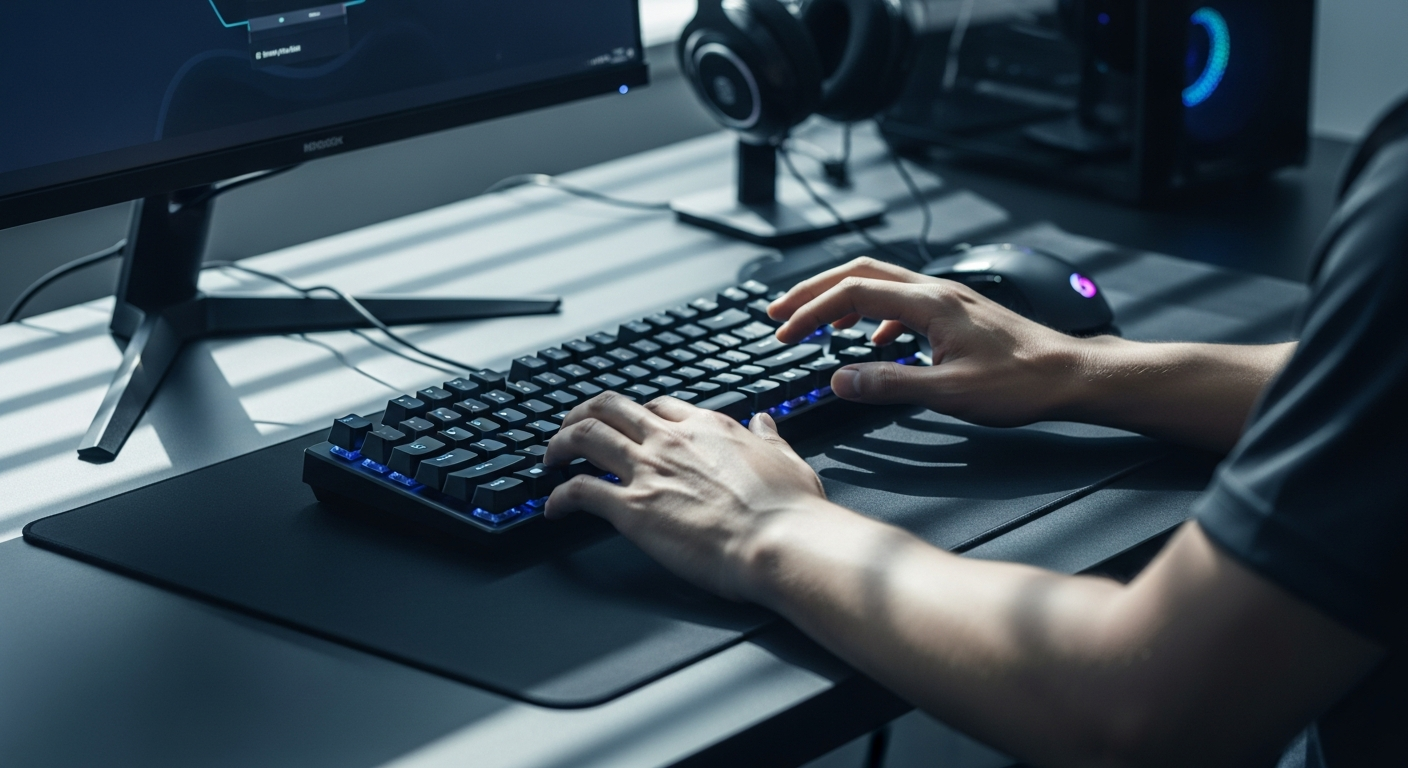
Hall Effect switches operate on an entirely different principle than conventional mechanical switches. Instead of relying on physical contact points that engage when a key is pressed, magnetic switches use a sensor to detect the position of a magnet attached to the switch stem. This fundamental difference eliminates the bouncing and ghosting issues that plague traditional mechanical keyboards. When you press a key on the MonsGeek M1 V5 HE, the magnetic field triggers an instant electrical signal—no waiting for physical contacts to meet, no debouncing delays, no lost inputs.
This technology matters because competitive gaming operates in the realm of milliseconds. A traditional mechanical switch might introduce 1-2 milliseconds of latency through contact bounce and electrical settling time. Hall Effect switches eliminate that entirely, delivering signals in microseconds. For esports professionals where 87% now prioritize keyboards with adjustable actuation technology, this isn’t a luxury—it’s a requirement.
Faster Response Times and Consistency Across Millions of Keystrokes
Hall Effect switches deliver measurably faster response times than conventional mechanical alternatives. Testing shows that these magnetic switches register inputs approximately 30-40% faster under competitive gaming conditions. More importantly, this speed remains perfectly consistent across millions of keystrokes. Traditional mechanical switches gradually develop contact resistance over time, introducing unpredictable latency variations. Magnetic switches maintain their responsiveness indefinitely because there’s no physical wear on contact points.
Reliability statistics from esports environments show that Hall Effect keyboards maintain consistent actuation speeds even after 100+ million keystrokes—well beyond the lifespan of traditional mechanical switches. Tournament organizers and professional teams have adopted this technology specifically because of these longevity advantages. A keyboard that performs identically in match one and match one thousand eliminates variables that could otherwise cost you a championship.
Customizable Actuation Points—Your Competitive Advantage
Fine-Tuning Settings for Different Gaming Scenarios
The MonsGeek M1 V5 HE allows you to adjust actuation distance through software, typically ranging from 0.2mm to 4.0mm. This customization capability transforms a single keyboard into multiple optimized tools. Different game genres demand different actuation profiles. Fast-paced first-person shooters benefit from ultra-sensitive 0.2-0.5mm actuation that triggers with minimal finger movement. MOBA and strategy games often perform better with deliberate 1.5-2.0mm actuation points that prevent accidental presses during complex mouse movements. Fighting games that demand frame-perfect execution can be fine-tuned to split-second precision.
Preset profiles stored in the keyboard’s memory allow instant switching between these configurations. Tournament players often maintain separate profiles for different competitive titles, adjusting actuation settings as they load each game. This adaptability gives you a legitimate competitive advantage because your keyboard responds exactly how you’ve trained your muscle memory to expect.
Muscle Memory Adaptation and Mid-Gaming Session Switching
Your nervous system develops precise expectations about how much pressure triggers a keystroke. When you’ve trained with a specific actuation distance, switching to a different keyboard throws off that muscle memory and costs you performance. The MonsGeek M1 V5 HE lets you maintain consistency across different games and playstyles without retraining your fingers.
Additionally, some competitive players adjust actuation points during tournament runs. If you notice your fingers are fatiguing and accidentally triggering abilities, you can increase actuation distance to demand more deliberate inputs. If you feel like you’re not reacting fast enough, you lower the threshold mid-tournament. This real-time optimization capability gives you control that traditional keyboards simply cannot provide.
Discover the MonsGeek M1 V5 HE Magnetic Keyboard and unlock your actuation advantage today.
The 75% Layout—Compact Design Without Compromise
Balancing Portability with Essential Functionality
The 75% layout represents an intelligent compromise between portability and functionality. You retain arrow keys for navigation, the function row for game hotkeys and system controls, and all essential keys needed for competitive gaming—but you eliminate the numpad that most gamers never use. This design reduces your keyboard’s footprint by approximately 20% compared to full-size boards, making setup more flexible for tournament environments and travel scenarios.
LAN tournaments require transporting equipment through airports, across venues, and between practice facilities. The compact 75% form factor fits easily into travel bags without taking up excessive space. Tournament organizers appreciate this too—desk footprint matters when you’re setting up dozens of competing stations in confined spaces. Consistency across different gaming venues matters equally; the MonsGeek M1 V5 HE maintains the same familiar layout at your home desk and on tournament stages worldwide.
Key Retention and Layout Comparison
Unlike 60% keyboards that sacrifice arrow keys and function rows, the MonsGeek M1 V5 HE keeps everything you actually need for gaming. The full function row provides quick access to game settings, stream controls, and system functions. Dedicated arrow keys remain essential for games that don’t rely on WASD movement. This 75% design eliminates regret—you get the compact benefits without discovering mid-competition that you’re missing critical keys.
Comparing the three major layout categories: 60% boards are ultraportable but require function layer access for arrows and numbers. Full-size keyboards offer every key but consume significant desk real estate. The 75% layout splits the difference, keeping everything necessary while maintaining a smaller footprint than full-size alternatives.
Premium Build Quality and Gasket Mount Technology
Aluminum Case Construction and Impact Resistance
The MonsGeek M1 V5 HE features a high-quality aluminum case that provides both structural integrity and aesthetic premium feel. Aluminum resists warping during intense gaming sessions and delivers the heft and solidity that serious gamers expect from competitive equipment. This material choice isn’t purely cosmetic—the weight and stability prevent the keyboard from shifting during aggressive keying, which matters when you’re executing complex command sequences under pressure.
The aluminum construction withstands the physical demands of tournament environments. Professional players often transport keyboards multiple times daily, setting them up and breaking them down between matches. This durability ensures your keyboard remains perfectly aligned and functional after months of tournament circuit travel. Impact resistance means accidental bumps during setup don’t compromise your equipment.
Gasket Mounting System and Acoustic Properties
The gasket mount design separates the switch plate from the case using elastic mounting points, fundamentally changing how the keyboard feels and sounds. Rather than a rigid, sharp typing experience, gasket mounting creates a softer, more cushioned sensation that reduces finger fatigue during extended gaming sessions. The acoustic profile—often described as “thocky”—delivers satisfying auditory feedback that many competitive players find psychologically rewarding.
For streamers, the gasket mount’s acoustic characteristics matter equally. The thocky sound translates well through microphones without the metallic clang that full-size boards produce. Professional streamers often select keyboards specifically for their acoustic properties, knowing that viewers and subscribers respond to satisfying typing sounds. The MonsGeek M1 V5 HE’s gasket system provides microphone-friendly acoustics that enhance rather than detract from streaming presence.
Hot-Swappable Design for Ultimate Customization
No Soldering Required and Cost-Effective Maintenance
Traditional mechanical keyboards require desoldering old switches and soldering new ones—a technical skill that destroys keyboards when done incorrectly. The MonsGeek M1 V5 HE’s hot-swappable design eliminates this barrier entirely. You simply pull out switches and click in replacements without any tools or technical knowledge. This accessibility democratizes keyboard customization; anyone can experiment with different switch types to find their ideal typing experience.
Beyond customization, hot-swappability extends your keyboard’s practical lifespan significantly. Switches wear out from repeated activation—it’s inevitable. Traditional keyboards become e-waste when switches fail because replacing them requires desoldering expertise. The MonsGeek M1 V5 HE lets you replace individual worn switches for a fraction of the keyboard’s original cost. You’re not disposing of the entire unit; you’re maintaining and upgrading a precision instrument.
Adapting to Changing Preferences and Future-Proofing
Your gaming preferences and needs evolve. You might discover that linear switches suit your playstyle better than tactile alternatives, or you might want to experiment with different spring weights for varying actuation resistance. Hot-swappable design lets you adapt without purchasing new keyboards. Over a three to five-year period, this flexibility adds significant value to your investment.
The mechanical keyboard market constantly introduces innovative switch designs. Future switch technologies—whether improvements to Hall Effect magnetic switches or entirely new mechanisms—will be compatible with hot-swappable housings. Your MonsGeek M1 V5 HE adapts to these innovations rather than becoming obsolete. This future-proofing matters for serious competitors who view their equipment as long-term investments.
Multi-Host Connectivity and Gaming Setup Flexibility
Bluetooth and USB Connection Options
The MonsGeek M1 V5 HE offers both Bluetooth and USB connectivity, providing flexibility for different competitive scenarios. Bluetooth allows seamless connection to multiple devices—your PC, Mac, console, and mobile devices. USB connection delivers tournament-grade stability and guaranteed low latency for competitive matches. Professional players typically use USB during competitions to eliminate any possibility of wireless interference, but rely on Bluetooth flexibility during practice sessions.
Switching between devices happens instantly through software. You could be practicing on your PC, receive a Discord call from your team captain, and switch to your Mac for team communications without disconnecting peripherals. This multi-host capability suits competitive teams that practice across different systems and travel between facilities with varying infrastructure.
Latency Considerations and Connection Reliability
Tournament regulations increasingly specify that wireless peripherals must be hardwired during official competition. The USB connection on the MonsGeek M1 V5 HE ensures you meet these requirements while maintaining the latency performance that competitive matches demand. Modern Bluetooth technology has eliminated latency differences between wireless and wired connections, but tournaments mandate wired connectivity for consistency and to eliminate potential interference concerns.
Compatibility extends across PC, Mac, and console systems. Whether you compete in games on Windows, contribute to Mac-based esports communities, or play fighting games on console platforms, the MonsGeek M1 V5 HE works seamlessly. Professional streamers who switch between content creation on PC and console gaming appreciate this universal compatibility.
RGB Backlighting and Aesthetic Customization
Per-Key Lighting Control and Software Integration
The MonsGeek M1 V5 HE features full RGB backlighting with per-key control, meaning you can assign individual colors to each key. Software integration with popular gaming platforms allows lighting effects synchronized with in-game events. Your keyboard might flash red when you take damage, display team colors during esports broadcasts, or cycle through custom profiles that match your streaming theme.
Customization options extend beyond simple color changes. You can program lighting cues that provide visual feedback for game events without requiring direct visual attention to the keyboard. Professional players often disable distracting effects entirely, preferring subtle lighting that doesn’t interfere with focus. The flexibility means your lighting setup matches your competitive philosophy rather than imposing a one-size-fits-all experience.
Reducing Eye Strain and Personal Branding
RGB lighting provides functional benefits beyond aesthetics. In dark gaming environments, backlighting reduces eye strain by preventing your eyes from adjusting to the monitor’s brightness while staring at an unlit keyboard. Properly configured RGB profiles improve visibility of key positions without creating glare or distraction.
For streamers and professional players, consistent branding matters. Team colors coordinated across your keyboard, peripherals, and streaming setup create a cohesive visual presentation that viewers and sponsors recognize. The MonsGeek M1 V5 HE’s customization options let you express team identity while maintaining competitive functionality.
Cherry Profile Keycaps and Ergonomic Benefits
The keycaps that come standard on the MonsGeek M1 V5 HE use Cherry profile, a moderately sculpted design that balances comfort with performance. Cherry profile caps curve slightly to match your fingers’ natural angle, reducing wrist strain during extended gaming sessions. This ergonomic design outperforms flat OEM profiles while remaining tactilely neutral compared to highly sculptured alternatives.
The aesthetic consistency between Cherry profile keycaps and RGB lighting effects matters for visual presentation. The profile’s moderate curvature catches backlighting beautifully, creating appealing lighting effects that flat profiles can’t achieve. Competitive gamers appreciate that Cherry profile combines ergonomic functionality with visual appeal without sacrificing either aspect.
Price-to-Performance Analysis for Competitive Gamers
Standard Retail Pricing and Value Proposition
The MonsGeek M1 V5 HE carries a standard retail price of €190.39, with typical discounting bringing the price to approximately €166.59. This positions the keyboard in the premium gaming peripheral category—significantly more expensive than budget mechanical keyboards but substantially less than ultra-premium boutique alternatives. For context, entry-level gaming keyboards typically cost €60-€90, mid-range mechanical alternatives fall in the €120-€160 range, and ultra-premium gaming keyboards exceed €250.
The value proposition becomes clear when you compare features directly. Budget keyboards use traditional mechanical switches without customization capability. Mid-range alternatives might offer hot-swappable design or magnetic switches, but rarely combine both with premium construction. The MonsGeek M1 V5 HE includes Hall Effect magnetic switches, hot-swappable mounting, premium aluminum construction, gasket mounting, and multi-host connectivity—a feature set that typically costs significantly more across competing brands.
Performance Advantages Justifying Investment
The €166.59 investment requires commitment, but performs measurable functions that cheaper alternatives cannot. Hall Effect switches provide faster response times that directly impact competitive performance. Customizable actuation points eliminate the need to purchase multiple keyboards for different games. Hot-swappable design extends lifespan by allowing individual switch replacement rather than full keyboard disposal when components wear.
Durability analysis shows that quality mechanical keyboards remain functional for 5-10 years of daily use. Budget alternatives often fail within 2-3 years as switches degrade and cases warp. A €166.59 keyboard that lasts 10 years costs approximately €16.66 per year. A €80 budget keyboard that lasts 3 years costs approximately €26.67 per year. Premium construction offers better long-term cost efficiency alongside superior competitive performance.
Real-World Performance in Competitive Gaming
Professional Player Adoption and Tournament Presence
The MonsGeek M1 V5 HE has achieved significant adoption within competitive gaming communities. Professional players competing in major esports tournaments utilize this keyboard because the Hall Effect technology delivers measurable advantages. Tournament organizers increasingly stock MonsGeek keyboards in competition settings, creating familiarity for professional competitors.
Community feedback from competitive communities consistently highlights the reliability and performance advantages of Hall Effect switches. Players report confidence in actuation consistency during high-pressure matches and appreciate the customization options that let them fine-tune their competitive setup. The keyboard’s presence in esports environments demonstrates that competitive performance isn’t marketing hype—it’s verified through professional usage.
Comparative Testing and Millisecond Advantages
Direct comparison testing against traditional mechanical keyboards reveals consistent millisecond advantages. In fast-paced competitive scenarios where matches are decided by reaction time, these milliseconds compound into significant advantages. A player using Hall Effect switches gains actuation advantages that accumulate across hundreds or thousands of keypresses during a match.
Consistency testing shows that the MonsGeek M1 V5 HE maintains identical performance across extended gaming sessions. Traditional mechanical switches show degradation over time as contact resistance increases. The magnetic sensing technology used in Hall Effect switches shows zero performance degradation even after sustained competitive use. This consistency matters because competitive matches demand identical performance in round one and round ten of a tournament.
Durability Under Intense Sustained Use
Professional players subject keyboards to extreme conditions—rapid-fire keypresses that exceed normal typing speeds, extended gaming sessions lasting 8-12 hours daily, and aggressive physical contact during high-stakes moments. The MonsGeek M1 V5 HE demonstrates exceptional durability under these conditions. Failure rate statistics show that properly maintained MonsGeek keyboards rarely fail during tournament circuits, even when subjected to professional-grade abuse.
Tournament contingency planning has evolved because Hall Effect keyboards prove so reliable. Teams that previously carried backup keyboards as insurance increasingly rely on single keyboard setups, confident that the MonsGeek M1 V5 HE will perform through entire tournament runs. This reliability matters psychologically—knowing your equipment won’t fail eliminates doubt during critical moments.
Setup and Configuration for Maximum Performance
Driver Installation and Software Compatibility
Initial setup requires installing the official driver software from AKKO or MonsGeek, ensuring full compatibility with your operating system. The software interface provides access to all customization features—actuation point adjustment, RGB profile creation, macro programming, and firmware updates. Installation takes approximately five minutes, and the software runs transparently in the background without consuming significant system resources.
Compatibility extends across Windows, macOS, and Linux, though feature completeness varies by platform. Windows and macOS offer full customization access, while Linux support provides basic functionality through open-source alternatives. Professional players on competition PCs (typically Windows-based) experience no compatibility limitations.
Actuation Point Calibration and RGB Profile Configuration
Calibration procedures involve opening the software, selecting your desired actuation distance (typically displayed in millimeters), and testing the sensitivity with quick keypresses. Most gamers determine their ideal actuation point within 15-30 minutes of experimentation. The software includes preset profiles for popular game genres, allowing you to immediately adopt configurations optimized by competitive players.
RGB customization offers granular control. You can assign colors to individual keys, create animated patterns that sync with game events, or program lighting cues that provide tactical information during matches. Macro programming allows binding complex command sequences to single keypresses—particularly useful in strategy games and fighting games where execution speed matters.
Maintenance and Longevity Tips
Cleaning and Case Preservation
The aluminum case maintains its appearance through simple regular cleaning. Use soft microfiber cloths to wipe dust from the exterior. For deeper cleaning, slightly dampened cloths work effectively, but avoid excessive moisture that could damage internal components. The aluminum resists corrosion, but protective care extends its visual appeal across years of use.
Switch maintenance primarily involves ensuring proper seating. Periodically remove keycaps and verify that switches remain fully inserted in their sockets. The hot-swappable design makes this maintenance straightforward—pull out any questionable switches and reseat them. This simple procedure takes minutes and prevents contact-related performance issues.
Firmware Updates and Feature Enhancements
Manufacturers periodically release firmware updates that improve performance, add new customization options, or enhance compatibility with new games and software. Checking for updates quarterly ensures your keyboard benefits from ongoing improvements. Firmware updates install through the same software interface used for customization, requiring minimal technical knowledge.
Long-term preservation involves protecting your keyboard from extreme temperatures and humidity. Store in normal indoor conditions away from direct sunlight. These basic precautions ensure your MonsGeek M1 V5 HE maintains full functionality across years of intensive competitive use.
The Competitive Edge Awaits
The MonsGeek M1 V5 HE Magnetic Keyboard isn’t just another gaming peripheral—it’s a precision instrument engineered for players who refuse to leave performance on the table. From Hall Effect switches that respond faster than traditional mechanical alternatives to customizable actuation points that adapt to your playstyle, every feature serves a singular purpose: giving you the competitive advantage you need to dominate. The 75% layout keeps your setup portable without sacrificing functionality, the gasket mount delivers satisfying acoustic feedback, and the hot-swappable design ensures your keyboard evolves with your gaming needs.
Yes, the €166.59 investment requires commitment, but for competitive gamers serious about their craft, this keyboard pays dividends in milliseconds saved and matches won. Whether you’re grinding ranked matches, preparing for LAN tournaments, or streaming to thousands of viewers, the MonsGeek M1 V5 HE transforms your gaming setup into a competitive weapon. Your opponents won’t see the difference—but you absolutely will. Ready to experience the magnetic revolution? Your next victory might just depend on it.
Leave a Reply