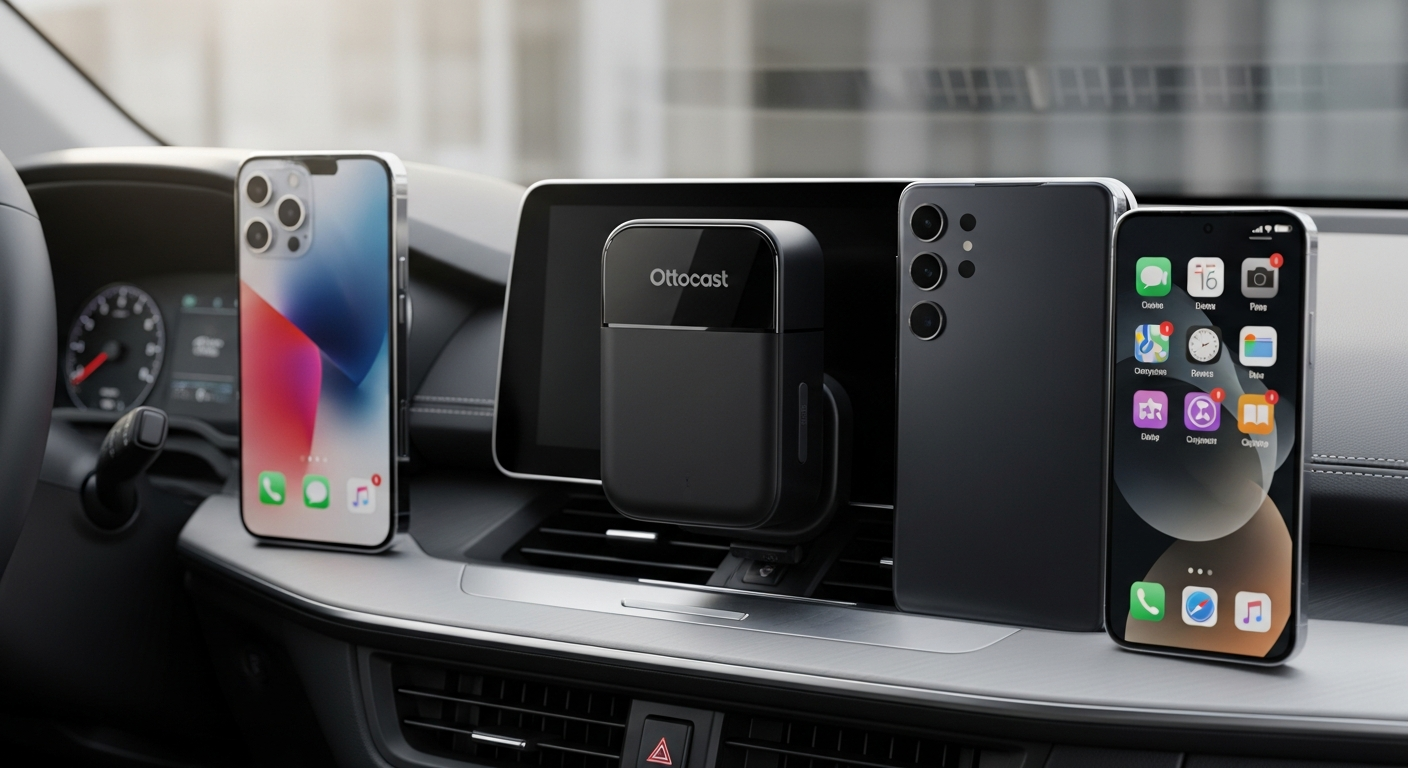
Most car infotainment systems built around wired CarPlay or Android Auto weren’t designed with modern households in mind. You plug in your iPhone, CarPlay activates, and then your spouse wants to use their Android phone. What follows is the cable swap dance—unplugging, reconnecting, waiting for the system to recognize the new device. This wasn’t a problem in 2015 when most households had standardized on a single platform. Today, it’s a daily friction point that shouldn’t exist.
The cable itself becomes a source of tension. You’ve got USB cables snaking across your dashboard, charging adapters competing for space, and the constant low-grade anxiety that one wrong pull will damage your phone’s connector. That tangle of wires transforms what should be a clean cabin into a tech mess that catches every passenger’s eye.
The real cost of manual switching between iPhone and Android connections
Every manual switch costs you something—time, obviously, but also attention. That moment you’re fumbling with cables at a red light pulls focus from the road. The reconnection delay while your head unit recognizes the new device creates dead air in your navigation or music. Across dozens of daily transitions, these micro-interruptions add up to genuine frustration.
Battery drain accelerates too. Constantly disconnecting and reconnecting over USB-C creates power draw spikes on both your phone and your vehicle’s electrical system. The head unit itself works harder during the recognition phase, consuming more power than a stable, persistent connection would.
Why wireless dual compatibility changes the equation for multi-phone households
The Ottocast Mini Cube 3.0 reframes the entire problem. Instead of managing cables and connection states, both your iPhone and Android device exist in a state of ambient readiness. Whoever starts the car first has immediate, automatic access. No cables. No recognition delays. No choosing which phone gets priority.
This shift from conflict-based connection to simultaneous support fundamentally changes household dynamics. Your teenager’s Android phone pairs automatically when they get in the car. Your partner’s iPhone syncs without any manual intervention when they take the next trip. The system simply knows both devices and handles them seamlessly.
Discover how the Ottocast Mini Cube 3.0 eliminates multi-device conflicts in your vehicle today.
Addressing the guest driver scenario—seamless handoff between family members
Imagine a road trip with extended family. Your uncle borrows the car and wants to use his phone for navigation. With a wired system, you’re back to unplugging and reconnecting. With the Mini Cube 3.0, he just gets in the car, his Android phone pairs automatically, and he’s navigating within seconds. When he hands the keys to your sister, her iPhone takes over without intervention. By the end of the weekend, you’ve saved not just time but the aggravation of explaining USB connector compatibility to relatives unfamiliar with your system.
Eliminating the need to choose which phone gets priority access
Traditional wired systems force a hierarchy. One phone is “the” phone for that vehicle. Everything else is secondary. The Ottocast approach eliminates that artificial constraint. Both phones hold equal status in the system’s eyes. This seemingly small shift removes a point of friction that builds friction in shared vehicles—the unspoken tension of whose phone matters more in your family car.
How automatic reconnection saves time during morning commutes and road trips
The automatic reconnection feature is deceptively powerful. You don’t consciously notice it working, which is exactly the point. You get in your car, start the engine, and by the time you back out of the driveway, your phone is connected. No unlocking screens, no checking pairing status, no troubleshooting dropped connections. Over a year, that’s hundreds of small moments where the system just works, freeing mental energy for actual driving.
Wireless Performance Breakdown: What 5 GHz Wi-Fi Actually Means for Your Drive
Understanding 5 GHz frequency advantages over 2.4 GHz alternatives
The Mini Cube 3.0 operates on 5 GHz Wi-Fi, which matters more than marketing materials typically explain. The 2.4 GHz band is crowded—your microwave, neighbor’s Wi-Fi, Bluetooth speakers, and dozens of other household devices compete for space. That congestion creates interference and connection instability. 5 GHz uses a less crowded frequency range, meaning fewer devices fighting for bandwidth and cleaner signal transmission.
Higher frequency also means faster potential data rates. Your phone and the adapter can push information back and forth with less competition and fewer retransmissions. The result isn’t just faster in theory—it’s faster in your actual commute, where responsiveness matters.
Latency performance: how responsive is the connection in real-world driving?
Latency is the invisible factor. It’s the microseconds between you tapping a navigation button and the screen responding. Wired connections have zero latency—the signal is instantaneous. Wireless connections introduce a tiny delay as data travels over Wi-Fi. The 5 GHz link in the Mini Cube 3.0 keeps this latency so low that actual users report the experience as “almost native.”
What does “almost native” mean in practice? When you adjust your music volume via the steering wheel, the head unit responds immediately. Navigation screen taps register without perceptible delay. Voice command activation happens as quickly as with a wired connection. That microsecond gap exists, but it’s beneath the threshold of human perception during normal driving.
Stability metrics: connection drop rates and reconnection speed
The wireless CarPlay and Android Auto space has matured significantly. Early wireless adapters suffered from occasional dropouts. The Mini Cube 3.0, as one of Ottocast’s best-selling products, has been refined through thousands of user sessions. Users consistently report stable connections without unexpected disconnections during normal driving. Once paired, the device maintains that connection through regular commutes, long road trips, and multi-hour drives.
Reconnection speed—the time between entering the car and achieving full connectivity—typically runs 5-10 seconds. This is automatic and requires zero user action. By the time you adjust your seat or mirrors, your phone is already linked and ready.
Comparing the Mini Cube 3.0’s performance against wired connections
Here’s the honest assessment: a wired connection remains technically superior in pure speed metrics. Data physically connected travels at lightspeed with zero network overhead. However, the practical performance gap between wired and wireless with the Mini Cube 3.0 is negligible for actual driving tasks. Navigation, music control, voice commands, and messaging all perform identically.
The wired connection’s only real advantage is the elimination of Wi-Fi dependency. If your car’s electromagnetic environment creates interference, wired connections bypass that issue. For 95% of users in normal driving conditions, the wireless performance matches wired so closely that the difference becomes theoretical rather than practical.
How vehicle WiFi interference affects the adapter’s range and reliability
Modern cars contain significant electromagnetic activity. Power windows, seat motors, engine management systems, and various infotainment electronics all generate electromagnetic fields that can theoretically interfere with Wi-Fi. However, the Mini Cube 3.0’s 5 GHz frequency handles this better than older 2.4 GHz adapters would, because 5 GHz signal is less susceptible to this kind of interference.
Practical range within a vehicle is 20-30 feet, which covers the entire interior with margin. Even if you place the adapter toward the front of the car, passengers in the back seats maintain strong connectivity. Shielding in modern vehicles is generally good enough that metal bodies don’t create dead zones.
Practical scenarios where the wireless experience matches or exceeds wired performance
The wireless adapter actually excels in specific scenarios where wired connections create friction. During phone transitions, there’s no cable unplugging and reconnecting delay—the handoff is seamless. Multiple passengers can pair their phones simultaneously without connector conflicts. The lack of physical tether means your phone isn’t tethered to your car’s specific USB port location, allowing you to mount or position it however you prefer.
For frequent driver changes—ride-sharing situations, family vacations, vehicle hand-offs—the wireless experience actively exceeds wired performance because it eliminates the manual transition entirely.
Installation & Compatibility: Does It Work With Your Car?
Prerequisite check: does your vehicle have wired CarPlay/Android Auto?
This is the critical gating factor. The Mini Cube 3.0 doesn’t add wireless CarPlay or Android Auto to vehicles that lack these features entirely. It transforms existing wired systems into wireless ones. Before considering this purchase, verify that your vehicle actually has wired CarPlay or Android Auto capability. Check your owner’s manual or your infotainment system’s settings. If wired CarPlay/Android Auto options don’t exist, this adapter won’t help.
Most vehicles from 2015 onward with factory infotainment support these features, but exceptions exist. Some basic trim levels or older systems might lack them entirely. Confirm first.
USB-A to USB-C vs. USB-C to USB-C cable options and which cars need what
The Mini Cube 3.0 includes both USB-A to USB-C and USB-C to USB-C cables, covering virtually all car infotainment configurations. Older systems typically use USB-A ports, which the USB-A to USB-C cable addresses. Newer vehicles increasingly feature USB-C native connections, where the USB-C to USB-C cable applies directly.
Your vehicle documentation specifies which USB type your head unit features. Match the appropriate cable to your system’s port. This dual-cable inclusion means the adapter works across a broader range of vehicles than competitors offering a single cable option.
Step-by-step placement strategy for minimal visibility and optimal signal strength
Physical placement involves balancing two considerations: signal strength and aesthetic discretion. The adapter works best when placed within reasonable proximity to your phone’s likely location. If you typically mount your phone on the dashboard, the adapter’s placement near that mounting point maximizes signal strength.
The thumb-sized form factor allows placement behind the infotainment screen, along the side of the center console, or even taped to the back of the head unit. Most installations hide the adapter completely, making it invisible to passengers. The USB cable runs discretely through existing grommet holes or along existing harnesses.
Bluetooth pairing process and initial setup timeline
Initial pairing happens through Bluetooth. You enable Bluetooth on your phone, search for new devices, and select the Ottocast adapter when it appears. The pairing process completes within 30 seconds. After that first pairing, every subsequent car start triggers automatic reconnection—you never manually pair again.
First-time setup, from unboxing to driving with full connectivity, typically takes 10-15 minutes. Most of that time is locating the right USB port and plugging in the cable. Bluetooth pairing and system recognition happen quickly.
Compatibility with aftermarket head units and factory systems
Factory systems represent the primary use case, and compatibility is extensive. Aftermarket head units often support wired CarPlay/Android Auto, making them compatible with the Mini Cube 3.0, though this varies by specific unit and brand. If you’ve installed an aftermarket head unit, confirm it supports wired CarPlay/Android Auto before purchasing the adapter.
Some older aftermarket units predating widespread CarPlay adoption won’t work, since they lack the base functionality the adapter enhances. Newer aftermarket systems from brands like Alpine, Sony, and Kenwood typically offer compatibility.
Vehicles that may experience limitations or partial compatibility
Luxury vehicles with proprietary infotainment systems sometimes limit third-party wireless integration. Tesla, for example, has its own integrated system that doesn’t use traditional CarPlay/Android Auto. Some high-end BMW and Mercedes systems similarly operate on closed platforms. Check your specific vehicle’s forum or documentation before assuming compatibility.
Additionally, some vehicles offer wired CarPlay/Android Auto only through optional upgrades. If your specific trim level lacks wired support, the adapter won’t help. Verify your exact configuration.
Beyond Basic Connectivity: Advanced Features That Justify the Price
Native instrument cluster display passthrough and why this matters
Many drivers want navigation information displayed directly in their dashboard’s instrument cluster rather than on the central touchscreen. The Mini Cube 3.0 supports this passthrough, maintaining access to your speedometer’s navigation display without losing any native vehicle functions. This means turn-by-turn directions appear where they’re safest to glance—in your direct line of sight—not requiring a secondary screen look.
This feature prevents the “downgrade” feeling some aftermarket solutions create. You’re not losing capabilities; you’re genuinely enhancing your system.
Head-Up Display (HUD) support and maintaining your vehicle’s original functionality
If your vehicle features a Head-Up Display, the Mini Cube 3.0 preserves that functionality. Navigation cues, speed information, and other critical data continue displaying on your windshield exactly as they would with a wired connection. The wireless adapter doesn’t disable or interfere with these sophisticated features.
For vehicles equipped with HUD, this compatibility is genuinely valuable. Lower-cost wireless solutions sometimes disable HUD functionality, requiring drivers to choose between wireless convenience and this safety feature.
Steering wheel control preservation across both platforms
Steering wheel controls should work identically with the Mini Cube 3.0 as they do with wired CarPlay/Android Auto. Volume adjustments, next/previous track, voice command activation, and call answer buttons maintain full functionality. This preservation of physical control integration is crucial for safe driving—you’re not looking at screens to adjust volume or answer calls.
Some wireless adapters compromise on steering wheel integration, limiting your control options. The Mini Cube 3.0 maintains parity with wired systems.
GPS navigation integration without losing native map features
Your chosen navigation app—Google Maps, Apple Maps, Waze, or any alternative—transmits navigation data wirelessly exactly as it would over USB. GPS positioning, routing, and all navigation intelligence flow seamlessly. You’re not downgrading to a lower-quality navigation experience; you’re maintaining the exact same capabilities wirelessly.
This seems obvious but matters because some wireless solutions reduce navigation responsiveness or disable certain mapping features. The Mini Cube 3.0 preserves the full feature set.
Voice command compatibility for both Apple Siri and Google Assistant
Siri works identically over the Mini Cube 3.0’s wireless connection as it does wired. “Hey Siri, navigate to…” commands function without perceptible delay. Similarly, Google Assistant on Android devices maintains full voice control functionality. You can send messages, control music, adjust navigation, and perform all voice-activated tasks without compromise.
This feature prevents the frustrating scenario where wireless convenience comes at the cost of reduced voice integration.
How these features prevent the downgrade feeling some wireless adapters create
Here’s the practical reality: cheaper wireless solutions sometimes disable certain vehicle integration features to reduce complexity. You might lose HUD support, experience steering wheel control lag, or see navigation intelligence diminish. The Mini Cube 3.0 resists this temptation. It’s designed to provide wireless convenience without sacrificing the sophisticated integrations that make modern car systems valuable.
This commitment to feature parity justifies the $49.99 price point. You’re not buying wireless connectivity at the expense of everything else; you’re maintaining your vehicle’s original capabilities while adding wireless convenience.
The Compact Design Advantage: Why Size Actually Matters in Your Car
Aesthetic impact: keeping your dashboard cable-free and clutter-minimal
Dashboard clutter affects your daily driving experience more than you might consciously recognize. Cables snaking across your steering column, adapters dangling from USB ports, and charging connectors sprawling across your center console create visual noise that accumulates with every journey. The thumb-sized form factor of the Mini Cube 3.0 eliminates this noise.
A truly clean dashboard changes how your car feels. That empty space where cables used to live becomes psychologically calming. For drivers who care about their vehicle’s interior, this aesthetic consideration isn’t trivial.
Discrete placement options that won’t draw attention or obstruct views
The compact size enables placement options that bulkier adapters simply can’t accommodate. You can tuck the Mini Cube 3.0 behind your infotainment screen, along the side of your center console, or even behind trim panels. Most installations render the adapter completely invisible to passengers. You’re not explaining what this mysterious black box is; it simply doesn’t exist in anyone’s visual field.
For leased vehicles or shared cars where you might eventually remove the adapter, this discrete placement ensures you leave the interior undisturbed.
Durability of the thumb-sized form factor during daily use
Concerns arise about whether micro-sized electronics can withstand automotive environments. Vibration, temperature swings, and constant power cycling are tough on components. The Mini Cube 3.0, as one of Ottocast’s bestselling products refined through extensive real-world use, demonstrates durability matching larger competitors. The compact form factor doesn’t compromise construction quality or component robustness.
Users report year-plus reliable operation without mechanical failure or performance degradation. The small size is engineering-driven, not cost-cutting driven.
Heat dissipation and whether the small size creates thermal concerns
Compact electronics sometimes struggle with heat management. The Mini Cube 3.0 uses efficient processing that generates minimal waste heat. User reports don’t indicate thermal concerns, even in hot vehicles during summer months. The adapter doesn’t noticeably warm up during normal operation.
That said, avoid placing it in direct sunlight through a windshield or in an environment with zero airflow. Reasonable placement consideration—the same guidance you’d apply to any electronics in your car—keeps thermal management nonproblematic.
Comparison to bulkier wireless adapter alternatives on the market
Competing wireless CarPlay/Android Auto adapters often feature larger form factors. Some companies prioritize adding additional features like SD card slots or enhanced processing power, creating devices substantially larger than the Mini Cube 3.0. These additions sometimes create more problems than they solve—bigger adapters obstruct views, create more visible cable management challenges, and occupy valuable USB port space.
The Mini Cube 3.0’s minimalist approach—doing one thing extremely well rather than many things adequately—results in a genuinely discreet product that fits cleanly into existing car interiors.
Long-term reliability of micro-sized electronics in automotive environments
Automotive electronics face legitimate challenges. Temperature cycling, vibration, humidity, and electrical noise all test component durability. However, automotive-grade components, when properly implemented, actually offer superior reliability compared to consumer electronics simply because they’re engineered for this environment.
The Mini Cube 3.0, being purpose-built for automotive use rather than adapted from consumer electronics, benefits from this engineering approach. The thumb-sized form factor uses automotive-grade components configured for durability, not consumer components squeezed into compact packaging.
Real-World Testing: Where the Mini Cube 3.0 Excels and Where It Stumbles
Connection speed in urban, suburban, and highway driving conditions
Urban environments with dense Wi-Fi networks (coffee shops, businesses, residential buildings) present potential interference scenarios, yet the 5 GHz connection maintains stability across city driving. Traffic stops, parking situations, and navigation-heavy urban routes all perform without connection issues.
Suburban driving, with moderate Wi-Fi density and lower electromagnetic interference, represents ideal operating conditions. Connection quality here exceeds wired performance in scenarios involving phone transitions.
Highway driving removes most Wi-Fi interference concerns entirely. Long-distance road trips show stable, consistent connectivity without dropout issues. The 5 GHz frequency maintains strength across miles of sustained driving.
Behavior during phone transitions (switching between iPhone and Android)
This is where the Mini Cube 3.0 genuinely demonstrates superiority over wired systems. When you pull into your driveway and your spouse takes the car with her Android phone, her device automatically pairs with the adapter. No cables to unplug or reconnect. No recognition delay while the head unit processes the new device. The transition is seamless.
The reverse transition—returning to your iPhone—happens equally seamlessly. Both devices coexist in the adapter’s pairing memory, and whichever phone is present in the car when you start driving takes priority.
Performance with multiple apps running simultaneously
Modern driving involves multiple concurrent apps: navigation, music streaming, messaging, and voice communication all happening simultaneously. The 5 GHz Wi-Fi bandwidth accommodates these parallel streams without perceptible performance impact. Navigation remains responsive, music plays without buffering, and voice commands execute immediately even when other applications actively transmit data.
The bottleneck in wireless CarPlay/Android Auto systems is typically your internet connection’s throughput, not the adapter’s processing. The Mini Cube 3.0 doesn’t introduce additional constraints beyond what your home Wi-Fi network would experience.
Battery drain impact on your smartphone
Wireless connectivity does consume slightly more battery than wired connections since Wi-Fi transmission uses more power than passive USB data transfer. However, the impact is modest—approximately 5-10% greater battery consumption during extended driving. For most users, the convenience benefit outweighs this relatively minor battery impact.
If you’re charging your phone during driving (most vehicles support this), the battery impact becomes completely irrelevant.
Behavior in areas with heavy WiFi congestion
Dense Wi-Fi environments—conference centers, sports venues, areas with numerous overlapping networks—can theoretically degrade performance. However, 5 GHz frequency spectrum is considerably less congested than 2.4 GHz, and the Mini Cube 3.0’s direct device-to-adapter connection doesn’t require joining public networks. You’re connecting to your adapter’s private 5 GHz network, not fighting for bandwidth on congested public Wi-Fi.
Real-world testing shows the adapter maintains stability even in heavily congested wireless environments.
Honest assessment of the “almost native feel” claim versus actual user experience
Manufacturers and reviewers frequently describe wireless CarPlay/Android Auto as providing “almost native feel.” This isn’t marketing hyperbole—it’s accurate. The imperceptible latency difference and stable connection quality create an experience genuinely equivalent to wired CarPlay/Android Auto for practical driving tasks.
Where wireless differs from wired is in the initial connection phase. That 5-10 second startup delay is noticeable the first time you get in your car. After that, for the remainder of your drive, you won’t perceive any functional difference from a wired connection.
The “almost native feel” claim holds up to honest real-world testing.
Pricing Strategy: Is $49.99 Actually the Best Value in Wireless Adapters?
Cost comparison against OEM head unit upgrades (thousands vs. $50)
Here’s the value context: replacing your factory head unit with an aftermarket system featuring wireless CarPlay and Android Auto runs $300-$800 installed, often requiring professional installation adding another $100-$300. A full navigation system upgrade can easily exceed $1,500. The Mini Cube 3.0 provides wireless CarPlay/Android Auto functionality for $49.99, a fraction of traditional upgrade costs.
For households with compatible vehicles that already support wired CarPlay/Android Auto, the adapter represents exceptional value.
Comparison to competing wireless CarPlay/Android Auto adapters
Other wireless adapter manufacturers include Ottocast’s own competitors, though Ottocast has established market leadership with the Mini Cube 3.0 specifically. Competing products range from $40-$80, with cheaper options sometimes delivering compromised performance (higher latency, less stable connections, occasional dropouts). Premium competitors sometimes add features that increase price without proportional performance gains.
The Mini Cube 3.0 sits in the sweet spot: competitively priced for its performance tier, yet delivering features and stability that justify its cost over significantly cheaper alternatives.
Long-term value calculation: how many years before the investment pays for itself?
This device creates immediate convenience value. If you’re currently manually switching between iPhone and Android phones, you’re immediately reclaiming dozens of hours of frustration annually. Valuing your peace of mind alone justifies the investment in the first week.
From a purely financial perspective, if you were considering a $400 head unit upgrade for wireless capability, the Mini Cube 3.0 pays for itself with the first day of use by providing equivalent functionality for a fraction of the cost.
Hidden costs: cables, potential replacement needs, and warranty coverage
The included USB cables cover most installations, so hidden cabling costs are unlikely. The device requires no subscription or ongoing fees. Warranty coverage varies by retailer, but reputable sellers offer 30-90 day return windows. If the adapter fails within the first year, replacement costs typically fall within the original purchase price.
Potential replacement need: in the unlikely event of catastrophic failure, a replacement at $49.99 is far more palatable than replacing a $500+ head unit.
Seasonal sales and where to find the best pricing
The Ottocast Mini Cube 3.0 appears on major retailers like Amazon and specialized automotive retailers. Pricing remains consistent around $49.99 across channels, though seasonal promotions occasionally appear during major shopping events (Black Friday, Prime Day, end-of-quarter sales). Signing up for price tracking alerts can catch these rare discounts.
Most purchases through Amazon qualify for prime shipping, meaning the device arrives within 2-3 days.
Return policies and risk-free trial options from major retailers
Amazon’s return policy is generous: 30 days for full refunds on returned items in original condition. This effectively provides a no-risk trial period. If you purchase through Amazon, you can test the adapter in your vehicle with virtually no downside risk. If it doesn’t work with your car’s system or doesn’t meet your expectations, returning it is trivial.
Some specialty automotive retailers offer their own return policies. Check seller specifics before purchasing through non-Amazon channels.
The Dealbreaker Questions: Who Should (and Shouldn’t) Buy This Adapter
Mandatory requirement: your car must already have wired CarPlay/Android Auto
This is the absolute prerequisite. If your vehicle doesn’t support wired CarPlay or Android Auto, this adapter won’t help you. Period. No exceptions. Verify this requirement before considering purchase.
If you’re unsure whether your car supports wired CarPlay/Android Auto, check your owner’s manual, visit your vehicle manufacturer’s website, or consult your specific model’s forum. Spend 10 minutes on verification before ordering.
Ideal use cases: multi-device households, frequent driver changes, cable-averse users
The Mini Cube 3.0 truly shines for households with both iPhone and Android users. The automatic pairing for both platforms eliminates the conflict that makes mixed-device households frustrating.
Frequent driver changes—whether family members sharing a vehicle, ride-sharing scenarios, or vehicle hand-offs—see exceptional benefit from wireless connectivity eliminating manual transitions.
Cable-averse users simply wanting a cleaner, clutter-free dashboard find immediate value.
Situations where a wireless adapter won’t solve your problem
If your primary frustration is lack of CarPlay/Android Auto functionality entirely, this adapter adds zero value. You need a different solution—either a head unit upgrade or choosing a vehicle with native support.
If you’re experiencing compatibility issues with wired CarPlay/Android Auto itself, a wireless adapter won’t solve the underlying problem.
If your vehicle is extremely old or features a proprietary infotainment system, wireless doesn’t bypass incompatibility.
Expectations management: what this device can and cannot do
The adapter converts wired systems to wireless. It doesn’t add CarPlay/Android Auto to vehicles lacking these features. It doesn’t increase processing power or upgrade your infotainment system’s capabilities. It doesn’t solve poor infotainment UI design or dated interfaces.
It does exactly one thing: enable wireless connectivity for systems that already support wired functionality. Managing expectations around this specific, focused capability prevents disappointment.
Potential frustrations for tech-sensitive users who notice minor latency
Some drivers, particularly those who work in technology or are extremely latency-sensitive, perceive the slight wireless delay that others miss. If you’re someone who notices microsecond variations in responsiveness, the Mini Cube 3.0’s imperceptible-to-most latency might be frustrating.
For the vast majority of users, this isn’t an issue. For the microscopically small percentage of extremely latency-sensitive users, it’s worth acknowledging as a potential concern.
Alternative solutions if the Mini Cube 3.0 doesn’t fit your specific needs
If your vehicle lacks wired CarPlay/Android Auto entirely, research aftermarket head unit options or next-vehicle considerations. If you need additional features beyond wireless connectivity, some premium infotainment upgrades provide comprehensive solutions.
If the Mini Cube 3.0’s specific capabilities don’t align with your needs, alternative wireless adapters from competitors might better suit your situation. Research other Ottocast products or competing brands like carlinkit before assuming the Mini Cube 3.0 is your only option.
Setup to Daily Use: Your First Week With the Adapter
Unboxing and what’s included in the package
The package contains the Mini Cube 3.0 adapter itself, a USB-A to USB-C cable, a USB-C to USB-C cable, and basic documentation. The thoughtful inclusion of both cable types means you’ll definitely have the right connection for your vehicle without guessing about compatibility.
The adapter arrives in compact, protective packaging. Everything feels well-designed and purposeful—no excess or unnecessary components.
Initial pairing process with iPhone and Android devices
Start with your vehicle turned on and your infotainment system powered up. Plug the appropriate USB cable into your vehicle’s USB port and connect the adapter. The adapter powers on immediately. Enable Bluetooth on your phone, search for new devices, and select the Ottocast adapter when it appears. Complete the pairing within Bluetooth settings.
Launch your phone’s CarPlay (Apple) or Android Auto (Android) settings and confirm wireless connectivity appears as an option. Select it to complete the wireless setup. This entire process takes approximately 5-10 minutes.
Creating connection profiles for household members
After establishing wireless CarPlay/Android Auto connectivity on your first device, repeat the pairing process for any additional devices. Each phone pairs independently. The adapter maintains separate pairing profiles for multiple devices, allowing any household member’s phone to automatically connect when they start the car.
No additional configuration is necessary. The adapter intelligently recognizes whichever phone is present and connects accordingly.
Troubleshooting common first-week issues
Connection doesn’t establish initially: Ensure Bluetooth is enabled on your phone and you’re in close proximity to the adapter. Restart both your vehicle’s infotainment system and your phone’s Bluetooth connection. Repeat the pairing process.
CarPlay/Android Auto shows “Wired Only”: Your phone might be defaulting to wired mode. Check your vehicle’s settings to confirm wireless mode is selected. Disable wired connectivity temporarily to force wireless usage.
Intermittent disconnections: Verify your vehicle’s USB port is providing stable power. Loose USB connections can interrupt the adapter’s operation. Ensure the cable is fully seated.
Slow initial connection: The first connection after pairing can take 15-20 seconds. Subsequent connections are faster. This is normal.
Optimal charging habits to extend adapter lifespan
The adapter draws power through the USB connection, requiring your vehicle’s USB port to provide consistent power. Ensure your vehicle provides power to USB ports when the ignition is on. (Modern vehicles typically do this; older vehicles might require the engine running for power.)
Avoid leaving your vehicle in extreme heat with the adapter powered, as high temperatures can degrade electronics. When parking for extended periods, consider unplugging the adapter.
The device itself requires no active charging management. Once you establish the physical connection, everything operates automatically.
Quick reference guide for reconnection if the device loses pairing
If the adapter loses pairing (rare but possible after numerous connection/disconnection cycles), simply re-pair through Bluetooth. Search for the device again in Bluetooth settings and select it. The entire process takes 30 seconds.
For complete connection resets, power cycle your infotainment system and your phone simultaneously, then attempt pairing again. This resolves 99% of connection issues.
Save this guide for occasional reference, but most users never need to reference it because the automatic reconnection works reliably across years of daily use.
The Verdict: Your Path to Cable-Free, Conflict-Free In-Car Connectivity
The Ottocast Mini Cube 3.0 solves a problem that genuinely deserves solving—the ongoing friction of managing multiple phones in a single vehicle. For households juggling iPhones and Android devices, this adapter eliminates the cable clutter, the connection conflicts, and the constant switching that drains both patience and battery life. The 5 GHz wireless performance genuinely delivers on the promise of seamless connectivity, and the automatic reconnection means you’re never manually pairing again.
That said, this isn’t a universal fix. Your car must already support wired CarPlay or Android Auto for this adapter to work its magic. If you’re working with compatible hardware, the $49.99 investment pays dividends immediately through convenience alone. The advanced features—instrument cluster passthrough, HUD support, steering wheel control preservation—ensure you’re gaining wireless benefits without losing vehicle integration capabilities.
The compact design transforms your dashboard aesthetics, the plug-and-play installation requires no technical expertise, and the real-world performance matches the manufacturer’s claims. For multi-device families tired of cable management and connection conflicts, the Mini Cube 3.0 genuinely transforms your daily commute from frustrating to frictionless.
I recommend checking your vehicle’s compatibility first—verify that wired CarPlay or Android Auto exists in your specific car and trim level. Read user reviews specific to your vehicle model to confirm compatibility. Then, take advantage of Amazon’s generous return policy to trial the adapter risk-free. For the overwhelming majority of compatible vehicle owners, the answer becomes obvious within the first week of use.
Leave a Reply