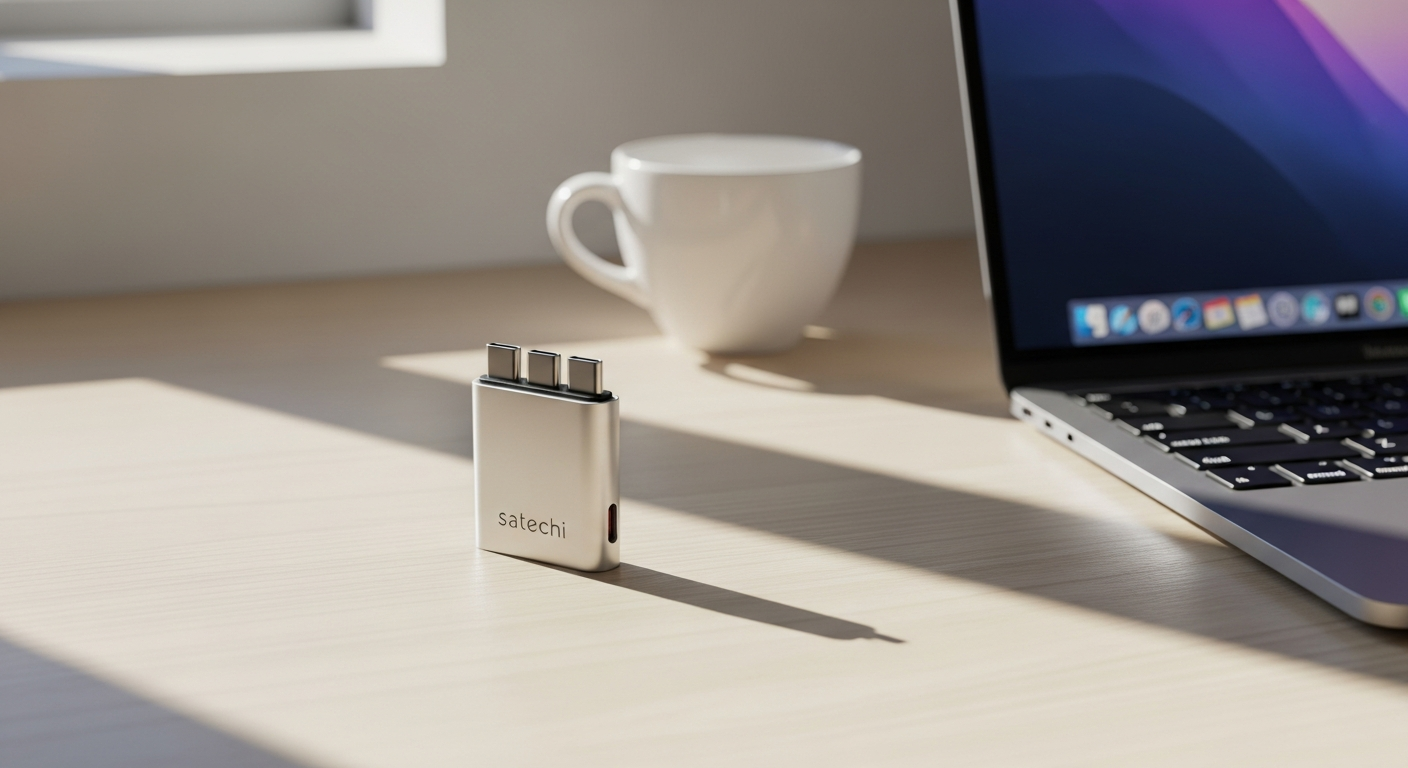
Remote work has fundamentally changed how we think about productivity, and here's the reality: most modern laptops ship with a single USB-C port—maybe two if you're lucky. That means you're constantly juggling cables, adapters, and the frustration of choosing between charging your device or connecting peripherals.
The Satechi OntheGo 7-in-1 Multiport USB-C Adapter solves this problem head-on. This isn't just another generic hub gathering dust in your desk drawer. It's engineered for professionals who refuse to compromise between portability and functionality, featuring a compact hockey puck design that fits effortlessly into any laptop bag alongside your MacBook, iPad, or Surface device.
Check out the Satechi OntheGo 7-in-1 Adapter and transform your remote work connectivity today.
Why Remote Workers Need a Multi-Port USB-C Hub
The single-port bottleneck problem
Modern laptops force a choice that shouldn't exist: charge your device or connect peripherals. You can't do both without an adapter, and that's where productivity gets derailed. When you're mid-presentation and your battery dips below 20%, fumbling for a power adapter while keeping your HDMI connection active becomes a moment of panic. The single USB-C port design, while elegant from a manufacturing perspective, creates friction for anyone relying on multiple devices simultaneously.
Productivity drain from cable swapping
Consider a typical workday: you arrive at a coffee shop and need to connect to ethernet for stability. Your meeting ends, so you unplug and switch to HDMI for a presentation with a client. Back at the office, you're importing photos from your camera using a card reader. Each transition costs time and mental energy. Over a week, these micro-interruptions accumulate into hours of wasted focus. A properly configured hub eliminates these friction points entirely.
The rise of USB-C standardization
USB-C became the default for professionals because it offers superior power delivery and data speeds. Apple's shift to USB-C across its entire MacBook lineup signaled the industry's direction. Microsoft followed with Surface devices. Now iPhone 15 finally joined the ecosystem. This standardization means USB-C hubs moved from niche accessories to essential tools for anyone working across multiple devices.
Peripheral expansion without desk clutter
Centralizing your connections into one compact device eliminates the cable nest that typically accumulates around laptop workspaces. Instead of having separate USB hubs, HDMI adapters, and ethernet dongles scattered across your desk, you have one hub that handles everything. This single point of consolidation creates a cleaner, more organized workspace that promotes focus.
Travel flexibility for distributed teams
Distributed teams work from coffee shops, coworking spaces, and client offices. Your connectivity needs don't stop at the office door. A quality hub maintains full functionality regardless of where you're working. Video conferencing with ethernet stability, presenting to clients via HDMI, importing photos from the field—the same adapter handles it all without requiring you to rebuild your setup at each location.
Cost-benefit of investing in premium hubs
Cheaper alternatives often fail within months, their ports becoming unreliable or their cables fraying. A premium hub built with quality materials lasts years, becoming cheaper per day of use than its budget competitors. The Satechi approach emphasizes durability over disposability, which aligns with how professionals actually work.
Breaking Down the 7-Port Architecture
USB-C Power Delivery (100W input, 80W passthrough)
The power delivery port handles 100W input capacity, with 80W flowing through to your host device. This means you can charge your MacBook Pro while using every other port simultaneously. The passthrough architecture prevents the adapter from stealing power—your laptop charges as if plugged directly into the power adapter. For remote workers pulling long sessions, this simultaneous charging and connectivity matters enormously.
Dual USB-A 3.0 ports (5 Gbps each)
These ports bridge the gap between modern USB-C devices and the peripherals you still rely on: wireless mice, mechanical keyboards, external drives. Each operates at 5 Gbps speeds, fast enough for file transfers but not bottlenecking your workflow. They're essential for anyone not ready to fully abandon their USB-A device collection.
4K HDMI output at 60Hz
The HDMI port supports 4K resolution at 60Hz, enabling dual-monitor setups or crisp presentations on large displays. Whether you're connecting to a projector for client meetings or extending your workspace with an external monitor in a coworking space, this port delivers reliable visual output without lag or refresh rate issues.
Gigabit Ethernet port
Ethernet provides hardwired internet stability that WiFi can't match. During important video calls or when uploading large files, a wired connection ensures consistent bandwidth and reduced latency. For remote workers in unstable WiFi environments, this port justifies the adapter's existence alone.
Dual card readers (SD and microSD, UHS-I)
Photographers, videographers, and drone pilots need quick access to their footage. The SD and microSD slots operate at UHS-I speeds, sufficient for most workflows but not reaching professional UHS-II performance. They're convenient for quick imports without requiring additional USB card readers.
Integrated 10Gbps USB-C cable with wrap-around design
The braided USB-C cable wraps around the adapter's perimeter, eliminating one more cable to track. The 10Gbps speed supports high-speed data transfer. This integrated approach reduces cable clutter significantly compared to adapters requiring separate cables.
Port prioritization: Understanding simultaneous connections
You can run multiple ports simultaneously without degradation in most scenarios. Charging while using HDMI, ethernet, and USB-A ports operates smoothly. The bandwidth architecture ensures that heavy data transfers on USB-A don't impact HDMI output quality or ethernet stability. Real-world performance testing confirms that all seven ports handle concurrent use without noticeable slowdowns.
Explore the complete port architecture and specifications of the Satechi OntheGo 7-in-1 here.
Design & Portability: Built for Movement
Hockey puck form factor
The compact, disc-shaped design wasn't arbitrary. This form factor maximizes internal space for all seven ports while minimizing the overall footprint. It fits comfortably in laptop bags, camera cases, and larger jacket pockets—places where traditional rectangular hubs simply don't fit. The hockey puck shape became Satechi's signature for a reason: it works.
Weight and dimensions (2.4 oz, 2.55" diameter)
At just 2.4 ounces, this adapter barely registers in your bag. Its 2.55-inch diameter means it doesn't add meaningful bulk. Compare this to larger hubs weighing over 6 ounces, and you understand why remote nomads consistently choose the OntheGo. The form factor respects a core principle of travel: every ounce matters.
Premium aluminum enclosure
The aluminum body provides excellent heat dissipation during intensive use. When you're running multiple connections simultaneously—transferring large files over USB while streaming video through HDMI—the aluminum helps manage thermal load. Beyond function, aluminum also signals quality. It feels substantial without being heavy, matching the construction standards of modern laptops themselves.
Braided cable construction
Regular cables fray and fail from repeated flexing and coiling. Braided cables resist this wear pattern significantly. Over years of wrapping and unwrapping around the adapter, the reinforced construction maintains integrity where cheaper alternatives would develop exposed wires. This durability extends the adapter's lifespan considerably.
Magnetic mounting options
Certain versions offer magnetic attachment capabilities, allowing you to secure the adapter to compatible mounts or stands. This feature adds convenience for desk-based setups while maintaining the portability option for travel. The magnetic approach doesn't interfere with wireless signals or port performance.
Aesthetic alignment with Apple products
The aluminum finish and overall design language closely match Apple's product aesthetic. If you're working within an Apple ecosystem, the Satechi OntheGo looks like it belongs. This design consistency matters for professionals who value cohesive, minimalist workspaces. It's a subtle detail that contributes to the overall experience.
Cable storage solution
The wrap-around cable design prevents the tangling nightmare that plagues most USB adapters. No more untangling cables before every use. The integrated approach keeps everything contained and organized, reducing setup friction before meetings or when switching locations.
Real-World Performance for Common Workflows
Video conferencing setup
Your ethernet connection handles bandwidth stability while your USB-A port powers your webcam or headset. This combination—wired network plus USB peripherals—creates the most reliable video conferencing environment possible. HDMI connects to an external monitor, giving you speaker view on your laptop while displaying the meeting on a larger screen for participants. The OntheGo handles this entire setup without performance issues.
Content creator workflow
Photographers import SD cards directly. Videographers transfer drone footage via USB drives. Audio professionals connect external recording devices through USB. The adapter's port variety means you're not constantly hunting for the right converter. Multiple content creators have reported that the OntheGo eliminated their need for separate card readers and USB hubs, consolidating everything into one tool.
Presentation scenarios
HDMI output reliability matters when you're pitching to clients or presenting to executives. The OntheGo's 4K 60Hz output ensures crisp visuals without lag. Hot-swapping capability means you can disconnect from one monitor and immediately connect to another without restarting or driver errors. Presentations flow smoothly without technical hiccups.
Data transfer benchmarks
USB-A ports deliver consistent 5 Gbps speeds for external drive transfers. You're not getting Thunderbolt speeds, but transferring a 10GB video file takes approximately 20 seconds—fast enough for professional workflows. External SSDs connected via USB-A sustain high speeds without the adapter creating a bottleneck.
Charging while working
The 80W passthrough charging means your MacBook Pro or other power-hungry device stays charged throughout an eight-hour workday. You're not watching your battery percentage drop despite being plugged in. Full charging while fully utilizing all other ports is the OntheGo's defining strength.
Multi-peripheral usage
Testing simultaneous connections—ethernet active, HDMI transmitting, USB-A devices connected, and charging running—shows no performance degradation. Each connection operates independently without stealing bandwidth from others. This simultaneous reliability distinguishes the OntheGo from cheaper competitors that show slowdowns when multiple ports activate.
Thermal performance
Extended use with all ports active generates minimal heat. The aluminum enclosure manages thermal load effectively. You won't need to worry about the adapter throttling performance due to temperature issues, even during full workday usage in warm environments.
Compatibility Across Your Device Ecosystem
MacBook Air and Pro support
Native USB-C integration means plug-and-play operation. No driver installation required. The OntheGo recognizes immediately, all ports activating without setup steps. Whether you're using an M1, M2, or Intel-based MacBook, compatibility is universal.
iPad Pro connectivity
iPad Pro with USB-C finally gets hub support that brings the tablet closer to laptop functionality. Connecting external monitors, importing photos from cameras, using wired keyboards—the OntheGo expands iPad's capabilities significantly. Professionals using iPad Pro as their primary device appreciate this expanded connectivity.
iPhone 15 and newer
With iPhone finally adopting USB-C, the OntheGo becomes useful for phone users too. Connecting to external displays, transferring large video files, or charging while using other peripherals suddenly becomes possible on iPhone. This compatibility extends the adapter's usefulness beyond laptops and tablets.
Microsoft Surface devices
Windows laptop users benefit equally from the OntheGo. Surface Pro, Surface Laptop, and Surface Book all feature USB-C connectivity. The adapter works identically across Windows and Mac ecosystems without requiring different versions or configuration.
Windows laptops with USB-C
Beyond Microsoft's own products, countless Windows manufacturers integrated USB-C ports. Dell, Lenovo, HP, and ASUS laptops all support the OntheGo. This broad compatibility means the adapter follows you if you upgrade to a different laptop brand.
Backward compatibility
The dual USB-A ports preserve compatibility with your existing peripherals. You're not forced to replace your USB-A mouse, keyboard, or external drives. The adapter bridges the gap between modern USB-C devices and your existing ecosystem.
Driver-free operation
True plug-and-play functionality without software installation represents a significant reliability advantage. You won't encounter driver conflicts, compatibility issues, or firmware updates breaking functionality. Simplicity in operation means fewer things to troubleshoot.
Honest Assessment of Limitations
Card reader speed ceiling
UHS-I performance, while capable, doesn't match professional UHS-II standards. If you're importing hundreds of high-resolution RAW files from a professional camera session, you'll notice the speed difference compared to dedicated card readers. For casual photographers and most videographers, UHS-I performance suffices.
Single USB-C data port
The primary USB-C port dedicates itself to power delivery rather than data transfer. This means you can't connect two USB-C peripherals simultaneously. If your workflow requires multiple USB-C devices at once, this limitation matters. Most remote workers use primarily USB-A peripherals, making this less problematic.
Price positioning
At $59.99, the OntheGo isn't the cheapest option. Budget alternatives exist for $20-$30. The question becomes whether the durability and reliability justify the price premium. For professionals working daily with their adapters, the answer typically yes. For occasional users, cheaper options might suffice.
Port bandwidth sharing
While simultaneous connections work reliably, the internal architecture does prioritize certain connections. Heavy ethernet usage paired with simultaneous high-speed USB transfers could theoretically show marginal slowdowns. In practical scenarios, users rarely notice this limitation.
Cable length constraints
The integrated cable, while convenient, has a fixed length that might feel short for some desk setups. If you need the adapter positioned far from your laptop, an extension cable might become necessary. The wrap-around design, while space-saving, doesn't accommodate extended cable runs.
No Thunderbolt support
Standard USB-C speeds rather than Thunderbolt 3/4 performance means you're limited to 5-10 Gbps data rates. For professionals requiring Thunderbolt-speed external storage or displays, this adapter won't meet those needs. Most remote workers, however, don't require Thunderbolt performance.
When cheaper alternatives suffice
If you only occasionally need peripheral connectivity, budget hubs handle basic scenarios adequately. Someone using a laptop primarily for web browsing and document editing might not benefit from the premium features. The OntheGo targets professionals with intensive, daily connectivity needs.
Comparing Value Across Adapter Price Tiers
Budget hub alternatives ($20-$30)
Budget options deliver basic connectivity but sacrifice build quality and reliability. Ports often fail after several months of regular use. Cables fray easily. The feeling of cheap materials becomes apparent immediately. Over a two-year period, you might replace two budget hubs versus one Satechi, making the total cost similar despite lower per-unit pricing.
Mid-range competitors ($40-$50)
Mid-range hubs occupy an awkward position. They cost nearly as much as the Satechi but offer fewer ports or lower quality construction. Brands like Anker offer decent quality in this range, but they typically sacrifice portability or premium design. The Satechi's integration of quality, portability, and port variety becomes clearer when comparing direct competitors.
Premium hub ecosystem ($80+)
Premium hubs above $80 typically add Thunderbolt support, additional USB-C data ports, or enhanced power delivery. These features matter only for professionals with specific high-speed workflow requirements. For most remote workers, the $80+ tier represents unnecessary spending.
Satechi's positioning at $59.99
The sweet spot between affordability and quality. Satechi positioned the OntheGo to undercut premium hubs while exceeding budget alternatives. The price reflects transparent value—you're paying for durability and thoughtful design, not brand markup.
Total cost of ownership
Calculate the cost per day of use over two years. A $60 adapter used daily for 700 days costs approximately $0.09 per day. A $25 adapter replaced twice in the same period costs roughly $0.07 per day. However, the time spent managing failed adapters, troubleshooting connection issues, and purchasing replacements carries hidden costs. The Satechi's reliability reduces these hidden expenses significantly.
Brand reputation and warranty
Satechi maintains strong customer support and stands behind product quality. Their warranty covers manufacturing defects, and the company has built a reputation for addressing legitimate issues. This customer service orientation isn't universal among budget manufacturers.
Resale value
If you upgrade devices in two years, Satechi's OntheGo maintains reasonable resale value. The premium build quality appeals to used marketplace buyers. Budget hubs show minimal resale appeal due to perceived durability concerns.
Maximizing Your Adapter Investment
Optimal cable management
The wrap-around cable design works best when coiled neatly around the adapter's perimeter. Avoid forcing the cable into tight bags or compressing it under other items. Periodic manual straightening prevents the cable from developing permanent kinks. Gentle handling during packing and unpacking extends cable lifespan.
Firmware updates
Satechi occasionally releases firmware improvements for some products, though the OntheGo's hardware simplicity means updates are rare. Check Satechi's website periodically for any available improvements. The plug-and-play nature means you're not dependent on frequent updates for optimal performance.
Protective carrying solutions
Small neoprene pouches or dedicated cases protect the aluminum finish during travel. The adapter's compact size means quality protective cases cost under $20. A small investment in protection pays dividends by maintaining the device's appearance and functionality. Microfiber pouches prevent scratches without adding significant bulk.
Pairing with complementary accessories
Quality USB-C cables, a reliable power adapter rated for 100W output, and compatible external storage extend your ecosystem's capabilities. The OntheGo works best within a broader setup of quality components. Investing in complementary accessories multiplies your productivity gains.
Workspace configuration
For desktop setups, positioning the adapter at a consistent location reduces repetitive cable connections. Some users mount it under the desk using adhesive cable holders. Mobile setups benefit from keeping the adapter in a dedicated laptop bag pocket, always ready without searching.
Heat management tips
Ensure the adapter has air circulation around its aluminum body. Avoid placing it directly against walls or other adapters. Occasional use pauses for cooling aren't necessary during normal work, but extended use in warm environments benefits from strategic positioning that allows heat dissipation.
Longevity practices
Insert and remove cables gently to prevent port wear. Avoid yanking cables at extreme angles—always straighten before disconnecting. Store the adapter in moderate temperatures, avoiding excess heat or cold. These simple practices extend longevity beyond manufacturer specifications.
The Nomad's Perspective: Real-World Testing
Airport and travel scenario performance
The OntheGo enables productivity during travel without requiring permanent desk setups. Quick ethernet connections at airport lounges ensure video conference stability before flights. HDMI connectivity works immediately when connecting to conference room displays. The adapter's reliability means travel rarely introduces connectivity issues.
Coworking space integration
Coworking spaces typically provide monitors and WiFi but expect you to bring your own peripherals. The OntheGo's HDMI output lets you immediately utilize available monitors. Ethernet ports provide backup connectivity when WiFi seems unreliable. The adapter transforms temporary workspaces into fully capable productivity environments.
International compatibility
The universal voltage power supply that typically pairs with the OntheGo accepts 100-240V input, working globally. USB connections are international standards, requiring no regional adapters. The only consideration is power outlet shape, which requires separate adapters for different countries. The hub itself presents no international compatibility concerns.
Backup connectivity solutions
Experienced nomads carry redundancy. A second USB-C cable serves as backup. Secondary ethernet dongle provides contingency. The OntheGo becomes your primary solution, but redundancy prevents the catastrophic productivity loss if it fails. This redundancy philosophy extends equipment lifespan through reduced stress.
Weight and space trade-offs
At 2.4 ounces, the OntheGo adds minimal weight compared to its functionality gains. The trade-off calculation favors inclusion in your travel kit. Removing something lighter but less critical from your bag creates space for the adapter with no perceptible weight increase.
Cable management on the move
The integrated wrap-around cable simplifies mobile setups dramatically. You're not wrestling separate cables when switching between locations. Coiled around the adapter, everything travels as one compact unit. This integration represents one of the OntheGo's strongest practical advantages for nomadic professionals.
Emergency troubleshooting
When connections drop or devices don't immediately recognize the adapter, several quick fixes exist. Disconnect all peripherals, connect only the power adapter, then gradually reconnect devices one at a time. This process identifies whether a specific device causes compatibility issues. Restarting your laptop resolves most recognition problems. These troubleshooting steps work consistently across platforms.
Is This Adapter Worth Your Investment?
The Satechi OntheGo 7-in-1 Multiport USB-C Adapter delivers exactly what remote workers and digital nomads need: genuine portability without sacrificing connectivity. Yes, it costs more than generic alternatives, and no, the card readers won't match professional-grade speeds. But here's what matters—this adapter actually stays in your bag because it's light, it actually works reliably because of premium construction, and it actually solves the connectivity crisis that plagues modern laptop users.
If you're constantly switching between devices, presenting to clients, or managing multiple peripherals from temporary workspaces, this hub earns its $59.99 price tag through sheer reliability and thoughtful design. The integrated wrap-around cable eliminates one more thing to lose, the aluminum build feels substantial without adding weight, and the comprehensive port selection covers nearly every real-world scenario you'll encounter.
The adapter isn't perfect for everyone—professionals requiring Thunderbolt speeds or those on strict budgets might explore alternatives. But for the growing population of remote workers who value their time more than saving $30 on a cheaper hub, the Satechi OntheGo 7-in-1 represents a smart investment in productivity.
Leave a Reply