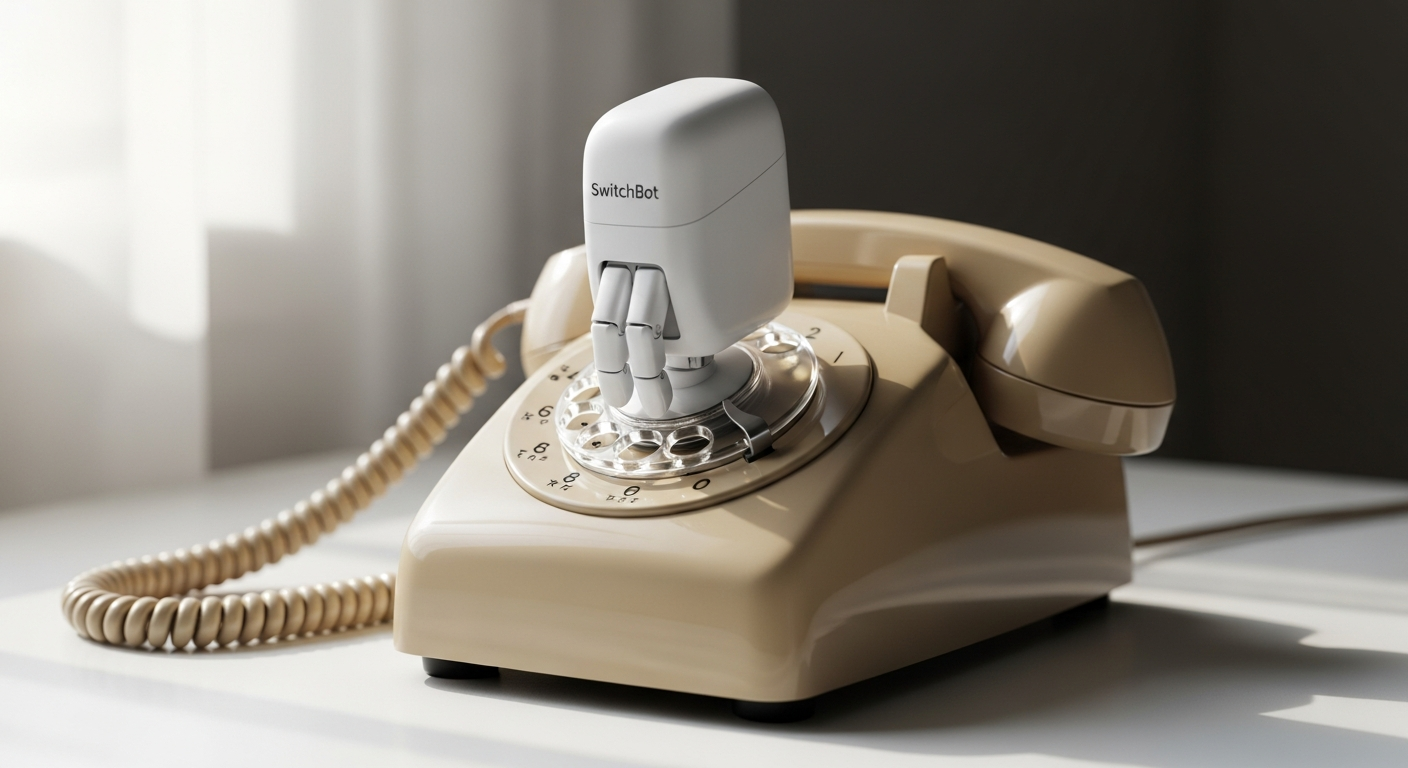
Over 60% of households own dumb appliances that lack smart home integration, yet most people assume they're stuck with them. The idea of upgrading to a fully connected home often feels like a distant dream—something reserved for tech enthusiasts with deep pockets and patience for complex installations. But what if you didn't have to replace anything at all?
The SwitchBot Bot is a deceptively simple device that's become one of the most beloved products in smart home automation. Rather than replacing your existing appliances, this compact robotic finger physically presses buttons and flips switches on your behalf—transforming ordinary devices into smart, controllable gadgets. At just $29.99, it's the most affordable bridge between your legacy appliances and a modern connected home.
Discover how the SwitchBot Bot can transform your dumb appliances into smart devices today.
What Makes the SwitchBot Bot Different From Traditional Smart Home Upgrades
The retrofit philosophy: upgrading appliances instead of replacing them
The SwitchBot Bot doesn't ask you to throw out your trusty coffee maker or air conditioner. Instead, it adds a layer of intelligence on top of what you already own. This retrofit approach represents a fundamental shift in how people think about home automation. Rather than viewing older appliances as obstacles, the Bot treats them as opportunities for upgrading without the waste or expense of replacement.
Why this approach saves money compared to buying new smart appliances
Smart appliances carry premium price tags. A basic smart coffee maker can cost three times what a standard model does. When you own multiple appliances, those costs multiply quickly. The SwitchBot Bot eliminates this financial burden entirely. You get the automation benefits you want without paying the smart appliance markup. Even if you purchase a SwitchBot Hub Mini for remote control capabilities, your total investment remains a fraction of what you'd spend replacing just one or two appliances.
How the Bot differs from smart plugs, smart switches, and other automation devices
Smart plugs control power to devices but can't interact with buttons or switches. Smart switches require rewiring existing electrical systems. The SwitchBot Bot occupies a unique middle ground—it doesn't modify your wiring, doesn't control power, and it actually presses the buttons your appliance was designed to use. This means it works with appliances that smart plugs can't touch, costs less than rewiring projects, and installs without any technical expertise.
The robotic finger concept and why physical button pressing works where other solutions fail
Many appliances have mechanical switches that don't respond to electrical signals. They're designed for human fingers. The SwitchBot Bot literally mimics a finger by using a small arm that extends to press your button or flip your switch. This mechanical simplicity is precisely why it succeeds where other approaches fail. There's no smart circuitry inside your appliance to hack—just a physical button being pressed as intended.
Compatibility Breakdown—Which Appliances Can the SwitchBot Bot Actually Control
Rocker switches and one-way buttons: what works and what doesn't
The SwitchBot Bot excels with rocker switches (the up-and-down switches found on many wall plates) and one-way buttons (push-once buttons). These are mechanically straightforward—the Bot pushes them, and they respond. One-way buttons work perfectly in Press Mode. Rocker switches work beautifully in Switch Mode, where the Bot can both push and pull to turn devices fully on and off. These account for the vast majority of switches you'll encounter in a typical home.
Common appliances the Bot successfully automates
Your coffee maker becomes programmable—brew coffee automatically each morning without touching the machine. Window air conditioners gain scheduling capability, letting you set them to turn on before you arrive home. Garage doors without smart openers respond to app commands and voice control. Light switches throughout your home can be controlled remotely or automated with schedules. Fans, humidifiers, dehumidifiers, and countless other devices become part of your smart ecosystem. If it has a button or rocker switch, the Bot likely handles it.
Why toggle switches and certain button types are incompatible
Toggle switches—the flipped levers found on older light switches—don't work because they require a specific flipping motion that the Bot's pressing action can't provide. Buttons with complex mechanisms or unusual shapes may also resist the Bot's standard pressing motion. Before purchasing, checking your specific switch types prevents disappointment.
Testing compatibility before purchase: how to assess your appliances
Examine your switches and buttons carefully. Are they rocker switches (up-and-down) or one-way buttons (push)? If yes, you're likely compatible. Is the button/switch accessible without obstruction? The Bot needs clear space to position itself. Does the switch require gentle pressure or does it need firm force? The Bot handles normal switches comfortably but may struggle with extremely stiff mechanisms. A quick visual inspection answers most compatibility questions.
Installation That Takes Seconds—No Tools Required
Unboxing and what's included in the package
The SwitchBot Bot arrives in a compact package containing the Bot itself, a 3M adhesive sticker, a CR2 3V battery (pre-installed), quick-start instructions, and a small allen wrench for mechanical adjustments. Everything you need comes in the box. No separate purchases required for basic installation.
The 3M adhesive sticker installation method explained
The 3M adhesive backing represents the genius of the SwitchBot Bot's design. Clean the surface where you'll place the Bot with a dry cloth, remove the adhesive backing, and press the Bot firmly next to your target button or switch. Hold it in position for a few seconds. The adhesive sets almost immediately. That's installation. No drilling, no mounting brackets, no tools needed. The 3M adhesive holds reliably for years while remaining removable if you need to relocate the device.
Step-by-step placement strategy for optimal button-pressing accuracy
Position the Bot so its arm aligns directly with the center of your button or switch. Too far left or right, and the Bot misses. Too high or low, and it strikes at an angle. Most successful placements position the Bot about half an inch away from the button, allowing the arm to extend fully and contact the button's center. Test the positioning before pressing the adhesive permanently into place. Some users position the Bot slightly lower than center when dealing with rocker switches to ensure proper engagement.
Why adhesive backing beats magnetic alternatives for most users
Magnetic mounting sounds reversible, but magnets don't work on all surfaces and can interfere with sensitive electronics. The 3M adhesive works on virtually any clean, flat surface—painted walls, plastic appliances, glass panels. And despite sounding permanent, 3M's removable adhesive releases cleanly without damaging surfaces. The adhesive approach is simply more universal and reliable.
Two Operating Modes Explained—Press Mode vs. Switch Mode
How Press Mode works for one-way buttons and single-action switches
Press Mode is straightforward. The Bot's arm extends and presses the button once. Your coffee maker turns on. Your garage door opener activates. Your fan starts running. Press Mode handles any button or switch that requires a single press to toggle on. It's the default mode and covers most use cases. Battery usage in Press Mode is minimal because the Bot doesn't maintain any continuous pressure.
Understanding Switch Mode and the rocker switch add-on accessory
Switch Mode uses a small mechanical add-on (included with some models or purchased separately) that lets the Bot both push and pull a rocker switch. This matters for true on-off control. Press Mode on a rocker switch only turns a device on—it can't turn it off reliably because the switch resets. Switch Mode addresses this by allowing the Bot to push the switch up and pull it down, giving you complete control over devices that toggle on and off with rocker switches.
The mechanical difference between pushing and pulling rocker switches
Rocker switches have two positions—up and down. Pressing the same spot twice won't reliably alternate between states because the switch may already be in that position. The Switch Mode add-on extends the Bot's arm downward as well as upward, allowing it to push the switch to the up position for "on" and pull it to the down position for "off." This dual-direction capability is essential for any device where true on-off control matters.
When to use each mode based on your appliance type
Use Press Mode for coffee makers, garage door openers, fans, and any device where a single button press triggers the desired action. Use Switch Mode for light switches, air conditioners, and devices with true rocker switches where you need to toggle between on and off positions. Most users start with Press Mode and only need Switch Mode for a handful of rocker switch applications.
Control Methods—From Bluetooth to Voice Commands and Beyond
Local Bluetooth control via the SwitchBot smartphone app
The SwitchBot app connects to your Bot via Bluetooth. Open the app, tap the device, and trigger actions instantly. This works anywhere within Bluetooth range—typically 30 to 50 feet depending on walls and interference. Local Bluetooth control requires no internet connection and no hub. It's immediate, reliable, and perfect for controlling devices when you're home. The app interface is intuitive; even non-technical users navigate it effortlessly.
Why a SwitchBot Hub Mini or Hub 2 is essential for remote access
Bluetooth has limited range and doesn't work remotely. When you leave home, your Bot becomes inaccessible without a Hub. A SwitchBot Hub Mini or Hub 2 bridges this gap, converting Bluetooth signals to Wi-Fi for remote access over the internet. With a Hub, you control your Bot from anywhere—from work, during vacation, from your car. The Hub also enables other advanced features like scheduling, automation routines, and smart assistant integration. It's not optional if you want true smart home functionality.
Voice command integration: Alexa, Google Assistant, and Siri compatibility
A Hub opens the door to voice control. Say "Alexa, turn on the coffee maker" and your SwitchBot Bot activates the press. Voice commands require the Hub because smart assistants operate over Wi-Fi networks, not Bluetooth. Compatibility extends across Amazon Alexa, Google Assistant, and Apple Siri, giving you flexibility in choosing your voice platform. Voice control transforms appliance management into casual conversation rather than app interaction.
Apple HomeKit and Matter protocol support for ecosystem integration
For Apple ecosystem users, HomeKit integration with a SwitchBot Hub 2 provides deep ecosystem compatibility. Matter protocol support on newer hubs ensures future-proofing. These advanced features matter if you've already invested in Apple's smart home ecosystem or multiple HomeKit devices. Standard users need only the app and basic Hub functionality, but these integrations exist for those building comprehensive connected homes.
Battery Life That Outlasts Your Patience—The 600-Day Reality
CR2 3V battery specifications and where to source replacements
The SwitchBot Bot uses a standard CR2 3V lithium battery. These are widely available at drugstores, electronics retailers, and online marketplaces for just a few dollars. You're not locked into proprietary batteries or hard-to-find components. When your Bot's battery drains after 600 days, replacing it takes 30 seconds and costs less than a coffee.
How 600-day battery life translates to real-world usage patterns
600 days assumes moderate usage—perhaps 10 to 30 button presses per day. For a light switch you press 5 times daily, expect close to 600 days of operation. For a coffee maker you use once daily, battery life stretches even longer. A frequently used device pressed 50 times daily drains batteries faster, potentially in 200 to 300 days. Real-world battery life varies based on your specific usage patterns, but even heavy users typically see 6 months to a year between replacements.
Factors that impact battery longevity (frequency of use, temperature, humidity)
Battery performance degrades slightly in extreme cold or heat, though typical home temperatures don't meaningfully impact the CR2 battery. Humidity generally doesn't affect these batteries. The primary factor is usage frequency—more button presses means faster battery drain. Interestingly, Switch Mode (which moves the arm both directions) uses marginally more power than Press Mode. The differences are minimal, and the advertised 600 days accounts for this variance.
Battery replacement process and cost implications
Replacing the battery requires no technical skill. Open the Bot's battery compartment (usually a small sliding door), remove the depleted CR2, insert a fresh one, and close the compartment. This takes less than a minute. Replacement batteries cost $2 to $5 each. Over several years of ownership, battery replacement costs remain negligible compared to the device's initial investment.
The Hidden Cost Factor—Hub Requirements and Total Investment
Base cost of the SwitchBot Bot ($29.99) versus total smart home investment
The $29.99 SwitchBot Bot price point is genuinely affordable. However, this assumes local Bluetooth control only. Add the essential SwitchBot Hub Mini ($35 to $45) or Hub 2 ($50 to $60) for remote access, and your per-device investment jumps to $65 to $90. One Bot with a Hub costs more than the Bot alone, but one Hub supports multiple Bots. If you plan to automate three or four devices, the Hub cost spreads across multiple devices, improving value.
SwitchBot Hub Mini pricing and functionality breakdown
The Hub Mini is the budget option at $35 to $45. It handles Wi-Fi connectivity, remote access, voice command integration, and basic scheduling. It works well for most users and justifies its cost immediately. The Hub 2 costs $50 to $60 and adds HomeKit support, Matter protocol compatibility, and enhanced automation features. For Apple ecosystem users or those building comprehensive smart homes, Hub 2 makes sense. For straightforward remote access to a few devices, Hub Mini suffices.
Cost-benefit analysis: when the Hub investment makes sense
Automating 2 to 3 devices with a single Hub provides excellent value. The Hub cost amortizes across devices, and each additional Bot costs only $30. Automating a single device with a Hub costs $65 to $90, which feels expensive for one appliance. If you only need Bluetooth control for one device, skipping the Hub initially makes sense. Most users discover additional automation opportunities after their first Bot, justifying the Hub purchase eventually.
Comparing total cost to replacing appliances or hiring electricians
One smart coffee maker costs $80 to $150. One smart air conditioner unit runs $300 to $500. Hiring an electrician to upgrade wall switches costs $100 to $200 per switch. A SwitchBot Bot with Hub costs $65 to $90 for the first device, then $30 per additional device. The math heavily favors the Bot approach, especially if you own multiple appliances.
Limitations You Should Know Before Buying
Bluetooth range constraints without a Hub (typical 30-50 feet)
Bluetooth range varies by environment. Open spaces achieve 40 to 50 feet. Walls, metal objects, and interference reduce range to 20 to 30 feet. Control from another room often works, but controlling a device on the opposite side of a large house may fail without a Hub. This limitation disappears entirely with a Hub, but it's important to understand if you're considering Bluetooth-only control.
Struggles with extremely stiff switches requiring excessive force
The SwitchBot Bot produces roughly 1.15 kilogram-force (kgf) of pressure. Most household switches respond to this force comfortably. Certain industrial-grade switches, extremely old mechanical switches, or switches that require deliberate force may resist. You might need two Bots pressing the same switch simultaneously for stubborn cases. Testing before permanent installation helps identify problematic switches.
Toggle switch incompatibility and why this matters
Toggle switches—the vintage-style flipped levers—don't work with the Bot because they require a flipping motion rather than a press. Homes with older electrical installations may have these switches. Modern homes predominantly use rocker switches, so this rarely matters. Check your specific switches before purchasing.
Potential need for multiple Bots on dual-rocker switches
Some dual rocker switches (like those controlling ceiling fans) require separate Bots for each rocker position if you want independent control. One Bot handles one rocker; another Bot handles the second rocker. This increases costs for complex switch configurations but is necessary for certain automation scenarios.
Real-World Use Cases—Where the SwitchBot Bot Truly Shines
Automating older HVAC systems and window air conditioners
Window air conditioners with mechanical buttons and rocker switches become remote-controllable with the Bot. You set them to activate at specific times, turn them on before arriving home, or control them from bed. Older central HVAC systems with wall-mounted thermostats featuring mechanical buttons respond perfectly to the Bot. Smart thermostats require expensive professional installation; the Bot accomplishes similar automation for a fraction of the cost.
Coffee maker scheduling for morning routines
One of the most popular Bot applications is automating coffee makers. Program your Bot to press the "brew" button at 6:45 AM. You wake to fresh coffee without touching anything. This simple automation transforms morning routines and feels like genuine smart home convenience despite the basic mechanism behind it.
Garage door automation without smart door openers
Many garage doors have mechanical button openers. Place a Bot next to the button, and your door responds to app commands or voice control. No wiring required. This costs far less than installing a smart garage door opener and works with nearly any existing system.
Light switch control in rental properties where wiring modifications aren't allowed
Renters can't install permanent smart switches. The SwitchBot Bot works on adhesive backing—removable without damage. Automating rental property lighting becomes possible. When you move, take the Bots with you.
Making the Decision—Is the SwitchBot Bot Right for Your Home
Assessing your appliance inventory for Bot compatibility
Walk through your home and examine buttons and switches. Are most rocker switches or one-way buttons? Do any require unusual force? Are toggle switches present? This quick inventory determines how many devices the Bot actually helps you automate. If you identify five or more compatible devices, the investment makes strong sense.
Calculating your total investment with Hub costs
List the devices you want to automate. If only Bluetooth control matters, cost is $30 per Bot. If you need remote access, add $35 to $60 for the Hub. Total investment for automating three devices with remote access ranges from $125 to $150—less than a single smart appliance. This clarity on total cost prevents surprise expenses.
Evaluating your smart home goals and automation needs
Do you simply want remote button pressing, or do you envision complex automation routines, voice control, and ecosystem integration? Simple needs require minimal investment. Ambitious plans justify a more expensive Hub. Understanding your goals determines which Hub (if any) you need.
Considering your technical comfort level and app proficiency
The SwitchBot app is genuinely user-friendly. Non-technical users successfully operate Bots and Hubs without struggles. If you're comfortable with smartphone apps, you'll handle the Bot easily. Technical proficiency matters minimally; the device removes technical barriers rather than requiring them.
The Verdict—Why Thousands of Smart Home Enthusiasts Choose the SwitchBot Bot
The SwitchBot Bot represents a paradigm shift in how people approach home automation. It's not trying to be the most sophisticated solution—it's the most practical one. By sidestepping expensive replacements and complex electrical work, this $30 device democratizes smart home technology and makes it accessible to renters, budget-conscious homeowners, and anyone with legacy appliances they actually love.
The real magic lies in its simplicity. The Bot solves a genuine problem that millions face—the gap between smart home ambitions and the reality of appliances that refuse to cooperate. A mechanical finger pressing buttons sounds almost too simple to be effective, yet it works reliably across an enormous range of devices. Your air conditioner doesn't need to be smart. Your coffee maker doesn't require built-in connectivity. Your light switches don't demand expensive rewiring. The Bot makes them all smart anyway.
Thousands of users have discovered that starting with one Bot reveals endless possibilities. Test it on your most-used appliance. Watch how automation simplifies daily routines. Notice how remote control transforms inconveniences into non-issues. Then add another Bot, then another. Before long, your home becomes genuinely smart without the complexity or expense you've been dreading.
Leave a Reply