Portable Connectivity Hub
Introduction
Your laptop has one USB-C port. Your presentation needs an HDMI connection. Your external drive requires USB-A. Your phone is dying. Your colleague wants to share files via Ethernet. Welcome to the modern connectivity crisis—a problem that multiplies the moment you leave your desk.
Remote workers and traveling professionals face this bottleneck constantly. A single USB-C port represents a fundamental mismatch between what contemporary devices demand and what modern laptops provide. The frustration compounds when you're juggling equipment in unfamiliar environments: conference rooms with VGA projectors, hotel networks with spotty WiFi, client meetings where first impressions matter.
The Satechi USB-C On-the-Go Multiport Adapter has become a bestseller because it eliminates this constant compromise. Rather than forcing you to choose between compact design and comprehensive connectivity, this hub delivers both. It's engineered specifically for professionals who refuse to sacrifice functionality just because they're constantly moving. Discover how the Satechi adapter transforms your portable workspace today. You'll learn about its unique dual-cable system, understand which ports matter most for your workflow, and discover whether this mid-range investment actually pays for itself through productivity gains.
Why Remote Workers Are Ditching Single-Port Laptops for This Hub
The USB-C bottleneck: why one port isn't enough for modern workflows
A single USB-C port creates decision paralysis. Power your laptop or connect your display? Charge your phone or transfer files? These aren't theoretical problems—they're daily frustrations for anyone working outside a permanent desk setup. The moment you need to connect more than one device simultaneously, that single port becomes a liability rather than a feature.
Modern workflows demand parallel connectivity. You're not just transferring data; you're powering devices, connecting displays, accessing network resources, and managing storage simultaneously. A hub doesn't eliminate these needs—it acknowledges their reality and solves them.
How the Satechi adapter transforms your laptop into a full workstation in seconds
This adapter functions as a connectivity multiplier. One USB-C connection expands into nine different connection points: USB-C Power Delivery charging, HDMI output, VGA compatibility, Gigabit Ethernet, dual USB-A ports, a USB-C data port, plus SD and microSD card readers. Your laptop shifts from constrained to capable in the time it takes to insert the adapter.
The transformation is practical, not theoretical. You move from "I hope this room has compatible cables" to "I'm prepared for whatever equipment exists." That shift in confidence ripples through your entire work experience. Presentations flow smoothly. File transfers happen without bottlenecks. Your devices stay charged while you work.
Real scenarios where portable connectivity becomes non-negotiable
Consider a freelancer presenting to a new client at their office. The projector uses VGA. Your laptop has USB-C. The client's WiFi is crowded and unreliable. The Satechi adapter bridges all three gaps simultaneously: VGA output to the projector, Gigabit Ethernet for stable connectivity, and you maintain USB-C charging throughout the presentation. Credibility matters in those moments.
Or you're a content creator at an airport, transferring footage from your camera to your laptop before a flight. Your camera card uses SD format. Your laptop has one USB-C port. The Satechi's integrated SD reader and USB-C connection allow you to work while your laptop charges—something that would require juggling multiple adapters with a single-port solution.
Digital nomads working across time zones face constant WiFi uncertainty. A café's WiFi barely functions. A hotel's network is behind a paywall. The Gigabit Ethernet port transforms any wired connection into reliable internet, eliminating dependence on increasingly-strained wireless networks.
The productivity cost of fumbling with adapters versus having everything ready to go
Productivity isn't just about speed—it's about friction. Every moment spent searching for the right adapter, troubleshooting connection issues, or choosing which device to sacrifice power for represents cognitive load and workflow interruption.
A comprehensive hub eliminates those micro-decisions. You arrive, connect once, and everything functions. No mental energy spent on cable compatibility. No workflow interruption from failed connections. No anxiety about losing power mid-presentation or mid-file-transfer.
Why build quality matters when you're traveling with your tech setup
An adapter that fails after three months isn't a bargain—it's a disaster. Cheap hubs often feature plastic construction that deteriorates under travel stress: cracked housings, loose ports, corroded connectors. The Satechi's aluminum construction withstands the rigors of constant packing, unpacking, and connection cycles that traveling professionals inflict on their equipment.
Build quality directly translates to reliability. A reliable hub means you stop worrying about whether your adapter will function in critical moments. That peace of mind justifies the mid-range price tag for anyone whose work depends on consistent connectivity.
The Dual-Cable System: A Game-Changer for Different Work Environments
Understanding the short, tucked-away cable for maximum portability
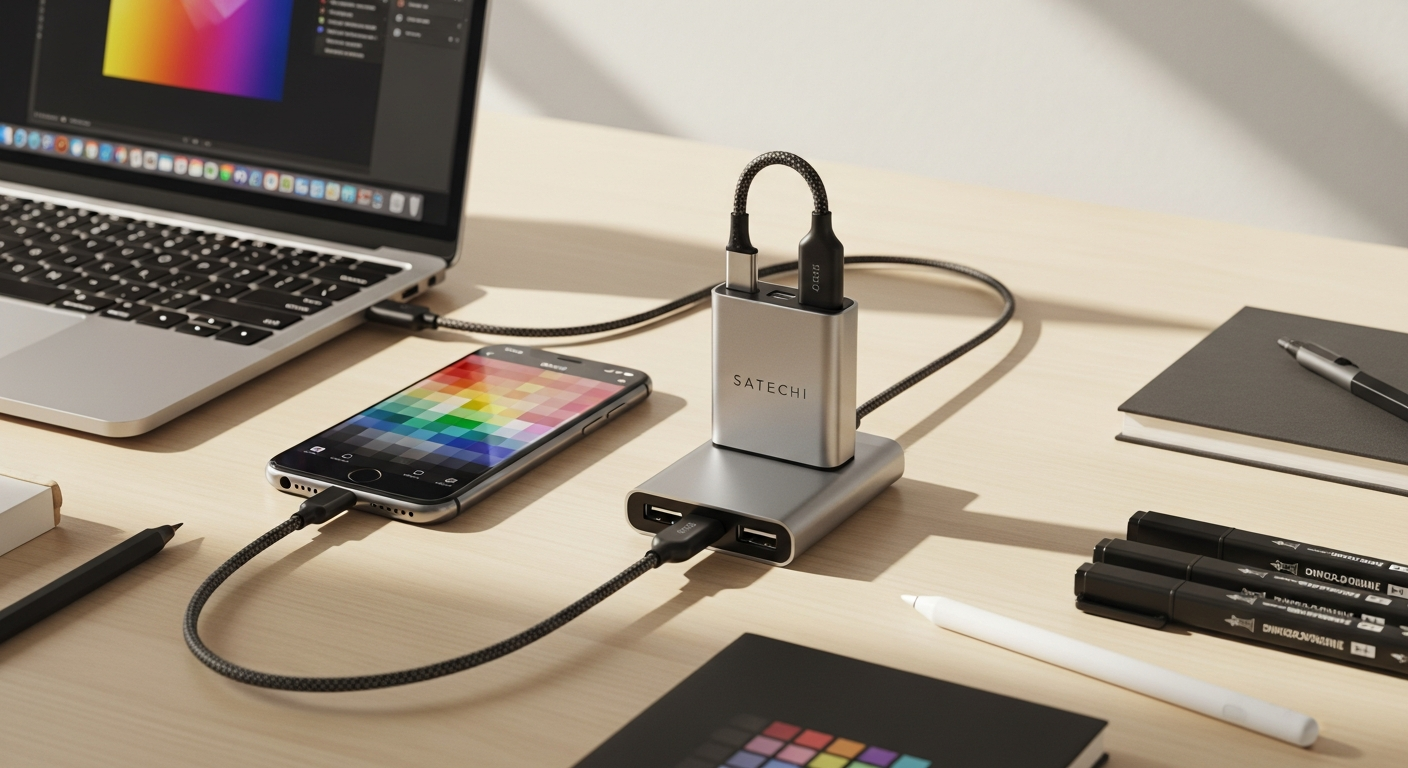
The Satechi includes two USB-C cables. The first is engineered for travel: short enough to tuck neatly into the adapter itself, converting the hub into a genuinely portable unit. This cable eliminates the "which cable do I pack?" dilemma. Maximum portability is built in.
For someone working from different locations daily—cafés, client offices, coworking spaces—this short cable transforms the adapter from "another device to manage" into "an integral part of my workstation." You grab the adapter, the cable is already attached, and you're ready to work.
When and why you'd use the 1-meter cable for semi-permanent setups
The second cable is longer—a full meter. This cable is designed for situations where the adapter sits at a fixed location: a hotel desk, a borrowed workspace, a conference room setup. The extra length provides positioning flexibility without forcing you to place your laptop directly adjacent to the adapter.
For remote workers who rotate between multiple semi-permanent locations, this dual-cable approach is revelatory. You unwind the longer cable for desk work, tuck away the shorter cable for travel. Both scenarios are optimized without compromise.
How this two-cable approach eliminates the 'which cable do I pack?' dilemma
Most USB-C hubs force you to choose: include a long cable (bulky to travel with) or a short cable (restrictive at desks). The Satechi acknowledges that traveling professionals work in multiple environments and provides solutions for both.
You never face the scenario where you've packed the "wrong" cable. Both are always available. This seemingly small design consideration reflects genuine understanding of how remote workers actually operate.
Cable management benefits for desk setups versus travel scenarios
At a desk, the longer cable allows you to position the adapter conveniently while maintaining comfortable distance from your laptop. Cables don't create clutter or force awkward angles. The setup feels intentional rather than improvised.
For travel, the short cable minimizes what you're carrying. The adapter becomes almost pocket-sized. Nothing dangles. Nothing catches on zippers. The engineering here anticipates actual travel friction.
Why detachable cables matter more than you think for long-term durability
Cables are stress points. They bend, they coil, they get compressed. Fixed cables on hubs often develop internal breaks at the connection point—failures that render the entire hub useless. Detachable cables shift that wear-and-tear to replaceable components.
For traveling professionals, this design choice extends the adapter's useful lifespan considerably. If a cable eventually fails, you replace the cable. You don't replace the entire hub.
Port Breakdown: Which Connections Actually Matter for Your Workflow
USB-C Power Delivery (100W charging): keeping your laptop and devices powered simultaneously
The USB-C Power Delivery port supports up to 100W. Your laptop charges while you work. Your phone charges via a USB-A port. Your tablet charges via the second USB-A port. Everything powers simultaneously without draining from a single source. For someone working at an airport or in a café with limited outlets, this consolidation is transformative.
The adapter uses approximately 15W of that 100W capacity for its own operation, leaving 85W for your devices. Most modern laptops require 60-100W, so charging while actively using the adapter remains feasible.
HDMI 4K at 60Hz: projecting presentations without compatibility headaches
The HDMI port outputs 4K resolution at 60Hz. For presentations, this means crisp visuals without the degradation and latency issues that sometimes accompany lower-resolution outputs. Your slides appear professional. Your demos run smoothly. Video content plays without stuttering.
Presentation anxiety frequently stems from technical uncertainty. Will the projector recognize my output? Will the resolution be acceptable? This HDMI port eliminates those questions.
VGA port: bridging the gap with older conference room equipment
Older conference rooms—and they're surprisingly common—sometimes lack HDMI capabilities. They have VGA projectors. Your modern laptop doesn't have a VGA port. The adapter does, outputting 1080p at 60Hz. That's sufficient for presentations on most projection systems.
This seemingly anachronistic port reveals the Satechi's practical focus: solving real-world problems, not just theoretical needs. The equipment your clients have matters more than what you wish they had.
Gigabit Ethernet: why wired internet beats WiFi for file-heavy work
WiFi is convenient but unpredictable. Coffee shop networks are congested. Hotel WiFi throttles bandwidth. Airport connections drop randomly. Gigabit Ethernet provides stable, fast connectivity independent of wireless network quality.
For content creators transferring large files, this port transforms workflow speed. A multi-gigabyte video file that takes 20 minutes over WiFi transfers in minutes via wired connection. For remote workers in unreliable network environments, this port is the difference between productive work and frustrated waiting.
Dual USB-A 3.0 ports: connecting mice, keyboards, and external drives
USB-A represents the standard peripheral connector for mice, keyboards, external drives, and countless other devices. While USB-C adoption is increasing, the majority of existing peripherals still use USB-A.
Having two USB-A ports means you're not choosing between connecting your mouse or your external drive. Both connect simultaneously. Your workflow isn't constrained by port limitations.
USB-C data port: understanding its limitations and what it's best for
The adapter includes a USB-C data port in addition to the USB-C power delivery port. However, this port has specific limitations: it doesn't support charging or video output. It's designed for data transfer from additional USB-C peripherals—external SSDs, additional hubs, or specialized devices.
Understanding this limitation matters before purchasing. If your workflow depends on daisy-chaining multiple USB-C devices with charging, this port won't accommodate that need.
SD and microSD card readers: essential for photographers, videographers, and content creators
Photographers transferring images from cameras. Videographers working with footage from drones or external recorders. Content creators managing multiple storage formats. The integrated card readers eliminate the need for separate card adapters.
For this professional subset, the convenience is substantial. Everything connects through a single hub rather than juggling multiple specialized adapters.
Explore the complete port selection that powers professional workflows everywhere.
Design, Portability, and Build Quality That Justifies the Price Tag
Aluminum construction and why it matters for durability during travel
The Satechi's aluminum body isn't aesthetic choice—it's functional choice. Aluminum provides rigidity that plastic lacks. It dissipates heat effectively. It withstands repeated connection cycles without degradation. When you're packing and unpacking an adapter constantly, material matters.
Cheap plastic hubs develop loose ports after months of travel use. Aluminum construction maintains structural integrity through years of professional use. The cost difference between materials partially explains the mid-to-high price positioning.
Compact dimensions (2.375 x 4.75 x 0.5 inches) and what that means in your bag
Think of a credit card scaled to adapter size. The Satechi measures just 2.375 inches by 4.75 inches by 0.5 inches thick. This fits into laptop bags, shoulder bags, or even jacket pockets without noticeable bulk.
Portability isn't just about weight—it's about form factor. Something that occupies minimal space in your bag is something you'll actually carry. Something that requires dedicated packing space might stay behind, defeating its purpose as a traveling solution.
Weight at 4.4 ounces: barely noticeable, always appreciated
Four and a half ounces is less than a smartphone. It's negligible in terms of pack weight. For professionals assembling kit piece by piece—laptop, charger, external drive, cables, peripherals—negligible weight is exactly what's needed. This adapter doesn't add perceptible burden to your load.
Plug-and-play functionality: no drivers, no setup, no frustration
You insert the USB-C connector. Ports activate immediately. No driver installation. No system configuration. No troubleshooting. This simplicity becomes increasingly valuable when you're working across different networks and environments. Some connections "just work." The Satechi exemplifies that principle.
Premium feel versus mid-to-high price point ($59.99): is it worth it?
At $59.99, the Satechi occupies the mid-to-high range for USB-C hubs. Budget alternatives exist at $30-40. Premium alternatives cost upward of $100. The Satechi's positioning reflects material quality, comprehensive port selection, and thoughtful design.
Whether it's worth the investment depends on your workflow dependence and travel frequency. For someone working remotely three days weekly, the ROI is substantial. For occasional travelers, budget alternatives might suffice. Assess your actual usage patterns before deciding.
How design choices reflect understanding of actual remote work needs
The dual cables, aluminum construction, comprehensive ports, and compact form factor don't represent arbitrary decisions. Each reflects understanding of how professionals actually work: in multiple environments, with varying equipment, facing unpredictable connectivity situations.
The Satechi solves problems that generic hubs overlook because it's designed by people thinking about real workflows rather than theoretical specifications.
Real-World Use Cases: Where This Adapter Shines (and Where It Doesn't)
Freelancers presenting to clients on unfamiliar equipment
Walking into a conference room with this adapter in your bag eliminates presentation anxiety. VGA projector? Covered. HDMI display? Covered. Need internet? Ethernet port. Need your phone charged during the meeting? USB-A ports. The adapter transforms client meetings from "I hope this works" to "I'm prepared regardless."
Credibility extends beyond your work quality—it includes technical reliability. Clients notice when presentations flow smoothly. That smooth experience partially stems from being equipped for technical variations.
Content creators transferring footage between cameras and laptops
Videographers working with 4K footage need efficient transfer mechanisms. SD card readers combined with fast USB-A data transfer make the Satechi indispensable. Footage transfers at USB 3.0 speeds rather than bottlenecked by wireless transfer protocols.
For creators on deadline—producing content during events, managing footage from multiple cameras simultaneously—this port combination saves hours.
Digital nomads needing reliable internet in unreliable WiFi environments
WiFi networks in developing countries, rural areas, or crowded tourist destinations frequently disappoint. A café with ethernet access becomes viable with the Satechi's Gigabit Ethernet port. Hotels with wired connections shift from inconvenient to practical.
For professionals whose income depends on consistent connectivity, this port justifies the adapter's cost through reliability alone.
Limitations to know: single display support and M1 Mac considerations
The Satechi supports one external display at a time. Dual extended display setups—using multiple monitors simultaneously—aren't supported. For professionals dependent on multi-monitor workflows, this limitation might necessitate alternatives.
Additionally, M1 Mac users may encounter display limitations. While the HDMI output functions, some advanced display configurations don't work as expected on Apple Silicon. Windows and Intel-based Mac users don't experience this limitation.
When USB-A charging ports would be a dealbreaker for your setup
The USB-A ports function for data transfer and peripherals, but they don't support charging devices. If your workflow requires charging multiple phones or tablets simultaneously while maintaining data connections, alternative hubs with powered USB-A ports might be necessary.
Understanding the USB-C data port restrictions before you buy
The USB-C data port doesn't support charging or video output. It's purely for data transfer from additional USB-C devices. If you anticipated using this port to daisy-chain additional hubs or transfer data while simultaneously charging, clarify that capability with technical specifications before purchasing.
Comparing Alternatives: How the Satechi Stacks Up Against Other Portable Hubs
What separates this adapter from budget USB-C hubs
Budget hubs at $30-40 typically include basic connectivity: USB-A ports and HDMI output. They lack VGA compatibility, card readers, or Gigabit Ethernet. They often use plastic construction and fixed cables. They're functional for minimal connectivity needs.
The Satechi includes everything budget hubs lack: comprehensive port selection, aluminum construction, dual detachable cables, and premium build quality. You're paying for comprehensiveness and durability, not just basic functionality.
Why premium alternatives cost more (and whether they're worth it)
Premium USB-C docks at $100-200+ often add features the Satechi lacks: powered USB-A ports, dual display support, thunderbolt pass-through, or heavier-duty construction for permanent desk installations.
If you need those specific features, premium alternatives justify their cost. If you don't, the Satechi's feature set covers most professional needs without the premium expense.
The portability advantage over stationary desktop docking stations
Desktop docks prioritize comprehensive connectivity over travel weight and size. They weigh pounds rather than ounces. They require dedicated desk space. They're designed for permanent installation rather than mobility.
The Satechi trades some functionality for portability. It's not a replacement for a permanent desk setup—it's a solution for professionals who work in multiple locations.
Feature parity with competitors: where Satechi leads and lags
Satechi leads in dual cable system design and form factor optimization. It lags in display support (single display versus dual on some competitors) and USB-A charging capability.
For traveling professionals, the advantages outweigh the limitations. For desktop-centric professionals, competitors might offer better value.
Value proposition for different user types (business travelers vs. creative professionals)
Business travelers benefit most from the adapter's presentation compatibility, internet reliability, and portability. HDMI, VGA, and Ethernet ports directly support common business travel scenarios.
Creative professionals working with external storage and media benefit from the card readers and comprehensive data ports. The value proposition shifts based on actual workflow needs.
Making the Investment Decision: Is This the Right Hub for You?
Assessing your actual port needs before committing to a purchase
Write down the peripherals and connections you actively use. Do you need VGA output? Are card readers relevant? Does Gigabit Ethernet matter for your internet situation? Do you require simultaneous device charging?
Match your actual needs against the adapter's specifications. If your list requires features the Satechi lacks, exploring alternatives makes sense. If most of your needs align, the adapter likely justifies its cost.
Budget considerations: mid-range pricing and long-term ROI
At $59.99, the adapter costs less than a fancy lunch for two. If it prevents even one missed presentation opportunity, facilitates one high-value file transfer, or enables one productive day in an otherwise-unusable WiFi environment, it returns value.
Consider your work frequency and travel schedule. Daily remote workers see faster ROI than occasional travelers. Professionals with critical presentation responsibilities see faster ROI than those with less pressure-dependent workflows.
Compatibility check: ensuring your devices work seamlessly with this adapter
Verify that your laptop has USB-C capability. Check whether your display requires HDMI or VGA. Confirm that your phone charges via standard USB-A (most devices do). Validate that your peripheral devices use compatible connections.
The Satechi's strength is comprehensive compatibility, but "comprehensive" doesn't mean "universal." Five minutes of verification prevents purchasing an incompatible solution.
Questions to ask yourself about your work environment and travel frequency
How often do you work in different locations? Do presentations constitute significant portion of your work? How important is internet reliability? Are you managing multiple storage formats? Do you travel across regions with different equipment standards?
Answering these questions honestly guides whether the Satechi aligns with your actual needs or whether alternatives better match your workflow.
Alternative solutions if this hub doesn't align with your specific workflow
If you need dual display support, investigate premium docks. If you need powered USB-A ports, explore hubs with that capability. If your needs are minimal, budget alternatives might suffice. If you work exclusively at a desk, dedicated docking stations offer more comprehensive connectivity.
The Satechi isn't the optimal solution for every situation. Matching the right tool to your specific workflow beats forcing a compromise.
The Bottom Line: Your Portable Connectivity Problem, Solved
The Satechi USB-C On-the-Go Multiport Adapter isn't just another hub—it's a thoughtfully engineered solution for professionals who refuse to choose between mobility and capability. The dual-cable system, comprehensive port selection, and premium build quality combine to create something genuinely useful. Whether you're presenting to clients, transferring files across continents, or setting up a temporary workspace, this adapter handles the heavy lifting without adding weight to your bag.
That said, it's not perfect for everyone. If you need dual extended displays on an M1 Mac, or if your workflow demands USB-A charging ports, you'll want to explore alternatives. But for the majority of remote workers and content creators who value portability without sacrificing functionality, this adapter delivers measurable productivity gains that justify its mid-range price tag.
The real question isn't whether you need a USB-C hub—it's whether you're ready to stop compromising on connectivity. If you are, the Satechi adapter is ready to transform your portable workspace today.
Leave a Reply