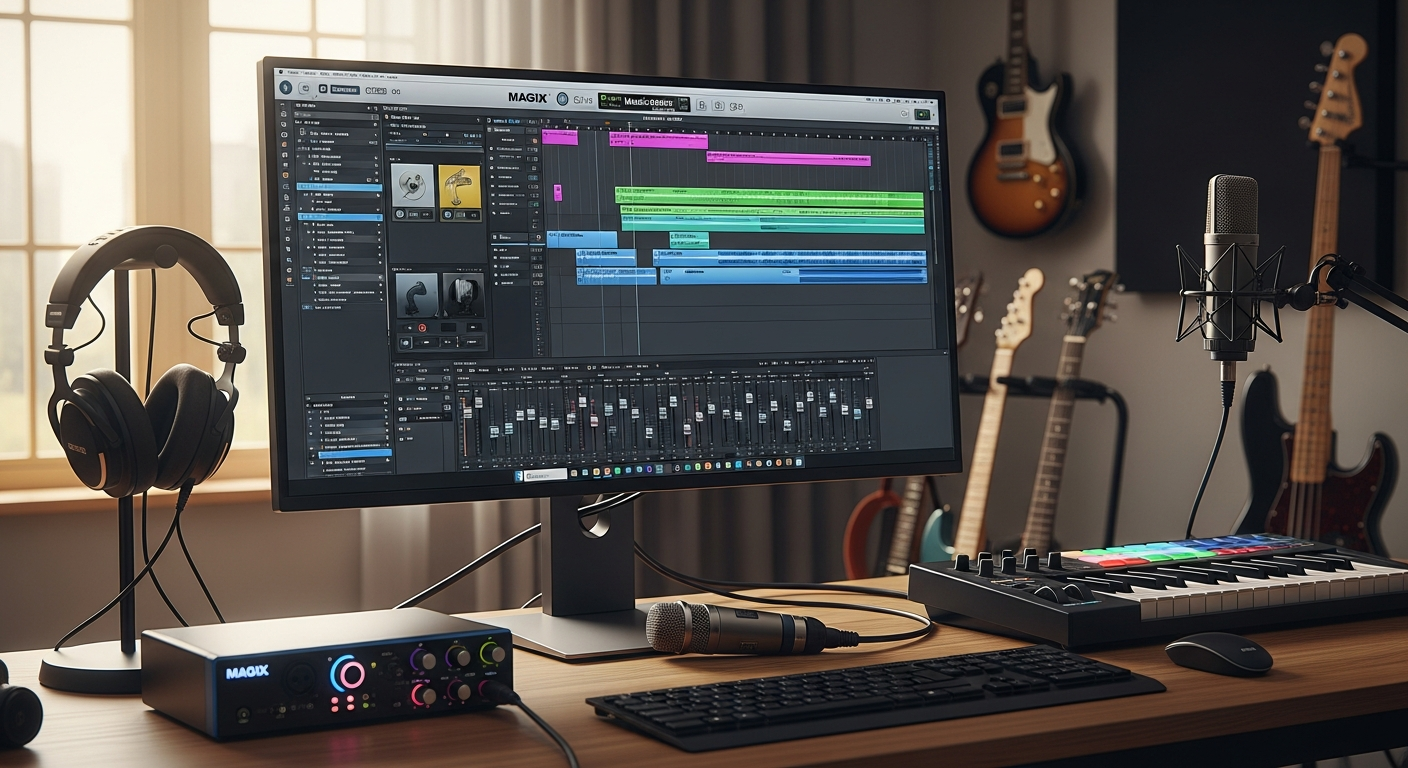
Over 20 years ago, MAGIX Music Maker crossed the million-copy milestone—and today, it remains one of the fastest-growing DAWs for independent producers worldwide. The software has evolved from a niche tool into a mainstream choice for creators who refuse to compromise between capability and accessibility.
MAGIX Music Maker 2026 Premium represents a different breed of digital audio workstation, built specifically for people who want to create music without spending months learning production fundamentals first. Unlike professional-grade DAWs that demand steep learning curves and premium price tags, this software strips away the complexity without sacrificing capability. The platform has proven itself across two decades of continuous development, cementing its position as a reliable entry point for aspiring producers.
Explore MAGIX Music Maker 2026 Premium and start creating today.
Why Hobbyists Choose MAGIX Music Maker 2026 Premium Over Expensive Alternatives
Affordability without compromise
Professional DAWs routinely cost €300 or more, while MAGIX Music Maker 2026 Premium carries a €59.99 price tag—often reduced to €44.99 during promotional periods. This pricing structure makes professional-quality music production accessible to creators working with limited budgets.
Freemium accessibility
The freemium model removes financial barriers to entry. Start with the free version to understand your production needs, then upgrade through Free, Plus, Premium, Ultimate, and Unlimited tiers as your skills and creative ambitions expand. This progression ensures you never pay for features you haven't learned to use.
Proven track record
Over 20 years of continuous development and over 1 million copies sold globally demonstrate that MAGIX has cracked the formula for sustainable, user-focused music production software. This longevity reflects genuine customer satisfaction rather than marketing hype.
Intuitive drag-and-drop interface
Minimal learning curve separates you from your first beat. Unlike industry-standard DAWs like Ableton or Logic Pro, MAGIX prioritizes immediate usability over feature depth—a deliberate design choice that pays dividends for beginners.
Active community and regular updates
Consistent feature additions and AI integration keep the software competitive. The MAGIX development team remains responsive to user feedback, ensuring your €59.99 investment doesn't become obsolete within a year.
No subscription trap
One-time purchase model eliminates recurring monthly fees. You own your license outright, avoiding the financial drain of subscription-based DAWs that demand ongoing payments regardless of usage.
AI-Powered Beat Creation Tools That Actually Work
AI Song Maker mode
This feature automatically generates song structures, arrangements, and chord progressions based on your preferences. Rather than staring at an empty canvas, you receive a starting framework that respects your chosen genre, mood, and tempo specifications.
Beatbox Pro 3
Intelligent beat design creates drum patterns matching your selected genre and tempo. The tool removes the technical barrier of programming drums from scratch, allowing focus on arrangement and sound selection instead.
iZotope Ozone 11 Elements
Professional mastering plugin included with the Premium version eliminates the need for separate mastering software purchases. This addition alone justifies the software's price point for hobbyists seeking polished final outputs.
Genre-specific filtering
Smart categorization of loops and samples by style, mood, and tempo accelerates workflow considerably. Rather than scrolling through thousands of generic options, you access curated collections aligned with your current project.
Pitch and tempo correction
AI-assisted tools adjust vocals and instruments without quality loss. Imperfect recordings transform into usable takes, expanding the possibilities for self-recorded content.
Real-time audio processing
Instant feedback on how effects transform your tracks eliminates guesswork. Watch your arrangements evolve as you apply compression, reverb, or EQ—understanding cause-and-effect relationships in real time.
Discover the full potential of AI-assisted music production with MAGIX Music Maker 2026 Premium.
Building Your Sound Library: Unlimited Tracks and Expandable Content
Unlimited track capacity
The Premium version removes track restrictions, allowing complex arrangements and layered productions. Unlike limited-tier editions, you never face the frustration of hitting a maximum track count mid-project.
Extensive sound pools
Pre-loaded libraries span electronic, hip-hop, pop, rock, ambient, and experimental genres. Each category contains hundreds of professionally-produced loops, samples, and one-shots ready for immediate use.
VST virtual instrument support
Access to high-quality MIDI guitars, basses, drums, and pianos from third-party developers expands creative possibilities significantly. Your instrument palette extends far beyond the included content.
Import flexibility
Seamlessly integrate your own samples, vocals, and recordings into projects. Whether recording with a USB microphone or importing a drum loop from another source, MAGIX handles multiple audio formats without friction.
Expandable loop and effect packs
Purchase additional content as your production style evolves. MAGIX maintains an active marketplace of user-created and professionally-produced content, ensuring fresh inspiration remains available.
Customizable sound processing
3-Band EQ, multimode filter, reverb, delay, compression, and dynamic effects ship with the software. Control your sound signature through familiar, industry-standard processing tools.
MIDI keyboard compatibility
Full hardware integration enables tactile, hands-on beat creation. Connect any standard MIDI keyboard to transform mouse-based workflows into instrument-based production.
Real-World Production Scenarios Where MAGIX Excels
Lo-fi hip-hop production
The loop-based workflow perfectly suits sample-heavy, atmospheric beats. Arrange found-sound loops into meditative compositions without requiring complex sound design knowledge.
Electronic music and synth-pop
Comprehensive synthesizer and effect suite supports sound design experimentation. Layer synth sounds, apply modulation effects, and construct evolving soundscapes.
Podcast and voice-over projects
Built-in mixer and audio editing tools handle non-music audio work capably. Record voiceovers, add background music, and produce polished podcast episodes entirely within MAGIX.
Remixing and mashup creation
Easy sample manipulation and time-stretching capabilities streamline remix workflows. Recontextualize existing recordings into fresh arrangements.
YouTube content creation
Rapid beat production for video backgrounds and royalty-free music needs accelerates content creator workflows. Generate soundtrack options quickly without derailing video editing timelines.
Bedroom producer workflows
Fast iteration cycles and intuitive interface reduce production time significantly. Capture creative inspiration immediately rather than fighting software limitations.
Genre experimentation
Genre-filtered libraries encourage trying new styles without overwhelming options. Explore electronic production one session, hip-hop the next, ambient synthesis the week after.
Technical Specifications and System Requirements You Should Know
Operating system compatibility
Windows 8 or later support ensures compatibility with most modern computers. Note: no native macOS version exists, which represents the primary limitation for Apple users.
Hardware requirements
Modest CPU and RAM demands compared to professional DAWs mean older computers often run MAGIX smoothly. You needn't purchase expensive workstation hardware to produce music.
Audio interface integration
Full support for external audio interfaces and MIDI controllers integrates professional-grade recording hardware seamlessly into MAGIX workflows.
File format support
Import and export WAV, MP3, FLAC, and other standard audio formats without conversion hassles. Your finished tracks integrate seamlessly into streaming platforms and distribution services.
Plugin architecture
VST instrument and effect support enables third-party expansion. As your production sophistication grows, access to the enormous VST ecosystem remains available.
Project scalability
Complex arrangements scale without significant performance degradation. MAGIX prioritizes stability across various project complexities.
Backup and cloud options
Project save functionality with optional cloud integration protects your work. Automatic backups and cloud storage ensure creative efforts survive hardware failures.
What MAGIX Music Maker 2026 Premium Doesn't Do (And Why That's Okay)
Advanced mixing capabilities
The stock mixer functions effectively for most purposes but lacks the depth of professional mixing suites. Advanced automation, surround sound configuration, and specialized mixing workflows require workarounds or external tools.
Extensive MIDI editing
While capable, the MIDI editor remains simplified compared to Ableton or Studio One. Complex note editing, velocity automation, and timing adjustment happen through fewer interface options.
Mastering-grade tools
iZotope Ozone 11 Elements excels within its scope but doesn't match full mastering software capability. Professional mastering often requires specialized tools beyond the included plugin.
Film scoring and orchestration
Limited support exists for complex orchestral arrangements and notation. Composers requiring score printing, complex articulations, and ensemble management face constraints.
Professional recording studio features
Fewer options exist for multi-track recording and complex audio editing compared to dedicated recording software. Podcast engineers accustomed to advanced recording workflows might feel limited.
Stock sound quality
Included samples are solid for hobbyists but may feel generic for advanced producers. Professional sound designers often purchase higher-tier content libraries.
Limitations for advanced producers
Designed for beginners and intermediate users, not professional-grade production. Experienced producers with established workflows elsewhere may find MAGIX constraining.
Maximizing Your Investment: Tips for Getting the Most From MAGIX
Start with AI Song Maker
Use automated composition tools to understand song structure and arrangement fundamentals. Deconstruct the generated arrangements to recognize how sections connect and progress.
Explore genre-specific templates
Each genre folder contains pre-built arrangements you can deconstruct and learn from. Analyze professional structures while adapting them to your creative vision.
Invest in quality add-on packs
Upgrade your sound library strategically rather than all at once. Purchase additional content when existing options fail to inspire rather than overwhelming your workflow with endless possibilities.
Combine stock loops creatively
Layer and manipulate basic loops to create unique arrangements. Stack multiple loops at different tempos or pitch them to create hybrid sounds.
Use MIDI keyboard input
Hands-on playing accelerates learning and creative expression compared to mouse-based input. Your hands understand musicality in ways point-and-click interfaces never will.
Leverage YouTube tutorials
Extensive community content helps you unlock advanced techniques. Search "MAGIX Music Maker tutorial" for thousands of user-created guides addressing specific workflows.
Experiment with effect chains
Master the built-in effects before purchasing third-party plugins. Understanding reverb, delay, compression, and EQ through hands-on experimentation builds production fundamentals.
Join the MAGIX community
Share projects, get feedback, and discover production tips from other users. Community forums and social media groups provide ongoing support from experienced producers.
Comparing MAGIX Music Maker 2026 Premium to Other Beginner-Friendly DAWs
Versus GarageBand
MAGIX offers more sound libraries and advanced features; GarageBand is free but limited. If budget allows, MAGIX's superior tool set justifies the cost.
Versus FL Studio Fruity Edition
MAGIX has better loop-based workflow; FL Studio excels at pattern-based production. Choose MAGIX for sample manipulation, FL Studio for step sequencer workflows.
Versus Cakewalk by BandLab
MAGIX includes more professional plugins; Cakewalk is free but has fewer features. Free users should try Cakewalk first; those wanting professional results should invest in MAGIX.
Versus Reaper
MAGIX is more beginner-friendly; Reaper is more powerful but demands steeper learning curve. Beginners benefit from MAGIX's accessibility; experienced producers appreciate Reaper's flexibility.
Versus Ableton Live Lite
MAGIX is more affordable; Ableton Lite is more versatile for advanced users. Budget-conscious beginners choose MAGIX; those anticipating professional growth choose Ableton.
Price-to-feature ratio
MAGIX offers exceptional value for hobbyists and beat makers specifically. Few alternatives match this combination of affordability, functionality, and ease of use.
Learning curve comparison
MAGIX has the gentlest onboarding experience among paid DAWs. You'll produce recognizable music faster with MAGIX than any comparable alternative.
Making the Purchase Decision: Is MAGIX Music Maker 2026 Premium Right for You?
Best for
Hobbyists, beat makers, sample-based producers, content creators, and music production beginners find MAGIX specifically tailored to their needs.
Ideal if you want
Fast beat creation, AI assistance, affordable entry point, and unlimited creative tracks. Your priorities align perfectly with MAGIX's design philosophy.
Consider alternatives if
You need advanced mixing, professional mastering tools, or macOS compatibility. These requirements place you outside MAGIX's target audience.
Budget alignment
€59.99 (€44.99 promotional) fits most hobbyist budgets; excellent ROI for casual producers. Calculate your cost per track produced—MAGIX becomes increasingly affordable with use.
Skill level match
Designed for beginners through intermediate; professional producers may outgrow features. Honestly assess whether you'll need advanced mixing three years from now.
Genre compatibility
Excels with electronic, hip-hop, pop, and ambient; less ideal for orchestral or jazz. Verify your primary genres exist within MAGIX's sample libraries.
Long-term value
Regular updates and AI feature additions ensure relevance for 2-3+ years of use. MAGIX consistently evolves rather than stagnating.
Your Next Beat Awaits
MAGIX Music Maker 2026 Premium occupies a unique space in the music production landscape—it's powerful enough to create genuinely professional-sounding tracks, yet accessible enough that you'll be making beats within your first hour. The combination of AI-powered composition tools, unlimited tracks, and an intuitive interface removes the traditional barriers that stop people from starting. You're not paying for bloated features you'll never use; you're investing in a streamlined, focused tool built specifically for hobbyists and beat makers.
Ready to start producing? Your first track is waiting, and the entry point has never been more welcoming. The 1+ million producers who've chosen MAGIX before you discovered that affordability and capability aren't mutually exclusive—they're the entire point.
Get MAGIX Music Maker 2026 Premium and join the community of creators producing music their way.
Leave a Reply