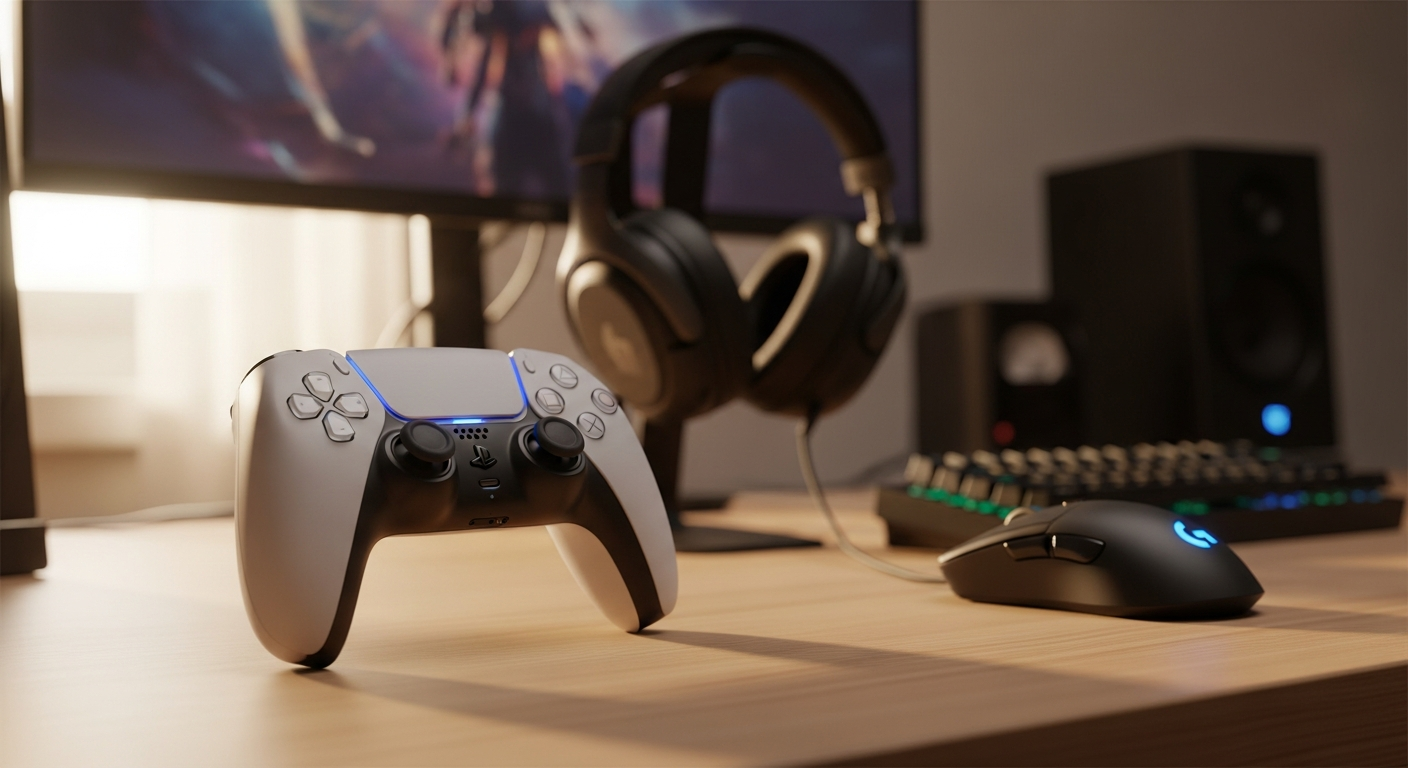
The Sony DualSense Wireless Controller represents a quantum leap in gaming peripherals. With a 9.0/10 rating from over 100 gamers on idealo.es, this controller has proven itself as more than just a replacement for the PS4’s DualShock—it’s fundamentally reshaped what players expect from interactive technology. The shift from traditional rumble motors to dual haptic actuators signals a generational change in how games communicate with players through physical sensation.
Sony engineered something genuinely different into the DualSense. Dual actuators replace the crude rumble motors of previous generations, delivering nuanced vibrations that respond to precise in-game events. Adaptive triggers adjust their resistance in real-time, motion sensors capture six-axis movement, and a built-in microphone eliminates the need for external headsets. The ergonomic, two-tone design wraps all this technology in a shell that feels natural during marathon gaming sessions.
The €69.99 official price point reflects the innovation packed inside, though retail prices across Spain range from €59.90 to €85. This article examines whether that premium investment delivers genuine value—covering everything from haptic technology performance to battery longevity, PC compatibility, and real-world gaming applications.
Discover the DualSense controller’s full potential at Todo Consolas.
The Shift from Traditional Rumble to Dual Haptic Actuators
Traditional rumble motors created a one-dimensional vibration—a simple on-off sensation that felt the same whether you were firing a pistol or driving a truck. The DualSense’s dual actuators operate independently, each capable of producing distinct vibration frequencies and intensities. This means the controller can replicate the sharp recoil of a sniper rifle while simultaneously communicating the subtle texture of walking across gravel.
The psychology behind this matters. When your hands feel what your eyes see, the brain integrates sensory information in ways that create genuine immersion. The tension of drawing a bowstring, the kick from firing different weapons, the resistance of various surfaces—these sensations bypass conscious thought and lodge directly in muscle memory. Players report that games feel fundamentally more responsive, as if the controller itself becomes an extension of the character on screen.
How Haptic Feedback Translates In-Game Actions Into Physical Sensations
Consider a practical scenario: you’re playing a game that involves drawing a bow. Traditional controllers would rumble uniformly as you pull the string. The DualSense instead creates escalating tension through its adaptive triggers while haptic feedback communicates the draw’s progression. You feel the bow resist your pull, building pressure that crescendos at full draw. When you release, the recoil sensation is sharp and distinct. Your hands experience what your character experiences.
Weapon recoil operates similarly. A light pistol produces quick, sharp feedback pulses. A heavy rifle generates sustained, powerful vibrations that demand physical compensation. Surface textures transmit through haptic feedback when you walk across different terrain—sand feels grainy and loose, concrete feels rigid and solid, water produces distinctive rippling sensations. This granular feedback layer transforms abstract controller input into tangible physical communication.
Real-World Examples Showcasing Haptic Technology at Its Best
Astro’s Playroom serves as the prime example. Sony’s showcase title dedicates itself entirely to haptic exploration, with each section introducing new sensation types. The puzzle-solving segments teach you how haptic feedback communicates interactive elements before you see them on screen. Fishing mechanics involve feeling line tension as fish struggle. Walking through different environments produces authentic textural feedback.
Resident Evil Village pushed haptic technology beyond gimmickry into essential gameplay communication. The controller’s haptics convey weapon characteristics through subtle variations in recoil patterns. The adaptive triggers respond to resistance encountered when pulling triggers on different firearms. These aren’t flashy effects—they’re purposeful mechanical communication that enhances environmental immersion and weapon handling feedback.
Returnal demonstrates how haptic feedback intensifies survival-action tension. Weapon fire produces distinct recoil signatures for each gun type. Damage feedback translates hits into meaningful physical sensations rather than abstract damage numbers. Environmental hazards communicate through haptic warnings, alerting players to threats before visual confirmation arrives. The psychological impact of feeling danger transforms the gaming experience.
The Psychology Behind Haptic Feedback and Engagement
Sensory immersion operates at a neurological level. When multiple senses align—visual input, audio output, and physical sensation—the brain consolidates these signals into a unified perceptual experience. Games that integrate haptic feedback successfully report higher player engagement metrics, longer play sessions, and deeper emotional investment in outcomes.
The phenomenon relates to proprioception—the body’s sense of its position and movement through space. When haptic feedback accurately mirrors expected physical responses, the brain recognizes authentic feedback patterns and strengthens the player’s sense of agency. Conversely, misaligned or absent feedback creates cognitive dissonance that disrupts immersion.
Adaptive Triggers and Dynamic Resistance Explained
The L2 and R2 buttons on the DualSense incorporate adaptive trigger technology that adjusts resistance based on in-game context. This isn’t a subtle feature—it fundamentally changes how firing mechanics, acceleration controls, and environmental interactions feel. The triggers resist differently depending on what you’re doing, forcing your fingers to work harder or easier as circumstances demand.
How Adaptive Triggers Work in Real-Time Adjustment
Technically, each trigger contains dual actuators that modulate resistance independently. The system communicates with the console dozens of times per second, receiving data about current game state and calculating appropriate trigger resistance. A light trigger press might encounter minimal resistance when drawing a pistol, while the same press produces substantial pushback when attempting to draw a heavy crossbow. The resistance changes mid-pull if game conditions shift.
Vehicle acceleration demonstrates this clearly. Early in the acceleration curve, triggers respond lightly. As you increase throttle, resistance builds gradually until you reach maximum thrust, where the trigger demands significant force to maintain full acceleration. Braking works inversely—light resistance for gentle deceleration, substantial pressure required for emergency stops. The triggers communicate the physics of vehicle operation through mechanical feedback.
Practical Applications: Firearms, Vehicles, and Environmental Interaction
Firing different weapon types produces dramatically different trigger experiences. A semi-automatic rifle requires quick trigger resets with moderate resistance. A bolt-action sniper rifle demands a heavier pull and longer hold. Shotguns produce sharp, immediate feedback that mimics the weapon’s violent nature. Machine guns present constantly modulating resistance that communicates ammunition expenditure and recoil compensation.
Vehicle games transform entirely with adaptive triggers. Accelerating requires progressively greater force as you push higher through the RPM range. Different vehicles have distinctly different trigger profiles—sports cars require precise, light touches while heavy trucks demand forceful, deliberate inputs. Terrain affects trigger response as well—rough surfaces increase resistance while smooth pavement allows easier acceleration.
Environmental interactions extend beyond combat and driving. Opening a stuck door requires building pressure against increasing resistance. Pulling levers or machinery demands force that matches the scenario’s implied weight. These mechanical metaphors communicate game world physics through pure tactile sensation, making player actions feel weighty and consequential.
Understanding the Difference: Standard Triggers Versus Adaptive Resistance
Standard triggers operate as simple binary inputs—pressed or not pressed. Adaptive triggers introduce pressure-sensitive feedback that varies throughout the trigger’s range. This difference transforms controller interaction from abstract button-pressing into mechanical simulation. Your fingers don’t just activate commands; they physically experience what your character experiences.
The progression feels natural because it mirrors real-world equipment operation. When you press a trigger on an actual firearm, you feel resistance build gradually until the trigger breaks and the gun fires. Adaptive triggers replicate this mechanical reality. Standard triggers would fire immediately regardless of visual simulation, creating cognitive dissonance between what you see and what you feel. Adaptive triggers eliminate that disconnect.
Optimized Games and Where You’ll Experience Maximum Impact
Call of Duty: Modern Warfare II demonstrates adaptive triggers across extensive weapon variety. Each firearm family presents distinct trigger signatures. Shotguns require deliberate, forceful pulls. Sniper rifles demand controlled pressure management. Submachine guns respond to rapid-fire inputs with appropriate resistance patterns. The trigger feedback directly communicates weapon characteristics without consulting the UI.
Far Cry 6 extends adaptive triggers beyond weapons into environmental equipment. Using a flamethrower requires sustained trigger pressure against building heat resistance. Launching grenades involves distinct trigger break points that match thrown weapon mechanics. Driving vehicles incorporates realistic acceleration and brake resistance patterns. The trigger feedback becomes environmental communication rather than arbitrary mechanical effect.
Experience adaptive trigger technology firsthand through Todo Consolas’s selection.
Connectivity, Audio, and Communication Features
Beyond haptics and triggers, the DualSense integrates several essential features that enhance convenience and immersion. The built-in microphone, headset compatibility, integrated speaker, and wireless connectivity address common pain points in gaming communication while expanding audio possibilities.
Built-In Microphone Quality and Hands-Free Communication
The integrated microphone eliminates the excuse for not communicating with teammates. No need for separate headsets—simply speak into the controller for voice chat with party members or online collaborators. The microphone quality meets basic standards for team coordination, capturing voice clearly enough for tactical communication without substantial background noise interference.
This proves particularly valuable in competitive gaming scenarios where quick communication drives success. Squad-based shooters, cooperative raids, and multiplayer strategy games all benefit from hands-free voice input. The microphone sits naturally positioned for clear vocal capture without requiring you to cup the controller or adjust your grip specifically for audio input.
3.5mm Headset Jack and Audio Flexibility
For players who prefer traditional wired headsets, the 3.5mm audio jack provides direct connection capability. This supports any standard headset while allowing simultaneous use of the microphone. The audio path bypasses console processing in certain configurations, reducing latency for competitive gaming applications where millisecond advantages matter.
The headset jack also serves alternate purposes. External speakers can connect directly to the controller, directing game audio through dedicated equipment while maintaining wireless connectivity for input. This flexibility appeals to players with specific audio preferences or accessibility requirements.
Integrated Mono Speaker and Directional Audio Feedback
The DualSense incorporates a built-in mono speaker that delivers high-fidelity audio directly from the controller. Gun firing sounds, reloading clicks, environmental audio cues—these transmit through the speaker positioned in your hands. The placement creates spatial audio effects that enhance directional awareness during gameplay.
Practical applications range from weapon feedback to environmental communication. Footsteps approaching from behind produce audio cues through the controller speaker, creating psychological spatial awareness without requiring full surround sound systems. The speaker works in concert with haptic feedback to create multisensory communication that enhances presence and immersion.
Bluetooth 5.1 Wireless Connectivity Range and Stability
Bluetooth 5.1 provides robust wireless connectivity with extended range compared to previous generation standards. The controller maintains stable connection across typical living room distances, handling physical obstacles and interference from other wireless devices more gracefully than older Bluetooth protocols. Connection drops remain rare during normal gameplay scenarios, and automatic reconnection occurs rapidly if momentary disconnection occurs.
The wireless implementation prioritizes stability and latency reduction over maximum range. Gaming applications demand minimal input lag, and Sony prioritized this over theoretical connectivity distance. Real-world performance delivers reliable, lag-free control during intense gameplay, with connection stability matching or exceeding wired input latency in competitive gaming scenarios.
Motion Control and Six-Axis Sensor Performance
Motion sensing represents another innovation layer within the DualSense. The six-axis motion system combines three-axis gyroscope and three-axis accelerometer data to track controller orientation, rotation, and acceleration through three-dimensional space.
Three-Axis Gyroscope and Three-Axis Accelerometer Breakdown
The gyroscope measures rotational movement—tilting, turning, and rolling the controller through space. This enables precise aiming in first-person games, intuitive camera control in third-person perspectives, and orientation-based input for motion-controlled mechanics. The accelerometer detects linear acceleration in all directions—the sudden jerk of pulling the controller sharply, the weight transfer when tilting, the gentle rolling motion.
Combined, these six axes of measurement create sophisticated motion tracking that captures virtually any physical gesture. The system updates frequently enough to provide responsive control without perceptible latency. Processing algorithms filter out unintended micro-movements while preserving intentional, deliberate motion inputs.
Supported Games and Motion Sensing Applications
Astro’s Playroom extensively leverages motion controls for interactive puzzle-solving and character manipulation. Tilting the controller moves platforms, rotating it spins objects, and sharp gestures trigger action sequences. The motion implementation feels natural rather than gimmicky, integrating seamlessly with gameplay mechanics.
Ratchet & Clank: Rift Apart incorporates motion controls for specific weapon mechanics. Certain guns respond to controller orientation for aimed attacks. The motion input feels intuitive rather than forced, enhancing gameplay moments without imposing awkward control schemes. Players report that motion-controlled weapon mechanics improve engagement compared to traditional analog stick targeting.
Accuracy and Responsiveness in Motion-Controlled Scenarios
Motion sensing accuracy matches or exceeds previous generation motion controllers. Response latency remains imperceptible during gameplay, with motion input translating to on-screen action with minimal delay. Sensor drift—gradual calibration loss over extended use—occurs less frequently than with older motion technology, though it remains a consideration during very long gaming sessions.
Responsiveness across different motion speeds demonstrates consistent performance. Slow, deliberate movements register accurately for precision aiming. Rapid, forceful gestures capture the intended input without over-exaggeration. The sensor system handles both subtle and dramatic motion ranges effectively.
Calibration Options and Motion Sensitivity Optimization
Most games featuring motion controls include sensitivity adjustment options within the settings menu. Players can dial motion responsiveness up for faster, more dramatic control or dial it down for subtle, precision-focused input. Custom calibration options allow establishing a neutral position reference point, compensating for consistent drift or positional offset.
Advanced users appreciate the calibration granularity available. Competitive shooters can fine-tune motion sensitivity to match individual aiming preferences. Puzzle games can adjust motion requirements to match controller positioning preferences. The flexibility accommodates diverse player preferences and control styles.
Battery Life Reality Check and Charging Performance
Battery longevity represents one area where the DualSense faces legitimate criticism. Sony claims approximately 10 hours of gameplay per charge, but real-world usage often falls short of this specification.
Actual Battery Performance Versus the 10-Hour Specification
Users report 8 to 10 hours of typical gameplay before requiring recharge, with many falling on the lower end of this range. Heavy haptic usage, intensive adaptive trigger deployment, and extended wireless connectivity drain battery faster than light, haptic-disabled gameplay. Measuring actual battery life requires considering individual usage patterns rather than assuming official specifications.
Comparison with other gaming controllers reveals that the DualSense battery life falls slightly below standard expectations. Xbox controllers frequently deliver 20+ hours on AA batteries, though direct comparison proves imperfect due to different power management approaches and feature intensity. The DualSense’s advanced features demand substantial power, making battery life trade-offs an acceptable compromise.
Factors That Accelerate Battery Drain
Haptic feedback intensity correlates directly with battery consumption. Games that deploy aggressive haptic feedback throughout gameplay drain batteries noticeably faster than titles using minimal haptic effects. Disabling haptic feedback in settings measurably extends battery life, though sacrificing the feature undermines a core differentiator of the platform.
Wireless connectivity maintains continuous power draw. The Bluetooth radio requires constant power to remain receptive to console signals, contributing modest but consistent drain. Adaptive trigger usage adds marginal power consumption, though the effect remains minor compared to haptic demands. Screen brightness on the PS5 console doesn’t affect the controller directly, but gameplay intensity correlates with battery drain.
USB Type-C Charging Speed and Convenience
USB Type-C charging provides modern convenience and compatibility with standard charging cables. Charge speed from empty to full typically requires 2 to 3 hours using standard USB power supplies. Faster USB-PD chargers capable of delivering higher wattage reduce charging time slightly, though the improvement remains marginal since the controller accepts limited charging power.
The USB Type-C implementation allows charging while gaming without disconnecting the controller. Extended gaming sessions can utilize charging simultaneously with play, though charging speed proves insufficient for consistent drain replacement during intensive gameplay. Planning charging breaks between extended gaming sessions remains practical necessity rather than inconvenience.
Power Management Tips to Maximize Battery Longevity
Disabling haptic feedback when not essential significantly extends battery life. Many players find selective haptic usage—enabling it for specific game types rather than universally—strikes acceptable balance between longevity and immersion. Menu options allow toggling haptic on demand without requiring complete feature removal.
Reducing controller brightness if available in specific games provides modest battery extension. Disabling motion sensing when not actively used saves marginal power. Storing the controller fully charged when not in use preserves battery health better than regular complete discharge cycles.
PC Compatibility and Cross-Platform Limitations
The DualSense connects to Windows PCs wirelessly via Bluetooth, but functionality limitations significantly constrain its value outside the PlayStation ecosystem.
Native PS5 Support Versus PC Compatibility Challenges
PS5 integration delivers full feature support without compromise. The console recognizes haptic feedback, adaptive triggers, motion controls, and all integrated features. Wireless connectivity works seamlessly with minimal configuration. PC compatibility presents a different scenario entirely.
Windows recognizes the DualSense as a generic gamepad through standard Bluetooth connection, but advanced features require manufacturer-specific drivers and software support. Many games don’t recognize DualSense-specific functionality, treating the controller as a standard gamepad. The advanced features that define the DualSense experience become inaccessible through standard Windows gaming.
Which Haptic and Adaptive Trigger Features Function on PC
Basic gamepad functionality works universally—all buttons, analog sticks, and standard triggers function across Windows and connected games. Haptic feedback rarely works through Bluetooth wireless connection on PC, requiring workarounds or specific software support that most games don’t provide. Adaptive triggers similarly remain unsupported in the vast majority of PC titles.
Certain games with deliberate DualSense support—primarily PlayStation ports or titles with explicit developer support—can access haptic and adaptive features on PC. These represent exceptions rather than the rule. Expecting full DualSense functionality on PC sets unrealistic expectations that lead to disappointment.
Wired Connection Requirements for Optimal PC Performance
Using USB Type-C wired connection to PC enables slightly broader feature support compared to wireless Bluetooth. The wired connection allows certain proprietary driver implementations that wireless connections cannot provide. However, even wired connection doesn’t guarantee haptic or adaptive trigger functionality in most PC games.
Latency performance remains excellent whether connecting wirelessly or wired. The performance difference proves negligible for gaming purposes. The choice between connection types should prioritize convenience rather than performance considerations.
Software and Driver Considerations for Windows Systems
Installing Sony-provided drivers or third-party compatibility software improves DualSense recognition on Windows. However, driver installation remains inconsistent across different Windows versions, and ongoing compatibility isn’t guaranteed with system updates. The support ecosystem for DualSense on PC remains substantially less mature than PS5 integration.
For PC gaming, the DualSense functions as a capable standard controller but shouldn’t be purchased specifically expecting advanced feature functionality. Players seeking full DualSense capability should prioritize PS5 usage. PC gaming with a DualSense works acceptably for standard controller-based games but represents a suboptimal experience compared to purchasing platform-native alternatives.
The Verdict: Is the Sony DualSense Wireless Controller Worth Your Investment?
The Sony DualSense Wireless Controller transcends the traditional understanding of gaming peripherals. It’s not simply an alternative input device—it’s a gateway to gaming experiences fundamentally different from what preceded it. The haptic feedback combined with adaptive triggers creates immersion levels that standard controllers cannot match, transforming abstract digital actions into tangible physical sensations your hands can feel and understand.
The controller’s 9.0/10 rating from over 100 gamers reflects genuine technological achievement. Developers continue discovering new applications for haptic and adaptive trigger technology, meaning games released years from now will leverage these features more extensively than current titles. Purchasing the DualSense represents investing in platform longevity and future-proofed gaming experiences.
Battery life admittedly falls shorter than ideal, and PC support remains limited. These represent legitimate drawbacks that demand honest acknowledgment. For PS5 owners specifically gaming on the console, these limitations prove minor compared to the revolutionary features delivered. The €69.99 price reflects the innovation premium, and that premium feels justified by the experience provided.
Console gaming evolved significantly with the DualSense’s introduction. If you own a PlayStation 5 and haven’t experienced games designed for haptic feedback and adaptive triggers, you’re missing a substantial portion of what next-generation gaming offers. The DualSense isn’t necessary for basic PS5 functionality, but it’s essential for experiencing the console’s full potential.
For serious gamers invested in PlayStation 5, the DualSense represents one of the best gaming peripherals ever created—not because it’s trendy or expensive, but because it genuinely changes how games feel and how players connect with digital worlds. Grab one from an authorized retailer and experience why gamers worldwide consider it indispensable.
Explore the complete DualSense collection at Todo Consolas today.
Leave a Reply