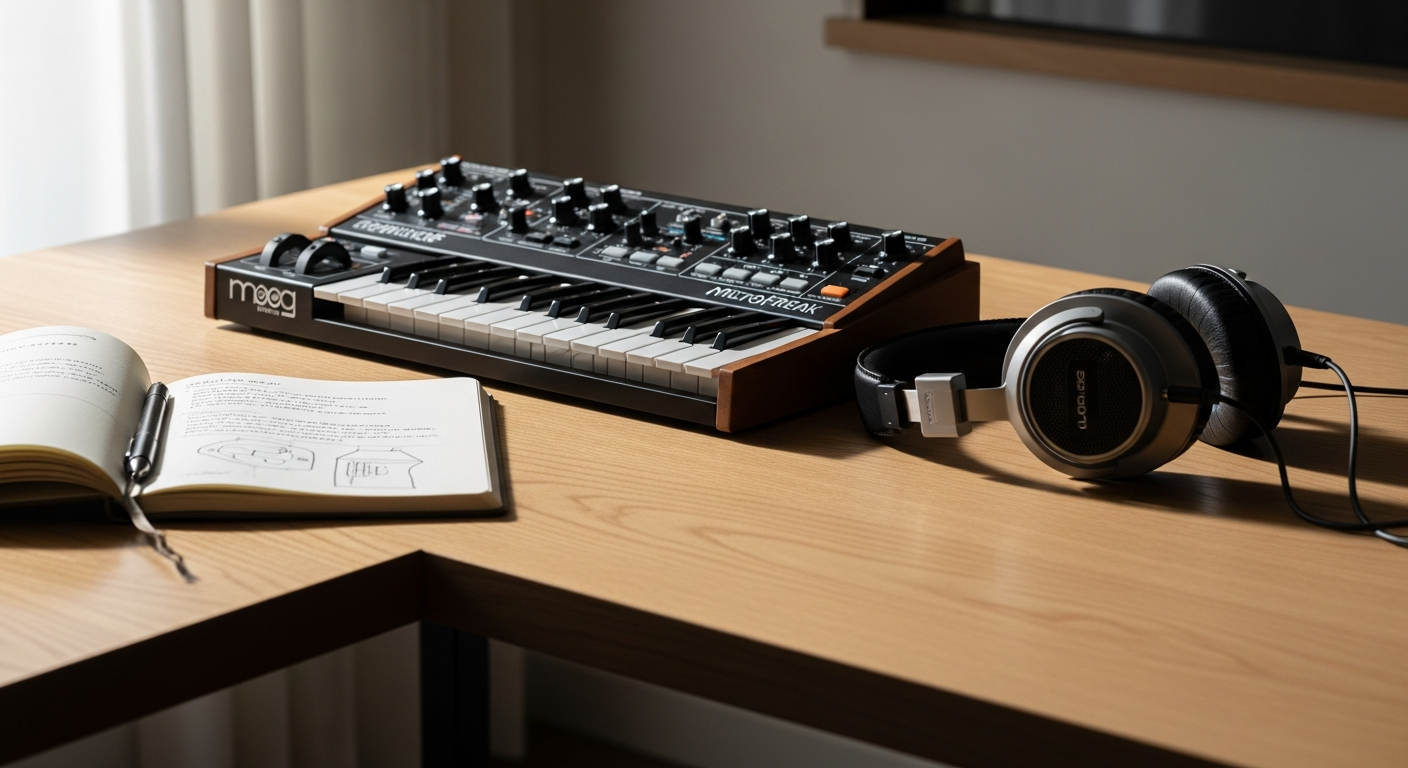
What if the best-selling hybrid synthesizer on Reverb in 2025 costs less than most studio monitors? The Arturia MicroFreak proves that exceptional sound design doesn't require a five-figure investment. Musicians worldwide are discovering that this compact powerhouse delivers experimental capabilities and sonic versatility that rival synthesizers costing three times as much.
The MicroFreak represents a fascinating convergence of digital innovation and analog warmth, pairing 21 different digital oscillator modes with a genuine analog State Variable Filter. This affordable entry point into advanced synthesis is reshaping how musicians think about what's possible at the budget-conscious end of the market. Whether you're producing experimental electronic music, ambient soundscapes, or hybrid compositions, this instrument adapts to your creative vision.
Explore the Arturia MicroFreak on Reverb today.
The Hybrid Synthesis Engine: Digital Meets Analog
At the heart of the MicroFreak lies a synthesis architecture that refuses conventional boundaries. Twenty-one oscillator modes span the spectrum from classic waveforms to cutting-edge experimental engines, each offering distinct sonic characteristics and performance possibilities.
Understanding the 21 Oscillator Modes
The digital oscillator section incorporates wavetable synthesis for familiar, sculpted tones. Granular engines fragment and rearrange sound sources, creating ethereal textures that seem to float between definition and abstraction. The Plaits-derived engines—borrowed from Mutable Instruments' respected module—unlock physical modeling capabilities that generate realistic vocal formants, plucked strings, and mallets striking resonant objects. More recent firmware updates have introduced vocoder functionality, enabling speech synthesis and vocal processing that transforms your voice into a fully playable synthesizer voice.
The Analog Filter: Where Character Lives
The 12dB/octave State Variable Filter provides the instrument's sonic anchor. Inspired by the Oberheim SEM filter, this analog circuit adds warmth, resonance, and personality to the clinical precision of digital oscillators. Three filter modes—low-pass, band-pass, and high-pass—each carve sound differently. The low-pass mode delivers the classic subtractive synthesis character, rolling off high frequencies and creating that iconic "synth sweep" when modulated. Band-pass mode isolates a specific frequency range, perfect for creating wah-wah effects and telephonic textures. High-pass mode strips away lows, introducing brightness and shimmer to otherwise dense patches.
Paraphonic Architecture and Sound Design Implications
The MicroFreak operates as a 4-voice paraphonic synthesizer—multiple notes can play simultaneously, but they share the same filter and LFO while maintaining individual envelopes. This architecture diverges from true polyphony, where each voice has its own complete signal path. Understanding this constraint transforms it into creative leverage. Paraphonic design encourages layering strategies where individual notes blend into unified textures rather than maintaining independence. Your bass lines gain cohesion, ambient pads develop natural harmonic movement, and rhythmic sequences interlock with organic fluidity.
Envelope Control and Dynamic Shaping
Two envelope generators—an ADSR and a Cycling Envelope—shape the temporal evolution of your sounds. The ADSR provides attack, decay, sustain, and release control for traditional envelope characteristics. The Cycling Envelope creates continuous, looping modulation without requiring the reset gate that standard ADSR envelopes need, perfect for generating organic, breathing qualities in extended notes and evolving pads.
Hybrid Synthesis in Context
Compared to traditional analog synthesizers, the MicroFreak trades per-voice filtering for vast oscillator variety. Compared to purely digital synths, it maintains the warmth and nonlinearity that analog filters provide. This hybrid position creates a unique sonic fingerprint—experimental and digital where oscillators lead, warm and tactile where the filter shapes the sound.
Hands-On Sound Design: Building Evolving Soundscapes
Creating compelling patches on the MicroFreak starts with understanding how its components interact. Your approach should prioritize layering multiple synthesis elements and using modulation to introduce continuous change.
Layering Oscillator Modes for Complex Timbres
Select multiple oscillator modes and blend them using their individual level controls. Combine a wavetable oscillator's harmonic clarity with a granular engine's textural density. Stack a physical modeling engine underneath to add fundamental presence. The resulting hybrid timbre contains elements that shift and interact as the filter sweeps across the frequency spectrum. This layering approach transforms simple oscillator selections into rich, evolving soundscapes.
Mastering the Modulation Matrix
The modulation matrix assigns five sources to various destinations throughout the synthesis engine. Sources include envelope generators, LFO, keyboard velocity, keyboard pressure, and external control voltages. Route the ADSR to filter cutoff for classic subtractive movement. Send the Cycling Envelope to oscillator pitch for subtle detuning that creates harmonic width. Patch keyboard pressure (aftertouch) to oscillator level, enabling expressive control over harmonic content during performance. The five-slot matrix limitation encourages focused, intentional modulation routing rather than overwhelming complexity.
Creating Organic Movement with the Cycling Envelope
Unlike the ADSR, the Cycling Envelope loops continuously, generating smooth, repetitive modulation. Use it to modulate filter resonance for pulsating, vocal-like character. Route it to granular engine parameters for slowly shifting timbral transitions. Adjust its rate to create movement occurring over seconds, minutes, or in sync with your sequencer tempo. This technique generates the "breathing" quality that distinguishes living, evolving pads from static, lifeless sounds.
Designing Custom Textures
Wavetable editing lets you define custom waveforms, shaping harmonic content precisely. Granular engines accept incoming audio or sample material, fragmenting and rearranging it according to grain parameters. Physical modeling engines respond to excitation intensity and resonator characteristics, behaving like acoustic instruments responding to playing technique. Experiment with extreme parameter settings to uncover unexpected territory.
Leveraging Physical Modeling for Dual Personalities
Physical modeling engines generate both realistic and abstract sounds depending on parameter choices. Realistic settings with plausible excitation generate convincing acoustic instrument imitations. Extreme settings with unusual excitation and resonator configurations produce otherworldly textures that exist nowhere in nature. Toggle between these poles within a single patch to create performance flexibility.
Dramatic Filter Sweeps and Modulation Synchronization
Route the ADSR to filter cutoff with high modulation depth, creating dramatic tonal movement from note attack through release. Modulate filter resonance with the Cycling Envelope at a tempo-synced rate, creating rhythmic emphasis that locks to your sequencer. Combine filter sweep direction with LFO modulation of other parameters for cascading, multidimensional transformations.
Start your MicroFreak sound design journey on Reverb.
Sequencing and Arpeggio Techniques for Generative Creativity
The MicroFreak's 64-step sequencer and arpeggiator transform basic pitch input into evolving rhythmic and harmonic patterns. These tools shift your role from continuous performance to curating organized chaos.
Navigating the 64-Step Sequencer Architecture
The sequencer records pitch, gate, and modulation data across 64 steps, accommodating everything from eight-bar patterns to densely packed, intricate sequences. Step through your pattern, editing individual steps to refine melodic contour, gate timing, and modulation destinations assigned to sequencer data.
Spice and Dice Functions: Controlled Randomization
Spice randomly adjusts parameters within individual steps, introducing variation while maintaining overall sequence structure. Dice regenerates entire sections or patterns with controlled randomness. These functions transform static sequences into evolving musical phrases that surprise you on repeated playback while respecting underlying melodic intention.
Building Generative Sequences
Start with a simple melodic skeleton. Apply Spice to octave displacement, creating harmonic variety. Use Dice to regenerate gate patterns, introducing rhythmic variation. Layer a second sequence controlling filter cutoff modulation. The result: a generative system that produces music continuously, inspiring compositional directions you wouldn't consciously choose.
Arpeggiator Pattern Creation
The arpeggiator cycles through held notes in ascending, descending, or random patterns at adjustable rates. Sync it to your sequencer tempo for rhythmic cohesion. Combine held notes from the keyboard with sequencer-driven bass lines for layered arpeggio movement. Use random arpeggio mode to generate unpredictable harmonic motion within fixed note sets.
MIDI and CV Synchronization
Connect external synthesizers via MIDI to trigger sequences across your entire setup. Use CV outputs to modulate external gear's parameters—routing the MicroFreak's LFO to another synth's filter cutoff, for example. Sync your sequencer tempo to DAW clock or external sequencers, integrating the MicroFreak into larger production ecosystems.
Polyrhythmic Sequences Within Paraphonic Limits
The paraphonic architecture allows four simultaneous voices, each responding to independent envelopes. Create sequences where different pitch ranges trigger at different rates, generating polyrhythmic patterns. A bass line on notes 1-2 repeats every 16 steps while a melodic phrase on notes 3-4 cycles every 12 steps, creating shifting relationships that only repeat after 48 steps.
The Touch-Plate Keyboard: Expressive Control Redefined
The 25-key capacitive touch-plate keyboard represents the MicroFreak's most distinctive and divisive feature. Rather than fighting its unconventional nature, embracing it unlocks expressive capabilities rare at this price point.
Polyphonic Aftertouch and Per-Note Expression
Traditional keyboard aftertouch applies channel-wide pressure modulation across all playing voices. The MicroFreak's capacitive keyboard tracks pressure for each individual key, enabling per-note expression. Press one key firmly while releasing another lightly—each responds independently to modulation destinations assigned to aftertouch data. This capability enables vocal-like inflections and orchestral technique emulation simply unavailable on conventional keyboards.
Natural Playing Techniques on Touch Surfaces
The touch-plate keyboard responds differently from mechanical keys. Approach it with lighter initial velocity—the touch surface registers sensitivity more easily than weighted keys. Practice sliding pressure on held notes rather than sudden pressure changes; smooth modulation emerges from gradual finger pressure increase. Think of it as closer to bowed string or wind instrument technique than to piano playing.
Aftertouch Modulation Strategies
Assign aftertouch to filter cutoff for dynamic tonal brightening based on playing pressure. Route it to oscillator level to control harmonic content expressively. Modulate filter resonance for responsive, vocal-like character. These destinations transform the keyboard from a pitch input device into a comprehensive performance controller.
Transitioning from Traditional Keys
If you're accustomed to piano or organ-style keyboards, the touch-plate requires deliberate mindset shift. Practice short note sequences focusing on consistent pressure sensitivity rather than melody. Record performances and listen for unintended modulation, refining your touch awareness. Spend time on the MicroFreak's sequencer before expecting fluent keyboard performance—the sequencer removes timing pressure while you develop touch-plate familiarity.
Building Muscle Memory
Your finger sensitivity develops through repeated interaction. Start with patches where aftertouch modulation is obvious and responsive—filter cutoff changes yield immediate auditory feedback. Graduate to more subtle modulation destinations as your finger control improves. Within weeks, intuitive touch-plate playing becomes natural, though it maintains a distinctive character different from weighted key performance.
Keyboard Control and Sequencer Integration
Hold notes on the keyboard while the sequencer plays, layering keyboard expression over automated sequences. The paraphonic architecture means sequencer notes and keyboard notes blend together, with aftertouch affecting all active voices. This combination enables nuanced performances where sequenced melodic phrases receive real-time expressive enhancement from keyboard pressure.
Firmware Updates and Expanding Capabilities
The MicroFreak's value proposition extends beyond its initial feature set. Arturia's commitment to free firmware updates has consistently expanded the instrument's capabilities, ensuring long-term relevance and preventing obsolescence.
Continuous Oscillator Expansion
Early firmware updates introduced granular engines capable of fragmenting incoming or stored audio. Subsequent releases added sample playback functionality, enabling the MicroFreak to trigger and modulate audio samples. New physical modeling engines appeared with each update, expanding the instrument's sonic palette without requiring hardware modification.
Granular Engines and Sample Playback
Granular synthesis transforms static audio material into evolving textures. Load samples and granular engines fragment them into micro-grains, then layer, transpose, and modulate those grains independently. This capability transforms the MicroFreak from oscillator-centric synth into sample manipulation tool, opening entirely new compositional approaches.
Vocoder Functionality and Speech Synthesis
Firmware updates unlocked vocoder capabilities, enabling the MicroFreak to process vocal input, extract formant characteristics, and apply them to any oscillator selection. Route your voice into the synthesizer, then play melodic sequences with vocal timbre. This functionality redefined what the MicroFreak could accomplish sonically.
Strategic Feature Planning Around Updates
Rather than assuming the MicroFreak's capabilities are fixed, periodically check Arturia's update releases. New oscillator types might inspire fresh compositional directions. New effects or processing options could eliminate workflow bottlenecks you've developed workarounds for. Plan your sound design approach with the understanding that your instrument is actively evolving.
Community-Driven Development
Arturia monitors user feedback and community requests when prioritizing feature development. Active participation in the MicroFreak community—sharing custom patches, requesting features, and testing beta firmware—contributes to the instrument's evolution. Your voice shapes what the MicroFreak becomes.
Future-Proofing Your Investment
Purchasing a MicroFreak represents investment in an evolving platform. Unlike static instruments where capabilities remain constant, the MicroFreak gains features throughout its lifespan. An instrument purchased today will have significantly more capabilities in two years, adding value retroactively to your initial investment.
Integration and Workflow: Building Your Creative Ecosystem
The MicroFreak functions most powerfully within a larger creative ecosystem. Its connectivity options enable integration with external synthesizers, effects units, computers, and control surfaces.
MIDI I/O for Hardware Integration
MIDI connections (via 3.5mm TRS) let the MicroFreak control external synthesizers and drum machines. Play sequences on the MicroFreak's sequencer while triggering sounds on other gear. Conversely, control the MicroFreak from external controllers or sequencers, expanding performance possibilities beyond its 25-key keyboard.
USB Integration and DAW Connectivity
USB connectivity enables computer integration for recording, effects processing, and control. Audio streams directly into your DAW without additional converters. MIDI bidirectional communication allows the DAW to modulate MicroFreak parameters via automation, and the MicroFreak can send performance data back into the DAW for recording and editing.
CV Outputs for Modulating External Gear
Three CV outputs transmit pitch, gate, and aftertouch data to any equipment accepting control voltage. Route the MicroFreak's pitch output to an external filter or oscillator. Send gate signals to trigger external percussion or pitched modules. Transmit aftertouch data to modulate distant synthesizers in real time.
Audio Routing and Effects Chains
The MicroFreak outputs audio via 6.3mm jack (and headphone output), routing into mixing desks, effect units, or audio interfaces. Its lack of built-in effects means external processing isn't optional—it's essential. Route audio into reverb units for spatial expansion, delay effects for temporal dimension addition, and distortion for tonal enhancement.
External Effects Processing Strategy
The MicroFreak's clean, dry output benefits dramatically from effect processing. Reverb transforms sparse, digital textures into ambient washes. Delay creates temporal movement and rhythmic complexity. Distortion adds harmonic richness and aggressive character. Modulation effects (chorus, flanger, phaser) introduce width and movement. Building an effects chain isn't adding functionality the MicroFreak lacks—it's fulfilling the instrument's intended role within larger signal chains.
Portable Setup Considerations
The MicroFreak's compact size enables genuinely portable setups. Fit it into a backpack with USB cables, CV patch cables, and headphones for complete production capability. Battery-powered portable audio interfaces, controllers, and monitoring solutions complete the mobile setup. Live performance scenarios benefit from this portability without sacrificing core functionality.
Sound Design Challenges and Creative Solutions
Every instrument contains inherent limitations. The MicroFreak's constraints, properly understood, become creative catalysts rather than frustrations.
Working Within Paraphonic Limitations
The shared filter and LFO across voices means all notes respond identically to filter modulation. Transform this apparent limitation into compositional strength—use paraphony to create cohesive, unified textures rather than fighting for independent voice control. Layer patches where each oscillator mode occupies distinct frequency ranges, preventing muddy overlap while maximizing the illusion of polyphonic independence.
Addressing the Absence of Built-In Effects
Many beginners expect reverb and delay onboard. Their absence initially frustrates but ultimately encourages better workflow design. Investing in external effects forces deliberate signal chain architecture, preventing casual over-effects application that ruins many bedroom productions. The MicroFreak's dry output pairs beautifully with thoughtfully selected external processors.
Managing Physical Interface Issues
Some users report sticky knobs or buttons over time. Preventative care—gentle knob interaction, avoiding excessive pressure—preserves the interface. If issues arise, contact Arturia support or consult user forums for solutions. Most issues prove cosmetic rather than functionally catastrophic.
Accessibility and Display Considerations
The small display with minimal font size challenges visually impaired users. Memory-based patch manipulation and tactile muscle memory mitigate display dependence. Recording patch settings in external documents provides backup reference. Arturia has acknowledged accessibility limitations; future firmware updates might improve visual interface scaling.
Output Volume Concerns and Solutions
The MicroFreak's output level is conservative, requiring careful gain staging into audio interfaces. Use interface input gains appropriately rather than boosting the MicroFreak's output. Consider small preamps or mixing desks providing gain makeup. The conservative output prevents digital clipping and ensures headroom for effects processing.
Turning Constraints into Opportunities
Rather than viewing limitations as defects, treat them as compositional boundaries that focus creativity. The paraphonic design forces cohesion. The lack of built-in effects encourages thoughtful external processing. The touch-plate keyboard demands expressive intention. These constraints cultivate distinctive, recognizable personal sound rather than generic, over-processed sonics.
From Presets to Custom Patches: Your Sound Design Journey
The path from preset exploration to confident patch design unfolds progressively. Understanding this progression prevents overwhelming frustration and builds competence systematically.
Exploring Factory Presets as Educational Resources
The 320 factory presets aren't just sounds to use—they're synthesis lessons encoded as patches. Select presets you love sonically, then examine their structure: which oscillator modes are active? What filter envelope settings shape their character? How are modulation sources routed? This reverse-engineering process teaches synthesis fundamentals faster than any manual.
Deconstructing Existing Patches
Start with a preset you find interesting. Mute individual oscillators to hear their isolated contribution. Turn off modulation sources and listen to the difference. Gradually modify parameters, observing cause-and-effect relationships. This hands-on experimentation builds intuitive understanding of how synthesis components interact.
Building Your Personal Preset Library
Create original patches addressing your specific musical requirements. Design bass sounds serving your productions. Build pad sounds fitting your ambient work. Develop lead sounds matching your performance aesthetic. This personal library evolves over years, becoming increasingly refined and distinctive.
Organizing 384 Preset Slots
With 384 available slots, organization strategy becomes essential. Designate ranges for different categories: bass patches occupy slots 1-50, pads occupy 51-100, leads occupy 101-150, and so forth. Within categories, organize by sonic character. This structure enables rapid sound location during performances or creative sessions.
Documenting Sound Design Processes
Record audio examples of your custom patches. Write brief notes describing modulation routing, key parameter settings, and intended applications. Over time, your documentation becomes a reference library accelerating patch creation and enabling you to recall your exact process months later.
Community Sharing and Collaborative Growth
Upload your most interesting patches to community repositories and platforms. Receive feedback from experienced users. Study patches shared by others, adopting techniques and approaches. This community exchange accelerates your development significantly compared to isolated experimentation.
Sonic Takeaways: Your MicroFreak Sound Design Journey
The Arturia MicroFreak stands apart because it refuses to choose between accessibility and capability. Its hybrid architecture opens doors to sound design approaches that traditional synths simply can't match, and its continuous evolution through firmware updates keeps rewarding your investment year after year. The touch-plate keyboard demands a shift in your playing perspective, but that unfamiliarity becomes a creative advantage when you embrace it.
Your workflow with the MicroFreak thrives on experimentation—the paraphonic design forces you to think differently about layering, while the modulation matrix rewards deep exploration with surprising sonic results. Start by spending time with its factory presets to reverse-engineer the sound design decisions behind them, then venture into your own patches and let the sequencer guide you toward unexpected musical territories.
The synth's affordability compared to its capabilities represents remarkable value, but the real investment lies in dedicating time to understanding its distinctive character. Accept its unconventional keyboard. Build external effects chains that compensate for its lack of internal processing. Embrace the paraphonic limitations that encourage cohesive textures rather than fighting for independence. These constraints don't weaken the instrument—they define its personality.
Your next breakthrough sound is waiting inside this compact, affordable powerhouse. Whether you're a synthesizer novice exploring sound design fundamentals or an experienced sound sculptor seeking fresh sonic territory, the MicroFreak delivers creative inspiration through its experimental nature and accessible feature set.
Discover your MicroFreak sound design possibilities on Reverb.
Leave a Reply