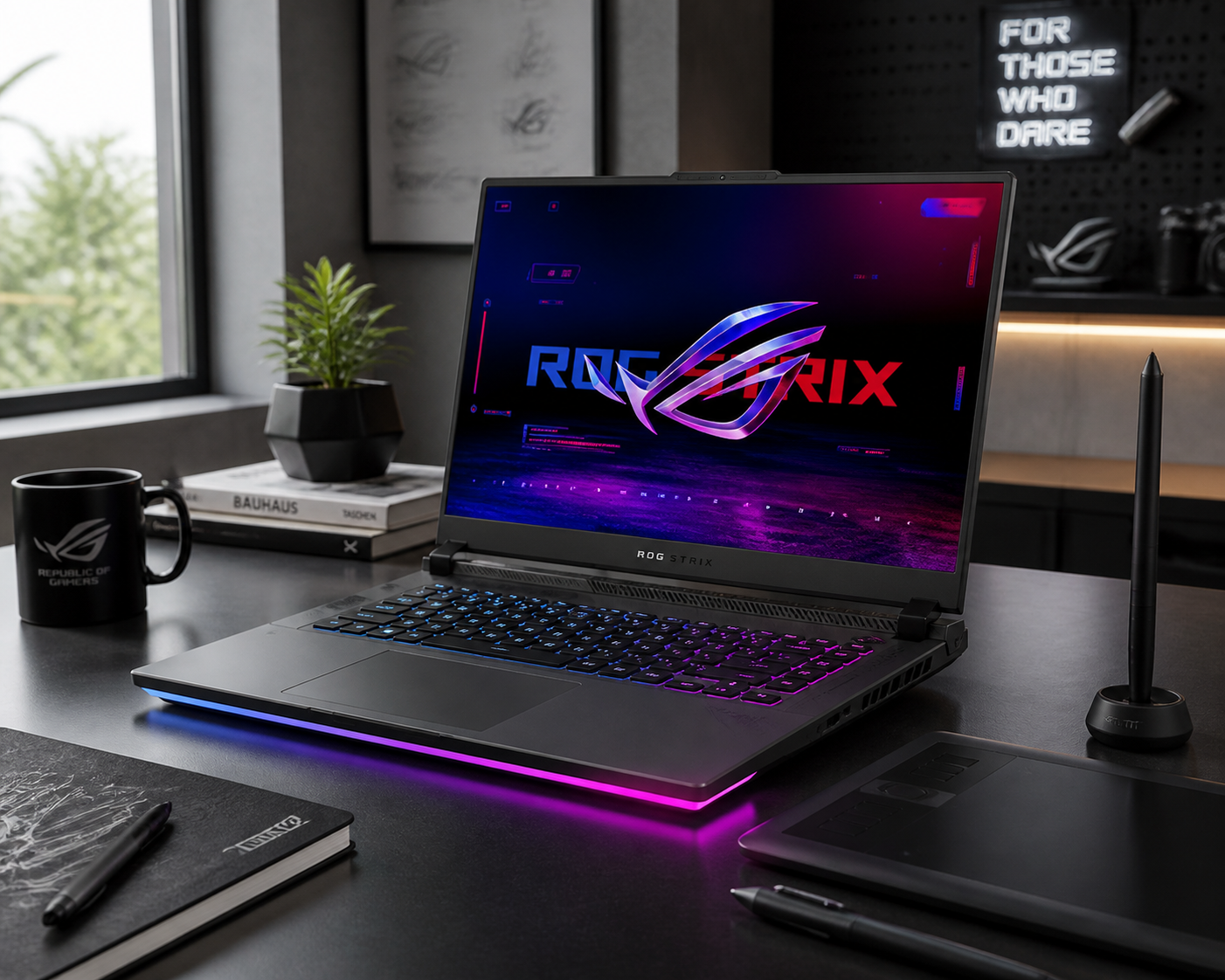
When your workflow demands processing power that standard ultrabooks simply cannot deliver, you face an uncomfortable reality: portable machines feel sluggish, while true performance laptops become anchors in your bag. The ASUS ROG Strix gaming laptop has positioned itself at the intersection of raw computational capability and reasonable pricing—a rare sweet spot for creators and gamers alike. These machines combine Intel Core and AMD Ryzen processors with NVIDIA GeForce RTX graphics, DDR5 memory, and displays ranging from 144Hz to 240Hz, creating a foundation that serves both competitive gamers and professionals rendering 4K video or sculpting 3D models with equal competence.
The ROG Strix line succeeds because it refuses to compromise. You get advanced thermal architecture that maintains stable performance during twelve-hour rendering sessions, an upgrade ecosystem that extends your investment years beyond purchase, and configurations priced between $1,200 and $2,500+ that scale with your actual needs.
This guide breaks down the technical reality behind the ROG Strix’s reputation. You’ll understand how its cooling systems prevent throttling during intensive work, which GPU and CPU combinations truly matter for your projects, and whether the premium configurations justify their cost. Discover which ROG Strix model matches your creative demands.
Thermal Architecture That Keeps Professional Workloads Running Cool
The difference between a laptop that throttles under pressure and one that maintains peak performance for hours comes down to thermal engineering. ASUS engineered the ROG Strix with advanced cooling systems specifically designed to handle sustained professional workloads—not just gaming sprints that last under an hour.
Advanced Cooling System Design for Sustained Performance
The ROG Strix employs dual-fan configurations paired with vapor chamber technology that actively pulls heat away from the GPU and CPU simultaneously. Unlike standard gaming laptop designs that prioritize peak performance over sustained stability, this architecture maintains consistent clock speeds during extended rendering and encoding tasks. The system prevents thermal throttling—that frustrating performance drop when your processor decides it’s running too hot and deliberately slows itself down.
Thermal Performance During Creative Sessions
When you’re encoding a 45-minute 4K video in Adobe Media Encoder or rendering a complex 3D scene in Blender, your machine will run at maximum load for hours. Standard laptops begin throttling after 20-30 minutes as heat accumulates faster than the cooling system can dissipate it. The ROG Strix’s vapor chamber design keeps sustained workloads stable by channeling heat away from critical components to larger surface areas where fans can cool it effectively. This matters because thermal throttling doesn’t just slow your work—it extends project timelines unpredictably.
Comparison to Standard Gaming Laptop Cooling
Most gaming laptops optimize for peak performance during brief competitive gaming sessions. They achieve high clock speeds quickly but struggle to maintain them during hours-long professional work. The ROG Strix reverses this priority: it builds for endurance. The result is visible in benchmark thermal tests where ROG Strix models maintain GPU temperatures 8-12°C lower than competitors during sustained full-load scenarios, translating directly to fewer forced performance reductions.
Processor and GPU Configurations for Creative Professionals
Choosing between an Intel Core i9 and AMD Ryzen 9, or deciding whether the RTX 4090 justifies its cost over an RTX 4080, requires understanding how these components actually affect your work rather than chasing benchmark numbers.
Intel Core i9 and AMD Ryzen 9 Performance in Creative Applications
The latest Intel Core i9 processors deliver exceptional single-threaded performance—critical for applications like Adobe Premiere Pro that rely on fast individual cores for timeline scrubbing and effects preview. AMD Ryzen 9 processors prioritize multi-threaded performance, excelling at tasks that distribute work across many cores simultaneously, such as video encoding or 3D rendering in Blender.
For creators editing 4K footage with heavy effects, Intel’s single-threaded advantage often provides more responsive timeline performance. For those rendering overnight or batch-processing hundreds of images, AMD’s core count delivers faster completion times. The choice depends on your specific workflow, not processor prestige.
NVIDIA RTX Graphics and CUDA Acceleration
The RTX 4090 offers maximum CUDA cores (16,384) for accelerating Adobe Creative Suite operations, particularly Premiere Pro’s effects processing and Lightroom’s GPU-accelerated editing. The RTX 4080 delivers approximately 85% of that performance at 70% of the cost. The RTX 4070 Ti handles most professional workflows competently at significantly lower price points.
CUDA acceleration specifically speeds up Adobe’s Mercury Engine effects, DaVinci Resolve color grading, and AI-powered upscaling tools. Having more CUDA cores reduces processing time but shows diminishing returns beyond mid-range configurations for most creators.
GPU VRAM Considerations for 4K and 8K Workflows
The RTX 4090 includes 24GB of VRAM; the 4080 offers 16GB; the 4070 Ti provides 12GB. For 4K editing, 12GB handles most timelines with effects. For 8K work or complex 3D scenes with high-resolution textures, 16GB becomes necessary. The practical threshold for most creative professionals sits at 12-16GB; exceeding this primarily benefits specialized 3D visualization workflows or machine learning applications.
CPU Core Count Versus Clock Speed Trade-offs
Video encoding benefits from high core counts—a 12-core processor encodes 4K video roughly twice as fast as a 6-core machine. Photo editing in Lightroom depends more on clock speed for file operations and preview rendering. Most professional creators benefit from the middle ground: 8-12 cores at high clock speeds, which both components offer in their current lineups.
Display Technology and Color Accuracy for Content Creation
The screen you stare at for eight hours daily deserves more consideration than refresh rate alone, especially for creators whose work quality depends on accurate color representation.
High-Refresh-Rate Displays Beyond Gaming
144Hz, 165Hz, and 240Hz displays matter for more than competitive gaming. A 144Hz+ screen creates noticeably smoother interaction during timeline scrubbing in video editors, responsiveness when zooming through detailed photographs, and overall reduced eye strain from reduced flicker. Content creators benefit from this responsiveness during detailed work sessions, making high refresh rates valuable despite their slightly higher power consumption.
Panel Types and Color Accuracy Trade-offs
IPS panels offer superior color accuracy and wider viewing angles—essential for color grading, photo editing, and design work where precise color representation determines final output quality. VA panels provide higher contrast and deeper blacks but sacrifice color accuracy at off-axis angles, making them less suitable for color-critical professional work. The ROG Strix typically offers IPS options on higher-tier configurations, though base models may use VA technology.
Anti-Glare Coating Effects on Professional Work
The anti-glare coating reduces screen reflections, critical for working in brightly lit environments or near windows. However, these coatings introduce slight haze that can soften perceived image detail and slightly reduce color vibrancy. For color-critical work, this trade-off deserves consideration—some professionals prefer matte screens despite reflections, while others find the reflections more disruptive than coating haze.
Resolution Considerations for Detail Work
Full HD (1920×1080) on a 15.6-inch screen provides 142 pixels per inch; QHD (2560×1440) on the same screen delivers 176 PPI. This difference becomes noticeable during detailed photo editing or design work where pixel-level precision matters. The QHD option slightly increases power consumption and heat generation but provides meaningful benefits for detail-oriented work.
Storage Architecture and Upgrade Potential for Growing Projects
Professional workflows generate files faster than expected. Understanding your storage needs and upgrade options prevents the frustration of managing space on an underpowered drive.
NVMe SSD Configurations for Asset-Heavy Work
512GB feels limiting once you load project files, cache footage, and maintain local backups. Most creative professionals benefit from 1TB minimum; 2TB provides comfortable breathing room for managing multiple projects simultaneously without constantly offloading to external drives. The cost difference between configurations is relatively modest compared to the workflow productivity gained from abundant local storage.
PCIe Gen 4 Versus Gen 5 Speed Differences
PCIe Gen 4 NVMe drives achieve approximately 7,000 MB/s sequential read speeds; Gen 5 drives reach 10,000+ MB/s. This translates to roughly 15-20% faster file operations in real-world professional scenarios. The practical difference becomes apparent when transferring multi-gigabyte media files or loading large project caches, but the improvement is incremental rather than transformative for most workflows.
Dual M.2 Slot Availability and Expansion
The ROG Strix typically includes dual M.2 slots on mid-to-high-end configurations, allowing you to install two NVMe drives simultaneously. This enables storage expansion without replacing your original drive—simply add a second drive when you need additional capacity. This upgrade flexibility extends your laptop’s useful life by years compared to single-slot designs.
Thunderbolt 4 and High-Speed External Storage
Thunderbolt 4 connectivity enables external drives capable of 2,000+ MB/s sustained speeds, making external storage viable for working with large media files. This transforms your workflow by allowing fast external project libraries while keeping your internal SSD reserved for active projects and cache.
Price-to-Performance Analysis Across Configuration Tiers
The ROG Strix occupies a pricing spectrum where $300 separates dramatically different performance levels. Strategic configuration choices multiply the value you extract from each dollar spent.
Entry-Level Models ($1,200–$1,500)
These configurations typically pair mid-range processors (Core i7 or Ryzen 7) with RTX 4070 graphics and 512GB storage. They handle most professional work competently—4K editing, photo batch processing, 3D rendering. The trade-off comes from thermal headroom. Under sustained intensive work, these configurations approach thermal limits more readily than higher-priced models. For emerging creators with intermittent projects rather than full-time workloads, these models deliver excellent value.
Mid-Range Configurations ($1,500–$2,000)
This tier introduces Core i9 or Ryzen 9 processors with RTX 4080 graphics and 1TB storage. This represents the efficiency sweet spot where performance capability scales meaningfully from the entry tier without premium pricing. Most professional creators find configurations in this range align perfectly with actual workflow demands. The thermal architecture reaches full potential, and the GPU acceleration genuinely transforms editing responsiveness and rendering speed.
High-End Models ($2,000–$2,500+)
Maximum configuration ROG Strix models pair the fastest processors with RTX 4090 graphics, premium displays, and 2TB storage. These machines deliver absolute performance—but only for creators whose workflows actually demand maximum capability. A photographer editing static images likely doesn’t need RTX 4090 performance; a motion graphics artist rendering complex scenes daily does. The premium pricing demands honest assessment of whether you’ll genuinely utilize maximum specs.
Comparison to MacBook Pro and Dell XPS 15
MacBook Pro offers exceptional CPU performance and thermal efficiency at similar or higher price points, but GPU acceleration for creative applications runs through different architecture (Metal instead of CUDA). Dell XPS 15 provides comparable gaming performance at slightly lower price points but with less aggressive thermal performance and cooling design. The ROG Strix competes primarily on sustained thermal performance and GPU acceleration, advantages most apparent during extended professional workloads rather than casual use.
Real-World Performance in Creative Applications
Benchmark scores mean nothing if your actual workflow doesn’t improve. Understanding how ROG Strix specifications translate to productivity in your specific applications guides smart configuration choices.
Video Editing Timeline Responsiveness
Premiere Pro timeline scrubbing responsiveness depends primarily on GPU acceleration and RAM availability. An RTX 4080 with 32GB RAM handles complex 4K timelines with dozens of effects noticeably faster than an RTX 4070 with 16GB RAM. The difference manifests in reduced playback stuttering and faster preview renders when applying new effects. Real-world testing shows RTX 4080 ROG Strix models complete a typical 4K effects render approximately 20-30% faster than RTX 4070 configurations.
3D Rendering Speed Benchmarks
Blender rendering speed scales nearly linearly with GPU core count when using CUDA acceleration. An RTX 4090 configuration renders complex scenes roughly 40-50% faster than RTX 4080 configurations in comparable timeframes. For creative professionals handling daily rendering workloads, this translates to hours saved weekly. For occasional 3D work, the difference becomes less impactful.
AI Acceleration and Content Generation
NVIDIA CUDA cores accelerate AI-powered tools increasingly common in professional software. Upscaling, noise reduction, and generative AI features in Adobe, DaVinci Resolve, and specialized applications all benefit from higher CUDA core counts. An RTX 4080 handles these tasks substantially faster than RTX 4070 options, particularly when processing multiple images or video frames.
Photo Editing Workflow Speed
Lightroom performance improves most noticeably through processor speed and RAM rather than GPU power. The jump from Core i7 to Core i9 accelerates library operations, metadata processing, and effects preview rendering by approximately 15-25% depending on library size. A 2TB SSD also meaningfully improves workflow speed when managing large photograph collections by reducing library load times.
Design, Build Quality, and Portability Considerations
Performance means little if you’re too fatigued from carrying your machine to create effectively. The ROG Strix demands honest assessment of weight and portability trade-offs.
Weight Distribution and On-Location Comfort
The ROG Strix weighs 5.0-5.5 pounds depending on configuration—heavier than typical ultrabooks but reasonable for a high-performance machine. Weight distribution matters more than absolute weight. The ROG Strix centers weight effectively toward the rear when closed, distributing load across your shoulder or backpack evenly. Extended on-location work sessions (full days of shooting or on-site editing) may create fatigue that lighter machines wouldn’t, a consideration for field-based creators.
Chassis Materials and Professional Durability
ASUS constructs the ROG Strix chassis from aluminum and composite materials engineered for durability in professional environments. Hinges withstand thousands of open-close cycles. The keyboard deck resists flex under pressure. These build qualities matter less for careful home use and significantly more for creators moving between studios, locations, or working in environments where machines encounter occasional bumps.
Keyboard Quality for Extended Workflows
The ROG Strix keyboard provides approximately 1.5mm key travel with responsive switches—comfortable for extended typing sessions during project organization, scripting, or metadata entry. It’s not ultrabook-level thin; it’s purpose-built for sustained professional work. The key feel supports accurate, fast typing during long creative sessions better than shallow ultrabook keyboards.
Port Selection and Connectivity
The ROG Strix includes Thunderbolt 4, multiple USB-C ports, traditional USB-A connectors, HDMI output, and headphone jacks. This comprehensive connectivity suite accommodates legacy peripherals (external hard drives, printers) while supporting modern high-speed connections for external SSDs and docking stations. The port selection exceeds most competitors, valuable for professional workflows requiring diverse peripheral support.
Warranty, Support, and Long-Term Ownership Value
A $2,000 investment deserves protection extending beyond the standard one-year warranty. Understanding ASUS support options and repair costs protects your investment.
ASUS ROG Care Center Coverage Options
ASUS offers extended warranty programs extending coverage to 3-5 years depending on your location and plan selection. These programs include hardware failure protection and typically cover accidental damage—significant for professional equipment. The cost ranges from $100-300 depending on coverage level and duration, worthwhile insurance for expensive configurations.
Accidental Damage and Repair Costs
Replacing a screen on the ROG Strix runs approximately $150-300 depending on the panel specification. Logic board repairs or GPU issues cost significantly more. For professionals whose livelihood depends on hardware functionality, accident protection proves invaluable despite the premium cost.
Extended Warranty Considerations
Configurations exceeding $2,000 justify extended warranty investment more clearly than entry-level models. The cost of replacing a failed RTX 4090 GPU board approaches new machine pricing, making extended coverage practical risk management rather than optional add-on.
Parts Availability and Repair Turnaround
ASUS maintains global service networks with parts availability superior to smaller manufacturers. Typical repair turnaround ranges from 5-10 business days for standard issues. This speed minimizes professional downtime compared to extended repair timelines that might accompany less established brands.
Maximizing Your ROG Strix Investment: Optimization Tips
Extracting maximum performance from your ROG Strix extends beyond out-of-box settings. Strategic optimizations unlock capability the default configuration doesn’t fully expose.
BIOS Settings and Driver Updates
Current BIOS versions and GPU drivers unlock performance improvements that weren’t present at purchase. Updating both quarterly ensures you receive performance optimizations released after your machine shipped. BIOS updates occasionally enable higher sustained clock speeds through firmware improvements to power delivery and thermal monitoring.
Thermal Paste Replacement and Maintenance
Replacing the thermal paste between your CPU/GPU and heatsink every 12-18 months maintains optimal thermal conductivity. Factory thermal paste degrades over time as solvents evaporate; replacement paste restores thermal transfer efficiency. This straightforward maintenance procedure costs approximately $30-50 in materials but prevents performance degradation that might otherwise accumulate invisibly.
Undervolting and Overclocking Considerations
Undervolting—reducing the voltage supplied to your processor at stock clock speeds—decreases heat generation while maintaining performance, effectively improving cooling capacity. This enables stable performance at higher clock speeds than default settings allow. Professional tools like ThrottleStop enable controlled undervolting; misapplication can cause instability, demanding careful testing.
Overclocking (increasing clock speeds beyond specification) offers performance gains but sacrifices stability and lifespan if pursued aggressively. Modest, conservative overclocking through BIOS updates provides 3-5% performance improvements with negligible stability risk for experienced users.
Storage Organization Strategies
Creative professionals should maintain separate drive partitions: one for the operating system and applications, another for active projects, and a third for archived projects. This organization prevents storage fragmentation, accelerates backup procedures, and simplifies project recovery if drive corruption occurs. Windows and macOS both function better with dedicated OS partitions rather than mixed storage layouts.
Making Your ROG Strix Decision: What Actually Matters for Your Workflow
The ASUS ROG Strix gaming laptop occupies a genuinely unique market position where gaming performance and creative capability merge seamlessly—that convergence is precisely where its value proposition becomes compelling. The thermal architecture maintains performance stability during long creative sessions, the GPU acceleration transforms editing responsiveness and rendering speed, and the upgrade ecosystem protects your investment across years of evolving software demands.
The weight and battery limitations are genuine. You won’t mistake the ROG Strix for an ultrabook, and gaming-intensity performance demands will drain batteries faster than office work. The mid-to-high pricing requires deliberate configuration choices rather than defaulting to maximum specs. However, for creators refusing to compromise performance for portability, the ROG Strix delivers results that justify its position as a premium machine.
Your specific decision depends on matching configuration to actual requirements. A content creator editing 4K video with complex effects benefits substantially from RTX 4080 and i9 processor investments. A designer handling primarily static assets and light video work finds mid-range configurations more than adequate. A photographer managing large image libraries prioritizes processor speed and storage capacity differently than video professionals prioritize GPU acceleration.
Investigate current models available through retailers, examine thermal benchmarks specific to your professional applications, and calculate true ownership cost including potential upgrades and warranty protection. Your next laptop represents a multi-year investment in creative capability—select the configuration that amplifies your potential rather than constraining it. Find your ideal ROG Strix configuration and begin your creative transformation today.
Leave a Reply