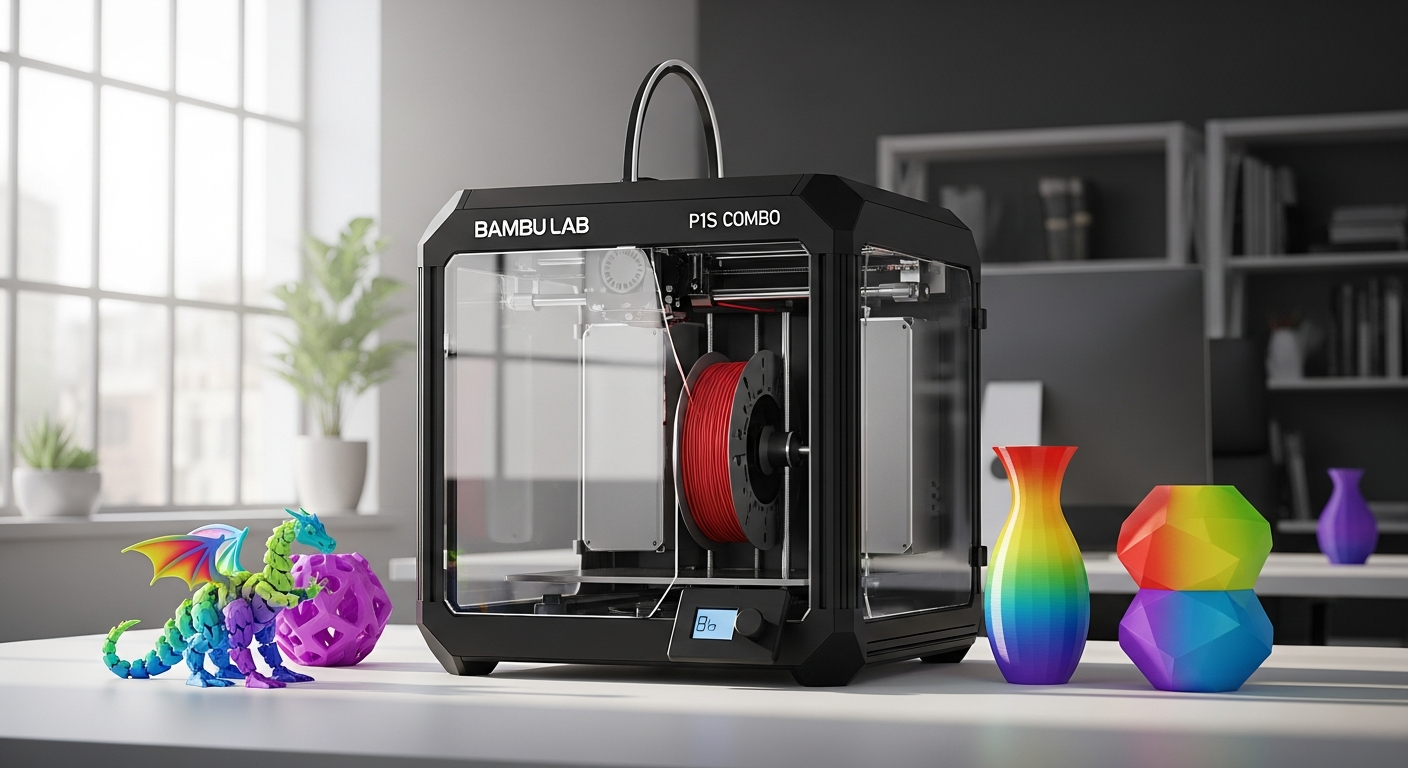
The 3D printing market has exploded with options, yet most users still struggle to find a printer that balances speed, quality, and affordability without requiring a PhD in troubleshooting. The Bambu Lab P1S Combo has shattered that expectation, becoming a bestseller by delivering professional-grade results at a mid-range price point that makes high-speed printing accessible to everyone from hobbyists to small business owners. This printer doesn't ask you to compromise—it asks you to reconsider what's actually possible at this price.
What sets the P1S Combo apart isn't just one feature, but the way all of them work together seamlessly. The CoreXY kinematic system enables speeds most people thought required industrial machinery. The Automatic Material System opens creative possibilities that were previously reserved for expensive multi-head systems. The enclosed build chamber and automatic bed leveling remove the trial-and-error that frustrates newcomers. Together, these elements create a machine that feels genuinely ahead of its time for the cost.
Explore the Bambu Lab P1S Combo and see why it's become the bestseller in 3D printing.
The Speed Revolution: CoreXY Technology and What It Means for Your Prints
CoreXY kinematic system breakdown — how the dual-motor design achieves 500 mm/s maximum speeds and 20,000 mm/s² accelerations
The P1S uses a CoreXY kinematic system, which represents a fundamental shift in how 3D printers approach motion. Instead of moving the print bed back and forth like traditional Cartesian printers, CoreXY uses two motors working in tandem to move the print head across the X and Y axes simultaneously. This dual-motor design distributes the workload more efficiently, allowing the printer to achieve impressive maximum speeds of 500 mm/s and accelerations of 20,000 mm/s²—numbers that would have seemed impossible in consumer 3D printing just a few years ago.
The advantage becomes clear when you understand the physics. Because both motors contribute to moving the printhead in any direction, the system requires less brute force from individual motors. This translates to smoother acceleration, less vibration, and the ability to maintain precise control even at high velocities. The linear rails that guide the printhead movement further enhance this precision, keeping the nozzle perfectly positioned no matter how quickly it's moving.
Real-world printing speeds — why the printer typically operates at 200-300 mm/s despite higher capabilities, and how this maintains detail quality
The 500 mm/s capability sounds impressive, but experienced users understand that maximum speed isn't the same as optimal speed. The P1S typically operates at 200-300 mm/s during normal printing, a choice that reflects real-world priorities. At these speeds, the printer maintains crisp details and accurate dimensions while still completing prints far faster than conventional FDM machines.
The reason for this throttling is straightforward: material physics. Filament needs time to melt and flow properly from the nozzle. Pushing plastic through too quickly, even if the mechanics can handle it, results in underextrusion, inconsistent lines, and poor layer adhesion. By operating at 200-300 mm/s, the P1S achieves the sweet spot between speed and quality—users get genuinely fast prints without sacrificing the detail that makes their models worth printing in the first place.
Comparison to traditional FDM printers — speed advantages over Cartesian and Delta systems
Traditional Cartesian printers move the entire print bed forward and backward along the Y axis while the printhead moves left and right on the X axis. This separation means that to move diagonally, both axes must work together sequentially or compromise on acceleration. Delta printers offer speed advantages through their lightweight moving carriage, but they sacrifice build volume and introduce complexity in calibration.
The CoreXY system achieves the best of both worlds. It matches Delta-style speed potential while maintaining the straightforward calibration and full build-volume efficiency of Cartesian designs. Compared to these traditional approaches, the P1S simply gets more done in less time while producing equally detailed results. A print that might take 8 hours on a standard Prusa or Creality printer could finish in 4-5 hours on the P1S, making it genuinely attractive for anyone who values time efficiency.
The Automatic Material System (AMS): Multi-Color Printing Without the Headache
How the AMS works — four-filament capacity and automatic switching mechanics
The Automatic Material System represents one of the most practical innovations in consumer 3D printing. Rather than manually pausing prints to swap filaments, the AMS holds up to four different spools and switches between them automatically during printing. The system includes an intelligent feeder mechanism that detects filament type and manages the transition with precision.
When the printer reaches a point where it needs to switch colors or materials, the AMS automatically retracts the current filament, feeds the new one into the hotend, and begins printing. The entire process happens without user intervention. For prints designed with multiple colors in mind, this automation transforms what used to be a tedious, error-prone manual process into something genuinely effortless.
Multi-color design possibilities — expanding creative options beyond single-color prints
The practical impact of the AMS extends far beyond convenience. It opens creative avenues that were previously impractical for most makers. Designers can now plan multi-color models—think miniatures with different colored clothing, educational models with color-coded components, or artistic prints where color enhances visual impact.
This capability particularly benefits small business owners who create custom models. Rather than printing multiple single-color parts and gluing them together, they can produce complete multi-color prints in one run. For educators, the ability to print anatomical models with different tissue types in different colors enhances learning outcomes without requiring assembly.
Material compatibility — supported filament types and diameter specifications
The AMS works with standard 1.75mm diameter filaments, supporting the full range of common materials: PLA, PETG, ABS, TPU, and nylon. This broad compatibility means users aren't locked into proprietary materials or forced to pay premium prices for branded filament. The system automatically detects the filament loaded and adjusts parameters accordingly, reducing the guesswork around temperature and speed settings.
Check out the complete specifications and material options available for the P1S Combo.
Build Quality and Reliability: Why It Just Works Matters
Enclosed build chamber design — temperature stability and material compatibility benefits for ABS, PETG, and advanced materials
The enclosed build chamber isn't merely a design choice—it's a fundamental requirement for printing with demanding materials. ABS and PETG shrink as they cool, and without temperature stability, parts warp or crack. The P1S enclosure maintains a stable thermal environment, allowing these materials to cool gradually and uniformly. Users can print ABS reliably without the Hail Mary prayers that often accompany ABS printing on open-frame machines.
Beyond material compatibility, the enclosure provides practical benefits. It contains the fine particles that FDM printing generates, improving air quality in the workspace. It also reduces noise somewhat, though the printer remains audible during operation. For anyone working in shared spaces or living situations where noise matters, this containment helps.
Automatic bed leveling system — consistent first-layer adhesion without manual adjustment
First-layer adhesion is where most 3D prints fail or succeed. A bed that's too close to the nozzle creates clogs; too far away and plastic won't stick. Manual leveling requires patience and expertise. The P1S handles this automatically, probing the bed surface and adjusting the nozzle height dynamically as it prints the first layer.
This automation removes one of the most frustrating variables in 3D printing. New users don't spend hours adjusting bed screws. Experienced users don't waste filament on failed first layers. The result is consistent prints right from the start, which directly translates to higher success rates and less material waste.
PEI-coated flexible build plate — easy print removal and durability advantages
The PEI-coated flexible build plate serves multiple functions simultaneously. PEI is a thermoplastic material that provides excellent adhesion to nearly all filament types—models stick firmly during printing but release cleanly once cooled. The flexible design means users don't need a scraper or spatula; simply flex the plate and the print pops off.
This design choice increases reliability and extends component lifespan. Users replace the build plate far less frequently than they would with glass or other materials. For a machine meant to deliver consistent results over years of use, this durability matters significantly.
Software Ecosystem: Bambu Studio, Mobile Control, and Remote Monitoring
Bambu Studio slicer software — intuitive interface and advanced slicing capabilities
Bambu Studio serves as the slicer software for the P1S, translating 3D models into instructions the printer can execute. The interface emphasizes accessibility without sacrificing power—new users can load a model and hit print with minimal configuration, while advanced users access granular controls over speed, temperature, and support generation.
The software includes practical features like automatic orientation suggestions to minimize support material, preview renders that show how the print will actually look, and estimated time and filament consumption before printing begins. For users coming from other 3D printing ecosystems, the learning curve feels manageable because the interface prioritizes clarity.
Built-in camera functionality — real-time monitoring and time-lapse creation features
The P1S includes a built-in camera that connects to the cloud ecosystem, allowing remote monitoring through a web interface or mobile app. Users can check on prints from anywhere—their office, another room, or across the world. The time-lapse feature automatically creates videos of completed prints, perfect for sharing progress or creating content.
The camera feed does have a known limitation: it can be slow to update, occasionally showing delayed video. Despite this, the ability to glance at print progress without visiting the printer in person represents genuine convenience, particularly for longer prints.
Bambu Handy mobile app — remote control and monitoring from smartphones
The Bambu Handy mobile app extends the P1S's accessibility beyond the slicer software. From a smartphone, users can monitor active prints, adjust temperatures, pause or resume printing, and receive notifications about print status. The app connects either through Bambu Lab's cloud service or via local network mode, giving users control over their privacy and connectivity.
For small business owners managing multiple printers or anyone who wants to check on projects without walking to the workshop, this app-based control proves remarkably useful. Push notifications let users know when prints complete, reducing the guessing game about when to check on results.
The Value Proposition: What You're Actually Paying For
Price range and market positioning — $600-$900 retail pricing versus industrial alternatives
The P1S Combo retails between $600 and $900, positioning it squarely in the mid-range segment of consumer 3D printers. This price covers a fully equipped system: the printer itself, the Automatic Material System, the enclosed chamber, software licenses, and initial calibration. Compare this to industrial machines that start at $5,000-$10,000 and the value becomes apparent.
Entry-level alternatives like the Creality Ender 3 cost less upfront but require significant investment in upgrades and troubleshooting to achieve comparable results. High-end Bambu Lab machines like the X1 Carbon cost significantly more while offering incrementally better features. The P1S occupies a compelling middle ground.
Professional-grade performance at mid-range cost — how the P1S compares to flagship X1 Carbon features
The X1 Carbon commands a premium price for additional features: faster maximum speeds, a larger touchscreen interface, and enhanced automation. Many of these features feel luxurious rather than essential for most users. The P1S delivers the core performance that matters—speed, reliability, multi-color capability—at substantially lower cost.
For prototyping, product development, and educational applications, the P1S performs admirably. Users get the same CoreXY speed advantages, the same AMS multi-color capability, and the same automatic bed leveling that justify the higher-end price tag, just with slightly fewer bells and whistles.
Total cost of ownership — filament costs, maintenance expenses, and longevity factors
Calculating true cost means looking beyond the initial purchase. Filament represents the largest ongoing expense for any 3D printer user. The P1S has no proprietary filament requirements—standard materials from any manufacturer work equally well. Users can source economical filament without penalty.
Maintenance expenses remain minimal. The self-cleaning tool head reduces buildup and extends nozzle life. The durable build plate doesn't require frequent replacement. Spare parts exist at reasonable prices without the markup associated with some proprietary systems. Many users report that their P1S remains reliable after years of use and thousands of hours of printing, making the cost-per-hour genuinely economical.
Practical Considerations: Noise, Filament Waste, and Privacy Concerns
Operational noise levels — decibel measurements and sound characteristics during printing
The P1S operates at around 60-70 decibels during printing—louder than a typical conversation but quieter than a vacuum cleaner. The noise comes primarily from the motors and fans rather than the mechanical movement itself. The enclosed chamber muffles some sound, but anyone in the same room will definitely notice the printer running.
For workshop environments, this noise level is negligible. For apartment dwellers or shared spaces, the P1S isn't silent enough for unnoticed operation during night hours. Placing the printer on isolation feet or in a semi-enclosed cabinet can reduce audible noise further.
Filament waste from AMS purging — quantifying material loss during color transitions
The AMS's automatic color switching requires purging—pushing out the old color before the new color enters the nozzle. Each color transition wastes approximately 5-15 grams of filament depending on hotend temperature and filament type. A print with four color changes might lose 20-60 grams of material.
For users printing single-color models, this consideration doesn't matter. For those regularly using multi-color capability, the waste represents a real cost factor. However, the convenience of automatic switching typically outweighs the material cost for most users, particularly since the wasted material is often collected for recycling or reuse.
Cloud service dependency — data privacy considerations and privacy policy review
The P1S connects to Bambu Lab's cloud services for certain features, including remote monitoring and OTA updates. Users uncomfortable with cloud connectivity can operate the printer in LAN-only mode, though this disables remote monitoring and some convenience features. The decision to use cloud services requires reviewing Bambu Lab's privacy policy and making a personal choice about acceptable privacy trade-offs.
Some users accept cloud connectivity as a reasonable price for convenience; others find it objectionable on principle. The fact that LAN-only operation remains an option provides a middle path—users don't face an all-or-nothing decision.
Who Should Buy the P1S Combo (And Who Shouldn't)
Ideal users — hobbyists seeking reliability, small business owners, educators, and makers
The P1S excels for hobbyists who want their printer to simply work. No troubleshooting, no endless tuning, no frustration with failed prints—just loading a model and watching quality results emerge. This reliability appeals strongly to people balancing 3D printing with other responsibilities.
Small business owners benefit from the combination of speed and multi-color capability. Prototyping new designs takes less time, and finishing products requires fewer assembly steps. For product developers and entrepreneurs, that efficiency directly impacts profitability.
Educators find the P1S valuable in classroom settings. It handles diverse materials, produces consistent results, and requires minimal maintenance between student projects. The enclosed design and automatic leveling mean less downtime for troubleshooting and more time actually printing.
Makers of all types—miniature enthusiasts, jewelry creators, custom part producers—find the multi-color system particularly valuable. Projects that previously required assembly now print as complete pieces.
Professional applications — prototyping, product development, and custom manufacturing
The P1S handles professional work effectively. Its speed accelerates the iteration cycle for product design. The ability to print with ABS enables functional prototypes using the same material intended for production parts. The multi-color capability eliminates post-processing steps for presentation models.
For small job shops or contract manufacturing operations, the P1S offers an accessible entry point into 3D printing-based production. The combination of reliability and speed means consistent throughput without the capital investment required for larger industrial systems.
When alternative printers make more sense — highly specialized applications or extreme customization needs
Users requiring extensive firmware modification or those who prioritize maximum customization over plug-and-play functionality might find the P1S's proprietary ecosystem restrictive. The closed-source firmware and Bambu Lab-specific parts availability limit modification options compared to open-source alternatives like Prusa machines.
Those seeking maximum resolution and precision for detailed miniatures or jewelry might benefit from smaller, more specialized machines. Users needing extremely large print volumes would be better served by larger machines. Anyone requiring exotic materials with specific temperature requirements might encounter limitations.
The P1S Combo isn't the perfect printer for every conceivable application—no printer is. But for the broad middle ground of users who value reliability, quality, and speed without sacrificing affordability, it represents an exceptionally strong choice.
Is the Bambu Lab P1S Combo Your Next Printer?
The Bambu Lab P1S Combo has earned its bestseller status because it solves a genuine problem in the 3D printing world: delivering professional results without professional-level complexity or cost. The CoreXY speed system paired with the Automatic Material System creates a printer that feels genuinely ahead of its price class, and the enclosed design with automatic bed leveling removes the frustration that stops many people from sticking with 3D printing.
The machine respects your time. Instead of spending hours dialing in settings and troubleshooting failed prints, you load a model and receive quality results. The multi-color capability opens creative possibilities without requiring assembly expertise. The speed means projects that would consume a weekend on conventional machines finish in a day. For users tired of the 3D printing hobby becoming more about troubleshooting than actually creating, the P1S shifts priorities back where they belong.
Honest assessment reveals real trade-offs. The proprietary ecosystem limits modification options. Cloud connectivity raises privacy questions for those who care. The filament waste during AMS color transitions adds costs. The noise level disqualifies it for silent operation. These aren't trivial concerns, and anyone prioritizing customization, privacy, or acoustic performance should weigh alternatives carefully.
But those trade-offs matter less to the people the P1S targets. Hobbyists want reliability more than customization. Educators want consistency more than hacking capability. Small business owners want throughput more than privacy ideals. For hobbyists, educators, and small business owners who value reliability and ease of use over maximum customization, this printer delivers exceptional value.
If you want a printer that arrives ready to produce beautiful, detailed models at impressive speeds with minimal fussing, the P1S Combo is genuinely hard to beat at this price point.
Order your Bambu Lab P1S Combo today and join the 3D printing revolution.
Leave a Reply