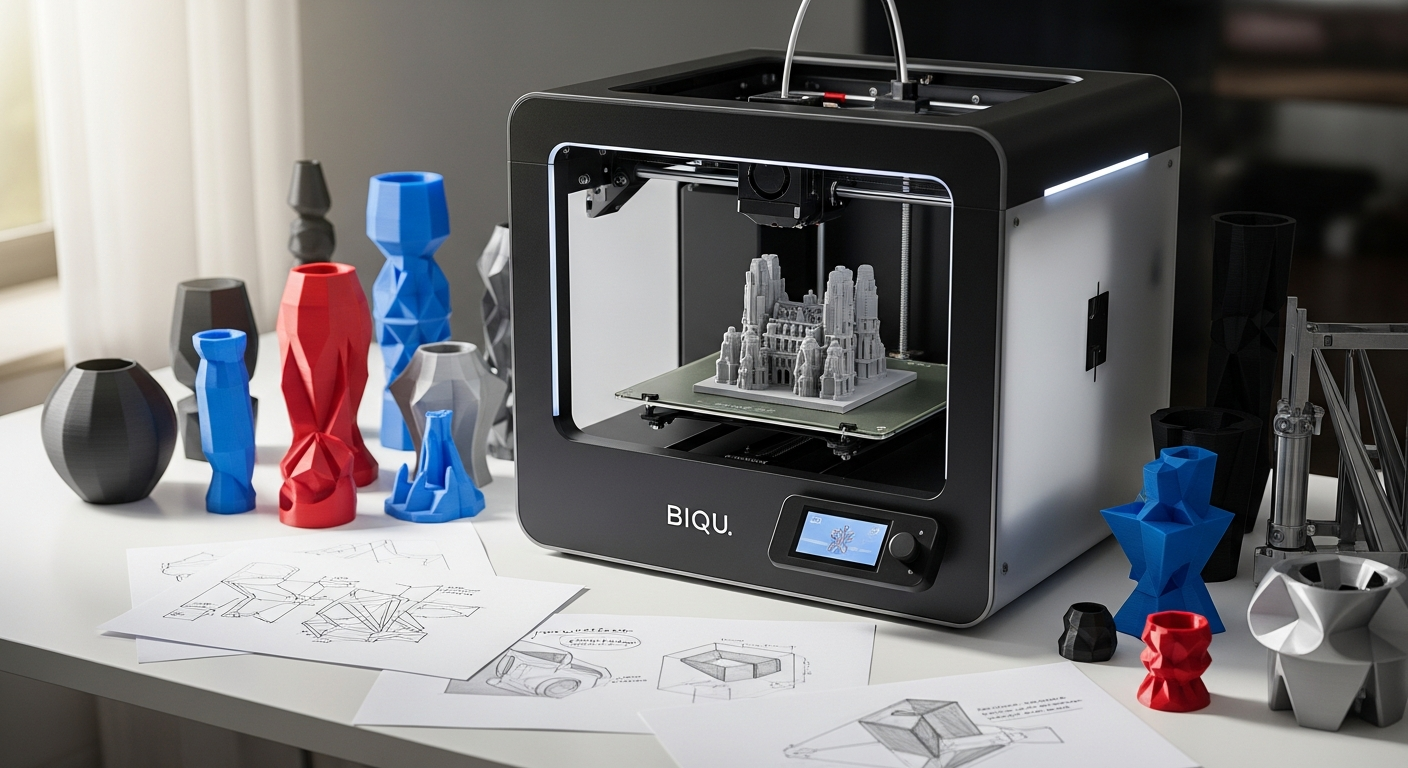
If you want extra printing space without moving into industrial equipment, the BIQU B1 SE Plus 3D Printer may catch your attention.
This FDM machine has a 310 × 310 × 340 mm build volume, automatic bed leveling, a 3.5-inch color touchscreen, filament detection, and power-loss recovery. These specifications make it worth examining for hobby projects, prototypes, decorative pieces, and other prints that need additional build space.
Before deciding if it fits your setup, you should look beyond build size. Print materials, temperature limits, controls, maintenance, and the types of projects you plan to produce can all affect your buying decision.
What Does the BIQU B1 SE Plus 3D Printer Provide?
The BIQU B1 SE Plus 3D Printer uses FDM technology and has a single standard 0.4 mm nozzle. Its 310 × 310 × 340 mm printing area gives you additional room compared with many compact desktop machines. BIQU lists a normal printing speed of 60 mm/s and a maximum printing speed of 120 mm/s.
That larger working area can make the machine relevant if you are shopping for a large format 3D printer for models that would otherwise need to be divided into several sections.
The printer runs Marlin firmware and works with Cura, Repetier-Host, and Simplify3D according to BIQU. Printing can be handled through an online connection, TF card, or USB.
How Much Printing Space Do You Get?
Build volume is one of the first specifications worth checking when comparing printers.
At 310 × 310 × 340 mm, the B1 SE Plus provides enough space for many medium and larger prints. This could reduce how frequently you need to divide a design into individual pieces before printing.
For example, the additional area can be useful for:
- cosplay components
- storage organizers
- decorative models
- prototypes
- brackets and functional parts
- larger household accessories
Keep in mind that a bigger build volume also means you need enough physical room for the printer itself and adequate clearance for moving components.
What Materials Can You Print?
As an FDM 3D printer, the B1 SE Plus works by depositing melted filament layer by layer.
BIQU lists compatibility with PLA, PETG, TPU, TPE, ABS, and nylon. Its nozzle can reach a maximum temperature of 260°C, while the heated bed has a stated maximum temperature of 100°C.
Material compatibility on paper does not mean every filament will be equally easy to print. Some materials can require careful temperature settings, ventilation, enclosure considerations, or adjustments to print speed and cooling.
If you are relatively new to printing, PLA is often a practical material for learning machine setup before trying filaments that require tighter temperature control.
Does Automatic Leveling Make Setup Easier?
Bed preparation has a major effect on the first layer of a print. The B1 SE Plus includes automatic bed leveling, which measures the printing surface to compensate for small differences across the bed. BIQU says the printer uses inductive leveling.
You still need to pay attention to nozzle condition, surface cleanliness, filament settings, and first-layer configuration. Automated leveling assists with bed calibration, rather than correcting every possible printing problem.
Is It a Practical 3D Printer for Beginners?
If you are searching for a 3D printer for beginners, the B1 SE Plus has several features designed to simplify routine operation.
The machine includes a 3.5-inch color touchscreen for accessing controls and settings. It also uses a modular structure intended to make initial assembly easier.
Still, FDM printing has a learning curve. You may need to become familiar with slicer settings, temperatures, supports, retraction, layer height, print speed, and basic maintenance.
The B1 SE Plus can remove some repetitive setup tasks, yet you should expect some experimentation when preparing new materials or complicated models.
What Happens If Filament Runs Out?
Long prints can consume a substantial amount of material. Running out of filament midway through a job can be frustrating, particularly when the print has already been running for hours.
The built-in filament runout sensor is designed to stop printing when material runs out. After new filament is loaded, printing can resume.
That function can be particularly helpful when producing tall models or prints that use a significant portion of a spool.
Can It Recover After a Power Interruption?
The B1 SE Plus includes power-loss recovery. BIQU states that the machine can resume a print after electrical power has been interrupted.
This can reduce the chance of losing an entire long-running print because of a brief outage.
Recovery features still should not replace normal precautions. Stable power, safe electrical connections, proper printer placement, and routine supervision remain important when operating 3D-printing equipment.
What Should You Know About Print Speed?
BIQU currently specifies a normal printing speed of 60 mm/s and a maximum printing speed of 120 mm/s for the B1 SE Plus.
Maximum speed figures should not be treated as the ideal setting for every model. The suitable speed depends on factors such as geometry, filament, layer height, acceleration settings, and your desired surface quality.
For detailed pieces, slowing the machine down may provide better results. Simple prototypes can sometimes tolerate faster settings.
What Can You Make With the BIQU B1 SE Plus?
The generous build area creates room for many types of 3D printing projects. You could use the printer for functional prototypes, organizers, models, hobby components, replacement parts, or decorative objects.
A bigger bed can be especially useful when a design would be inconvenient to divide into several smaller sections.
Your actual results will depend heavily on the model, slicer configuration, filament quality, machine calibration, and maintenance.
What Should You Check Before Buying?
Before purchasing the B1 SE Plus, compare its specifications with how you plan to use it.
Start with build volume. A 310 × 310 × 340 mm printing area can be valuable for bigger models, yet smaller projects may not require the extra capacity.
Next, look at material requirements. The listed 260°C maximum nozzle temperature and 100°C maximum bed temperature should be compared with the recommended printing conditions for your preferred filament.
You should also account for workspace, ventilation, filament storage, replacement nozzles, cleaning supplies, and the time needed to learn slicing software.
Frequently Asked Questions
What is the build volume of the BIQU B1 SE Plus?
The stated build volume is 310 × 310 × 340 mm. This gives you substantial room for medium and larger models.
Does the BIQU B1 SE Plus have auto leveling?
Yes. BIQU lists an automatic leveling system among the printer’s primary features.
What filament does the BIQU B1 SE Plus support?
The manufacturer lists PLA, PETG, TPU, TPE, ABS, and nylon as supported filament types.
Does it resume printing after losing power?
Yes. Power-loss recovery is included, allowing an interrupted print to resume after power returns.
What is the maximum nozzle temperature?
BIQU specifies a maximum nozzle temperature of 260°C and a maximum heated-bed temperature of 100°C.
Is the BIQU B1 SE Plus Suitable for Your Printing Plans?
The BIQU B1 SE Plus combines a sizable printing area with automated leveling, filament detection, power-loss recovery, touchscreen controls, and support for several common filament types.
Its main advantage for prospective buyers is the 310 × 310 × 340 mm build volume. That extra capacity can make sense when your planned models regularly exceed the limits of smaller desktop machines.
Before purchasing, compare the printer’s size, temperature capabilities, material compatibility, and operating requirements against the projects you actually plan to make. Doing so can help you determine if its larger format provides practical value for your setup.
Leave a Reply