Smart home security has become a priority for many homeowners and renters who want to keep an eye on their property while they are away.
An indoor security camera can help monitor entryways, living rooms, nurseries, or even pets throughout the day.
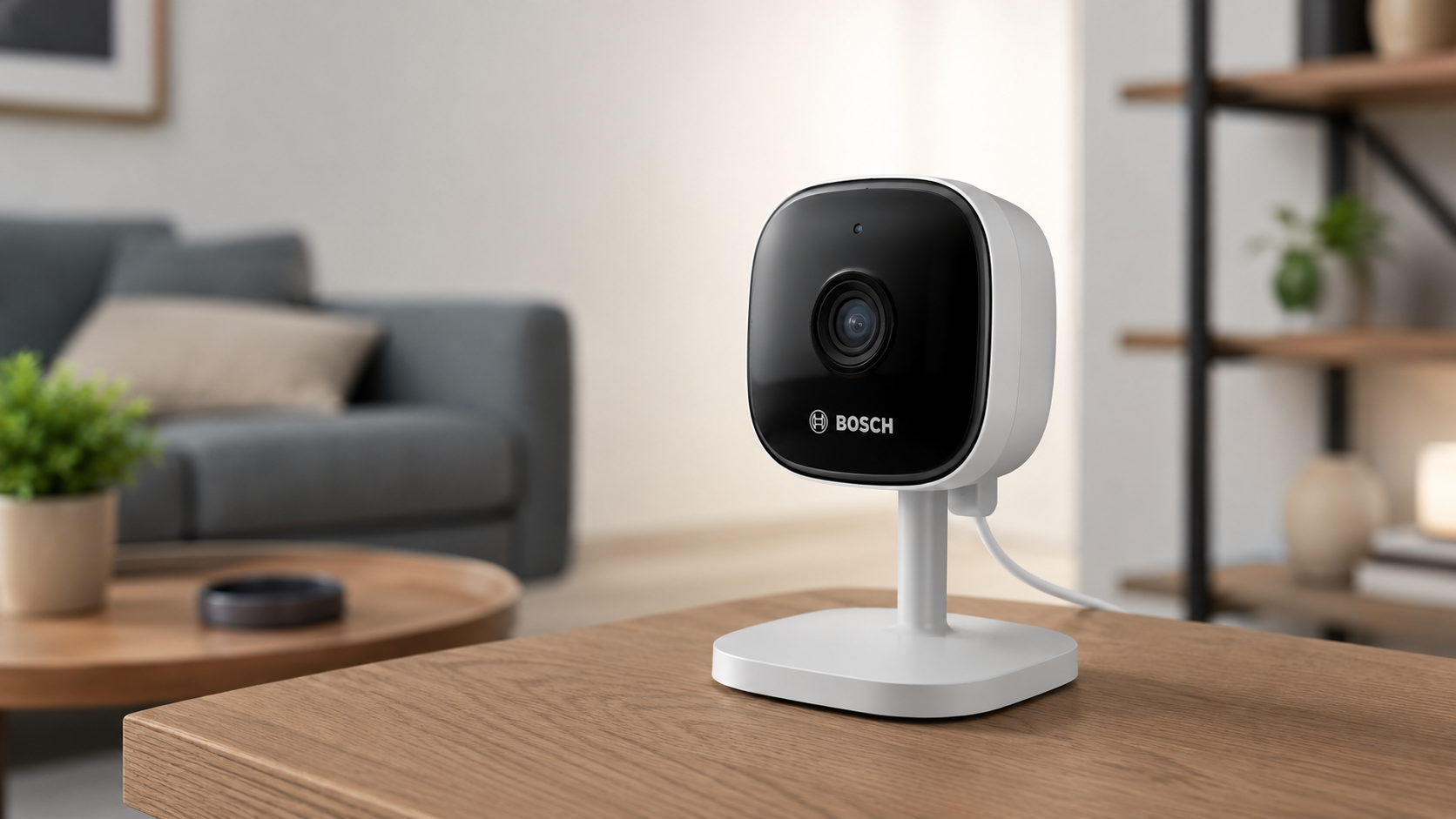
Among the available options, the Bosch Smart Home Indoor Security Camera is designed to work within the Bosch Smart Home ecosystem while providing reliable indoor monitoring and privacy-focused features.
If you’re looking for an indoor camera that combines video quality, smart alerts, and strong privacy controls, this guide explains what the Bosch Smart Home Indoor Security Camera offers, how it works, and what you should know before making a purchase.
What Is the Bosch Smart Home Indoor Security Camera?
The Bosch Smart Home Indoor Security Camera is a Wi-Fi-enabled indoor surveillance camera designed for home monitoring.
It connects to the Bosch Smart Home app, allowing users to view live footage, receive notifications, and manage camera settings remotely.
Unlike outdoor security cameras, this model is intended for indoor environments such as:
- Living rooms
- Hallways
- Home offices
- Children’s rooms
- Apartments
- Vacation homes
It focuses on delivering clear video while giving users greater control over when the camera records.
Key Features of the Bosch Smart Home Indoor Security Camera
High-Resolution Video
One of the main strengths of the Bosch Smart Home Indoor Security Camera is its high-definition video quality.
Depending on the model version, users can expect:
- Full HD video recording
- Sharp daytime images
- Clear digital zoom
- Wide viewing angle
- Live video streaming through the app
High-resolution footage helps identify people, pets, and activities throughout the room.
Night Vision
Security should continue after sunset.
The camera includes infrared night vision, allowing it to record even in dark rooms without requiring lights to remain on.
Benefits include:
- Better overnight monitoring
- Clear visibility in low-light conditions
- Continuous surveillance around the clock
Motion Detection
The camera continuously monitors movement within its field of view.
When motion is detected, users may receive:
- Instant smartphone notifications
- Event recordings
- Live viewing access
This feature helps homeowners stay informed about unexpected activity.
Two-Way Audio
The built-in speaker and microphone allow users to communicate through the camera.
Common uses include:
- Talking to family members
- Greeting visitors
- Checking on children
- Speaking with caregivers
- Calming pets while away
Two-way communication adds convenience beyond simple video monitoring.
Privacy Mode
One of the standout features of the Bosch Smart Home Indoor Security Camera is its privacy-focused design.
Instead of relying only on software controls, the camera can physically retract or cover its lens when privacy mode is activated, depending on the specific model.
This helps provide reassurance when monitoring is not needed.
Advantages include:
- Greater control over recordings
- Enhanced household privacy
- Reduced concern about accidental recording
Smart App Control
The Bosch Smart Home app serves as the central control hub.
Using the app, users can:
- Watch live video
- View recorded events
- Change camera settings
- Receive alerts
- Enable or disable privacy mode
- Manage multiple devices
Everything can be controlled remotely from a compatible smartphone.
Bosch Smart Home Integration
The camera works best as part of the Bosch Smart Home system.
It may integrate with compatible Bosch devices such as:
- Smart alarms
- Motion detectors
- Door and window contacts
- Smart lighting
- Smart plugs
Combining devices allows homeowners to create automated routines.
For example:
- Motion detected → lights turn on.
- Alarm activated → camera begins recording.
- User leaves home → security mode activates automatically.
Video Storage Options
Depending on the configuration and available services, recordings may be stored using:
- Local storage
- Cloud storage subscriptions
- Event-based recordings
Installation Process
Installing the Bosch Smart Home Indoor Security Camera is generally straightforward.
Typical steps include:
- Connect the camera to power.
- Download the Bosch Smart Home app.
- Connect the camera to Wi-Fi.
- Pair the device using the app.
- Choose the installation location.
- Adjust the camera angle.
- Complete setup.
Most users can finish installation within a relatively short time.
Best Places to Install the Camera
Placement affects overall performance.
Popular installation locations include:
Living Room
Provides a broad view of common areas.
Entry Hallway
Monitors movement through main entrances.
Home Office
Adds security for work equipment and documents.
Nursery
Allows parents to monitor sleeping children when appropriate.
Apartment
Helps monitor the interior while away from home.
Avoid pointing the camera directly toward windows where strong sunlight may reduce image quality.
Benefits of the Bosch Smart Home Indoor Security Camera
Several features make this camera appealing for indoor monitoring.
Easy Remote Access
Users can check live video from almost anywhere with an internet connection.
Privacy Controls
Physical privacy features help distinguish it from many traditional indoor cameras.
Smart Notifications
Motion alerts may reduce the need to constantly monitor live video.
Clear Video Quality
HD recording helps improve visibility during both day and night.
Smart Home Compatibility
It integrates well with other Bosch Smart Home products for broader home automation.
Potential Limitations
No security camera is suitable for every household.
Some buyers may want to consider:
- Best functionality often comes within the Bosch Smart Home ecosystem.
- Certain recording features may require additional services or subscriptions depending on availability.
- Indoor use only.
- Wi-Fi performance can affect streaming quality.
Understanding these factors helps set realistic expectations.
Tips for Better Indoor Security
To get the most from the camera:
- Place it where it covers main walkways.
- Keep the lens clean.
- Update firmware regularly.
- Enable motion notifications.
- Use strong Wi-Fi security.
- Review privacy settings periodically.
- Position the camera high enough to reduce blind spots.
Who Should Buy the Bosch Smart Home Indoor Security Camera?
This camera may be suitable for:
- Homeowners
- Apartment residents
- Families
- Pet owners
- Remote workers
- People who already use Bosch Smart Home products
It may be especially useful for those who value privacy features alongside everyday home monitoring.
Bosch Smart Home Indoor Security Camera vs Traditional Indoor Cameras
| Feature | Bosch Smart Home Indoor Security Camera | Traditional Indoor Camera |
|---|---|---|
| HD Video | Yes | Usually |
| Night Vision | Yes | Often |
| Motion Detection | Yes | Yes |
| Two-Way Audio | Yes | Many models |
| Privacy Mode | Physical privacy feature on supported models | Often software only |
| Smart Home Integration | Bosch ecosystem | Varies by brand |
| Remote Viewing | Yes | Yes |
Frequently Asked Questions
Does the Bosch Smart Home Indoor Security Camera work at night?
Yes. It includes infrared night vision for monitoring in low-light conditions.
Can I view the camera remotely?
Yes. Live video can be accessed through the Bosch Smart Home app when connected to the internet.
Does the camera record continuously?
Recording options depend on the selected settings, available storage, and regional product configuration.
Is installation difficult?
Most users can complete setup using the Bosch Smart Home app and a Wi-Fi connection.
Can I talk through the camera?
Yes. Two-way audio allows communication using the built-in microphone and speaker.
Bosch Smart Home Indoor Security Camera: Everything You Need to Know
The Bosch Smart Home Indoor Security Camera combines HD video, motion detection, night vision, two-way audio, and thoughtful privacy features in a compact indoor device.
Its ability to integrate with the Bosch Smart Home ecosystem makes it a practical option for users who already own compatible Bosch products or plan to build a connected smart home.
Before purchasing, compare storage options, compatibility, and available smart features in your region.
Leave a Reply