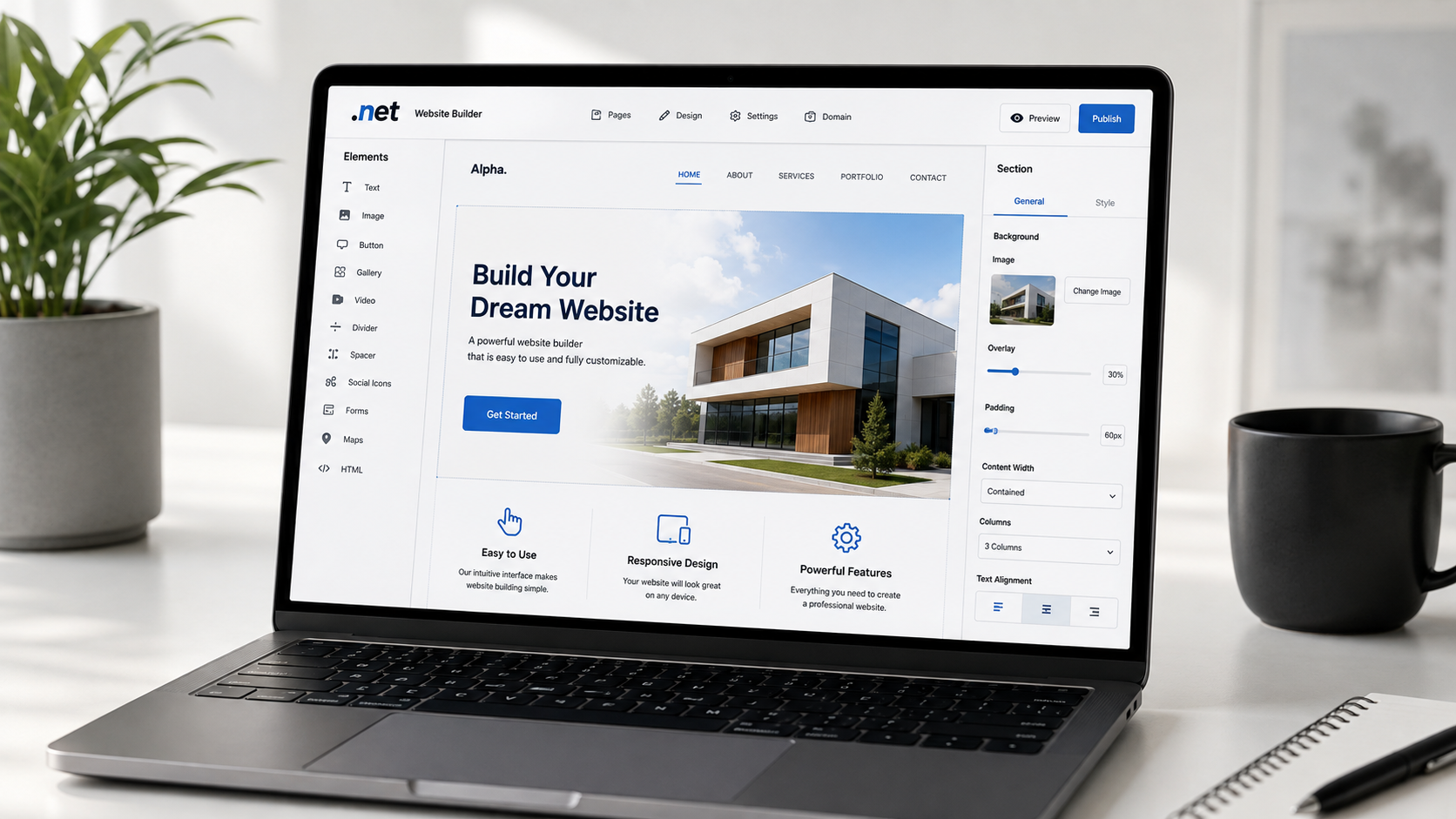
Creating a website no longer requires coding knowledge or a large budget. With the Create website builder, anyone can design a professional-looking website using simple drag-and-drop tools, customizable templates, and built-in hosting.
Whether you want to launch a personal blog, online store, portfolio, or business website, Create makes the process straightforward from start to finish.
If you’re looking for a platform that helps you publish a website quickly while giving you room to grow, the Create website builder is worth considering.
What Is Create Website Builder?
The Create website builder is an all-in-one website creation platform designed for beginners, entrepreneurs, freelancers, and small businesses. Instead of writing code, users can build websites through a visual editor, allowing pages to be created by dragging and arranging elements.
The platform combines website design, hosting, domain management, SEO tools, and optional eCommerce features into a single dashboard, reducing the need for multiple services.
Why Choose Create Website Builder?
Many website builders share similar features, but Create focuses on making website creation simple while giving users flexibility.
Some of its standout advantages include:
- Easy drag-and-drop editing
- Professionally designed templates
- Responsive mobile layouts
- Built-in website hosting
- Custom domain support
- SEO-friendly page settings
- Secure SSL certificates
- Blogging capabilities
- eCommerce functionality
- Fast website publishing
These features allow users to build polished websites without technical experience.
Easy Drag-and-Drop Website Editor
One of the biggest advantages of the Create website builder is its visual editor.
Instead of editing code, you simply:
- Add text sections
- Insert images
- Rearrange layouts
- Create galleries
- Add contact forms
- Include videos
- Build navigation menus
Changes appear instantly, making website editing much faster than traditional web development.
Professional Templates for Every Industry
Starting with a blank page can feel overwhelming. Create solves this by providing professionally designed templates suitable for different website types.
Popular categories include:
- Business websites
- Creative portfolios
- Photography
- Restaurants
- Consultants
- Personal blogs
- Agencies
- Online stores
- Events
- Health and wellness
Each template can be customized with your own branding, colors, images, and content.
Mobile-Friendly Website Design
Mobile traffic continues to grow every year. A website that doesn’t work well on smartphones may lose visitors and potential customers.
The Create website builder automatically produces responsive websites that adapt to different screen sizes, including:
- Smartphones
- Tablets
- Desktop computers
- Large monitors
This helps visitors enjoy a consistent browsing experience regardless of their device.
Built-In Hosting
Website hosting is included, so users don’t need to purchase separate hosting services.
This simplifies setup because everything is managed from one account, including:
- Website files
- Security
- Performance
- Updates
- Publishing
Having hosting integrated into the platform saves both time and maintenance effort.
Connect Your Own Domain
A custom domain makes your website look more professional.
Instead of using a generic web address, you can connect your own domain name such as:
- yourbusiness.com
- yourportfolio.co.uk
- yourbrand.net
Custom domains help strengthen branding while making websites easier to remember.
SEO Tools That Help Improve Visibility
A beautiful website is only useful if people can find it.
The Create website builder includes SEO features that help improve search engine visibility.
These tools often include:
- Custom page titles
- Meta descriptions
- Clean URLs
- Image alt text
- Heading management
- Sitemap generation
- Mobile optimization
- SSL security
These features support search engines in understanding and indexing your website.
Blogging Features
Publishing helpful articles can increase website traffic while building trust with visitors.
The blogging tools allow users to:
- Create categories
- Add featured images
- Schedule posts
- Optimize articles for SEO
- Manage comments
- Organize archives
A regularly updated blog can support long-term organic search growth.
eCommerce Features
Businesses that sell products online can take advantage of Create’s online store capabilities.
Depending on the selected plan, features may include:
- Product listings
- Inventory management
- Secure checkout
- Shipping options
- Tax settings
- Discount codes
- Order management
- Payment gateway integration
These tools allow small businesses to manage an online shop without installing additional software.
Website Security
Website security helps protect both owners and visitors.
The Create website builder includes security features such as:
- SSL certificates
- Secure hosting
- Regular platform updates
- Data protection
- Website backups (depending on plan)
This helps reduce common website security concerns.
Fast Website Performance
Visitors expect websites to load quickly.
Performance affects:
- User experience
- Search rankings
- Conversion rates
- Bounce rates
Create is designed to deliver reliable website performance so pages load efficiently across various devices.
Customization Options
Every business has different branding requirements.
Users can personalize:
- Fonts
- Colors
- Buttons
- Menus
- Backgrounds
- Images
- Layout spacing
- Header designs
- Footer sections
This allows websites to reflect each brand’s identity instead of looking identical to others.
Ideal Users
The Create website builder works well for many types of users, including:
Small Businesses
Create a professional online presence without hiring a developer.
Freelancers
Display services, testimonials, pricing, and contact information.
Creatives
Photographers, artists, designers, and writers can showcase their work in attractive portfolios.
Bloggers
Publish articles while building an audience through SEO-friendly content.
Online Stores
Sell physical or digital products using integrated eCommerce tools.
Nonprofit Organizations
Share information, collect donations, and promote upcoming events.
Benefits of Using Create Website Builder
Some of the biggest advantages include:
- Beginner-friendly interface
- Minimal learning curve
- No coding required
- Mobile-responsive websites
- Built-in hosting
- Custom domains
- Professional templates
- SEO support
- Blogging tools
- Online selling capabilities
- Secure website infrastructure
- Scalable features
These benefits make it suitable for both first-time website owners and growing businesses.
Tips for Building a Better Website
To get the best results with the Create website builder, keep these best practices in mind.
Use Clear Navigation
Visitors should reach important pages within one or two clicks.
Optimize Images
Compressed images help pages load faster while maintaining quality.
Write Helpful Content
Answer common customer questions using informative, easy-to-read content.
Add Calls to Action
Encourage visitors to:
- Contact you
- Request a quote
- Subscribe
- Purchase products
- Book appointments
Keep Branding Consistent
Use matching colors, typography, and logos across every page.
Update Content Regularly
Fresh content signals that your website remains active and relevant.
Everything You Need to Start Online
For individuals and businesses seeking an easy way to build a professional website, the Create website builder delivers a practical combination of simplicity and functionality.
Its drag-and-drop editor, responsive templates, integrated hosting, SEO tools, blogging features, and eCommerce capabilities provide everything needed to launch and manage a website from one platform.
Whether you’re creating your first website or replacing an older one, Create offers an efficient way to establish a polished online presence without the technical challenges associated with traditional web development.
Leave a Reply