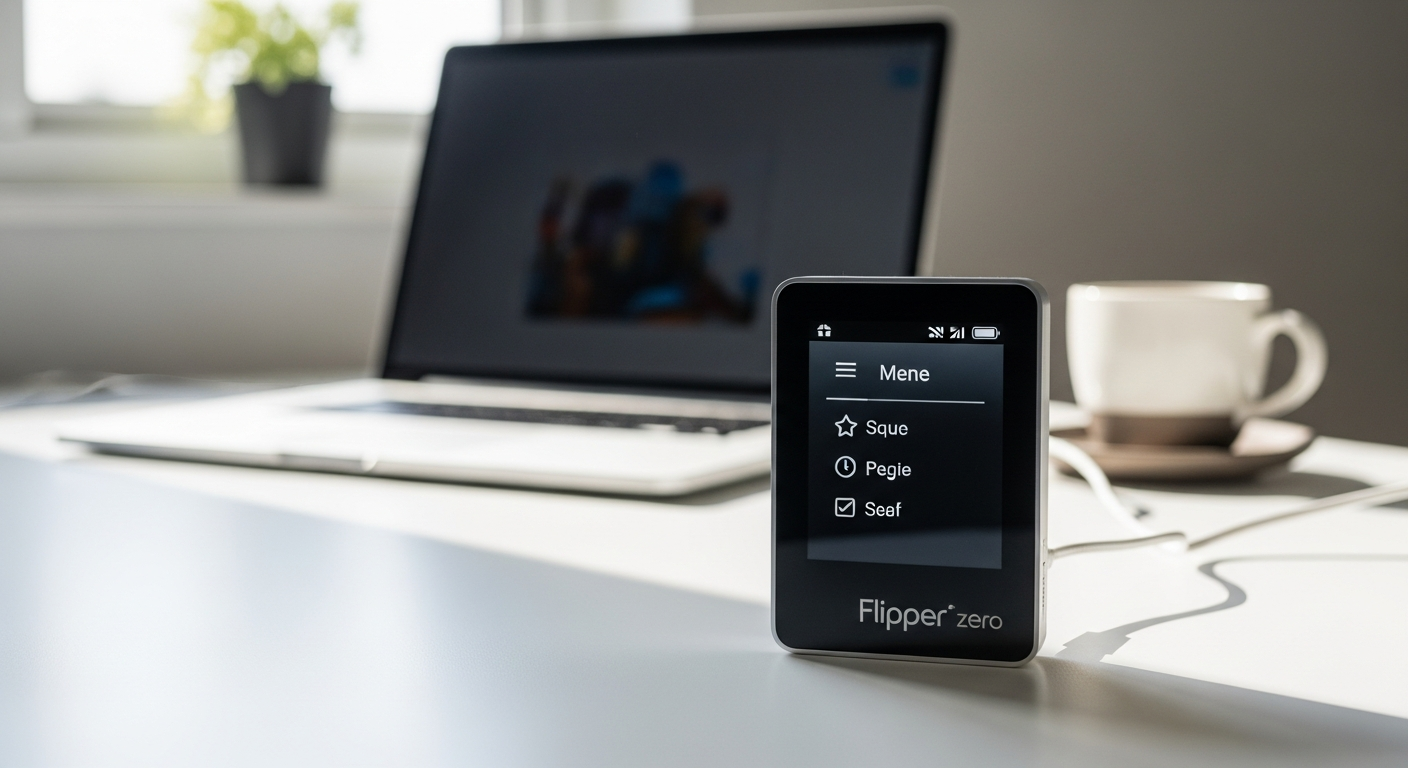
Imagine holding a device that can interact with nearly every wireless system around you—from door locks to payment cards—all in something smaller than a deck of cards. The Flipper Zero has exploded in popularity precisely because it democratizes tools that were once locked behind expensive professional equipment and years of specialized training.
The Flipper Zero isn't just another gadget collecting dust on your shelf. This open-source, community-driven device bridges the gap between casual tech interest and serious cybersecurity exploration. Whether you're a student curious about how wireless protocols work, an IT professional looking to expand your skill set, or simply someone fascinated by the mechanics of everyday technology, this portable multi-tool meets you exactly where you are.
At around $199 USD, it's remarkably affordable compared to the dozens of specialized tools it replaces. Discover the Flipper Zero on Joom and start your wireless security journey today.
Understanding the Flipper Zero: What You're Actually Holding
Compact form factor explained
The Flipper Zero measures just 100 x 40 x 25 mm and weighs a mere 104 grams, making it genuinely pocketable. This isn't theoretical portability—you'll actually carry this device everywhere because it doesn't demand dedicated bag space or significant weight. The compact design proves that powerful functionality doesn't require bulky hardware.
The Tamagotchi for hackers philosophy
The pixel art dolphin interface transforms what could be an intimidating security tool into something playful and approachable. Your dolphin's appearance and emotional state evolve based on how you interact with the device. This design choice isn't frivolous—it makes learning feel like exploration rather than grinding through technical documentation. New users find themselves naturally drawn to exploring features simply to see how their digital pet responds.
Core capabilities at a glance
The Flipper Zero reads and emulates RFID and NFC tags, controls infrared devices, interacts with radio frequencies, and clones digital access keys. It handles iButtons, supports Bluetooth Low Energy scanning, and provides GPIO interfaces for custom hardware projects. This isn't a specialized tool for one task; it's a convergence device that replaces an entire toolkit.
Why open-source matters for beginners
The open-source design means you're not locked into a manufacturer's vision. You gain access to community modifications, custom firmware options, and peer support networks filled with users who've already solved your specific problems. This communal aspect transforms the learning experience from isolated struggle into collaborative discovery.
The hardware inside
An STMicroelectronics STM32WB55 processor powers the device, supported by 256 KB RAM and 1024 KB Flash storage. For beginners, understand that these specifications mean the device can handle complex wireless protocols smoothly without lag or performance issues. The processor handles simultaneous operations across multiple communication standards without compromise.
Battery life expectations
The 2,000 mAh LiPo battery provides realistic runtime for field exploration and experimentation. Expect several hours of continuous use, with normal exploration sessions lasting an entire day on a single charge. Charging via USB takes a couple of hours, making it practical for regular use without excessive downtime.
Getting Started: Setup and First-Time Configuration
Unboxing and initial inspection
Your Flipper Zero arrives with the device itself, a USB cable, and basic documentation. Many users immediately want to purchase the Wi-Fi development board, but hold off initially. Master the core device first; the dev board becomes valuable once you understand the fundamentals.
Powering on and navigating the menu system
The device uses physical buttons that control navigation through an intuitive menu structure. The monochrome 128×64 LCD display is small but perfectly legible. Spend your first session just exploring the menus without connecting to anything—familiarize yourself with how to navigate, select options, and return to the main screen.
Connecting via USB
Link your Flipper Zero to a computer to access firmware updates and manage files. This connection opens the door to custom firmware installations and configuration backups. USB connectivity also lets you explore the device as a development platform for more advanced projects later.
MicroSD card installation
Adding a MicroSD card (up to 256 GB) provides essential expandable storage for captured data, custom firmware, and configuration files. Insert the card into the dedicated slot with the contacts facing the device. This single addition dramatically expands what your Flipper Zero can accomplish.
Firmware updates
Finding and installing the latest firmware—whether official updates or community builds—keeps your device current and secure. The process appears straightforward but requires careful attention; rushing firmware updates is how devices get bricked. Always follow verified guides specific to your chosen firmware version.
Personalization basics
Customize your dolphin's name and initial appearance immediately. This small act of personalization creates genuine attachment to the device and makes your learning journey feel more personal than working with generic hardware.
Connecting to Wi-Fi development board
The optional Wi-Fi dev board unlocks advanced capabilities like Bluetooth exploitation tools and enhanced wireless analysis. This accessory costs extra and isn't necessary to start learning, but experienced users consider it essential for deeper exploration.
Core Functions Beginners Should Master First
RFID and NFC fundamentals
RFID and NFC technology surrounds you daily in access cards, payment systems, and identification badges. The Flipper Zero reads these proximity cards safely and shows you exactly what information they contain. Learning this function gives you tangible, immediate results that demonstrate the device's practical capabilities.
Infrared remote control
Capturing and replaying infrared signals from TV remotes and air conditioning units provides your first genuine "aha" moment. Point the Flipper Zero at your living room TV, capture the signal, and control it without the physical remote. This immediate, visible result builds confidence and understanding faster than theoretical learning.
Sub-1 GHz radio exploration
Safely scan wireless protocols in your environment without transmitting any signals. This receive-only mode lets you discover what wireless devices surround you—garage door openers, wireless doorbells, security sensors—without legal complications. Understanding which protocols dominate your environment becomes the foundation for deeper learning.
GPIO interface basics
The GPIO pins let you connect simple external sensors and understand pin configurations. Start with basic LED experiments; once you grasp pin voltage and signaling, you'll recognize opportunities for custom hardware projects throughout your home.
The iButton reader feature
Dallas key technology, used in older security systems and industrial applications, remains relevant in specific contexts. Learning to read iButtons expands your understanding of how physical security systems operate beyond modern digital approaches.
Bluetooth Low Energy (BLE) scanning
BLE devices broadcast constantly—your smartwatch, fitness tracker, wireless earbuds. The Flipper Zero detects these devices and shows what data they advertise publicly. This function demystifies the invisible wireless network surrounding your daily life.
USB connectivity options
Beyond firmware management, USB connectivity lets you use the Flipper Zero as a development platform. This capability becomes valuable once you're comfortable with the device's basics and ready for custom projects.
The Learning Curve: What Beginners Actually Struggle With
Overcoming initial intimidation
The interface looks simple but hides surprising depth. Beginners often feel lost because they can't intuitively guess how to access specific functions. Solution: follow structured tutorials rather than random exploration initially. This guided approach prevents the frustration of wandering through menus without clear purpose.
Understanding legal and ethical boundaries
This distinction proves critically important. You can safely read and analyze wireless signals in your environment. You cannot transmit signals to devices you don't own, capture payment card data for financial gain, or use the device to bypass security systems you don't have explicit permission to test. Understanding this boundary keeps you both legal and ethical.
Avoiding the novelty wear-off trap
The device's initial excitement can fade if you treat it as a passive toy rather than an active learning platform. Sustained engagement comes from joining the community, participating in forums, and undertaking progressively challenging projects that build real skills.
Common beginner mistakes
Attempting advanced functions before mastering basics leaves users frustrated and confused. Ignoring firmware updates creates security vulnerabilities. Poor file organization makes it impossible to locate captured data later. These mistakes are preventable with patience and structured learning.
The difference between learning and penetration testing
The Flipper Zero excels as an educational tool for understanding wireless security. It is not designed for professional penetration testing environments. Recognizing this distinction prevents unrealistic expectations and helps you appreciate what the device actually delivers.
Troubleshooting connection issues
When your device won't read a tag or recognize a signal, the problem usually stems from proximity, orientation, or incorrect frequency selection. Systematic troubleshooting—moving closer, adjusting angles, verifying the correct protocol—resolves most issues quickly.
Managing expectations around capabilities
Hype and misconceptions surround the Flipper Zero. It cannot remotely hack into secured systems, compromise modern encryption, or perform feats from Hollywood thrillers. It can, however, read proximity cards, control infrared devices, analyze radio frequencies, and serve as an exceptional learning platform for wireless security fundamentals.
Building Your Flipper Zero Ecosystem
Essential accessories for beginners
Focus first on functional additions: additional antennas for improved range, a protective case for portable use, and quality USB cables for reliable connections. Cosmetic accessories like custom skins exist but offer no functional benefit. Explore the complete Flipper Zero selection on Joom to find the accessories that suit your learning goals.
The Wi-Fi dev board investment
This board costs extra and significantly expands capabilities. For beginners, it's premature. Master the core Flipper Zero first, then evaluate whether advanced features genuinely serve your learning goals. Jumping to expensive accessories before understanding the basics wastes money and effort.
Community resources and forums
The Flipper Zero community actively shares tutorials, firmware recommendations, and troubleshooting guidance. Discord communities provide real-time discussion; Reddit threads archive solutions to common problems; dedicated wikis document features comprehensively. These resources transform the learning curve from steep to manageable.
GitHub repositories and custom firmware
Unleashed, Roguemaster, and other community firmware builds extend functionality beyond the official release. Exploring these options requires careful research and verification—stick with well-established, actively maintained projects rather than experimental builds until you're comfortable with the device.
Documentation and reference guides
Official documentation from Flipper Devices provides authoritative technical information. Community wikis offer practical guidance tailored to different learning styles. Cross-reference both sources to fully understand complex features.
Connecting with other users
Hacker spaces and maker communities often include Flipper Zero enthusiasts. These local connections provide hands-on learning opportunities and mentorship that online resources cannot replicate. Regional gatherings and workshops accelerate skill development.
Budgeting for expansion
Realistic expansion costs include the Wi-Fi dev board ($30-40), external sensors and modules ($20-100 depending on projects), and premium accessories ($10-30). The core device at $199 USD provides substantial capability; additional spending depends entirely on your specific learning goals.
Practical First Projects to Build Confidence
Capturing and replaying your home's infrared devices
Start here. Point your Flipper Zero at your TV remote, capture the signal, and use the device to control your television. This project requires zero technical knowledge, delivers immediate visible results, and builds confidence that the device genuinely works.
Reading and documenting your own RFID cards
Read your access badges, student ID cards, or any proximity cards in your possession. Document what information these cards actually contain. This hands-on activity reveals the data layer of physical security systems you interact with daily.
Exploring Bluetooth devices in your environment
Safely scan for nearby Bluetooth devices without connecting or interfering. Identify your phone, smartwatch, wireless earbuds, and other BLE devices in your environment. Understanding the invisible wireless network around you becomes foundational knowledge for advanced exploration.
Creating a personal device inventory
Document which wireless protocols you use daily—Wi-Fi, Bluetooth, infrared, cellular. Map the wireless ecosystem of your home. This inventory creates a personalized learning agenda based on devices you actually encounter.
Experimenting with Sub-1 GHz scanning
In receive-only mode, scan for wireless signals in your home. Identify garage door openers, wireless doorbells, security sensors, and other Sub-1 GHz devices. Build awareness of what radio protocols dominate your environment.
Building a simple GPIO project
Connect an LED to the GPIO pins and create a simple circuit. This project introduces hardware concepts and proves that the device can interface with external electronics. The satisfaction of creating something tangible accelerates learning.
Backing up your configurations
Create restore points before attempting advanced modifications. This backup habit prevents catastrophic mistakes and lets you experiment fearlessly knowing you can return to known configurations.
Avoiding Pitfalls and Staying Legal
Transmission versus reception
This distinction determines legality. Receiving signals—scanning, reading, observing—is safe and legal. Transmitting signals requires extreme care and explicit authorization. You can scan your home's wireless devices freely; you cannot jam signals, spoof emergency systems, or interfere with others' equipment.
Regulatory considerations by region
Different countries impose varying legal restrictions on radio frequency devices. Research your specific region's regulations before transmitting any signals. What's legal in one country may be prohibited in another. Informed compliance prevents serious legal consequences.
The difference between curiosity and criminal intent
Law enforcement perspectives on Flipper Zero ownership vary significantly. Possessing the device for learning purposes while operating within legal boundaries carries zero legal risk. Using it to commit fraud, theft, or unauthorized access creates serious criminal liability. This distinction matters enormously.
Responsible disclosure practices
If you discover security vulnerabilities while learning, responsible disclosure means reporting the issue to the affected organization rather than exploiting it publicly. This ethical approach protects others while maintaining your integrity as a security researcher.
Keeping your device updated
Staying current with firmware updates prevents security issues and maintains compatibility with the broader ecosystem. Updates also introduce new features and bug fixes that improve the user experience. Neglecting updates creates preventable problems.
Documenting your learning journey
Maintain records of your projects, discoveries, and experiments. Documentation proves educational intent if legal questions ever arise. These records also become invaluable references as your skills develop.
Respecting others' privacy
Understanding what data you're accessing and the ethical implications prevents accidentally violating others' privacy. Your learning activities should never compromise other people's security or privacy.
Is Flipper Zero Right for You? Honest Assessment
Best fit: Who genuinely benefits
Security students preparing for careers in cybersecurity find exceptional educational value. IT professionals expand their skill sets and understand wireless vulnerabilities in their networks. Hardware engineers and hobbyist makers appreciate the device as a development platform. Genuinely curious people who enjoy understanding how technology works thrive with this device.
Not ideal for
Users seeking instant gratification without dedicating time to learning will find the device frustrating. People uncomfortable with technical documentation or community engagement miss the collaborative benefits that make the learning curve manageable. Those looking for a passive entertainment gadget will experience novelty wear-off quickly.
Time investment required
Expect weeks of regular use before moving from unboxing to confident operation. The learning curve isn't steep, but it does exist. Consistent engagement—even brief daily sessions—accelerates skill development faster than sporadic deep dives.
Cost-value proposition
At $199 USD, the Flipper Zero replaces dozens of specialized tools that would collectively cost thousands. The value proposition becomes even stronger when considering its educational benefits. You're not just acquiring hardware; you're accessing a complete learning ecosystem at a fraction of professional tool costs.
Alternative tools and how they compare
Professional penetration testing tools like Proxmark or specialized RFID readers cost significantly more and serve narrower purposes. Software-defined radio platforms offer more sophisticated analysis but require substantial technical expertise. The Flipper Zero occupies a unique position as an accessible, multifunctional learning tool.
The long-term appeal factor
Initial excitement comes from discovering what the device can do. Long-term engagement develops from building progressively complex projects, participating in the community, and applying your growing knowledge to real problems. Users who embrace the community aspect maintain enthusiasm indefinitely.
Red flags that suggest this isn't your device
You prioritize passive entertainment over active learning. You're uncomfortable reading technical documentation. You expect the device to perform feats beyond its actual capabilities. You view it primarily as a status symbol rather than a learning tool. These patterns suggest the Flipper Zero won't provide genuine satisfaction.
Your Flipper Zero Journey Begins Here
The transition from curious observer to confident Flipper Zero user doesn't happen overnight, and that's actually a strength rather than a weakness. You're not just acquiring a gadget; you're joining a movement toward understanding the wireless systems that surround you daily. The learning curve exists precisely because the device is genuinely capable—it rewards patience and curiosity with real knowledge.
Start small. Capture that TV remote. Read your access card. Explore your environment safely. Then, when you're comfortable with the basics, dig deeper into community resources, experiment with custom firmware, and tackle more ambitious projects. The Flipper Zero grows with you. What feels impossibly complex on day one becomes second nature within weeks of regular use.
The device sits at an intersection of accessibility and capability that rarely exists in cybersecurity tools. You're holding something that could genuinely change how you understand technology. That's worth the investment of time and attention.
Get your Flipper Zero from Joom today and begin mastering wireless security fundamentals.
Leave a Reply