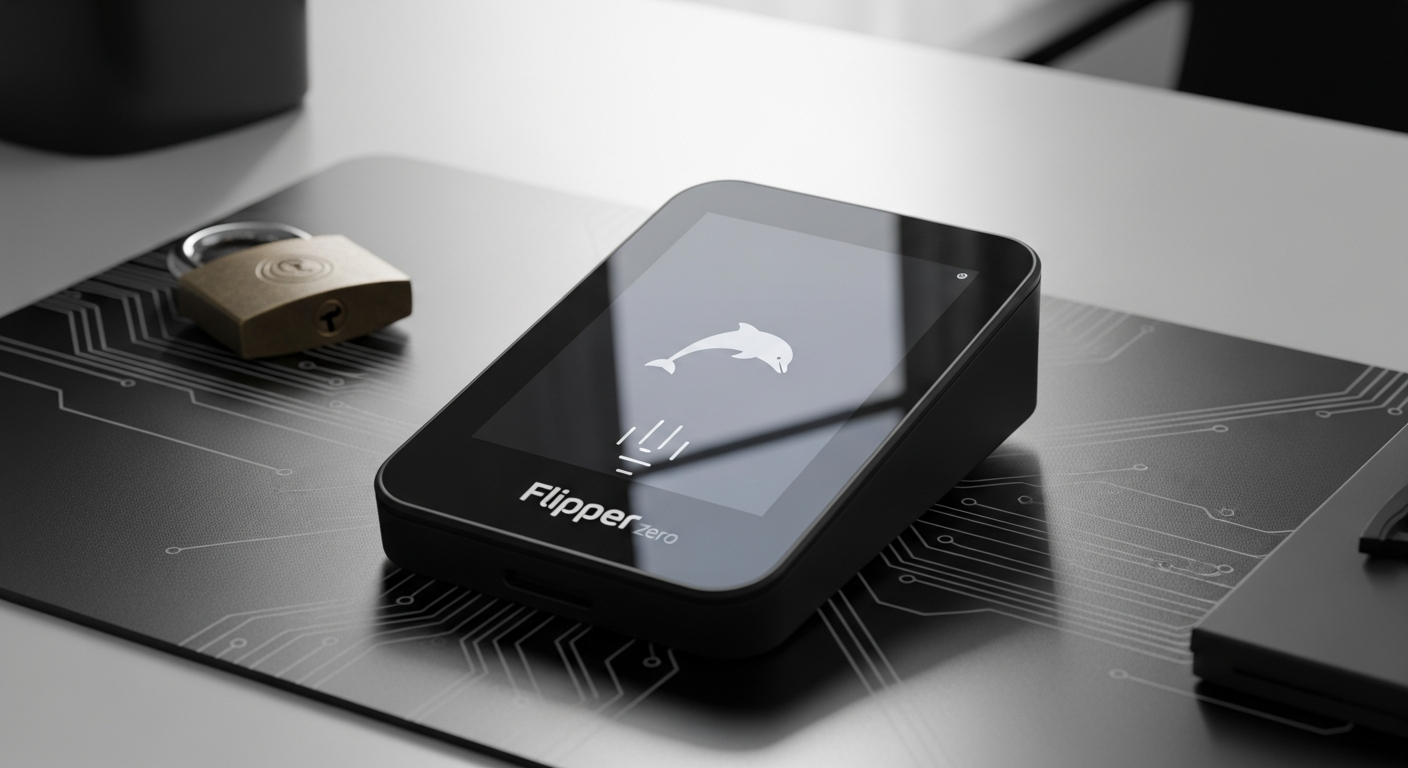
Over 500,000 Flipper Zero units have sold worldwide, yet most people still don’t understand what this pocket-sized device actually does. Walk into any cybersecurity forum, and you’ll find heated debates about legality, capability, and purpose—most of them missing the mark. The reality is far simpler: this compact multi-tool has become the gateway device for anyone genuinely curious about how access control systems, wireless protocols, and digital security actually function.
The Flipper Zero emerged as a breakthrough in making complex cybersecurity concepts tangible and accessible, bundling RFID reading, NFC emulation, infrared control, and radio frequency analysis into a single device. Rather than requiring separate expensive instruments for each task, this unified platform lets you explore multiple security domains from a single pocket-sized instrument.
Discover the Flipper Zero on Joom and start exploring wireless protocols today.
What Makes the Flipper Zero Different from Traditional Security Tools
The Flipper Zero occupies a space no other device quite fills. Traditional security exploration required either purchasing multiple specialized instruments or settling for software-only analysis that lacks real-world interaction. This device collapses that trade-off.
All-in-one hardware approach
Instead of maintaining separate RFID readers, NFC emulators, radio transceivers, and infrared controllers, the Flipper Zero consolidates these functions into a single instrument. You carry one device instead of a bag full of equipment, yet retain the ability to interact with dozens of different wireless protocols and access control systems.
Accessibility over complexity
Most security tools prioritize capability at the expense of usability. The Flipper Zero inverts this philosophy. Its gamified interface and pixel art design remove barriers to entry for beginners, while the open architecture maintains depth for experienced users who want to customize firmware or develop custom protocols.
Gamified learning experience
The virtual pet interface might seem gimmicky until you realize its psychological impact. A cute dolphin companion transforms what could be intimidating technical exploration into something genuinely engaging. Users spend more time with the device, learn faster, and retain information better because the experience feels less like work.
Open-source firmware ecosystem
The schematics and firmware code exist publicly on GitHub, creating an active community of developers continuously adding new protocols and features. This isn’t a static product that becomes obsolete—it’s a living platform that evolves based on community needs and innovations.
Portability factor
Weighing minimal grams and measuring just 100mm × 40mm × 25mm, the Flipper Zero fits in a pocket and runs for up to 28 days on a single charge. Field testing, conference demonstrations, and on-the-go exploration become practical rather than cumbersome.
Cost efficiency
Professional-grade RFID readers alone cost €300-€500. Add an NFC writer, RF analyzer, and infrared remote controller, and you’re easily looking at €1000+ in equipment. The Flipper Zero delivers comparable functionality for a fraction of that investment.
Decoding the Technical Specifications and Hardware Architecture
Understanding what the Flipper Zero can actually do requires knowing what’s inside.
Processor foundation
At the core sits a dual-core ARM STM32WB55 microcontroller with a 64 MHz Cortex-M4 core handling main processing and a 32 MHz Cortex-M0 core dedicated to Bluetooth Low Energy operations. This architecture balances performance with power efficiency, enabling extended battery life.
Memory capacity
The device includes 256 KB of RAM and 1 MB of Flash storage for firmware and captured data. This modest capacity means the Flipper Zero won’t store massive datasets, but it accommodates typical security research scenarios and educational exercises.
Display technology
A 128 × 64 pixel monochrome LCD with orange backlight provides readable output in various lighting conditions. The pixel art aesthetic isn’t just style—it’s a practical design choice that requires minimal power while remaining visible outdoors.
Battery performance
The 2100 mAh battery delivers approximately 28 days of standby usage. Active use—particularly with wireless transmission—drains the battery faster, but even regular users report multi-week usage between charges.
Physical dimensions
At roughly the size of a car key fob, the Flipper Zero achieves genuine portability without sacrificing functionality or usability.
Connectivity options
Bluetooth Low Energy enables wireless communication with compatible devices. GPIO pins and a 1-Wire iButton interface allow hardware expansion and custom integrations. The microSD card slot handles firmware updates and data management.
Radio capabilities
The Sub-1 GHz transceiver captures and replays wireless signals from garage doors, gates, and alarms. An infrared transceiver controls household electronics. RFID readers operate at 125 kHz while NFC functions across the 13.56 MHz band used by modern smart cards and smartphones.
RFID and NFC Functionality: Reading, Copying, and Emulation
The Flipper Zero’s ability to interact with access control cards represents one of its most powerful features and most misunderstood capabilities.
RFID protocol support
RFID cards operating at 125 kHz form the backbone of older access control systems used in offices, facilities, and residential buildings. The Flipper Zero reads these cards, stores their data, and can emulate the captured information to present itself as a legitimate credential.
NFC capabilities
Modern smart cards and smartphones use 13.56 MHz NFC (Near Field Communication). The Flipper Zero reads and interacts with these tags, enabling exploration of everything from transit cards to hotel key cards to smartphone-compatible access systems.
Real-world applications
Office access cards, parking permits, hotel key cards, and legacy door-entry systems all operate on principles the Flipper Zero can demonstrate. This makes it invaluable for security researchers studying physical access control and students learning how authentication systems work in practice.
Data capture process
Reading a card stores its information locally. Rather than erasing data, the Flipper Zero preserves it for analysis, comparison, and later replay when testing or demonstrating system vulnerabilities.
Emulation accuracy
When a system uses unencrypted or poorly encrypted identifiers, the Flipper Zero can present the captured data as if it were the original card. This demonstrates how insecure systems function and why upgrading to encrypted authentication matters.
Security implications
Understanding when RFID/NFC cloning has legitimate educational purposes versus representing misuse is essential. Learning how your office’s security works teaches valuable lessons. Cloning someone else’s card without permission crosses ethical and legal lines.
Limitations
Modern systems employ rolling codes that change with each use, rendering simple replay attacks ineffective. Advanced encryption-enabled cards resist cloning attempts. Not all RFID variants can be emulated, and many systems include protections against the exact techniques the Flipper Zero demonstrates.
Explore Flipper Zero bundles with cases and accessories on Joom for complete protection.
Radio Frequency and Infrared Control Capabilities
Beyond RFID and NFC, the Flipper Zero’s radio and infrared systems open entirely different domains of exploration.
Sub-1 GHz radio transceiver
Garage door openers, gate remotes, wireless alarm systems, and dozens of other devices operate on Sub-1 GHz frequencies. The Flipper Zero captures these signals, analyzes their characteristics, and can replay them to replicate the original device’s behavior.
Signal analysis tools
Rather than just capturing and replaying blindly, the device provides frequency scanning, modulation detection, and signal strength visualization. Users understand what they’re capturing, not just that they captured something.
Infrared universal remote functionality
Every TV, air conditioner, projector, and similar device responds to infrared commands. The Flipper Zero learns these signals and replicates them, functioning as a universal remote. This capability alone demonstrates fundamental RF principles in an immediately practical way.
Signal recording and playback
Captured sequences store locally and replay on demand. This enables testing without needing the original device and demonstrates signal patterns more clearly than watching one-off transmissions.
Practical use cases
Home automation testing, understanding wireless security protocols, and reverse-engineering device communication all become possible with RF/IR capabilities. These exercises teach networking fundamentals and security principles without requiring expensive specialized equipment.
Frequency limitations
The Flipper Zero operates within legal ISM (Industrial, Scientific, Medical) bands. It cannot transmit on cellular frequencies, licensed bands, or any protected spectrum. Its range varies by frequency and antenna design, typically 10-50 meters for RF transmission.
Educational Applications and Cybersecurity Learning Pathways
The Flipper Zero’s true value emerges in educational contexts where curiosity meets hands-on learning.
Hardware security fundamentals
Rather than studying access control systems theoretically, students hold one in their pocket. They see how RFID cards transmit data, understand why modern systems encrypt communications, and grasp why hardware security matters to overall system integrity.
Wireless protocol understanding
Radio transmissions, modulation types, frequency analysis, and signal transmission principles transform from abstract diagrams into observable phenomena. Capturing and analyzing actual signals teaches concepts that lecture slides never quite convey.
Penetration testing foundation
Professional penetration testers assess physical security by understanding how systems work. The Flipper Zero introduces these assessment methodologies in a controlled, legal, educational context before practitioners advance to enterprise tools and environments.
Reverse engineering basics
Capturing an unknown signal and analyzing its characteristics teaches fundamental reverse engineering skills. Users learn to identify patterns, understand communication protocols, and make inferences about device functionality from signal characteristics.
IoT security awareness
Smart home devices often use wireless protocols with minimal security. Exploring these systems with the Flipper Zero illustrates why IoT security remains problematic and what vulnerabilities plague connected devices.
Ethical hacking curriculum
Many cybersecurity programs now incorporate Flipper Zero for practical labs. Students perform legitimate security assessments on controlled systems, bridging the gap between theory and professional practice.
Self-directed learning
Extensive community resources, tutorials, and documentation support independent study. Users aren’t dependent on formal education to develop expertise—they can teach themselves through hands-on experimentation.
Pricing, Bundles, and Where to Buy Responsibly
The Flipper Zero’s accessibility extends to its price point, though market dynamics create variation.
Base unit cost
On Joom, the Flipper Zero typically ranges from approximately €190 to €200 for the base unit. This pricing proves competitive with many specialized single-purpose devices.
Bundle options
Various retailers offer bundles including WiFi Devboard expansions, silicone cases, screen protectors, or combinations thereof at varying price points. Bundle pricing sometimes offers savings compared to purchasing components separately.
Official vs. marketplace pricing
Direct purchases from official channels often cost less than third-party resellers. However, authorized retailers may offer competitive pricing alongside value-added services like warranty support or bundled accessories.
VAT and regional considerations
European prices typically include VAT (Value Added Tax), which inflates the displayed price. US pricing excludes sales tax at point of sale. Understanding your region’s tax treatment prevents sticker shock at checkout.
Price volatility factors
Supply chain fluctuations, currency exchange rates, and demand spikes create pricing variations. Monitoring multiple retailers helps identify genuine deals versus temporary price increases.
Authorized retailers
Legitimate sellers include official manufacturers, major electronics retailers, and established marketplaces. Counterfeit distributors exist, so verifying seller credentials protects against receiving defective units or devices with compromised firmware.
Warranty and support access
Purchasing from authorized sources ensures genuine product, proper documentation, and customer support access. Third-party sellers may offer no warranty or limited support.
Accessory ecosystem
Cases, screen protectors, additional devboards, and custom firmware all extend functionality and protection. Budget accordingly if accessories appeal to your use case.
Addressing Common Misconceptions and Legal Considerations
Few devices generate as much confusion regarding legality and ethics as the Flipper Zero. Clearing these misconceptions proves essential.
Ownership legality
The device is completely legal to own in most countries. No laws prohibit possession. Concern typically stems from media sensationalism rather than actual legal restrictions. Specific jurisdictions may regulate RF transmission, but ownership itself remains permitted.
User diversity
The user base spans cybersecurity education, penetration testing with authorization, IoT research, and hobbyist exploration. Framing it solely as a hacker tool ignores the vast majority of legitimate users.
Capability limitations
The Flipper Zero cannot hack anything. It cannot bypass security systems, crack passwords, or penetrate encrypted communications. It can interact with specific wireless protocols—that’s the extent of its capability. Understanding this distinction separates reality from hype.
Professional perspective
Experienced penetration testers recognize the Flipper Zero’s educational value while acknowledging its limitations. Enterprise security assessment often requires more powerful, specialized equipment for advanced analysis.
Widespread bans
Organizations may prohibit Flipper Zero use on their premises or networks—a policy choice rather than a legal prohibition. Responsible ownership respects these policies.
Responsible ownership
Using the device exclusively on systems you own or on systems where you have explicit written permission to test defines ethical operation. This single principle clarifies nearly all ethical questions.
Ethical framework
Learning how systems work and exploring security concepts responsibly differs fundamentally from using that knowledge to compromise systems without authorization. The Flipper Zero enables both—but ethical practitioners choose the former.
Regulatory landscape
Different countries regulate RF transmission and access control testing differently. Understanding your local regulations prevents inadvertent violations. Most restrictions affect transmission power and frequency bands rather than device ownership.
Open-Source Firmware and Customization Potential
The open-source philosophy underlying Flipper Zero creates possibilities beyond the official firmware’s built-in capabilities.
Source code availability
Electronic schematics and firmware code exist publicly on GitHub, enabling anyone to review, modify, and improve the platform. This transparency builds trust and enables community-driven innovation.
Community contributions
Active developers continuously add new protocols, features, and functionality. The community extends the platform’s capabilities far beyond what Flipper Devices released officially.
Custom firmware versions
Third-party builds offer extended capabilities beyond official releases. These custom versions introduce experimental features, additional protocols, and optimizations developed by community members.
Hardware limitations
While firmware remains open-source, complete printed circuit board (PCB) layout files stay proprietary. This prevents hardware reproduction and community-driven hardware improvements, though it doesn’t prevent firmware modifications.
Modification possibilities
GPIO pins and interface ports enable hardware expansion and custom integrations. Advanced users create specialized add-ons extending functionality for specific use cases.
Documentation resources
Extensive community wikis and developer guides support customization efforts. The barrier to entry for firmware modification remains manageable even for users without professional development experience.
Update process
Firmware updates require only a microSD card and the device itself—no special tools or technical expertise beyond basic file management. This democratizes access to new features and improvements.
Risks and benefits
Customization freedom and continuous improvement must balance against device stability concerns. Modified firmware might behave unexpectedly or compromise device reliability. Users weighing customization should understand these trade-offs.
Comparing Flipper Zero to Dedicated Security Tools
How does the Flipper Zero stack against specialized alternatives?
Versatility trade-off
One device doing many things adequately differs from specialized tools excelling at single tasks. The choice depends on whether versatility or depth matters more for your specific needs.
Professional penetration testing
Experienced practitioners often use Flipper Zero alongside more powerful, expensive equipment. It functions as part of a broader toolkit rather than a standalone solution for enterprise work.
Learning curve advantage
Dedicated enterprise security tools feature complexity that intimidates newcomers. The Flipper Zero’s user-friendly design enables faster initial learning and broader accessibility.
Cost comparison
Professional RFID readers (€300-€500), NFC writers (€200-€400), RF analyzers (€500-€2000), and infrared learning devices (€50-€200) add up quickly. The Flipper Zero delivers comparable functionality for a fraction of that investment.
Portability advantage
Carrying multiple specialized instruments in the field proves cumbersome. The Flipper Zero’s pocket size enables field testing and exploration without heavy equipment.
Feature depth limitations
Experienced security professionals may find Flipper Zero constraints in advanced analysis capabilities. Enterprise assessments sometimes require specialized instruments providing greater depth in specific domains.
Use case matching
The Flipper Zero proves ideal for education and hobbyist exploration. Enterprise assessments requiring comprehensive security audits may demand supplementary tools addressing specialized analysis needs.
Complementary tool status
The Flipper Zero works best as part of a broader security toolkit. Its versatility and accessibility create value when combined with specialized instruments rather than serving as a sole solution.
Real-World Use Cases Beyond the Hype
Actual Flipper Zero applications extend well beyond theoretical scenarios.
Security researcher exploration
Researchers document vulnerabilities in access control systems, producing findings that inform security improvements. The device enables practical exploration of real-world systems.
IoT device analysis
Understanding how smart home devices communicate reveals security patterns and potential vulnerabilities. Researchers use Flipper Zero to analyze these patterns without proprietary development kits.
Garage door and gate security
Remote controls for automated barriers often employ basic security. Exploring these systems with Flipper Zero illustrates why upgrading to more sophisticated authentication matters.
Conference and workshop demonstrations
Cybersecurity events worldwide feature Flipper Zero demonstrations showing practical security concepts in real time. These demos make abstract principles tangible for attendees.
University lab environments
Structured educational settings provide hands-on learning opportunities under guidance. Students perform legitimate security assessments on controlled systems matching course objectives.
Hobbyist RF exploration
Frequency scanning, signal analysis, and legitimate exploration of wireless systems appeal to RF enthusiasts curious about wireless communication fundamentals.
Home automation tinkering
Reverse-engineering household devices and controlling them through the Flipper Zero satisfies curiosity while teaching wireless communication principles.
Ethical penetration testing
Professional testers with proper authorization test physical security implementations, using Flipper Zero as part of comprehensive security assessments.
Pros and Advantages That Drive Adoption
Understanding why 500,000+ users chose the Flipper Zero means recognizing its genuine strengths.
Exceptional versatility
Eliminating the need for separate RFID readers, NFC writers, RF analyzers, and infrared controllers represents enormous practical value. One device handles multiple domains instead of maintaining specialized equipment for each.
Remarkable educational value
Transforming abstract security concepts into tangible, interactive learning accelerates understanding. Students grasp principles faster through hands-on exploration than through passive study.
Genuine accessibility
The gamified interface welcomes beginners while satisfying experienced users through customization options and open-source architecture. Few devices bridge this gap as effectively.
Strong community ecosystem
Active forums, comprehensive tutorials, and shared knowledge accelerate learning and problem-solving. Users support each other, creating an environment that welcomes newcomers.
True portability
Pocket-sized form factor enables field testing and on-the-go exploration impossible with larger equipment. The device goes wherever you go without burden.
Firmware flexibility
Open-source codebase allows customization and extended functionality. Users aren’t locked into official features but can participate in platform evolution.
Engaging user experience
The pixel art dolphin companion and playful interface make security learning feel less intimidating. Users spend more time with the device and develop expertise faster because engagement drives learning.
Continuous development
Regular updates and community contributions keep the platform fresh and capable. The Flipper Zero becomes more powerful over time without requiring hardware replacement.
Limitations and Honest Drawbacks to Consider
Acknowledging weaknesses matters as much as celebrating strengths.
Hardware reproduction barriers
Proprietary PCB design prevents community-driven hardware improvements and reproduction. Users cannot customize the physical device, limiting hardware-level modifications.
Perception challenges
Ongoing misconceptions about legality and purpose generate social friction. Some individuals remain convinced the device is inherently malicious despite evidence to the contrary.
Professional capability gaps
Advanced penetration testers often outgrow Flipper Zero functionality for specialized tasks requiring greater analysis depth or more sophisticated capabilities.
Encryption resistance
Modern systems with rolling codes and advanced encryption resist cloning attempts. The device demonstrates vulnerabilities in older systems but has limited impact against contemporary security.
Marketplace pricing inconsistencies
Third-party sellers sometimes charge significantly more than official channels. Price variation creates opportunities for informed buyers but disadvantages those without market research.
Regional availability constraints
Supply and import restrictions affect accessibility in certain markets. Some regions face extended lead times or limited inventory.
Learning curve for advanced features
Despite the beginner-friendly interface, advanced capabilities require external study. Unlocking the device’s full potential demands investment in learning beyond the intuitive basics.
Battery optimization trade-offs
The 28-day standby time decreases significantly with active use. Heavy users may find battery life insufficient for extended field sessions without recharging.
Taking Your First Steps with Flipper Zero
New users often wonder where to begin after unboxing their device.
Unboxing and setup
Initial setup involves charging the battery, installing firmware (if needed), and configuring basic settings. Most users complete setup within minutes and immediately begin exploring.
Interface navigation
The menu system responds to directional buttons and a central select button. Learning the interface takes minimal time, and the pixel art design makes navigation intuitive rather than overwhelming.
First capture exercises
Safe, legal first experiments might include reading your own RFID badge, analyzing household infrared remotes, or capturing and replaying RF signals from devices you own. These exercises build confidence and understanding without ethical concerns.
Community resources
Tutorials, forums, and learning materials from other users provide guidance for specific interests. The community actively helps newcomers get oriented.
Safety practices
Operating within legal boundaries and ethical guidelines ensures positive experiences. Understanding these principles from the start prevents missteps that generate regret.
Firmware updates
Installing the latest firmware updates via microSD card brings new features and improvements. Updates remain straightforward and require minimal technical expertise.
Accessory recommendations
A protective case, screen protector, and possibly a WiFi Devboard enhance the experience. Accessories become worthwhile after determining whether the core device matches your interests.
Troubleshooting basics
Common issues typically involve firmware compatibility or configuration problems rather than hardware defects. Community resources address standard challenges efficiently.
Bringing It All Together: Your Flipper Zero Journey Starts Here
The Flipper Zero represents something genuinely different in the security tool landscape—it democratizes access to knowledge that previously required expensive, specialized equipment. Whether you’re a cybersecurity student building foundational knowledge, a hobbyist curious about wireless protocols, or a professional looking for a portable learning platform, the Flipper Zero occupies a unique niche.
Its combination of versatility, affordability, and community support makes it genuinely compelling. The open-source firmware ensures the platform evolves, and the gamified interface ensures learning stays engaging rather than intimidating. You’re not struggling through dense technical documentation or navigating complex menus—you’re exploring security concepts through a device that makes the process feel playful.
The decision to purchase comes down to your specific goals. Are you exploring security concepts for education? Absolutely consider it. Do you need advanced penetration testing capabilities for enterprise work? You’ll likely want supplementary tools. Either way, understanding what this device actually does—and doesn’t do—positions you to make an informed choice.
The Flipper Zero’s popularity isn’t hype; it’s the natural result of solving a real problem: making cybersecurity exploration accessible to anyone genuinely curious about how digital systems work. Whether you become a casual user satisfying idle curiosity or a dedicated practitioner building serious expertise, the foundation remains the same—a tool designed for learning, not for harm.
Leave a Reply