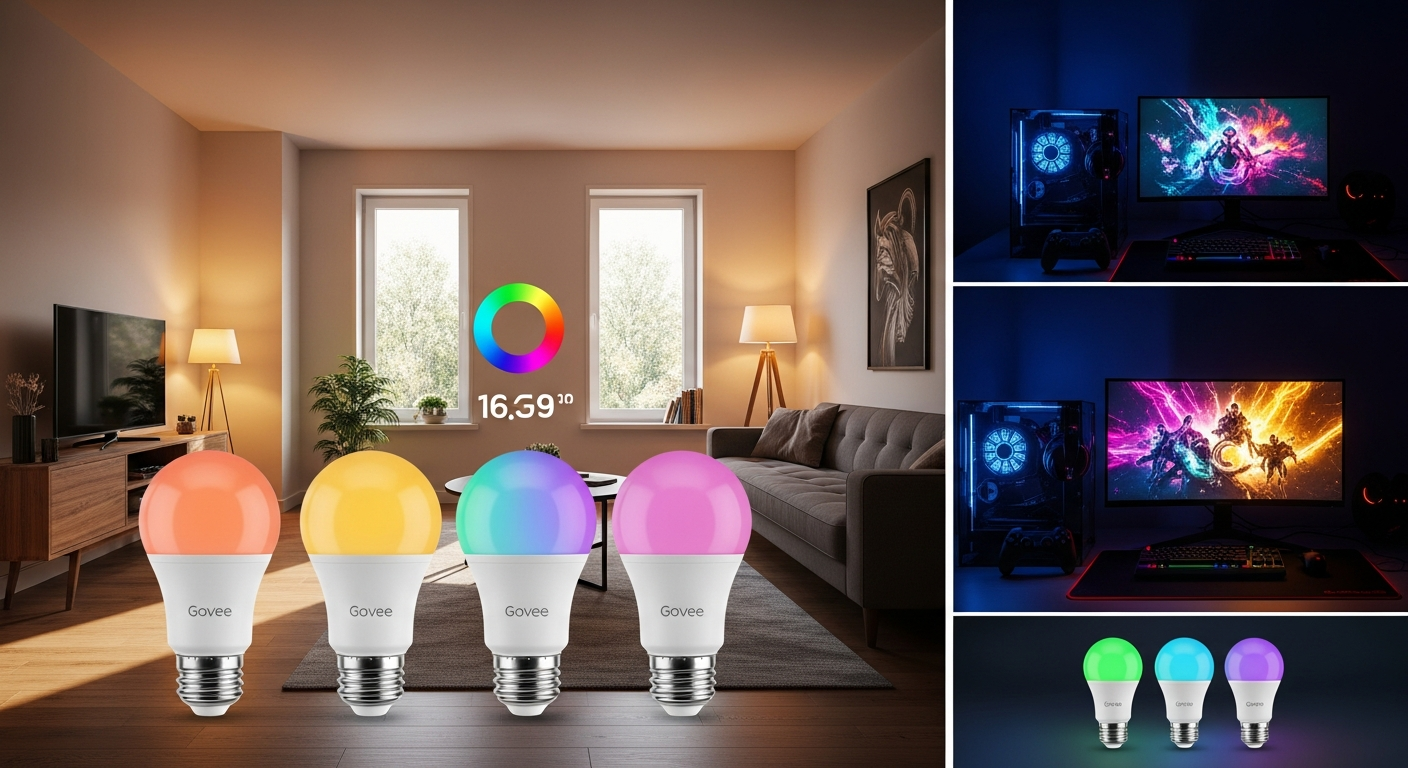
Gaming and music streaming have exploded—and now, 21,000+ gamers and music enthusiasts are transforming their spaces every month with smart lighting that actually responds to their content. The difference between a standard room and an immersive entertainment zone is often just four bulbs. The Govee Smart Light Bulbs 4-Pack have become the go-to choice for anyone serious about creating dynamic, mood-responsive environments.
Unlike traditional smart bulbs that sit passively in your fixtures, these RGBIC bulbs actively sync with your gaming sessions, music playback, and streaming content. At $25.99 to $30.90 per pack, they've cracked the code on making premium smart lighting accessible to everyday consumers.
Discover how Govee Smart Light Bulbs can amplify your entertainment experience.
Throughout this guide, you'll see exactly how these bulbs amplify entertainment experiences, break down their music sync capabilities, explore gaming-specific applications, and reveal setup strategies that maximize their potential. You'll discover why content creators and casual gamers alike are making this their first smart home investment.
Music Sync Technology: Lights That Dance to Your Beat
How RGBIC technology enables real-time audio reactivity
RGBIC technology represents a significant leap forward in smart lighting. Unlike older RGB systems that color the entire bulb uniformly, RGBIC allows different segments within each bulb to display different colors simultaneously. This sophisticated approach enables the lights to respond with remarkable precision to audio frequencies, creating a genuinely synchronized experience between your music and your environment.
When you're listening to bass-heavy tracks, the bulbs shift toward deep reds and purples. Treble-rich moments trigger brighter, cooler tones. This isn't a simple on-off effect—it's a continuous, flowing response that mirrors the actual composition of what you're hearing.
Setting up music sync through the Govee Home App
The Govee Home App makes audio reactivity surprisingly straightforward. After pairing your bulbs via Wi-Fi or Bluetooth, navigate to the Music section within the app. You'll see an option to enable music sync, which activates your device's microphone to detect ambient sound in your room.
The app provides immediate visual feedback as it calibrates to your space's acoustics. Most users report getting optimal results within seconds of enabling the feature. The microphone sensitivity adjusts automatically based on your room's size and ambient noise levels.
Compatible music platforms and streaming services
Music sync works with any audio source in your physical space, which means compatibility extends far beyond specific platforms. Whether you're streaming from Spotify, Apple Music, YouTube Music, or playing vinyl records, the bulbs respond to the actual sound waves in your room rather than data feeds from streaming services.
This universal approach gives you complete freedom to enjoy content from your preferred platform without worrying about compatibility issues. Gaming soundtracks, podcasts, live performances—anything with audio triggers the reactive lighting.
Customizing sync sensitivity and response patterns
The Govee Home App includes granular controls for fine-tuning your music sync experience. Sensitivity sliders let you adjust how aggressively the bulbs respond to quieter versus louder passages. If you prefer subtle lighting changes, dial down the sensitivity. For dramatic, immediate reactions, crank it up.
Response pattern options include beat-tracking mode, which locks lighting changes to the rhythm, and frequency mode, which reacts to different audio ranges independently. Experimenting with these settings reveals which patterns best match your listening style.
Best genres and audio types for dynamic lighting effects
Electronic music produces exceptional results with music sync because of its distinct, consistent beats and clearly separated frequency ranges. House, techno, and drum-and-bass genres showcase the bulbs' capabilities particularly well.
Hip-hop and pop tracks with pronounced bass lines create satisfying, rhythmic lighting shifts. Even classical music produces elegant, flowing responses when synced properly. The key is that any audio with clear dynamic range—transitions between quiet and loud sections—generates more noticeable visual effects.
Creating preset profiles for different music moods
Your Govee Home App lets you save custom music sync profiles based on your preferences. Create one profile optimized for background ambient music during work sessions, another tuned for active listening parties, and a third configured for gaming soundtracks.
Each profile remembers your preferred sensitivity levels, response patterns, and color palettes. Switching between them takes a single tap, adapting your lighting instantly to match the activity.
Troubleshooting audio detection issues
If the bulbs aren't responding to your music, first verify that microphone permissions are enabled for the Govee Home App in your device settings. Clear obstructions between your phone and the room's audio source—walls and closed doors can interfere with microphone pickup.
Try reducing ambient background noise by closing windows or pausing nearby devices. If problems persist, toggle the music sync feature off and on again to reinitialize the audio detection calibration.
Gaming Setup Optimization: Competitive and Casual Advantages
Reducing eye strain during extended gaming marathons
Long gaming sessions strain your eyes, particularly in dark rooms with bright screens. The Govee Smart Light Bulbs provide ambient illumination that reduces the contrast between your monitor and surroundings, dramatically decreasing eye fatigue over hours of play.
Set the bulbs to a soft, cool white light at moderate brightness (around 40-60% intensity) during extended sessions. This creates a balanced lighting environment that complements monitor glow rather than competing with it. The dimmable nature of these bulbs means you can adjust brightness on the fly without reaching for switches.
Syncing lights with in-game events and color palettes
Many modern games feature prominent color schemes—from the blue and orange of sci-fi interfaces to the green terminals of hacking sequences. The Govee bulbs' 16 million color options allow you to manually match your room's lighting to these in-game environments, creating genuine immersion.
For action sequences, shift to warmer reds and oranges. Stealth sections benefit from cooler blues and greens. Story-driven moments work beautifully with softer, warmer white tones. The app's quick scene-switching capability means adjusting your lighting during gameplay involves only a glance at your phone.
Preset scenes designed for FPS, RPG, and strategy games
Govee has developed lighting presets specifically calibrated for different gaming genres. FPS profiles emphasize alertness with bright, cool-toned lighting. RPG scenes provide immersive, atmospheric color palettes that shift based on your game's environment. Strategy game presets use subtle, focused lighting that minimizes distractions.
These preset profiles serve as starting points that you can further customize to match your specific game preferences. Save your refined versions for instant access during future sessions.
Brightness settings (1000 lumens) for monitor glare reduction
At 1000 lumens (equivalent to a 75W incandescent bulb), these bulbs deliver substantial brightness when needed. During daytime gaming or when you want to match a bright in-game environment, crank them up to full intensity. For evening sessions, dimming to 30-40% provides sufficient ambient light without creating monitor glare.
The full dimmability range (0-100%) gives you precise control over brightness levels suited to any lighting scenario.
Voice control integration for hands-free lighting adjustments mid-game
Imagine adjusting your lighting without pausing or touching your phone—voice commands through Alexa or Google Assistant make this possible. Simple phrases like "Alexa, brighten my gaming lights" or "Hey Google, set my lights to cool blue" execute instantly.
This hands-free control proves invaluable during competitive matches where a moment's distraction costs your match. Voice commands also enable quick scene switches without breaking immersion.
Creating immersive environments for streaming and content creation
Content creators benefit tremendously from the Govee bulbs' reliable, customizable lighting. The consistent 1000-lumen output ensures on-camera brightness remains stable across multiple streams or recording sessions. The ability to save custom lighting scenes means your production setup looks identical from stream to stream, building visual consistency in your brand.
Music sync capabilities add dynamic visual elements to gameplay footage or music production streams, keeping viewers engaged with more than just the core content.
Multi-room lighting coordination for larger gaming spaces
For larger setups spanning multiple rooms, multiple 4-packs can be coordinated through a single Govee Home App account. Create zones for your main gaming space, streaming area, and support rooms, then synchronize lighting across them for cohesive environmental control.
All zones can respond to music simultaneously, creating an immersive experience that extends throughout your entire entertainment space.
Explore the full potential of Govee Smart Light Bulbs for your gaming setup.
Color Customization and Scene Creation for Entertainment
Exploring 16 million color options through the app interface
The Govee Home App's color picker interface provides intuitive access to all 16 million available colors. The wheel-based picker lets you select hue and saturation visually, while brightness sliders fine-tune intensity. For precise color codes, the app accepts hex values if you prefer technical specification.
Create custom colors for specific activities—a particular shade of purple for movie nights, a warm amber for music listening sessions, a cool blue for focus-intensive gaming. The app remembers your favorites, making them accessible with a single tap.
Pre-loaded entertainment and party-themed scenes
Govee includes dozens of preset scenes optimized for common entertainment scenarios. Movie night scenes provide warm, cinematic lighting. Party presets include animated color cycles and synchronized pulsing effects. Relaxation scenes feature gentle, transitional color changes designed to promote calm.
These presets provide immediate gratification while you're learning the system, though most users quickly develop their own preferred custom scenes.
Building custom scenes matched to specific moods or activities
Beyond color selection, custom scenes capture your entire lighting setup—colors, brightness, animation effects, and transitions. Build a scene for focused work that uses cool white light at 70% brightness. Create another for social gatherings that cycles through vibrant party colors at maximum intensity.
Save these scenes with descriptive names like "Movie Night," "Study Session," or "Gaming Marathon" for instant recall during busy moments.
White light temperature adjustments for different times of day
The bulbs offer adjustable white temperatures ranging from warm (3000K, resembling traditional incandescent warmth) through daylight (5000K) to cool blue-white (6500K). Use warm white in evenings to support your body's natural circadian rhythms. Shift to cooler white during daytime use or focused work sessions.
This temperature flexibility proves particularly valuable for content creators, where consistent color temperature ensures footage looks professional across different recording times.
Scheduling lighting changes during movie marathons or streaming sessions
The scheduling feature automates your lighting without requiring active management. Schedule the bulbs to dim gradually as you begin a movie, then brighten again when you're ready for the credits.
For content creators, schedule lighting adjustments between stream segments or recording sessions, ensuring consistent visual presentation without manual intervention.
Saving and organizing favorite color combinations
Your custom scenes library grows as you refine your preferences. The app organizes scenes into categories, making your most-used combinations instantly accessible. Frequently used scenes can be pinned to your home screen for one-tap activation.
This organizational structure becomes valuable as your entertainment setup evolves, allowing you to maintain dozens of custom scenes without losing track.
Sharing custom scenes with friends and community
Govee's community features let you browse custom scenes created by other users and share your own designs. If you develop a particularly effective lighting profile for a specific game or music genre, share it with thousands of potential users.
Community recommendations expose you to creative approaches you might not have considered, continuously expanding your possibilities.
Voice Control and Smart Home Integration
Amazon Alexa voice command capabilities
After enabling the Govee skill in your Alexa app and linking your Govee account, your bulbs respond to simple voice commands. "Alexa, turn on my lights" activates all paired bulbs. "Alexa, set my lights to red" shifts them to your preferred shade of red. "Alexa, brighten" increases brightness incrementally.
The Alexa integration proves particularly valuable during gaming when your hands remain on your controller and quick lighting adjustments enhance immersion without interrupting gameplay.
Google Assistant compatibility and hands-free control
Google Assistant support provides identical functionality through Google Home devices. The voice command structure mirrors Alexa's approach, minimizing the learning curve if you use both systems.
Google Assistant's natural language processing sometimes interprets complex commands more flexibly than Alexa, offering slightly more conversational control.
Creating voice-activated lighting routines
Beyond simple on-off commands, both Alexa and Google Assistant support routines that execute multiple actions simultaneously. Create an "Entertainment Time" routine that dims your lights to 50%, sets them to a specific color, activates your gaming console, and locks your door.
These routines reduce setup friction, transforming your entertainment space with a single voice command.
Integrating with existing smart home ecosystems
The Govee bulbs work alongside other smart home devices—thermostats, security systems, entertainment centers—through your chosen voice assistant. This ecosystem integration enables sophisticated automation where lighting coordinates with other home functions.
For instance, create a routine where sunset triggers mood lighting that transitions into entertainment mode if your gaming console powers on.
Multi-device control across rooms and zones
If you've installed multiple 4-packs across different rooms, voice commands can target specific zones or control everything simultaneously. "Alexa, set my bedroom lights to blue" activates only bedroom bulbs, while "Alexa, brighten all my entertainment lights" affects multiple rooms at once.
This granular control requires consistent naming conventions in your app setup, but provides powerful multi-space management once organized.
Voice commands for quick scene switching during entertainment
After saving custom scenes with descriptive names, activate them instantly through voice. "Alexa, activate my movie night scene" applies all your pre-configured lighting preferences without manual adjustment. During gaming, "Google, switch to my FPS gaming lights" instantly adapts your environment to competitive gaming specifications.
This scene-based approach proves faster and more reliable than individual color commands for complex lighting setups.
Automation possibilities for entertainment-focused routines
Combine voice control with scheduling to create sophisticated entertainment routines. Set your lights to automatically shift to gaming mode at your typical play time, or transition to movie night settings when your streaming service detects active playback.
These automations transform your entertainment space to match your activities without requiring active management.
Installation and Compatibility Across Entertainment Spaces
Standard E26 socket compatibility with existing fixtures
The Govee Smart Light Bulbs use standard E26 sockets, meaning they fit any fixture designed for traditional light bulbs. You don't need special adapters or new fixtures—simply unscrew your existing bulbs and screw in the Govee replacements.
This universal compatibility removes installation barriers, allowing you to upgrade your entertainment space with minimal effort.
Quick setup process for bedrooms, living rooms, and gaming spaces
Installation begins with powering on your Govee bulbs (they automatically enter pairing mode), then opening the Govee Home App and selecting "Add Device." The app guides you through connecting via Wi-Fi or Bluetooth within minutes. Most users complete the entire setup process in under five minutes per bulb.
Subsequent bulbs pair faster since the app remembers your network credentials, with the second, third, and fourth bulbs typically pairing in under a minute each.
Wi-Fi and Bluetooth connectivity options explained
Wi-Fi connectivity provides the most reliable, long-range connection, particularly important for multi-room setups where bulbs are distant from your phone. Wi-Fi-connected bulbs maintain stable connections even when you leave the room, enabling remote control from anywhere with internet access.
Bluetooth offers a direct connection option that requires no network setup and consumes minimal device battery compared to Wi-Fi. For close-range control in a single room, Bluetooth suffices. For reliable entertainment space control, Wi-Fi proves more dependable.
The Govee bulbs support both simultaneously, automatically switching between them based on range and stability.
Recommended placement for optimal music sync performance
For accurate music sync, place bulbs where they receive clear line-of-sight to your primary audio source. Avoid positioning them directly behind thick obstacles that might muffle sound. In a gaming setup, having at least one bulb in unobstructed view of your speakers or room center optimizes audio detection.
In multi-room setups, primary entertainment space bulbs should have the clearest sound access, while secondary spaces can rely on Wi-Fi synchronization if audio detection proves inconsistent.
Ceiling fixture versus lamp considerations
Both ceiling-mounted and lamp-based placements work effectively, though ceiling fixtures tend to distribute light more evenly throughout your entertainment space. Ceiling placement also positions the bulb's microphone in a more central location, improving music sync accuracy.
Lamp placements offer flexibility to adjust positioning based on immediate needs and provide more directional light control if that suits your aesthetic preferences.
Compatibility with dimmer switches and smart home hubs
Standard dimmers designed for LED bulbs work with Govee bulbs, though dimming through the physical switch bypasses the app's intelligent controls. For optimal functionality, leave your physical switch in the on position and control brightness exclusively through the app or voice commands.
The bulbs work with popular smart home hubs including Amazon Echo hubs and Google Home, though these hubs aren't required for basic functionality—Wi-Fi connectivity suffices.
Potential Wi-Fi connectivity solutions and best practices
If you experience Wi-Fi connectivity issues, first ensure your bulbs are within reasonable range of your router (typically 30-50 feet for standard Wi-Fi). Move your router closer to your entertainment space if possible, or consider a Wi-Fi extender for larger homes.
Separate your 2.4GHz and 5GHz networks if your router broadcasts both on the same SSID, then connect your Govee bulbs specifically to the 2.4GHz band, which provides better range and stability for IoT devices. This technical adjustment resolves connectivity issues for many users.
Energy Efficiency and Long-Term Value for Content Creators
LED technology benefits compared to traditional incandescent bulbs
LED bulbs consume approximately 75% less energy than equivalent incandescent bulbs while producing identical or superior brightness. These Govee bulbs, rated at 1000 lumens (75W equivalent), actually consume only around 10-12 watts—a dramatic efficiency advantage.
For entertainment spaces running lights for extended periods—gaming marathons, streaming sessions, music production—this energy reduction accumulates substantial cost savings over time.
50,000-hour lifespan and cost-per-use calculations
With a 50,000-hour rated lifespan, these bulbs last approximately 5.7 years of continuous use or 11-14 years of typical 4-hour daily use. At $7.50 per bulb in a 4-pack ($30 total), your cost per bulb amounts to roughly $0.0006 per hour of use.
Even with premium pricing compared to basic bulbs, the longevity and feature set make smart bulbs economical for entertainment-focused spaces where you'll appreciate their capabilities.
Dimmability (0-100%) for energy savings
Unlike fixed-brightness bulbs, these Govee bulbs can dim to near-zero output, consuming minimal power during hours when you don't require full brightness. Running at 30% brightness consumes roughly 30% of the energy compared to full brightness, providing significant savings on evenings when you're watching movies or playing games.
Creating dimming schedules that progressively lower brightness throughout the evening further optimizes energy consumption while maintaining adequate lighting.
Reduced heat output compared to traditional lighting
Incandescent bulbs waste approximately 90% of their energy as heat, contributing to room temperature elevation and HVAC strain. LED bulbs produce minimal heat, keeping your entertainment space cooler and reducing air conditioning demands during summer gaming sessions.
This thermal advantage proves particularly significant for streaming setup creators running multiple lights simultaneously for hours daily.
Monthly energy cost comparisons
For a typical gamer running four traditional incandescent 75W bulbs for five hours daily, monthly energy consumption totals 55 kilowatt-hours. At average US residential rates ($0.14/kWh), this costs approximately $7.70 monthly.
Using Govee LED bulbs at 12W each for identical usage reduces monthly consumption to 14.4 kilowatt-hours, costing merely $2.02. Over one year, this single switch saves approximately $69—nearly the cost of an additional 4-pack.
ROI for content creators using professional-grade lighting
Content creators benefit from more than just energy savings. Consistent, customizable lighting ensures professional-looking footage across multiple streams or recording sessions, potentially attracting additional viewers and supporters. The music sync capabilities add engaging visual elements that distinguish your productions from competitors.
For creators already investing in microphones, cameras, and editing software, the cost-per-content ROI becomes substantially positive compared to amateur setups using inconsistent or inadequate lighting.
Sustainability benefits of smart LED technology
LED technology reduces your entertainment space's carbon footprint substantially. Using one-sixth the energy of incandescent bulbs means proportionally less electricity drawn from the grid, translating directly to reduced fossil fuel consumption and emissions.
For environmentally conscious gamers and content creators, smart LED adoption aligns their entertainment habits with sustainability values.
Real-World Performance: What Entertainment Enthusiasts Actually Experience
Brightness performance (75W equivalent) in various room sizes
In small bedrooms (100-150 sq ft) or gaming nooks, a single 4-pack of Govee bulbs provides ample brightness at full intensity. For medium-sized living rooms (200-300 sq ft), a single 4-pack creates good ambient lighting, though you might prefer installing additional bulbs in supplementary fixtures for even distribution.
Large entertainment rooms (400+ sq ft) typically benefit from multiple 4-packs strategically placed in different fixtures to ensure consistent brightness throughout the space.
Color accuracy and vibrancy in different lighting conditions
Users consistently praise the color accuracy and vibrancy of Govee bulbs. Reds appear genuinely saturated, blues maintain crispness, and whites provide neutral, clean illumination. This accuracy proves particularly important for content creators whose footage colors must match actual room lighting.
The 16 million color palette ensures subtle gradations between similar hues, supporting sophisticated lighting designs that might look muddy on cheaper smart bulbs with lower color depth.
Reliability during extended use and continuous operation
Entertainment enthusiasts running these bulbs for 6-8 hour gaming sessions or streaming marathons report excellent reliability. The bulbs maintain consistent brightness and color output throughout extended use periods, with no dimming or color shift that might indicate degradation.
The 50,000-hour lifespan rating appears realistic based on user reports, with few failures within the first 1-2 years of heavy use.
User experiences from gamers and music producers
Gaming communities highlight the music sync feature as genuinely transformative for entertainment immersion. Music producers appreciate the reliable, customizable lighting for streaming productions and late-night creative sessions. Both groups emphasize ease of setup and intuitive app functionality.
Common praise centers on value—users consistently note that the feature set and performance exceed expectations at the $25-30 price point.
Common challenges and practical workarounds
The occasional Wi-Fi connectivity issue appears in user reports, typically resolved through the network separation solutions mentioned in installation guidance. Some users initially struggle with music sync calibration, though app improvements and community tutorials have minimized this friction.
A small percentage of users report bulbs requiring occasional app restarts to fully respond, a minor inconvenience most attribute to Wi-Fi stability rather than bulb defects.
Durability and build quality assessment
The bulbs themselves feel solid and well-constructed, with no reports of premature failure or physical degradation under typical use. The plastic and LED components appear to withstand gaming room vibrations, accidental impacts, and continuous operation without issue.
Comparative durability assessments favor Govee against budget competitors while acknowledging that premium brands command slightly higher reliability ratings—though the price differential doesn't justify the marginal durability improvement for most entertainment applications.
Comparison to competing entertainment-focused smart bulbs
Against LIFX bulbs, Govee offers superior music sync and lower pricing, though LIFX provides slightly more advanced color accuracy for professional applications. Compared to Philips Hue, Govee delivers equivalent color customization at substantially lower cost, though Hue's ecosystem integration proves more sophisticated for complex smart homes.
For entertainment-focused applications where music sync and gaming responsiveness matter most, Govee's value proposition outperforms competitors at comparable price points.
Maximizing Your Investment: Pro Tips and Strategies
Layering multiple 4-packs for larger entertainment zones
Strategic placement of multiple 4-packs throughout your entertainment space creates immersive, evenly-lit environments. Place bulbs in ceiling fixtures, table lamps, and wall-mounted sconces, then group them into logical zones within the Govee Home App.
This layered approach distributes illumination evenly while maintaining individual zone control for sophisticated lighting designs.
Combining music sync with voice control for ultimate convenience
Use voice commands to activate custom scenes quickly, then let music sync add dynamic visual responsiveness. During a gaming session, say "Alexa, activate my gaming lights," then let the bulbs respond musically to your game's soundtrack without further intervention.
This hybrid approach minimizes manual adjustments while maximizing immersive environmental responsiveness.
Scheduling lighting changes around your entertainment routine
If you maintain consistent entertainment schedules, create automations that prepare your space automatically. Schedule lights to dim and shift to gaming colors at your typical play time, or transition to movie mode when your streaming service becomes active.
These automations eliminate setup friction, transforming your entertainment experience from a deliberate choice into an environmental constant.
Using scenes to enhance different content types (movies, gaming, music)
Develop distinct scenes optimized for different entertainment. Movie night scenes emphasize warm, subtle lighting that complements on-screen colors. Gaming scenes favor cool, bright tones that reduce eye strain during competitive play. Music listening scenes maximize color responsiveness to audio frequencies.
Switching between these tailored scenes transforms your space's character to match your activity, deepening entertainment immersion.
Backup connectivity options if Wi-Fi experiences disruptions
Maintain Bluetooth connectivity as backup for primary entertainment space bulbs, allowing continued control even if your Wi-Fi network experiences disruption. Most entertainment sessions don't require remote access, making Bluetooth's limited range acceptable during these critical periods.
This redundancy ensures entertainment interruptions never stem from connectivity issues—you maintain control regardless of network status.
Regular app updates and feature optimization
Govee regularly releases app updates introducing new features, improving music sync calibration, and addressing stability issues. Check for updates monthly and apply them promptly to ensure your bulbs benefit from the latest optimizations.
These iterative improvements often resolve issues users encountered with earlier versions, continuously improving your experience over time.
Community resources and advanced customization tutorials
Govee's community forums and YouTube tutorial libraries contain advanced customization approaches beyond basic app features. Users share creative scene designs, discuss optimization techniques, and provide troubleshooting guidance.
Investing time in community exploration often reveals possibilities you wouldn't discover independently, deepening your appreciation for your investment.
Transform Your Entertainment Space Today
The Govee Smart Light Bulbs 4-Pack represent far more than just convenient lighting—they're a gateway to genuinely immersive entertainment experiences. Whether you're grinding through competitive matches, producing content, or simply elevating your music listening sessions, these bulbs deliver the color depth, responsiveness, and reliability that enthusiasts demand. The combination of music sync technology, voice integration, and 16 million color possibilities means your entertainment space finally matches the energy of your content.
At under $30 for four bulbs, the value proposition becomes almost impossible to ignore. You're not merely purchasing lighting fixtures; you're investing in tools that transform ordinary rooms into dynamic entertainment environments. For content creators, the professional-grade customization and reliable performance justify the investment through improved production quality alone. For gamers, the eye-strain reduction and immersive responsiveness enhance comfort and enjoyment across extended sessions.
The real power emerges once you move beyond basic color changes and discover how music sync responds to your gaming soundtracks, how voice commands eliminate setup friction, and how custom scenes instantly transform your space to match whatever activity you're pursuing. You'll find yourself experimenting with different color combinations, discovering which lighting styles enhance specific games or music genres, and building a personalized entertainment environment that no standard bulbs could ever provide.
Start transforming your entertainment space with Govee Smart Light Bulbs today.
Leave a Reply