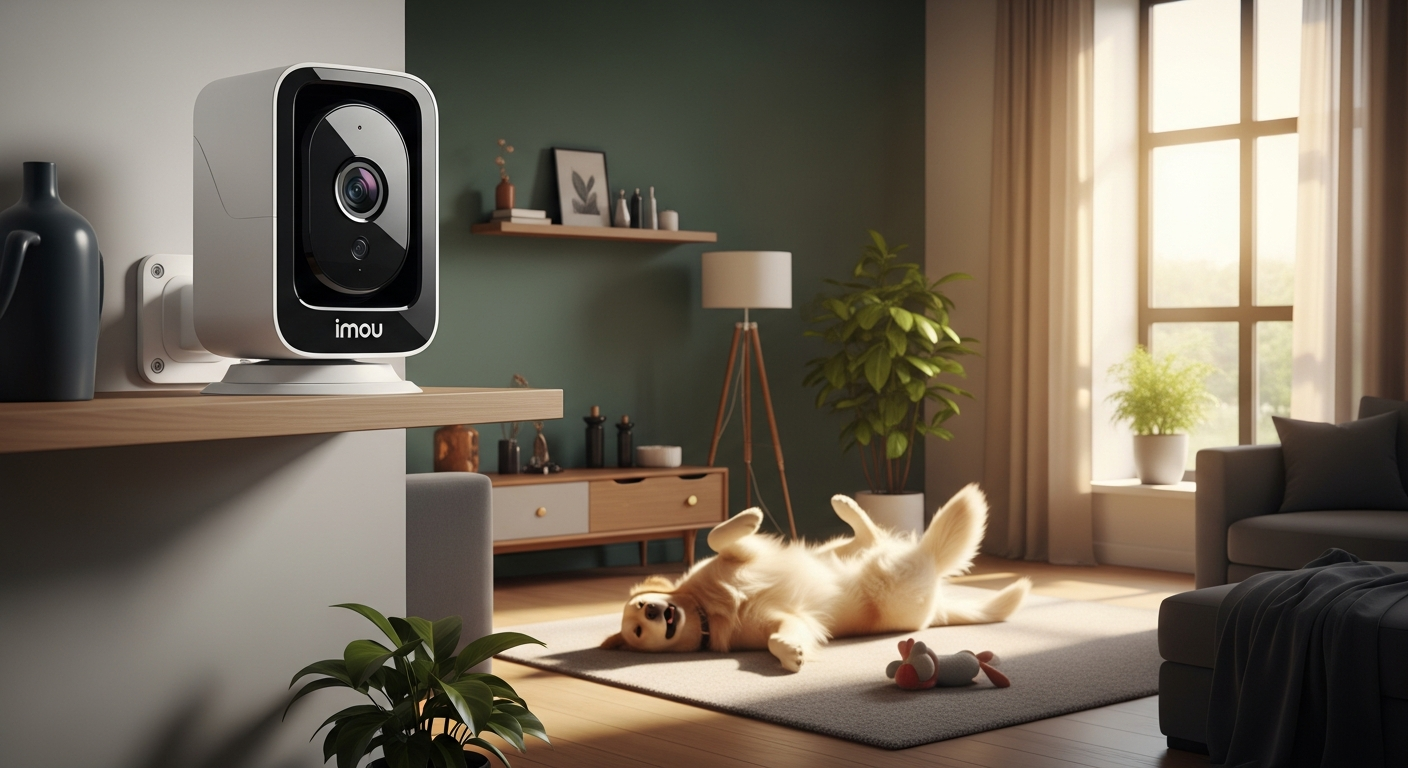
When you leave home, that nagging worry sets in. Over 73% of pet owners admit they struggle with the anxiety of leaving their animals unsupervised, and the stress of wondering what's happening behind closed doors can be overwhelming. That constant mental loop—*Is my dog okay? Is the cat getting into trouble?*—drains your focus at work and steals your peace of mind.
What if you could actually see what your furry friend is doing in real-time and even talk to them? The Imou Ranger 2C represents a meaningful shift in the market: a PTZ security camera that combines professional-grade features with an affordable price tag that won't make you cringe at checkout. This guide walks you through exactly what makes the Ranger 2C stand out for pet monitoring and home security, including its 360-degree pan-and-tilt capability, AI-powered human detection, two-way audio, and subscription-free local storage.
Explore the Imou Ranger 2C and discover the perfect indoor security solution for your home.
360-Degree Coverage Without the Blind Spots
Pan-and-tilt mechanics: Eliminating dead zones
The Ranger 2C's mechanics are straightforward but powerful. With a 0-355 degree pan and -5 to 80 degree tilt range, the camera can rotate nearly a full circle and angle up or down to cover nearly every inch of your room. That mechanical flexibility means no more dead zones hiding behind furniture or in corners—the areas where your pet inevitably decides to nap or where an unwanted visitor might lurk.
Real-world monitoring scenarios for pet owners
Pet owners quickly discover that animals move across spaces in unpredictable patterns. Your dog might wander from the living room into the kitchen, or your cat could jump onto high shelves. The panoramic coverage from the Ranger 2C lets you track that movement without losing sight of your pet. Large living spaces and open-concept kitchens benefit most from this capability, where a fixed camera would only capture one corner of the action.
Comparison to fixed-angle cameras
Stationary cameras create a fundamental limitation: whatever you point them at is what you get. Miss the angle, and you've missed the moment. The rotating capability matters because it transforms your surveillance from passive observation of one fixed view to active monitoring of an entire space. This flexibility is the difference between spotting your pet's anxiety behavior and missing it entirely.
Optimal placement strategies for maximum coverage
Position the camera on a shelf or mount it at eye level in a central location—typically near the room's center rather than in a corner. This positioning maximizes the pan-and-tilt range's effectiveness and minimizes the adjustments you'll need to make after installation. Avoid placing it directly behind reflective surfaces or windows, which can create glare and reduce image clarity.
Smart tracking integration
The camera's AI-powered smart tracking automatically follows motion, keeping subjects centered in the frame. When your dog walks across the room, the camera pans to maintain focus. This feature means you're not just recording video; you're watching an intelligent system that understands what's worth tracking.
AI-Powered Human Detection That Actually Reduces False Alarms
How intelligent detection works
Behind the scenes, the Ranger 2C uses AI algorithms trained to distinguish between different types of movement. These algorithms analyze body shape, gait patterns, and size to identify humans versus pets. The difference between detecting "motion" and detecting "humans" is enormous: one triggers an alert for every shadow, the other alerts you when someone actually enters your home.
False alarm frustration and the motion-detection problem
Motion-only detection is the nightmare scenario. Your cat walks past the camera at 3 AM and your phone buzzes. Your dog stretches and changes position—another alert. Over a week, you might receive hundreds of worthless notifications that train you to ignore the alerts entirely. When a real threat occurs, you've already stopped taking the system seriously.
Customizable alert preferences matching your environment
The Ranger 2C lets you adjust detection sensitivity to match your specific situation. You can set it to ignore small movements (ruling out pets) while catching larger human-sized motion. This customization means the system adapts to your home rather than forcing you to adapt to the camera's limitations.
Real-time notifications on your smartphone
The moment the AI detects a human, your phone gets an instant alert. You're not discovering problems hours later by reviewing footage; you're notified immediately when it matters. This real-time alert system is what transforms a recording device into an actual security tool.
Peace of mind for pet owners
The transformation is psychological and practical. You stop dreading the constant notification barrage and start trusting the alerts when they arrive. That's peace of mind—knowing that notifications mean something actually happened, not just that your pet moved.
Sound detection as a bonus feature
Beyond visual detection, the camera monitors for unusual sounds. If glass breaks or someone shouts, the camera picks it up and can trigger an alert. This audio monitoring adds another layer of awareness to your home security.
Two-Way Audio: Communicate with Your Home in Real-Time
Built-in microphone and speaker quality
The Ranger 2C includes both a microphone and speaker, allowing clear bidirectional conversation. Audio quality is solid for the price range—voices come through clearly enough for meaningful communication, though don't expect concert-hall clarity.
Interactive pet communication to reduce anxiety
Hearing your voice coming through the camera can immediately calm a anxious dog or cat. Your pet recognizes your voice and understands you're still connected to them, even though you're physically absent. This psychological comfort can prevent destructive behavior driven by separation anxiety.
Using audio as a deterrent
If someone approaches your home, you can speak through the camera and announce your presence. That voice suddenly emanating from the device often surprises would-be intruders enough to make them reconsider their approach. It's an active deterrent rather than passive recording.
App-based audio transmission from anywhere
The Imou app transmits audio seamlessly from your smartphone to the camera, no matter where you are. You're not limited to being near the camera; you can talk to someone at your front door while you're across town.
Latency and response time in conversation
There's a slight delay in two-way communication—typically under a second, but noticeable. This minor lag doesn't prevent meaningful interaction but means rapid-fire conversation feels slightly unnatural. For most situations, it's a non-issue.
Privacy considerations and microphone control
You can mute the microphone without stopping video recording. This feature matters if you want to monitor without broadcasting sound, protecting your own privacy or that of household members.
Local Storage vs. Cloud: Skip the Monthly Subscription Trap
MicroSD card storage without recurring fees
The Ranger 2C accepts microSD cards up to 256GB, allowing you to store months of continuous footage without paying a single monthly subscription. That's the real distinction between this camera and many competitors: true local storage as a primary option rather than an afterthought.
Cost comparison over time
Many security cameras charge $10-20 monthly for cloud storage. Over a year, that's $120-240. Over three years, you're looking at $360-720. A 256GB microSD card costs roughly $30-50 one-time. The math is starkly in favor of local storage.
Storage capacity calculations for 1080p video
A 256GB card storing 1080p video at standard quality holds approximately 200-250 hours of continuous footage—roughly 8-10 days at 24/7 recording. If you record on motion detection only, that same card might hold several months of footage. The actual capacity depends on your recording quality settings and how actively your home generates events.
Hybrid approach for redundancy
You can use both microSD storage and cloud backup simultaneously. Critical footage gets uploaded to cloud storage while continuous recording fills the microSD card locally. This hybrid method provides redundancy: if the camera is stolen, your cloud footage survives; if internet fails, local storage continues recording.
Video retrieval from local storage
Accessing recorded footage is straightforward. The Imou app lets you browse and download videos directly from the microSD card. For longer clips or extensive searches, you can remove the card and access it via a computer, though most users find the app sufficient.
When cloud storage makes sense
Cloud storage becomes valuable if you want backup protection or need access to footage when the camera itself is damaged or removed. It's also useful for long-term archival of important events that you want preserved indefinitely.
Subscription-free peace of mind
Recording continuously without worrying about monthly bills changes how you use the camera. You're not strategizing about storage limits or rationing recording time. The camera simply records, and you maintain months of footage backups.
Start your subscription-free surveillance journey with the Imou Ranger 2C available now.
Setup and Smart Home Integration for Non-Tech Users
Out-of-the-box installation process
Remove the camera from the box, mount it using the included bracket (or just place it on a shelf), plug in the power cable, and open the Imou app. The setup process guides you through connecting to your Wi-Fi network and creating your account. Most users complete the entire installation in under 10 minutes without any technical knowledge.
Wi-Fi connectivity requirements and 2.4GHz limitation
The Ranger 2C connects exclusively to 2.4GHz Wi-Fi networks, not the faster 5GHz band. This limitation matters if your router prioritizes 5GHz for speed, but for most home security applications, 2.4GHz provides sufficient bandwidth. Position the camera within reasonable Wi-Fi range—typically 30-50 feet from your router depending on walls and obstacles.
Mobile app navigation and interface guidance
The Imou app handles live view, video playback, settings adjustment, and alerts. The interface is generally intuitive, though some sections require exploration to find specific settings. The live view displays prominently, and controls for pan-and-tilt are straightforward touchscreen movements. Settings for detection zones and notification preferences are tucked into menus but clearly labeled once you find them.
Amazon Alexa compatibility and voice control
Connect the camera to your Alexa account through the Imou app, and you gain the ability to view live footage on any Alexa-enabled device. Voice commands like "Alexa, show me the living room camera" display the feed on your Echo Show or Fire tablet. This integration adds convenience without requiring technical configuration.
Google Assistant support as an alternative
Google Home users achieve similar integration through the Google Assistant app. The process mirrors Alexa setup, linking the camera to your Google account and enabling voice commands through compatible devices.
Initial configuration of detection zones and alerts
After setup, customize detection zones by drawing rectangles on the live view to specify areas you want monitored. Adjust notification preferences to control alert frequency and which detection types trigger notifications. These customizations take a few minutes but pay dividends in reducing false alarms.
Troubleshooting common setup issues
Wi-Fi connection problems typically stem from weak signal or incorrect password entry. Move closer to your router during initial setup, verify your Wi-Fi password, and confirm the camera is connecting to 2.4GHz specifically if you have a dual-band router. App syncing delays usually resolve themselves within a minute or two after initial connection.
Price-to-Performance Analysis: Is the Ranger 2C Worth $85-$110?
Feature breakdown at this price point
At $85-110, you're purchasing a camera that includes 1080p video, 360-degree pan-and-tilt, AI human detection, two-way audio, night vision, and local storage support. You're not getting 4K resolution, advanced cloud features, or professional-grade support. Within the $85-110 price tier, this feature set is generous.
Competitor comparison across similar PTZ cameras
Competing budget PTZ cameras in this range often sacrifice either video quality, pan-and-tilt range, or AI detection capabilities. Some offer better video but limited rotation. Others rotate fully but lack intelligent detection. The Ranger 2C balances these elements more evenly than most competitors at similar prices.
Long-term value calculation including avoided subscription costs
Calculate ownership cost over three years: $100 camera purchase plus $0 in subscriptions equals $100 total. Compare that to a $60 camera with $15/month cloud storage ($540 over three years) totaling $600. The Ranger 2C's value proposition strengthens considerably when you factor in subscription savings.
Upgrade justification to premium models
Premium cameras ($300+) typically offer 2K or 4K resolution, better night vision, more robust cloud features, and professional support. They justify their cost if you need footage detailed enough to read license plates or identify strangers across a large property. For indoor pet monitoring and general home surveillance, the Ranger 2C handles requirements that premium models also address.
Budget-conscious buyer profile
This camera suits renters who need flexible, temporary security; pet owners prioritizing peace of mind over technical specifications; small business owners monitoring retail spaces or offices; first-time smart home security users testing the waters; and anyone prioritizing affordability without accepting complete mediocrity.
Seasonal pricing trends and promotion timing
Security camera prices often drop during Black Friday, Cyber Monday, and summer sales events. If you're flexible on timing, waiting for promotional periods can reduce the price below $85. However, the camera's value is strong enough at standard pricing that waiting for marginal discounts often isn't worth the delay.
Warranty and support value
Imou provides standard manufacturer warranty coverage, typically one year for hardware defects. Support is available through the app and email, with response times generally reasonable though not immediate. Extended protection options may be available through retailers but aren't essential given the camera's reliability record.
Known Limitations and Honest Trade-Offs
2.4GHz Wi-Fi only and workaround strategies
The exclusive 2.4GHz connection is a real limitation if your router heavily prioritizes 5GHz. Some modern routers allow you to disable 5GHz on specific bands or create a dedicated 2.4GHz network name. If your router doesn't offer this flexibility, you're working with 2.4GHz's slower speeds and potentially more interference. This usually doesn't matter for video streaming but matters if your Wi-Fi is already congested.
AI rotation speed concerns and practical impact
Some users report that the camera's panning response feels slightly sluggish when following motion. The rotation speed is adequate for monitoring most situations but won't track rapidly moving subjects with action-camera precision. For pet monitoring, this slight delay rarely creates problems—your dog doesn't move so quickly that a half-second response time causes missed footage.
App interface quirks and navigation challenges
Finding certain settings requires exploring the app's menu structure. The app works well overall but prioritizes simplicity over comprehensiveness, occasionally hiding advanced options in unexpected locations. Most users adapt quickly and stop noticing the quirks after a few days of use.
Connection stability and occasional disconnection
A small percentage of users report occasional Wi-Fi disconnection requiring app reconnection or power cycling. These incidents are infrequent for most users but do happen. If you need absolutely rock-solid reliability, this limitation matters. For typical home security, brief disconnections are minor annoyances.
Video quality in low-light conditions
Night vision works well in typical low-light scenarios, providing clear grayscale imagery. However, in extremely dark conditions with minimal ambient light, the video becomes grainy and loses detail. This limitation is common across budget cameras and rarely affects practical monitoring.
Microphone sensitivity and potential audio issues
The microphone can pick up its own speaker output in certain room configurations, creating feedback loops. You can mute the microphone to prevent this, but awareness of the issue helps during setup. Audio sensitivity is also adjustable, allowing compensation for different room acoustics.
Setting realistic expectations
The Ranger 2C is a capable, reliable budget camera—not a professional surveillance system. It excels at its intended purpose: providing affordable, easy-to-use indoor monitoring with practical security features. Expecting 4K clarity, commercial-grade durability, or instantaneous response times sets yourself up for disappointment. Expecting clear 1080p video, reliable motion tracking, and smart detection sets realistic expectations that the camera consistently meets.
Real-World Use Cases: Who Should Buy This Camera?
Pet owners managing separation anxiety
If your dog becomes anxious when you leave or your cat has behavioral issues, the Ranger 2C lets you monitor in real-time and interact through two-way audio. You can watch whether your pet is destroying furniture, and you can speak to them to provide comfort. This combination addresses both your worry and your pet's anxiety.
Renters needing flexible surveillance
Renters often hesitate with permanent installations. The Ranger 2C requires only a power outlet and Wi-Fi connection—no drilling, no wall damage, no landlord conflicts. When you move, the camera goes with you. This flexibility makes it ideal for temporary surveillance needs.
Small business owners on tight budgets
Retail shops, small offices, and waiting areas benefit from affordable surveillance. The 360-degree coverage reduces the number of cameras needed to achieve comprehensive monitoring. At this price point, businesses can afford multiple cameras without massive capital investment.
Multi-pet households
One camera covering a large room with multiple pets beats multiple fixed cameras. You can watch your dog in the living room, your cat on the cat tree, and your bird in its cage—all from a single camera's panoramic view.
Elderly care monitoring with consent
With explicit permission, family members can check on aging parents or relatives. Two-way audio enables quick communication if help is needed. This setup provides security and peace of mind without the expense of professional monitoring services.
Childcare oversight with proper disclosure
Nannies and babysitters should know about monitoring cameras (clear disclosure is both ethical and legally important in many jurisdictions). The camera lets parents check in during work and provides documentation if questions arise about childcare quality.
Apartment dwellers
Compact size and wireless installation make this perfect for small living spaces. The camera doesn't require mounting to walls and can sit on a shelf, making it ideal for apartment living where permanent modifications aren't allowed.
Budget-conscious security starters
First-time smart home security users benefit from starting with an affordable camera that works reliably. Once you understand what you actually need from security monitoring, you can make informed decisions about upgrades without having committed significant capital.
Maximizing Your Ranger 2C: Pro Tips and Best Practices
Optimal camera positioning for coverage and clarity
Mount the camera at eye level or slightly higher on a central shelf or wall. This positioning maximizes the pan-and-tilt range's effectiveness and minimizes reflections from windows or surfaces. Avoid pointing the camera directly at light sources, which create glare and reduce image quality. Test different positions before finalizing placement.
Detection zone customization to reduce false alerts
Use the app to draw detection zones covering areas where you care about alerts. Exclude hallways leading to rooms you're not monitoring, or exclude high shelves where you expect your cat to roam. This customization means alerts correspond to events you actually care about.
Recording schedule optimization balancing storage and surveillance
Configure schedules to record continuously during hours when you're away and motion-detection-only when you're home. This approach conserves storage while ensuring you capture relevant footage. Alternatively, record continuously and use detection zones to ignore non-threatening movements.
Regular maintenance including lens cleaning
Once monthly, wipe the lens gently with a soft, dry cloth. Dust accumulation reduces image clarity over time. Check Wi-Fi signal strength and relocate the router or camera if signal appears weak.
Firmware updates for features and security patches
The Imou app notifies you when updates are available. Install them promptly to access new features and security improvements. Updates typically take just a few minutes and require no technical knowledge.
Backup and redundancy for critical footage
Before your microSD card fills up, download important footage to a computer. This practice ensures you have permanent copies of events you need to preserve. If you enable cloud backup, you automatically maintain redundant copies.
Seasonal adjustments for changing conditions
As seasons change, lighting conditions shift. Summer's bright mornings might cause glare that winter solves. Night vision settings might need adjustment as sunrise times shift. Revisit your camera's positioning and settings seasonally to maintain optimal performance.
Integration automation with smart home routines
Create routines where the camera starts recording when you leave home or stops recording when you arrive. Set Alexa or Google Home to show you the camera when your doorbell detects someone. These automations transform the camera from a standalone device into an integrated part of your smart home.
The Ranger 2C Delivers Where It Counts
The Imou Ranger 2C doesn't pretend to be a $500 enterprise-grade system, and that's exactly why it works so well. You're getting a camera that handles the fundamentals brilliantly: crystal-clear 1080p video, 360-degree coverage that eliminates blind spots, and AI detection smart enough to distinguish between your cat and a burglar. The two-way audio transforms it from passive surveillance into an interactive communication device. What really sets this camera apart is the freedom from subscription fees through local microSD storage. Combined with the sub-$110 price tag, you're looking at genuine value. The Wi-Fi limitation and occasional app quirks are real trade-offs, but they're not dealbreakers for most users. If you're a pet owner tired of worrying, a renter needing flexible security, or someone exploring smart home monitoring, the Ranger 2C delivers professional-grade peace of mind without the professional-grade price tag.
Get the Imou Ranger 2C today and experience affordable, intelligent home security.
Leave a Reply