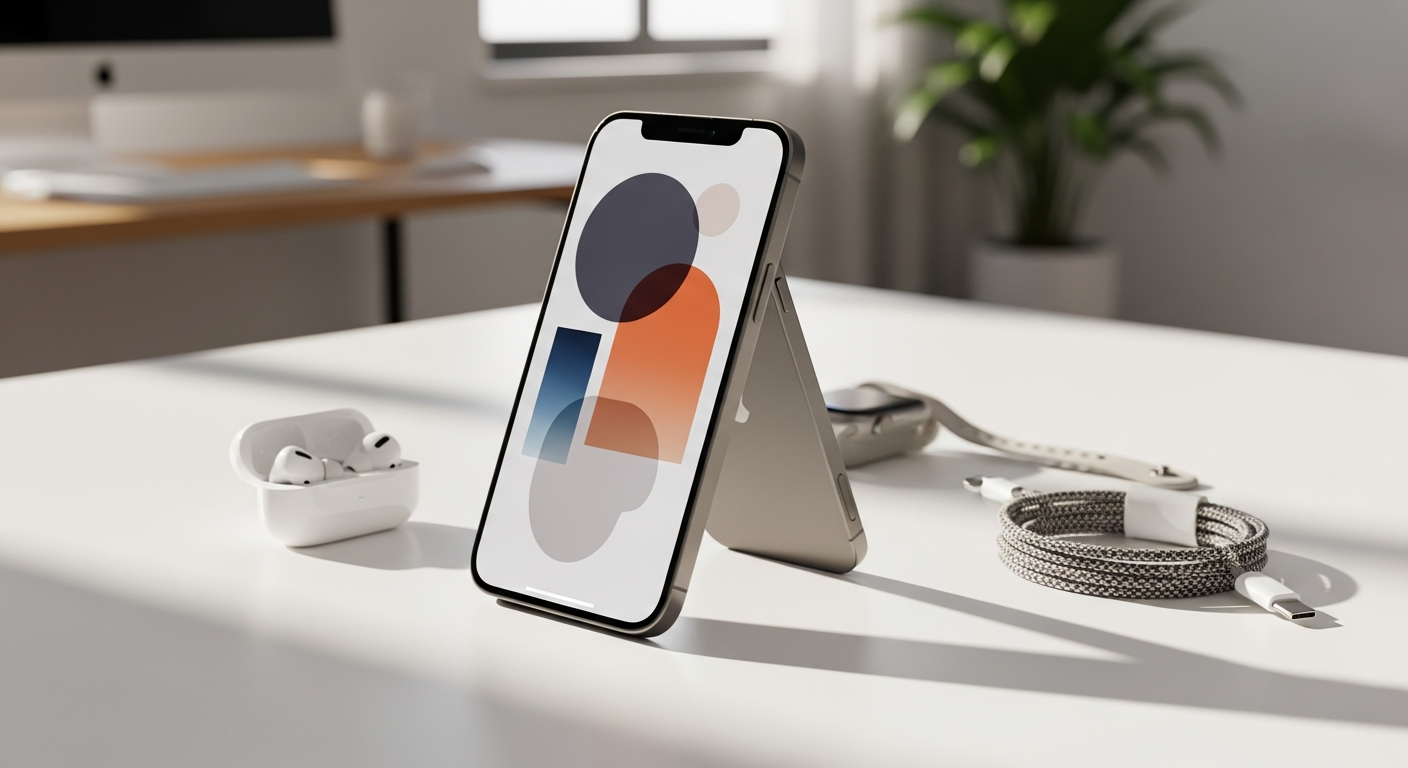
The iPhone 15: Premium Features at a Price That Finally Makes Sense
Over 80% of smartphone users upgrading from devices older than three years experience genuine sticker shock when comparing flagships. But what if I told you that Apple just made premium features accessible without the premium price tag? The iPhone 15 has quietly become the gateway drug for users tired of outdated technology, and it's changing how people think about mid-range smartphones.
When Apple released the iPhone 15, they made a bold decision: democratizing features that were previously locked behind the Pro paywall. The Dynamic Island, the powerful A16 Bionic chip, and a genuinely impressive 48MP camera system suddenly became available to anyone willing to spend $799 at launch. This shift matters because it fundamentally altered the value proposition of Apple's standard lineup, making premium performance feel less exclusive and more attainable.
Discover the iPhone 15's full potential and find the best deals available today.
I've spent considerable time evaluating the iPhone 15 across real-world scenarios, and I'm breaking down everything you need to know. We'll examine its standout features, dig into the technical specifications that actually impact daily use, weigh the genuine strengths against legitimate weaknesses, and help you determine whether this phone justifies the investment for your specific needs.
Dynamic Island and Smart Display Features
How the Dynamic Island Transforms Notification Management
The Dynamic Island fundamentally changes how you interact with notifications and system alerts. Instead of a static notch at the top of your screen, Apple created an intelligent, expandable area that adapts to what's happening on your phone. When a notification arrives, the island expands to show relevant details. When it's idle, it contracts to a minimal pill shape, reclaiming screen real estate.
This design choice matters practically. You no longer have to swipe down to see who's calling or what your latest message says. The information appears where your eyes naturally focus during normal use. Navigation feels intuitive after just a few hours, and the visual feedback becomes second nature.
Live Activities Integration for Real-Time Information
Live Activities unlock a new way to stay informed without constant app switching. Fitness tracking data displays directly on your lock screen, sports scores update in real-time, and ride-sharing apps show your driver's location without opening the app. This persistent, glanceable information transforms how you monitor ongoing events.
The technical implementation is seamless. Developers can push updates to the Live Activity without waking your phone's display, conserving battery while keeping you informed. Whether you're tracking a workout, monitoring a delivery, or watching live scores, the information lives in your lock screen's Dynamic Island.
Practical Applications for Multitasking and Quick Information Access
The combination of Live Activities and the Dynamic Island creates genuine productivity benefits. Your music player remains accessible and controllable from the lock screen. Timer countdowns display prominently. Call duration appears in the island during FaceTime conversations. These small touches compound throughout your day, reducing friction and eliminating unnecessary app navigation.
Camera Performance: The 48MP Upgrade That Actually Matters
48MP Main Sensor Specifications and Real-World Image Quality
The jump from the iPhone 14's 12MP main sensor to the 15's 48MP represents the most significant camera improvement in this generation. Higher megapixel counts mean greater detail capture, which translates to sharper photos, especially when cropping or printing larger formats. The sensor's f/1.6 aperture allows more light to reach the image sensor, improving performance in low-light conditions.
Real-world testing reveals genuinely impressive results. Daytime photos exhibit exceptional clarity and color accuracy. Shadow detail remains visible without excessive processing artifacts. The increased resolution provides flexibility during post-processing—you can recover detail in highlights and shadows that would be lost with a 12MP original.
2x Optical Zoom Capability and Digital Zoom Comparison
The 48MP sensor enables native 2x optical zoom without quality loss, achieved through intelligent pixel binning. When you switch to 2x magnification, the iPhone uses a subset of the sensor's pixels to maintain optical clarity. This approach dramatically surpasses digital zoom, which simply crops and enlarges existing pixels.
Compared to purely digital zooming on older iPhones, the difference is striking. Subjects at 2x zoom remain sharp and detailed. You're not losing quality to interpolation. For casual photography—framing a distant subject, capturing architecture, or photographing events—this 2x optical capability removes the compromise between zoom and quality.
Sensor-Shift Optical Image Stabilization and Low-Light Performance
Sensor-shift optical image stabilization compensates for hand movement by moving the actual sensor rather than relying on lens elements. This approach provides superior stabilization, particularly during video recording or in challenging lighting conditions. The effect becomes obvious when shooting in dimly lit environments where any camera shake becomes visible.
Low-light photography benefits tremendously from this technology. The iPhone 15 captures usable images in lighting conditions that would require a tripod on older devices. Night mode processing remains excellent, with minimal noise and preserved detail even at high ISO values.
Processing Power and Performance: A16 Bionic Deep Dive
A16 Bionic Chip Architecture: 6-Core CPU and 5-Core GPU Breakdown
The A16 Bionic represents mature chip architecture optimized for efficiency. The 6-core CPU combines two high-performance cores with four efficiency cores. The processor intelligently distributes tasks based on computational demands—intensive work uses the powerful cores while background tasks utilize the efficiency cores, preserving battery life.
The 5-core GPU handles graphics-intensive work. Gaming, video editing, and augmented reality applications leverage this GPU power for smooth, responsive performance. The 16-core Neural Engine specializes in machine learning tasks, powering features like computational photography, on-device voice processing, and AI-assisted features.
Real-World Performance Metrics for Everyday Tasks, Productivity Apps, and Demanding Software
The iPhone 15 handles everyday tasks without hesitation. Email, messaging, web browsing, and social media apps launch instantly. Switching between applications feels snappy. Productivity apps like document editing and spreadsheet work remain responsive even with complex files open simultaneously.
Demanding applications reveal the chip's headroom. Video editing apps like Final Cut Pro handle 4K footage with real-time previews. Photo editing apps process multiple filters and adjustments instantly. Complex spreadsheets with thousands of rows calculate without lag. The A16 Bionic provides sufficient power for professional-grade work on a smartphone.
Gaming Performance Benchmarks and Frame Rate Stability
Gaming performance on the iPhone 15 matches or exceeds expectations established by the iPhone 14 Pro. Graphically demanding titles like Genshin Impact and Call of Duty: Mobile run at high settings with consistent frame rates. The processor handles sustained load without thermal throttling, maintaining performance throughout extended gaming sessions.
Frame rate stability matters as much as peak performance. The iPhone 15 delivers consistent frame rates across gameplay scenarios. No stuttering appears during intense action sequences. Load times remain minimal. For mobile gaming, the A16 Bionic provides an excellent experience without compromise.
USB-C Revolution: Charging, Data Transfer, and Ecosystem Impact
The Shift from Lightning to USB-C and What It Means for Existing Apple Users
The transition from Lightning to USB-C represents a watershed moment for Apple users. Lightning was proprietary, requiring Apple-specific cables and chargers. USB-C is universal—the same connector works with Android phones, laptops, tablets, and countless accessories. This standardization simplifies your tech ecosystem dramatically.
For existing Apple users, this means potential disruption. Your Lightning cables and chargers won't work with the iPhone 15. However, the long-term benefit justifies the transition. You'll eventually consolidate on USB-C across all your devices, eliminating cable clutter and making travel simpler.
Charging Speeds and Compatibility with Third-Party USB-C Chargers
The iPhone 15 supports fast charging with compatible USB-C power adapters. A 20W charger provides moderate charging speeds, while higher-wattage adapters (up to 35W) deliver faster results. Real-world charging with a quality 30W adapter takes approximately 50 minutes to reach full capacity from empty.
Third-party compatibility is a genuine advantage. Any decent USB-C power adapter works with the iPhone 15. You're not locked into Apple's official chargers. This flexibility means you can use existing chargers from laptops, tablets, or Android devices, reducing redundancy and expense.
Data Transfer Speeds and iPhone 15 Comparison to Pro Models
USB-C data transfer speeds on the standard iPhone 15 max out at approximately 480 Mbps, which handles everyday file transfers adequately. Transferring a 4K video to your computer takes under a minute. Batch uploading photos completes quickly. For typical users, these speeds suffice.
The iPhone 15 Pro models support faster Thunderbolt speeds (up to 40 Gbps), which matters only if you're transferring massive video files regularly or working with large professional datasets. For standard users, the iPhone 15's USB-C transfer speeds represent a meaningful improvement over Lightning while remaining practical for daily needs.
Display Technology: Super Retina XDR Performance and Limitations
6.1-Inch Super Retina XDR OLED Panel Specifications and Color Accuracy
The 6.1-inch OLED display delivers exceptional color accuracy and contrast. Each pixel produces its own light, eliminating the backlighting needed in LCD panels. True blacks appear genuinely black—pixels simply turn off rather than filtering light through a backlight. Colors appear vibrant and natural across the color spectrum.
The resolution of 2556×1179 pixels at 460 ppi provides sharp text and imagery. This pixel density makes individual pixels invisible at normal viewing distances. Professional color grading tools show excellent color accuracy, with minimal color shift across viewing angles. For photographers and creative professionals, the display's accuracy translates to reliable visual reference.
Brightness Capabilities: 1000 Nits Typical and 2000 Nits Peak Outdoor Brightness
Brightness levels on the iPhone 15 reach impressive heights. Standard content displays at up to 1000 nits, making the screen easily readable indoors and in shaded outdoor conditions. HDR content and peak brightness scenarios push the display to 2000 nits, rivaling professional monitor brightness levels.
This brightness advantage proves invaluable in sunlight. Glare that makes other phones' screens unreadable becomes a non-issue. Outdoors, the iPhone 15 remains fully usable without seeking shade or adjusting viewing angles. This capability matters for actual usability, not just specification sheets.
Real-World Outdoor Visibility and Readability in Direct Sunlight
Testing the iPhone 15 in direct sunlight reveals excellent legibility. The screen remains readable while standing in full sun without extreme angle adjustments. Maps stay navigable, photos remain visible for framing shots, and notifications appear clear and accessible. Outdoor photography becomes more practical because you can actually see the preview.
The anti-reflective coating reduces glare further, complementing the high brightness levels. You're not fighting reflections bouncing off the screen. This combination of brightness and coating creates a display that prioritizes real-world usability over laboratory specifications.
Check current iPhone 15 pricing and availability for the best value on the market.
Battery Life, Endurance, and Real-World Usage Patterns
Rated Battery Life: 20 Hours Video Playback and 80 Hours Audio Playback Context
Apple rates the iPhone 15 for up to 20 hours of video playback and 80 hours of audio playback. These ratings provide reference points, though real-world usage varies significantly. Video playback is continuous, battery-intensive usage—streaming video constantly drains the battery faster than varied daily usage with breaks.
Audio playback for 80 hours assumes minimal display usage and background processing. These extended audio figures result from minimal power consumption during playback. Comparing directly to competitor specifications reveals Apple's ratings are generally conservative—actual performance often exceeds published numbers.
Screen-On Time Expectations for Moderate, Heavy, and Light Users
Moderate users—those checking email, browsing social media, and texting throughout the day—typically achieve 16-18 hours of screen-on time. The display consumes the most battery power, so this metric matters more than total battery capacity.
Heavy users juggling video calls, streaming music, gaming, and constant app switching achieve 12-14 hours. Intensive tasks like video recording and photography processing consume battery faster than passive usage.
Light users who primarily check notifications, make calls, and use messaging applications can stretch battery life to 20+ hours. The variance illustrates how usage patterns dramatically impact endurance. Your actual battery life depends entirely on your personal usage intensity.
Battery Performance Across Different Usage Scenarios
Gaming drains the battery noticeably faster than casual usage. Sustained 3D graphics push the A16 Bionic and GPU to peak performance, increasing power consumption. A gaming session might deplete 15-20% per hour.
Streaming video—whether Netflix or YouTube—consumes battery at moderate rates, particularly if you reduce display brightness in darker environments. Outdoor video watching at full brightness drains the battery faster than indoor streaming at reduced brightness.
Photography and video recording consume significant battery, especially in challenging lighting where computational photography processing intensifies. Extended photo sessions or 4K video recording can deplete 25-30% per hour depending on environmental conditions and recording settings.
Design, Build Quality, and Physical Durability
Color-Infused Glass Back and Aluminum Frame Construction
The iPhone 15's design inherits the aluminum frame and glass back established in recent generations. The color-infused glass represents a manufacturing refinement—color is integrated throughout the glass depth rather than applied as a coating. This approach means minor scratches don't reveal a different-colored layer underneath.
The aluminum frame provides structural rigidity while remaining lightweight. The frame's rounded edges reduce fatigue during extended one-handed use. The overall construction feels premium—the phone has weight and solidity without excessive heft.
Rounded Edge Design and Ergonomic Comfort During Extended Use
The rounded edges distinguish the iPhone 15 from the flat-edged design of Pro models. These curves fit naturally in your palm, reducing discomfort during extended use. The 171-gram weight distributes evenly, preventing hand strain during long sessions.
One-handed operation becomes more viable with these rounded edges compared to devices with sharp corners. The phone's 7.80mm thickness maintains a reasonable profile—thin enough to feel sleek but substantial enough to feel premium. The curved design and comfortable weight make the iPhone 15 one of the more pleasant phones to hold for extended periods.
IP68 Rating: Splash, Water, and Dust Resistance Capabilities
The IP68 rating means the iPhone 15 resists splashing, submerged in fresh water up to 6 meters for 30 minutes, and dust ingress. Real-world translation: accidental water splashes pose no threat. Dropping your phone in a pool won't cause immediate damage. Dusty environments don't compromise functionality.
This durability framework provides peace of mind for everyday users. You don't need to obsess over water protection—casual water exposure is handled. Snorkeling or intentional submersion remains risky, but accidental dunking becomes a manageable incident rather than a catastrophe.
Strengths That Justify the Purchase
The iPhone 15's fast and efficient A16 Bionic performance serves all user types. Whether you're checking email, editing photos, or gaming, the processor delivers responsive performance without compromise. You won't encounter lag or stuttering during normal usage.
The significantly improved 48MP main camera represents the generation's most tangible upgrade. Detailed photos, improved low-light performance, and authentic 2x optical zoom create genuine photographic advantages over predecessors. Photography enthusiasts notice these improvements immediately.
USB-C convenience and universal compatibility remove friction from your daily technology ecosystem. The same chargers work across your devices. Accessories become interchangeable. This standardization simplifies your tech life significantly compared to the Lightning ecosystem.
The Dynamic Island actually improves your workflow by providing persistent, glanceable information. Live Activities transform how you monitor ongoing events. These interface improvements compound throughout your day, reducing the number of unnecessary app switches.
Weaknesses and Trade-Offs to Consider
The 60Hz refresh rate feels less fluid compared to 120Hz alternatives available in competing devices and Apple's Pro lineup. Scrolling through feeds and swiping between apps lacks the buttery smoothness of higher refresh rate displays. If you've used a 120Hz device, the iPhone 15's refresh rate will feel noticeably less premium.
Slower USB-C data transfer speeds than Pro models disappoint users transferring massive video files regularly. If you work with 4K footage professionally or handle large datasets, the Pro model's faster transfers justify the investment. Standard users transferring photos and documents won't notice the difference.
Battery life described as subpar by some users in real-world testing requires conscious management. Heavy users shouldn't expect comfortable all-day usage without reducing brightness or closing background apps. If you're accustomed to devices with exceptional battery endurance, the iPhone 15 might disappoint during intensive usage days.
The missing Action Button—a physical button on Pro models that launches custom shortcuts—represents a missed opportunity. Standard users won't miss this feature, but power users building complex automation workflows encounter limitations the Pro models don't face.
Who Should Buy the iPhone 15 in 2026?
Users upgrading from iPhone 12 or earlier models experience transformative improvements. The camera system alone justifies the upgrade. The Dynamic Island and USB-C add meaningful conveniences. If your iPhone is three or more years old, the generational jump warrants the investment.
Photography enthusiasts on a budget gain genuine capabilities. The 48MP sensor and improved image processing enable photographic work previously requiring a Pro model. If photography matters to you and budget constraints prevent Pro purchases, the iPhone 15 delivers excellent value.
First-time iPhone buyers seeking premium features find exactly what they need. The iPhone 15 provides access to Apple's ecosystem and premium features without the Pro's premium pricing. The Dynamic Island and Super Retina display make the transition from Android rewarding.
Professional users requiring maximum performance, photographers needing advanced camera features, and power users expecting exceptional battery endurance should consider the Pro models or competing high-end devices. The iPhone 15 serves most users excellently, but specific use cases demand the Pro lineup's additional capabilities.
iPhone 15 vs. Competing Alternatives
iPhone 15 Versus iPhone 15 Pro: Feature Differences and Price Justification
The iPhone 15 Pro adds the A17 Pro chip for enhanced performance, a 120Hz display for smoother scrolling, an Action Button for automation enthusiasts, and a significantly improved telephoto camera. These additions matter for professional photographers, intensive gamers, and power users.
For general users, the standard iPhone 15 delivers practical feature parity. The A16 Bionic performance gap narrows under real-world usage. The 60Hz display limitation frustrates only users frequently comparing directly to 120Hz displays. The Pro's improvements matter for specific use cases rather than general superiority.
Comparison with Samsung Galaxy S24
Samsung's Galaxy S24 offers 120Hz display technology standard and more aggressive computational photography. The processor match between the A16 Bionic and Snapdragon 8 Gen 3 provides equivalent performance. Samsung's interface customization appeals to users preferring Android's flexibility.
The iPhone 15 maintains advantages in processing efficiency, software optimization, and integration with Apple's ecosystem. If you're invested in Apple services and prefer iOS's simplicity, the iPhone 15 serves you better. If you value Android customization and Samsung's interface innovations, the Galaxy S24 presents a compelling alternative.
Comparison with Google Pixel 8
Google's Pixel 8 emphasizes computational photography and AI features. Magic Eraser, Best Take, and Face Unblur represent Google's photographic innovations. The Tensor chip prioritizes machine learning over raw performance.
The iPhone 15 competes through superior raw processing power and camera hardware quality. The 48MP sensor captures more detail than Pixel 8's 50MP main camera. Performance-intensive tasks favor the A16 Bionic. If you prioritize computational magic, the Pixel 8 excels. If you value traditional photography quality and processing power, the iPhone 15 delivers better results.
The Bottom Line: Making Your Decision
The iPhone 15 represents a genuine inflection point in smartphone value. It's packed with features that were previously exclusive to premium models, wrapped in a design that feels genuinely premium, and powered by a processor that handles everything you throw at it. The 48MP camera system is a massive leap forward, the Dynamic Island actually improves your daily workflow, and USB-C finally brings universal compatibility to the table.
That said, this phone isn't perfect. The 60Hz display will feel dated if you're coming from a 120Hz device, battery life requires conscious management, and some power users will miss the Pro model's extra features. The slower USB-C data transfer speeds are disappointing, and the lack of an Action Button feels like a missed opportunity.
Here's my take: if you're upgrading from an iPhone 12 or earlier, the iPhone 15 is absolutely worth your money. You'll experience a tangible performance boost, photography improvements that genuinely matter, and features that make daily use more intuitive. If you're a heavy gamer, professional photographer, or someone who needs maximum battery endurance, the Pro model or a competing device might serve you better.
But for the vast majority of users seeking premium features at an accessible price point, the iPhone 15 delivers exceptional value. The question isn't whether it's good—it's whether the specific trade-offs align with your actual needs. Evaluate your priorities honestly, and you'll have your answer.
Start your iPhone 15 shopping journey and compare today's best available prices.
Leave a Reply