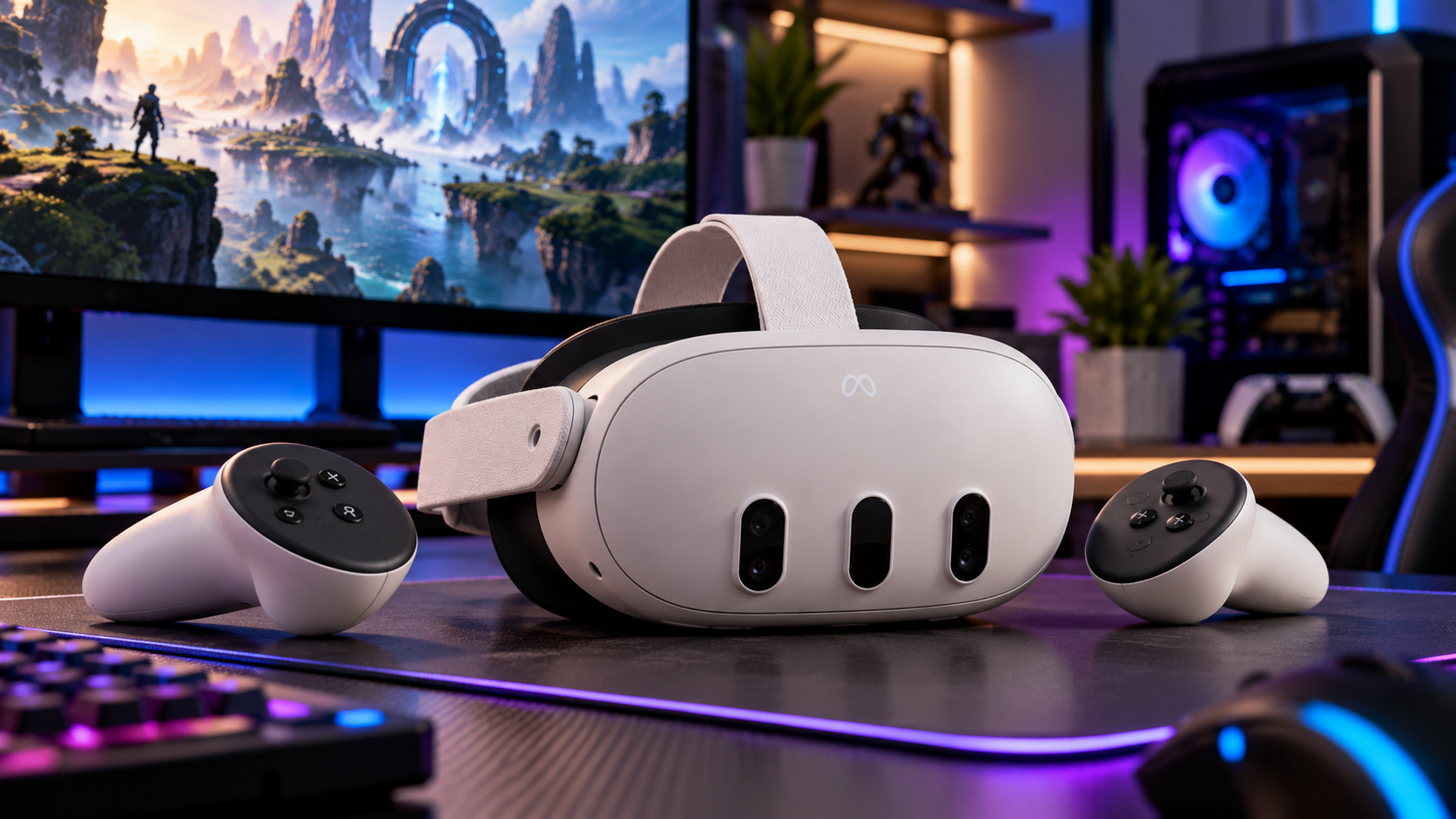
Choosing a virtual reality headset involves evaluating display quality, comfort, gaming performance, storage capacity, and overall value. The Meta Quest 3 512GB brings these considerations together in a wireless device designed for virtual reality gaming, entertainment, and mixed reality experiences.
With its high-resolution displays, pancake lenses, Snapdragon XR2 Gen 2 processor, and substantial internal storage, this headset may suit users who want to explore VR without depending on a gaming computer.
However, its features, battery limitations, and differences from less expensive alternatives deserve attention before you make a purchase.
What Is the Meta Quest 3 512GB?
The Meta Quest 3 512GB is an all-in-one virtual reality headset developed by Meta. It combines processing hardware, displays, tracking sensors, and wireless connectivity in one device.
As a standalone VR headset, it can run compatible applications without requiring a separate PC or external tracking stations.
The 512GB model provides substantial storage for downloaded games, applications, and media. This may be particularly helpful if you prefer keeping several large games installed rather than frequently deleting and reinstalling content.
The headset supports immersive VR environments alongside mixed reality applications that incorporate a camera-based view of your physical surroundings.
Who Might Benefit From This Headset?
The device may suit several types of users:
- VR gamers interested in immersive, interactive entertainment.
- Users who frequently download large games and applications.
- People interested in mixed reality fitness, productivity, or creative applications.
- Existing Quest owners evaluating a hardware upgrade.
- Households looking for a wireless entertainment device.
Your intended activities should guide your decision, especially because storage capacity alone does not determine the quality of the experience.
Meta Quest 3 Specifications and Hardware Features
Understanding the Meta Quest 3 specifications can help you evaluate its capabilities against other available headsets.
According to Meta’s official developer documentation, the headset includes the following hardware.
| Feature | Meta Quest 3 512GB |
|---|---|
| Internal storage | 512GB |
| Processor | Qualcomm Snapdragon XR2 Gen 2 |
| RAM | 8GB |
| Display technology | LCD |
| Resolution | 2064 × 2208 pixels per eye |
| Lens design | Pancake lenses |
| Standard listed refresh rate | Up to 120Hz |
| Horizontal field of view | 110 degrees |
| Tracking | Head and hand tracking |
| Controllers | Meta Quest Touch Plus |
| Wireless connectivity | Wi-Fi 6E and Bluetooth 5.2 |
| Passthrough | Full-color stereoscopic cameras with depth sensor |
| Battery life | Approximately 2 hours, according to Meta |
Actual battery duration and application performance depend on usage, settings, and software demands. Available storage is also lower than the advertised capacity because system software occupies space.
Display Resolution and Pancake Lenses
One of the headset’s distinguishing features is its optical system.
Its pancake lenses allow a slimmer optical design compared with traditional Fresnel-lens arrangements. They also provide a comparatively generous area of visual clarity, which may help when reading menus or viewing detailed environments.
The 2064 × 2208 resolution per eye supports detailed imagery, although actual sharpness depends on application rendering, headset positioning, and your eyesight.
For users who regularly read text inside VR or use virtual screens, these optical differences may influence the purchasing decision.
Processing Power and Application Performance
The Snapdragon XR2 Gen 2 processor handles graphics rendering, tracking, and application processing.
Meta lists the same processor and 8GB of RAM for the Quest 3 and Quest 3S.
This means the Quest 3’s higher price should not be interpreted as a guarantee of faster performance in every application.
Instead, its display system, lens design, and physical adjustments account for several of its main hardware differences.
How Does the Meta Quest 3 512GB Perform for Gaming?
As a VR gaming headset, the Quest 3 supports games involving movement, hand interaction, spatial audio, and motion controllers.
Its Touch Plus controllers provide physical inputs and haptic feedback, while supported applications can use hand tracking for certain interactions.
Gaming experiences vary considerably depending on the title.
For example, rhythm games may emphasize quick movements and controller responsiveness, while simulation games may place greater importance on visual detail and environmental interaction.
Standalone Gaming and PC VR
The headset supports two general approaches to gaming.
Standalone gaming: Compatible Quest applications run directly on the headset. This avoids the need for a gaming PC during ordinary use.
PC-connected VR: Meta Quest Link and Air Link allow compatible PC VR experiences when used with suitable computer hardware and connectivity.
However, connecting to a computer does not automatically improve every application. Results depend on the PC, connection method, software, and settings.
Why 512GB Storage Matters
Storage capacity affects how many downloaded applications and games you can retain simultaneously.
The 512GB version may be useful when you:
- Frequently install new VR games.
- Keep multiple large applications available.
- Download media for offline viewing.
- Share the device with household members using different applications.
- Prefer avoiding repeated downloads.
However, larger storage does not increase processor speed or display resolution.
If you typically play only a few games at a time, storage may be less important than optical quality, comfort, or price.
Mixed Reality Features and Everyday Applications
The Quest 3 functions as a mixed reality headset, using outward-facing cameras to show your surroundings while compatible software places digital content within that view.
Its color passthrough cameras and depth sensor support experiences that interact with the physical environment.
For example, supported applications may display virtual objects in your room, create interactive fitness activities, or position digital screens around your workspace.
How Useful Is Mixed Reality?
Mixed reality may be particularly interesting if you want activities that retain some visual connection to your physical surroundings.
Potential uses include:
- Interactive fitness activities.
- Spatial games involving your room.
- Virtual monitors and productivity applications.
- Educational demonstrations.
- Creative and design experiences.
However, camera passthrough is not identical to looking through clear glass. Image quality can change with lighting conditions, and camera-based views may show distortion or visual artifacts.
You should also maintain awareness of furniture, pets, and other obstacles while using the headset.
Meta Quest 3 vs Meta Quest 3S: Which Should You Choose?
According to Meta’s official specifications, both models use the Snapdragon XR2 Gen 2 processor and support standalone VR, color passthrough, and Touch Plus controllers.
Their differences include:
| Buying factor | Quest 3 | Quest 3S |
|---|---|---|
| Display resolution per eye | 2064 × 2208 | 1832 × 1920 |
| Lens design | Pancake | Fresnel |
| Processor | Snapdragon XR2 Gen 2 | Snapdragon XR2 Gen 2 |
| RAM | 8GB | 8GB |
| Horizontal field of view | 110° | 96° |
| IPD adjustment | Continuous slider | Three preset settings |
| Depth sensor | Yes | No dedicated depth sensor |
| Listed battery life | Approximately 2 hours | Approximately 2.5 hours |
The Quest 3 may suit you if visual clarity, lens adjustments, and a wider field of view are important.
The Quest 3S may be worth evaluating if you want access to compatible Quest games while keeping the initial hardware expense lower.
Both support many of the same applications, so the higher-priced model may not be necessary for every user.
Comfort, Fit, and Battery Considerations
A Meta Quest 3 review should examine practical limitations alongside hardware features.
Even with capable processing hardware and detailed displays, comfort can determine how frequently you use a headset.
Headset Fit
The Quest 3 includes adjustable fitting components, and its continuous interpupillary distance slider helps align the lenses with your eyes.
Proper alignment may improve visual clarity and reduce discomfort caused by an unsuitable fit.
However, comfort remains personal. Head shape, facial interface pressure, strap adjustment, and session length all influence the experience.
If you wear glasses, check Meta’s compatibility guidance and available prescription lens accessories before purchasing.
Battery Duration
Meta lists approximately two hours of battery life for Quest 3, although actual runtime varies.
Demanding applications, display settings, and wireless activity can influence power consumption.
If you regularly play for extended periods, battery duration deserves particular attention.
Compatible external battery accessories may extend usage time, although they introduce additional cost and weight.
Space and Safety
VR activities can require physical movement, so a suitable play area is important.
Meta documents room-scale experiences using a minimum play area of approximately 6.5 × 6.5 feet for supported activities.
Some applications support seated or stationary play, which may suit smaller rooms.
Always follow the headset’s boundary and safety instructions, especially when using movement-based games.
What Should You Check Before Buying?
Before purchasing, evaluate the device according to your actual usage rather than relying exclusively on advertised specifications.
1. Your Preferred Applications
Check that the games and applications you want are compatible with Quest 3.
Some experiences require specific controllers, room configurations, or additional software.
2. Storage Requirements
The 512GB capacity is helpful if you download frequently or retain large applications.
However, if your usage is limited to a small number of titles, you may not fully benefit from the available capacity.
3. Total Purchase Cost
The headset’s listed price may not represent your complete spending.
Additional expenses can include:
- Purchased games and applications.
- Optional replacement head straps.
- Prescription lens inserts.
- Carrying cases.
- Compatible charging accessories.
- Subscription services, where applicable.
These accessories are not all required, so focus on the ones that match your needs.
4. Local Warranty and Retailer Support
This is particularly important when buying through a third-party retailer or importing the device.
5. Current Pricing and Alternatives
Prices and product bundles can change over time.
Compare the headset with available alternatives and verify exactly which accessories or services are included.
You can view the official Meta Quest headset lineup to check current product information and compare available configurations before deciding.
Frequently Asked Questions About the Meta Quest 3 512GB
Does the Meta Quest 3 512GB need a gaming PC?
No. The headset runs compatible standalone VR applications using its built-in processor. A compatible gaming PC is only needed for PC-based VR experiences.
Is 512GB enough for VR gaming?
512GB provides substantial space for downloaded games and applications. The number of titles you can install depends on individual file sizes, software updates, and system storage requirements.
Can you use the Meta Quest 3 for fitness?
Yes. Compatible fitness and movement-based applications are available. Your experience depends on the specific application, available play space, and personal comfort.
Does the Meta Quest 3 support hand tracking?
Yes. The headset supports hand tracking in compatible applications, although some experiences still require controllers.
Is the Meta Quest 3 suitable for watching movies?
It supports compatible media and entertainment applications, including virtual screen experiences. Picture quality, comfort, application availability, and battery life should influence your expectations.
Is the Meta Quest 3 512GB worth buying?
It may be worth purchasing if you value its pancake lenses, higher-resolution displays, adjustable optics, and substantial storage. If affordability matters most, comparing it with the Quest 3S may help you determine which features justify the difference in cost.
Is the Meta Quest 3 512GB the Right Headset for Your Needs?
Its pancake lenses and adjustable optics may make it attractive to users who prioritize visual clarity and regularly spend time in virtual environments.
However, battery duration, comfort, accessory costs, and available alternatives should influence your decision.
If you plan to use VR frequently, install numerous applications, and take advantage of mixed reality features, the Quest 3 may fit your requirements.
If you mainly want occasional gaming at a lower initial cost, another headset may meet your needs without requiring the same expenditure.
The most practical decision comes from comparing the hardware features you expect to use, the applications you enjoy, and the total cost of ownership.
Leave a Reply