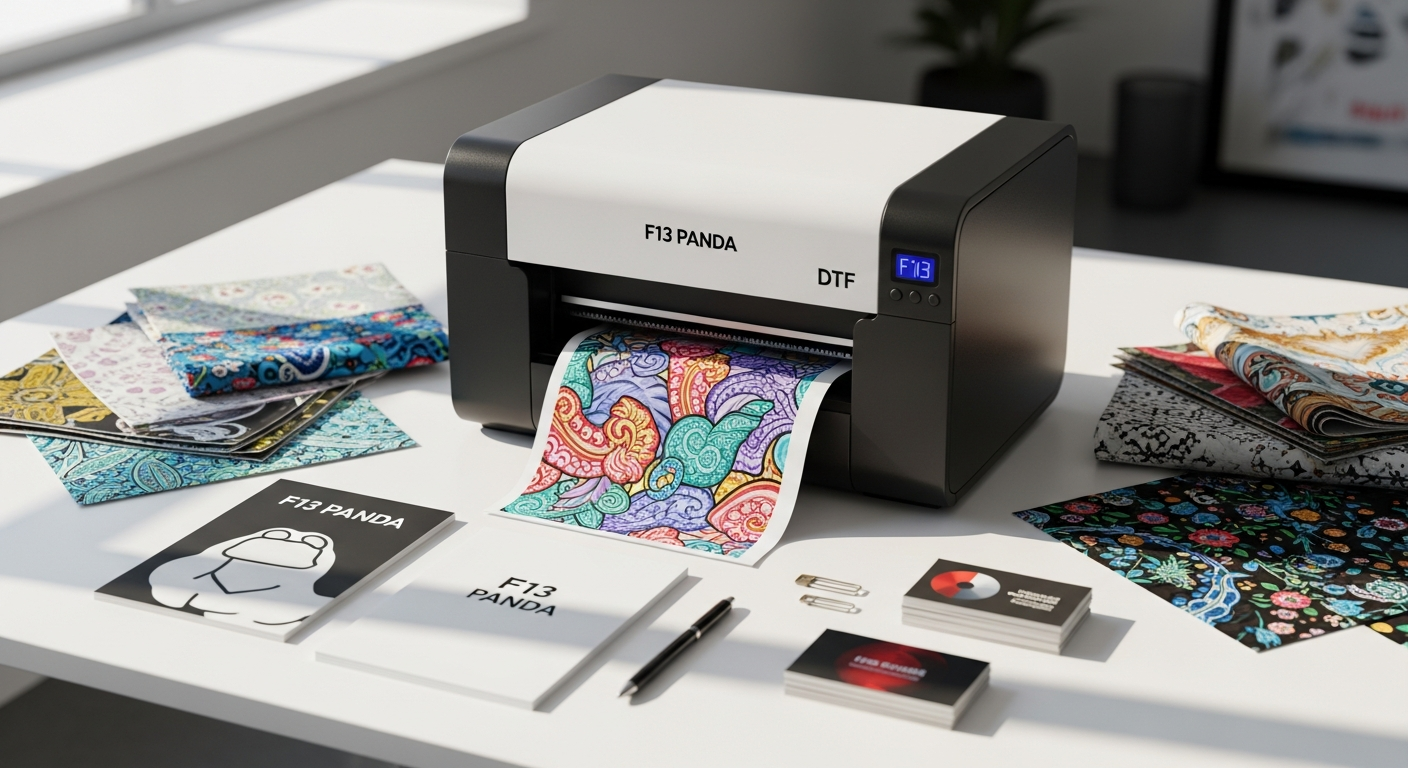
Starting a print-on-demand business from your garage is one thing—scaling it without breaking the bank is another. Many entrepreneurs hit a ceiling where their equipment simply can't keep up with demand, forcing them to choose between hiring help or investing in expensive industrial machinery. The Procolored F13 Panda DTF Printer bridges that gap beautifully, offering production capabilities that grow with your business.
Direct-to-film printing has revolutionized custom apparel manufacturing over the past five years. Unlike traditional screen printing or sublimation, DTF technology allows you to print vibrant designs on virtually any fabric—light, dark, or anything in between—without the setup costs of older methods. This accessibility has created an explosion of small businesses and side hustles in the custom apparel space, but success depends on having the right equipment.
From Hobby to Hustle: Understanding DTF Printing for Scalable Production
What makes DTF printing fundamentally different from sublimation and screen printing
DTF printing operates on an entirely different principle than the methods that dominated custom apparel for decades. Sublimation transfers heat-activated dyes onto polyester, limiting you to light-colored synthetics. Screen printing requires separate screens for each color, making small batch runs expensive and time-intensive. DTF bypasses these constraints entirely. The technology prints designs directly onto special film, which then transfers onto fabric using a heat press and powder adhesive. This approach works on cotton, polyester, blends, and virtually any color garment you throw at it.
Why DTF technology is ideal for entrepreneurs scaling from small batches to medium-volume orders
The magic of DTF for scaling lies in its flexibility. You're not locked into minimum order quantities or color restrictions. A customer wants 50 navy polo shirts with a custom design? You print them. Next order is 30 pastel pink ladies' tees? No problem. The printer handles color changes instantly without cleaning screens or switching equipment. This agility means you can accept diverse orders without turning away business, directly translating to higher revenue potential as you grow.
How the Procolored F13 Panda's L1800 print engine supports consistent quality at higher production rates
The L1800 print engine represents a proven workhorse in the DTF space. It's designed for reliability and consistent output over extended production runs. Users report vibrant colors and sharp details even after printing hundreds of pieces. This consistency matters tremendously when you're scaling—your reputation depends on every 50th print looking as good as the first one. The engine maintains this quality standard without requiring constant recalibration or manual adjustments between jobs.
The role of white ink technology in expanding your product offerings
White ink is the game-changer that separates DTF from sublimation. With CMYK alone, printing on black garments produces muddy, washed-out designs. Add white ink to the mix, and suddenly you can layer brilliant colors over dark fabrics with stunning results. This opens an entirely new market segment. Navy workwear, black band merchandise, dark athleisure—all become viable product categories. For entrepreneurs, this means higher average order values and the ability to serve customers with more diverse aesthetic preferences.
Why the A3 (13-inch) printing width is optimal for small-to-medium batch orders without oversizing
The 13-inch width is precisely calibrated for the scaling sweet spot. It's large enough to print front-and-back designs on standard apparel without requiring multiple passes. It handles sleeve wraps and larger graphic placements. Yet it's not oversized for your production needs—you're not wasting film on designs smaller than the maximum width. This efficiency directly impacts your per-unit costs and material waste, both critical when you're optimizing margins during growth phases.
Production Capacity Breakdown: Can the F13 Panda Keep Up?
Realistic production rates: 20-50 pieces per day and what that means for your revenue potential
Procolored positions the F13 Panda at 20-50 pieces daily. That's not aspirational marketing—it's grounded in the printer's actual output speed when accounting for design complexity, film application, curing time, and quality checks. At the conservative end, 20 pieces daily translates to roughly 100 per week or 5,000 annually. Assuming an average wholesale margin of $8-12 per piece, you're looking at $40,000-60,000 in annual revenue from one printer operating at baseline capacity. Push toward 50 daily, and that ceiling approaches $150,000+. For a side operation or small business, this is substantial.
Calculating cost-per-print at various production volumes and how it impacts profitability
Your material costs per print depend primarily on design complexity and ink usage. A simple single-color design might cost $1.50-2.00 in film and ink. Complex full-color prints with extensive white ink run $2.50-3.50. Factor in electricity, oven gas or energy, and maintenance amortized across your total annual output, and your all-in cost per piece ranges from $3.00-4.50. If you're selling at $12-15 wholesale or $25-35 retail, your gross margin remains healthy even accounting for these variable costs. Volume pushes margins higher by spreading fixed overhead across more units.
Comparing the F13 Panda's output speed to other entry-level DTF printers in the market
When benchmarked against competitors in the $2,500-3,500 range, the F13 Panda holds its own. Some printers claim higher theoretical speeds but underperform in real-world conditions due to reliability issues. Others match the speed but lack the white ink circulation system, forcing frequent maintenance breaks that kill actual throughput. The F13 Panda balances speed with consistency—you won't hit 50 pieces daily on day one, but you'll hit it reliably once you master your workflow.
Batch processing workflows: how to structure orders for maximum efficiency
Smart batch processing accelerates output without rushing quality. Group orders by color to minimize setup time. Process all navy pieces, then black, then white. Within each color batch, arrange orders by design complexity—simpler designs first to build rhythm, complex ones next. This rhythm reduces context-switching overhead that kills efficiency when you're bouncing between completely different projects. You're essentially batching by color and complexity, a workflow that professional print shops use for exactly this reason.
Throughput during peak seasons and managing customer expectations with transparent timelines
Peak seasons expose production bottlenecks fast. If you're at 40-50 pieces daily normally, you hit a hard ceiling. Rather than overselling and disappointing, establish tiered delivery options: 5-day rush orders at premium pricing, standard 10-day turnaround at baseline, and bulk orders with 14-day lead times. Communicate this transparently to customers upfront. Many prefer waiting for a known timeline over uncertainty. This honesty builds trust while protecting your sanity.
Curing time with the included oven and how it affects overall production scheduling
The included curing oven is integral to your production math. Print-to-cure time for most garments runs 4-6 minutes at 320-340°F. On a 50-piece day, you're looking at 200+ minutes of oven time. If you have one oven, you're bottlenecked unless you batch strategically—print while the previous batch cures. Many operators print 10-15 pieces, move them to the oven, then print the next set. This overlapping keeps things flowing. Some scale-focused businesses add a second oven to eliminate this constraint entirely.
Get the complete F13 Panda system with oven included and optimize your production workflow today.
The Complete Bundle Advantage: What's Included and Why It Matters for Growth
Breaking down the comprehensive package: printer, L1800 engine, oven, inks, film, and tools
The $3,075 price point includes far more than just the printer head. You're getting the complete L1800 printing engine, a dedicated curing oven, starter inks in all colors including white, a supply of DTF film, and essential maintenance tools. This bundled approach eliminates the fragmentation trap where you source the printer from one vendor, the oven from another, compatible inks from a third, and suddenly you're $500 over budget with compatibility headaches. Procolored engineered these components to work seamlessly together.
How bundled accessories eliminate hidden startup costs that derail new businesses
New entrepreneurs underestimate hidden costs relentlessly. You buy the printer at $2,000, thinking you're done. Then you need an oven ($600-800), quality inks ($300-400), film stock ($200), a heat press if you don't have one ($400-600), and suddenly you're $4,500 in before producing your first piece. The bundled approach prevents this death-by-a-thousand-cuts scenario. Everything you need is present from day one, protecting your cash flow and allowing you to start generating revenue immediately.
White ink circulation system and its impact on reducing downtime and maintenance headaches
White ink's viscosity differs from standard CMYK inks, causing it to settle and clog print heads if left static. Most DTF printers require manual circulation cycles between jobs, often taking 15-30 minutes and reducing actual printing time. The F13 Panda's circulation system runs automatically even when idle, keeping white ink channels fluid. This reduces downtime dramatically. Over a year of operation, that translates to dozens of hours of additional productive printing time versus competitors without this feature.
Ready-to-start setup versus piecing together equipment from multiple vendors
The psychological and logistical advantage of a unified system shouldn't be underestimated. You unbox one solution, follow one setup guide, and start printing. Troubleshooting is straightforward because all components are designed together. Compare that to sourcing pieces from five different vendors, dealing with compatibility issues, coordinating warranties, and debugging problems where nobody's quite sure whose component is malfunctioning. The bundled approach compresses your time-to-first-print from weeks to days.
Total cost of ownership at $3,075 versus industry alternatives and competitive pricing analysis
At $3,075 for a complete, ready-to-operate system, the F13 Panda sits in a sweet spot. Entry-level competitors without bundled ovens cost $2,200-2,600 but require another $600-900 in oven investment separately. Premium-segment printers with superior features run $4,500-6,000. The F13 Panda gives you 80-85% of premium performance at 50-65% of premium pricing. For entrepreneurs managing tight margins, this efficiency matters enormously.
Investment ROI timeline for small businesses operating at 20-50 pieces daily
At $3,075 invested and $6-8 average profit per piece (wholesale), you break even after producing roughly 400-500 pieces. At 30 pieces daily, that's 2-3 weeks. This rapid ROI timeline means you're not gambling with months of negative cash flow before seeing returns. By week four, every piece you produce is pure profit (minus material costs), funding reinvestment into marketing, inventory, or additional equipment. This accelerates growth trajectories significantly.
White Ink Technology: The Game-Changer for Product Diversification
How CMYK + white ink enables printing on black, navy, and dark-colored garments
Standard four-color printing uses cyan, magenta, yellow, and black to create all colors through subtractive color mixing. When you print these on black fabric, the colors absorb into the darkness and lose vibrancy. White ink changes this fundamentally by providing a reflective base layer. You print white first, then layer CMYK colors on top, creating brilliant, vibrant designs on dark garments. The result rivals screen-printed quality—something sublimation simply cannot achieve.
Expanding your product catalog without investing in additional equipment
Once you master white ink printing, you unlock entire product categories. Black hoodies, navy workwear, dark denim, charcoal activewear—all become profitable offerings. You don't need separate equipment or different printer models. The F13 Panda handles all of it. This expansion increases your addressable market substantially. Where competitors limited to light-colored printing might handle 100 potential designs, you handle 200+ by including dark garment variants. More SKUs, higher revenue.
Quality comparison: white ink prints on dark fabrics versus traditional screen printing
Screen printing on dark garments produces beautiful results but requires separate screens per color and substantial setup investment for short runs. DTF printing on dark garments with white ink produces comparable visual quality while eliminating setup costs and minimum order requirements. A customer wants 25 black tees with a custom design? Screen printing is economically unfeasible. DTF makes it profitable. The quality difference is negligible—both produce vibrant, durable results. DTF simply does it more efficiently.
Preventing white ink clogging through the F13 Panda's circulation system
White ink clogging is the Achilles heel of DTF printing. The F13 Panda addresses this through automatic circulation that keeps white ink channels flowing even during idle periods. This preventative approach beats reactive maintenance by avoiding the problem entirely. Users report significantly less downtime related to white ink issues compared to printers requiring manual circulation. For entrepreneurs where downtime directly kills revenue, this reliability is invaluable.
Maintenance routines specific to white ink channels and preventative care
Beyond automatic circulation, white ink maintenance requires specific protocols. Weekly purges of white ink lines keep channels clean. Use genuine Procolored inks formulated for the system—off-brand substitutes introduce compatibility issues. Clean nozzles after every 50-100 prints of heavy white ink usage. Store white ink properly in cool environments to maintain optimal viscosity. These routines take 15-20 minutes weekly but prevent expensive repairs and downtime that cost far more.
Pricing strategy: charging premium rates for dark garment printing to boost margins
Dark garment printing requires white ink—an additional material cost and slightly longer print time. Charge accordingly. Where standard light-garment prints might be $10 wholesale, dark garment prints merit $12-14. This 20-40% premium reflects genuine added costs while staying competitive against screen printing alternatives. Many customers willingly pay the premium knowing they're getting small-batch production capability that screen printers won't offer. This pricing strategy improves margins while remaining customer-friendly.
Workflow Integration: Fitting the F13 Panda Into Your Current Operations
Software setup and connectivity considerations for small studio environments
The F13 Panda runs Windows software requiring a dedicated computer or tablet. Setup involves driver installation, calibration, and network configuration. Some users report the software interface as unintuitive and note that it requires a dongle for full functionality. Connectivity between printer and workstation can occasionally be finicky. None of these issues are dealbreakers, but they require patience during initial setup. Budget 4-6 hours for complete installation and testing before your first production run. Having basic IT troubleshooting skills helps substantially.
Design file preparation and pre-print quality checks for batch processing
Before printing, designs require proper formatting. Files must be high-resolution (300 DPI minimum), correctly sized for your garment, and properly separated for CMYK and white ink layers if necessary. Many operators use Photoshop or design software to prepare files, ensuring white ink placement is intentional rather than incidental. Quality checks before printing save material waste. Inspect the printed film under magnification before transferring to garment. This extra 30 seconds prevents applying flawed transfers.
Managing multiple orders simultaneously without bottlenecking at the printer
Organization prevents bottlenecks. Use a production queue system—either physical index cards or digital spreadsheet—tracking order status from file preparation through curing. Assign time slots to jobs, preventing overlaps. Organize stations: design prep area, printing station, film cutting area, heat press station, and curing queue. This assembly-line approach keeps work flowing instead of creating congestion at your printer. Multiple team members, when you scale to that point, each own specific stations.
Integrating with popular print-on-demand platforms and order management systems
Services like Printful or local order management systems can integrate with your F13 Panda workflow through design file exports. You pull order details, design specifications, and customer info from your platform, prepare files, and send them to the printer. Some operators manually manage orders in spreadsheets, tracking quantity, design, color, and deadline. Others use Shopify integrations or custom databases. The right system depends on your volume and technical comfort level. Start simple and upgrade as complexity increases.
Space requirements and workstation layout for efficient production flow
The F13 Panda itself measures roughly 24 inches wide and requires stable, climate-controlled space. Account for 6-8 feet of counter space for the printer, plus additional area for film staging, pre-printed samples, tools, and oven placement. Ideally, arrange stations in logical workflow sequence: design prep → printing → film cut/prep → heat press → curing → quality check → packaging. This reduces unnecessary movement and keeps operations flowing intuitively. A 200-400 square-foot studio accommodates one F13 Panda comfortably with organized management.
Scaling staffing: when to move from solo operation to team-based production
Solo operators typically handle 20-30 pieces daily comfortably. Adding even one part-time assistant lets you push toward 40-50 pieces daily because the assistant manages secondary tasks—file prep, heat pressing, packaging—freeing you to focus on printing and quality control. At 60+ pieces daily or multiple printers, move to a small team: one person designs/prepares files, one operates the printer, one handles pressing and finishing. This specialization beats generalists at volume.
Real-World Scaling Scenarios: Case Studies and Growth Projections
Scenario 1: Side hustle to full-time business (5-15 pieces/day to 30-50 pieces/day)
Sarah runs a side DTF business from her apartment, printing 8-12 pieces daily while working full-time. Annual revenue sits around $25,000. Investing $3,075 in the F13 Panda, she immediately increases capacity to 25-35 pieces daily. She restructures her marketing efforts, targeting local businesses for custom uniforms and promotional apparel. By month three, she hits 35-40 pieces daily consistently. Her annual revenue trajectory jumps to $80,000-100,000. By month eight, she quits her job and operates full-time. The investment paid for itself in three weeks; everything after is scaling momentum.
Scenario 2: Custom apparel shop expanding into DTF for faster turnaround
Marcus owns a small screen printing shop doing 50-75 pieces weekly. Lead times run 10-14 days due to screen setup time. He invests in an F13 Panda, positioning it for rush orders and small batches that screen printing can't economically handle. Customers now have options: wait 14 days for premium screen printing at $8/piece, or get results in 2 days via DTF at $12/piece. Revenue increases 35% within four months because he's capturing customer segments that previously went elsewhere. The F13 Panda became an enabler for his existing business model.
Scenario 3: E-commerce brand adding in-house production to reduce outsourcing costs
Jessica sells custom apparel through Etsy, currently outsourcing printing to third-party vendors at $6-8 per piece. Her margins compress significantly. Adding an F13 Panda in-house drops production costs to $2.50-3.50 per piece. She maintains the same retail pricing, instantly doubling her profit margin. With improved margins, she can invest in paid advertising, which was previously economically unfeasible. Within five months, revenue increases 60% due to improved marketing reach. The F13 Panda unlocked profitability that enabled growth.
Break-even analysis and timeline for recovering the $3,075 investment
Break-even depends on your margin per piece and production volume. Conservative estimate: $7 average profit per piece, 25 pieces daily. That's $175 daily profit or $4,375 monthly. Recovery of $3,075 happens in approximately 3-4 weeks. More aggressive scenario: $10 per piece at 35 pieces daily equals $350 daily profit, breaking even in 9 days. Most realistically, you break even within 3-6 weeks of starting production. After that, the printer essentially pays for itself monthly through profit generation.
Profit margin expectations at different production volumes
At 15-20 pieces daily with $7 average profit per piece: ~$2,500 monthly profit (before overhead). At 25-30 pieces daily: ~$5,000-5,250 monthly. At 40-50 pieces daily: ~$9,500-10,500 monthly. These projections assume $7-10 profit per piece after material costs, accounting for wholesale versus retail mixed sales. Overhead costs (rent, utilities, internet, marketing) vary by location and business model. After subtracting overhead, many operators see $2,000-4,000 monthly net profit at 30 pieces daily, scaling to $5,000-7,000+ at 50 pieces daily.
When it's time to upgrade or add a second printer to your operation
The F13 Panda's ceiling sits around 50-60 pieces daily without compromising quality or burning yourself out. Beyond that, adding a second printer makes sense. One operator can monitor two printers operating in parallel—while the first printer runs, you prep files and manage the second. Two printers double your potential output to 100+ pieces daily without proportional cost increases. The decision to add a second printer typically arrives when consistent demand exceeds 40+ pieces daily and you've validated your market traction.
Maintenance and Reliability: Keeping Your Printer Running During Growth
Preventative maintenance schedules that minimize downtime during busy periods
Establish a non-negotiable maintenance calendar. Weekly: purge white ink channels and run cleaning cycles. Bi-weekly: deep-clean print head nozzles with approved cleaning solution. Monthly: inspect oven heating elements and calibrate temperature accuracy. Quarterly: full system diagnostics and part inspection. This preventative approach costs time upfront but prevents expensive emergency repairs when you're in the middle of a 500-piece rush order. Many operators schedule maintenance during low-volume days, typically Mondays, to minimize impact.
Common issues encountered during scaling and troubleshooting strategies
Print quality degradation often signals white ink channel issues or nozzle clogs. Solution: run a full purge cycle and cleaning routine. Connectivity problems between printer and workstation occasionally occur; reboot both devices and reinstall drivers if issues persist. Software crashes can stall production; always keep backups of your design files and maintain recent system updates. Oven temperature inconsistency affects curing quality; calibrate regularly using a reliable thermometer. Document solutions as you troubleshoot so you develop faster resolution times.
White ink circulation benefits and how they reduce costly repairs
The white ink circulation system is precisely engineered to prevent clogging, the most common reason DTF printers require expensive print head replacements ($400-800). By maintaining fluid white ink channels continuously, the F13 Panda substantially extends print head lifespan and reduces unplanned maintenance emergencies. This reliability is worth the premium price compared to budget DTF printers lacking this feature. You'll notice reduced downtime and fewer "must-fix-this-today" service calls as you scale production.
Print head care and cleaning protocols for consistent output quality
Print heads are precision instruments worth protecting. Use only approved Procolored cleaning solutions; substitutes can damage nozzles. Never let the printer sit idle for more than 48 hours without running a maintenance cycle. If stored long-term (weeks or months), run extensive purge cycles before resuming operation. Avoid bumping or jarring the printer during operation. Keep the printer in climate-controlled spaces—dramatic temperature swings affect ink viscosity and print accuracy. These habits extend print head life from 2-3 years to 4-5+ years.
Parts replacement costs and warranty coverage considerations
Print heads cost $400-800 when replacement is necessary. Ink supplies ($100-150 per set) need replacing regularly. Maintenance kits ($50-100) include cleaning solutions and consumables. The F13 Panda typically comes with 1-2 year warranty covering manufacturing defects. Extended warranties are available but evaluate whether your usage pattern warrants the extra cost. Many operators treat the cost of eventual parts replacement as a scaling business expense, budgeting $200-300 annually for maintenance supplies once you're in full operation.
Building a maintenance budget into your scaling financial projections
When projecting profitability as you scale, allocate 5-8% of revenue toward maintenance and parts replacement. At $80,000 annual revenue, that's $4,000-6,400 in annual maintenance budget. This seems high until you factor in print head replacement potentially needed after 2-3 years, consumable supplies, and service calls if needed. Operators who budget conservatively avoid cash flow surprises and maintain equipment proactively rather than reactively. It's the difference between planned maintenance and emergency repairs.
Comparing the F13 Panda to Other DTF Printers at This Price Point
How the F13 Panda stacks up against competitors in the $2,500-$3,500 range
The DTF printer market at this price point includes options like the Epson F2100 ($2,400), various Chinese-manufactured competitors ($1,800-2,600), and premium entry-level models ($3,200-3,600). The F13 Panda sits mid-range, offering bundled value that many competitors don't match. Build quality and software stability put it ahead of ultra-budget options. Print quality and reliability compete favorably with premium alternatives while maintaining better pricing.
Feature-by-feature comparison: print quality, production speed, white ink systems
Print quality across all legitimate DTF printers is comparable—all use CMYK + white ink technology with similar print head precision. Speed differences are minimal; most achieve 8-12 linear feet per minute. The major differentiator is white ink management. The F13 Panda's automatic circulation system beats competitors requiring manual purging or offering no circulation system at all. This alone justifies its price premium in the market, particularly for operators prioritizing reliability over every marginal speed gain.
Bundle value analysis: what other manufacturers include versus Procolored's offering
Procolored's bundle includes printer, engine, oven, inks, film, and tools. Many competitors sell printers without ovens, forcing customers to source separately at $600-900. Others include inks but not film stock, creating purchasing complexity. The Epson F2100, while capable, typically bundles minimal supplies. Procolored's comprehensive approach eliminates these gaps, reducing your true total cost of ownership below what competing bundles deliver.
Customer support and availability of replacement parts and supplies
This is where Procolored excels relative to smaller competitors. They maintain US-based support, genuine supplies availability, and active user communities sharing troubleshooting expertise. Chinese-manufactured competitors sometimes struggle with customer service responsiveness and supply availability if the manufacturer stops supporting a model. For operators scaling production, reliable support infrastructure becomes increasingly valuable. The $200-300 premium for the F13 Panda partially reflects this support superiority.
Long-term viability and brand reputation in the rapidly evolving DTF market
DTF technology is evolving rapidly with constant format innovations and new competitors entering the market. Procolored has established credibility in this space, suggesting longer-term viability than fly-by-night manufacturers. Purchasing from an established brand reduces the risk of your printer model becoming orphaned with unavailable parts or support. This becomes more important as you scale—a failed printer in full production represents thousands in lost revenue.
Hidden costs with competitor models that the F13 Panda bundle avoids
Many "cheaper" DTF printers hide true costs. A $2,200 printer lacks an oven (add $700), requires separate inks ($400), demands film stock ($300), and perhaps needs software upgrades ($150). Suddenly you're at $3,750 all-in, more than the F13 Panda, with a less integrated solution. Other competitors' inks aren't always compatible with aftermarket supplies, locking you into proprietary consumables at premium pricing. The F13 Panda's bundled approach prevents these financial surprises.
The Learning Curve: Realistic Expectations for New Operators
Initial setup time and software installation requirements
Expect 4-8 hours for complete setup including unboxing, driver installation, network configuration, and software calibration. Windows software installation requires admin access and occasionally demands rebooting your computer. The dongle requirement for full software functionality is straightforward once you understand it but catches newcomers off-guard. Budget a full day for setup if you're not tech-savvy; experienced operators might complete it in 3-4 hours. This front-loaded time investment is standard for any printing equipment.
Training period before achieving consistent, professional-quality output
Your first 20-50 prints are learning prints. You'll make mistakes with design file preparation, temperature settings, and film application timing. By 50-75 prints, you'll achieve consistency. By 100-150 prints, professional-quality results become standard. The learning period typically spans 1-2 weeks of regular operation. This aligns with your break-even timeline—you're essentially learning while generating early revenue, using profits to fund your learning costs.
Common beginner mistakes and how to avoid them during your first 100 prints
Mistake 1: Improper design file sizing leads to awkward placements. Solution: create a test file exactly sized for your intended garment before printing production quantities. Mistake 2: Over-flashing in the oven causes ink degradation and reduced durability. Solution: follow Procolored's temperature and time guidelines precisely. Mistake 3: Inadequate film adhesion due to poor pressing technique causes peeling after washing. Solution: practice heat press technique—firm, even pressure at specified temperature for the exact duration. Mistake 4: Forgetting to account for white ink drying time before handling transfers. Solution: implement a staging workflow that respects dry time between printing and pressing.
Windows software interface and dongle requirements explained
The Windows software manages print settings, color profiles, and device communication. The interface requires some clicking around to find functions—it's not immediately intuitive like consumer software. The dongle (small USB device) connects to your computer and authorizes the software for full functionality. Think of it like licensing protection. Connect the dongle each time you print. Losing it requires contacting Procolored for replacement, so treat it carefully. This setup frustrates some users initially but becomes routine quickly.
Connectivity troubleshooting between printer and workstation
USB or network connectivity issues occasionally prevent the printer from communicating with your computer. Symptoms: software can't detect printer or print jobs hang. Solutions: check USB cables are properly seated, restart both printer and computer, reinstall print drivers, or reset the printer network configuration. If issues persist, contact Procolored support with specific error messages. Most connectivity problems resolve through these basic troubleshooting steps. Having IT competency or access to technical support prevents extended downtime.
Resources for ongoing education and community support from other F13 Panda users
The F13 Panda has an active community with online forums, Facebook groups, and YouTube channels dedicated to troubleshooting and optimization. YouTube creators like DTF Print Academy offer detailed guides for maintenance, design preparation, and business strategies. Procolored's official website maintains knowledge bases and video tutorials. This community is invaluable when you encounter issues—someone has almost certainly solved the problem you're facing. Engaging with this community accelerates your learning and prevents costly mistakes born from isolation.
Financial Planning for DTF Business Growth
Creating a realistic financial model based on F13 Panda specifications
Start with baseline assumptions: 25 pieces daily at $9 average profit per piece equals $225 daily profit or roughly $5,400 monthly. Subtract overhead costs—studio rent ($300-500), utilities ($50-100), internet ($30), insurance ($50-100), marketing ($200-500), software subscriptions ($20-50)—totaling $650-1,280 monthly. Net profit sits at $4,000-4,750 monthly at 25 pieces daily. Scale to 40 pieces daily, and gross profit jumps to $9,000 monthly, netting $7,500-8,350 after overhead. This model demonstrates profitability at reasonable production volumes.
Calculating ink and film costs per garment and factoring into pricing
Material costs depend on design complexity. A single-color or two-color print uses roughly $0.80-1.20 in ink and $0.60-0.80 in film, totaling $1.40-2.00. A full-color design with white ink uses $1.50-2.20 in ink and $1.00 in film, totaling $2.50-3.20. Labor to print, press, and package typically adds $1.00-2.00 per piece. Total variable cost per piece ranges $3.50-5.20. Pricing at $12-15 wholesale or $25-40 retail maintains healthy margins accounting for these costs while remaining competitive.
Oven curing costs and energy consumption during high-volume production
Most ovens consume 1.5-2.5 kW during operation. At average US electricity costs ($0.12-0.15 per kWh), curing one piece costs roughly $0.03-0.05 in electricity alone. Over 1,000 pieces monthly, that's $30-50 in oven energy costs. Some operators use gas ovens (less common but cheaper per cycle), reducing this cost slightly. Maintenance and eventual replacement are additional expenses. Budget $50-100 monthly for all oven-related energy and maintenance when running at full capacity.
Setting wholesale versus retail pricing to maintain healthy margins
Wholesale pricing to other businesses typically runs $10-15 per piece depending on design complexity and garment type. Retail direct-to-consumer pricing runs $25-50 per piece for the same items. Mixed sales models—selling some wholesale and some retail—optimize margin. If 60% of your volume is wholesale at $12 per piece and 40% is retail at $30 per piece, your blended average is $19.20 per piece. Subtract $4 material costs, and you're at $15.20 margin per piece—healthy profitability.
Scaling your marketing budget as production capacity increases
With $3,075 invested in equipment, don't skimp on marketing. Allocate $200-300 monthly initially for social media ads, Google Ads, or local outreach targeting your ideal customers. As revenue grows and you hit consistent production capacity, increase marketing spend proportionally. At $30,000 monthly revenue, spending $1,000-1,500 on marketing (3-5% of revenue) is sustainable and drives growth. This investment
Leave a Reply