Managing finances across a growing team can feel overwhelming—spreadsheets multiply, receipts scatter everywhere, and approvals bottleneck at every turn. Traditional banking solutions weren't built with collaboration in mind, leaving modern teams stuck between outdated systems and clunky workarounds that waste time instead of saving it.
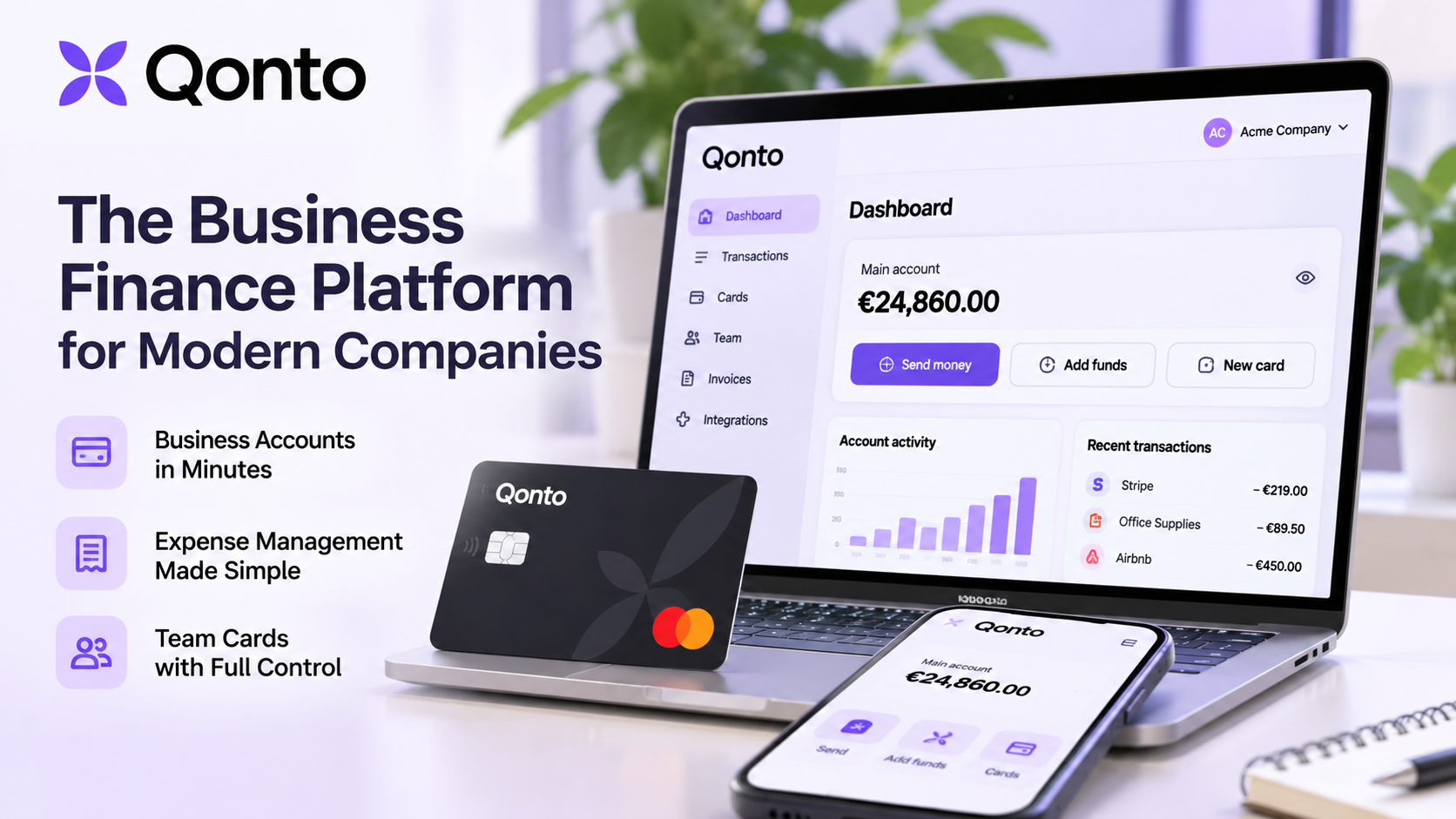
Qonto Business Account Platform exists specifically for this challenge, combining professional banking with collaborative finance tools designed for European businesses past the solo-founder stage. It brings together team access controls, expense automation, real-time visibility, and integrations that connect directly to accounting software your team already uses.
Explore how Qonto streamlines team finance management with a free trial today.
Building Team Finance Workflows with Role-Based Access Controls
Every growing team faces the same dilemma: how do you give people spending authority without losing control? Role-based access controls solve this by letting you assign different permission levels based on actual job responsibilities, not just blanket trust.
How role-based permissions prevent unauthorized spending and streamline approvals
Permission layers act as guardrails that protect your budget while enabling autonomy. When a junior marketer can approve their own small ad spend but can't approve vendor contracts, friction disappears for routine decisions while major spending still requires oversight. This prevents the common trap where everything gets bottlenecked at one finance person's desk, waiting for approvals that slow down the entire business.
Setting up different access levels for team members, managers, and finance leads
Qonto's permission structure typically includes several tiers: view-only access for stakeholders who need visibility without control, card issuance rights for department heads managing their own teams, approval authority for spending above certain thresholds, and administrative access for finance leads managing the entire system. Each level can be customized, so a sales manager might approve their own team's expenses up to €500 but require finance sign-off above that amount.
Delegating card issuance and expense approval without losing visibility
Physical and virtual Mastercard cards can be distributed directly to team members, each with individual spending limits and category restrictions. One team member might have a €100/month limit on software tools, while another gets €5,000/month for client entertainment with restrictions to restaurant and hotel categories only. Real-time transaction monitoring means finance sees every purchase instantly, eliminating the surprise of discovering unauthorized spending weeks later.
Real-world example: How a 15-person startup structures finance responsibilities
Consider a 15-person SaaS startup: the founder keeps administrative access and approves all spending above €1,000. The operations manager handles day-to-day expenses and approves up to €500 for vendor payments. Department heads (sales, product, marketing) receive cards with €2,000 monthly limits and category restrictions matching their function. Individual contributors get cards for travel and meal expenses with €50 daily limits. The accounting person has view-only access for reconciliation but cannot approve or issue cards. This structure means the founder isn't interrupted for routine approvals, but nothing escapes oversight.
Reducing bottlenecks by empowering team members to manage their own expense categories
When team members can capture their own receipts, categorize their expenses, and submit them for approval without chasing down finance, the entire workflow accelerates. Instead of someone manually sorting through a pile of emails asking "was this marketing or operations?", categorization happens in real-time through the platform. Managers see pending expenses that need their approval in a single dashboard view, making approval decisions take seconds instead of requiring back-and-forth clarification emails.
Expense Management Across Multiple Team Members
Expense management at scale reveals why spreadsheets fail businesses. With five people, one spreadsheet might work. With fifteen people submitting expenses weekly, spreadsheets become chaos—duplicated entries, conflicting versions, lost receipts, and reconciliation nightmares that consume hours of finance time.
Receipt capture automation that eliminates manual data entry for the entire team
Qonto's receipt capture works through the mobile app: team members photograph receipts, and the system automatically extracts vendor name, amount, and date using optical character recognition. This single feature eliminates the most time-consuming part of expense management—manually typing in receipt details. Finance teams report this alone cuts weekly expense processing time by 40-50%.
Categorizing expenses in real-time so finance stays current, not playing catch-up
Instead of expenses sitting in an inbox for days or weeks waiting for categorization, team members assign categories at the moment of purchase or when capturing receipts. The platform suggests categories based on merchant type and purchase history, so most expenses auto-categorize correctly. Finance sees current spending patterns immediately rather than reviewing last month's data, enabling faster decision-making and more accurate forecasting.
Multi-level approval workflows for different spending thresholds
A €45 coffee expense for a client meeting might need no approval. A €200 office supply purchase requires manager sign-off. A €5,000 contract needs both manager and finance approval. Workflows can be configured so spending automatically routes to the right approver based on amount and category. This prevents time wasted on trivial approvals while ensuring major spending gets proper review.
Virtual and physical Mastercard cards assigned to individual team members
Each team member receives their own card rather than sharing a corporate card or using personal funds for reimbursement. Virtual cards can be generated instantly and carry spending limits specific to their purpose—a contractor might receive a one-time virtual card good for €1,500 in software purchases only, expiring after the project ends. Physical cards work for everyday business purchases. Both types integrate directly into the expense system, so purchases appear instantly without manual entry.
Budget controls and spending limits by department or project
Beyond individual card limits, teams can set aggregate budgets for departments or projects. Marketing might have a €5,000 monthly budget spread across three team members, and the platform tracks cumulative spending against that limit. When approaching the budget ceiling, approvers get alerts, preventing overspends that would only be discovered during monthly reconciliation.
Start managing team expenses intelligently with Qonto's automated workflows.
Real-Time Visibility and Cash Flow Management for Growing Businesses
Growing teams operate at speed, which makes real-time financial visibility essential. Waiting for month-end reports to understand spending patterns means flying blind for weeks while decisions compound.
Dashboard views that show company-wide spending patterns instantly
Qonto's main dashboard displays total spending, breakdown by category, top merchants, and spending trends at a glance. Drill-down views reveal which team members spent most, which departments ran highest budgets, and which categories exceeded forecasts. This means identifying problems as they emerge, not after they've already impacted cash flow for an entire month.
Tracking cash flow across multiple team members and departments simultaneously
With multiple team members and cards active, cash outflows happen constantly. Real-time tracking shows every transaction as it processes, giving a true picture of available cash at any moment. This proves critical for growing businesses that might have only a few weeks of runway—knowing exact cash position helps prevent overdrafts or missed payroll deadlines.
Forecasting tools that help predict upcoming expenses and payment obligations
Historical spending data enables forecasting of regular expenses like software subscriptions, vendor payments, and salaries. The platform can highlight seasonal patterns—office supply companies might see December spending spike significantly—and predict cash needs accordingly. This transforms finance from reactive (dealing with surprises) to proactive (planning ahead).
Identifying spending trends before they become budget problems
When software subscriptions gradually increase over months as teams add tools, the trend might go unnoticed until annual renewal time arrives with a shocking total. Real-time categorized spending makes these trends visible, allowing finance to evaluate whether each subscription still delivers value or represents unnecessary spend to cut.
Integration Capabilities That Connect Your Finance Stack
Most growing businesses use accounting software, project management tools, CRM systems, and specialized business applications. Manual data entry between systems wastes time and creates reconciliation errors that surface months later.
Native accounting software integrations (Xero, QuickBooks, FreshBooks, etc.)
Qonto integrates directly with major accounting platforms, automatically syncing transactions from Qonto accounts into the correct accounting categories. A purchase categorized as "Client Entertainment" in Qonto automatically appears in the client entertainment expense account in your accounting software, eliminating manual invoice entry and reconciliation work.
Automatic syncing of transactions to eliminate double-entry work
Without integration, finance staff manually enter transactions from bank statements into accounting software—a process that's error-prone and time-consuming. Automatic syncing means transactions appear in accounting software within hours of posting to Qonto, keeping books current and reducing reconciliation time dramatically.
API access for custom integrations with specialized business tools
Teams using specialized tools beyond standard accounting software can build custom integrations via Qonto's API. A team management company might integrate with their project billing system to automatically allocate expenses to specific client projects. A design agency might sync expenses to their creative workflow tools. This flexibility means Qonto fits into whatever tech stack your business already uses.
Reducing manual reconciliation time by 80%+ with proper integrations
Manual reconciliation of bank statements against accounting records typically consumes 8-12 hours monthly for growing teams. Proper integration reduces this to 1-2 hours of exception handling, freeing finance staff for strategic work rather than data entry. For teams running lean, this time savings often justifies the subscription cost alone.
Scaling Your Team's Financial Operations: Pricing and Plan Options
Qonto's pricing scales with team size, ensuring you only pay for features your business actually needs while allowing cost-effective growth.
Starter plans for small teams (€9–€29/month range)
Entry-level plans suit teams with 1-3 people and basic needs: a professional business account, one physical card, basic expense tracking, and accounting integrations. These plans work well for very early-stage startups establishing financial infrastructure without enterprise requirements.
Growth plans with advanced features for expanding organizations (€49–€99+/month)
Mid-tier plans support 5-20+ person teams with multiple cards per user, advanced approval workflows, detailed role-based permissions, priority customer support, and API access. These plans typically include all core features needed by growing businesses scaling beyond founder-only finance management.
How many users and cards you get at each tier
Starter tiers might include 1-2 users and 1-2 cards. Growth tiers expand to 10+ users and unlimited card issuance. This structure means scaling finance operations doesn't require jumping to expensive enterprise plans until teams genuinely need advanced compliance or custom integrations.
ROI calculation: Time saved vs. monthly subscription cost for teams
Consider a 10-person team spending 12 hours weekly on expense management, approvals, and reconciliation. At an average €30/hour fully loaded cost, that's €360 weekly or €1,440 monthly. A €99/month Qonto Growth plan that reduces this time by 6 hours weekly saves €180 monthly after subscription cost—a clear positive ROI before accounting for reduced accounting errors, faster month-end close, and improved cash flow visibility.
The Bottom Line for Team-Focused Finance Management
Growing teams face a unique challenge: they're too large for spreadsheets and expense emails, but not large enough for enterprise banking solutions designed for Fortune 500 companies. Qonto fills that gap by combining role-based access, real-time expense tracking, and seamless integrations that connect directly to tools teams already use.
Teams cut their weekly finance administration time substantially by moving to Qonto, with approval workflows eliminating constant back-and-forth that drains productivity. The system's transparency means finance leads gain control without micromanaging, and team members gain autonomy without risking unauthorized spending. Cash flow visibility improves dramatically, enabling better forecasting and faster decision-making.
If your growing team operates across Europe and your current banking setup feels clunky—if expense management still involves chasing receipts, if approvals create constant friction, if reconciliation consumes disproportionate time—Qonto deserves serious consideration. The free trial lets you test whether the platform's efficiency gains match your team's actual pain points.
Get started with Qonto and transform how your team manages finances.
Leave a Reply